One compromised password can expose every learner record, certification, and compliance report sitting inside your LMS. That’s why multi factor authentication best practices matter so much right now, especially if your training platform holds sensitive HR data, GDPR-regulated records, or FDA 21 CFR Part 11 documentation. Attackers know training systems often get less security attention than core business apps, which makes them an easy target if you’re relying on passwords alone.
If you’re here, you probably want a straight answer: how do you roll out MFA without locking out legitimate users or creating a support nightmare for your admin team. The short version is that strong MFA implementation balances security with usability, and it requires more than just flipping a switch in your settings menu.
In this article, we’ll walk through seven practices we’ve seen work across real training deployments, from choosing the right authentication factors to setting smart enforcement policies for different user roles. You’ll also learn how SSO integrations with providers like Okta or Azure fit into a layered security strategy, and where compliance training platforms need extra safeguards most admins overlook.
1. Choose phishing-resistant authentication factors
1. Choose phishing-resistant authentication factors
What it involves
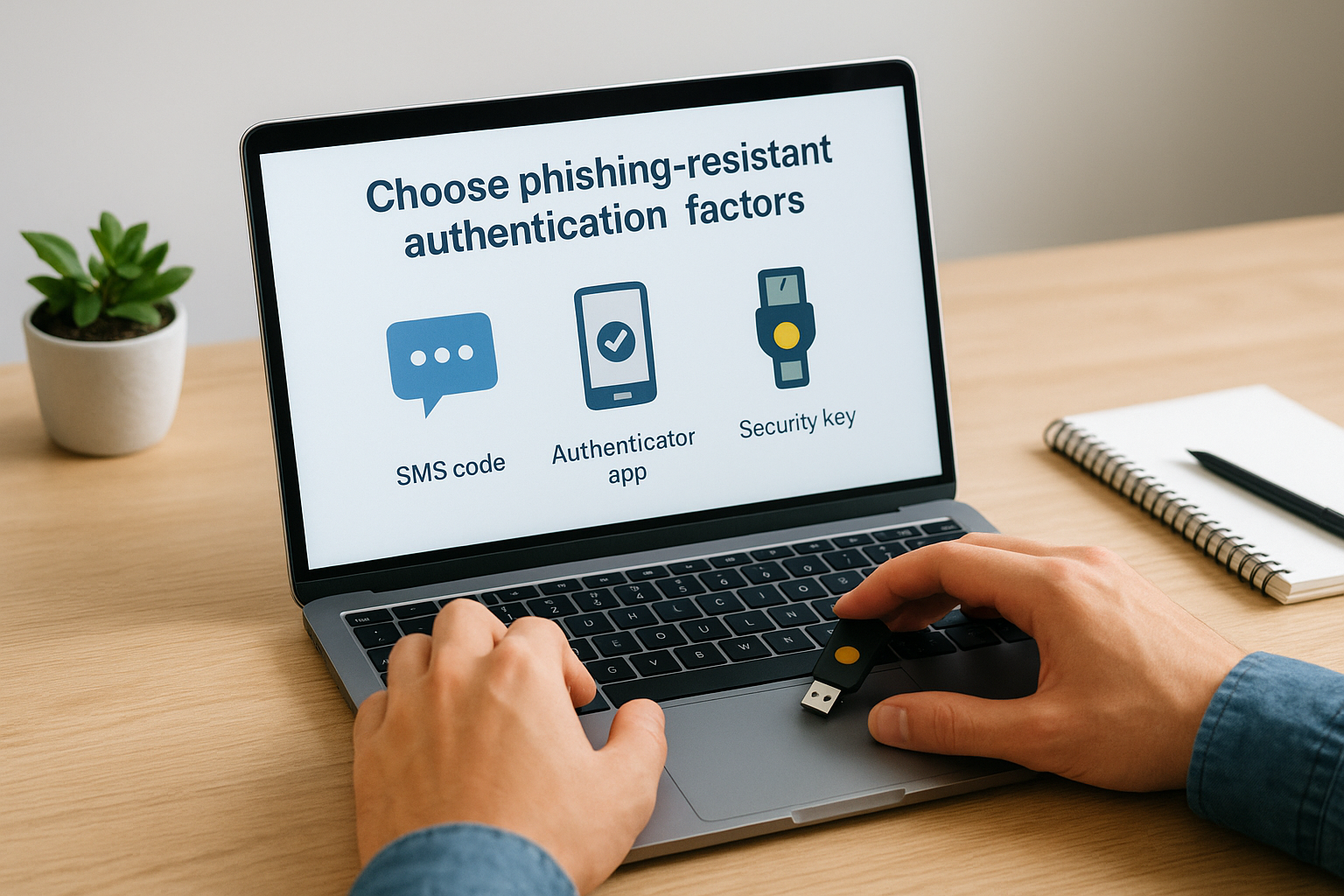
Not all MFA methods offer the same protection. SMS codes and email links feel convenient, but they’re the easiest factors for attackers to intercept through SIM swapping or phishing kits that capture one-time codes in real time. Phishing-resistant authentication relies on cryptographic methods instead, things like FIDO2 security keys, passkeys, or authenticator apps that use push notifications with number matching rather than a simple approve/deny tap. These methods tie the login attempt to the actual device and domain, so a fake login page can’t trick the system into accepting a stolen code.
Why it matters
Attackers have gotten good at defeating weak MFA. Adversary-in-the-middle phishing kits can now relay SMS codes and app-based push approvals in seconds, which means weak MFA methods create a false sense of security for admins who think they’ve already solved the problem. For an LMS storing compliance records under FDA 21 CFR Part 11 or GDPR, a single successful phishing attack against a training administrator account can expose thousands of learner records at once. The Cybersecurity and Infrastructure Security Agency has flagged SMS-based MFA as significantly weaker than phishing-resistant alternatives, and recommends organizations move toward hardware-backed authentication wherever possible.
Strong MFA isn’t about adding more steps, it’s about picking factors that attackers can’t easily fake.
How to implement it
Start by ranking your current authentication methods against known weaknesses, then move your highest-risk accounts, like LMS super admins and compliance officers, to stronger factors first.
| Factor type | Phishing resistance | Best for |
|---|---|---|
| SMS/email code | Low | Legacy systems only, avoid if possible |
| Authenticator app push | Medium | General staff and learners |
| Authenticator app with number matching | Medium-high | Managers and mid-level admins |
| FIDO2 security key or passkey | High | LMS admins, compliance officers, IT |
Roll this out in stages:
- Audit which accounts currently use SMS or email-based MFA.
- Require security keys or passkeys for admin and compliance roles first.
- Offer authenticator apps as the default for general learners.
- Set a deadline to phase out SMS entirely once adoption stabilizes.
A platform like Axis LMS that supports SSO with SAML providers such as Okta or Azure makes this transition easier, since you can enforce stronger factors at the identity provider level rather than configuring each system separately.
2. Apply adaptive, risk-based authentication policies
What it involves
Adaptive authentication changes the MFA challenge based on context, not just identity. Risk-based authentication looks at signals like the device being used, the location of the login attempt, the time of day, and whether the network looks familiar. A learner signing in from their usual laptop on a corporate network might breeze through with just a password and push notification, while the same account logging in from an unfamiliar country at 3 a.m. triggers a stronger challenge, like a security key or a temporary lockout pending admin review.
Why it matters
Static MFA rules treat every login the same, which either frustrates low-risk users with constant prompts or leaves high-risk logins under-protected. Among the many multi factor authentication best practices worth adopting, this one directly addresses alert fatigue, a real problem when admins ignore MFA prompts because they’ve become routine noise.
The safest MFA policy adjusts to the risk of the moment instead of treating every login the same.
Organizations training channel partners or external customers face even more variability in login patterns, making contextual risk signals essential for catching anomalies without blocking legitimate access.
How to implement it
Build your risk policy around a few concrete triggers:
- New or unrecognized device
- Login from a new country or impossible travel pattern
- Multiple failed attempts within a short window
- Access requests outside normal business hours
Start conservatively, flag and log anomalies before enforcing hard blocks, then tighten rules once you understand your normal traffic patterns.
3. Centralize MFA through single sign-on integration
What it involves
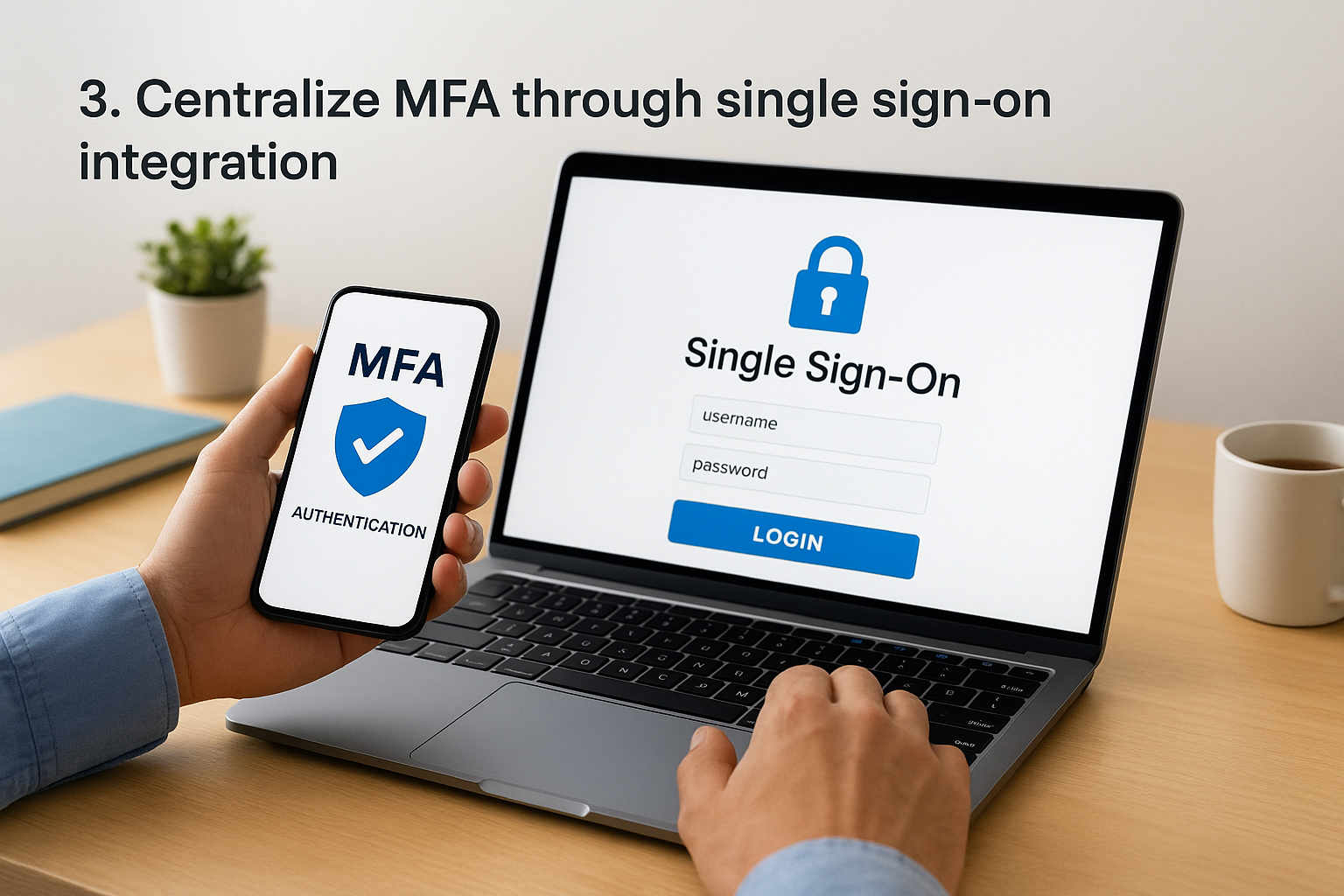
Single sign-on lets learners and admins authenticate once through an identity provider like Okta, Azure AD, or Ping Identity, then access your LMS and other connected systems without logging in again. SSO integration shifts MFA enforcement away from individual applications and puts it at the identity provider level, so you set your authentication rules once and apply them everywhere. Axis LMS supports SAML-based SSO specifically for this reason, letting training platforms plug into the same identity infrastructure already protecting HR systems, CRMs, and email.
Why it matters
Managing MFA separately across a dozen systems creates gaps. Someone updates the policy in Salesforce but forgets the LMS, and suddenly you’ve got inconsistent protection across your training data. Centralized MFA management closes that gap by making one policy change apply across every connected app instantly. This matters even more for organizations juggling multi factor authentication best practices across compliance training, employee onboarding, and customer education platforms simultaneously, since fragmented enforcement is where breaches slip through unnoticed.
One identity provider enforcing one policy beats a dozen systems each guessing at their own rules.
How to implement it
Before connecting your LMS to an identity provider, confirm a few things:
- Your identity provider supports SAML or OIDC protocols
- Your LMS vendor offers native SSO configuration, not just a workaround plugin
- Admin roles get mapped correctly during the handoff so permissions don’t reset
- You test the login flow with a small user group before rolling out organization-wide
Once connected, review your SSO session timeout settings too, since long-lived sessions can undercut the security gains MFA was supposed to deliver in the first place.
4. Enforce least-privilege access with MFA
What it involves
Least-privilege access means giving each user only the permissions they need to do their job, nothing more. Least-privilege access paired with MFA means the strength of the authentication challenge should scale with what that account can touch. A learner who only views assigned courses doesn’t need the same friction as an admin who can export learner records or edit compliance reports. Axis LMS supports granular role definitions, so you can tie stronger MFA requirements directly to higher-privilege roles instead of applying one blanket policy across everyone.
Why it matters
Breaches rarely stop at the first compromised account. Attackers who gain access to a low-privilege login often try to escalate, hunting for admin panels or exposed API keys. Privilege escalation risk drops sharply when high-value accounts require phishing-resistant factors while lower-risk accounts use lighter methods. This layered approach also limits damage if a single account does get compromised, since the blast radius stays contained to whatever that role can access.
The account with the most access should always face the strongest authentication challenge.
How to implement it
Map out your roles before adjusting MFA policy:
- List every role in your LMS: learner, instructor, manager, admin, compliance officer.
- Identify what data or settings each role can access or modify.
- Assign MFA strength tiers based on that access level, not job title alone.
- Review role assignments quarterly, since permissions creep over time as staff change positions.
Regular audits catch accounts that accumulated unnecessary privileges long after someone changed teams.
5. Plan secure backup and account recovery options
What it involves
Every MFA rollout needs a plan for when someone loses their phone, breaks their security key, or gets locked out at 6 a.m. before a compliance deadline. Account recovery planning means defining exactly how users prove their identity without a working second factor, using backup codes, secondary devices, or a verified help desk process instead of falling back to something weak like a security question. Axis LMS admins can configure backup verification steps that don’t quietly reopen the door attackers were trying to walk through in the first place.
Why it matters
Recovery flows are where a lot of MFA programs quietly fail. Skilled attackers target the recovery process directly, because it’s often less protected than the login itself, tricking help desks into resetting MFA for an account that isn’t actually theirs. Weak recovery processes turn strong authentication into theater, since bypassing the recovery flow bypasses everything else you built.
A great login policy means nothing if your recovery process hands attackers a shortcut around it.
Compliance-heavy platforms carry extra risk here, since a bad reset on a certification record can trigger reporting problems long after the fact.
How to implement it
Build recovery around a short, deliberate checklist:
- Issue one-time backup codes at enrollment, stored offline by the user
- Require a second verified contact method (personal email or phone) for recovery requests
- Train help desk staff to verify identity through more than a name and employee ID
- Log every recovery event for later audit review
Test this process before you need it, not during an actual lockout.
6. Monitor, audit, and update your MFA program
What it involves
MFA isn’t a set-it-and-forget-it project. Ongoing MFA monitoring means regularly reviewing authentication logs, tracking which factors your team actually uses, and watching for accounts that quietly slipped back to weaker methods. Axis LMS reporting tools can surface login patterns across your training platform, flagging accounts still using SMS codes or admins who haven’t re-enrolled after a device change. This practice closes the loop on everything else in this list of multi factor authentication best practices, since policies only work if someone checks whether they’re being followed.
Why it matters
Security postures decay quietly. New employees get provisioned without the right MFA tier, exceptions granted during a busy quarter never get revoked, and vendors update their authentication options without anyone updating internal policy to match. Stale MFA configurations are how organizations end up compliant on paper but exposed in practice, especially when auditors ask for evidence during a GDPR or FDA 21 CFR Part 11 review.
An MFA program you never audit is a policy you’re only pretending to enforce.
How to implement it
Build a recurring review cycle instead of a one-time rollout:
- Run a quarterly report on which factors each account uses.
- Flag any accounts still on SMS, email codes, or expired exceptions.
- Cross-check admin and compliance roles against your least-privilege mapping.
- Update policy documentation whenever your identity provider adds new factor options.
- Share findings with compliance officers so audit records stay current.
Treat this like patch management. Skipping a cycle is how gaps reopen.
Making MFA work for your organization
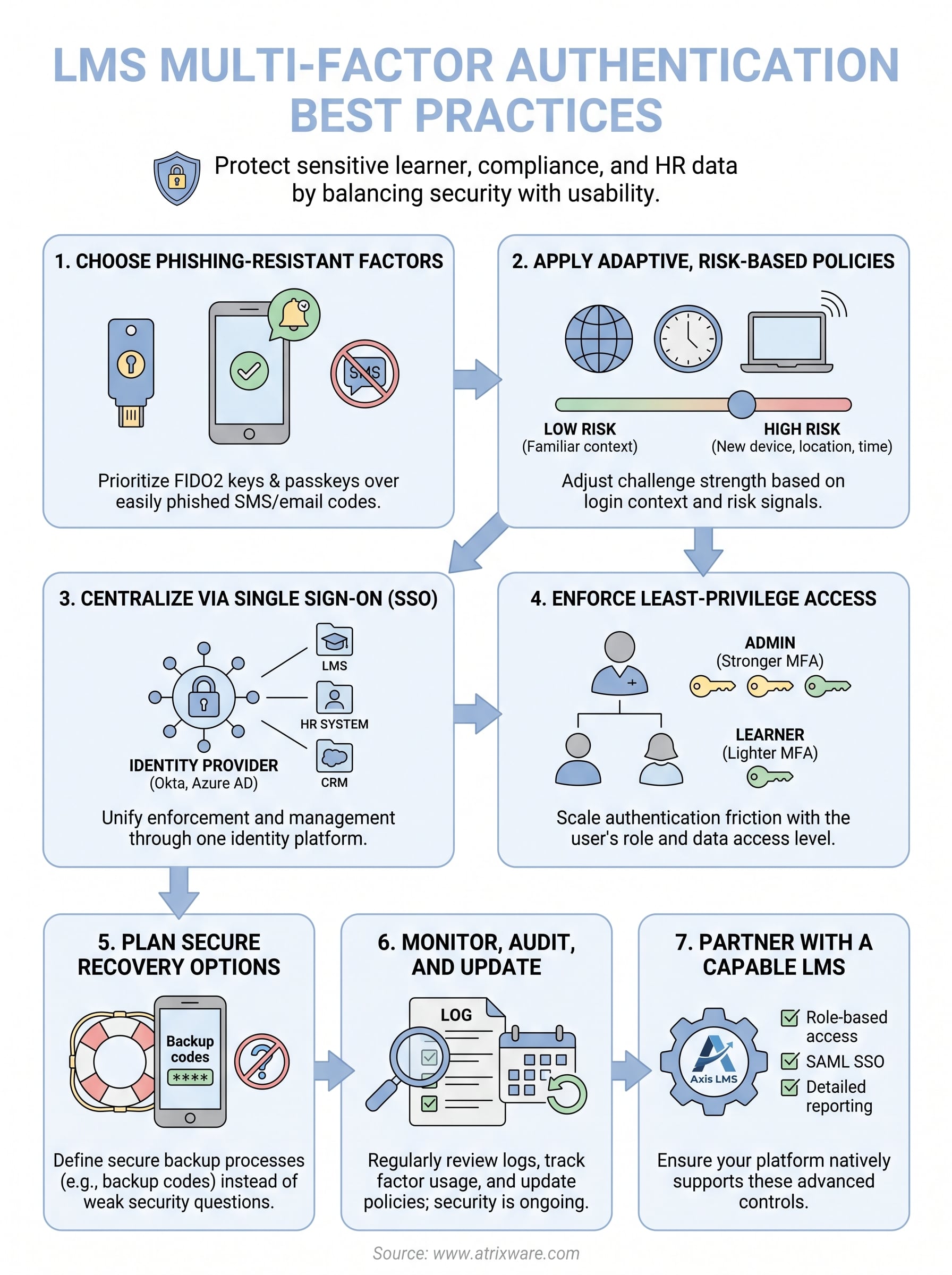
Getting multi factor authentication best practices right isn’t about chasing every new security feature at once. It’s about matching authentication strength to actual risk, tightening recovery flows before attackers find them, and reviewing your setup often enough that gaps don’t quietly reopen. Start with your highest-privilege accounts, layer in adaptive policies, and centralize enforcement through SSO so you’re not managing seven different login systems by hand.
None of this happens by accident, and it definitely doesn’t happen inside a platform that treats security as an afterthought. Strong MFA implementation depends on having an LMS built to support role-based access, SAML SSO, and detailed reporting from day one. If you’re evaluating whether your current training platform can actually handle this, see how Axis LMS handles admin-level security controls firsthand before your next compliance review catches you unprepared.
