A hijacked session is all it takes to expose user data, bypass authentication, and compromise an entire application. If your platform handles sensitive information, training records, compliance data, personal credentials, the stakes are even higher. The OWASP Session Management Cheat Sheet lays out the baseline security requirements that every web application should meet, and ignoring them puts both your users and your organization at risk. Session management vulnerabilities consistently rank among the most exploited attack vectors in web applications, making this one area where shortcuts aren’t an option.
At Atrixware, we build Axis LMS to handle everything from employee onboarding to FDA 21 CFR Part 11 compliance training. That means our platform manages thousands of active user sessions simultaneously, each one carrying sensitive learner data and certification records. Getting session security right isn’t theoretical for us, it’s a core part of how we protect our customers and their organizations every day.
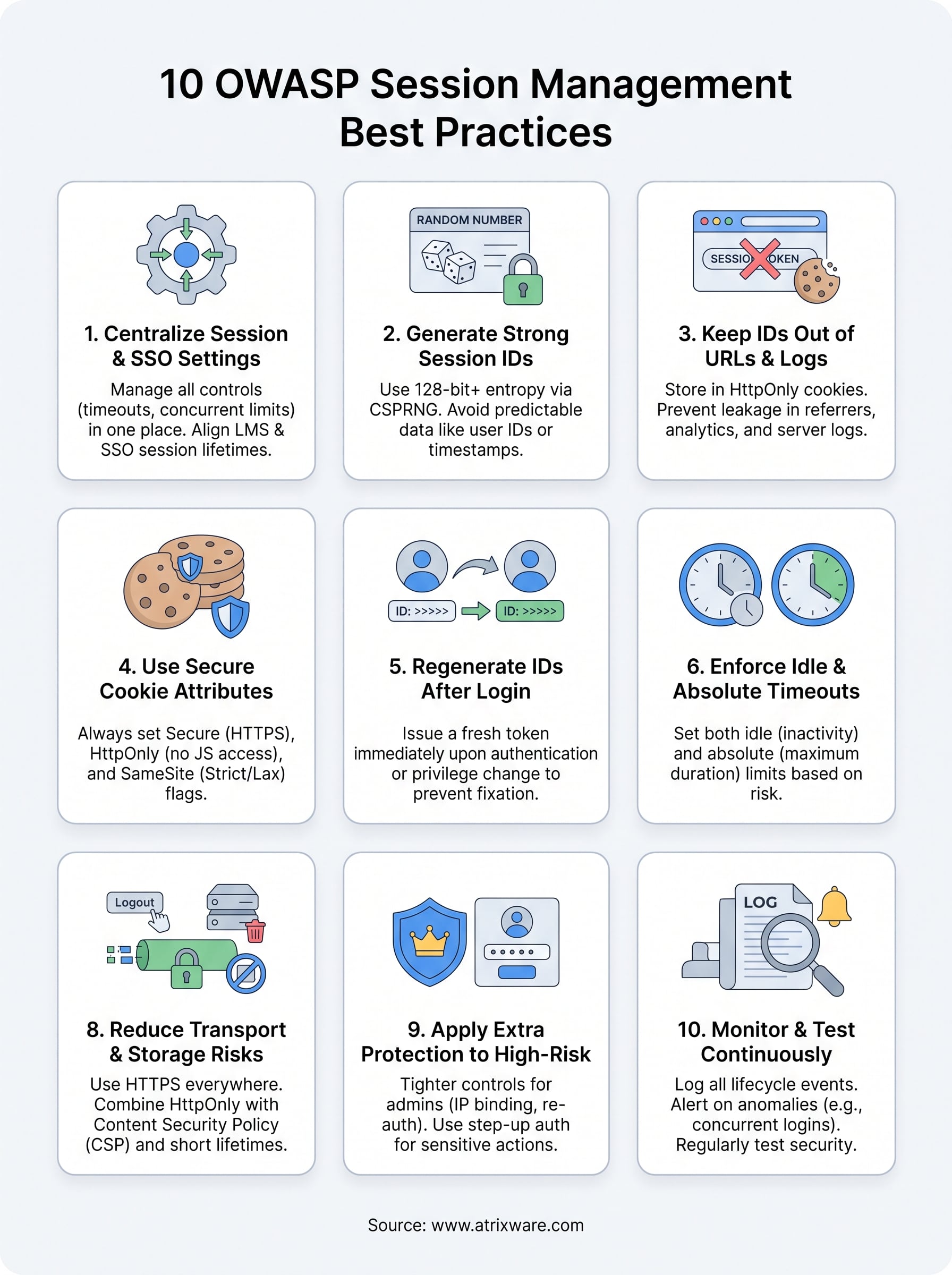
This article breaks down 10 best practices pulled directly from OWASP’s session management guidance. Each one covers a specific, actionable requirement, from token generation and cookie attributes to session expiration and lifecycle controls. Whether you’re building a web application from scratch, auditing an existing one, or evaluating how your current tools handle session security, this list gives you a clear checklist to work from. Let’s get into it.
1. Configure session and SSO settings in Axis LMS
Your LMS sits at the center of your organization’s training data, certification records, and compliance documentation, which makes session configuration one of the first security controls you need to get right. Axis LMS gives administrators direct control over session behavior and SSO integration, so you’re not stuck relying on default values that may not meet your specific security or compliance requirements. The OWASP session management cheat sheet treats centralized configuration as a prerequisite for everything else, and that logic applies directly here.
Which session controls you should centralize in an LMS
Managing session settings from one location reduces the risk of inconsistent behavior across different parts of your platform. In Axis LMS, you can centralize session timeout values, concurrent login rules, and authentication requirements directly from the admin panel. Keeping these controls together means your training team and IT security staff can review and update them without hunting through separate configuration files or disconnected third-party integrations.
How to align SSO sessions with application sessions
When you connect through SSO providers like Okta, Azure, or Salesforce, your identity provider manages one session while Axis LMS manages another. Misaligned session lifetimes between the two create a gap where a user’s identity provider session expires but the LMS session stays active, or vice versa. Match your LMS session timeout to your SSO token expiration so both systems terminate access at the same time.
Leaving SSO and application session lifetimes out of sync is one of the most overlooked vulnerabilities in enterprise LMS deployments.
Settings to review for security and compliance requirements
Compliance frameworks like FDA 21 CFR Part 11 and GDPR set specific requirements around authentication, session expiration, and audit logging. In Axis LMS, review your idle timeout, absolute session length, and re-authentication triggers to confirm they match your applicable framework. You should also verify that session audit logs capture the right events, including login, logout, and forced termination, before any compliance audit.
How to validate your configuration with a quick checklist
Run through these checks after any configuration change to confirm your setup matches your security policy:
- Session timeout aligns with your policy and SSO token expiration
- Concurrent session limits are enabled for sensitive or admin roles
- Re-authentication triggers before learners access compliance-critical content
- Audit logs record session start, end, and forced termination events
2. Generate session IDs with strong entropy
A weak session ID is as dangerous as no authentication at all. If an attacker can predict or brute-force your tokens, every security control downstream becomes irrelevant. The OWASP session management cheat sheet sets clear minimum requirements for session identifier quality, and meeting them starts with how you generate tokens in the first place.
What OWASP expects from a session identifier
OWASP requires that session IDs contain at least 128 bits of entropy and that you generate them using a cryptographically secure pseudorandom number generator (CSPRNG). Your identifier must be unique across all active sessions and must not encode any user or application data that an attacker could reverse-engineer.
A session ID with less than 128 bits of entropy can be brute-forced within hours using modest computing resources.
How to generate secure session IDs in practice
Use your language or framework’s built-in CSPRNG functions rather than writing your own. These functions pull from OS-level entropy sources, which are far more reliable than math-based generators. Solid options by environment include:
- Python:
secrets.token_hex(32) - Node.js:
crypto.randomBytes(32) - Java:
SecureRandomwithnextBytes()
Common anti-patterns that make tokens guessable
Many developers accidentally introduce predictability by seeding generators with timestamps or user IDs. Sequential counters, UUIDs built from weak entropy, and tokens derived from server state all give attackers a foothold to enumerate or reconstruct valid session IDs.
How to sanity-check randomness and length
Verify that your tokens are at least 32 hex characters long, which confirms you’ve hit the 128-bit entropy floor. You should also review your token generation logic during code review to confirm no predictable seed values are involved before you deploy to production.
3. Keep session IDs out of URLs and logs
Putting a session ID in a URL is one of the fastest ways to hand attackers a valid token without any effort on their part. The OWASP session management cheat sheet treats URL-based tokens as a fundamental flaw because the identifier travels through every layer of your infrastructure completely exposed.
Why URL-based session IDs fail in real environments
When a session ID appears in a URL, it gets embedded into browser history, bookmarked by users, and passed to third-party scripts through the Referer header. A single shared link or browser screenshot can hand a valid session to someone who was never meant to have it. That exposure happens without any active attack, which makes this one of the harder risks to track down after the fact.
Safer storage options for browser-based sessions
Store session IDs in HttpOnly cookies instead of query strings or URL fragments. Cookies give you fine-grained control over scope and transmission, and HttpOnly blocks JavaScript from reading the value directly.
Switching from URL-based to cookie-based session storage eliminates an entire class of passive token exposure without changing anything else in your authentication flow.
How session IDs leak through referrers, analytics, and proxies
Even after you move tokens out of URLs, legacy redirect paths, analytics platforms, and reverse proxies can still capture them. Check your Referer header policies and verify your proxy configurations do not forward raw session parameters to external services.
How to find and remove accidental token logging
Search your application logs and monitoring dashboards for any output that includes session ID field names. Add automated log scrubbing to your CI pipeline so future changes cannot accidentally reintroduce token logging before a production deployment.
4. Use secure cookie attributes every time
Cookie attributes are your first line of defense against token theft and cross-site attacks. The OWASP session management cheat sheet requires that every session cookie carries the right combination of attributes before it ever reaches a browser. Missing even one of them opens a specific attack path that an adversary can exploit without breaking any other security control you’ve put in place.
Secure, HttpOnly, and SameSite and when each matters
The Secure attribute forces the browser to transmit the cookie only over HTTPS, blocking any plaintext exposure in transit. HttpOnly prevents JavaScript from reading the cookie value, which stops cross-site scripting attacks from stealing your session token directly. Set SameSite=Strict for internal tools and admin panels, and use SameSite=Lax for applications where users arrive from external links.
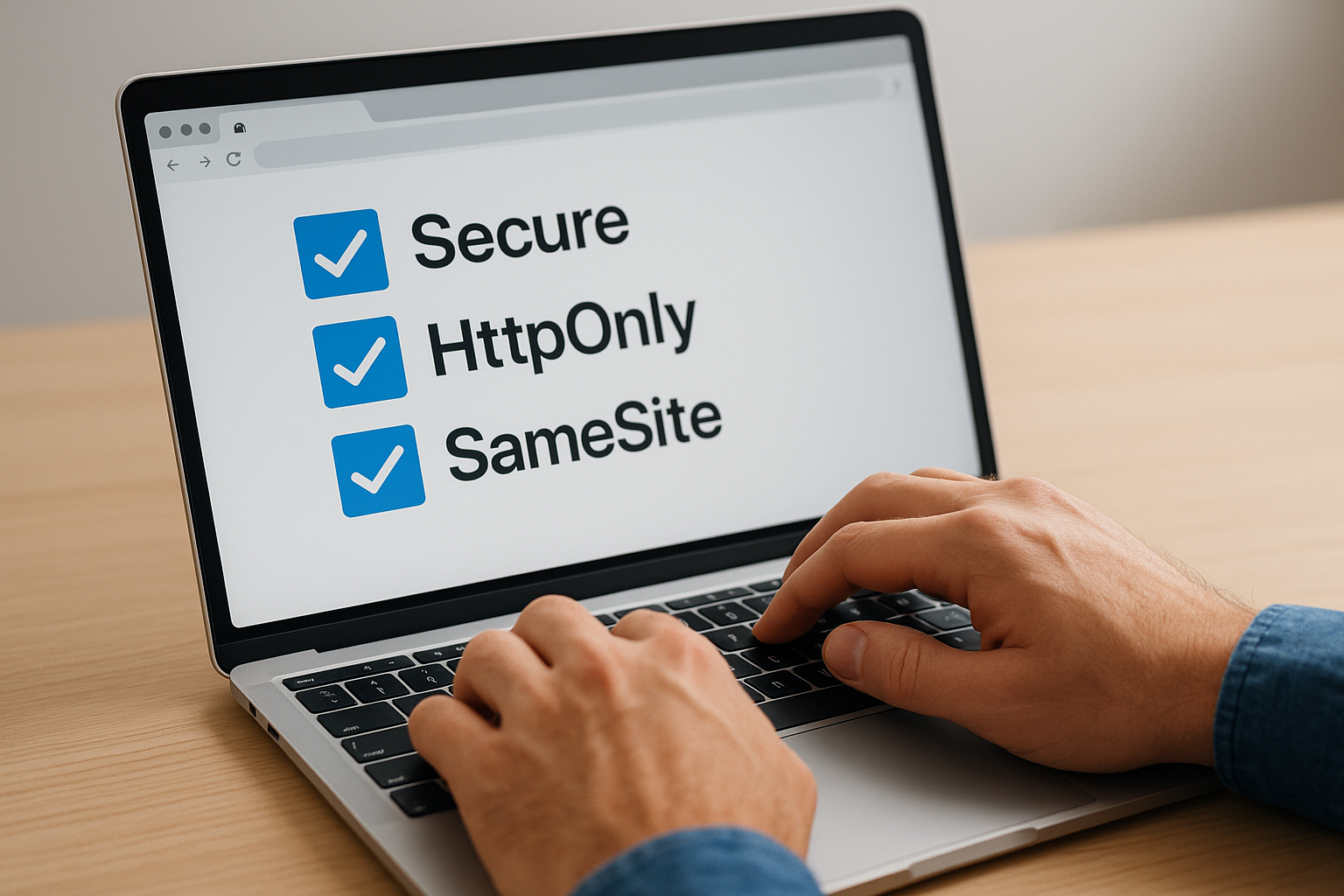
Omitting HttpOnly from a session cookie turns every XSS vulnerability on your site into a direct session hijacking risk.
Cookie scope hardening with Domain and Path
Restrict your Domain attribute to the exact host that needs the cookie rather than a wildcard that covers all subdomains. Set the Path attribute to the narrowest path your application requires so the browser does not send the session token to unrelated routes.
When to use cookie prefixes like Host and Secure
The __Host- prefix locks a cookie to HTTPS, strips the Domain attribute, and sets Path to root, preventing subdomain injection attacks. Use __Secure- when you need HTTPS enforcement but still require a specific domain scope.
Common cookie misconfigurations and how to spot them
Review your Set-Cookie response headers in your browser’s developer tools or a proxy like Burp Suite to confirm every attribute appears as expected. Missing SameSite or Secure flags after a framework update or dependency change are the most common gaps you will find during a routine audit.
5. Regenerate session IDs after login and privilege changes
Keeping the same session ID across an authentication boundary is one of the most common mistakes in web application development. The OWASP session management cheat sheet requires that you issue a fresh session identifier immediately after any login or privilege change to prevent session fixation attacks from succeeding.
How session fixation works and why rotation stops it
Session fixation happens when an attacker plants a known session ID into a victim’s browser before authentication. If your application reuses the pre-authentication token after login, the attacker already holds a valid identifier and gains instant access to the authenticated session.
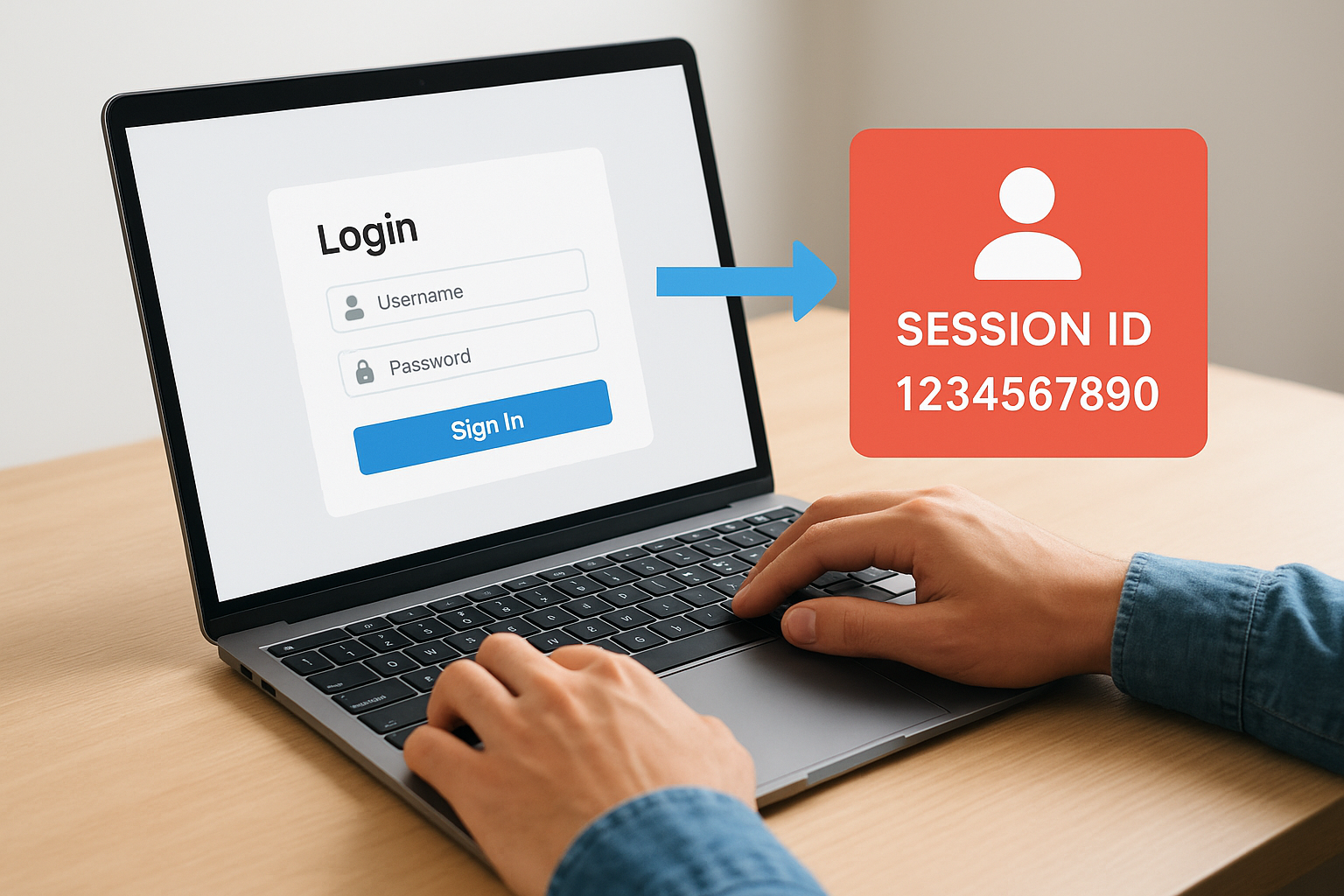
Rotating the session ID at login severs the link between any pre-authentication token and the new authenticated session.
When you must rotate a session identifier
You must generate a new token at every authentication state change, not just initial login. This includes successful MFA verification, account switching, and any action that elevates the user’s current access level within your application.
How to handle step-up authentication and role changes
When a user completes step-up authentication to reach a sensitive area, treat that verification as a new authentication boundary. Issue a replacement session ID immediately after the re-auth prompt succeeds, invalidate the previous token server-side, and update any client-side storage to reflect the new value.
How to test that rotation really happens
Use a proxy tool to capture the Set-Cookie header during login and compare the session ID value before and after the request completes. If the token value does not change, your rotation logic is either missing or not executing on the correct code path.
6. Enforce idle and absolute session timeouts
Timeout controls are one of the simplest, most effective defenses against session hijacking and unauthorized reuse. The OWASP session management cheat sheet requires that every application enforce both types of timeout, not just one, because each one addresses a different failure mode.
Idle timeout vs absolute timeout and why you need both
An idle timeout terminates a session after a defined period of inactivity, protecting unattended devices. An absolute timeout ends the session regardless of activity after a fixed maximum duration, preventing indefinitely long sessions that accumulate risk over time.
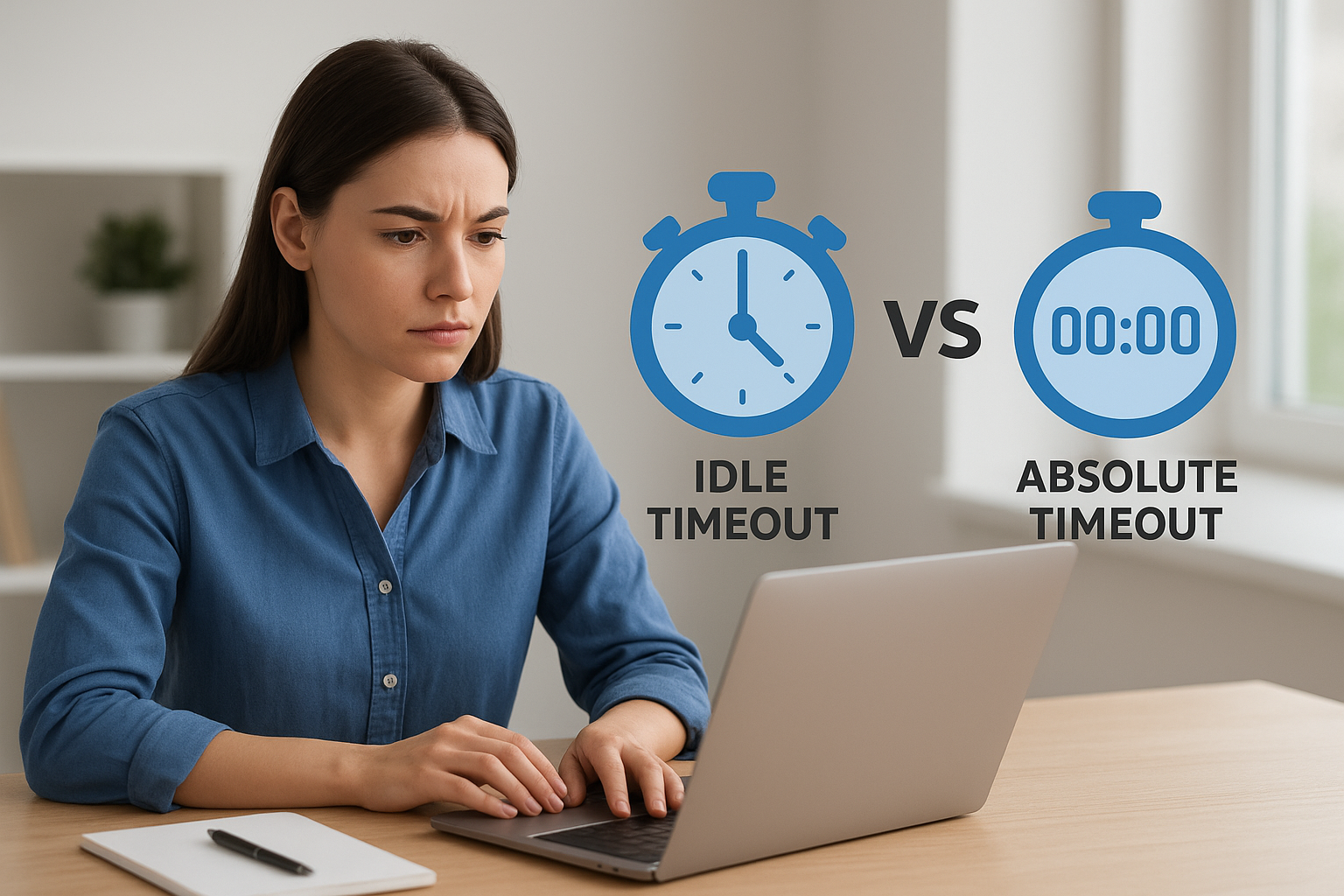
Relying on idle timeout alone lets an attacker keep a session alive indefinitely by sending occasional background requests.
How to pick timeout values by risk level
Match your timeout values to the sensitivity of the data your application handles. Low-risk public applications can tolerate 30-60 minute idle timeouts, while compliance-driven or admin sessions should use 15 minutes or less. Set your absolute timeout at no more than 8 hours for standard users and shorter for privileged roles.
How to handle long-running work without weakening security
Some workflows, like completing a lengthy assessment or uploading large training files, take time. Handle these by saving progress server-side at regular intervals so users can resume after re-authentication without losing work. Never extend your session lifetime just to accommodate a single long task.
What to do for mobile apps and single-page apps
Mobile and SPA environments persist state differently than traditional web apps. Enforce timeouts at the API layer rather than relying on client-side logic, and require re-authentication after the idle window closes regardless of how the front end manages local state.
7. Invalidate sessions on logout and account events
Terminating a session correctly matters just as much as creating it securely. The OWASP session management cheat sheet requires that your application destroys session data on the server the moment a user logs out, not just clears the client-side cookie. Skipping this step leaves valid server-side tokens alive long after a user believes they’ve signed out.
What logout must do on the server side
Your logout function must do more than delete a cookie. It must invalidate the session record on the server so that even if someone replays the old token, the application rejects it immediately. Send a Set-Cookie header that overwrites the session cookie with an expired value and zero the server-side session store entry at the same time.
A logout that only clears the browser cookie without invalidating the server-side token gives attackers a full window to replay the old session.
Events that should revoke sessions immediately
Certain account events must trigger forced session termination across all active sessions, not just the current one. These include account deactivation, role changes, and security policy updates that reduce a user’s access level.
How to handle password changes and MFA resets safely
When a user changes their password or resets MFA credentials, treat it as a security boundary event. Invalidate every existing session tied to that account and require the user to authenticate again from scratch with the new credentials before any session is issued.
How to verify invalidation across devices and browsers
Log into your application from two different browsers, then log out from one and replay the captured session token from the second. If the server returns anything other than an authentication error, your invalidation logic has a gap that needs immediate attention.
8. Reduce session hijacking risk during transport and storage
Transport and storage security protect the session token after it leaves your server. The OWASP session management cheat sheet treats these controls as essential layers that work alongside token generation and cookie attributes to close the gaps that attackers actively probe.
Why TLS alone does not solve session attacks
Enforcing HTTPS across your entire application prevents passive network interception, but TLS does not stop an attacker who has already obtained a valid token through XSS, a compromised device, or a misconfigured proxy. You still need defense-in-depth controls at the cookie and session lifecycle level to limit what a stolen token can do.
TLS secures the channel, not the credential traveling through it.
How to prevent theft through client-side script access
Set the HttpOnly attribute on every session cookie so browser-side JavaScript cannot read the token value directly. Combine that with a strict Content Security Policy to reduce the surface area available to injected scripts that might otherwise extract cookies through indirect DOM manipulation.
How to limit replay with short lifetimes and re-auth prompts
Keep your session lifetime as short as your UX can support, because a shorter window limits how long a stolen token remains useful. Require re-authentication for high-value actions so even a replayed token cannot complete sensitive operations without fresh credentials.
What to do when you suspect a session was stolen
Invalidate all active sessions for the affected account immediately and force the user to authenticate again. Review your access logs for concurrent logins from different IP addresses or unusual geographic patterns that confirm the token was replayed by someone other than the legitimate user.
9. Apply extra protection to high-risk sessions
Not every session in your application carries the same level of risk. The OWASP session management cheat sheet explicitly calls for tiered session controls based on the sensitivity of the access a session grants. Treating an admin session the same as a standard learner session is a security gap that attackers will find before your team does.
How to treat admin sessions differently from user sessions
Admin accounts control your entire platform, so their sessions deserve stricter controls than a standard user session. Apply shorter absolute timeouts and mandatory re-authentication after any period of inactivity for privileged roles. You should also bind admin sessions to specific IP ranges or device fingerprints where your infrastructure allows it, adding a second layer of validation beyond the token itself.
Privileged sessions require tighter controls precisely because the damage from a single compromise is far greater than any standard user account breach.
How to limit concurrent sessions without breaking UX
Allowing unlimited simultaneous sessions multiplies your exposure surface with every additional active token. Set a maximum concurrent session limit for sensitive roles and notify users when a new login terminates an existing one. This approach limits risk without frustrating legitimate users who simply switch devices during their workday.
When to use re-authentication for sensitive actions
Certain actions, like changing account credentials, accessing compliance records, or downloading sensitive reports, warrant step-up authentication regardless of when the user last logged in. Prompt for fresh credentials or MFA verification immediately before those actions complete rather than relying on session age alone.
How to design safe "remember me" behavior
"Remember me" functionality extends session persistence well beyond your standard timeout, which creates long-lived tokens that need extra protection. Store these tokens as separate, single-use credentials that regenerate on each use and bind them to the device that created them. Never treat a persistent token as equivalent to a full authenticated session for high-privilege actions.
10. Monitor and test session management continuously
Session security is not a one-time configuration task. Your monitoring and testing practices determine whether you catch new vulnerabilities before attackers do, and the OWASP session management cheat sheet treats continuous validation as a required discipline, not an optional step.
What security events you should log for sessions
Log every session lifecycle event, including creation, termination, forced invalidation, and failed validation attempts. Each log entry should capture a timestamp, user identifier, IP address, and session outcome so you can reconstruct the sequence of events during any incident investigation.
Alerts that catch session attacks early
Configure alerts for concurrent logins from geographically distinct locations within a short time window, which is a strong signal that a token was stolen and replayed. Also alert on repeated session validation failures from a single IP, which can indicate enumeration or brute-force attempts against your token space.
Catching a session attack in progress requires automated alerting, not manual log reviews after the fact.
A lightweight test plan based on OWASP WSTG coverage
Run a targeted test cycle that covers token predictability checks, cookie attribute verification, and logout invalidation testing against every release that touches authentication code. Use your browser’s developer tools and a proxy to confirm that session IDs change at login and that old tokens return errors immediately after logout.
How to review changes without breaking authentication flows
Before deploying any authentication-related change, run your session test plan in a staging environment that mirrors production. Document your baseline behavior so your team can compare results and catch regressions in timeout logic, cookie attributes, or token rotation before they reach your users.
What to do next
The OWASP session management cheat sheet gives you a concrete, tested framework for securing every session your application creates. Working through these 10 practices systematically, from token entropy and cookie attributes to timeout enforcement and continuous monitoring, closes the specific vulnerabilities that attackers target most often. None of these controls work in isolation. Each one reinforces the others, and skipping even one leaves a gap that undermines the rest of your security posture.
Your LMS handles some of the most sensitive data in your organization, including compliance records, certification history, and learner credentials. Axis LMS is built with these security requirements in mind, so your training platform can meet the demands of regulated industries without sacrificing usability. If you want to see how Axis LMS handles session security and training management at scale, start your free Axis LMS admin demo and explore the configuration options for yourself.
