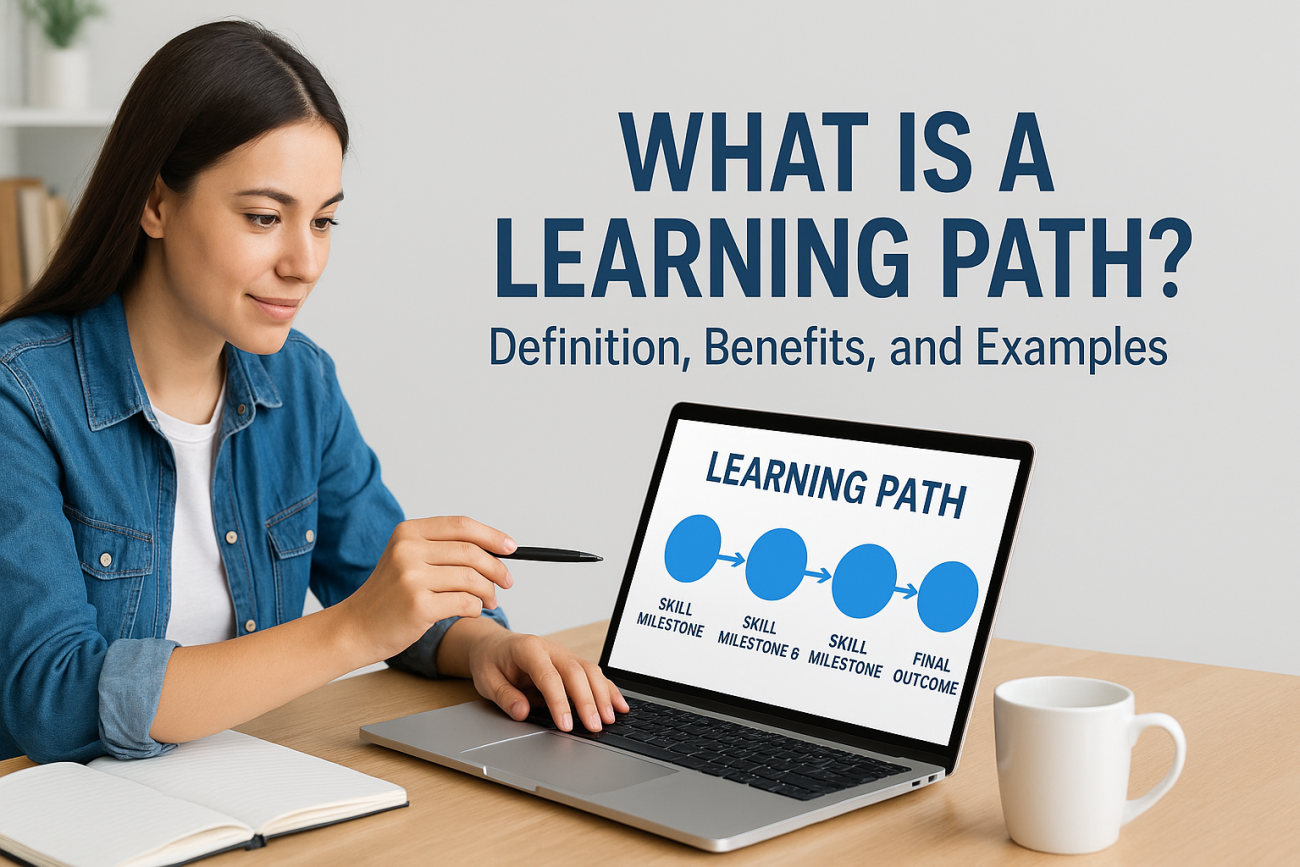
You’ve got a stack of courses, certifications, and onboarding modules, but no clear order for who takes what and when. That’s the gap a what is a learning path question usually points to. Employees get dumped into a course catalog with no direction, and training feels like a checklist instead of a plan for actually building skill.
A learning path is a structured sequence of courses, assessments, and resources designed to move a learner from where they are now to a specific skill or role outcome. Instead of assigning training randomly, you map out step-by-step progression, so a new hire, a compliance-tracked employee, or a customer learning your product moves through content in a logical order that builds on itself. Each step unlocks the next, and progress is tracked automatically rather than guessed at.
In this article, you’ll get a straight definition, a look at how learning paths actually function inside a system like an LMS, and real examples from employee training and education. We’ll also cover the concrete benefits: better retention, faster onboarding, and cleaner compliance reporting. By the end, you’ll know exactly how to structure one for your own team.
Why learning paths matter for training programs
Random course assignments feel productive, but they rarely produce skilled employees. A learning path structure forces you to think about sequence and outcome before you ever publish a single course, which changes training from a pile of content into a system that actually builds competence over time. Without that structure, learners bounce between unrelated modules, forget what they learned two weeks ago, and administrators have no reliable way to say who’s actually job-ready versus who just clicked through a few videos.
Retention improves when content builds on itself
Building on prior knowledge is how adults actually retain skills, not by cramming disconnected topics into a single week. When a learning path sequences a beginner module before an advanced one, and pairs a lesson with a scored assessment before unlocking the next step, knowledge retention climbs because each piece reinforces the last. Compare that to a flat course catalog where a new hire might take a data security course before ever touching the software it applies to. The order matters as much as the content itself.
A learning path turns scattered training content into a system that actually builds skill, instead of just checking a box.
Onboarding gets faster and more consistent
New hires who follow a defined path hit productivity milestones faster than those left to self-select from a course library. You can map exactly what a sales rep, a warehouse associate, or a support agent needs to know in their first 30, 60, and 90 days, and every new hire gets the same structured onboarding experience regardless of which manager hired them or which office they work from. That consistency matters more than it sounds. It means a regional manager in Ohio and one in Texas are training their teams to the same standard, on the same timeline, without any guesswork.
Compliance reporting becomes defensible
Regulated industries can’t afford to guess who completed what training and when. A learning path gives you a built-in audit trail: each step is timestamped, each assessment score is logged, and completion of the full path proves an employee met every requirement in order, not just some of them out of sequence. That’s the difference between a report you can hand an auditor with confidence and one you have to explain away. For frameworks like GDPR or FDA 21 CFR Part 11, that sequencing and documentation isn’t optional, it’s the point of the system. The U.S. Department of Labor and other regulators increasingly expect training records that show progression, not just a list of completed certificates (see the Department of Labor’s guidance on workplace training).
Administrative overhead drops
Once a path is built, you stop manually assigning courses one by one to every new employee or customer. Enrollment happens automatically when someone is added to a group, progress updates on its own, and reports pull straight from the path structure instead of requiring someone to stitch together data from a dozen separate courses. That frees your training team to spend time improving content instead of chasing down who finished what. Fewer manual touchpoints also means fewer errors, which matters a lot when compliance deadlines are on the line.
How to create an effective learning path
Building a learning path starts before you touch any authoring tool. You need a clear target outcome, whether that’s a certified compliance officer, a sales rep who can run a full demo, or a customer who understands your product’s core features. Skip that step and you’ll end up sequencing content that feels logical to you but doesn’t actually map to what the learner needs to do afterward.
Define the outcome first
Write down the specific skill or credential the path produces, and describe it in terms of observable behavior, not just knowledge. "Understands GDPR" is vague. "Can identify a reportable data breach within an hour and file the correct internal report" is something you can actually train and test for. That specific outcome becomes the filter for every course you add later.
Break it into skill milestones
Once you know the destination, work backward into 3 to 6 milestones a learner has to hit along the way. Each milestone should represent a real capability, not just a completed module.
- List every prerequisite skill or piece of knowledge the final outcome requires.
- Group related prerequisites into milestones, ordered from foundational to advanced.
- Assign one or more courses, videos, or job aids to each milestone.
- Attach an assessment to each milestone before unlocking the next one.
A learning path is only as strong as the milestone sequence behind it, not the number of courses stuffed into it.
Gate progression with assessments
Don’t let learners skip ahead just because they clicked through the content. Require a passing score or a completed activity before the next step unlocks. This is where an LMS with conditional release rules, like Axis LMS’s automation features, does the heavy lifting. You set the logic once, and every learner who enters the path follows the same gated progression without an administrator manually checking boxes.
Test it with a real cohort before scaling
Run the path with a small group first. Watch where they stall, which assessments they fail repeatedly, and which steps feel redundant. Adjust the sequence based on actual completion data rather than assumptions about what should work. A path that looks clean on paper often reveals gaps the moment real employees or customers move through it, and that feedback loop is what separates a path that actually builds competence from one that just looks organized.
Types of learning paths you can use
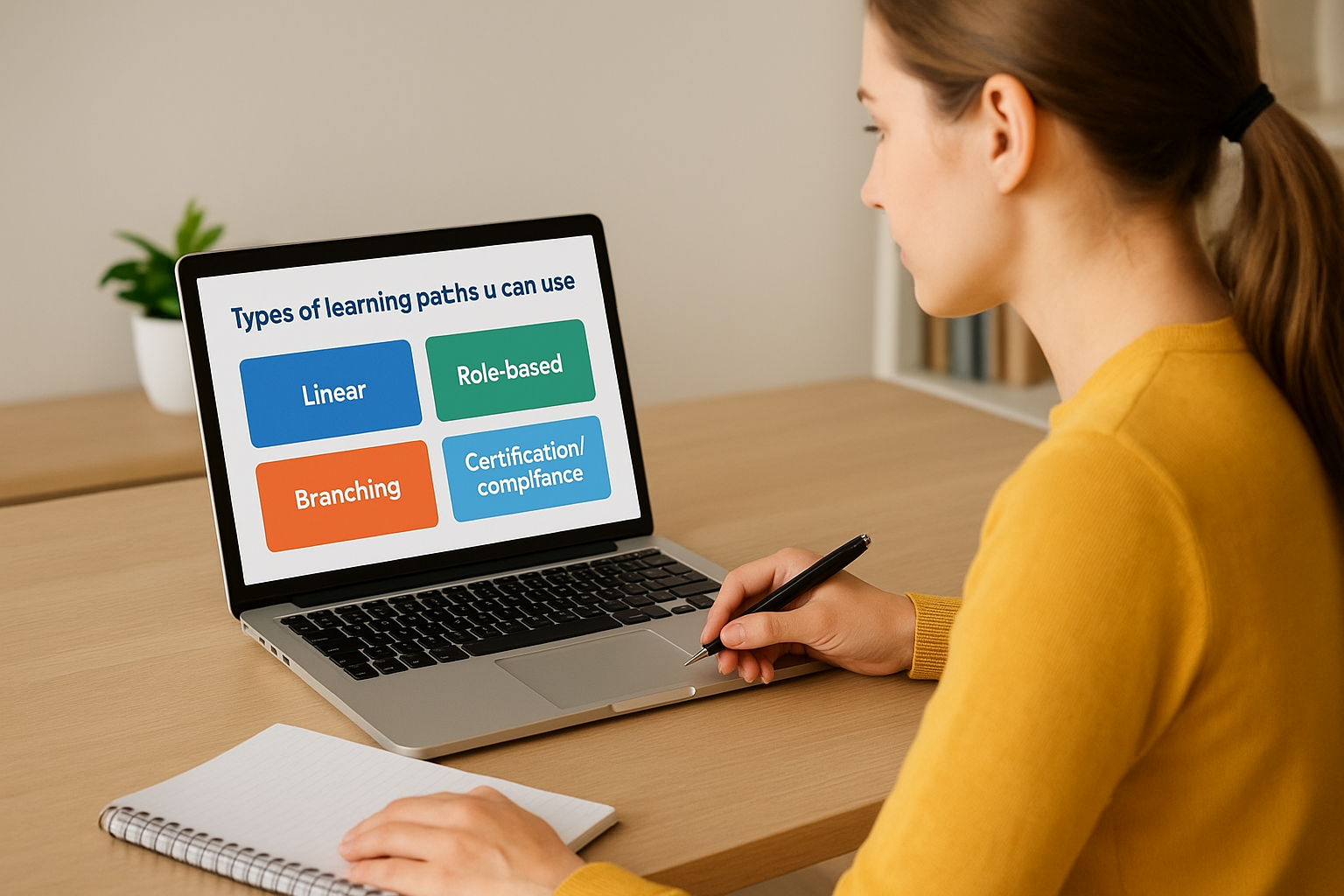
Not every learning path should look the same, because the goal changes what structure makes sense. A role-based path works for onboarding, a compliance path works for regulated training, and a skill-tree path works when you want learners to choose their own route toward a broader goal. Picking the wrong structure for the job is a common reason paths feel forced instead of useful.
Linear paths for strict sequencing
Linear paths lock learners into one fixed order, step one, then step two, then step three, with no skipping ahead. This structure fits situations where sequence itself is the safety requirement, like a new hire safety path where skipping the hazard module before equipment training isn’t an option. It’s rigid by design, and that rigidity is the point.
The best learning path structure is the one that matches how risky it is to learn things out of order.
Role-based paths for job-specific ramp-up
Role-based paths group content around a specific job function rather than a generic topic. A sales onboarding path and a support agent path pull from overlapping content but sequence it differently, because a salesperson needs product pitch skills first while a support agent needs troubleshooting basics first.
Branching paths for mixed skill levels
Branching paths route learners down different tracks based on an initial assessment or their prior role. Someone who tests into intermediate Excel skips the beginner module entirely, while someone with zero experience starts at the bottom. This keeps advanced learners from sitting through content they already know.
Certification and compliance paths
These paths exist purely to produce a defensible record: every step logged, every assessment scored, renewal dates tracked automatically.
| Path type | Best for | Flexibility |
|---|---|---|
| Linear | Safety, strict procedure training | Low |
| Role-based | Onboarding, job-specific ramp-up | Medium |
| Branching | Mixed-experience teams | High |
| Certification/compliance | Regulated industries, renewals | Low |
Matching the type to the real constraint, risk, role, skill gap, or regulation, keeps the path doing actual work instead of just looking organized on a dashboard.
Learning path examples across training scenarios
Abstract definitions only get you so far. Seeing how a learning path actually plays out inside a real training program makes the concept concrete, whether you’re onboarding a new hire, certifying a technician, or teaching a customer how to use your product. Below are four scenarios pulled from common use cases, each showing what the sequence looks like in practice.

New hire sales onboarding
Picture a sales rep starting on a Monday. Day one covers company overview and CRM basics, day three introduces the product catalog with a quiz gating access to day five, which covers objection handling through role-play scenarios. By day ten, the rep can’t access live call shadowing until they’ve passed a scored product demo assessment. That gated sequence means every rep hits the phones with the same baseline skill, not just the same tenure.
Customer product training
Software companies use learning paths to move new customers from signup to power user. The path might start with a five-minute setup video, unlock a "core features" course once the account is configured, then open advanced automation training only after the customer completes their first project inside the tool. This kind of customer training path reduces support tickets because users learn the product in the order they’ll actually need it, not the order a documentation team happened to write it in.
Compliance certification path
A warehouse safety program might require:
- Hazard recognition module with a passing quiz score
- Equipment-specific training tied to the employee’s actual assigned machinery
- A supervised practical assessment logged by a manager
- Annual renewal training triggered automatically 30 days before certification expires
A good learning path doesn’t just teach a skill once, it keeps proving the skill is still current.
Each step here produces a timestamped record, which is exactly what an auditor or a regulator wants to see.
Channel partner enablement
Distributors and resellers often get their own path, distinct from internal staff. A partner training path typically starts with brand and messaging guidelines, moves into product specs, and ends with a certification exam that unlocks co-branded marketing materials. Vendors selling through partners use this structure to make sure every reseller represents the product the same way, regardless of company size or region.
Learning path vs learning plan and learning track
People use these three terms interchangeably, and that’s part of why the what is a learning path question keeps coming up in training conversations. Each one describes a real, distinct concept, and mixing them up leads to mismatched expectations between HR, managers, and the learners actually doing the work. Sorting out the differences takes five minutes and saves you from building the wrong thing.
Learning path vs learning plan
A learning plan is broader and more personal than a path. It’s often a document, sometimes just a spreadsheet, that outlines an individual employee’s development goals over a quarter or a year, mixing formal courses with mentoring, stretch projects, and conference attendance. A learning path is narrower and more mechanical: it’s the actual sequenced content inside your LMS that gets a learner from point A to point B, with automated gating and tracking built in. Think of the plan as the strategy a manager writes in a one-on-one, and the path as the system that executes one piece of that strategy.
A learning plan is the goal a manager sets, a learning path is the system that gets someone there.
Learning path vs learning track
A learning track usually refers to a themed collection of related courses grouped by topic, like a "leadership track" or a "data analytics track," without necessarily enforcing order or prerequisites. Learners can often browse a track and pick courses as they see fit. A path enforces sequence and gating, a track offers flexible grouping. Vendors sometimes use the words as marketing synonyms, so check whether progression is actually locked before assuming a "track" behaves like a path.
| Term | Structure | Enforces order? | Owned by |
|---|---|---|---|
| Learning path | Sequenced courses with gating | Yes | LMS/system |
| Learning plan | Individual development goals | No | Manager/employee |
| Learning track | Themed course grouping | Rarely | Content catalog |
Knowing which term applies to which tool keeps your training conversations precise, especially when you’re briefing an LMS vendor or explaining requirements to a compliance officer who needs an exact audit trail.
Where to go from here
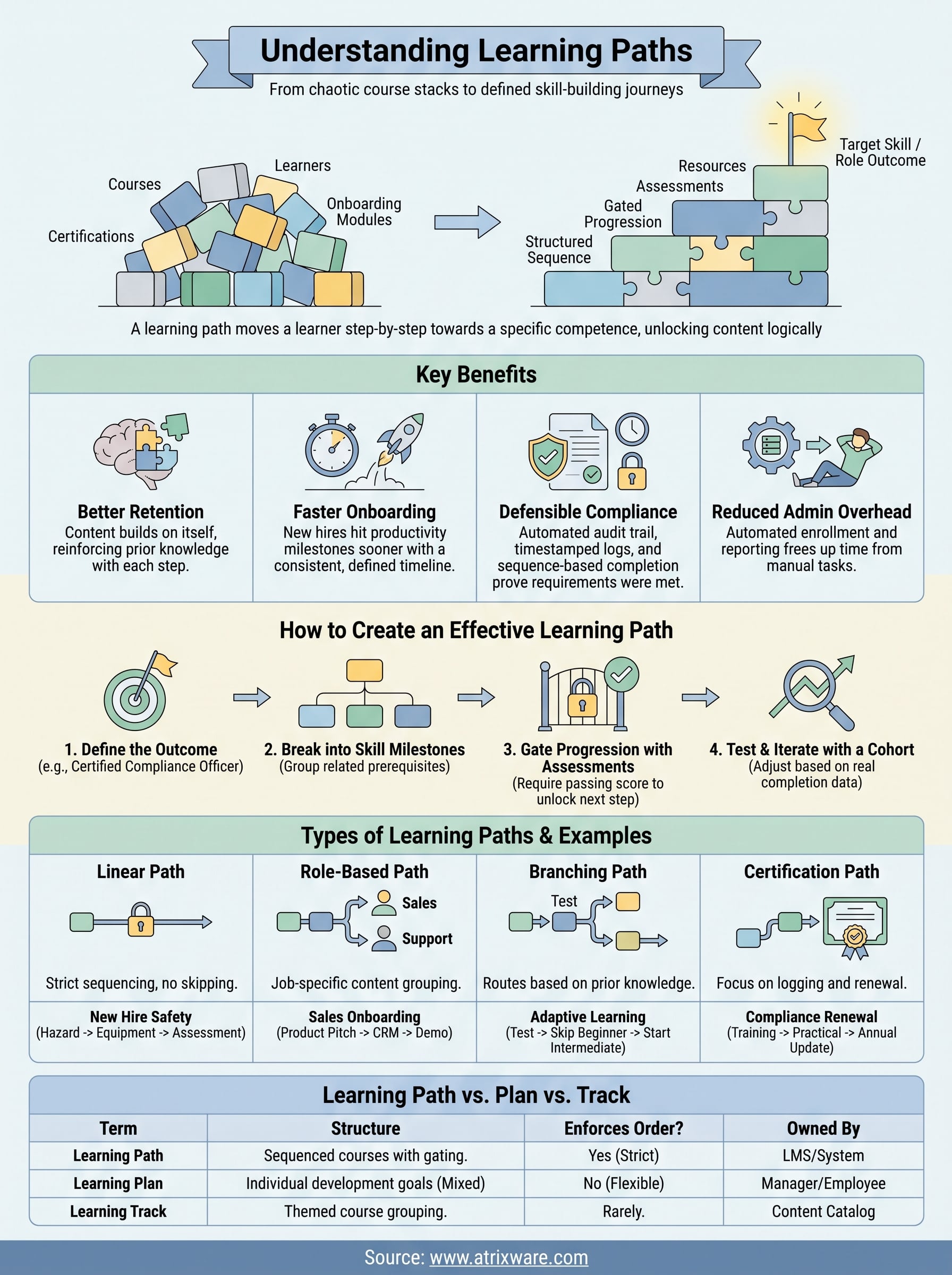
A learning path turns scattered courses into a sequence that actually builds skill, whether you’re onboarding a sales rep, certifying a technician, or walking a customer through your product. The structure does the work that a flat course catalog never can: gated progression, automated tracking, and a record you can hand to an auditor without flinching. You now know how a path differs from a plan or a track, how to build one around a real outcome, and which type fits your actual risk and role requirements.
Getting this right inside your own training program takes the right platform underneath it, one built for conditional release rules, automated enrollment, and reporting that doesn’t require manual stitching. If you want to see how that actually looks in practice, try the Axis LMS admin demo and build a sample path yourself before committing to anything.
