Your team is scattered across shifts, locations, or time zones, and getting them through a training module without pinging their manager five times is harder than it should be. That’s the gap mobile learning examples fill: real formats you can point to and say, this is what training looks like on a phone, not a desktop screen shrunk down to fit one.
Below you’ll find five formats that actually work on mobile, including microlearning bursts, gamified challenges, and quizzes learners can knock out between meetings. Each one solves a specific problem: short attention spans, low completion rates, or reps who never open a laptop during their workday. These aren’t theoretical concepts; they’re patterns pulled from how companies deliver employee, compliance, and customer training right now.
We’ll walk through what each example looks like in practice, why it drives higher engagement than a static PDF or a 45-minute course, and how platforms like Axis LMS support building and tracking them without a developer on standby. By the end, you’ll have concrete ideas to bring into your next course build, whether you’re onboarding new hires or rolling out compliance updates to a distributed workforce.
1. Mobile-ready LMS course delivery
Mobile-ready LMS course delivery means your full course catalog, not a stripped-down version, renders correctly on a phone or tablet without pinch-zooming or horizontal scrolling. This is the foundation every other example on this list depends on. If your learning management system can’t reflow a course to fit a 6-inch screen, none of the microlearning or gamification tactics below matter, because learners will bounce before they finish loading the page.
How it works
The LMS detects the device a learner is using and automatically adjusts layout, navigation, and media playback to fit that screen. Responsive design handles the visual side, resizing buttons, text, and images so nothing gets cut off or requires a magnifying glass. Behind that sits offline sync and progress tracking, so a warehouse employee can start a module on a break room tablet with no signal, finish it later on their own phone, and have the system pick up exactly where they left off.
If your course isn’t finished loading before a learner’s coffee break ends, you’ve already lost them.
Best for
This format fits distributed teams best: retail staff, field technicians, delivery drivers, and remote employees who rarely sit at a desk during work hours. It also suits any organization running compliance training across multiple locations, where consistent access matters as much as consistent content. Companies selling training to external customers or channel partners benefit too, since buyers expect a smooth mobile experience before they’ll trust a purchase.
Getting started
Audit your current courses on an actual phone, not just a browser window resized on your laptop. Check load times, button placement, and whether video controls actually work with a thumb. Axis LMS builds this responsiveness in natively, so courses you already have adapt to mobile without a separate rebuild, and admins can preview exactly what learners see on any device before publishing.
2. Microlearning modules
Microlearning breaks training into short, focused bursts, usually two to five minutes, that cover exactly one skill or concept. Instead of a 45-minute compliance course, learners get eight separate lessons they can knock out one at a time, whenever a gap opens up in their day. This matches how people actually use their phones: quick sessions between tasks, not long sit-down study blocks.
How it works
Each module isolates a single learning objective, so there’s no scrolling back through slides to find the point that matters. Bite-sized lessons pair with spaced repetition, resurfacing key concepts days or weeks later to lock in retention rather than letting it fade after one viewing.
A five-minute lesson learners actually finish beats a forty-five-minute course they abandon halfway through.
Best for
Microlearning suits onboarding new hires, refreshing skills for existing staff, and any topic that changes often enough to need frequent updates, like product knowledge or policy changes. Sales and customer-facing teams benefit especially, since they can review a module right before a call.
Getting started
Take one long course and split it into standalone lessons around single objectives. Axis LMS’s drag-and-drop builder makes chunking existing content into microlearning fast, without rebuilding from scratch.
3. Gamified learning challenges
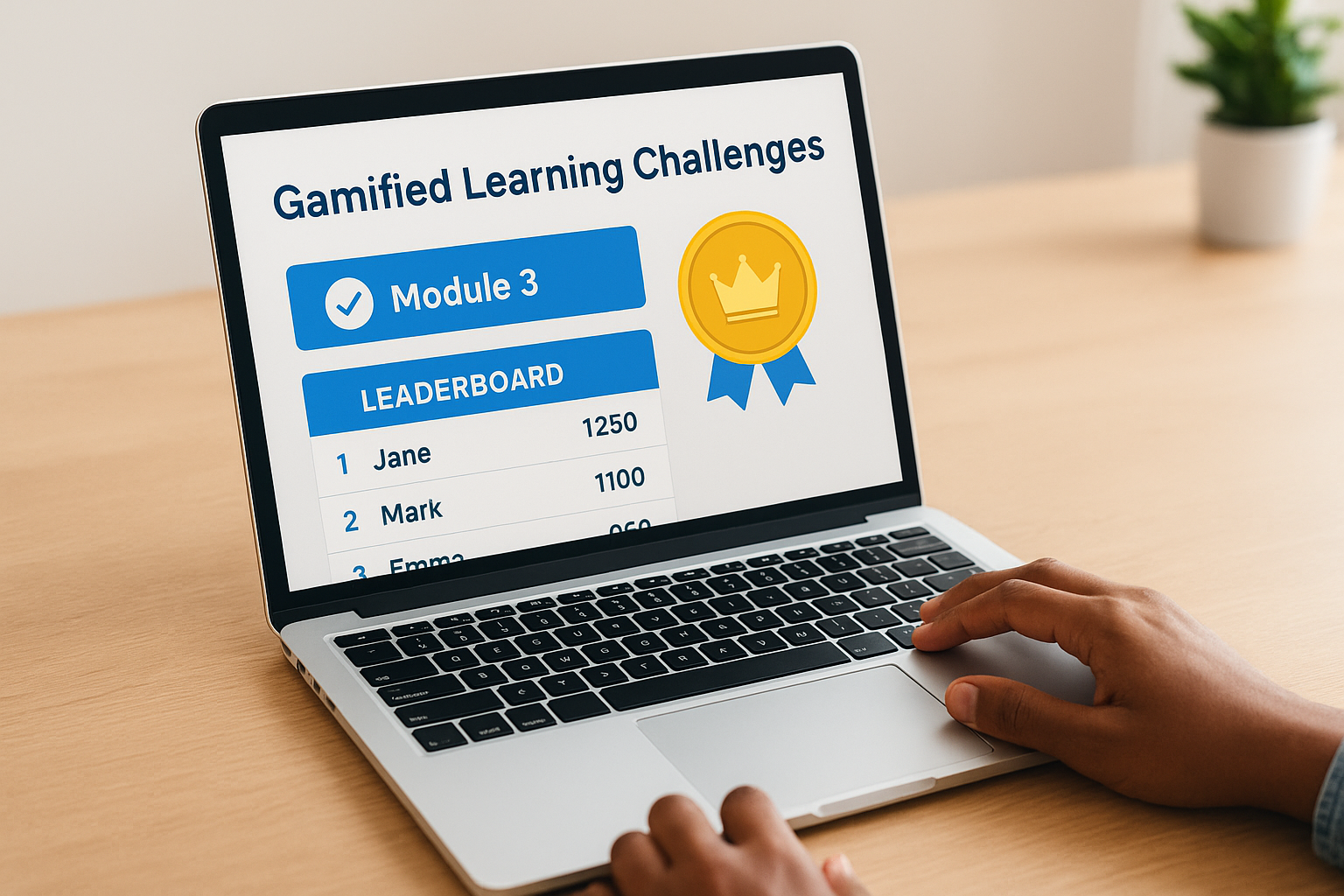
Gamification takes the mechanics that make mobile games addictive, points, badges, leaderboards, streaks, and applies them to training content. Instead of just marking a module complete, learners earn something for finishing it, and they can see how they stack up against teammates. This taps into the same competitive itch that keeps people checking a fitness app streak or a game leaderboard.
How it works
Learners collect points for finishing lessons, passing quizzes, or hitting streaks of consecutive training days. Leaderboards display rankings by team or location, while badges mark milestones like completing a certification path. The system tracks all of this automatically, so managers see engagement data without manually chasing completion spreadsheets.
Add a leaderboard to a training module and watch completion rates climb without changing a single word of content.
Best for
Gamification works well for sales teams chasing quota-driven competition, and for onboarding programs where new hires need extra motivation to push through early weeks. It also suits any workforce with high turnover, where fresh incentive structures keep repeat training from feeling stale.
Getting started
Start small: add points and a completion badge to one existing course before building out full leaderboards. Axis LMS includes built-in gamification tools, so you can layer these mechanics onto content you’ve already published.
4. Video-based mobile training
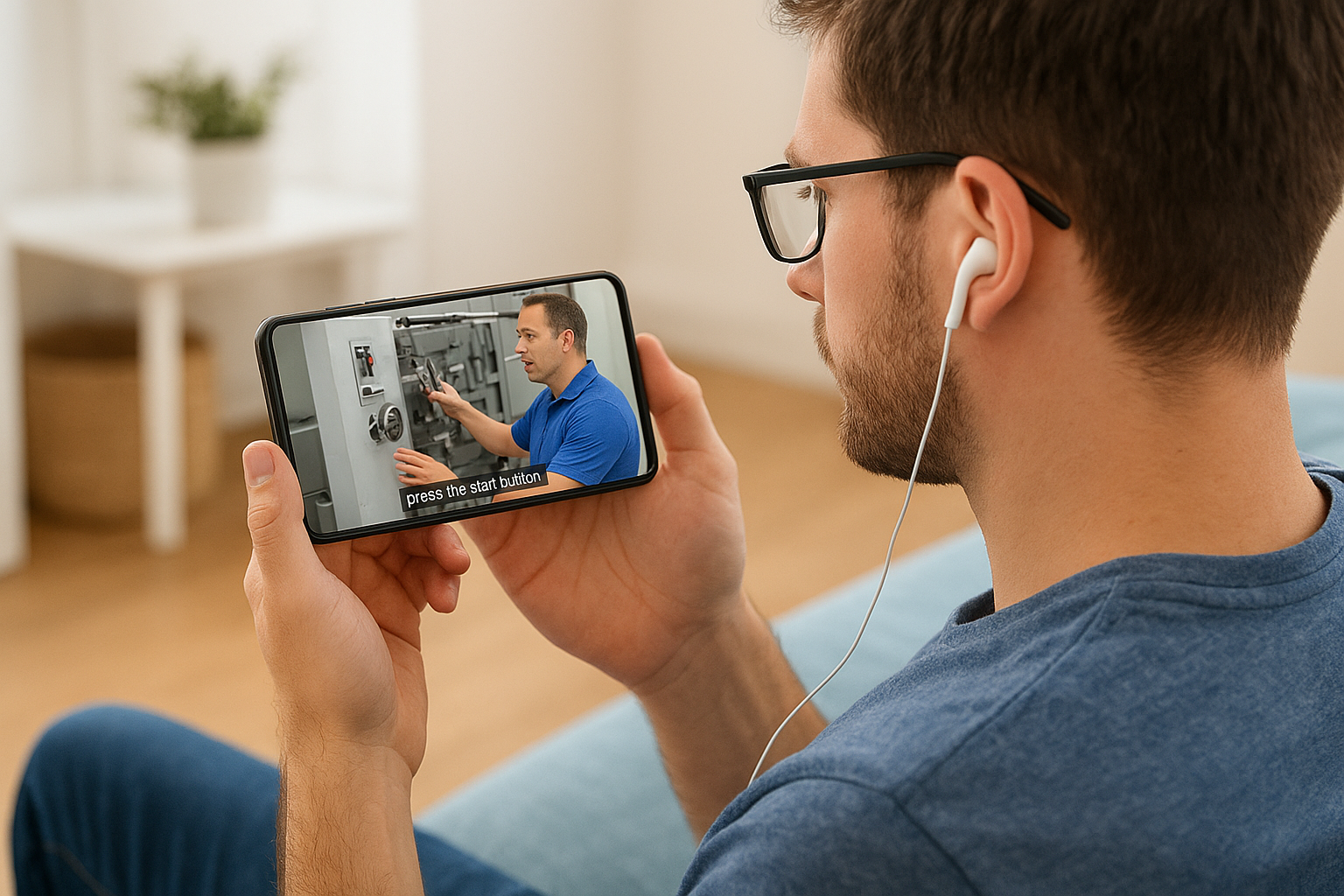
Video is the format learners already default to on their phones, so training that shows up as a short clip instead of a text-heavy slide deck gets watched instead of skipped. Video-based mobile training works because it matches habits people already have from YouTube or TikTok: press play, watch, move on. A demo of a machine setup or a customer service scenario lands faster on video than in three paragraphs of instructions.
How it works
Short clips, usually under ten minutes, walk through a process, demonstrate a skill, or explain a policy change. Closed captions matter here since learners often watch on mute in break rooms or on public transit. Playback speed controls and chapter markers let people skip to the part they need without rewatching the whole clip.
A learner watching on mute in a break room still needs to follow every word.
Best for
This suits hands-on skills training, like equipment operation or customer interactions, where seeing beats reading. Field technicians and retail staff benefit most since demonstrations translate better than written steps.
Getting started
Record short, focused clips rather than one long lecture. Axis LMS hosts video natively with captioning and progress tracking built in, so you don’t need a separate video platform.
5. Mobile quizzes and knowledge checks
Quizzes give you instant proof that training actually landed, not just that a learner clicked through slides. A short set of questions after a module, or a quick daily check-in, catches gaps before they turn into mistakes on the job. This closes the loop that video and microlearning alone can’t: watching a clip proves nothing about whether the concept stuck.
How it works
Questions pop up in-app, often as multiple choice or true/false, and take under two minutes to complete. Instant feedback shows learners what they missed right away, while wrong answers can trigger a quick review of the related lesson instead of just a failing score.
A quiz that takes two minutes tells you more than a completion checkmark ever will.
Best for
Compliance training relies on this heavily, since regulators often require proof of comprehension, not just attendance. Product knowledge refreshers for sales and customer support teams also benefit, catching outdated information before it reaches a customer.
Getting started
Add a five-question check to one existing module before building a full quiz bank. Axis LMS lets you attach quizzes directly to any lesson and reports results automatically, so gaps show up without extra manual tracking.
Choosing the right mix for your team
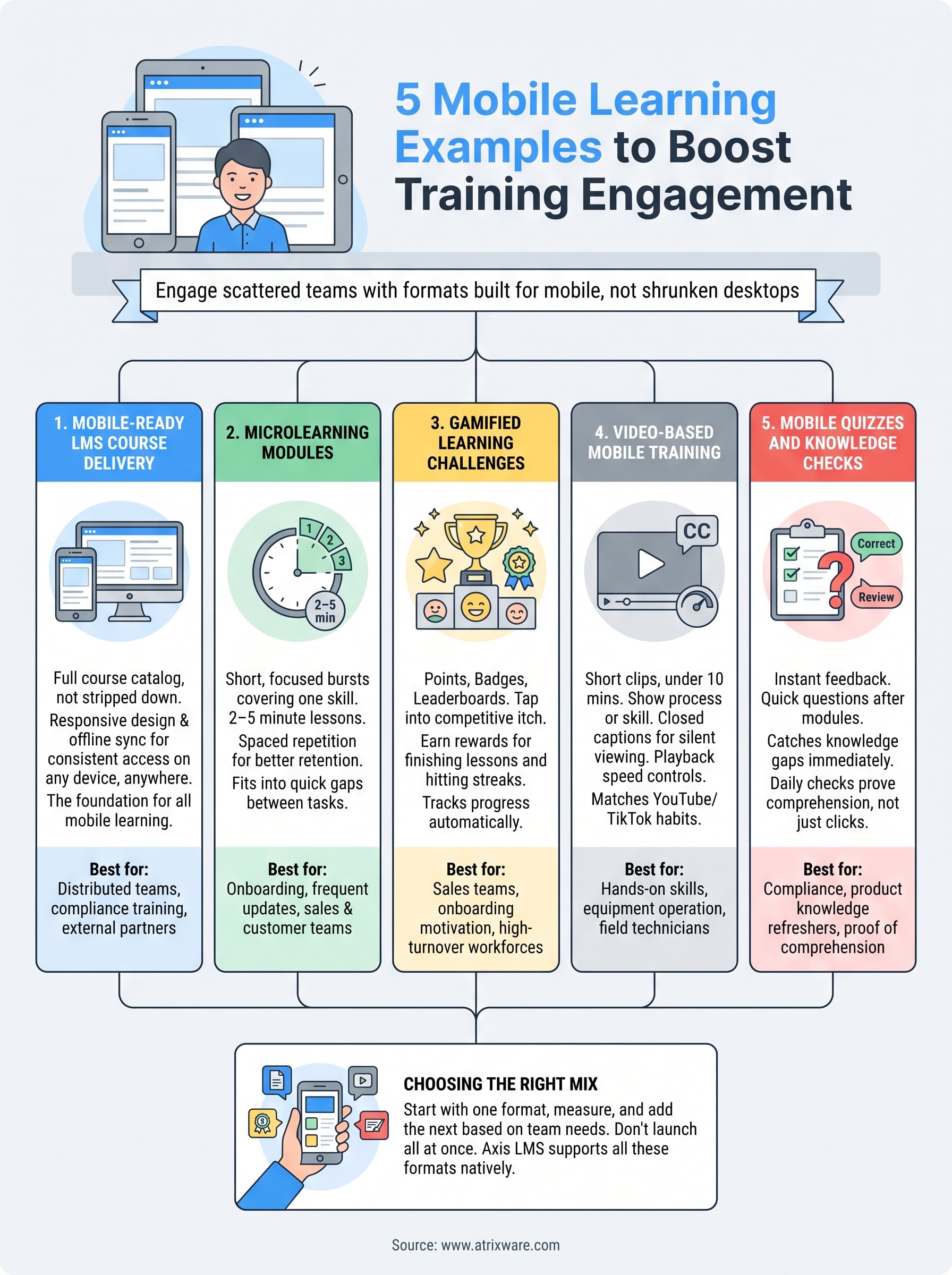
None of these five formats work in isolation. Mobile-ready delivery is the foundation everything else sits on, and from there you layer in microlearning, gamification, video, or quizzes based on what your team actually needs. A field crew learning equipment safety needs video and quizzes more than leaderboards. A sales team chasing quota responds well to gamified challenges paired with quick product refreshers.
Start with one format, measure completion rates, then add the next. Trying to launch all five at once usually backfires, since neither learners nor admins have bandwidth to adjust to that much change simultaneously.
If you’re still figuring out where your organization stands in this process, take the LMS readiness quiz to see what stage you’re at and what to tackle first.
