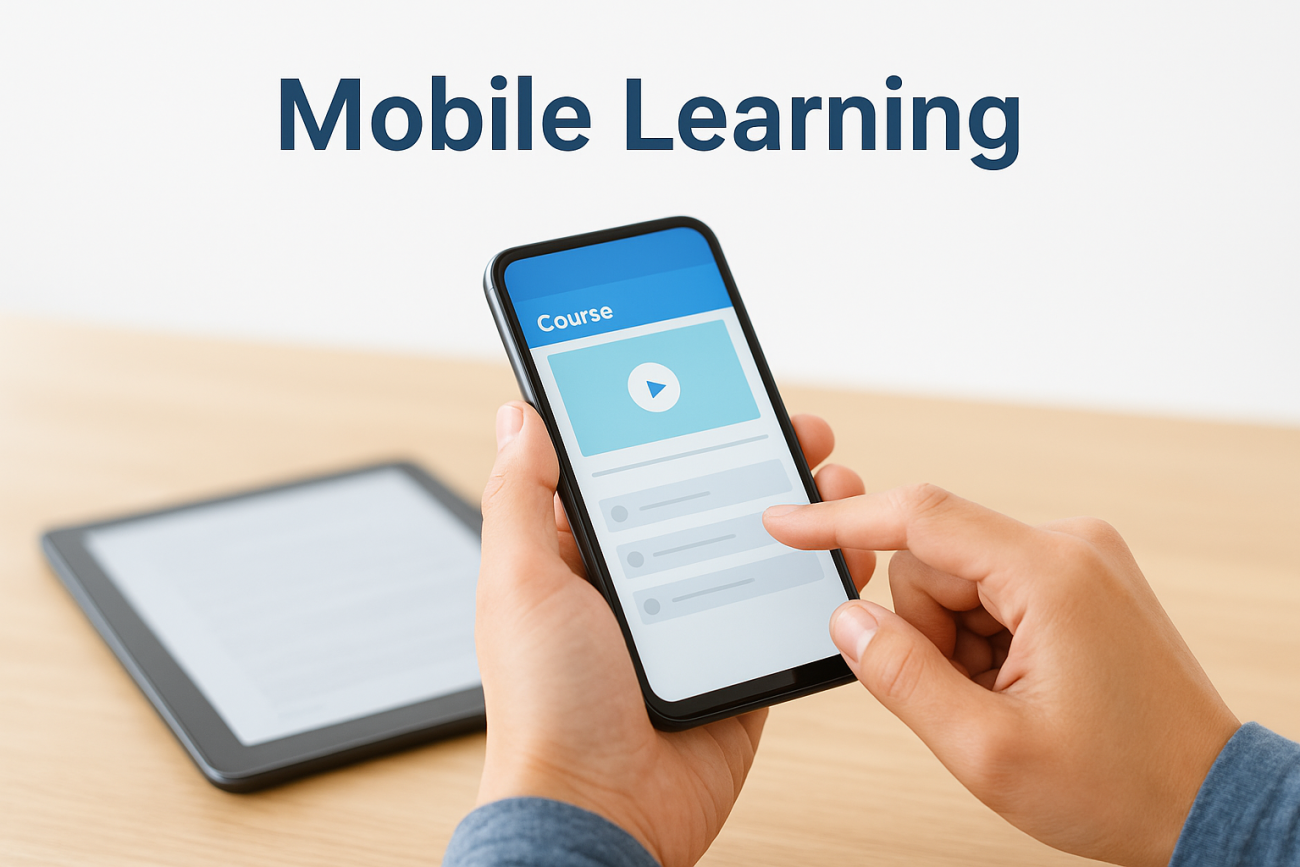
You’ve probably heard the term thrown around in training meetings, but what does the mobile learning definition actually cover? At its core, mobile learning, or m-learning, means delivering training content through smartphones, tablets, and other portable devices so people can learn wherever they are, not just at a desk in front of a desktop computer. It’s built around on-demand access and short, digestible lessons rather than long classroom sessions.
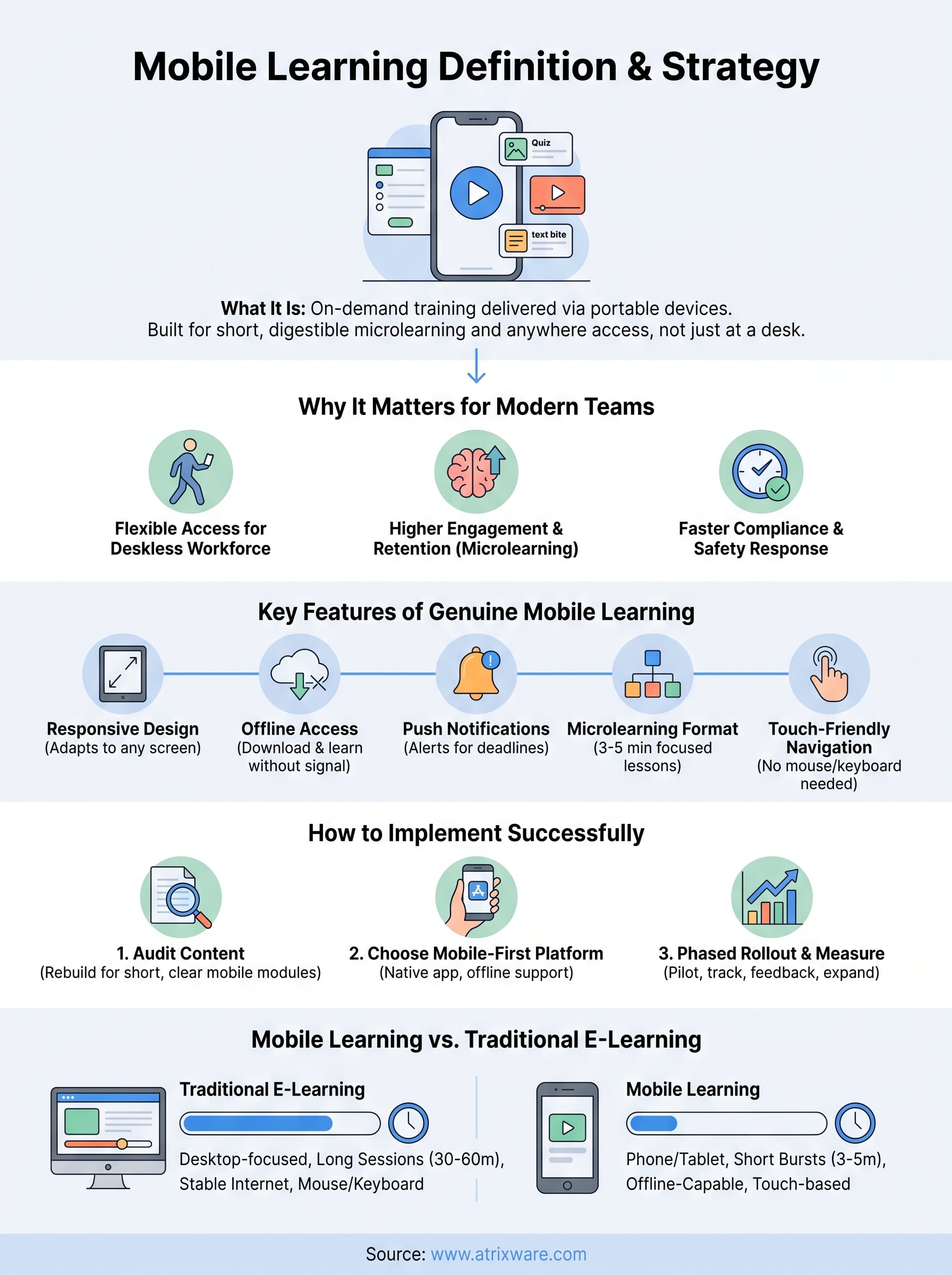
If you’re searching for a straight answer, here it is: mobile learning is training designed and formatted specifically for handheld devices, often using microlearning modules, push notifications, offline access, and responsive design so courses look and work the same on a phone as they do on a laptop. It’s not just an LMS viewed on a small screen; it’s a deliberate approach to how content gets built and delivered.
In this article, we’ll break down exactly what qualifies as mobile learning, the key features that separate it from standard e-learning, and why organizations are shifting training budgets toward mobile-friendly formats. You’ll also see how it fits into broader training strategies and what to look for in a platform that supports it well.
Why mobile learning matters for modern training teams
Training teams are dealing with a workforce that’s rarely sitting still. Field technicians, retail staff, remote employees, and salespeople on the road don’t have time to log into a desktop portal between meetings. Mobile learning meets people where they already are, on the device they check dozens of times a day. That shift alone explains why L&D budgets keep moving toward mobile-first course design instead of desktop-only e-learning.
Deskless and distributed workforces need flexible access
A huge share of today’s workforce never sits at a company computer. Warehouse crews, healthcare aides, delivery drivers, and hospitality staff make up what analysts call the deskless workforce, and traditional LMS portals built for office workers simply don’t reach them. Mobile learning solves this by putting short courses, quizzes, and compliance modules directly on the phones these employees already carry. When training lives on a device someone uses constantly, completion rates go up because the friction of "finding time at a computer" disappears entirely.
Training that requires a desk will always lose to training that fits in a pocket.
Higher engagement and better retention
Short, mobile-friendly lessons work with human attention spans instead of against them. Instead of a 45-minute video module, mobile learning breaks content into microlearning bursts of three to five minutes, something a learner can finish while waiting for a meeting or riding an elevator. This format lines up with how the brain actually retains information: spaced, repeated exposure beats a single long session almost every time. Teams that switch to mobile-friendly formats routinely report higher course completion and stronger knowledge checks weeks later, simply because the content asks less of the learner’s schedule.
Faster response to compliance and safety needs
Organizations facing regulatory deadlines can’t wait for employees to sit down at a workstation. A safety update, a policy change, or a new compliance requirement often needs to reach every employee within days, not weeks. Mobile learning, paired with push notifications and offline-capable apps, lets training teams send urgent updates that employees can complete from anywhere, even without a stable internet connection. This matters most in industries like healthcare, manufacturing, and transportation, where the U.S. Occupational Safety and Health Administration expects documented, timely training on safety procedures. A platform that can push a five-minute refresher to every phone in the field, then confirm completion automatically, closes compliance gaps far faster than scheduling classroom sessions ever could.
Bottom line: modern training teams adopt mobile learning because it matches how people actually work now. Ignoring it means losing reach into your deskless workforce, lower completion numbers, and slower response times when compliance deadlines hit.
How to implement mobile learning in your organization
Rolling out mobile learning isn’t about slapping a responsive theme on your existing courses. It takes a plan that touches your content library, your platform choice, and how you measure adoption once training goes live. Here’s the sequence that actually works.
Audit your existing content first
Start by pulling every course you currently run and asking whether it survives on a five-inch screen. Long video lectures, dense PDFs, and text-heavy slide decks rarely translate well; they need to be rebuilt as short modules with clear visuals and minimal scrolling. Flag anything that requires a mouse, a keyboard shortcut, or a large monitor to complete, because those are the courses that will frustrate mobile learners first.
If a course doesn’t work on a phone screen, it isn’t ready for mobile learning yet.
Choose a platform built for mobile, not retrofitted
Many legacy systems added mobile support as an afterthought, and it shows in clunky navigation and broken video playback. Look for an LMS with a native mobile app, offline download capability, and a drag-and-drop course builder that outputs mobile-ready content automatically. Axis LMS, for example, is built with responsive design and offline access baked in, so administrators don’t have to maintain separate desktop and mobile versions of the same course.
Roll out in phases and measure adoption
Don’t flip the switch for your entire organization at once. A phased rollout lets you catch problems early and adjust before scaling:
- Pilot with one department or location for 30 days.
- Track completion rates and time-to-complete against your old format.
- Collect direct feedback from learners on navigation and load times.
- Fix content or platform issues before expanding company-wide.
- Set a full rollout timeline once pilot metrics beat your baseline.
Success here depends less on technology and more on discipline: test small, measure honestly, then expand.
Key features and types of mobile learning
Not every course viewed on a phone qualifies as mobile learning. The mobile learning definition rests on a specific set of features that make content genuinely usable on small screens and unreliable connections, not just technically accessible. Knowing these features helps you evaluate whether a platform or course actually delivers mobile learning or just shrinks a desktop experience down to fit.
Core features that define mobile learning
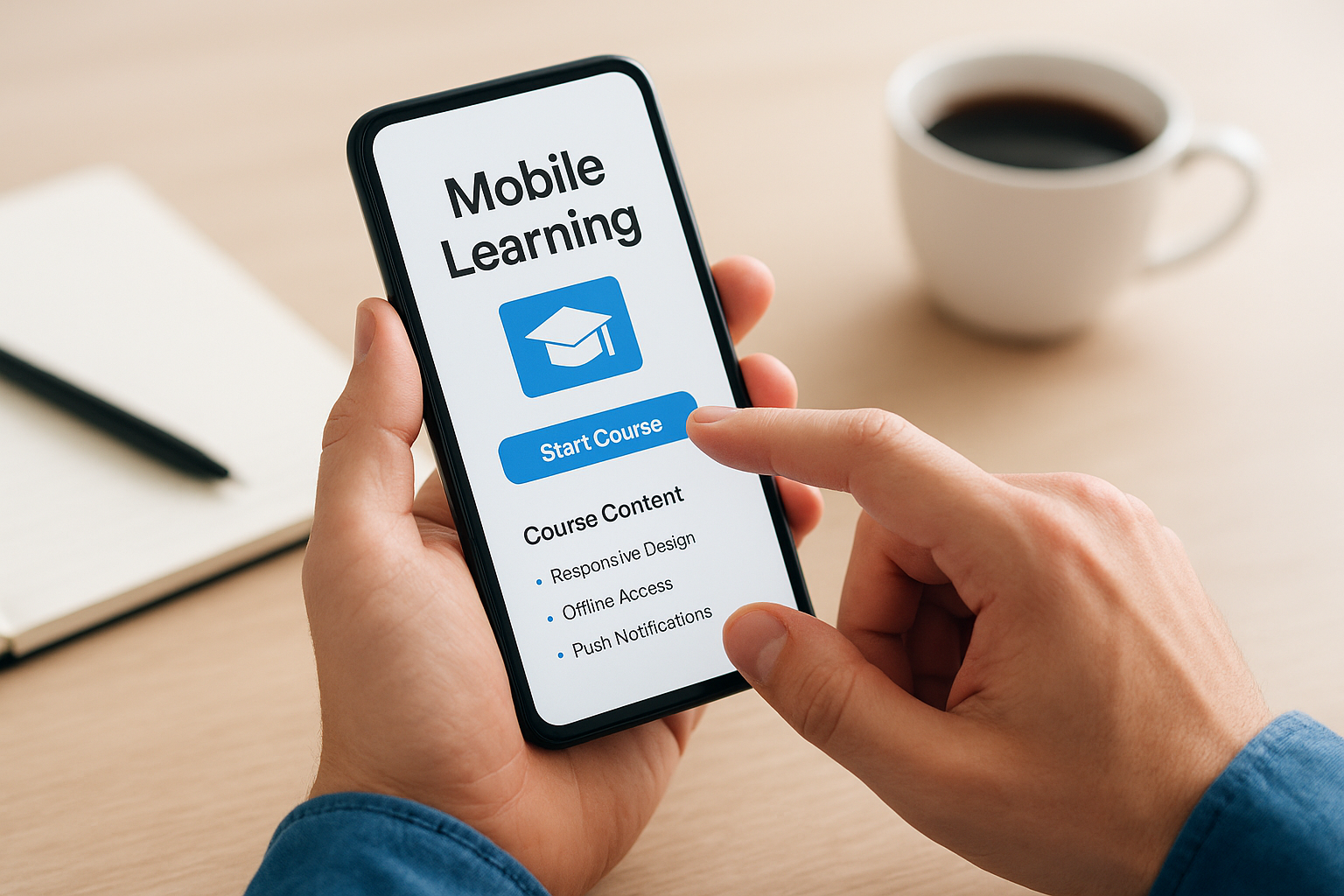
Genuine mobile learning shares a handful of traits regardless of industry or platform. The table below breaks down what to look for when you’re vetting a course or an LMS.
| Feature | What it does |
|---|---|
| Responsive design | Adjusts layout automatically to any screen size |
| Offline access | Lets learners download modules and complete them without signal |
| Push notifications | Alerts learners to new assignments or deadlines |
| Microlearning format | Breaks content into short, focused lessons |
| Touch-friendly navigation | Removes reliance on a mouse or keyboard |
A course only counts as mobile learning when it works without a keyboard, a mouse, or a stable connection.
Common types of mobile learning
Several formats fall under the mobile learning umbrella, and most organizations end up using a mix rather than picking just one:
- Microlearning modules: three-to-five-minute lessons focused on a single skill or concept
- Mobile-optimized video: short clips formatted for vertical viewing and low bandwidth
- Gamified quizzes: point-based or scenario quizzes that reinforce retention
- Push-based refreshers: brief reminders sent to reinforce compliance or safety training
- Social and collaborative learning: discussion boards or chat-based coaching accessed through a mobile app
Together, these formats give training teams flexibility to match content to the moment, whether that’s a five-minute refresher between shifts or a longer module completed during downtime.
Mobile learning examples across industries
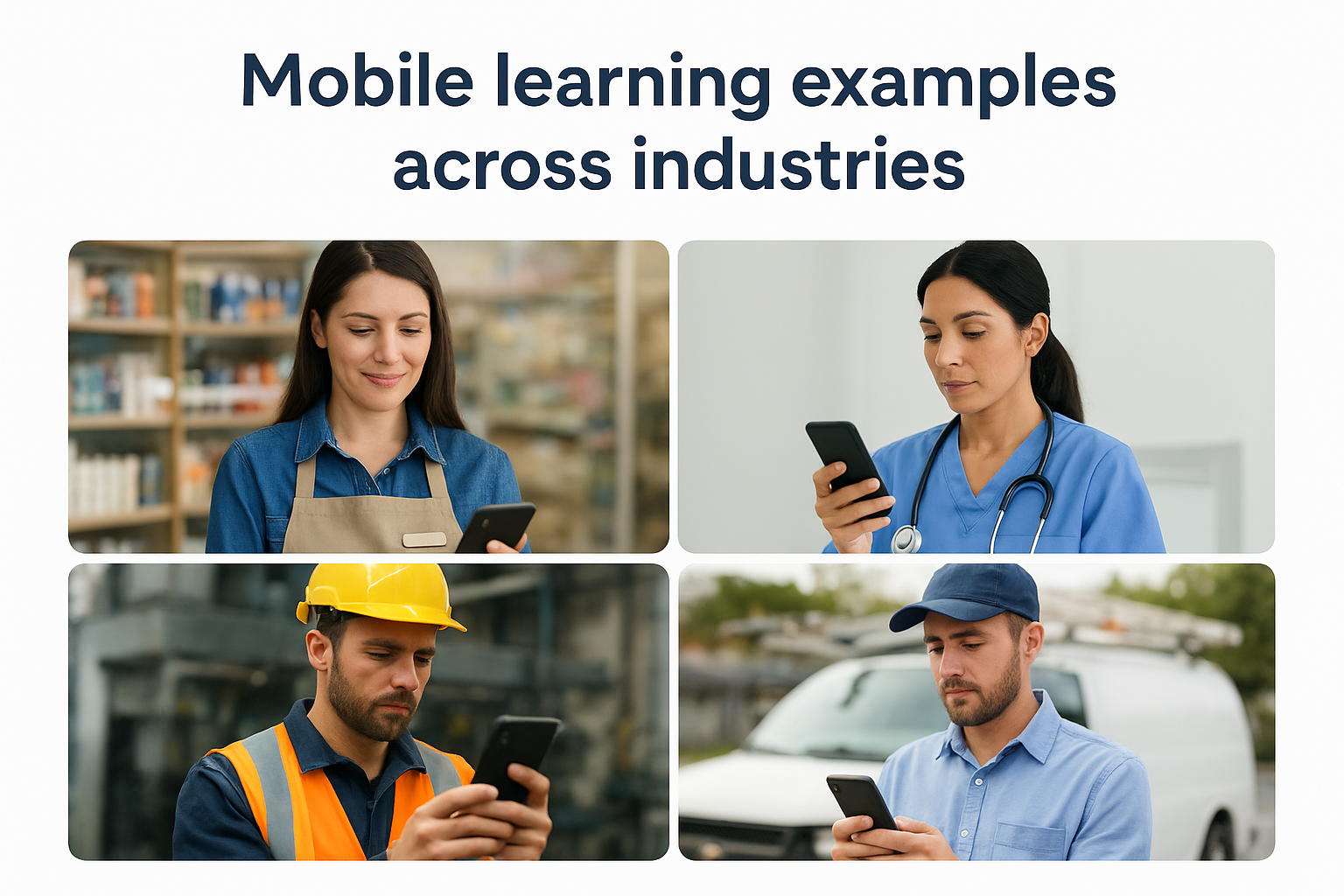
Retail, healthcare, manufacturing, and field services all use mobile learning differently, but the pattern is the same: short lessons delivered where the work happens. Seeing how other industries apply the mobile learning definition in practice makes it easier to spot where it fits in your own organization.
Retail and hospitality
Staff turnover runs high in retail and hospitality, so onboarding needs to move fast. New hires complete product knowledge modules on their own phones before their first shift, and managers push updated pricing or promotion details straight to the sales floor without pulling anyone off the clock.
Healthcare and compliance-heavy fields
Hospitals and clinics rely on mobile learning to keep clinical staff current on certification requirements and safety protocols. A nurse can complete a five-minute infection-control refresher between patients instead of waiting for a scheduled classroom session, and the system logs completion automatically for audit purposes.
The best mobile learning programs meet workers exactly where the job happens, not where a training room happens to be.
Manufacturing and field services
Technicians working on equipment in the field use mobile learning to pull up step-by-step video guides on their phones without leaving the job site. Offline access matters most here, since plants and remote locations often have spotty connectivity, and safety updates still need to reach every worker on schedule.
| Industry | Common mobile learning use case |
|---|---|
| Retail | Product knowledge, onboarding, promotion updates |
| Healthcare | Certification renewals, safety refreshers |
| Manufacturing | Equipment guides, safety compliance |
| Field services | On-site troubleshooting, offline job aids |
| Sales | Product updates, quick coaching modules |
Across every one of these examples, the format stays consistent: short, focused content delivered on the device the worker already has in hand, built to work whether or not a strong signal is available.
Mobile learning vs traditional e-learning
People often use "e-learning" and "mobile learning" as if they’re the same thing, but the mobile learning definition actually describes a narrower, more specific approach. Traditional e-learning was built for desktop screens, mouse clicks, and stable office internet. Mobile learning starts from the opposite assumption: the learner is on a phone, moving between tasks, and might lose signal at any moment. That difference in starting point shapes everything else about how each format gets designed and delivered.
Design philosophy differs from the ground up
Desktop e-learning courses tend to run long, packing multiple objectives into a single 30-to-60-minute module with heavy navigation menus and embedded video players. Mobile learning breaks the same content into standalone pieces a learner can finish in a few minutes, then picks up later without losing progress. Screen size constraints force simpler layouts, larger buttons, and less text per screen, while connectivity assumptions push mobile content toward offline-capable downloads instead of streaming everything live.
Traditional e-learning asks learners to make time; mobile learning asks for a few minutes wherever they already are.
Comparing the two formats side by side
Seeing the differences laid out makes it easier to decide which format fits a given training need.
| Factor | Traditional e-learning | Mobile learning |
|---|---|---|
| Primary device | Desktop or laptop | Smartphone or tablet |
| Session length | 30-60 minutes | 3-5 minutes |
| Connectivity needs | Stable internet required | Offline access supported |
| Navigation | Mouse and keyboard | Touch-based |
| Content format | Long video, dense slides | Microlearning, short video |
Neither format replaces the other entirely. Complex certification courses with heavy assessments often still belong on a desktop, while quick refreshers and daily job aids belong on mobile.
Where mobile learning fits in your training strategy
Mobile learning isn’t a replacement for your entire training program, it’s the piece that reaches people your desktop courses never will. Deskless employees, field technicians, and anyone learning between tasks need short, phone-ready content that works offline and loads fast. Save the long certification courses for desktop, and let mobile handle refreshers, compliance updates, and onboarding basics.
Getting this balance right depends heavily on your platform choice. A system with native mobile support, offline downloads, and a drag-and-drop builder makes the shift painless; one built for desktop-only use will fight you at every step. That’s the real test of whether a vendor understands the mobile learning definition or just added a mobile skin to an old product.
If you’re weighing whether your current setup can actually support mobile learners, don’t guess. Take the LMS readiness quiz and see exactly where your training program stands before you commit to a new platform.
