
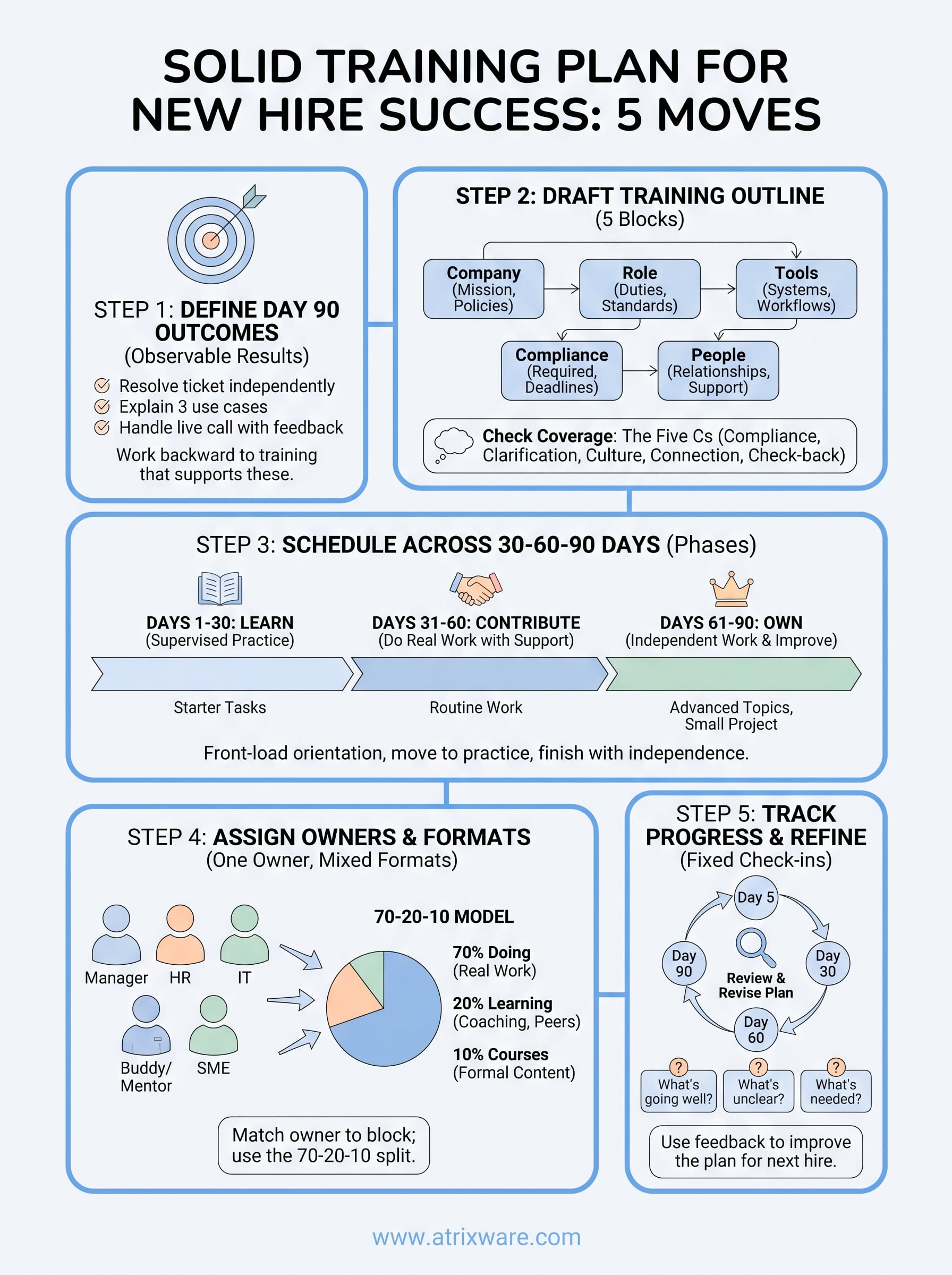
A solid training plan for new hire success takes five moves. Define what the person must be able to do by day 90, draft an outline of the content blocks they need, spread those blocks across a 30-60-90 day schedule, give every block an owner and a format, and check progress at fixed dates. Put that on one page and you have a plan a manager can actually run.
Most new hires get something else. They get a calendar invite, a handful of links, and a manager who is in meetings all week. Nobody decided what "ready" means, so training drifts. Some topics get covered twice and others never come up until the hire makes a mistake. By week three, the new employee feels behind and the manager feels guilty.
This guide fixes that with a method you can finish in an afternoon. You will get example outcomes, a new hire training outline, a worked 30-60-90 schedule, a 70-20-10 split for choosing formats, and a copy-ready template. Atrixware makes Axis LMS, a learning management system for employee training, so we also note where software starts to help.
Before you start: what a new hire plan needs
A training plan for a new hire is a written schedule of what the person must learn, who teaches it, and how you will know it worked. It usually runs 90 days. You can write one in a few hours if you gather the right inputs first.
A plan is only useful if it names outcomes, owners, and dates. A list of topics is not a plan.
Training plan, outline, and onboarding checklist
These three terms get mixed up, and mixing them leads to plans that cover paperwork but not performance. The training outline is the list of topics and modules. The training plan adds timing, owners, and success measures to that outline. The onboarding checklist covers administrative tasks.
| Document | Answers | Example item |
|---|---|---|
| Onboarding checklist | What must be completed? | Sign tax forms, get a badge |
| Training outline | What must be learned? | Ticketing system basics |
| Training plan | What, when, who, and how do we know? | Resolve 10 tier-1 tickets with review by day 30, owned by the team lead |
You need all three, but the plan is the one that makes a new hire productive. If you only have time to build one properly, build the plan.
What to gather before you write
Collect these items first, because each one removes a guess later:
- The job description, plus the three or four duties that take most of the person’s time.
- A list of every system the hire needs access to, with who grants it.
- Compliance or safety requirements that must be done by a set date.
- Existing materials such as handbooks, process documents, recorded demos, and course libraries.
- Feedback from your last hire, especially what they wish they had learned sooner.
Also check your manager’s calendar. A plan that assumes ten hours of coaching in week one fails if the manager is traveling.
Step 1. Define what success looks like
Write three to five outcomes that describe what the new hire can do independently by day 90. Then work backward to the training that gets them there. Outcomes keep the plan honest, because every module has to earn its place by supporting one.
If a training item does not move the hire toward a written outcome, cut it or postpone it.
Write outcomes, not activities
An activity says what the hire attends. An outcome says what the hire can do afterward. Managers tend to write activities because they are easy to schedule, but they cannot be verified. Here is how to rewrite them for a customer support hire:
| Activity (weak) | Outcome (strong) |
|---|---|
| Attend product training | Explain the three main use cases and the problem each solves |
| Learn the ticketing system | Resolve a tier-1 ticket from intake to closure without help |
| Review the refund policy | Decide correctly on five sample refund cases |
| Shadow calls | Handle a live call with the manager listening and receive feedback |
Notice that every outcome can be observed. A manager can watch it happen or review the work, which makes sign-off simple.
Set a readiness marker for each phase
Break the day-90 outcomes into markers for days 30, 60, and 90. For the support hire, a reasonable set looks like this:
- Day 30: resolves common tickets with a reviewer checking each one.
- Day 60: works the queue alone and escalates correctly.
- Day 90: handles escalated cases and proposes one process improvement.
Adjust the markers to the role. A sales hire might have a first demo at day 30 and a closed deal by day 90. A developer might merge a supervised change at day 30 and own a small feature by day 90.
Step 2. Draft the training outline
Build the outline by sorting everything the hire must learn into five blocks: company, role, tools, compliance, and people. Each block then gets its own owner and schedule in later steps. A simple structure keeps the outline short enough that managers will actually use it.
Five blocks cover almost any role. Only the contents change.
Fill five content blocks
Use this table as your new hire training outline and replace the sample items with your own:
| Block | What it covers | Sample items |
|---|---|---|
| Company | Mission, structure, policies, culture | Company overview, handbook walkthrough, org chart |
| Role | Duties, standards, quality bar | Role expectations, example work, scoring criteria |
| Tools | Systems and daily workflows | Account setup, ticketing, CRM, shared drives |
| Compliance | Required training with deadlines | Safety, data privacy, harassment prevention |
| People | Relationships and support | Manager 1:1s, buddy sessions, cross-team intros |
Keep each block to five or six items at most. If a block grows beyond that, you are probably including reference material that belongs in a knowledge base rather than a training schedule.
Check coverage with the five Cs
One popular onboarding framework is the five Cs: compliance, clarification, culture, connection, and check-back. It works well as a gap check on your outline. Compliance maps to your compliance block, and clarification maps to the role outcomes from step 1. Culture belongs to the company block, and connection to the people block. Check-back is the feedback loop you will build in step 5.
Run through the five and ask whether your outline touches each one at least once. Teams most often skip connection and check-back, because neither produces a document. Add a buddy session in week one and a scheduled feedback conversation at day 30, and both gaps close.
Step 3. Schedule it across 30, 60, and 90 days
The 30-60-90 rule divides a new hire’s first three months into three phases: learn, contribute, and own. Each phase has a different balance of instruction and real work. Place your outline blocks into these phases so the hire never faces everything at once.

Front-load orientation and tools, move to supervised practice in the middle, and finish with independent work.
How the 30-60-90 rule works
| Phase | Days | Focus | Typical training content | Success marker |
|---|---|---|---|---|
| Learn | 1 to 30 | Understand the company, tools, and role basics | Company block, tools, compliance deadlines, shadowing | Completes starter tasks with review |
| Contribute | 31 to 60 | Do real work with support | Role depth, practice tasks, feedback sessions | Handles routine work with little help |
| Own | 61 to 90 | Work independently and improve things | Advanced topics, cross-team work, a small project | Meets role standards alone and plans next goals |
Compliance with fixed deadlines goes early regardless of phase. Everything else follows the order of dependency. A hire cannot practice a workflow before they have access to the tool, so access comes first.
Worked example: week one for a support hire
Week one deserves the most detail because it sets the tone. Here is a schedule that avoids the two common mistakes: a day buried in paperwork, and a day with no structure at all.
| Day | Morning | Afternoon | Owner |
|---|---|---|---|
| 1 | Welcome, manager 1:1, buddy intro | Account setup, HR forms, company overview | Manager, HR, IT |
| 2 | Product overview session | Ticketing system walkthrough | Team lead |
| 3 | Shadow live tickets | Practice on sample tickets | Buddy |
| 4 | Required compliance course | Review refund policy, five sample cases | HR, team lead |
| 5 | Resolve two supervised tickets | Week-one review with manager | Manager |
The day-five review is the part most teams skip. Ask what was clear, what was confusing, and what the hire needs next week. Ten minutes there prevents a month of silent confusion.
Step 4. Assign owners and choose formats
Every block in the outline needs one named owner and one delivery format. An owner is the person who prepares, delivers, or signs off on the item. Without that name, a task that "everyone" is responsible for gets done by no one.
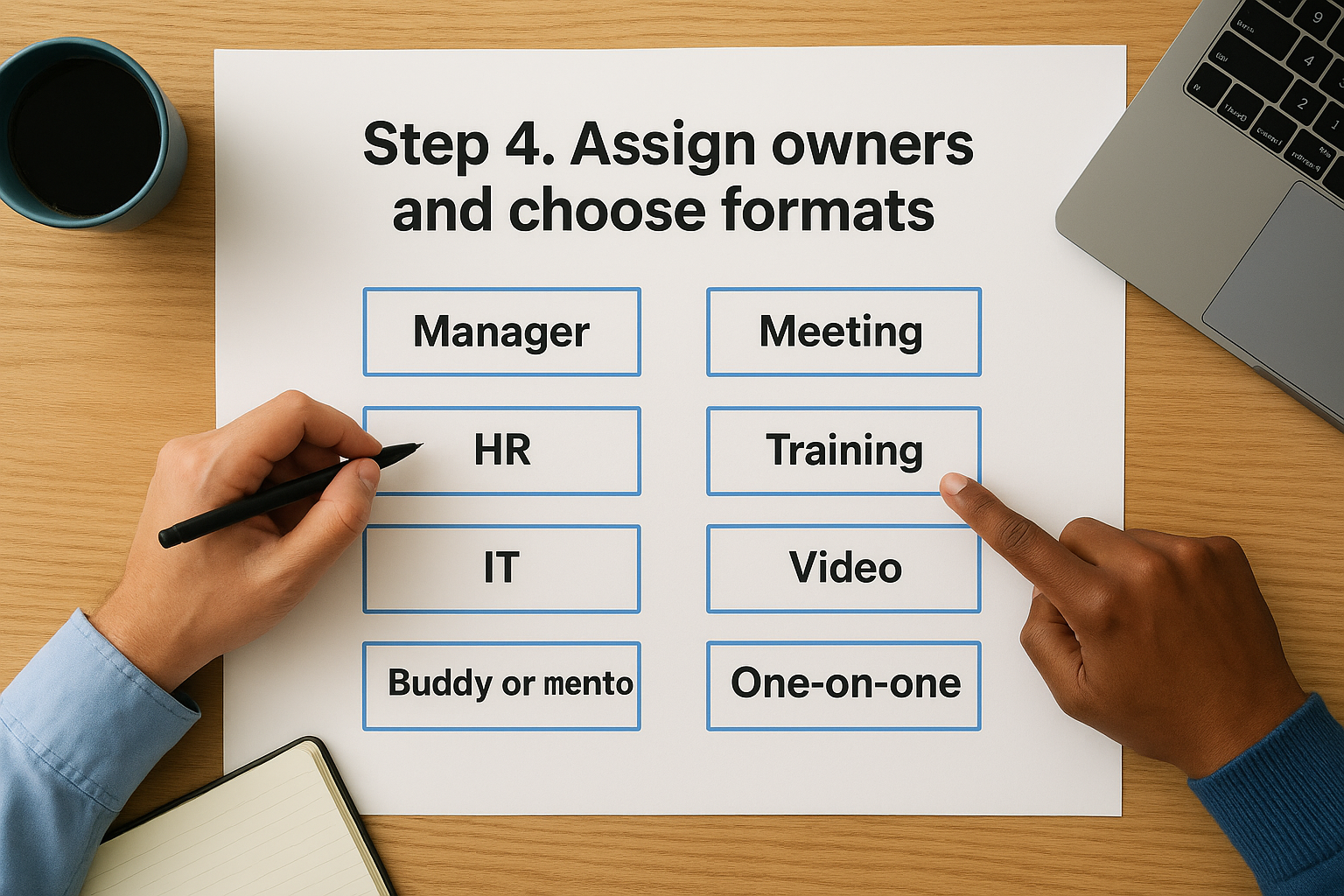
One owner per item. Shared ownership means nobody follows up.
Name one owner per block
Match each block to the person best placed to teach it:
- Manager: role standards, priorities, performance feedback, sign-off on markers.
- HR: company policies, benefits, required compliance courses.
- IT: accounts, hardware, security basics.
- Buddy or mentor: daily questions, shadowing, unwritten team norms.
- Subject matter expert: deep topics such as product architecture or pricing logic.
Tell each owner what you are asking and how long it will take. A buddy who knows the job is two hours a week for the first month will plan for it. A buddy who is surprised will not.
Mix formats with the 70-20-10 model
The 70-20-10 model is a guide to how people build skills. About 70% comes from doing real work, 20% from learning with and from others, and 10% from formal courses and reading. Treat it as a rough starting point rather than a law.
Apply it to a 40-hour training week. About 28 hours go to supervised work on real tasks, 8 hours to coaching, buddy sessions, and team meetings, and 4 hours to structured courses or reading. In week one you will lean heavier on formal content, since the hire has no context yet. By days 61 to 90, most of the time should be real work.
For remote hires, the same split holds. Replace shadowing with recorded walkthroughs and screen-share sessions, and schedule the buddy chats as fixed video calls so they do not depend on chance meetings.
Step 5. Track progress and refine the plan
Review progress at fixed dates, keep completion data in one place, and use what you learn to revise the plan before the next hire starts. Without check-ins the plan is a document. With them it becomes a feedback loop.

A plan nobody reviews goes stale after the first hire.
Set check-ins at fixed points
Put these dates in the calendar when the hire starts, not when you remember:
- Day 5: access, early questions, and whether the first week felt manageable.
- Day 30: progress against the day-30 marker, role clarity, and confidence.
- Day 60: quality of independent work and any gaps in the outline.
- Day 90: performance against all outcomes and the goals for the next quarter.
At each one, ask three questions: what is going well, what is unclear, and what do you need from me. Write the answers in the plan. At day 90, ask the hire which parts of the plan to change for the next person, and you get a free quality review.
Track completion in one place
A shared spreadsheet is enough for a few hires a year. It stops working when you hire several people at once, when compliance deadlines need records, or when different managers run their own versions of the plan.
At that point, a learning management system takes over the bookkeeping. Axis LMS, for example, lets you build courses with a drag-and-drop interface, run automated reports on learner progress, and sync user data from HR systems such as BambooHR and ADP. Its automation workflows can send reminders so nobody chases deadlines by hand. Atrixware typically sets up an Axis LMS system within 1 to 3 business days after purchase. Whatever tool you pick, the plan from steps 1 to 4 comes first, because software cannot fix an unclear outline.
A new hire training plan template to copy
Paste this into a document or spreadsheet and replace the bracketed fields. Keep the structure and edit the contents.
NEW HIRE TRAINING PLAN

Employee: [name]       Role: [title]         Department: [team]
Start date: [date]     Manager: [name]       Buddy: [name]
Review dates: Day 5 / Day 30 / Day 60 / Day 90

OUTCOMES (what the hire can do independently by day 90)
1. [Outcome]
2. [Outcome]
3. [Outcome]

PHASE 1: LEARN (Days 1 to 30)
Module            | Owner     | Format          | Due      | Done
[Company overview]| [HR]      | [Live session]  | [Day 1]  | [ ]
[Tool setup]      | [IT]      | [Guided setup]  | [Day 1]  | [ ]
[Compliance]      | [HR]      | [Online course] | [Day 10] | [ ]
[Role basics]     | [Manager] | [Shadowing]     | [Day 20] | [ ]
Day 30 marker: [Observable result]

PHASE 2: CONTRIBUTE (Days 31 to 60)
Module            | Owner     | Format          | Due      | Done
[Role depth]      | [Buddy]   | [Practice work] | [Day 45] | [ ]
[Feedback review] | [Manager] | [1:1]           | [Day 50] | [ ]
Day 60 marker: [Observable result]

PHASE 3: OWN (Days 61 to 90)
Module            | Owner     | Format          | Due      | Done
[Small project]   | [Manager] | [Real work]     | [Day 80] | [ ]
[Cross-team intro]| [Buddy]   | [Meetings]      | [Day 70] | [ ]
Day 90 marker: [Observable result]

CHECK-IN NOTES
Day 5:  Going well: [ ]  Unclear: [ ]  Actions: [ ]
Day 30: Going well: [ ]  Unclear: [ ]  Actions: [ ]
Day 60: Going well: [ ]  Unclear: [ ]  Actions: [ ]
Day 90: Going well: [ ]  Unclear: [ ]  Actions: [ ]

SIGN-OFF
Manager: [name, date]     Employee: [name, date]
Start with the outcomes
A good new hire training plan comes down to a short list of decisions. Decide what the person must be able to do by day 90, sort the learning into five content blocks, place those blocks across 30, 60, and 90 days, name an owner and format for each, and review at fixed dates. Write all of it on one page and the plan will survive a busy manager.
Start today with step 1. Write three outcomes for your next hire, then fill in the template above around them. If you reach the point where spreadsheets are holding the process back, you can see how Axis LMS handles new hire training in an admin demo.
