
If you sell subscriptions, whether that’s software, training content, or a membership program, you’ve probably run into Chargebee subscription billing while researching how to automate recurring payments. Chargebee handles the messy parts of subscription commerce: invoicing, dunning, tax compliance, and revenue recognition, so your team isn’t stitching together spreadsheets every billing cycle. It’s built for companies that need recurring revenue management without hiring a dedicated billing engineer.
This article breaks down what Chargebee actually does, how its subscription billing engine works behind the scenes, and where it fits against alternatives you might be weighing. You’ll get a clear picture of its core features, API capabilities, and pricing structure, so you can decide if it matches your business model.
We cover this topic because billing and training delivery often intersect. Organizations using a learning management system like Axis LMS frequently need to sell seat licenses or course subscriptions, and understanding platforms like Chargebee helps you plan e-commerce integrations that keep both your training programs and your revenue running smoothly.
Why Chargebee subscription billing matters for growing businesses
Subscription businesses fail for a boring reason: billing breaks before the product does. Chargebee subscription billing exists because recurring revenue models create operational problems that don’t show up in a demo. A failed card, a tax rule change in a new state, or a customer who wants to switch plans mid-cycle can each turn into hours of manual cleanup if your systems aren’t built for it. Growing companies feel this first, because the volume of edge cases scales faster than headcount.
The hidden cost of manual billing
Early-stage teams often run billing through a payment processor plus spreadsheets. That works until you cross roughly 200 to 500 active subscriptions, where proration, upgrades, downgrades, and failed payments start eating a full-time role. Automated dunning management, Chargebee’s system for retrying failed payments and emailing customers before cancellation, alone can recover 5 to 10 percent of monthly revenue that would otherwise churn silently. Most founders don’t notice this leak until they compare cohort retention against actual bank deposits.
Billing failures rarely announce themselves. They just show up months later as missing revenue you can’t explain.
Where growing companies lose revenue without automation
Involuntary churn, meaning customers who leave because a payment failed rather than because they chose to cancel, is one of the biggest silent revenue killers in subscription businesses. Chargebee’s smart retry logic times payment attempts based on card issuer patterns instead of retrying at random intervals, which materially improves recovery rates. Beyond payment recovery, a few other common leak points include:
- Manual proration errors when customers upgrade or downgrade mid-cycle
- Missed tax obligations as you sell into new states or countries
- Inconsistent invoicing that damages trust with B2B buyers who expect clean paper trails
- Delayed revenue recognition that makes your books inaccurate for investors or auditors
Each of these is a small problem in isolation. Together, at scale, they become the difference between a business that scales cleanly and one that stalls because finance can’t keep up with sales.
Compliance gets harder as you grow, not easier
Growth usually means selling across more tax jurisdictions, and tax compliance for subscriptions is genuinely complicated. The US Small Business Administration notes that tax obligations shift as a company expands into new states, and subscription businesses face extra complexity because recurring charges can trigger nexus rules differently than one-time sales (source: sba.gov). Chargebee integrates with tax engines to calculate and apply the right rate automatically, which matters if you’re billing customers in dozens of states or countries and can’t realistically track every rule change by hand.
Revenue recognition rules add another layer. Under ASC 606, subscription revenue often needs to be recognized over the service period rather than at the moment of payment. Getting this wrong isn’t just messy, it can misstate your financials in ways that matter to investors, lenders, or auditors during due diligence.
What this means for a growing subscription business
The practical upshot is that subscription billing automation stops being a nice-to-have around the time your customer count or plan complexity outpaces what a human can track by hand. Chargebee’s value shows up less in flashy features and more in the number of billing fires that never happen: the dunning email that quietly recovers a payment, the tax rate that’s applied correctly without anyone checking, the invoice that goes out formatted the same way every time. For a business selling training content, software seats, or any recurring service, that reliability is what lets you focus growth energy on acquisition and retention instead of firefighting your own billing system.
How Chargebee subscription billing works
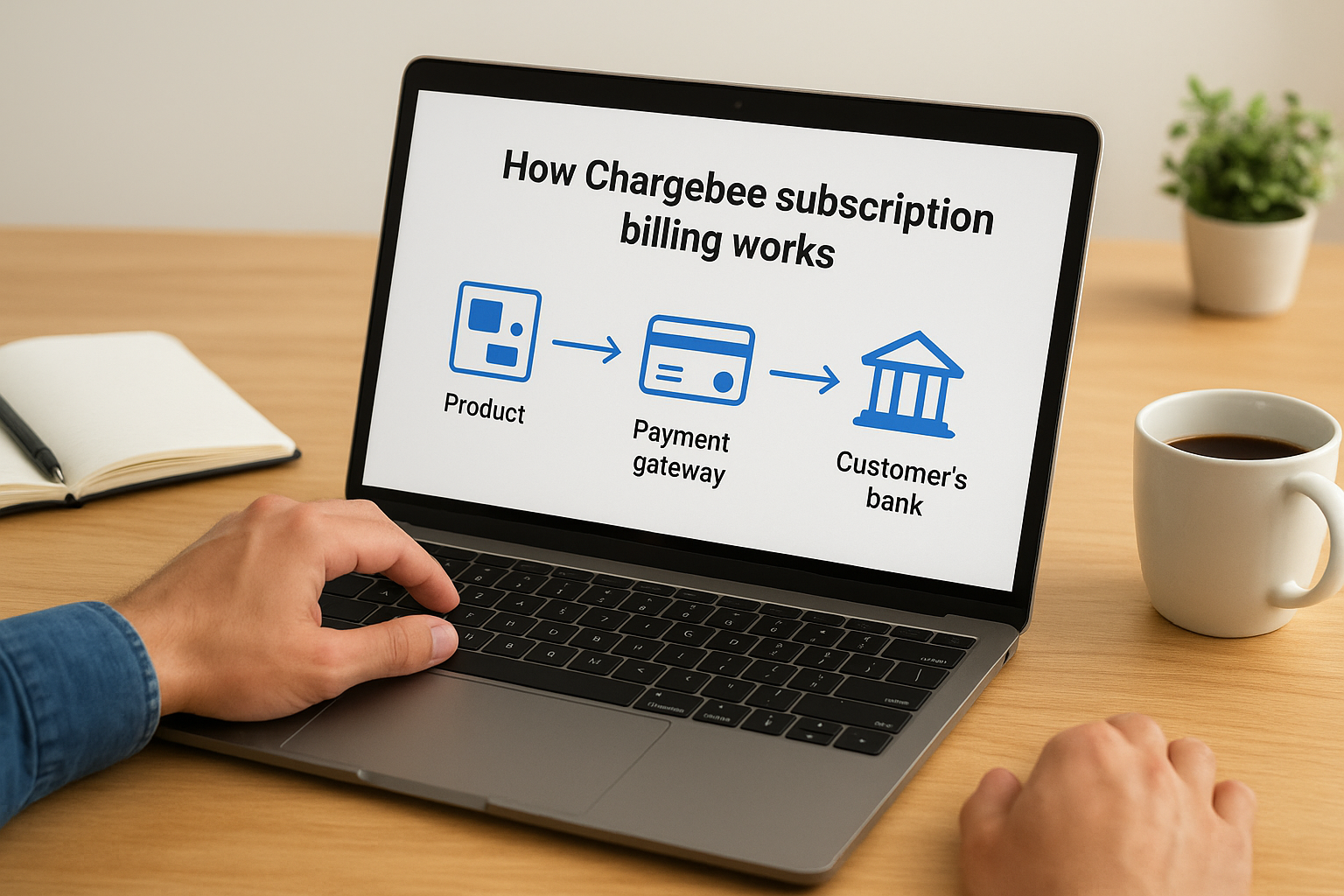
At its core, Chargebee subscription billing works by sitting between your product, your payment gateway, and your customer’s bank, translating plan changes and usage data into accurate charges automatically. You configure pricing plans once, connect a gateway like Stripe or Braintree, and Chargebee takes over the recurring mechanics: generating invoices, charging cards on schedule, applying taxes, and updating customer records when something changes. Nothing about this requires custom code for standard use cases, though the API exists when you need it.
The subscription lifecycle Chargebee manages
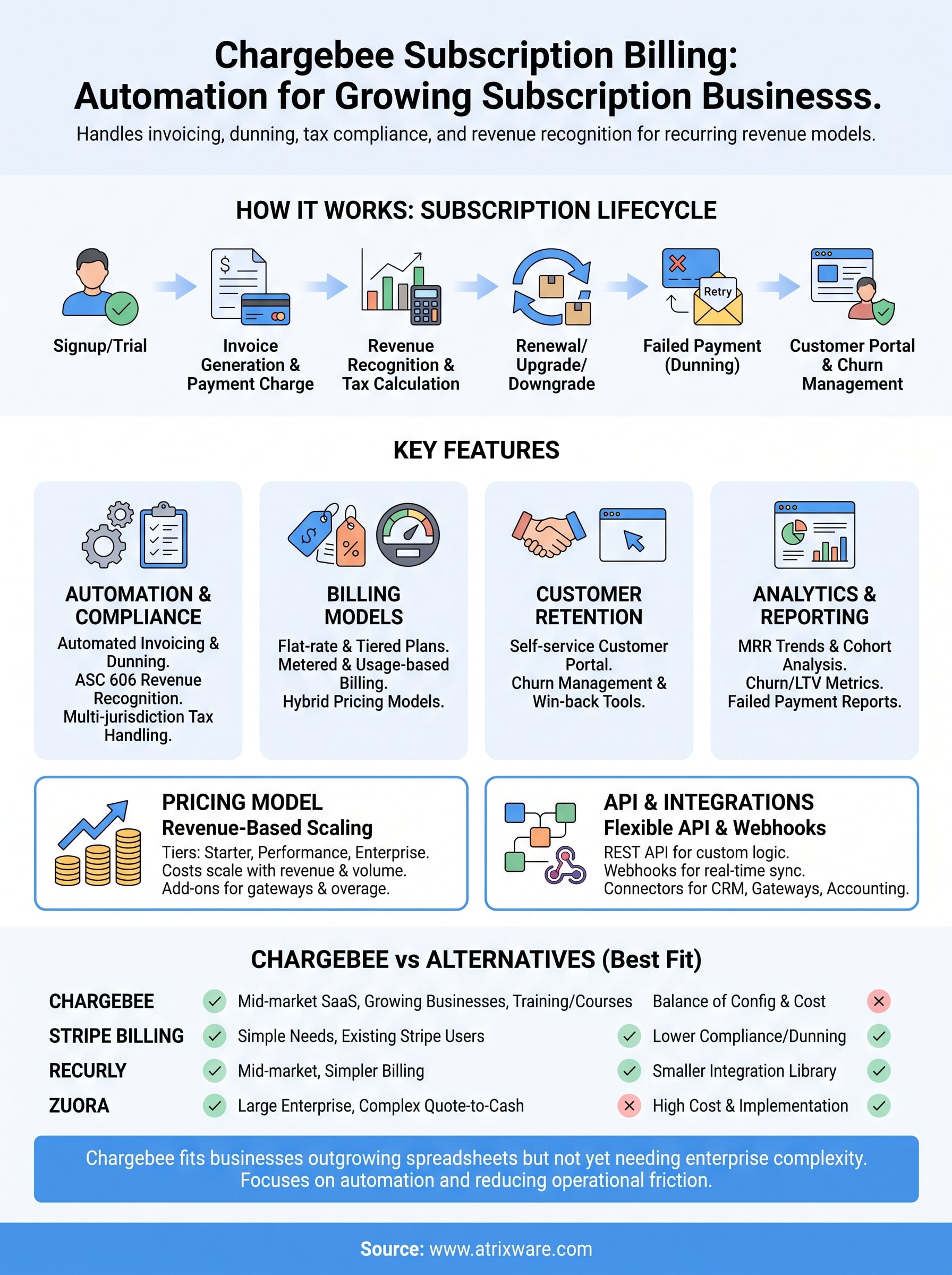
Every subscriber moves through a lifecycle, and Chargebee tracks each stage so you don’t have to build that logic yourself. Signups trigger a subscription object with a plan, price, and billing cycle attached. From there, the system watches for trial expirations, renewal dates, and any change a customer makes through your app or a hosted portal.
| Lifecycle stage | What Chargebee does automatically |
|---|---|
| Signup or trial start | Creates subscription, schedules trial-end billing |
| Renewal | Generates invoice, charges saved payment method |
| Upgrade or downgrade | Prorates charges for the remaining cycle |
| Failed payment | Runs smart dunning retries and sends reminder emails |
| Cancellation | Stops future billing, can trigger win-back offers |
How data flows through the billing engine
Behind that lifecycle sits a straightforward data flow. A customer action, whether it’s a new signup or a plan swap, fires an event that Chargebee’s billing engine picks up in real time. The system checks the plan’s pricing rules, calculates any proration or tax owed, and generates an invoice line by line. Payment processing then hands off to your connected gateway, and the result (successful charge, decline, or partial payment) feeds back into Chargebee to update the subscription status.
The billing engine’s real job isn’t charging cards, it’s making sure every edge case updates the right record automatically.
Subscription changes rarely happen in isolation, which is why Chargebee also fires webhooks for nearly every state change. Developers use these to sync subscription status into a CRM, trigger onboarding emails, or revoke access when a payment fails repeatedly. Understanding this flow matters if you’re evaluating Chargebee for anything beyond simple monthly plans, since the platform’s real strength is handling the branching logic that manual billing setups usually get wrong.
Key features inside Chargebee’s billing platform
Once the lifecycle mechanics are in place, the actual feature set is what determines whether Chargebee fits your business or forces you into workarounds. Chargebee subscription billing bundles several distinct systems under one roof, and most teams end up using four or five of them heavily while ignoring the rest. Knowing which features map to your use case saves you from paying for capability you’ll never touch.
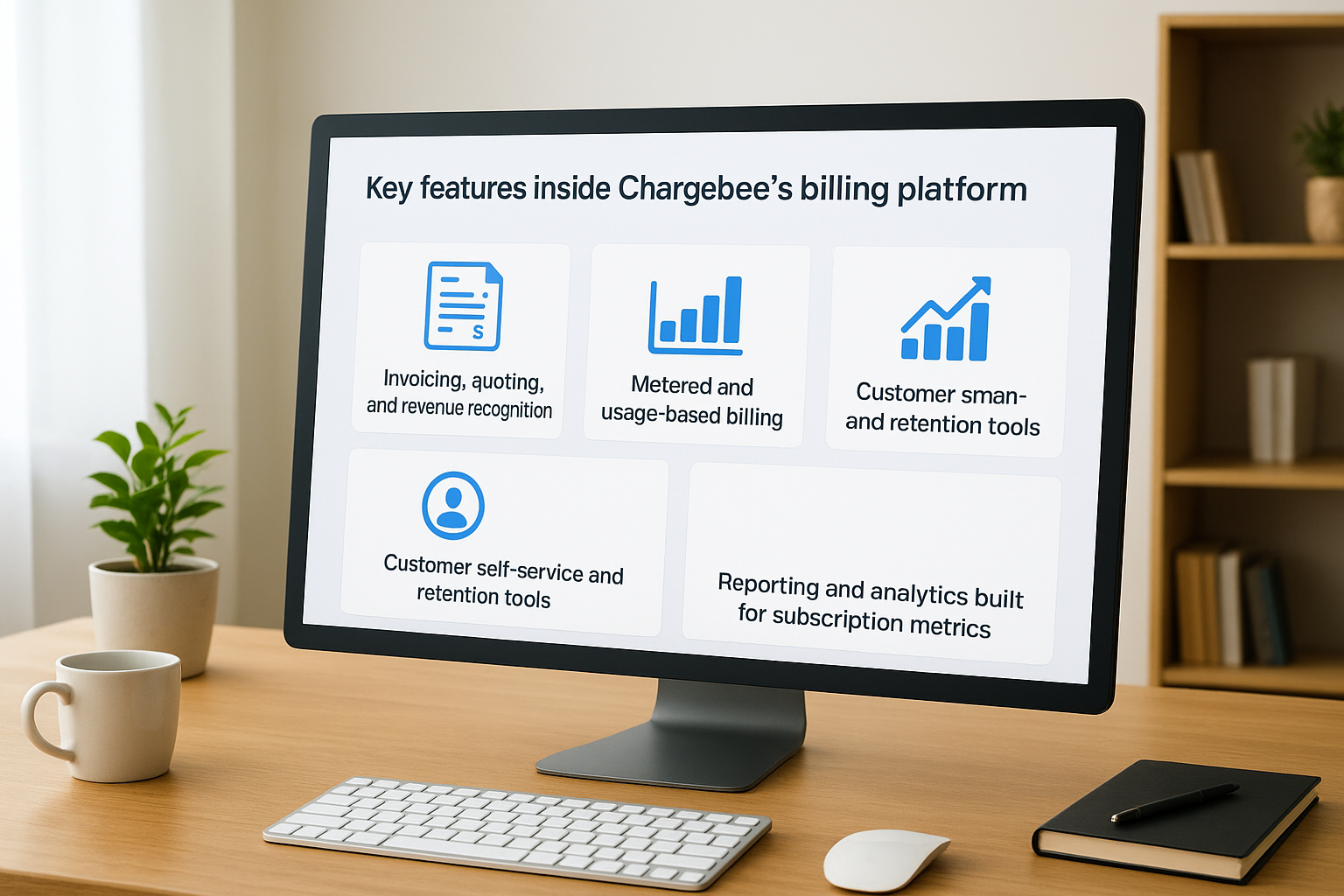
Invoicing, quoting, and revenue recognition
Chargebee generates invoices automatically on every renewal, but it also handles quote-to-cash workflows for B2B deals that need approval steps before billing starts. Automated revenue recognition follows ASC 606 rules, spreading revenue across the service period instead of booking it all at signup, which matters if your finance team answers to auditors or investors. For sales-led teams, quotes can convert directly into subscriptions without re-entering pricing data.
A billing platform earns its keep the moment finance stops double-checking every invoice by hand.
Metered and usage-based billing
Not every subscription is flat-rate. Chargebee supports usage-based billing for companies charging by API calls, active seats, or consumption tiers, pulling usage data in through the API and calculating charges at the end of each cycle. This matters for SaaS companies moving toward hybrid pricing models where a base fee covers access and usage adds variable charges on top.
Customer self-service and retention tools
A hosted customer portal lets subscribers update payment methods, download invoices, or change plans without opening a support ticket. Chargebee pairs this with churn management features like cancellation flows that offer discounts or pauses before a customer leaves entirely, plus win-back campaigns for lapsed accounts. These tools reduce support load while giving customers control over their own account.
Reporting and analytics built for subscription metrics
Subscription businesses live and die by metrics that don’t show up on a standard profit and loss statement. Chargebee tracks MRR movements, churn rate, and customer lifetime value out of the box, breaking down growth into new business, expansion, contraction, and churn so you can see exactly where revenue is coming from or leaking to.
- Monthly recurring revenue (MRR) trends and cohort breakdowns
- Churn and retention rates by plan or segment
- Customer lifetime value (LTV) calculations
- Failed payment and dunning recovery reports
- Tax liability summaries by jurisdiction
Together, these features cover the operational and financial sides of running a subscription business, which is the reason companies choose Chargebee over stitching multiple point tools together.
Chargebee pricing plans and cost considerations
Chargebee’s pricing works differently than most SaaS tools you’re used to buying. Instead of a flat per-seat fee, Chargebee subscription billing costs scale with your revenue and transaction volume, which means your bill grows alongside your business rather than staying fixed. That structure makes sense once you’re processing real volume, but it can catch early-stage teams off guard if they’re comparing sticker prices against flat-rate competitors.

How the tiers break down
Generally, Chargebee organizes its plans around business size and feature depth, with usage-based pricing kicking in once you cross certain revenue thresholds. Exact numbers shift over time and Chargebee negotiates custom pricing for larger accounts, so treat the table below as a directional guide rather than a quote.
| Plan tier | Best fit | What typically changes |
|---|---|---|
| Starter/Free | Early-stage, low transaction volume | Core billing, limited automation |
| Performance | Growing subscription businesses | Dunning, revenue recognition, more integrations |
| Enterprise | High-volume or complex compliance needs | Custom contracts, dedicated support, advanced API limits |
Costs beyond the base subscription fee
Plan cost is only part of the equation. Several add-ons and usage-based charges show up on top of the base subscription:
- Payment gateway fees charged separately by Stripe, Braintree, or whichever processor you connect
- Tax engine integration costs if you need automated multi-jurisdiction calculation
- Overage charges once you exceed included transaction or revenue thresholds
- Implementation or onboarding fees for complex migrations from an existing billing system
The plan price on the page is rarely the number that ends up on your invoice.
Budgeting for total cost of ownership
Realistically, you should model total cost against your projected subscriber count and revenue, not just the monthly plan fee. A company billing $50,000 in monthly recurring revenue pays a very different effective rate than one billing $500,000, even on the same nominal plan tier. Factor in the engineering time saved on custom billing logic too, since that offset often justifies the cost for teams that would otherwise build dunning and tax handling in-house. Before committing, request a detailed quote based on your actual transaction volume and ask specifically how overage pricing works, since that’s where budgets tend to drift furthest from initial expectations.
Using the Chargebee API and integrations
Developers rarely evaluate a billing platform on its dashboard alone. They look at the REST API underneath, because that’s what determines whether Chargebee can flex around your actual product logic instead of forcing you into a rigid checkout flow. Chargebee subscription billing exposes nearly every object in the system, subscriptions, invoices, customers, plans, through documented endpoints, so your engineering team can trigger billing events directly from your app rather than relying on the hosted UI for everything.
What the API actually lets you build
Calls to the API follow standard REST conventions, meaning you send authenticated requests and get structured JSON back. A typical request to create a subscription looks like this:
curl https://{site}.chargebee.com/api/v2/subscriptions \
 -u {api_key}: \
 -d plan_id="pro-monthly" \
 -d customer[email]="jane@example.com"
That single call handles plan assignment, customer creation, and the first invoice generation in one step, which is the kind of shortcut that saves real development time compared to building billing logic from scratch.
The API matters less for what it lets you build and more for what it lets you avoid building yourself.
Webhooks keep other systems in sync
Events don’t stop at the API call. Every state change inside Chargebee, a failed payment, a plan swap, a cancellation, fires a webhook that your systems can listen for in real time. Teams commonly wire these into a CRM to update account status, into Slack for finance alerts, or into an internal dashboard tracking churn as it happens rather than in a next-day report.
Pre-built connectors reduce custom work
Beyond raw API access, Chargebee maintains a library of pre-built connectors for common business tools. These matter because most teams don’t want to write integration code for every system they already run:
- HR and CRM sync, including tools like Salesforce and BambooHR, for keeping customer and employee records aligned with billing status
- Payment gateways, such as Stripe and Braintree, handled through native connectors rather than custom API work
- Accounting software integrations that push invoice data straight into your books
- SSO providers, so billing portal access follows the same authentication rules as the rest of your stack
Deciding how much custom work you actually need
Generally, smaller teams lean on the pre-built connectors and skip custom development entirely. Larger organizations with unique billing logic, tiered partner pricing, or unusual proration rules tend to build directly against the API, since that’s where the platform’s flexibility actually pays off.
Chargebee vs other subscription billing platforms
Picking a billing platform usually comes down to three or four real contenders, and Chargebee subscription billing competes most directly with Stripe Billing, Recurly, and Zuora. Each one solves the same core problem, charging customers on a schedule, but they diverge sharply on flexibility, pricing complexity, and how much engineering effort you’ll spend wiring things together. The right choice depends less on feature checklists and more on where your business sits on the complexity spectrum.
How the major players stack up
Stripe Billing wins on simplicity if you’re already processing payments through Stripe and want billing bolted onto the same account. Recurly targets a similar mid-market audience to Chargebee but leans lighter on compliance tooling. Zuora sits at the enterprise end, built for companies with complex quote-to-cash processes and willing to pay for extensive customization. Chargebee generally lands in the middle: more configurable than Stripe Billing out of the box, less heavyweight (and less expensive) than Zuora.
| Platform | Best fit | Notable tradeoff |
|---|---|---|
| Chargebee | Mid-market SaaS, training/course sellers, growing subscription businesses | Pricing scales with revenue, can surprise early-stage teams |
| Stripe Billing | Companies already on Stripe for payments | Fewer built-in compliance and dunning tools |
| Recurly | Mid-market with simpler billing needs | Smaller integration library than Chargebee |
| Zuora | Large enterprises with complex quote-to-cash | Steep implementation cost and timeline |
Nobody wins a billing platform comparison by feature count alone, they win by matching complexity to what your business actually needs.
Where Chargebee pulls ahead
Chargebee’s edge shows up in three specific areas: revenue recognition automation that follows ASC 606 without custom configuration, a integration library that covers thousands of connectors without custom development, and dunning logic tuned for recovering failed payments rather than just retrying them blindly. If you’re selling training seats or course subscriptions alongside software, that combination matters more than it looks on a spec sheet, since compliance and retention directly affect revenue you’d otherwise lose quietly.
Where it makes sense to look elsewhere
That said, Chargebee isn’t the right fit for everyone. If your billing needs are genuinely simple, one plan, one currency, low volume, Stripe Billing’s flatter learning curve and lower cost probably win. If you’re running enterprise-scale quote-to-cash with dozens of sales-approved contract variations, Zuora’s deeper customization may justify its price and implementation timeline. Chargebee earns its place specifically in the gap between those two extremes, where you need real automation without enterprise-level complexity.
Deciding if Chargebee fits your billing needs
Chargebee subscription billing earns its place when your billing complexity has outgrown spreadsheets but hasn’t reached enterprise-scale quote-to-cash territory. It handles dunning, tax compliance, and revenue recognition well enough that most growing subscription businesses stop thinking about billing entirely, which is exactly the point. If you’re evaluating it against Stripe Billing, Recurly, or Zuora, the decision usually comes down to matching your transaction volume and compliance needs against the pricing tiers we walked through above.
If you’re selling course access or seat licenses alongside your training programs, the same logic about automation applies to your learning management system. Manual enrollment and license tracking break down at scale just like manual billing does. Axis LMS handles that side of the equation, from seat-based e-commerce to compliance tracking, so take our LMS readiness quiz to see where your training program stands before you scale further.
