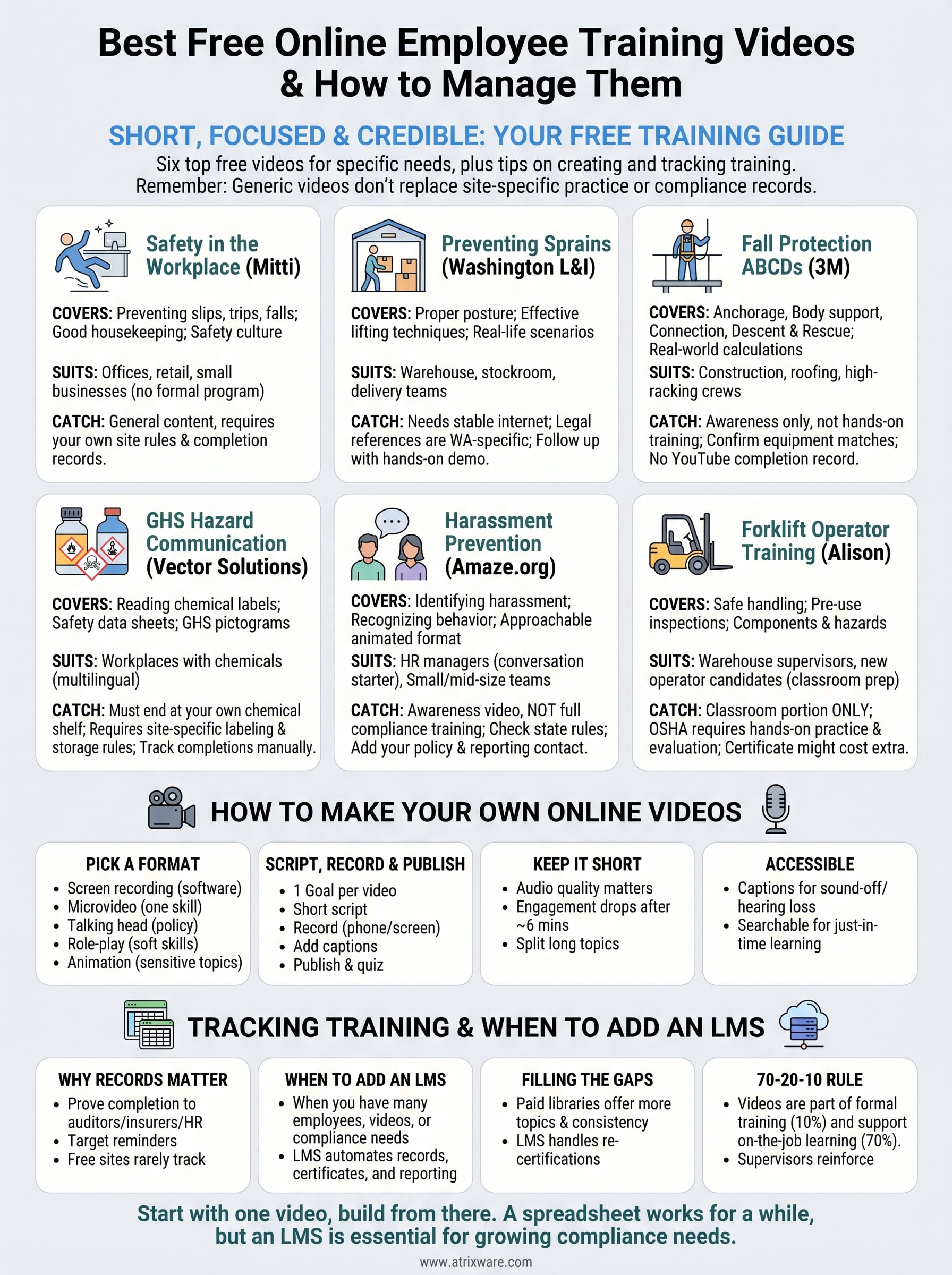
The best free online employee training videos are short, focused on one hazard or policy, and published by a source you can vouch for, such as a state agency, an equipment maker or an established training provider. Of the six picks below, Mitti’s workplace safety course suits offices and small teams, and the Washington L&I lesson suits warehouse managers. 3M’s fall protection video suits crews working at height, and Vector Solutions’ hazard communication course suits chemical handlers. The Amaze.org animation gives HR a way into harassment training, and Alison’s forklift course suits supervisors preparing operators.
Searching for these videos is frustrating. Results mix vendor libraries that hide their prices, YouTube clips of uneven quality, and "free" courses that turn out to be trials. Even a good video leaves a second problem: nobody can prove who watched it.
This guide gives you six free options, with what each covers, who it fits and where it falls short. It then shows you how to make your own training videos and how to track completions. We build Axis LMS at Atrixware, so we pay close attention to what happens after the video ends.
1. Safety in the Workplace by Mitti
What it covers
Mitti’s Safety in the Workplace course focuses on everyday hazards, above all slips, trips and falls. It teaches that the best control is prevention, and it links tidiness to a wider safety culture. Video and visuals carry the lessons, and a certificate is available.
- Preventing slips, trips and falls before they happen
- How good housekeeping reduces hazards
- What a safety culture expects from each employee
Who it suits
Offices, retail shops and small businesses without a formal safety program get the most from it. The provider says you can edit and personalize the course, then send it to your team within minutes. Use that to add your own rules, emergency contacts and floor plan notes.
A generic safety video becomes real training only when you add your own site rules.
Cost and catches
Mitti lists the course as free to access. Terms can change, so confirm them on the provider’s page before you roll it out to staff.
- The content is general, not written for one industry.
- Editing happens on the provider’s platform.
- You still need your own record of who finished it.
2. Preventing sprains and strains in the warehouse
What it covers
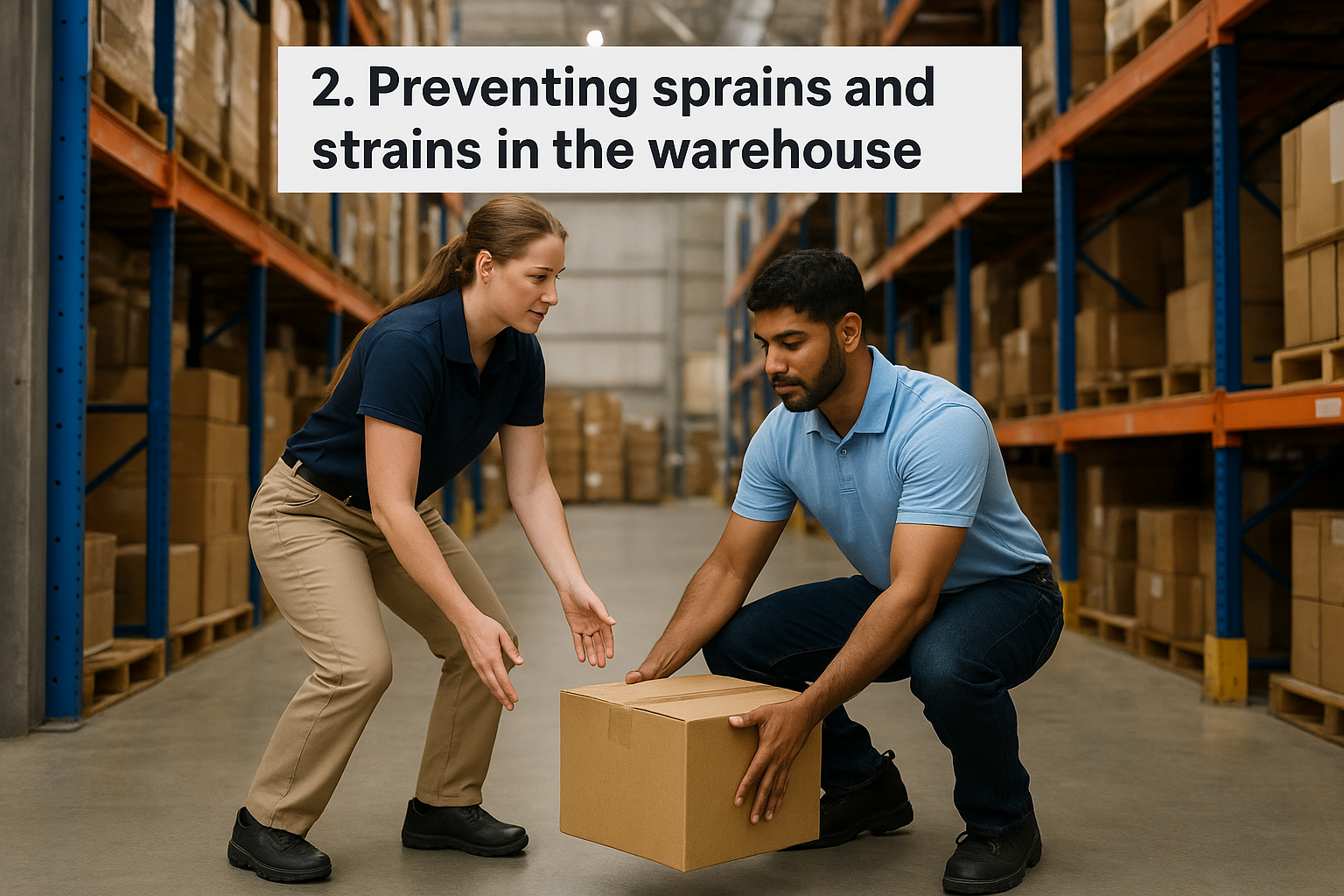
The Washington State Department of Labor & Industries (L&I) offers this free ergonomics lesson with several videos. It teaches proper posture and effective lifting techniques. Two characters play out real-life scenarios, which helps employees see the mistakes they might make themselves.
- Posture while lifting, carrying and reaching
- Lifting techniques that protect the back
- Practical steps to avoid nerve injuries and disorders
Who it suits
Warehouse leads, stockroom managers and delivery teams will get the most from it. Strains are among the most common injuries in these jobs, and the lesson is practical rather than theoretical. A state agency built it, so the lifting guidance is as credible as free material gets.
For physical jobs, a government-built ergonomics lesson is the safest free place to start.
Cost and catches
The lesson is free and runs in a web browser, but it needs a stable internet connection. That matters on a warehouse floor with patchy Wi-Fi.
- Schedule viewing in a break room or office, not on the floor.
- Any legal references are Washington’s, so check your own state’s rules.
- Follow up with a live demonstration of lifting your actual loads.
3. Fall protection ABCDs from 3M
What it covers
This 3M video, posted on YouTube, explains fall protection through four pillars: Anchorage, Body Support, Connection, and Descent and Rescue. It defines each component, gives concrete examples and works through real-world calculations. Employees see how the parts of a system depend on each other.
- Anchorage points and what they must support
- Body support such as harnesses
- Connection devices and descent and rescue planning
Who it suits
The video is aimed mostly at construction, but any crew that works in elevated areas can use it. Roofers, maintenance technicians and warehouse staff using high racking all fit. Supervisors should watch it first, because the calculations raise questions that you need to answer for your own equipment.
Watching a fall protection video is awareness; hands-on equipment practice is the training.
Cost and catches
It is free to watch on YouTube, with no sign-up. A manufacturer made it, so check that its examples match the gear you actually own.
- It builds awareness and does not replace hands-on practice with your equipment.
- Use it before a toolbox talk, then discuss your own anchor points.
- YouTube gives you no completion record, so collect sign-offs separately.
4. GHS hazard communication from Vector Solutions
What it covers
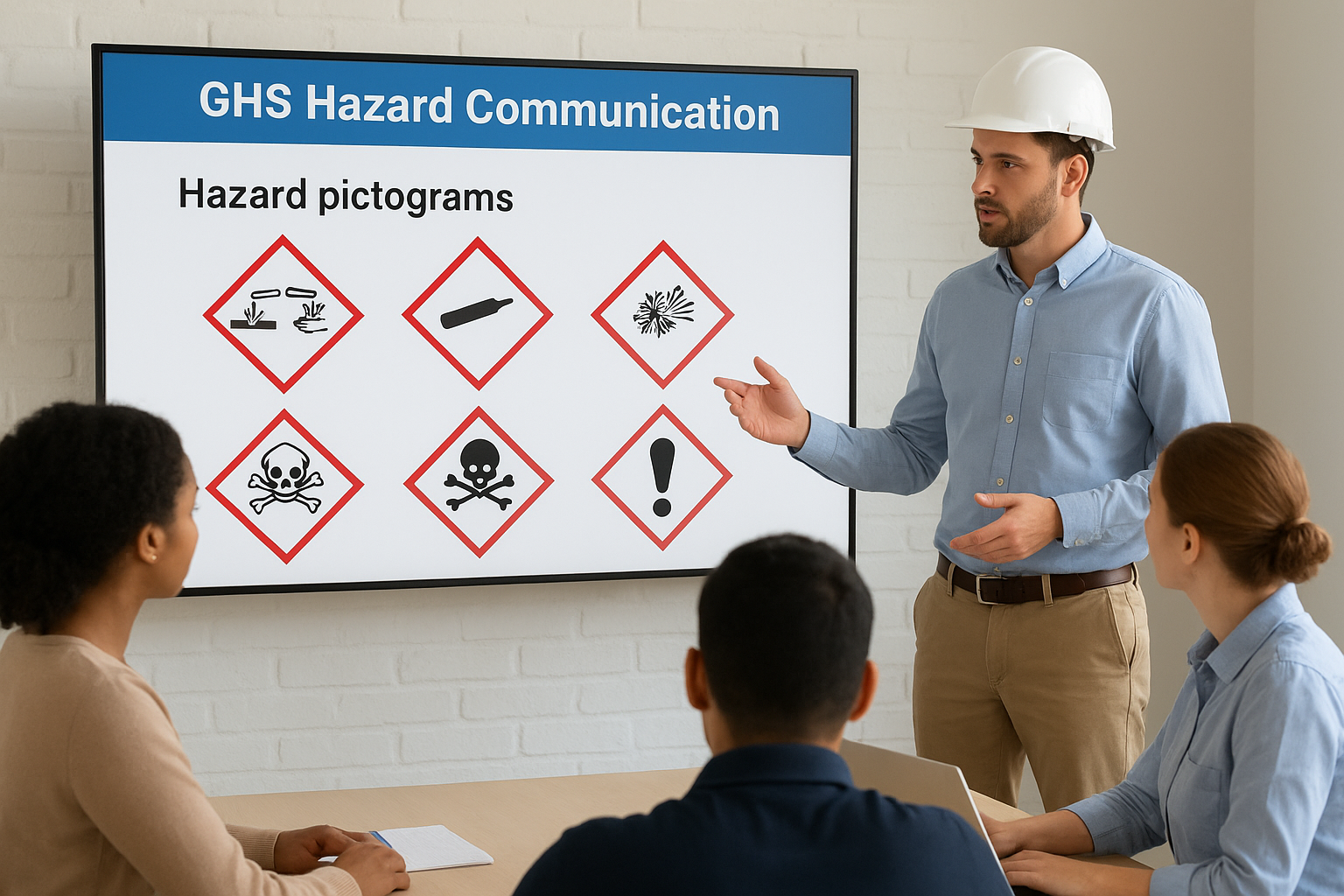
This course teaches workers to read chemical labels and use safety data sheets. It covers hazard pictograms such as corrosion, gas cylinders and exploding bombs. The provider aligns it with OSHA’s hazard communication guidelines, and it runs in English, Spanish and Chinese.
- Reading labels on hazardous chemicals
- Finding and using safety data sheets
- Recognizing the GHS pictograms
Who it suits
Manufacturers, cleaning crews, auto shops, labs and any workplace with chemical products should consider it. The three languages make it useful for multilingual crews, which free material rarely supports. Pair it with a walk-through of your own chemical inventory.
Hazard communication training only works when it ends at your own chemical shelf.
Cost and catches
The course is listed among free options, but check current access terms and whether a certificate is included. The federal OSHA site is the place to confirm what your workplace must cover.
- Generic training does not cover the chemicals on your site.
- Add a short session on your labeling system and storage rules.
- Keep your own written record of who completed it.
5. Harassment prevention from Amaze.org
What it covers
Amaze.org’s animated video tackles workplace sexual harassment. Animation softens the delivery of a very sensitive topic while still teaching employees how to identify harassing behavior. That makes it a calmer starting point than a lecture or a live-action scene that might upset someone.
- What counts as harassment
- How to recognize it when it happens
- Why the animated format keeps a hard topic approachable
Who it suits
HR managers who need a conversation starter will get the most out of it. Use it to open a team meeting, then discuss your policy and reporting channels. It suits small and mid-size teams that cannot afford a custom production.
An animation opens the conversation on harassment; your policy and reporting channels finish it.
Cost and catches
It is publicly available online. The big catch is that a short awareness video is not full compliance training. Several states require harassment prevention training with their own content and hour rules, so confirm yours.
- Add your written policy and a named reporting contact.
- Collect a signed acknowledgment from each employee.
- Use a paid or state-approved course if your state mandates specific content.
6. Forklift operator training from Alison
What it covers
Alison’s course covers safe forklift handling and vehicle inspection procedures. It also explains the parts of a forklift and its different uses. By the end, learners can identify related hazards and outline workplace rules. The stakes are real: the National Safety Council reports more than 20,000 forklift injuries a year.
- Safe handling practices
- Pre-use inspection procedures
- Forklift components, uses and hazards
Who it suits
Warehouse supervisors, logistics managers and new operators will find it useful. It works best as the classroom portion of operator preparation. Candidates can finish it at their own pace before they touch a machine.
A forklift video is the classroom half of operator training, never the whole of it.
Cost and catches
Alison lets you study for free, but check whether a certificate costs extra. OSHA’s powered industrial truck standard expects hands-on practice and an evaluation of each operator in your workplace, so a video alone never qualifies anyone to drive.
- Pair the course with supervised driving on your own equipment.
- Record the practical evaluation, not just the course completion.
- Retrain after any incident or change in equipment.
How to make your own online employee training videos
Making your own online employee training videos takes less than most managers expect: one learning goal, one short script and a phone or screen recorder. Make your own when no free video covers your internal systems, policies or products.
Pick a format that fits the lesson
Match the format to the job the video does. A screen recording shows software steps, a microvideo teaches one skill in one to three minutes, and a role-play shows a conversation done well and badly.
| Format | Best for | Effort |
|---|---|---|
| Screen recording | Software walkthroughs, system updates | Low |
| Microvideo (1 to 3 minutes) | One skill, quick refreshers | Low |
| Talking head | Policy explanations, messages from leaders | Low |
| Role-play | Customer service, sales objections, hard conversations | Medium |
| Animation | Abstract or sensitive topics | High, often outsourced |
Script, record and publish in five steps
Start with a clear goal and end with a way to measure it. Each step below takes minutes for a short video.
- Write one learning goal, such as "submit an expense report."
- Outline the steps in a short script, and cut anything beyond the goal.
- Record with a smartphone and a clip-on microphone, or use your computer’s built-in screen recorder (Xbox Game Bar on Windows, the Screenshot toolbar on macOS).
- Add captions and on-screen text for key terms.
- Publish where employees can find it, and attach a quick quiz or acknowledgment.
One goal per video beats one long video that tries to teach everything.
Keep videos short and accessible
Audio matters more than camera quality, so never rely on a laptop microphone. Length matters too. A widely cited analysis of online course videos found engagement drops sharply past about six minutes, so split long topics into a series.
Captions help employees who watch with the sound off and those with hearing loss. They also make the video searchable, which supports just-in-time learning when someone needs a refresher at the moment of the task.
How to track free training videos and when to add an LMS
You can track free training videos with a spreadsheet of names and dates for a while. Once you have dozens of employees, several videos and any compliance obligation, you need a learning management system (LMS) that records completions automatically.
Why completion records matter
A video with no record proves nothing to an auditor, an insurer or your own HR team. Free videos on YouTube or a provider’s site usually give you no way to see who watched, how much, or how they scored. Records also let you target reminders and retraining.
Free videos or a paid library
Free material is a strong start, but it leaves gaps: topics you cannot find, certificates you cannot issue, and no consistent look. Axis LMS lets you load your own videos and courses, build lessons with a drag-and-drop interface, and run reports on learner progress. Compliance features track re-certifications and continuing education units.
When free runs out, a paid library can fill the gaps. Atrixware’s Pick-25 and Pick-100 bundles let you choose 25 or 100 course titles from a library of 25,000 and load them into Axis LMS. Axis LMS Lite is built for organizations of 25 to 100 employees, and Axis LMS scales from 150 to 100,000. Atrixware usually sets up a system within 1 to 3 business days after purchase.
Free videos teach, but only an LMS can show who learned and when.
Where the 70-20-10 rule fits
The 70-20-10 model says roughly 70% of development comes from on-the-job experience, 20% from other people and 10% from formal courses. Training videos mostly serve the formal 10%, but short how-to clips also support the 70% by answering questions at the moment of work. Use videos to start learning, then rely on supervisors and coworkers to reinforce it.
Start with one video and build from there
Free online employee training videos work best when each one has a narrow job: one hazard, one policy or one system. Choose from the six picks above based on your industry, add your own site rules, and build in-house videos for what no outside source covers. Remember that a generic video never replaces hands-on practice or documented training that regulators expect.
The weak spot is almost always the paperwork. Free videos give you content without completion records, certificates or reminders. If you are unsure whether you have outgrown a spreadsheet, take the LMS readiness quiz to see which stage of the buying process you are in and what to look for next.
