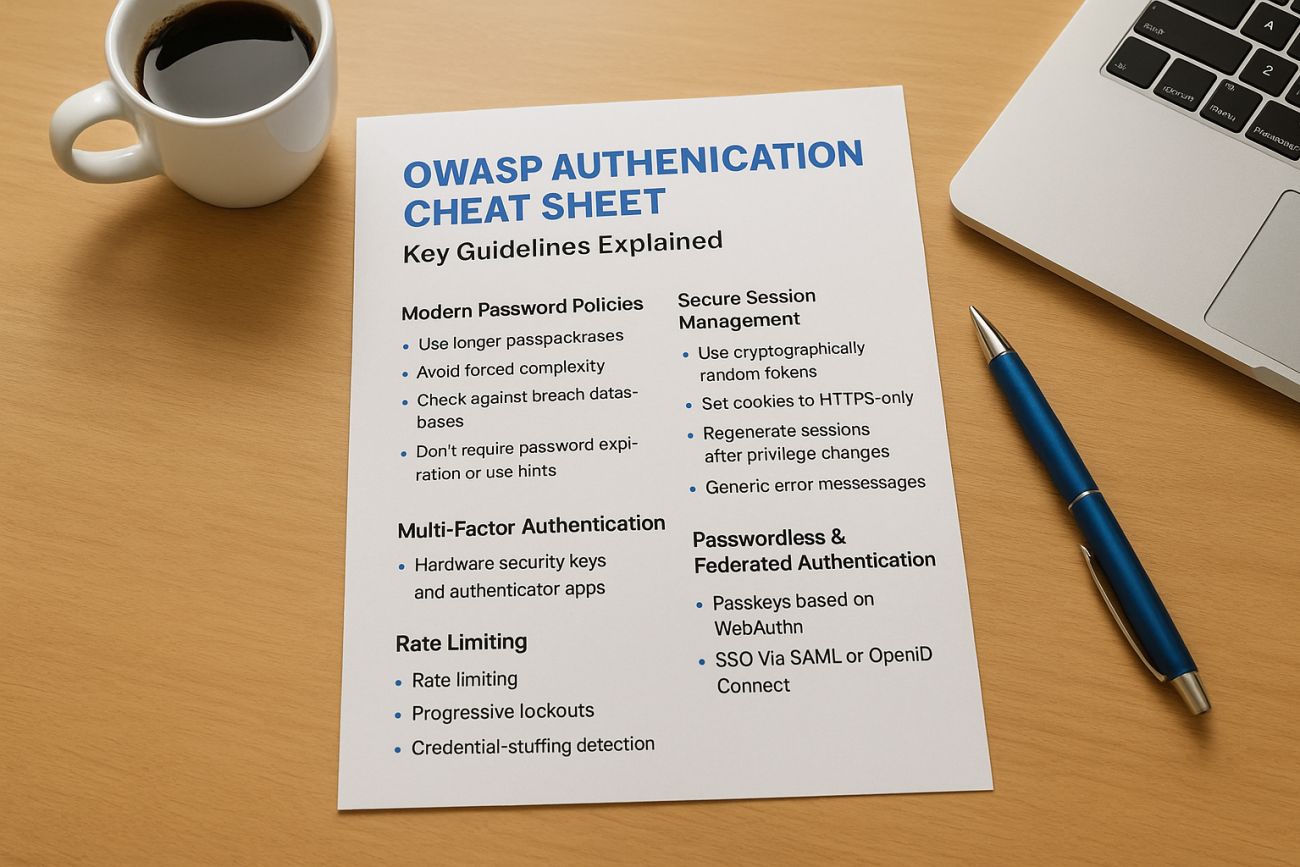
Every week brings another headline about stolen credentials or a brute-force attack that slipped past a login form. If you manage user accounts for a web application, whether it’s a customer portal, an internal tool, or a training platform, you already know that authentication is where most security failures start. The OWASP authentication cheat sheet exists because too many teams still rely on weak password rules and no rate limiting, leaving the front door wide open. This guide breaks down what the cheat sheet actually recommends and why it matters.
You’ll get a direct answer to what OWASP considers best practice: password complexity requirements that actually reduce risk instead of frustrating users, guidance on multi-factor authentication, secure session handling, and defenses against credential stuffing and account enumeration. No filler, just the guidelines security teams reference when they build or audit a login system.
This matters directly for platforms like Axis LMS, where learner accounts hold sensitive training records and compliance data. We’ll walk through each core recommendation, explain the reasoning behind it, and show how these principles translate into real authentication decisions you can apply to any system you’re responsible for.
Why the OWASP authentication cheat sheet matters
The OWASP Foundation isn’t a vendor trying to sell you a security product. It’s a nonprofit that’s spent over two decades publishing free, community-vetted guidance on web application security, and its authentication recommendations reflect input from penetration testers, incident responders, and engineers who’ve watched the same login flaws get exploited over and over. When a security team cites the OWASP authentication cheat sheet during a code review, they’re not quoting marketing copy. They’re pointing to a document shaped by real breach data and years of practical testing.
Who OWASP is and why security teams trust it
Unlike a single vendor’s best-practice blog post, OWASP’s guidance goes through open review from contributors across the industry, including people who work at major cloud providers, financial institutions, and security consultancies. That collaborative process is why frameworks like PCI DSS and auditors performing SOC 2 assessments often reference OWASP material as a baseline expectation rather than a nice-to-have. If your login system diverges significantly from what OWASP recommends, that gap tends to show up during a security audit or, worse, after an incident.
The real cost of getting authentication wrong
Credential-related attacks remain one of the most common ways attackers get into systems they shouldn’t. Verizon’s annual Data Breach Investigations Report has consistently found that stolen or weak credentials play a role in a large share of confirmed breaches, and the pattern holds whether you’re looking at a small business tool or an enterprise platform. Authentication isn’t a minor feature bolted onto your application. It’s the gate that decides who gets access to everything else, and a weak gate undermines every other security control you’ve built behind it.
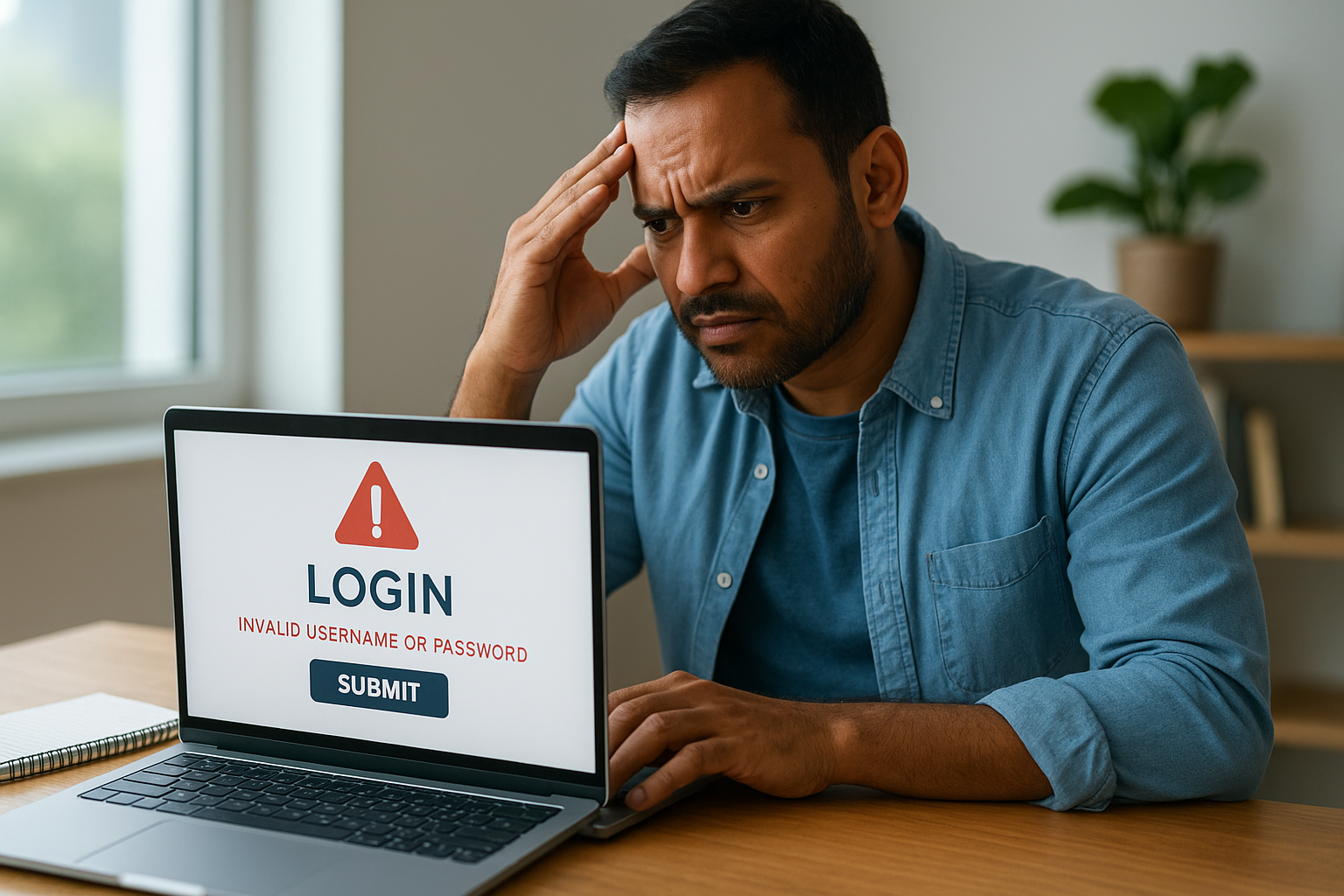
A login form is the single point where nearly every other security control depends on getting authentication right.
Here’s a quick look at how common authentication weaknesses translate into real-world consequences:
| Weakness | How attackers exploit it | Typical outcome |
|---|---|---|
| No rate limiting on login attempts | Automated credential stuffing using leaked password lists | Account takeover at scale |
| Weak password requirements | Dictionary and brute-force attacks | Compromised accounts, data exposure |
| Detailed error messages | Account enumeration (confirming which emails exist) | Targeted phishing and takeover attempts |
| No multi-factor authentication | Single-factor compromise is enough to get in | Full account access with stolen password alone |
| Predictable session tokens | Session hijacking | Access without ever needing the password |
Each of these gaps is addressed directly in OWASP’s authentication guidance, which is exactly why the document has become a reference point rather than just another security checklist buried in a compliance binder.
Why this matters for platforms holding sensitive data
Consider a platform like an LMS, where accounts aren’t just usernames and passwords but gateways to compliance records, certification histories, and sometimes personally identifiable information tied to regulations like GDPR. A compromised learner or admin account on a training platform doesn’t just expose a profile page. It can expose completion records tied to FDA 21 CFR Part 11 requirements or audit trails that a regulator will ask about during an inspection. Weak authentication in this context isn’t just a technical risk, it’s a compliance and legal one.
Organizations that skip proper authentication hardening often don’t find out until it’s too late. Security teams frequently discover during an incident review that the attacker didn’t need a sophisticated exploit at all. They just tried a leaked password from an unrelated breach, and the system let them in on the first attempt because there was no lockout policy, no MFA prompt, and no anomaly detection watching for it. That’s the scenario OWASP’s guidance is built to prevent, and it’s why treating these recommendations as optional is a bet most organizations shouldn’t make.
Specifically, the cheat sheet matters because it turns vague advice like "use strong passwords" into concrete, testable rules: minimum length thresholds instead of arbitrary complexity rules, rate limiting thresholds instead of "add some throttling," and specific guidance on what session tokens should and shouldn’t look like. That specificity is what makes it usable by developers who need to implement something today, not just security professionals who understand the theory. The next sections walk through exactly what those specific rules are and how to put them into practice.
} is wrong format, must produce actual JSON per schema. Let me write properly.the section content now.The final response must be JSON with
Password policy rules OWASP recommends today
Forget everything you learned about requiring one uppercase letter, one number, and one special character. OWASP’s current guidance flips the old password rulebook, and it does so based on research showing those forced-complexity rules push users toward predictable patterns like "Password1!" rather than genuinely stronger passwords. The modern password policy OWASP recommends favors length and breach-checking over arbitrary character requirements, and it’s a shift every team maintaining a login form needs to catch up on.
Length beats complexity
OWASP recommends a minimum length of 8 characters, but strongly encourages allowing up to 64 characters or more, and it explicitly discourages maximum length limits that are too restrictive. Longer passwords, even simple ones like a passphrase strung together from unrelated words, resist brute-force attacks far better than short, complex-looking strings. A 20-character passphrase takes exponentially longer to crack than an 8-character password stuffed with symbols, and it’s easier for a real person to remember and type correctly.
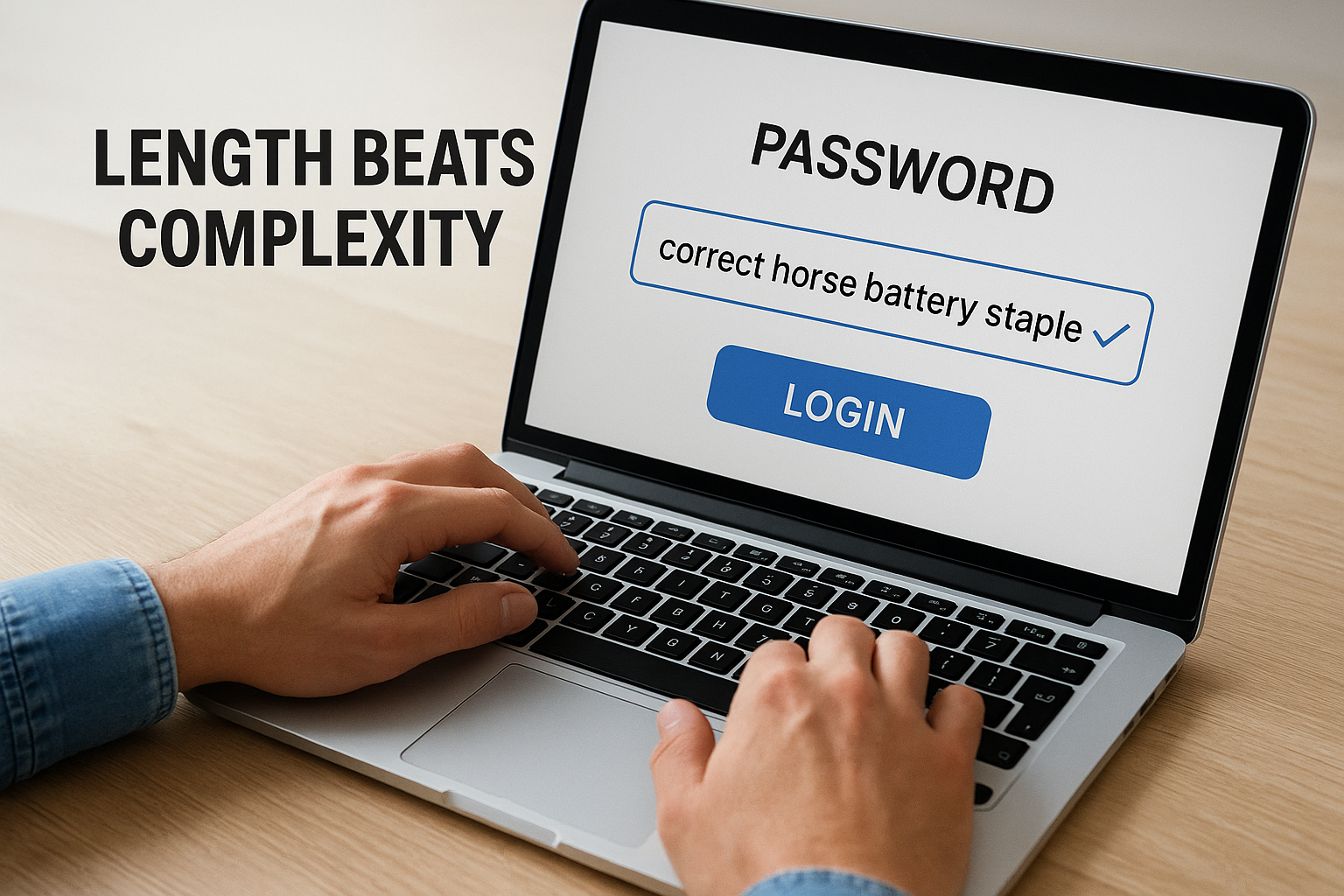
A long, simple passphrase beats a short, complicated password every time an attacker runs the numbers.
Here’s how OWASP’s current recommendations compare to the old-school rules many systems still enforce:
| Rule | Old-school approach | OWASP’s current recommendation |
|---|---|---|
| Minimum length | 8 characters | 8 characters minimum, allow up to 64+ |
| Composition | Require mixed case, numbers, symbols | No forced complexity rules |
| Expiration | Force reset every 90 days | Only reset when compromise is suspected |
| Password hints | Often allowed | Should not be permitted |
| Copy-paste into password field | Frequently blocked | Should be allowed to support password managers |
Why forced expiration and hints do more harm than good
Mandatory password rotation every 90 days sounds responsible, but OWASP flags it as counterproductive. Users forced to change a working password tend to make small, predictable tweaks, like changing "Summer2024!" to "Summer2025!", which gives attackers an easy pattern to guess. Password expiration should only be triggered by evidence of compromise, such as a breach notification or suspicious login activity, not by a calendar. Similarly, password hints and knowledge-based security questions ask users to essentially store a second, weaker password in plain sight, and OWASP recommends dropping them entirely in favor of better recovery flows.
Checking passwords against known breach data
One of the more actionable pieces of OWASP’s guidance is checking new passwords against lists of previously breached credentials at the point of creation. If a user tries to set a password that’s already circulating in a leaked database, reject it and explain why, rather than letting them lock in a password an attacker could guess in seconds. This single check does more to stop credential stuffing than any complexity rule ever has, and it’s straightforward to implement with services built for this exact purpose.
Putting this into practice means your signup and password-reset forms should:
- Enforce an 8-character minimum, with no upper limit below 64 characters.
- Skip forced complexity rules like mandatory symbols or numbers.
- Allow paste functionality so password managers work properly.
- Reject passwords found in known breach datasets.
- Only require a reset when there’s evidence of compromise, not on a fixed schedule.
Multi-factor authentication and brute-force defenses
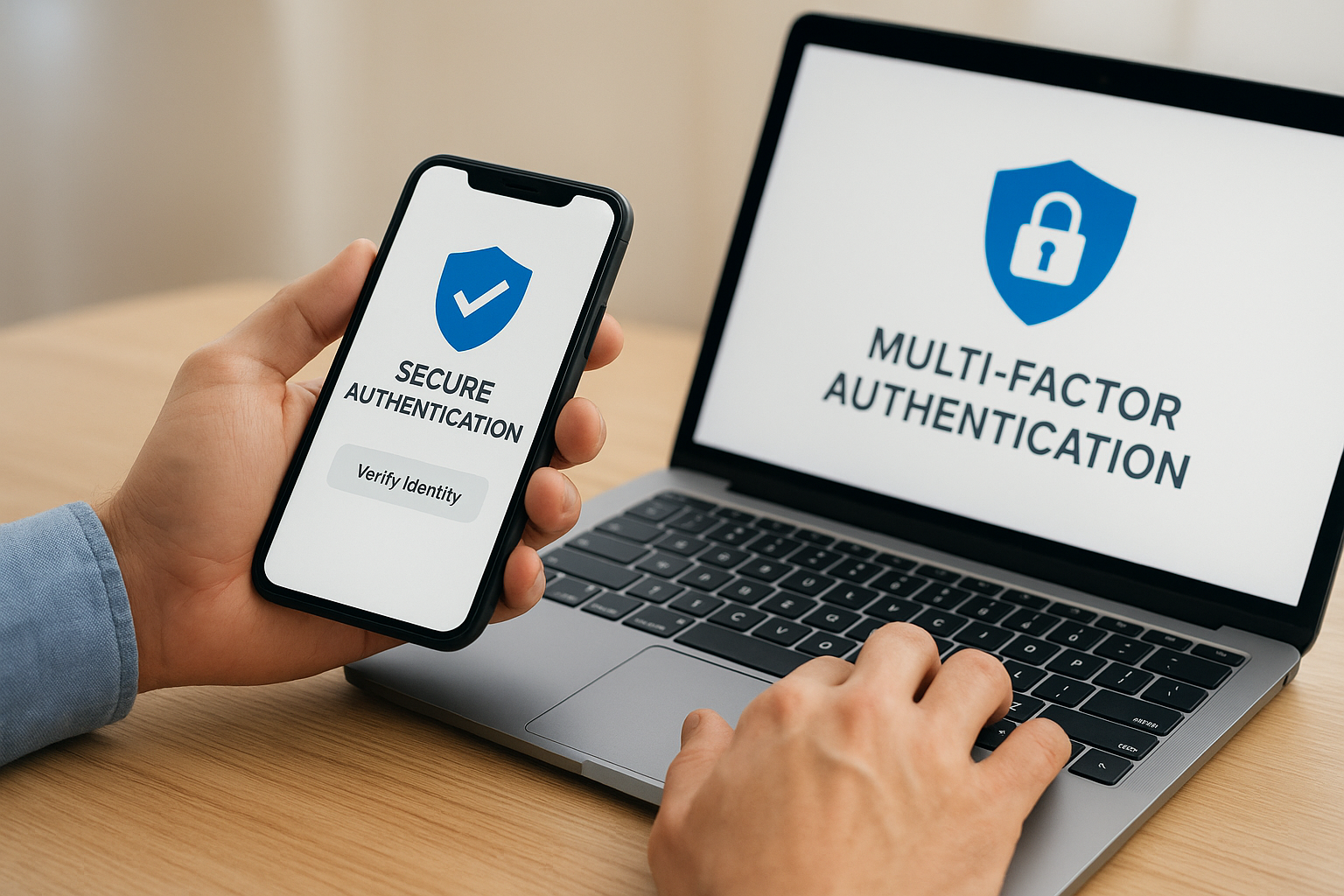
A strong password policy stops guessing attacks, but it doesn’t stop an attacker who already has a valid password from a previous breach. That’s where multi-factor authentication (MFA) comes in, and OWASP treats it as one of the highest-impact controls you can add to a login flow. Requiring a second factor, something the user has or is, in addition to something they know, means a stolen password alone isn’t enough to get in. Microsoft has reported that MFA blocks the vast majority of automated account compromise attempts, which is why OWASP recommends offering it for every account and requiring it outright for privileged or administrative access.
Multi-factor authentication turns a stolen password from a master key into a dead end.
Choosing the right second factor
Not all MFA methods carry the same weight, and OWASP’s guidance reflects that. SMS-based codes are better than nothing, but they’re vulnerable to SIM-swapping and interception, so OWASP considers them the weakest acceptable option. Authenticator apps using time-based one-time passwords (TOTP) offer a meaningful step up, and hardware security keys following the FIDO2/WebAuthn standard sit at the top of the list because they resist phishing in a way that codes typed into a browser simply can’t. If you’re building or upgrading a login system, prioritize app-based or hardware-based factors and treat SMS as a fallback rather than the default.
| MFA method | Phishing resistance | OWASP recommendation |
|---|---|---|
| SMS one-time code | Low | Acceptable as fallback, not preferred |
| Authenticator app (TOTP) | Moderate | Recommended for most users |
| Push notification approval | Moderate to high | Good option when implemented with number matching |
| Hardware security key (FIDO2/WebAuthn) | High | Preferred for privileged accounts |
Rate limiting and account lockout done right
Even with MFA in place, your login endpoint still needs defenses against automated attacks that try thousands of password combinations per minute. OWASP recommends rate limiting login attempts by IP address, by account, or ideally both, so a script can’t hammer a single username indefinitely. The trick is balancing security against usability: lock an account too aggressively after a handful of failed attempts, and you hand attackers an easy way to lock out legitimate users through a denial-of-service tactic. OWASP suggests progressive delays, temporary lockouts measured in minutes rather than permanent locks, and CAPTCHA challenges triggered after a threshold of failures rather than on every login.
Watching for credential stuffing patterns
Credential stuffing attacks don’t target one account, they cycle through thousands of leaked username-password pairs against your login form hoping a few match. Detecting this pattern requires more than a simple failed-attempt counter. Effective defenses include:
- Flagging logins where the same password is tried across many different usernames in a short window.
- Monitoring for unusual geographic or device patterns tied to a single account.
- Adding device fingerprinting or risk-based authentication that prompts for MFA only when something looks off.
- Logging and alerting on spikes in failed logins across the system, not just per account.
These layered defenses, MFA, rate limiting, and behavioral detection, work together rather than as substitutes for one another, and that layering is exactly what the OWASP authentication cheat sheet is designed to encourage.
Secure session handling and error messaging
Getting a user logged in correctly is only half the job. Once authentication succeeds, the session token your application hands out becomes the thing an attacker actually wants, because a hijacked session skips the login form entirely. OWASP’s guidance treats session management as an extension of authentication, not a separate concern, and the cheat sheet spells out specific rules for how tokens should be generated, transmitted, and retired.
Generating and protecting session tokens
Session identifiers need to be long, random, and generated using a cryptographically secure random number generator, never a predictable sequence or a value derived from user data like a timestamp or username. OWASP recommends tokens with enough entropy that guessing one is computationally infeasible, and it insists those tokens travel only over HTTPS, marked with the Secure and HttpOnly flags so they can’t be read by client-side scripts or leaked over an unencrypted connection. A few concrete rules worth building into every login flow:
- Issue a brand-new session ID after every successful login, never reuse a pre-login token.
- Set an absolute session timeout as well as an idle timeout, so a forgotten open tab doesn’t stay valid indefinitely.
- Invalidate the session server-side on logout, not just by clearing a cookie in the browser.
- Bind sessions loosely to device or IP characteristics so a stolen token used from an unusual location raises a flag.
A session token left exposed is just as dangerous as a stolen password, sometimes more, because it skips the login screen entirely.
Rotating tokens after privilege changes
Anytime a user’s privilege level changes mid-session, say an admin elevates a support account temporarily, OWASP recommends regenerating the session token rather than letting the old one carry the new permissions. This closes off session fixation attacks, where an attacker tricks a victim into using a known session ID and then waits for that session to become authenticated or privileged. Regenerating tokens at these transition points costs almost nothing to implement but closes a gap that’s easy to overlook during development.
Why vague error messages actually help security
It feels helpful to tell a user exactly why their login failed. It’s a security mistake. Messages like "that email isn’t registered" or "incorrect password for this account" hand attackers exactly what they need to run an account enumeration attack, confirming which addresses have accounts before moving on to a targeted credential-stuffing or phishing attempt. OWASP recommends a single, generic message for all failed login attempts, something like "invalid username or password," regardless of which part actually failed.
The same logic applies to password reset flows. If a user requests a reset for an email that doesn’t exist in your system, the response should look identical to a successful request, a generic "if an account exists, we’ve sent instructions" message rather than a direct confirmation either way. Response timing matters here too. A login endpoint that returns instantly for unregistered emails but takes noticeably longer to check a password hash for registered ones leaks the same information through a side channel, so OWASP suggests normalizing response times across both cases. It’s a small detail, but it’s exactly the kind of gap that separates a system that looks secure from one that actually is.
Passwordless and federated authentication options
Passwords remain the biggest weak point in most login systems, which is why OWASP’s more recent guidance spends significant space on alternatives that remove the password entirely. Passwordless authentication doesn’t mean skipping verification, it means replacing a memorized secret with something harder to steal or phish, like a cryptographic key stored on a device or a trusted third party vouching for the user’s identity. The OWASP authentication cheat sheet treats these options as the direction the industry is heading, not a fringe experiment, and teams building new login flows today should evaluate them before defaulting to a traditional password field.
Passkeys and WebAuthn take center stage
Passkeys, built on the WebAuthn standard, let a user authenticate with a fingerprint, face scan, or device PIN instead of typing anything. The private key never leaves the user’s device, so there’s nothing for a phishing site to capture and nothing sitting in a database for an attacker to steal in bulk. OWASP favors this approach specifically because it closes off credential stuffing and phishing at the same time, two of the most common attack paths covered earlier in this guide. Major platforms including Google and Microsoft have pushed hard on passkey adoption, and that momentum matters because it means the browser and device support needed to implement passkeys reliably already exists.
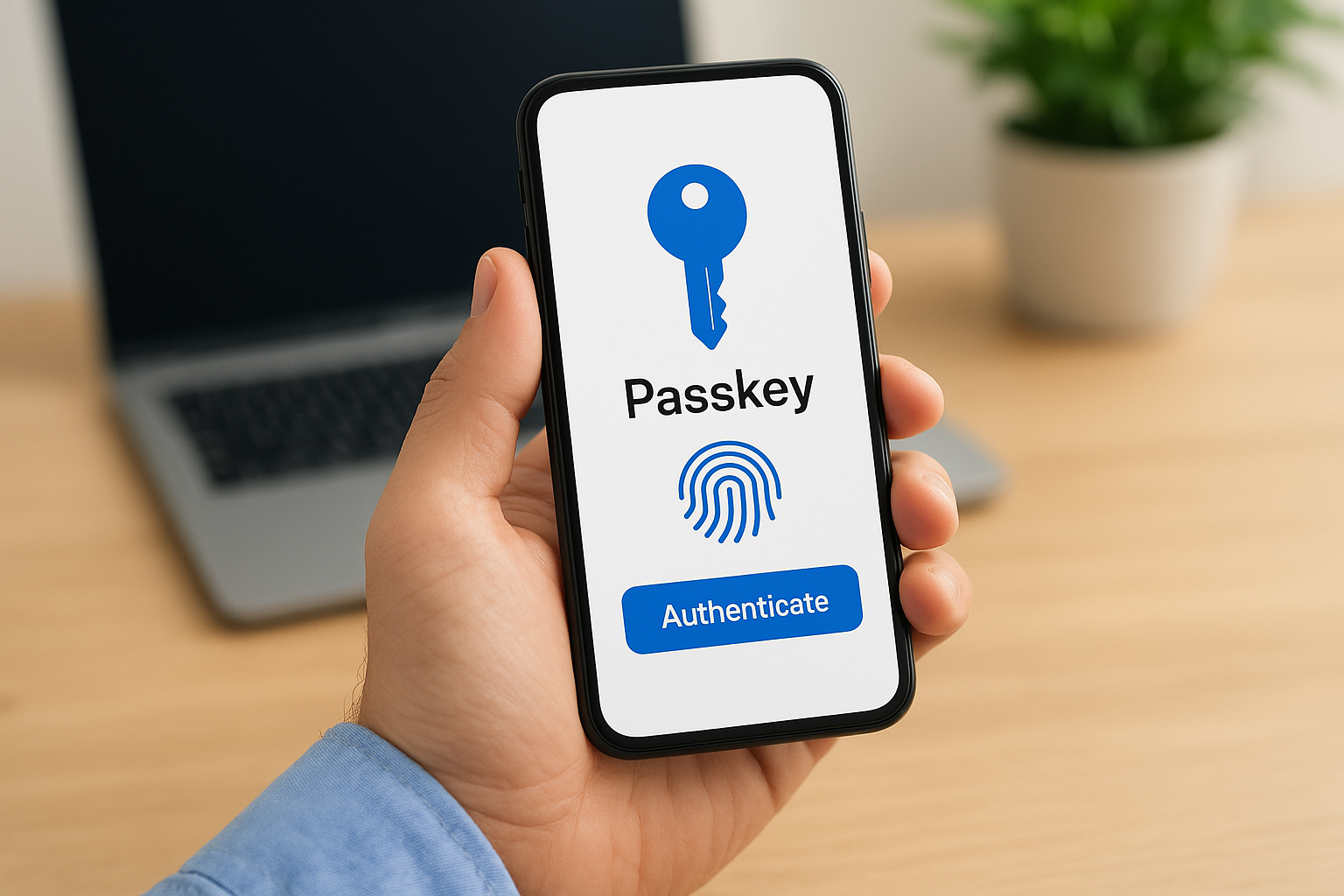
A passkey can’t be phished, guessed, or reused across sites, because there’s no shared secret to steal in the first place.
Federated login shifts the burden elsewhere
Federated authentication, letting users sign in through Google, Microsoft, or an enterprise identity provider via SAML or OpenID Connect, hands the hard parts of authentication to organizations that specialize in it. OWASP doesn’t discourage building your own login system, but it acknowledges that federation reduces your attack surface considerably, since you’re no longer storing password hashes or handling MFA enrollment directly. For business platforms, this is often the practical choice: an LMS supporting SAML SSO with providers like Okta or Azure lets IT teams enforce their own password and MFA policies centrally, rather than trusting every connected application to get it right independently.
| Method | Best fit | Main tradeoff |
|---|---|---|
| Passkeys (WebAuthn) | Consumer and employee apps wanting phishing resistance | Requires modern device/browser support |
| SAML SSO | Enterprise environments with existing identity providers | Setup complexity for smaller organizations |
| OpenID Connect (OAuth) | Apps wanting quick social or business login options | Dependent on third-party provider uptime |
| Magic links / OTP email | Low-friction consumer signup flows | Vulnerable if email account is compromised |
When passwordless still needs a fallback
No passwordless method is universally available yet. Some users lose devices, some organizations haven’t rolled out compatible hardware, and some third-party identity providers occasionally go down. OWASP’s guidance recognizes this and recommends keeping a secure fallback path, ideally MFA-backed rather than a bare password, so account recovery doesn’t become the weak link that undoes everything else you’ve hardened. The goal isn’t eliminating passwords everywhere overnight; it’s reducing reliance on them wherever a better option is realistically available today.
Common authentication mistakes and how to fix them
Most authentication failures aren’t exotic. They’re the same handful of mistakes repeated across thousands of applications, and OWASP’s cheat sheet exists largely because these errors keep showing up in audits years after they were first documented. Knowing what they look like in practice makes them easier to catch before an attacker does.
Storing passwords with weak or fast hashing algorithms
Hashing a password with MD5 or SHA-1 gives you almost no protection, because modern hardware can test billions of guesses per second against those algorithms. OWASP recommends slow, memory-hard hashing functions like bcrypt, scrypt, or Argon2, which are deliberately designed to make brute-force cracking expensive even if your database leaks.
| Algorithm | Speed | OWASP guidance |
|---|---|---|
| MD5 / SHA-1 | Extremely fast | Never use for passwords |
| SHA-256 (unsalted) | Fast | Insufficient on its own |
| bcrypt | Deliberately slow | Acceptable |
| Argon2id | Deliberately slow, memory-hard | Preferred |
If your password hashing algorithm can check a billion guesses a second, it was never protecting anything.
Building password reset flows without enough scrutiny
A surprising number of breaches trace back to the password reset flow, not the login form itself. Predictable reset tokens, tokens that never expire, or reset links that leak the target email in the URL all give attackers an easier path than guessing a password directly. Fix this by generating reset tokens with the same cryptographic randomness you’d use for a session ID, expiring them within 15 to 30 minutes, and invalidating them the moment they’re used once.
Trusting client-side validation alone
JavaScript validation on a signup form makes for a smoother user experience, but it stops nothing on its own. An attacker can bypass the browser entirely and submit requests directly to your API, so every rule around password length, rate limiting, and account lockout needs to be enforced server-side, with client-side checks treated purely as a convenience layer.
Skipping logging and monitoring on login events
A system can have strong hashing, MFA, and rate limiting in place and still miss an attack in progress because nobody’s watching the logs. OWASP recommends logging authentication events, successes and failures alike, along with enough context (timestamp, IP, user agent) to spot patterns later, without logging the credentials themselves.
A quick checklist to close these gaps:
- Migrate any legacy password hashes to bcrypt or Argon2 during the next login, not all at once.
- Set reset tokens to expire quickly and invalidate them after first use.
- Re-check every client-side validation rule on the server before accepting a request.
- Log authentication events centrally and alert on unusual spikes or patterns.
- Never log plaintext passwords or full session tokens, even for debugging.
None of these fixes require rebuilding your login system from scratch. They’re targeted corrections, and each one closes a gap that shows up repeatedly in real breach reports.
Turning these guidelines into safer logins
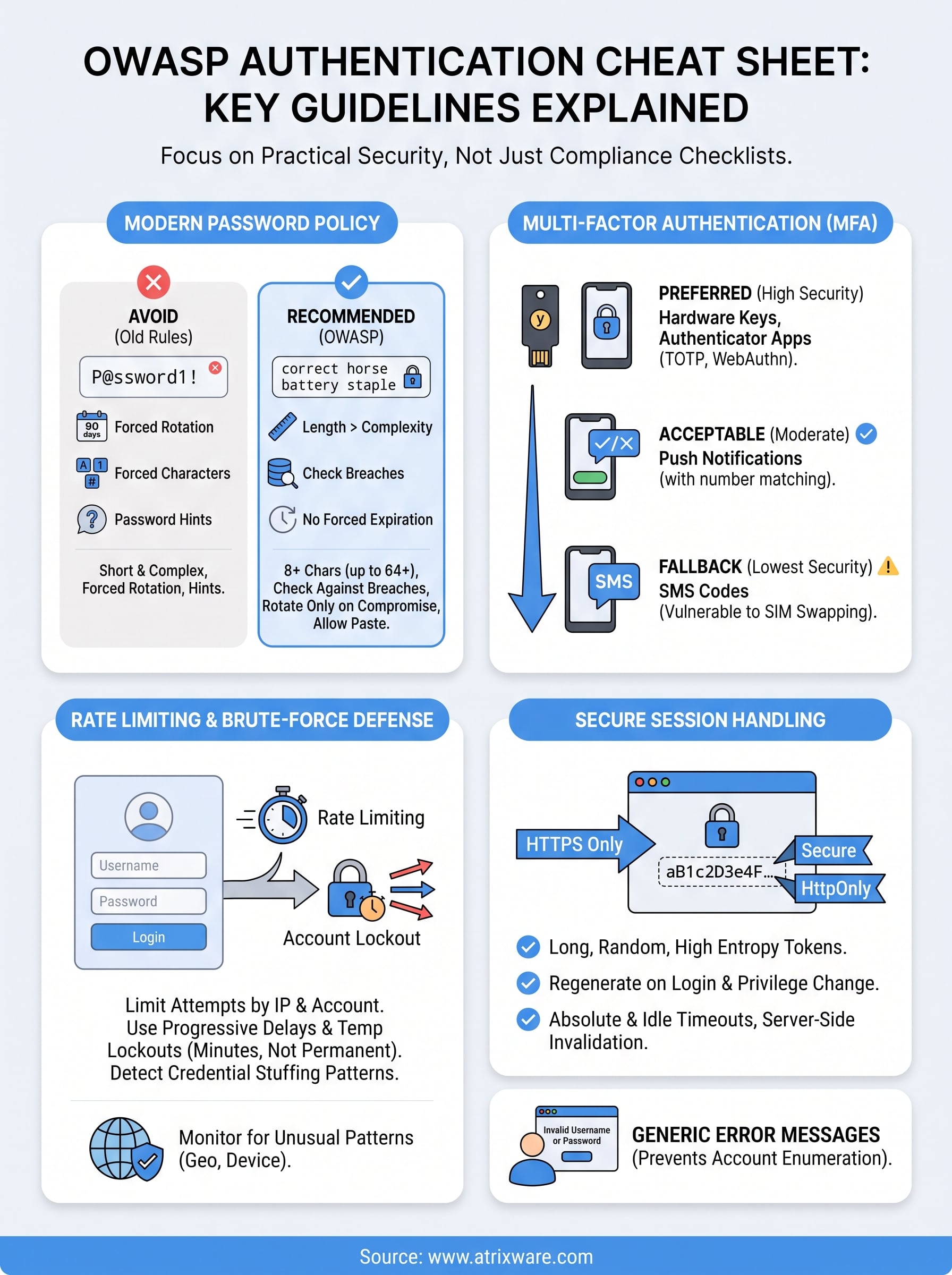
The OWASP authentication cheat sheet isn’t a theoretical document. It’s a checklist you can measure your login system against today: long passwords over complex ones, MFA on every account you can manage, generic error messages, hardened session tokens, and a real plan for passwordless options where they fit. None of this requires a rebuild. It requires going through your current system point by point and closing the gaps you find, starting with the ones that matter most for accounts holding sensitive data.
That’s exactly the standard we hold Axis LMS to, since learner and admin accounts often carry compliance records that regulators and auditors will ask about eventually. If you’re evaluating whether your current training platform meets that bar, take our LMS readiness quiz to see where you stand and what to tackle next.
