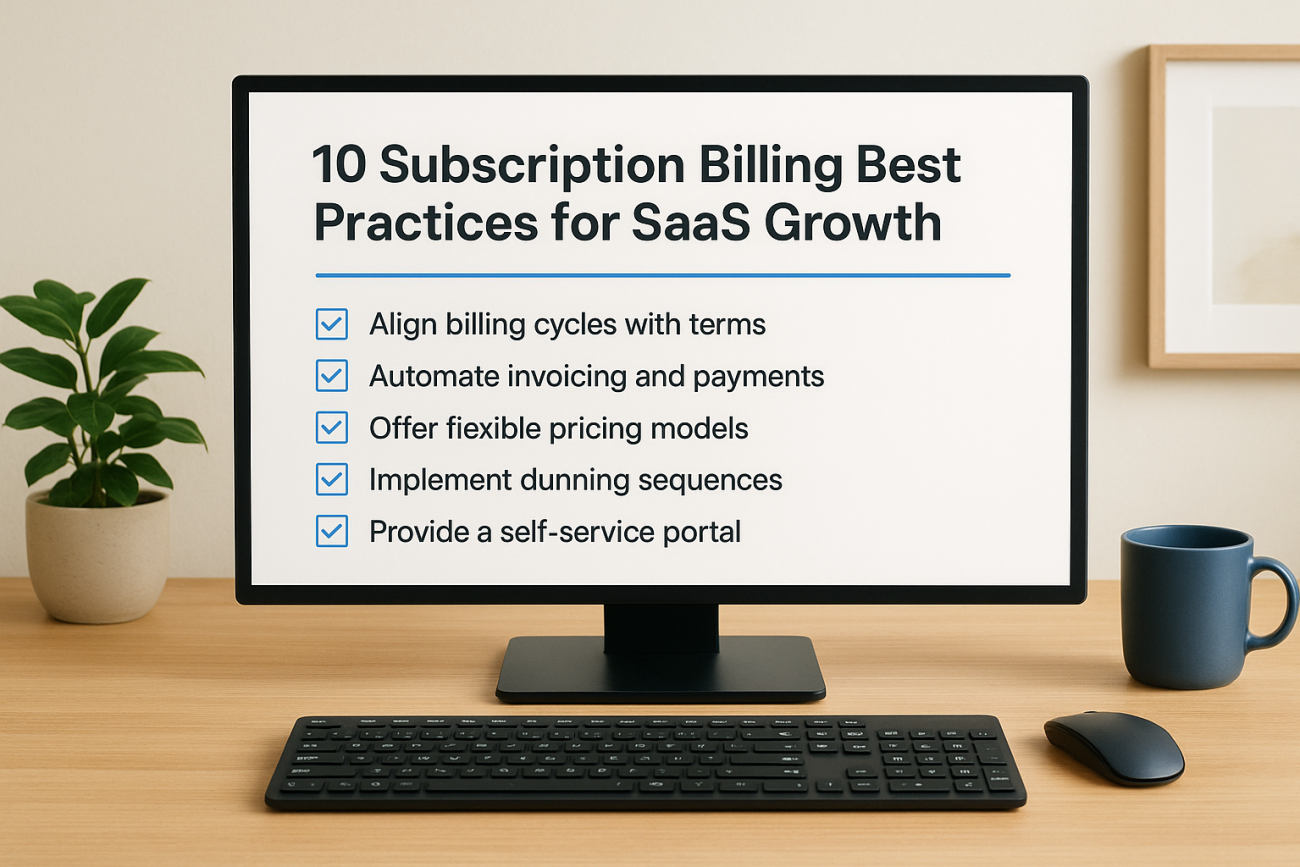
Recurring revenue sounds simple until you’re the one managing it. Failed cards, prorated upgrades, tax rules that differ by state, and dunning emails that either annoy customers or get ignored entirely. If you’re running a SaaS business, subscription billing best practices aren’t optional extras, they’re what stands between predictable revenue and a leaky bucket of churn you can’t explain.
This article gives you the specific, tested strategies that separate SaaS companies with healthy net revenue retention from those constantly chasing failed payments. You’ll get practical steps for structuring plans, handling involuntary churn, automating invoicing, and staying compliant as you scale, not vague advice about "optimizing your funnel."
We pulled these ten practices from how growing subscription businesses actually run billing day to day, including the reporting and automation habits that keep finance and product teams aligned. If you sell training, software, or any recurring service and want fewer billing headaches and more retained revenue, keep reading. Each section below breaks down one concrete tactic you can put in place this quarter, starting with how you structure your pricing before a single invoice ever goes out.”
1. Align billing cycles with your service terms
Most billing headaches start with a mismatch nobody noticed at signup. A customer thinks they bought a year of access, but your system bills them monthly with no clear link back to the annual contract. Support tickets pile up, finance can’t reconcile revenue, and the customer loses trust before they’ve even used the product. Billing cycle alignment means the dates you charge, the dates service starts and stops, and the terms in your contract all say the same thing, everywhere a customer or your team might look.
Why it matters
When billing cycles drift from service terms, you get two expensive problems: revenue recognition errors and customer disputes. If a contract says "annual, paid upfront" but your system generates a mid-cycle invoice because a plan changed, your finance team now has to manually true up the books. Multiply that across a few hundred accounts and you’ve built a part-time job out of fixing avoidable mismatches. On the customer side, unclear cycle alignment is one of the fastest ways to trigger a chargeback or a churn request, because people don’t like being surprised by a charge they can’t map to a service period.
Get the billing cycle and the service period pointing at the same calendar, and half your invoicing disputes disappear before they start.
How to implement it
Start by documenting, in plain language, exactly when service begins, when it renews, and when a charge should hit the card, for every plan type you sell. Then configure your billing system to match that logic exactly, not approximately. A few concrete steps:
- Map every plan (monthly, annual, seat-based, usage-based) to its exact billing trigger date, and store that mapping in your billing system’s plan configuration, not just in a spreadsheet.
- Set renewal notices to fire based on the service end date, not the invoice date, so customers aren’t blindsided.
- If you offer trial periods, decide upfront whether the trial extends the first billing date or runs concurrent with it, and apply that rule consistently across every signup.
- Test the full cycle, signup, renewal, cancellation, and plan change, in a staging environment before pushing new plan structures live.
Common mistakes to avoid
The most common error is letting sales or support override billing dates manually to solve a one-off customer complaint, without updating the underlying system rule. That creates snowflake accounts that break your reporting and confuse the next person who touches the account. Another frequent mistake is anchoring billing cycles to the calendar month instead of the customer’s actual signup date, which shortchanges customers who join mid-month and generates support complaints about "partial months" they didn’t expect. Finally, don’t assume your payment processor’s default cycle logic matches your contract terms. Platforms like Stripe and Chargebee let you customize billing anchors, but the defaults are rarely built for your specific service terms, so review them explicitly rather than trusting the out-of-box setup.
2. Automate recurring invoicing and payment collection
Manual invoicing works fine at ten customers. At five hundred, it becomes a full-time job that still leaks revenue through missed charges and forgotten follow-ups. Automated invoicing takes the human out of the routine steps: generating the invoice, charging the stored payment method, sending the receipt, and retrying if the charge fails. Your team should only touch an account when something genuinely needs a human decision, not every renewal cycle.
Why it matters
Every manual step in billing is a place where revenue quietly disappears. A finance person forgets to send an invoice, a customer’s card expires and nobody notices for three billing cycles, or a discount gets applied inconsistently across accounts. Recurring payment automation closes those gaps and gives you a consistent, auditable process finance can actually trust when reconciling revenue at month end.
Automate the routine charge, and your team’s time goes toward the accounts that actually need attention.
How to implement it
Set up automation in layers, starting with the charge itself and working outward to the communication around it:
- Connect your billing platform directly to your payment processor so charges fire automatically on the scheduled date, no manual trigger required.
- Configure automatic receipt and invoice emails tied to each successful charge, formatted to match what your finance team needs for records.
- Turn on automatic card-updater services (most processors, including Stripe and Visa’s Account Updater, offer this) so expired cards refresh without customer input.
- Build a simple escalation rule that flags accounts for manual review only after automation has already tried and failed.
Common mistakes to avoid
Don’t automate the charge and forget the communication around it. Customers should always get a receipt or invoice, even when nothing went wrong, because silence around money erodes trust. Also avoid running automation without monitoring: set up alerts for unusual failure spikes, since a sudden jump in declined charges often signals a processor issue, not a wave of bad cards. Finally, resist the urge to automate everything identically across plan types; enterprise accounts on invoiced net-30 terms need different logic than self-serve monthly subscribers.
3. Offer flexible plans and pricing models
Customers outgrow rigid pricing fast. A five-seat startup today might need fifty seats next year, and a customer paying monthly might want an annual discount once they trust your product. Flexible pricing models let you capture that range without forcing every customer into a single plan structure that fits nobody perfectly. This means offering tiered plans, usage-based add-ons, and both monthly and annual terms side by side.
Why it matters
Rigid pricing pushes customers toward competitors who match their actual usage pattern. If you only sell one flat monthly rate, you lose the annual-prepay customers who’d cut your payment processing costs and improve cash flow, and you lose the usage-heavy customers who feel overcharged on a flat plan. Flexible structures also reduce churn at the moment customers reassess spending, since they can downgrade instead of canceling outright.
A pricing model that bends with your customer’s usage keeps them paying instead of walking away.
How to implement it
Build your subscription plans around how customers actually use the product, not just around round-number price points:
- Offer at least one annual option with a visible discount to reward upfront commitment and improve retention.
- Add usage-based tiers or metered add-ons for customers whose consumption varies month to month, rather than forcing an all-or-nothing upgrade.
- Let customers switch between monthly and annual billing without opening a support ticket.
- Price seat-based and feature-based tiers separately so growing teams don’t have to buy features they don’t need just to add users.
Common mistakes to avoid
Don’t launch more plans than your support team can explain in one sentence each; pricing pages with eight tiers confuse buyers and slow sales cycles. Avoid changing plan structures for existing customers without grandfathering their current terms, since retroactive price changes trigger cancellations fast. And don’t build usage-based pricing without capping surprise overages, or you’ll generate the exact kind of billing dispute flexible pricing was supposed to prevent.
4. Set up smart dunning to recover failed payments
Cards expire. Banks decline charges for fraud checks that have nothing to do with your customer’s intent to pay. Involuntary churn from failed payments quietly drains revenue that has nothing to do with product fit or satisfaction. Smart dunning means retrying failed charges on a schedule proven to recover payments, paired with emails that tell the customer exactly what happened and what to do next, instead of a single terse "payment failed" notice that lands in a spam folder.
Why it matters
Industry data consistently shows involuntary churn accounts for a meaningful share of total SaaS churn, often rivaling voluntary cancellations. Most of that revenue is recoverable with the right retry timing and messaging, but most companies leave it on the table because their dunning logic retries once, sends one generic email, and gives up. Every recovered payment is pure retention you didn’t have to earn through a sales conversation.
A smart dunning sequence turns "declined card" from a churn event into a two-day delay before payment.
How to implement it
Build your dunning sequence around timing, clarity, and multiple contact points:
- Space retries across several days rather than retrying immediately, since many declines resolve once a bank flags and clears a temporary hold.
- Send distinct emails at each retry stage, escalating tone slightly but always including a direct link to update payment details.
- Use card-updater services from your processor before dunning even starts, catching expired cards proactively.
- Add an SMS or in-app notification for high-value accounts, since email alone often gets missed.
- Set a clear grace period before suspending access, and state it explicitly in every dunning email.
Common mistakes to avoid
Don’t retry every failed card on the same schedule; a "do not honor" decline needs different handling than "insufficient funds." Avoid dunning emails that omit a working payment update link, and never suspend access without warning, since abrupt cutoffs generate support complaints and damage trust you’ll need for renewal later.
5. Give customers a self-service billing portal
Support tickets about invoices, card updates, and plan downgrades eat up hours your team could spend on actual product questions. A self-service billing portal lets customers view invoices, swap payment methods, change plans, and cancel without emailing anyone. Axis LMS and similar platforms build this expectation into buyers from day one: if a customer can manage their Netflix subscription from a phone, they expect the same from your SaaS product.
Why it matters
Every billing question a customer has to email you is a delay for them and a cost for you. Customer self-service shrinks response time from days to seconds, since the customer fixes the problem themselves the moment they notice it. It also reduces involuntary churn indirectly, because a customer who can update an expiring card immediately never enters your dunning sequence at all.
Give customers the tools to fix their own billing problem, and most of them will, before it ever costs you a sale.
How to implement it
Build the portal around the handful of actions customers actually need:
- Let customers view and download past invoices without contacting support.
- Allow self-serve card updates, plan upgrades, downgrades, and cancellations from one screen.
- Show the next billing date and amount clearly, so nothing feels hidden.
- Support single sign-on into the portal so customers don’t need a separate login to manage billing.
Common mistakes to avoid
Don’t bury the portal three clicks deep in account settings; customers should find it from the main navigation or an email link within seconds. Avoid making cancellation harder to find than upgrading, since forced friction there generates chargebacks and bad reviews instead of retention. Finally, resist limiting the portal to viewing only; a portal that can’t actually change payment methods or plans just becomes another support ticket generator with extra steps.
6. Handle taxes and global payments correctly
Selling a subscription across state lines or borders means you’re now responsible for tax rules you probably didn’t think about when you built your pricing page. Global payment handling covers currency support, local payment methods, and tax calculation, all of which need to work correctly the moment a customer outside your home market tries to pay you. Get this wrong and you either undercharge customers into a compliance problem or overcharge them into a lost sale.

Why it matters
Sales tax and VAT rules change by jurisdiction, and US sales tax nexus rules alone now trigger obligations in states where you have no physical office, just revenue past a threshold. Miss a filing and you owe back taxes plus penalties, often discovered years later during an audit. On the payment side, a customer in Germany who only sees a USD price and a credit-card-only checkout is far less likely to convert than one who sees EUR pricing and SEPA as an option.
Get tax and currency wrong once, and it costs you either a penalty or a customer, sometimes both.
How to implement it
Build tax and currency logic into your billing system rather than handling it manually per invoice:
- Use a tax calculation service (Avalara, TaxJar, or your billing platform’s built-in engine) that updates rates automatically as laws change.
- Register for VAT/GST in regions where you cross registration thresholds, and store valid VAT numbers for B2B customers to apply reverse charge correctly.
- Display prices in local currency where possible, and support regional payment methods like SEPA, iDEAL, or Alipay alongside cards.
- Store tax documentation per transaction for audit purposes, since regulators expect a clear trail.
Common mistakes to avoid
Don’t assume your payment processor handles tax automatically; most only handle the charge, not the calculation or filing. Avoid ignoring nexus thresholds until an accountant flags a problem years later, and never charge a flat global price that ignores currency fluctuation, since it quietly erodes margin on every international sale.
7. Manage proration and plan changes fairly
Customers upgrade mid-cycle, downgrade after a bad quarter, or add seats halfway through a contract. Proration logic decides how much they owe or get credited for that partial period, and if it’s inconsistent or hidden, customers notice immediately because it touches the number on their card statement. Getting this right isn’t a nice-to-have, it’s part of the core subscription billing best practices that keep trust intact when a customer’s needs change.
Why it matters
A customer who upgrades expects to pay only for the extra value they’re getting, not a full new invoice on top of what they already paid. Get the math wrong, and you generate a support ticket at best or a chargeback at worst. Fair proration also protects revenue recognition, since finance needs an accurate record of exactly what period each dollar covers, especially during audits or renewal forecasting.
Prorate every plan change the same way, every time, and customers stop questioning the number on their invoice.
How to implement it
Build proration rules once, apply them everywhere:
- Calculate prorated charges and credits automatically based on days remaining in the current cycle, not a flat percentage.
- Show the customer a preview of the prorated amount before they confirm an upgrade or downgrade.
- Apply the same proration formula across every plan tier so sales can’t quote one-off exceptions.
- Log every proration event with a timestamp and reason code for finance to reconcile later.
Common mistakes to avoid
Don’t round proration in your favor and call it a rule, customers do the math and notice. Avoid applying proration only to upgrades while charging downgrades a full new cycle, since that asymmetry reads as a penalty. And never let a manual override skip the automated calculation, because that’s exactly how billing disputes and reconciliation headaches start.
8. Track the subscription metrics that matter
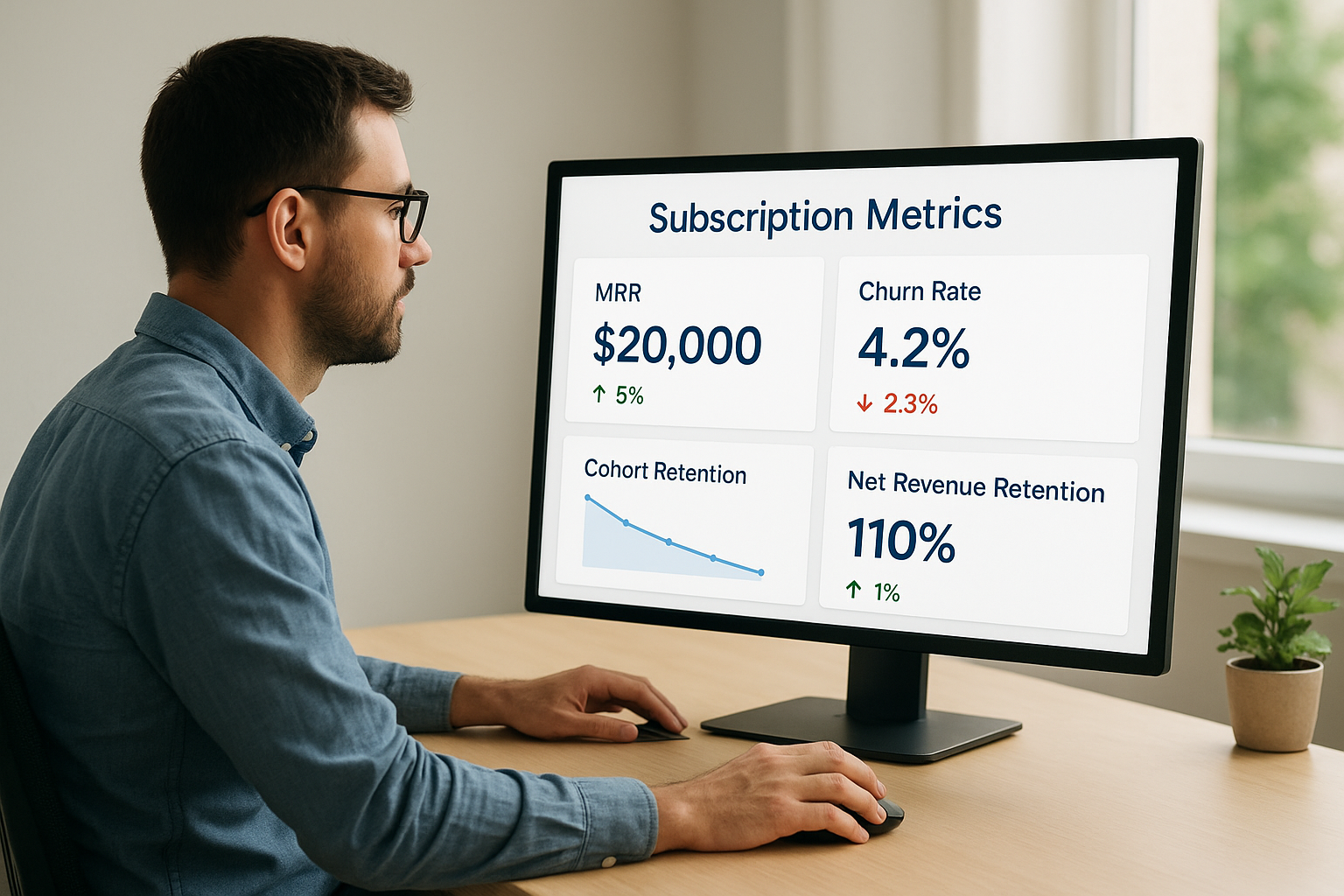
Billing generates data every single day, but most teams only look at it when revenue drops and someone demands an explanation. Subscription metrics like MRR, churn rate, and net revenue retention should sit on a dashboard you check weekly, not a report you build reactively after a bad quarter. If you’re only tracking total revenue, you’re missing the early signals that tell you which cohort is about to churn or which plan is quietly losing money.
Why it matters
Revenue can grow while your business is actually getting weaker underneath, and the only way to catch that is tracking the right combination of numbers. A rising MRR with a climbing churn rate means you’re filling a bucket with a hole in it, and new sales are just masking the leak. Net revenue retention tells you whether your existing customer base is expanding or shrinking, which matters more to long-term valuation than raw new logo growth.
Revenue can go up while your business quietly gets weaker, and only the right metrics will tell you which one is happening.
How to implement it
Pick a small set of metrics and track them consistently instead of drowning in vanity numbers:
- Monitor MRR, churn rate, net revenue retention, and average revenue per account on a recurring dashboard, not a one-off spreadsheet.
- Segment churn by voluntary versus involuntary causes so you know whether the fix is product, pricing, or payment recovery.
- Track failed payment recovery rate separately, since it directly measures how well your dunning setup performs.
- Review cohort retention monthly to catch a bad plan or price change before it compounds across quarters.
Common mistakes to avoid
Don’t rely on your payment processor’s default dashboard alone, since it rarely separates voluntary from involuntary churn or shows cohort trends. Avoid tracking so many metrics that nobody actually reviews them regularly, and never wait for a board meeting to check numbers you should be watching weekly.
9. Communicate billing changes before they happen
A price increase or plan restructure lands very differently depending on whether the customer heard about it from you first or discovered it on their card statement. Proactive billing communication means every change, price increases, plan sunsets, tax adjustments, gets an email well before it hits an invoice, explained in plain language with a clear reason and date attached.
Why it matters
Surprise charges are one of the fastest ways to trigger a chargeback, and chargebacks cost you the transaction fee, the revenue, and often a penalty from your processor if disputes climb too high. Advance notice of billing changes also gives customers time to budget or downgrade instead of canceling in frustration, which keeps the relationship intact even when the news isn’t great.
Tell customers about a price change before their card does, and you keep the conversation instead of losing the account.
How to implement it
Build notice periods into your change process itself, not as an afterthought once legal signs off:
- Send price increase notices at least 30 days ahead, with the new amount and effective date stated explicitly.
- Explain the reason briefly, whether it’s added features, inflation, or a plan restructure, since context reduces pushback.
- Give existing customers on annual contracts a grandfathering window or a locked renewal price where possible.
- Use email and in-app banners together, since email alone gets missed by busy admins.
Common mistakes to avoid
Don’t bury a price change in a terms-of-service update nobody reads. Avoid vague language like "pricing adjustments may occur," which reads as evasive rather than transparent. And never let the first notice a customer gets be the invoice itself, since that guarantees a support ticket or a cancellation instead of a renewal.
10. Build security and compliance into every charge
Every card number, bank detail, and invoice you store is a liability if you handle it carelessly. Payment security compliance means every charge runs through infrastructure that meets PCI DSS standards, encrypts stored data, and limits who inside your company can even see raw card numbers. This isn’t a one-time setup you finish and forget. It’s a standard you maintain with every new integration, every new payment method, and every audit cycle.
Why it matters
A single data breach involving payment information costs more than fines. It costs customer trust you can’t easily rebuild, and it can trigger mandatory disclosure, processor penalties, and lost partnerships. PCI DSS compliance isn’t optional for anyone accepting card payments, and regulators plus processors both check for it. Beyond cards, GDPR and similar privacy laws govern how you store billing data tied to identifiable customers, so a compliance gap in one area often creates exposure in another.
Treat every stored card and invoice like a liability you’re managing, not a convenience you’re offering.
How to implement it
Build security into the billing stack itself rather than bolting it on after launch:
- Use a PCI-compliant payment processor and avoid ever storing raw card numbers on your own servers.
- Encrypt billing data at rest and in transit, and restrict internal access to only the roles that need it.
- Run regular vulnerability scans and penetration tests on any system touching payment data.
- Maintain an audit trail for every charge, refund, and data access event tied to billing.
- Review GDPR and regional privacy requirements whenever you add a new payment method or region.
Common mistakes to avoid
Don’t assume a single PCI certification at launch covers you permanently; compliance requires ongoing scans and annual reattestation. Avoid giving broad database access to support staff who only need to see the last four digits of a card. And never delay a security patch on billing infrastructure because a release schedule feels more urgent than a vulnerability report.
Putting these practices to work in your business
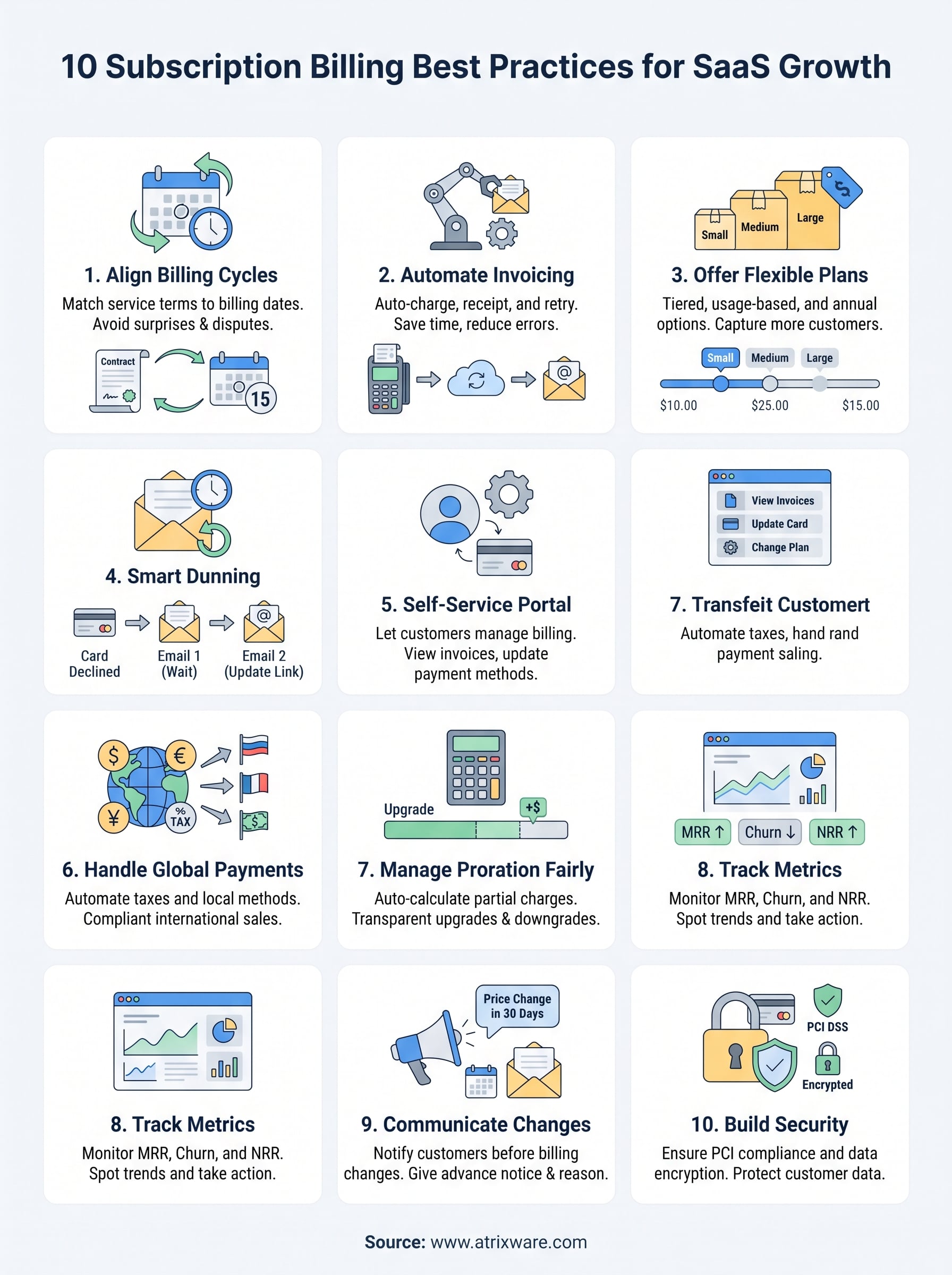
You don’t need to fix all ten practices this week. Pick the one costing you the most right now, usually failed payment recovery or unclear billing cycles, and fix that first. Then move to the next. Subscription billing best practices compound: a solid dunning sequence feeds cleaner metrics, which feeds better pricing decisions, which reduces the plan changes that make proration messy in the first place.
If you’re selling training or course access on a recurring billing model and your current system can’t handle flexible plans, automated dunning, or a self-service portal, that’s worth fixing before it costs you more churn. Axis LMS is built with this kind of billing flexibility in mind for training providers who sell seats, courses, and subscriptions at scale. See how the admin side handles plans, invoicing, and reporting by starting an Axis LMS admin demo, no pressure, just a look at what’s under the hood.
