When you manage training across departments, teams, and external partners, deciding who gets access to what becomes a real problem fast. The debate around role based access control vs attribute based access control comes down to how granularly you need to manage permissions, and how complex your organization actually is. Getting this wrong means either locking people out of training they need or exposing sensitive content to people who shouldn’t see it.
RBAC assigns permissions based on a user’s role (think "Manager" or "Compliance Officer"), while ABAC evaluates multiple attributes, like department, location, or time of day, before granting access. Each model handles security and scalability differently, and the right choice depends on your organization’s size, regulatory requirements, and how your teams are structured. For companies running compliance-sensitive training programs, the stakes are especially high.
At Atrixware, we build Axis LMS to give organizations fine-grained control over who accesses courses, reports, and administrative tools. Understanding how RBAC and ABAC work, and where each one fits, helps you design smarter access policies inside your LMS and across your tech stack. This guide breaks down both models, compares them side by side, and walks through practical scenarios so you can make a confident decision for your organization.
Why access control models matter
Access control is the foundation of data security in any digital environment. When you decide which model governs who can view, edit, or complete training content, you’re not just setting permissions. You’re shaping compliance outcomes, audit readiness, and the overall integrity of your training program. A weak access model invites data breaches, compliance failures, and operational headaches that compound over time.
The cost of getting access control wrong
Most organizations underestimate how quickly access control errors cascade. A salesperson accidentally viewing a confidential compliance module, or a contractor completing a course they were never enrolled in, creates real problems. According to Microsoft’s identity and access management documentation, identity and access failures rank among the most common entry points for security incidents in enterprise environments.
When your access model doesn’t match how your organization actually operates, you spend more time managing exceptions than managing training.
Beyond security incidents, poor access control creates audit gaps that regulators notice. If you operate in industries like healthcare, finance, or manufacturing, proving who accessed what and when is not optional. Your access model must produce clean, verifiable records, and the model you choose directly shapes how straightforward or painful that process becomes.
Why training environments raise the stakes
Training platforms sit at an unusual intersection of sensitive data and broad user access. You might have employees, contractors, customers, and channel partners all logging into the same LMS, with each group needing a completely different slice of content and administrative visibility. That diversity creates pressure on whatever access model you put in place.
When you’re weighing role based access control vs attribute based access control, the complexity of your user base is one of the first factors to evaluate. LMS platforms that handle compliance training must also support re-certification workflows, expiration tracking, and restricted course visibility based on factors like region, job function, or regulatory category. A flat or oversimplified access model rarely handles all of these needs cleanly, and the gaps it leaves become your compliance liability. The model you implement determines whether your LMS functions as a reliable compliance tool or a source of constant manual correction.
How RBAC works in practice
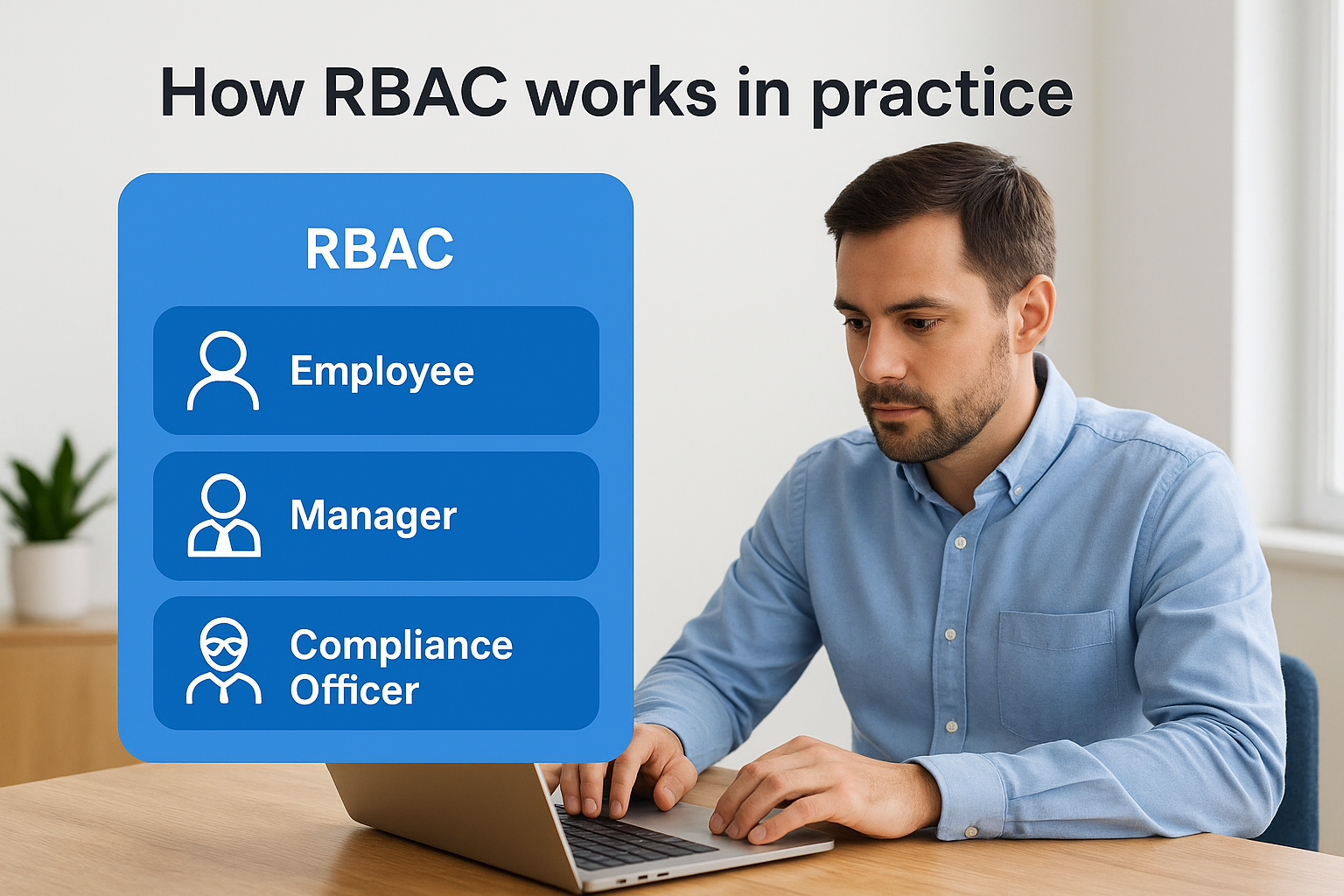
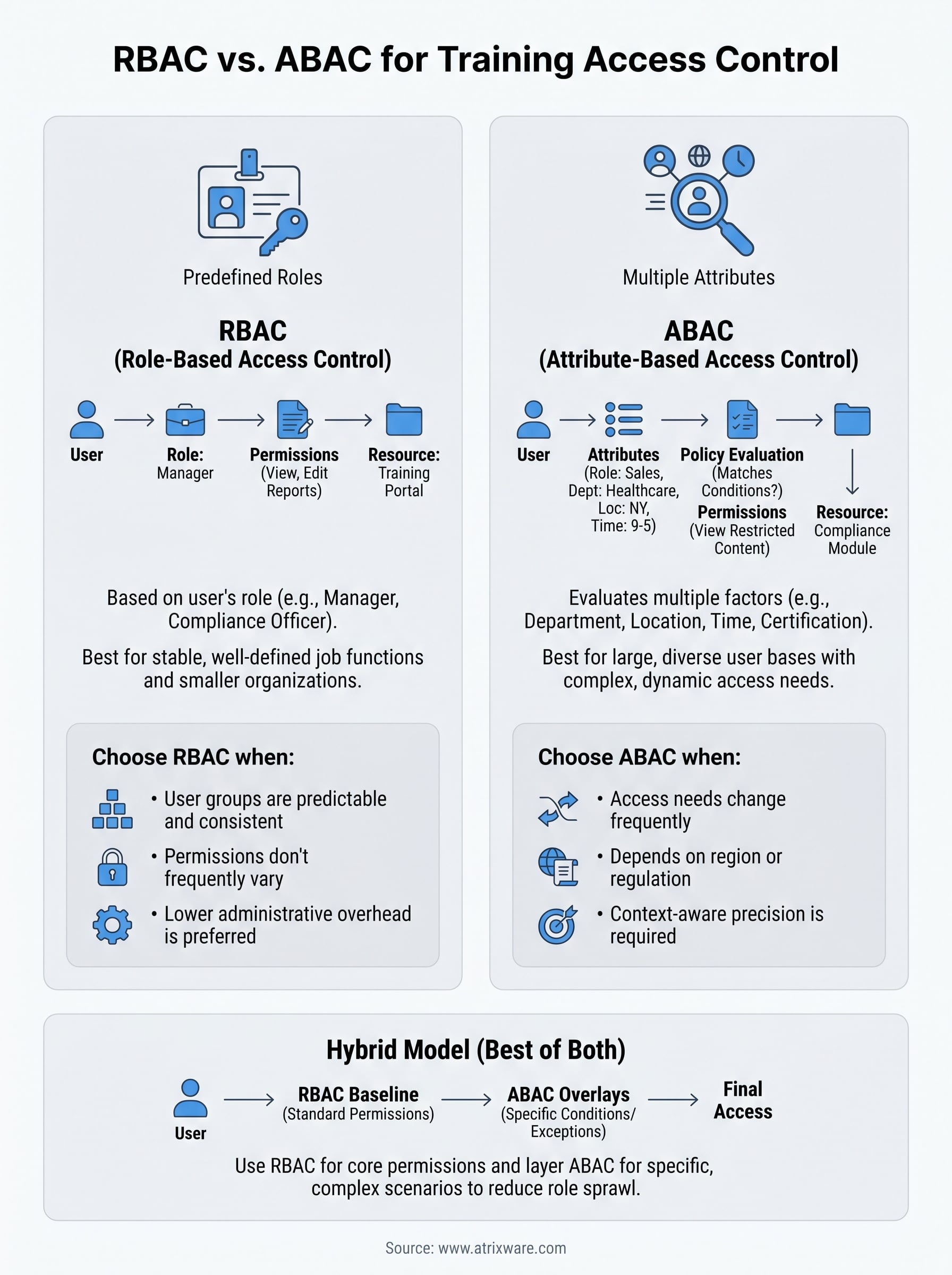
Role-Based Access Control assigns permissions based on predefined roles inside your system. Instead of configuring access for each individual user, you create roles like "Employee," "Manager," or "Compliance Officer" and attach specific permissions to each one. When someone joins your organization, you assign them a role and they inherit all the access that role carries. This makes onboarding fast and permission management predictable.
Defining roles and permissions
Your first step with RBAC is mapping out what roles exist and what each role needs to do. In an LMS context, a Learner role might access assigned courses and download certificates, while an Admin role can create content, run reports, and manage user accounts. The structure is intentionally flat and predictable, which keeps audits clean and reduces the chance of accidental over-provisioning.
RBAC works best when your user groups are clearly defined and don’t require exceptions that vary from person to person.
When you compare role based access control vs attribute based access control, RBAC’s main strength is its simplicity. You define the roles once and apply them consistently.
Where RBAC fits best
RBAC suits organizations with stable, well-defined job functions and a relatively small number of distinct user types. If your training program serves employees across three or four departments with consistent access needs per department, RBAC handles that structure cleanly. Small-to-midsize businesses especially benefit from RBAC because administrative overhead stays low and role assignments rarely need frequent revision.
How ABAC works in practice
Attribute-Based Access Control evaluates multiple data points about a user, the resource they’re requesting, and the environment before granting or denying access. Instead of asking "what role does this person have?", ABAC asks a richer question: does this person, in this context, meet the conditions required to access this resource? That shift in logic gives you significantly more precision than role assignments alone can deliver.

Defining attributes and policies
Attributes fall into a few distinct categories: user attributes (department, job title, location, certification status), resource attributes (course sensitivity level, regulatory category), and environmental attributes (time of day, device type, IP address). You combine these into access policies that grant or restrict permissions based on how the attributes match up. For example, a policy might state that only users in the "Healthcare" department, with an active HIPAA certification on file, can view a restricted compliance module.
When you compare role based access control vs attribute based access control, ABAC’s defining advantage is that it handles complex, conditional scenarios without requiring you to create a new role every time the conditions shift.
Where ABAC fits best
ABAC suits organizations with large, diverse user bases where access requirements change frequently or vary by region, regulation, or user status. If your LMS serves employees across multiple countries with different compliance requirements, ABAC lets you build those distinctions directly into your policies. Healthcare, finance, and government-adjacent industries benefit most because regulatory nuance demands context-aware access, not just blanket role assignments.
How to choose between RBAC and ABAC
Choosing between these two models starts with an honest assessment of how your organization is structured and how often your access requirements change. If your user types are predictable and your permission needs stay consistent across each group, RBAC gives you a clean, low-maintenance solution. If your access decisions depend on combinations of factors that shift by region, regulation, or user status, ABAC gives you the control that RBAC simply cannot provide.
Evaluate your organizational complexity
Start by counting the number of distinct user groups you manage and whether their access needs vary based on factors beyond job title. If you manage fewer than ten clearly defined user types with stable permission sets, RBAC handles that efficiently without adding unnecessary overhead. When your training program spans multiple countries, regulatory categories, or partner tiers, the core tension in role based access control vs attribute based access control becomes immediately apparent. More variables in your access decisions means ABAC fits the reality of your environment better.
The right model is the one that reflects how your organization actually operates, not the one that sounds more advanced.
Consider your administrative capacity
ABAC policies require more upfront configuration and sustained policy maintenance compared to RBAC. Your team needs the technical capacity to define, test, and revise attribute-based policies as your organization evolves over time. If your IT or HR team is lean, starting with RBAC and expanding toward ABAC as your compliance or structural complexity grows is often the more practical and sustainable path forward.
How to combine RBAC and ABAC in a hybrid
Many organizations find that choosing between role based access control vs attribute based access control is a false binary. A hybrid model lets you use RBAC as your foundation and layer ABAC policies on top where your access requirements demand more precision. This approach gives you the administrative simplicity of role assignments while preserving the flexibility to handle complex, conditional scenarios without building dozens of narrow roles to compensate.
Start with roles, then layer attributes
Your starting point is defining your core roles the same way you would in a pure RBAC setup. Assign each user a baseline role that covers their standard permissions across the system. From there, you introduce attribute-based policies that modify or extend access based on specific conditions. For example, a Manager role might grant access to department reports by default, but an additional ABAC policy restricts those reports to managers whose location attribute matches the regional data they are requesting.
A hybrid model reduces role sprawl by letting attributes handle the edge cases that would otherwise require creating a new role every time conditions shift.
When a hybrid makes sense
A hybrid approach works best when your organization already runs RBAC but is hitting its limits. Common signals include growing exception lists, frequent role duplication, or expanding into new regions with different compliance requirements. Rather than rebuilding your entire access model, you extend what already works and apply attribute-based logic only where the added complexity genuinely earns its place in your system.
Key takeaways and next steps
The core decision in role based access control vs attribute based access control comes down to how complex your access requirements actually are. RBAC gives you simplicity and low administrative overhead when your user groups are stable and well-defined. ABAC gives you precision when your access decisions depend on multiple shifting variables like region, regulatory category, or certification status. A hybrid model bridges both when your organization outgrows one approach but does not need to abandon what already works.
Your next step is matching the model to how your training program runs today, not how you expect it to run eventually. If you manage compliance training across multiple departments, locations, or partner groups, your LMS must support whatever access model you choose with clean enforcement and reliable audit reporting. To see how Axis LMS handles access control in practice, start your free Axis LMS admin demo and explore the configuration options for yourself.
