Quizzes do more than test knowledge, they reinforce it. Whether you’re onboarding new hires, checking student comprehension, or building a fun personality quiz for your audience, knowing how to create an online quiz gives you a practical tool that drives real engagement and retention. The good news: you don’t need a tech background to build one.
This guide walks you through the process from start to finish, from picking the right quiz format to writing effective questions, choosing a platform, and publishing your quiz where it matters. We’ll cover approaches that work for corporate training, classroom settings, and casual use cases alike.
At Atrixware, we build Axis LMS, a learning management system used by businesses to deliver and track training at scale. Quiz creation is something we think about daily, so we wrote this guide to share what actually works, based on years of helping organizations build quizzes that move the needle on learning outcomes. Let’s get into it.
What you need before you start
Before you figure out how to create an online quiz, you need a few things lined up. Jumping straight into a quiz builder without any preparation leads to quizzes that confuse your audience, miss the learning objective, or produce data you can’t use. Spending ten minutes on the basics now will save you hours of rework later.
The practical items to gather first
You don’t need expensive software or a design background to get started. What you do need is clarity on a handful of concrete items. Your source material (the subject matter the quiz will cover) should already exist in some form, whether that’s a training manual, a course outline, a lesson plan, or a set of written talking points. You also need access to a quiz platform, a device with a browser, and ideally a list of intended participants so you already know how you’ll distribute the quiz once it’s built.
Here’s a quick checklist of what to have ready before you open any tool:
| Item | Why it matters |
|---|---|
| Source material | Drives your question writing |
| Participant list or audience size | Shapes your platform choice |
| Grading approach (scored, pass/fail, unscored) | Affects how you configure the tool |
| Delivery method (link, email, LMS, website) | Determines where you publish |
Sorting out these four items before you touch a quiz builder keeps the entire process straightforward and focused.
What to decide before you write a single question
You also need to settle on how long your quiz should be. A practical starting point: one question per key learning point. Most workplace and classroom quizzes run between 5 and 20 questions. Longer quizzes push up dropout rates, so keep yours tight and purposeful. Beyond length, think about whether you need to store results. If you’re running compliance training or graded assessments, you’ll need a platform that logs individual responses, not just a basic form that sends a summary email.
Step 1. Pick your quiz goal and format
Your quiz goal determines everything that follows. Before you open a quiz builder and start figuring out how to create an online quiz, get clear on what you want the quiz to accomplish and who will take it. A compliance assessment for new hires looks completely different from a fun personality quiz for your social media audience.
Define your quiz goal first
Most quizzes fall into one of three categories: knowledge checks (did the learner retain the material?), assessments (does the learner meet a required standard?), or engagement quizzes (designed to entertain or generate leads). Nailing down your category early shapes every decision after it, from scoring to question type to how you handle results.
If you cannot state your quiz goal in one sentence, you are not ready to build it yet.
Choose a format that matches your goal
Different goals need different formats. A knowledge check works well as a straightforward multiple-choice quiz with automatic scoring. An engagement quiz might use personality-style branching, where answers lead to different result pages. Use this table to match your goal to the right format quickly:

| Quiz goal | Best format |
|---|---|
| Knowledge check | Scored multiple-choice |
| Compliance assessment | Pass/fail with retake option |
| Engagement or lead gen | Personality or outcome-based |
Step 2. Write questions and answers that work
Writing good questions is the part most people rush, and it’s where quizzes fall apart. When you figure out how to create an online quiz, the platform is just a container. The questions are what determine whether your quiz actually measures what you intend it to measure.
Keep your questions clear and focused
Each question should test one idea only. If a question contains "and" or "or," split it into two. Write at the reading level of your audience, and avoid negative phrasing like "which of the following is NOT correct" because it trips up readers unnecessarily. Use this template for a solid multiple-choice question:
- Stem: A single, direct question or incomplete statement
- Correct answer: One clearly accurate option
- Distractors: Two to three plausible but wrong answers
The best distractors reflect common misconceptions, not trick wording.
Build answer choices that reveal understanding
Your answer options do the heavy lifting in a scored quiz. Avoid obvious wrong answers that make guessing easy. If someone who never took your training could guess correctly, your distractor is too weak.
For a five-question knowledge check, aim for three to four answer choices per question. Fewer than three makes it a coin flip; more than four increases cognitive load without adding measurement value.
Step 3. Build the quiz in your chosen tool
Once you have your questions written, the actual build process moves fast. Most platforms share a similar workflow regardless of the tool you use, so the steps below apply broadly whether you’re learning how to create an online quiz inside an LMS, a form builder, or a dedicated quiz platform.
Set up your quiz structure
Open your platform and create a new quiz or assessment. Give it a clear title your participants will see, then add each question one at a time. For each question, select the question type (multiple choice, true/false, short answer), enter your stem, add your answer choices, and mark the correct answer before moving to the next question. Doing this as you build, rather than at the end, saves you a significant amount of backtracking time.
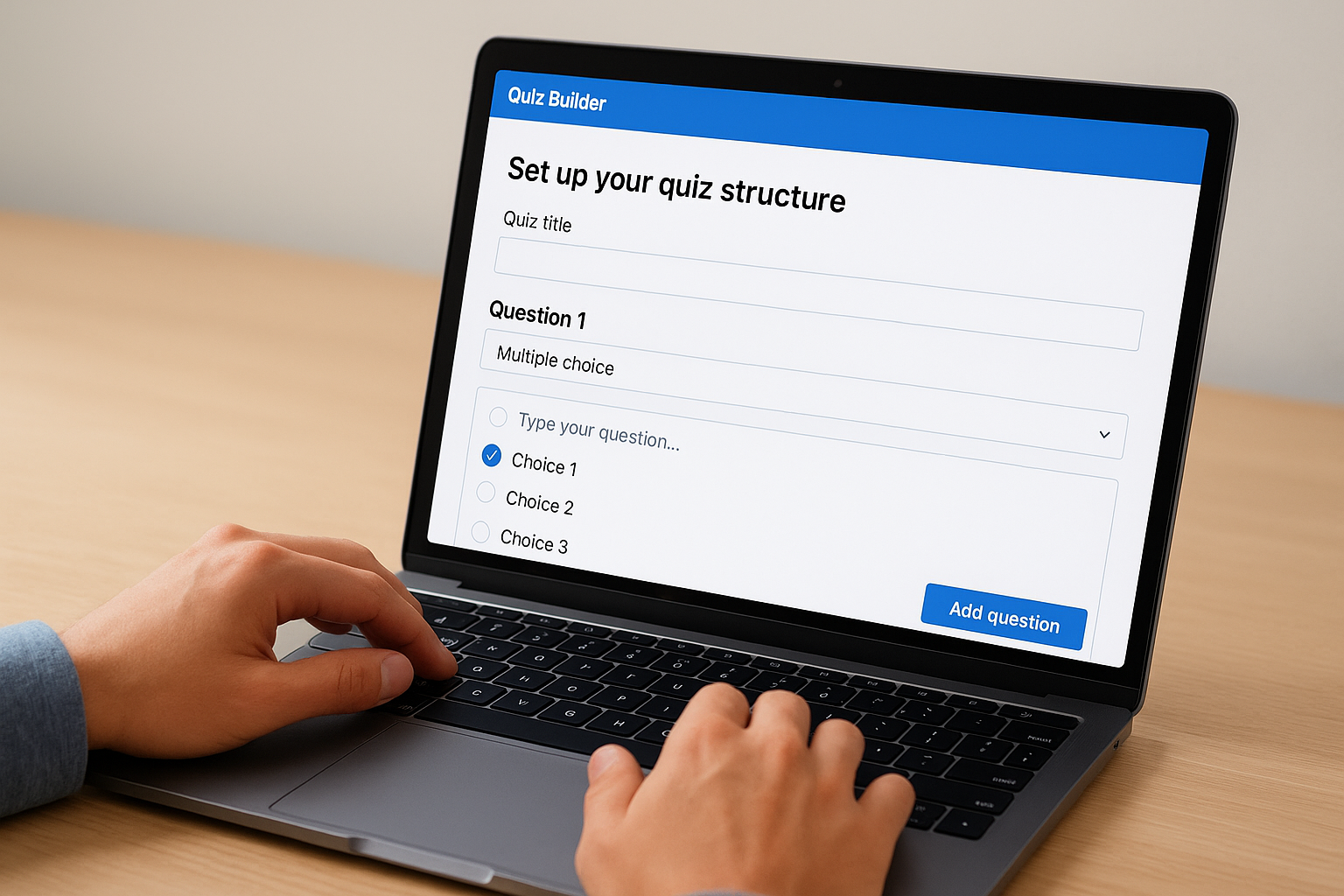
Marking correct answers question by question, not all at once at the end, keeps the build process clean and reduces setup errors.
Configure scoring and feedback
After entering all your questions, set your scoring rules and passing threshold. A standard compliance assessment typically uses a 70% pass rate, but adjust that number to fit your organization’s specific requirements. Then add feedback messages so learners know what comes next. Use this quick template:
- Pass message: "You passed! Score: [X]%. Your certificate has been recorded."
- Fail message: "You scored [X]%. Review the material and retake when ready."
This takes under five minutes and noticeably improves the learner experience once the quiz goes live.
Step 4. Publish, run it, and use the results
Once your quiz is built and configured, publishing it takes one click in most platforms. The more important work comes after: distributing the quiz to the right people and then actually using the results to improve your content.
Publish and distribute your quiz
Copy the quiz link and send it through the channel your audience already uses. For corporate training, paste the link into your LMS course, an email, or your intranet. For a classroom, share it through your learning platform or post it on your course page. If you built the quiz inside an LMS like Axis LMS, you can assign it directly to specific learner groups so completion tracking happens automatically.
Distribute through a channel your audience checks daily to keep your response rate high.
Read and act on your results
Results only matter if you use them. After your quiz runs, pull the completion report and check two numbers first: overall pass rate and question-level accuracy. If more than 30% of takers miss one specific question, that topic needs reinforcement. Use this review template:
- Pass rate below target: Revise the source material and re-run the quiz
- Single question with high failure rate: Update course content for that topic
- Strong pass rate: Document the approach and replicate it
Knowing how to create an online quiz is the foundation; acting on the data is what drives real learning improvement over time.
Next steps
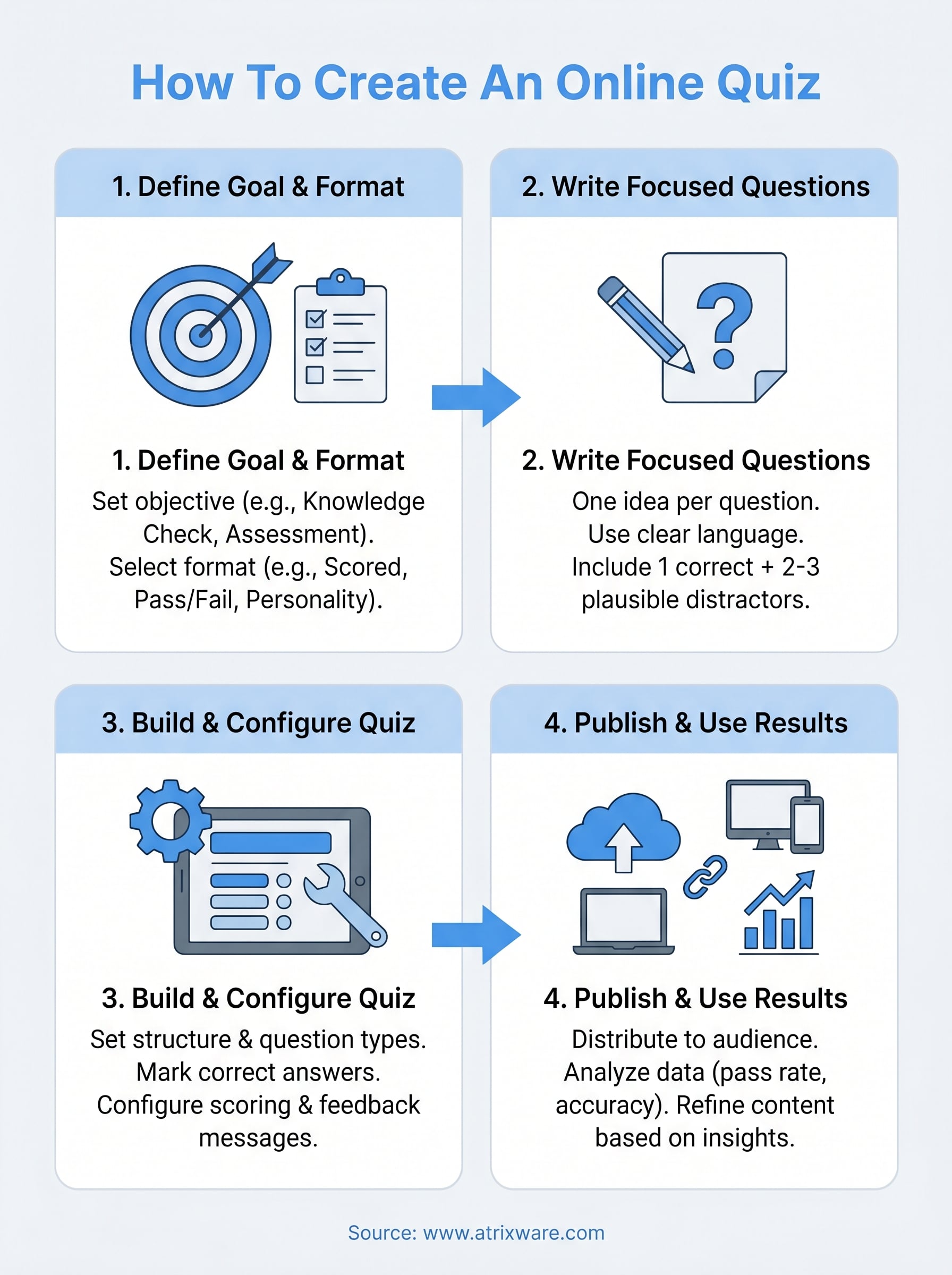
You now have a complete framework for how to create an online quiz that works, whether it’s for corporate training, a classroom assessment, or a casual engagement piece. The process breaks down into four repeatable steps: define your goal, write focused questions, build and configure in your chosen tool, and act on the results you collect.
The most common mistake after finishing your first quiz is treating it as a one-time project. Quizzes improve with iteration, so plan to review your pass rates after each run and update your questions based on what you learn.
If you’re running training at any scale, an LMS gives you far more control than a standalone quiz builder. You get automatic tracking, learner assignments, and detailed reporting all in one place. Take the LMS readiness quiz to find out where you stand and what the right next move looks like for your organization.
