Every organization that manages training, whether for employees, customers, or partners, eventually faces the same question: who should have access to what? Grant too much access and you risk data exposure, compliance violations, and confusion. Grant too little and people can’t do their jobs. What is role based access control, and why does it matter? In short, it’s a method of restricting system access based on a person’s role within an organization, rather than assigning permissions to each individual one by one.
At Atrixware, we build Axis LMS to help businesses deliver, manage, and track training at scale. Access control is baked into that work. Administrators, managers, instructors, and learners all need different levels of access to courses, reports, and system settings. RBAC makes that manageable, without creating a permissions nightmare as your training program grows.
This guide breaks down how RBAC works, walks through its core components and real-world benefits, compares it to other access control models like ABAC, and gives you practical examples you can apply to your own organization. Whether you’re evaluating an LMS or tightening security across your systems, understanding RBAC is a strong starting point.
Why RBAC matters for security and compliance
When you understand what is role based access control, the security and compliance benefits become clear quickly. Access control failures are consistently among the most common causes of data breaches, and over-permissioned accounts are a leading contributor. Without a structured system in place, organizations tend to grant broad access by default, which means a single compromised account can expose far more data than it should. RBAC addresses that problem directly by building boundaries into the system from the start.
How RBAC reduces your attack surface
One of RBAC’s most direct security benefits is that it limits the damage a bad actor can do if they gain access to a legitimate account. When permissions are tied to roles, a compromised learner account can only reach what that role allows. It cannot touch administrative dashboards, reporting tools, or other users’ training records. That boundary, built into the system by design, significantly reduces your attack surface without requiring ongoing manual oversight.
The principle of least privilege, central to RBAC, means users get exactly the access they need to do their job and nothing more.
This structure also matters for internal threats. Employees occasionally access data they shouldn’t, often out of curiosity or honest mistake rather than malicious intent. Role-based restrictions prevent that by removing the opportunity entirely. Instead of relying on individuals to make the right call, the system makes it for them. That shift from trust-based access to structure-based access is one of the most practical security improvements any organization can make.
Meeting compliance requirements with role-based access
Regulatory frameworks like GDPR, HIPAA, and FDA 21 CFR Part 11 all require organizations to demonstrate that sensitive data is only accessible to authorized personnel. RBAC gives you a structured, auditable way to show exactly who has access to what and why. When an auditor asks for access control documentation, you can point to clearly defined roles and permission sets rather than trying to reconstruct a complicated web of individual assignments after the fact.
Many compliance frameworks also require organizations to enforce separation of duties, meaning no single person should have unchecked control over a critical process. RBAC makes that straightforward to implement. You define roles so that one role can create training content but cannot publish it, while another role can approve and publish but cannot edit the underlying material. Segregated permissions reduce both risk and audit friction at the same time, without adding administrative burden.
Training environments add another layer of compliance complexity. In an LMS, you often need to track not just who completed a course, but who had access to it, who graded assessments, and who modified the curriculum. Role-based access control keeps those records clean by ensuring only designated roles can perform each action, which protects the integrity of your training data and satisfies auditor expectations without requiring extra manual effort on your part.
How RBAC works in real systems
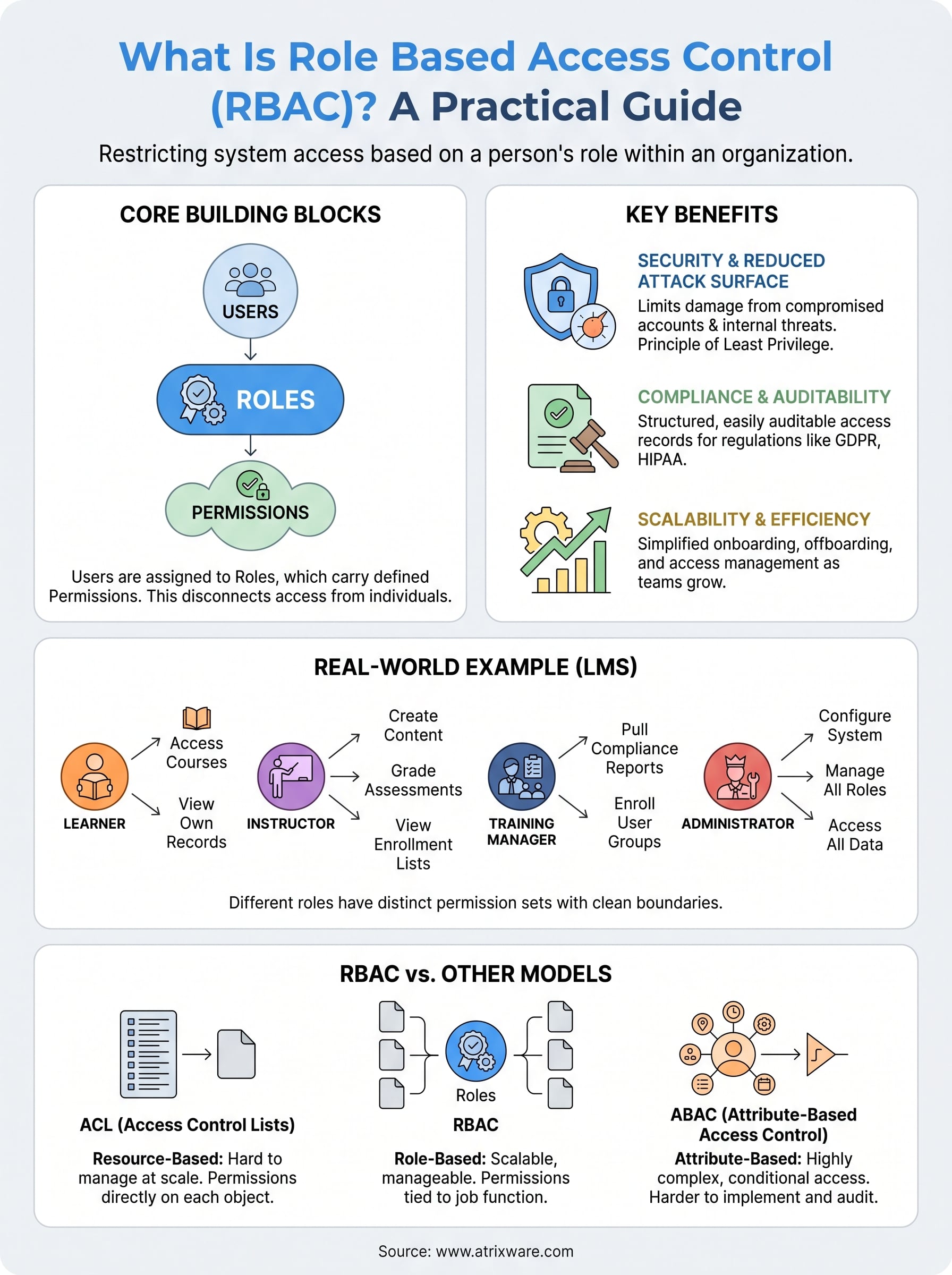
Understanding what is role based access control becomes clearer when you see how it functions inside a real system. At its core, RBAC connects users to permissions indirectly, through roles. You never assign a specific permission directly to a person. Instead, you assign a person to a role, and that role carries a defined set of permissions. This structure keeps administration clean and scalable as your organization grows.
The three building blocks: users, roles, and permissions
Every RBAC system is built from three core components: users, roles, and permissions. A user is any person who needs access to the system. A role is a labeled grouping, like "Instructor," "Manager," or "Learner," that describes a function within your organization. A permission is a specific action the system allows, such as viewing a report, editing a course, or enrolling another user.

The power of RBAC comes from separating who someone is from what they can do, so you manage access at the role level rather than the individual level.
These three components connect in a straightforward way. You assign permissions to roles, and then you assign users to those roles. One role can hold many permissions, and one user can hold multiple roles if their responsibilities span different functions. When someone leaves a job function, you remove their role assignment rather than hunting down individual permissions one by one.
How role assignment works in practice
When a new hire joins your team, you assign them a role based on their job function rather than configuring permissions from scratch. If that person is a training manager, they get the "Manager" role, which already carries the approved permission set for that function. Their access goes live immediately, and you didn’t have to make a single manual permission decision.
Changing departments works the same way in reverse. You update a person’s role assignment, their permissions shift automatically, and the chance that someone retains access to resources they no longer need drops significantly. That consistency is what makes RBAC practical at scale.
Core RBAC rules, roles, and permission design
Knowing what is role based access control is only the first step. The design choices you make when building out roles and permissions determine whether your system stays manageable or turns into a tangle of overlapping access grants. Well-designed roles map directly to job functions, and clean permission boundaries keep the system easy to audit, update, and explain to anyone who needs to review it.
Designing roles around job functions, not individuals
The most common mistake in RBAC implementation is creating roles that are too specific to individuals. If you build a role around one person’s habits or title rather than the underlying job function, you end up with dozens of near-identical roles that diverge slowly over time. Instead, start by mapping the actions each job function requires and build roles from there. A "Compliance Officer" role should reflect everything that function needs, whether one person holds it or twenty.
Roles should describe what a job function does in your system, not who holds that job today.
When you design from the function outward, onboarding new team members becomes significantly faster, and permission audits take minutes rather than hours because every role definition has a clear purpose you can defend.
Keeping permissions granular and purposeful
Each permission you assign to a role should serve a specific need. Avoid bundling unrelated permissions into a single role for convenience. For example, a role that can both create training content and approve user enrollments combines two distinct functions that may belong to different people in your organization. Granular permission design makes it straightforward to separate duties when your team structure changes and reduces the risk that a single role carries more access than any one person actually needs.
Reviewing roles on a regular schedule matters just as much as designing them well. Job functions shift, software updates introduce new features, and stale permissions accumulate quietly if you ignore them. A scheduled quarterly review of your role library keeps your RBAC setup accurate and keeps your access control policy aligned with how your organization actually operates.
Practical RBAC examples for teams and software
Abstract definitions only take you so far. Seeing what is role based access control in action across real team structures makes the concept click and shows you exactly where it applies to your own organization. The examples below cover two common environments where RBAC provides immediate, measurable value.
RBAC in a learning management system
An LMS is one of the clearest places to see RBAC in action because the role hierarchy is natural and intuitive. Consider a mid-sized company using Axis LMS to deliver compliance training. The organization defines four roles: Learner, Instructor, Training Manager, and Administrator. Each role carries a distinct permission set with no overlap where it isn’t needed.
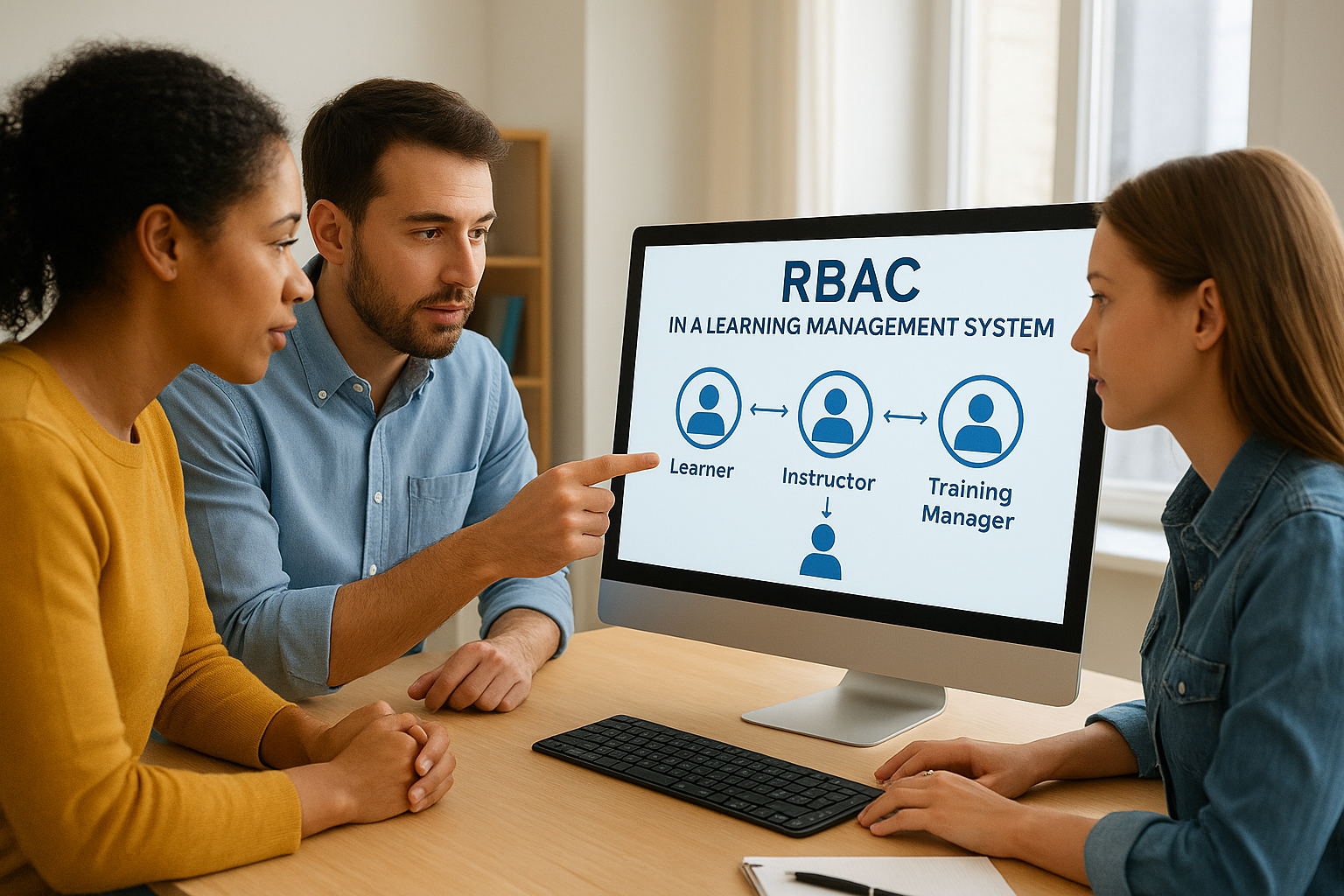
Learners complete courses. Instructors build and grade them. Managers report on them. Administrators configure everything. Clean role separation keeps each function focused.
A Learner can access assigned courses, view their own completion records, and download certificates. An Instructor can create course content, grade assessments, and review enrollment lists for their assigned courses, but they cannot access system-wide reports or manage other users. A Training Manager can pull compliance reports across departments and enroll groups of users, but they cannot alter course content or touch system configuration. That structure scales to thousands of users without adding administrative complexity.
RBAC for business software and IT teams
Software and IT environments benefit from the same structure. A development team, for example, might define roles like Developer, QA Engineer, DevOps, and Product Manager. A Developer can read and write code repositories but cannot push to production environments. A DevOps engineer can manage deployment pipelines and infrastructure settings but has no access to financial reporting tools. A Product Manager can view roadmaps, access analytics dashboards, and submit feature requests, but the system blocks any access to server-level controls entirely.
This kind of role-based separation prevents configuration errors, limits exposure when any single account is compromised, and makes onboarding predictable. When a new QA engineer joins, they get the QA role and have the right access on day one without a lengthy manual setup process.
RBAC vs ABAC, ACL, and other access models
Once you understand what is role based access control, it helps to see how it stacks up against other approaches. Organizations have several access control models to choose from, and the right choice depends on your complexity, team size, and how precisely you need to define access rules. RBAC is not the only option, but it is often the most practical starting point.
How RBAC compares to ACLs
An Access Control List, or ACL, is one of the older access models. With ACLs, you attach a list of allowed users directly to each resource, such as a file, folder, or system object. That approach works at small scale, but it becomes difficult to manage quickly. When you have hundreds of resources and dozens of users, you end up with hundreds of individual lists to maintain, and a single personnel change requires updates across every resource that person touched.
RBAC solves the ACL scaling problem by managing access at the role level rather than attaching permissions to every individual resource.
RBAC flips that structure. You define roles once, assign users to those roles, and the permissions follow automatically. Removing a user from a role removes their access everywhere that role applies. That single change replaces what would otherwise require dozens of ACL edits.
RBAC vs ABAC: choosing the right model
Attribute-Based Access Control, or ABAC, takes a different approach entirely. Instead of assigning permissions through roles, ABAC evaluates a set of attributes at the time of an access request, things like a user’s department, their location, the time of day, or the sensitivity level of the resource. ABAC can handle highly complex, conditional access scenarios that RBAC cannot address cleanly, such as allowing access only during business hours or only from specific network locations.
The trade-off is that ABAC is significantly harder to implement and audit than RBAC. For most organizations managing training, HR, or internal software access, RBAC provides enough control with far less overhead. ABAC makes more sense when your access requirements are dynamic, policy-driven, and genuinely cannot be captured by a fixed role structure.
Final thoughts
Understanding what is role based access control gives you a practical foundation for making better access decisions across every system your organization relies on. RBAC reduces your attack surface, simplifies compliance documentation, and keeps permission management scalable as your team and training programs grow. The core idea is simple: assign permissions to roles, assign users to roles, and let the structure do the work for you.
The same principles apply directly inside a learning management system. When different users need different levels of access to courses, reports, and administrative tools, clean role design keeps everything organized and auditable without adding overhead. If you are evaluating how an LMS handles access control and user management in practice, try the Axis LMS admin demo to see how role-based permissions work inside a real training environment before you commit to anything.
