Large organizations run on processes, approvals, handoffs, escalations, compliance checks, and when those processes depend on manual effort, things break. Enterprise workflow automation software exists to fix that problem by replacing repetitive, error-prone tasks with structured, rule-based automation that scales across departments and teams.
But choosing the right platform is harder than it should be. Enterprise buyers need to evaluate governance controls, integration depth, scalability under real workloads, and whether a tool actually fits their tech stack, not just whether the demo looks polished. Feature lists blur together fast, and the wrong choice can mean months of wasted implementation time and sunk costs that are tough to justify to leadership.
At Atrixware, we build Axis LMS, a platform that automates training workflows for businesses of all sizes, from course delivery and compliance tracking to reporting and learner communication. We understand what it takes to automate complex organizational processes because we do it every day for training teams. That perspective shaped how we evaluated the tools on this list. Below, you’ll find 10 enterprise workflow automation platforms worth considering in 2026, broken down by features, strengths, and the use cases where each one fits best.
1. Atrixware Axis LMS
Axis LMS is Atrixware’s Learning Management System built specifically to automate the full training lifecycle for businesses and organizations. If your organization delivers employee onboarding, compliance training, customer education, or partner enablement, Axis LMS handles the workflow automation that surrounds those learning programs so your team spends less time on manual tasks and more time on outcomes that matter.

What it does best
Axis LMS excels at automating training-specific workflows that most general-purpose platforms treat as an afterthought. You can build courses with a drag-and-drop interface, automate learner enrollment based on rules or triggers, and schedule compliance re-certifications without manual follow-up. Reporting runs automatically, so you get data on learner progress and training effectiveness without digging through dashboards every day.
Enterprise features and governance
Axis LMS includes compliance tracking features designed for regulated industries, with direct support for GDPR and FDA 21 CFR Part 11 requirements. You get granular control over user roles, permissions, and access levels, which matters when you manage training across multiple departments or business units. Automated workflows handle re-certification cycles, escalation triggers, and CEU tracking so your compliance officers stop chasing records manually.
Axis LMS is one of the few LMS platforms that combines full compliance workflow automation with the reporting depth that enterprise compliance officers actually need.
Integration and extensibility
Axis LMS connects to the tools your organization already uses. HR and CRM integrations include ADP, Salesforce, BambooHR, and Zoho, covering user data synchronization so learner records stay current without manual imports. The Integration Builder gives you access to over 5,000 system connections across CRM, HR, email, and e-commerce platforms. The REST API and webhooks let your development team build custom integrations when standard connectors don’t cover your use case. SSO support includes Okta, Azure, Ping Identity, and Salesforce.
Key tradeoffs
Axis LMS is purpose-built for training workflow automation, which means it handles that domain exceptionally well but does not replace a general-purpose enterprise workflow automation software platform. If you need to automate procurement approvals or IT ticketing workflows, you will want a separate tool for those. The specialization in training is a genuine strength if training automation is your primary need, but a real limitation if you are looking for one platform to cover every business process across your organization.
Pricing
Atrixware offers flexible pricing based on your organization’s size and requirements, with options scaled for small teams and large enterprises. You can contact Atrixware directly to get a quote built around your learner count, feature requirements, and integration needs. No public pricing tiers are listed on the website, so requesting a demo or a direct consultation is the fastest way to understand what your investment looks like before committing.
2. ServiceNow
ServiceNow is one of the most recognized names in enterprise workflow automation software, built to manage IT service delivery and then expanded into HR, legal, finance, and operations workflows. Large enterprises use it to standardize and automate complex multi-department processes at scale, making it a serious contender when your needs go well beyond a single business function.
What it does best
ServiceNow shines at IT service management (ITSM) and cross-functional workflow orchestration. It gives you a single platform to automate incident management, change approvals, employee onboarding, and service catalog requests. The no-code and low-code Flow Designer lets non-technical teams build workflows without writing custom code, which reduces the burden on your IT department when business units need to move fast.
Enterprise features and governance
ServiceNow was built from the ground up with large-scale governance in mind. You get role-based access controls, full audit trails, and configurable approval chains that meet the requirements of regulated industries. The platform also supports advanced SLA management and escalation rules, so workflows do not stall when approvals are delayed.
If your organization needs ironclad governance across IT and business workflows simultaneously, ServiceNow handles that combination better than almost any other platform on this list.
Integration and extensibility
ServiceNow connects to your existing tech stack through a library of pre-built integrations and a robust REST API. You can link it to HR platforms, monitoring tools, identity providers, and communication systems like Microsoft Teams or Slack. The IntegrationHub add-on extends connectivity further, though some connectors require additional licensing.
Key tradeoffs
ServiceNow carries a steep implementation cost and a long configuration timeline. Most organizations need a dedicated ServiceNow partner or internal admin team to get full value from the platform. For smaller teams or narrowly scoped use cases, the overhead can outweigh the benefits.
Pricing
ServiceNow does not publish standard pricing on its website. You need to contact their sales team for a custom quote based on the modules you need, your user count, and your deployment requirements. Expect enterprise-level contract sizes with multi-year commitments.
3. Microsoft Power Automate
Microsoft Power Automate is Microsoft’s native enterprise workflow automation software built directly into the Microsoft 365 ecosystem. Organizations already running on Teams, SharePoint, Outlook, and Azure find that Power Automate lets them automate repetitive business processes without leaving the tools their teams use every day.

What it does best
Power Automate handles document approvals, email-triggered workflows, and scheduled task automation across Microsoft and third-party applications. Its cloud flows use a trigger-based model that non-technical users can configure through a guided interface, reducing your team’s reliance on developers for standard process automation.
The platform also supports desktop automation through Power Automate Desktop, which lets you automate legacy applications that lack APIs. That capability makes it useful for organizations carrying older software that cannot connect to modern workflow tools through standard connectors.
Enterprise features and governance
Microsoft builds governance directly into Power Automate through Data Loss Prevention (DLP) policies that control how connectors interact with sensitive data. Admins can manage environments, restrict connector usage, and enforce policies at the tenant level through the Power Platform admin center. Audit logs and compliance reporting integrate natively with Microsoft Purview, making regulatory requirements easier to manage if your organization already operates within the Microsoft compliance framework.
If your organization standardized on Microsoft 365, Power Automate gives you governance controls you can manage from the same admin console you already use for the rest of your environment.
Integration and extensibility
Power Automate connects to over 1,000 pre-built connectors covering Microsoft products, Salesforce, ServiceNow, SAP, and hundreds of other platforms. For custom needs, you can build your own connectors using the platform’s custom connector framework. Azure Logic Apps shares the same underlying connector library, so teams with heavier integration requirements can escalate to Logic Apps without rebuilding workflows from scratch.
Key tradeoffs
This platform works best when your organization runs primarily on Microsoft infrastructure. Teams operating across mixed-vendor environments often find the licensing model confusing, since premium connectors require additional per-user or per-flow licenses on top of your existing Microsoft 365 subscription. Complex multi-step workflows can also become difficult to maintain as your automation library grows.
Pricing
Microsoft offers Power Automate through several licensing tiers, including plans bundled with Microsoft 365 and standalone premium plans. You can review current options directly on the Microsoft Power Automate pricing page.
4. Workato
Workato positions itself as an enterprise-grade integration and automation platform built for business and IT teams to collaborate on. Unlike tools that require developers to own every workflow, Workato lets operations and business teams build and manage automations with low-code tooling while still giving IT the governance controls they need to keep things under control.
What it does best
Workato handles complex, multi-step automations that cross system boundaries, connecting your CRM, ERP, HR platforms, support tools, and databases into coordinated workflows. Its "recipe" model breaks automations into readable, reusable components that non-technical users can understand and modify. This approach makes Workato a strong fit when you need enterprise workflow automation software that both business analysts and developers can actually work in together.
Enterprise features and governance
Workato gives admins centralized control through its Workato Admin Dashboard, where you manage user access, monitor running automations, and enforce policies across teams. Role-based access controls let you determine who can build, edit, or deploy recipes, which keeps your automation environment from turning into an unmanaged sprawl as adoption grows.
Workato’s combination of business-user accessibility and admin-level governance controls is what separates it from simpler automation tools that scale poorly once dozens of teams start building workflows independently.
Integration and extensibility
The platform offers over 1,200 pre-built connectors covering popular enterprise systems including Salesforce, Workday, SAP, ServiceNow, and Slack. For systems without native connectors, Workato’s HTTP connector and custom SDK allow your development team to build and publish connectors that the rest of the organization can reuse without starting from scratch each time.
Key tradeoffs
Workato’s pricing model is based on recipe and task volume, which can make costs unpredictable as your automation footprint expands. Teams that deploy automations aggressively across multiple departments often find that usage costs escalate faster than initially budgeted, so you need to model your expected task volume carefully before committing.
Pricing
Workato does not publish standard pricing publicly. You need to contact their sales team for a quote based on your connector needs, recipe count, and task volume estimates.
5. Boomi
Boomi is a cloud-native integration platform that focuses on connecting systems and automating the data flows that run between them. Organizations dealing with fragmented application ecosystems use Boomi to orchestrate processes across ERP, CRM, HR, and supply chain platforms without building brittle point-to-point connections.
What it does best
Boomi performs strongest as an integration-led automation platform where the primary challenge is moving data reliably between enterprise systems. Its AtomSphere platform handles ETL processes, API management, and workflow automation from a single interface. Teams that need to synchronize data between Workday, Salesforce, SAP, and similar systems get real value from Boomi’s pre-built connectors and its visual process builder.
Enterprise features and governance
Your admin team gets centralized visibility into all running integrations through Boomi’s monitoring and alerting dashboard. You can set role-based access controls, manage environments such as development, testing, and production separately, and enforce deployment policies that keep your automation environment structured as it scales. Audit logging and error handling are built into the platform, which matters when your integrations touch financial or compliance-sensitive data.
Boomi’s environment management model is particularly useful for organizations that need a formal promotion path from development to production before any integration goes live.
Integration and extensibility
The platform connects to hundreds of pre-built connectors covering enterprise systems like SAP, Oracle, NetSuite, and Salesforce. Its API management capabilities let you build, deploy, and secure APIs alongside your integration workflows, which reduces the number of separate tools your team needs to manage. For custom connectivity, Boomi supports HTTP connectors and partner-built extensions through its connector SDK.
Key tradeoffs
The focus on data integration workflows can feel limiting if you need automation beyond system connectivity, such as human-in-the-loop approvals or task-based process management. Teams looking for a broader enterprise workflow automation software platform may find they need to pair Boomi with a separate tool to cover those gaps, which adds cost and complexity to your overall architecture.
Pricing
Boomi does not publish standard pricing publicly. You contact their sales team directly for a quote based on your connector count, data volume, and deployment requirements.
6. Nintex
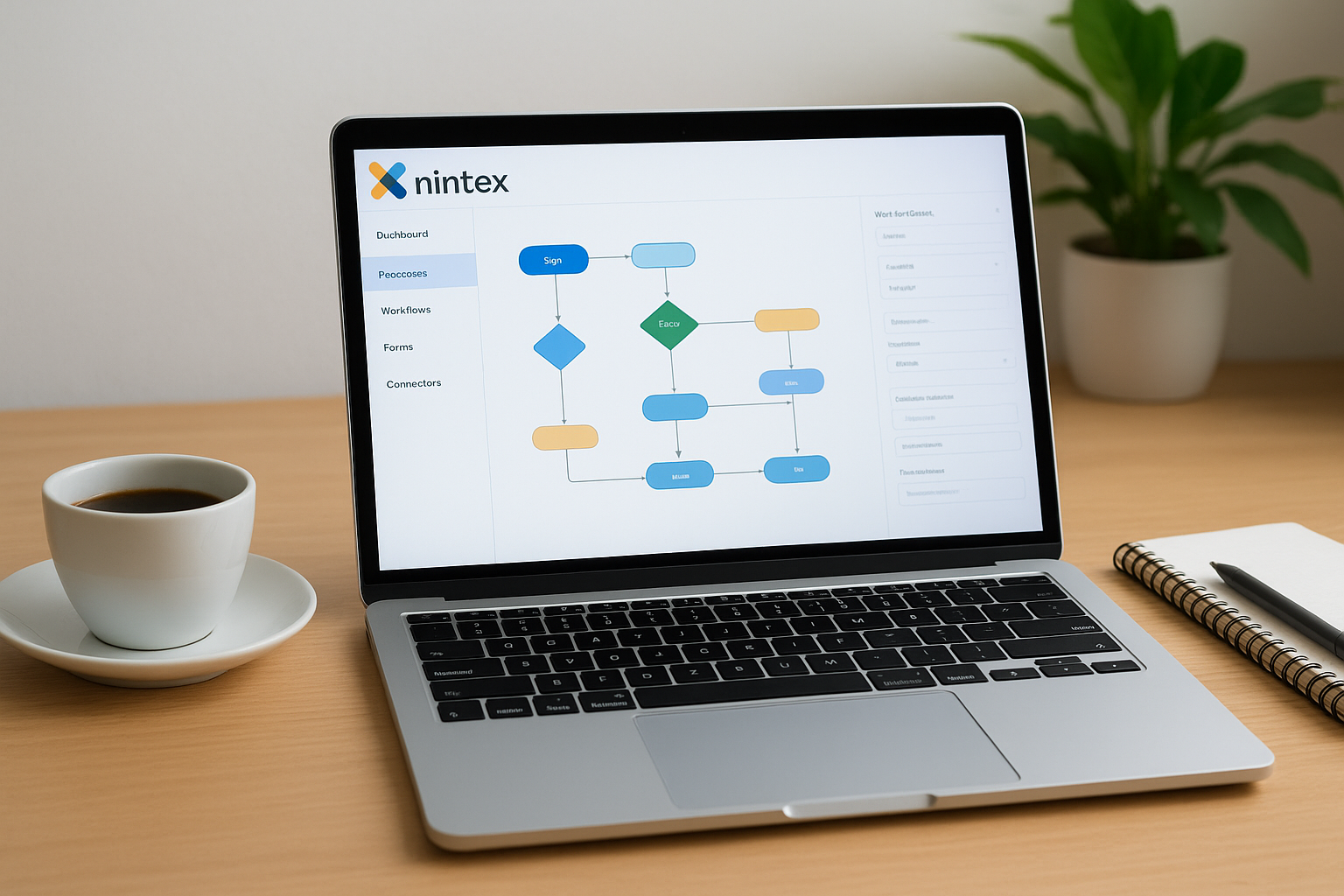
Nintex is a process management and workflow automation platform built for organizations that want to document, automate, and optimize their business processes without writing code. It sits in a useful middle ground between lightweight task automation tools and heavy enterprise platforms, making it a practical option for mid-to-large organizations that need to automate document-heavy processes like contract approvals, HR workflows, and compliance sign-offs.
What it does best
Nintex combines process mapping and workflow automation in a single platform, which sets it apart from tools that handle only one side of that equation. You can document how a process works, build an automated workflow around it, and track performance metrics from the same environment. This makes it particularly useful for process improvement teams that need visibility into bottlenecks before committing to automation.
Enterprise features and governance
The platform gives admins role-based access controls and process governance tools that keep your automation library organized as adoption grows across departments. Nintex includes audit trails and version control for workflows, which matters when your organization needs to demonstrate compliance or roll back a change that caused problems. Workflow analytics let you monitor process performance and identify where handoffs stall, giving you data to support process improvement decisions.
Nintex’s combination of process documentation and automation governance makes it a strong fit for organizations that treat workflow automation as part of a broader process improvement program, not just a way to reduce manual effort.
Integration and extensibility
Nintex connects to common enterprise systems through pre-built connectors for Microsoft 365, Salesforce, ServiceNow, and SAP, covering the core platforms most organizations already run. Its Nintex Connector SDK allows your development team to build custom connectors for systems not covered by the standard library. For teams already using SharePoint as their document management backbone, Nintex integrates tightly with that environment to reduce adoption friction.
Key tradeoffs
Nintex works best when document-centric workflows are your primary automation need. Organizations looking for a broader enterprise workflow automation software solution that covers data integration, event-driven processes, or RPA at scale will find Nintex’s scope too narrow for those requirements without adding separate tools.
Pricing
Nintex does not publish standard pricing on its website. You contact their sales team directly for a quote based on your process count, user volume, and feature requirements.
7. Kissflow
Kissflow is a low-code workflow automation platform designed to let business teams build and manage process automation without depending on developers for every change. Organizations that want to put process ownership in the hands of operations teams rather than IT departments find Kissflow’s approach practical for getting automations up and running quickly.
What it does best
Kissflow handles structured approval workflows, case management, and project tracking across departments, all from a unified interface. Your HR, finance, and operations teams can build forms, define approval chains, and launch automated workflows without writing code. The platform is particularly effective for employee request workflows like purchase approvals, leave requests, and vendor onboarding, where the process is predictable and the main goal is reducing manual handoffs.
Enterprise features and governance
Kissflow gives admins role-based access controls and process-level permissions to keep workflows organized as your team scales. You can track process performance through built-in analytics that surface where tasks stall and how long approvals take, which helps you identify bottlenecks without digging through manual reports. Audit trails log every action taken within a workflow, giving your compliance team the documentation they need when processes touch regulated data.
Kissflow’s governance toolset covers the basics well, but organizations with complex multi-tier approval requirements may find it less configurable than heavier enterprise workflow automation software platforms.
Integration and extensibility
The platform connects to popular business tools including Salesforce, Google Workspace, and Slack through pre-built integrations. For custom connectivity, Kissflow offers a REST API that your development team can use to push and pull data between Kissflow and systems not covered by standard connectors. Webhook support enables real-time event triggers so external systems can kick off workflows based on actions happening outside the platform.
Key tradeoffs
Kissflow works well for straightforward, form-driven processes but shows limits when you need complex conditional logic, deep system integration, or event-driven automations that span multiple platforms simultaneously.
Pricing
Kissflow publishes tiered pricing on its website, with plans based on user count and feature access. You can check current pricing directly on their site for the most up-to-date figures.
8. Camunda
Camunda is an open-source process orchestration platform built around BPMN (Business Process Model and Notation) standards. Organizations that run complex, developer-driven workflows across distributed systems and microservices use Camunda to model, automate, and monitor those processes at scale.

What it does best
Camunda performs strongest when your workflows involve complex conditional branching, long-running processes, and microservices coordination. Its BPMN-based approach gives developers a standardized language for defining process logic, which makes automations easier to document, test, and hand off between teams. Process visibility is a core strength, with real-time monitoring tools that show exactly where each process instance stands at any given moment.
Enterprise features and governance
The platform includes role-based access controls and multi-tenant support, which gives your admin team the separation they need when multiple departments or business units run workflows on the same instance. Camunda logs every process step with a full audit trail, so your compliance team can reconstruct exactly what happened during any workflow execution without piecing together records from multiple systems.
Camunda’s BPMN-native design means your process documentation and your actual running automation stay in sync, which eliminates the gap that typically develops between how a process is documented and how it actually executes.
Integration and extensibility
Camunda connects to your existing systems through REST APIs, gRPC connectors, and a growing library of pre-built connectors for tools like Slack, Salesforce, and AWS services. Its Connector SDK lets your development team build custom connectors for internal systems or proprietary platforms that fall outside the standard library. The platform also runs well within Kubernetes environments, making it a natural fit for organizations operating cloud-native infrastructure.
Key tradeoffs
Camunda is a developer-first platform, which means business teams without technical backgrounds will struggle to build or modify workflows independently. If your organization needs enterprise workflow automation software that non-technical users can manage day-to-day, Camunda requires a more hands-on IT investment than most alternatives on this list.
Pricing
Your organization can choose between a free, open-source version for self-managed deployments and paid SaaS plans for teams that prefer a fully managed cloud environment. Contact Camunda directly for enterprise pricing details based on your usage requirements.
9. monday.com
monday.com is a work operating system that has expanded well beyond project management into workflow automation, giving teams a visual, flexible platform to track work, assign tasks, and trigger automated actions based on status changes and due dates. Organizations that need enterprise workflow automation software without a steep learning curve often evaluate monday.com because it lets non-technical users build automations quickly through a point-and-click interface.
What it does best
monday.com handles project-based workflow automation particularly well, covering automated task assignments, deadline reminders, status-driven notifications, and cross-board dependencies. Your operations and project management teams can configure these automations without writing a single line of code, which shortens the time between identifying a process gap and actually fixing it.
Enterprise features and governance
The platform’s enterprise tier gives admins granular user permissions, advanced account management, and audit log access so your team can track changes and enforce access policies across departments. You also get session management controls and IP restriction options, which matter when your organization handles sensitive data across distributed teams.
monday.com’s governance features are solid for project and operational workflows, but organizations with strict compliance requirements in regulated industries should evaluate whether the controls go deep enough before committing.
Integration and extensibility
monday.com connects to common business tools including Salesforce, HubSpot, Slack, Microsoft Teams, Google Workspace, and Zoom through its native integration library. The platform’s API and webhook support allow your development team to push data between monday.com and internal systems that fall outside the standard connector set, keeping your tech stack connected without manual data entry.
Key tradeoffs
monday.com works best for task-centric and project-driven workflows rather than deep system orchestration or compliance-heavy process management. Teams that need complex conditional logic, long-running automated processes, or tight ERP integration will likely find its automation capabilities too surface-level for those requirements.
Pricing
monday.com publishes tiered pricing on its website, with enterprise plans priced based on seat count and feature access. Contact their sales team directly for a custom enterprise quote.
10. Smartsheet
Smartsheet started as a spreadsheet-like project management tool and has grown into a collaborative work management platform with workflow automation capabilities built in. Organizations that already manage work in spreadsheet formats find Smartsheet’s familiar interface an easy entry point into structured process automation without requiring a complete overhaul of how teams track and coordinate work.
What it does best
The platform handles resource management, project tracking, and automated notifications across teams that coordinate work through shared sheets and dashboards. You can set up automated alerts, approval requests, and row-based triggers that move data or assign tasks based on conditions your team defines. For organizations managing large-scale projects with many stakeholders, Smartsheet’s collaborative features reduce the manual coordination work that typically slows delivery timelines.
Enterprise features and governance
The enterprise plan gives your admin team centralized control over user provisioning, group management, and content governance across your organization. You can enforce compliance through admin-level controls that restrict sharing permissions and lock down sensitive sheets to authorized users only. System-level audit logs track user actions, which gives your security and compliance teams the visibility they need without requiring manual monitoring.
Smartsheet’s governance controls work well for project and operational workflows, but organizations in heavily regulated industries should verify whether the audit depth meets their specific compliance requirements before committing.
Integration and extensibility
Smartsheet connects to common enterprise tools including Salesforce, Microsoft Teams, Slack, Google Workspace, and Jira through its native connector library. For custom integration needs, Smartsheet’s REST API and webhook support give your development team the flexibility to push and pull data between Smartsheet and internal systems not covered by pre-built connectors.
Key tradeoffs
Smartsheet is purpose-built for project and work management automation rather than deep process orchestration or system integration. Teams that need enterprise workflow automation software covering complex multi-system workflows, long-running automated processes, or compliance-heavy operational automation will find Smartsheet’s capabilities limited for those requirements.
Pricing
Smartsheet publishes tiered pricing on its website, with enterprise plans priced based on user count. Contact their sales team directly for a custom enterprise quote.
Your next step
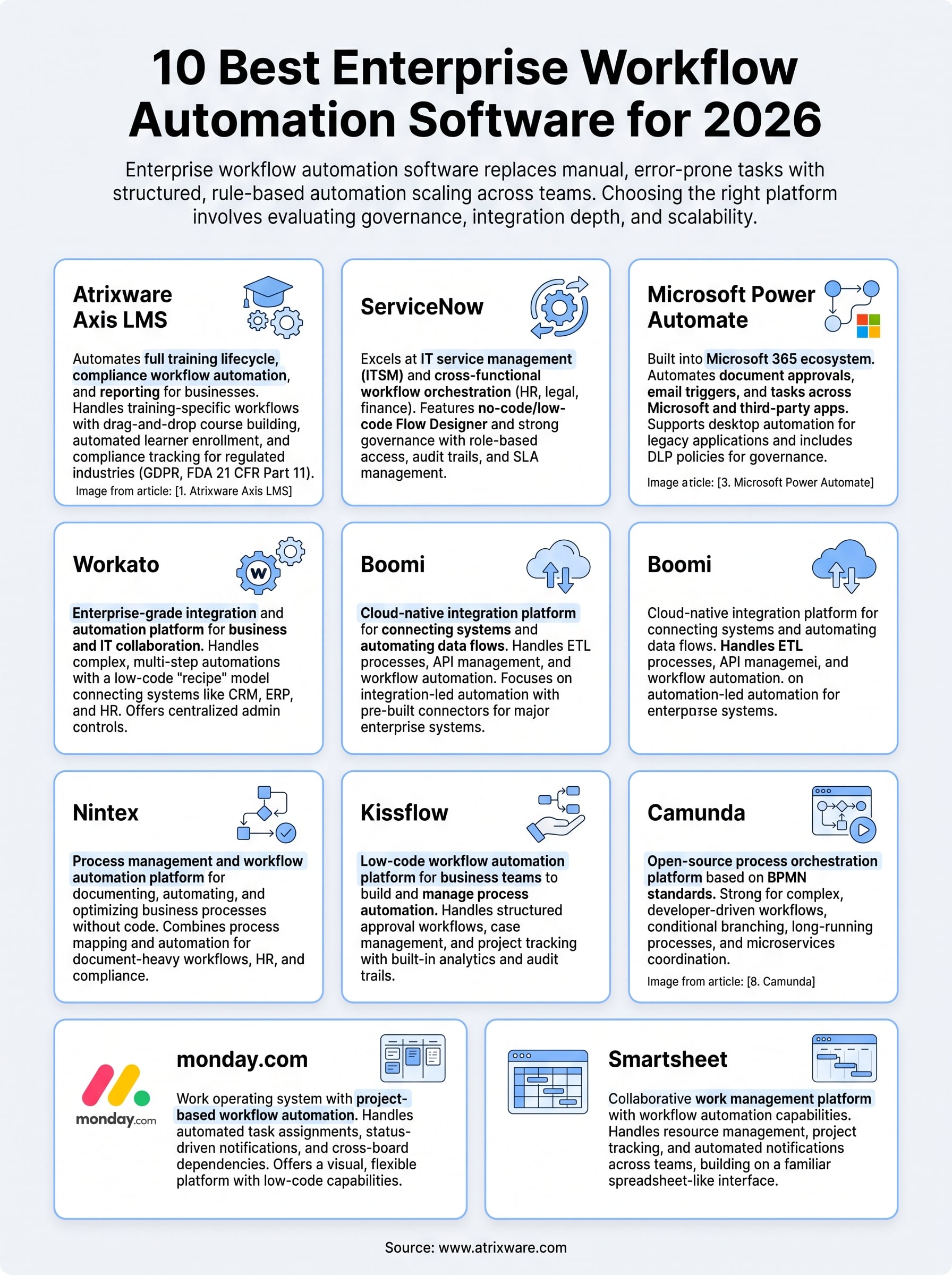
Every platform on this list solves a real problem, but the right choice depends on what your organization actually needs to automate and how much implementation overhead you can absorb. If your primary challenge is training workflow automation, compliance tracking, and learner management at scale, Axis LMS handles those requirements directly without forcing you to adapt a general-purpose tool to fit a training context it was never designed for.
Before you commit to a platform, it helps to know where your organization stands in the buying process and which features matter most for your specific training programs. Take the LMS readiness quiz to get a clearer picture of what you need from an enterprise workflow automation software solution before you start scheduling demos or negotiating contracts. It takes just a few minutes and points you toward the right next move based on your actual situation.
