If you’ve spent any time researching training software, you’ve probably seen "LMS" and "LCMS" used almost interchangeably. They’re not the same thing, and mixing them up leads to buying the wrong tool for your team. A learning content management system is built for creating, editing, and storing training content, often with multiple authors working on the same course materials at once, before that content ever gets delivered to a learner.
So what is a learning content management system, exactly, and how does it differ from the platform your employees actually log into? In short, an LCMS handles content creation and version control, while an LMS handles delivery, tracking, and reporting. Some platforms combine both functions, which is where a lot of confusion starts.
In this article, we’ll break down the learning content management system definition, walk through how the software actually works day to day, and compare it directly against a standard LMS like Axis LMS. By the end, you’ll know which type of system fits your training program and why the distinction matters for your budget and workflow.
Why a learning content management system matters
Picture a mid-size company rolling out a new compliance training course across five departments. Three subject matter experts draft content in Word docs, a training manager assembles slides in PowerPoint, and someone else records screen captures for a video walkthrough. Six months later, nobody remembers which version is final, and updating the course means hunting down five different files scattered across email threads and shared drives. This is the content chaos an LCMS exists to prevent. A learning content management system software platform gives every contributor one place to build, edit, and approve material, so the course you publish is always built from the current, approved version, not last quarter’s draft that someone forgot to delete.

A learning content management system exists so no one has to ask "which version is the real one?" ever again.
Content created by committee, not by one lonely instructor
Modern training rarely comes from a single author. Subject matter experts, instructional designers, compliance officers, and outside vendors often touch the same lesson before it’s ready to publish, a workflow explored further in Connecting Curriculums: Optimizing Online Course Authoring. An LCMS supports multi-author workflows with checkout and check-in controls, so two people can’t overwrite each other’s edits at the same time, and a full version history lets you roll back a bad change without starting from scratch. Compare that to keeping content in shared folders, where every save creates a new file name and every rename creates a mystery nobody wants to untangle six months later.
Reusing content instead of rebuilding it
Once your training material lives in a proper content repository, you stop rebuilding the same slide five times for five different courses. A single learning object, say a short video on data privacy basics, can get tagged and pulled into a compliance course, a new-hire onboarding path, and a customer-facing training program without copying files or losing track of which version is current. That reuse is the entire point of a content management system for learning built around modular objects rather than static files sitting in a drive. A few common examples of this in practice:
- An onboarding module gets reused inside a customer training course with minor edits
- A product update slide gets pulled into multiple regional course versions at once
- A single training video gets reused across compliance training and channel partner training
- A quiz bank gets shared across three different certification tracks
Each of those reuse cases saves real hours. Instructional designers commonly report cutting course build time in half once content is modular instead of duplicated across a dozen separate files.
Who actually needs a dedicated LCMS
Not every organization needs this layer of infrastructure. A five-person company running one onboarding course for new hires can usually manage fine with folders and a basic LMS. Enterprises publishing dozens of courses across multiple departments, with content that changes constantly for regulatory reasons, are a different story. Their reasons to invest in a dedicated LCMS usually look something like this:
- Multiple authors update the same courses on a regular schedule
- Content needs region-specific or brand-specific versions of the same lesson
- Regulatory changes force frequent revisions across many courses at once
- Training material gets reused across employee, customer, and partner audiences
- Teams need audit trails proving who approved what content and when
Organizations that check two or more of those boxes tend to feel the pain of file-based content management fairly quickly, usually around the time a compliance audit asks for proof of exactly who signed off on a course revision. That’s the moment the value of a dedicated content authoring and management layer stops being theoretical and starts saving someone’s job.
LCMS vs. LMS: how the two systems differ
An LCMS and an LMS solve two different problems, even though vendors sometimes blur the line in their marketing, much like the confusion addressed in LMS vs. LXP vs. LMXP: What’s Best for You? The LCMS is a workshop where content gets built, edited, tagged, and version-controlled. The LMS is the storefront and classroom where that finished content gets assigned, delivered, tracked, and reported on. Confuse the two and you’ll either buy authoring software with no way to actually run a training program, or a delivery platform with no real content creation muscle behind it.
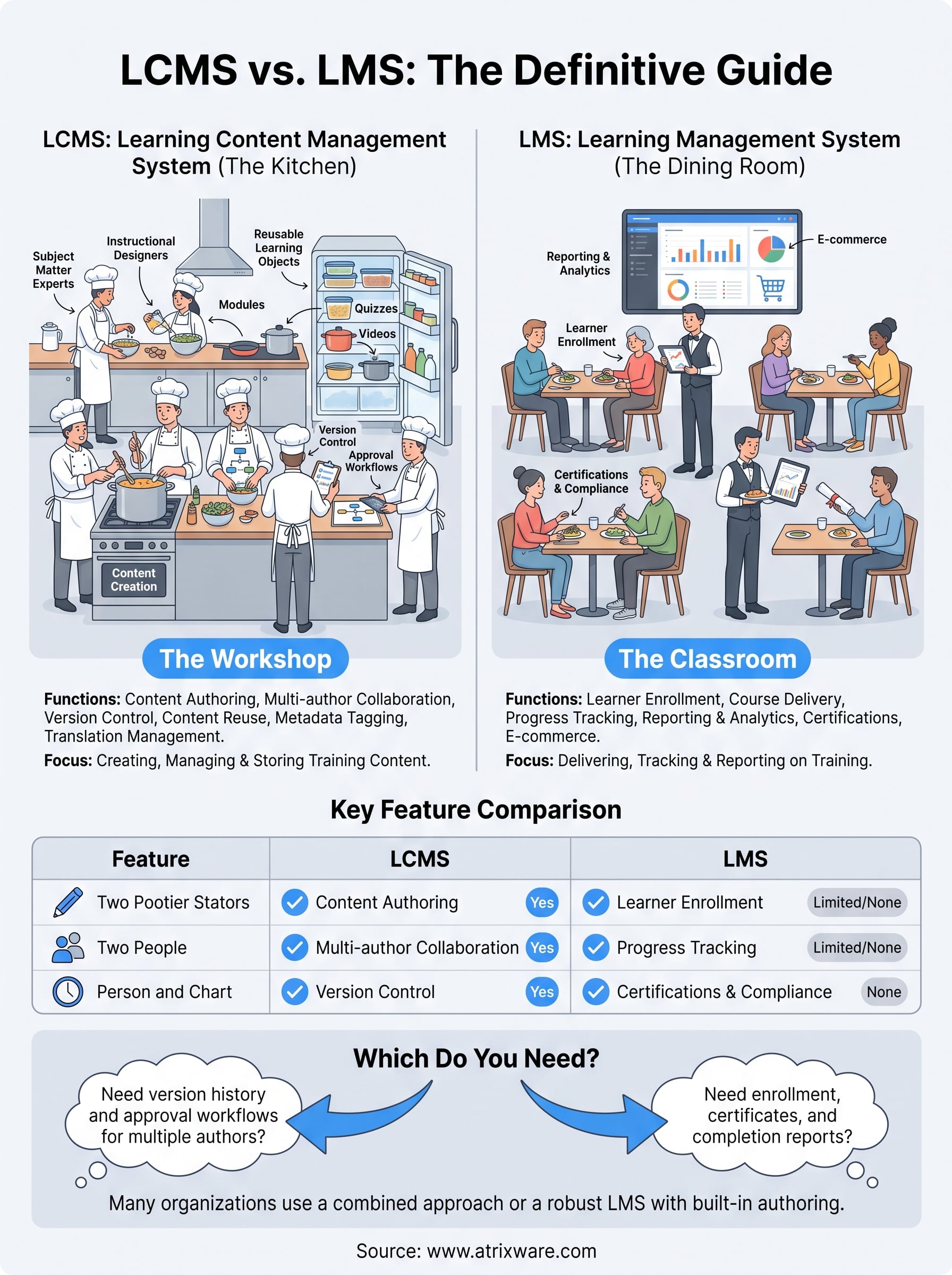
Think of the LCMS as the kitchen and the LMS as the dining room. You need both, but they do very different jobs.
What each system actually does
Breaking the two apart by function makes the distinction concrete rather than theoretical:
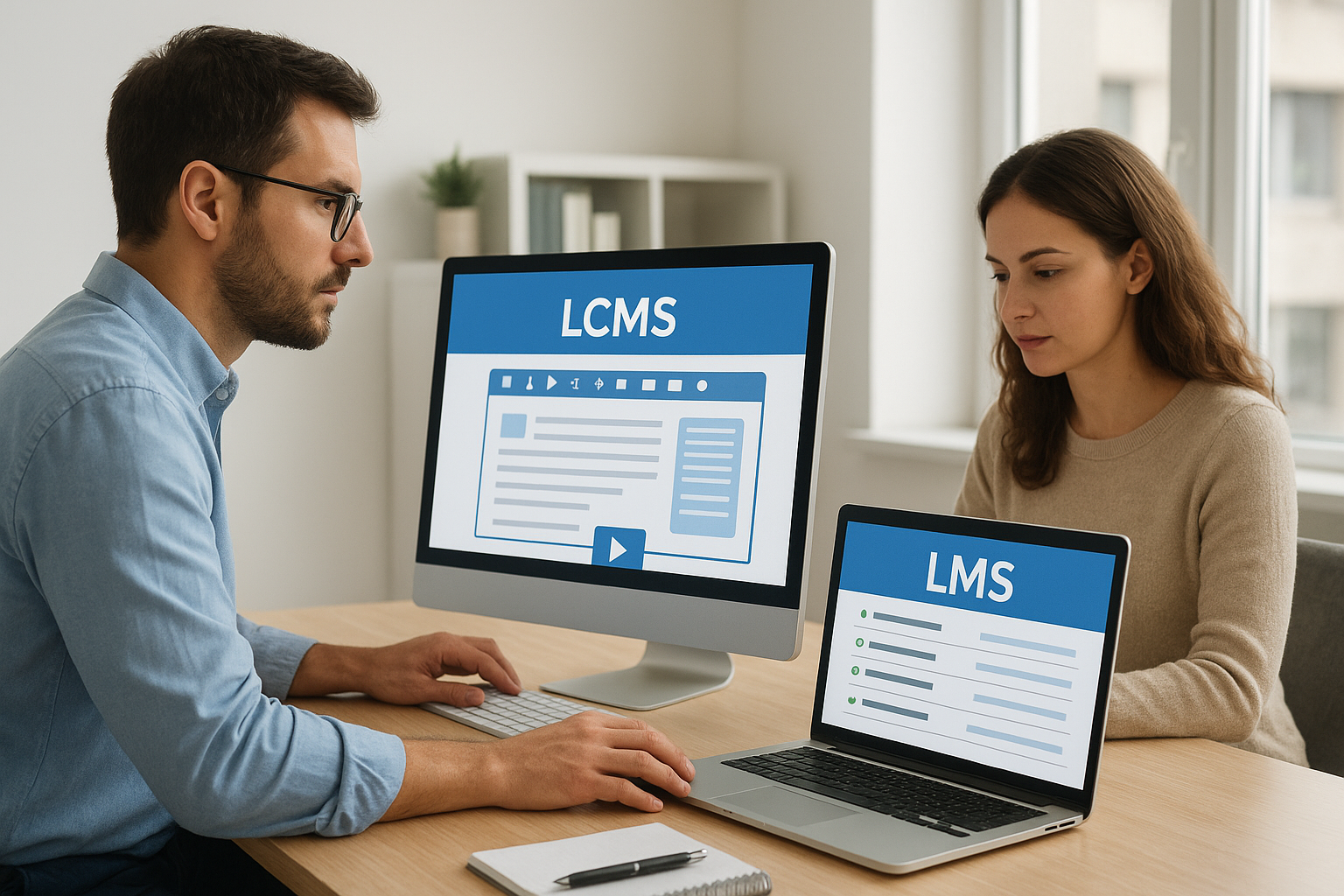
| Function | LCMS | LMS |
|---|---|---|
| Content authoring | Yes, built-in authoring tools | Rare, often limited or absent |
| Multi-author collaboration | Yes, checkout/check-in workflows | No |
| Version control | Yes, full history and rollback | Minimal |
| Learner enrollment | No | Yes |
| Progress tracking and reporting | No | Yes |
| Certifications and compliance tracking | No | Yes |
| E-commerce for selling courses | No | Yes, in platforms like Axis LMS |
| SSO and system integrations | Rare | Yes, SAML SSO, HR/CRM sync |
Because the two systems handle opposite ends of the training lifecycle, most organizations end up needing both in some form, even when one vendor tries to sell the LCMS as a full replacement for delivery and reporting.
Where the overlap actually happens
Certain platforms market themselves as doing both jobs at once, and a handful genuinely do offer lightweight authoring bolted onto a delivery engine, a distinction covered in LMS System vs. eLearning Platform: The Key Differences. Axis LMS, for example, includes a drag-and-drop course builder that covers a good chunk of what a smaller team needs from content creation, paired with the reporting, compliance tracking, and integration depth that defines a true LMS. That combination works well for organizations that don’t need heavyweight multi-author version control but still want to build courses without exporting files from a separate authoring tool. Larger enterprises with dozens of contributors revising content simultaneously usually still pair a dedicated LCMS with their LMS, feeding finished, approved content into the delivery platform through SCORM packages or API connections rather than relying on one tool to do everything.
The practical test to tell them apart
If you’re still unsure which category a platform falls into, ask one question: can multiple people edit the same lesson at the same time with tracked changes and rollback, or does the platform only let you assign and report on content someone built elsewhere? The first answer points to an LCMS. The second points to an LMS. A quick gut check:
- Do you need version history and approval workflows for content? That’s LCMS territory.
- Do you need enrollment, certificates, and completion reports? That’s LMS territory.
- Do you need both under constant, simultaneous demand? You likely need a combined stack or an LMS with strong built-in authoring.
Most mid-size training teams land in that third category, which is exactly why platforms that blend solid authoring with full delivery and reporting, rather than forcing a two-vendor setup, tend to win out on both cost and simplicity.
How to choose and implement an LCMS
Buying an LCMS without a plan is how organizations end up with an expensive content repository nobody actually uses, a pitfall addressed in Best Practices for Implementing a Corporate Learning Management System. Before you sign a contract, map out how many people will actually author content, how often that content changes, and whether you need to publish the same lesson in multiple languages or brand variations. A learning content management system software purchase only pays off when the workflow problems it solves match problems you actually have, not problems a sales deck describes.
Buy an LCMS to fix a workflow you can name, not a workflow you’re guessing you might have someday.
Questions to ask before you buy
Run through these before evaluating vendors, and you’ll cut your shortlist down fast:
- How many authors touch a single course, and do they work at the same time or in sequence?
- Does content need region-specific or brand-specific versions published from one source?
- What format does finished content need to leave in? SCORM, xAPI, or a native package for your LMS?
- Who needs to approve content before it goes live, and does that approval need an audit trail?
- Does your current LMS already handle enough authoring that a separate LCMS is overkill?
That last question matters more than most buyers assume. A lot of teams shop for an LCMS to solve a content authoring problem that a stronger LMS course builder would have solved for less money and one less system to manage.
Rolling it out without breaking your existing courses
Implementation goes smoother when you migrate in phases rather than dumping every legacy file into the new system at once, following the same phased approach outlined in How to Migrate to a New LMS: Step-by-Step Guide for a Smooth Transition. Start with your highest-traffic or most frequently revised course, since that’s where version chaos hurts the most and where a working proof of concept will win over skeptical stakeholders fastest. From there, a typical rollout looks something like this:
- Audit existing content and flag what’s outdated, duplicate, or missing an owner
- Migrate one high-priority course first and test the full authoring-to-publish workflow
- Set permission levels for authors, reviewers, and approvers before opening access broadly
- Establish a tagging and metadata standard so content stays searchable and reusable
- Connect the LCMS output format to your LMS and confirm packages import cleanly
- Train your content team on checkout/check-in rules before removing access to old files
Skipping that last step is the most common failure point. Teams keep editing the old Word docs out of habit while the new system sits half-used, and six months later you’re back to the same version confusion the LCMS was supposed to fix. Set a hard cutoff date for the old files, communicate it clearly, and lock or archive the legacy folders once the migration is confirmed working. A content management system for learning only earns its cost once it’s the single source everyone actually uses, not one more place content happens to live.
Key features and examples of LCMS platforms
A real LCMS looks different from a shared drive with better naming conventions. Certain features separate genuine content management software from a folder structure dressed up with a login page, and knowing what to look for—much like the guidance in What Features Should You Look for in an LMS?—keeps you from paying enterprise prices for glorified file storage.
Core features worth paying for
Strip away the marketing language and every credible learning content management system software platform delivers on a short list of capabilities. Look for these before you sign anything:
| Feature | What it does | Why it matters |
|---|---|---|
| Checkout/check-in | Locks a file while one author edits it | Stops two people from overwriting the same lesson |
| Version history | Stores every prior draft with a timestamp | Lets you roll back a bad edit in minutes |
| Metadata tagging | Labels content by topic, audience, language | Makes objects searchable and reusable across courses |
| Approval workflows | Routes drafts to reviewers before publishing | Creates an audit trail for compliance teams |
| Multi-format export | Packages content as SCORM, xAPI, or HTML5 | Feeds finished content into whatever LMS you run |
| Localization support | Manages translated variants of the same lesson | Keeps regional teams from duplicating source files |
The features on that list exist to answer one question fast: who approved this version, and when.
What separates a strong platform from a weak one
Generic file storage with folders labeled by course name isn’t an LCMS, no matter how the vendor markets it. A genuine platform enforces structure automatically, tagging and versioning happen as part of the workflow, not as an optional step someone forgets under deadline pressure. Testing this before you buy matters more than reading a features page: upload a piece of content, have two people edit it at once, and see whether the system actually stops the conflict or just lets the second save quietly overwrite the first.
Where LCMS functionality shows up inside a broader LMS
Most mid-size organizations never buy a standalone LCMS at all. Instead, they get enough content management functionality bundled into a full-featured LMS to skip a second vendor entirely. Axis LMS is built this way on purpose. Its course authoring tools include a drag-and-drop builder, content tagging, and reuse across multiple courses, paired with the reporting, compliance tracking, and enrollment functions that a dedicated LCMS simply doesn’t touch. Rather than exporting a finished SCORM package from one system and importing it into another, your team builds, tags, and publishes content in the same place learners actually complete it. Standalone LCMS platforms still make sense for large enterprises with dozens of simultaneous authors and heavy localization demands. For everyone else, a combined platform usually solves the same version-control problems with one login instead of two, and one invoice instead of two vendor contracts to manage.
Finding the right fit for your training program
A learning content management system solves a real problem: version chaos when multiple authors touch the same course content. But that problem only exists at a certain scale. If you’re managing dozens of courses with constant regulatory revisions and a team of authors working simultaneously, a dedicated LCMS earns its cost fast. If you’re a mid-size team that needs solid authoring plus real delivery, tracking, and compliance reporting, buying two separate systems just adds overhead you don’t need.
Axis LMS was built for that second group, combining drag-and-drop course building with the enrollment, reporting, and compliance tools a standalone LCMS never touches. Before you commit to a two-vendor stack, see what one platform can actually handle. Try the Axis LMS admin demo and test the authoring workflow yourself before deciding you need a separate content system at all.
