Choosing the right k12 learning management system is not a small decision, and the stakes are high for any learning management system for education. You are juggling state compliance rules, parent communication, teacher workloads, and a student population that ranges from kindergarteners tapping on tablets to seniors managing dual-enrollment credits. Pick the wrong platform and you end up with a tool teachers avoid and IT staff constantly patch.
This guide answers the question schools actually ask: which platforms handle attendance-linked training, gradebook-style reporting, and district-wide single sign-on without forcing you into a system built for corporate onboarding. A true k12 lms software needs to work for a five-year-old and a superintendent on the same login page.
Below you’ll find nine platforms worth evaluating for 2026, including where Axis LMS from Atrixware fits for districts that also manage staff compliance training and certification tracking alongside student learning. Each entry breaks down pricing structure, integration options, and the features that matter most for K-12 administrators weighing a switch before the next school year starts, using the same criteria you’d apply when comparing LMS platforms side by side.
1. Axis LMS by Atrixware
Atrixware built Axis LMS for organizations that need more than a classroom tool, and that makes it a strong fit for districts running staff compliance training alongside student coursework. Where most K-12 LMS software stops at gradebooks and assignments, Axis LMS adds the reporting depth and CEU and certification tracking that HR and compliance teams expect. Districts that already juggle a separate system for teacher recertification, Title IX training, or safety credentialing can consolidate everything into one platform.
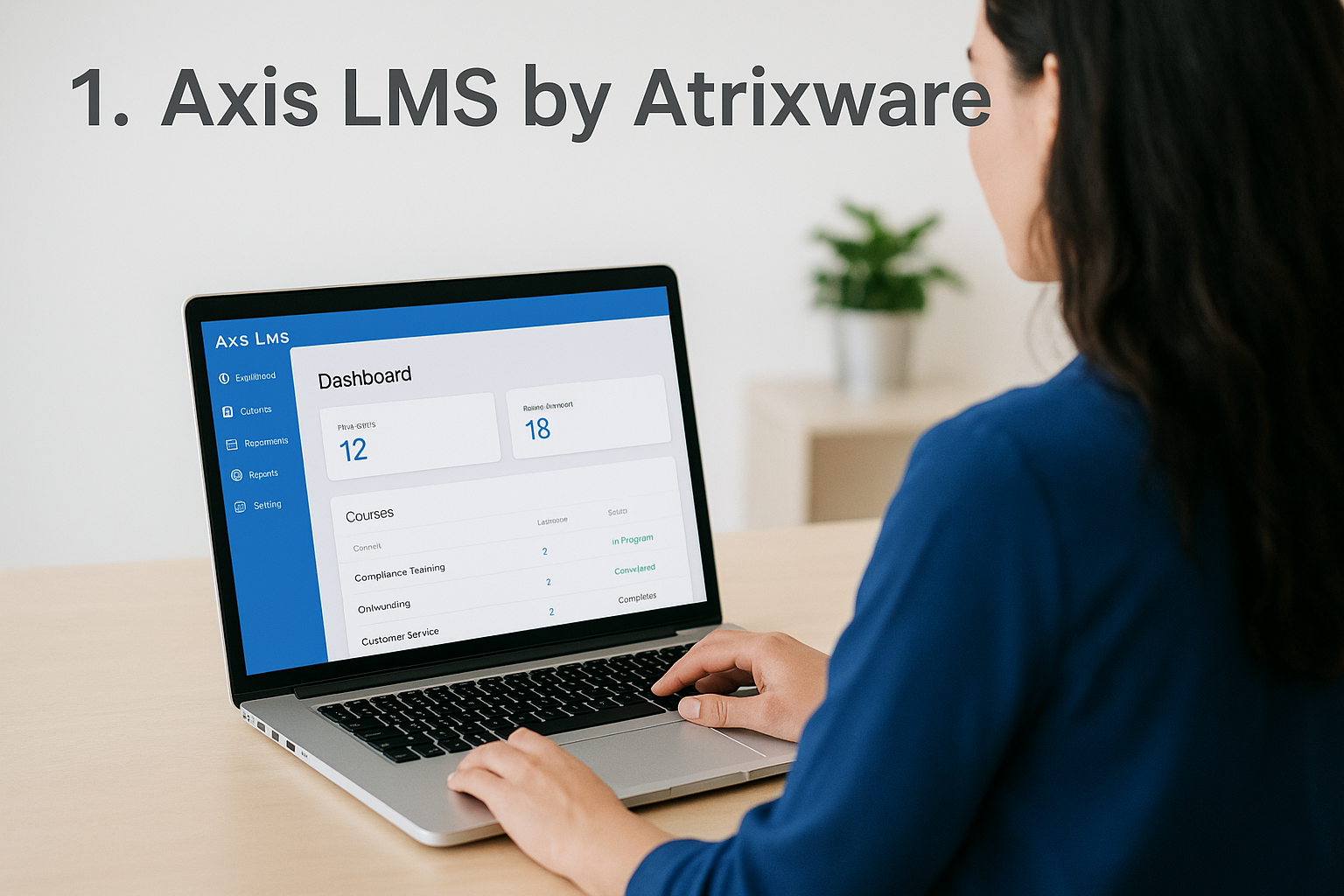
A district running one LMS for both classroom learning and staff compliance training cuts administrative overhead compared to managing two separate systems.
Key features
Axis LMS gives administrators a drag-and-drop online course builder, automated and on-demand reporting, and a branding engine that lets a district’s UI match its own visual identity down to the login screen. The platform supports SAML single sign-on with providers like Okta and Azure, so students and staff use the same credentials they already have for other district systems. Its LMS integration builder connects to over 5,000 systems, and a REST API with webhooks handles anything custom that a district’s IT team wants to build.
- Drag-and-drop course authoring for teachers with no LMS experience
- Automated compliance tracking for CEUs, re-certifications, and mandated staff training
- SAML SSO integration (Okta, Azure, Ping Identity)
- Custom branding across the entire learner and admin interface
- REST API and webhook support for district-specific integrations
Best for
Districts and multi-campus systems that need to manage both student learning and staff compliance training in one place are the best match here, and it helps to know what makes an LMS good for compliance training before you commit. It also suits districts that sell or license training content externally, since Axis LMS includes built-in e-commerce functionality for seat licenses and individual course sales, something most K-12-only platforms don’t offer at all.
Pricing
Atrixware doesn’t publish flat public pricing because Axis LMS scales with user count, cloud or self-hosted deployment, and the level of custom integration work a district needs. Reach out directly through the Axis LMS plans and prices page for a quote based on your district’s headcount and integration needs.
Pros and cons
| Pros | Cons |
|---|---|
| Combines student LMS and staff compliance training in one system | Steeper setup than plug-and-play classroom tools |
| Deep reporting and certification tracking | Pricing isn’t published upfront |
| Extensive SSO and integration options | Smaller footprint in pure classroom-only use than Google Classroom or Canvas |
| Full branding control | Best value realized at multi-department, multi-campus scale |
2. Google Classroom
Google Classroom sits at the center of most public school tech stacks because it’s free, familiar, and already bundled into Google Workspace for Education. Teachers who use Gmail and Google Docs daily find the transition almost effortless, and that’s exactly why so many districts default to it as their first k 12 learning management system rather than shopping around.
Key features
Features center on simplicity rather than depth. Classroom offers assignment distribution through Google Drive, automatic grade syncing with Google Sheets, and a stream-based interface that mirrors social media feeds students already understand. It integrates tightly with Meet for virtual sessions and with Forms for quick quizzes, though it lacks native gradebook weighting or advanced compliance reporting.
Best for
Schools already committed to the Google ecosystem, especially those with tight budgets and younger student populations, get the most value here. It suits K-8 classrooms needing a straightforward hub for assignments over districts wanting deep analytics or certification tracking for staff training.
Google Classroom wins on cost and simplicity, not on depth or compliance reporting.
Pricing
Classroom is free with any Google Workspace for Education account, including the no-cost Fundamentals tier. Districts wanting advanced features like originality reports or expanded Meet capacity need to upgrade to Workspace for Education Plus, priced per student annually and typically negotiated through a Google reseller.
Pros and cons
| Pros | Cons |
|---|---|
| Free for most schools | Minimal reporting depth |
| Extremely low learning curve | No built-in compliance or certification tracking |
| Tight Google Workspace integration | Limited SIS integration outside Google’s partner list |
| Fast rollout, little IT overhead | Not suited for staff training or e-commerce needs |
3. Canvas LMS by Instructure
Canvas built its reputation in higher education, but Instructure has spent years adapting the platform for K-12 districts that outgrow Google Classroom’s simplicity. It’s a common upgrade path for schools that need real course management, not just an assignment feed, and that shift makes Canvas one of the more mature options in this k12 lms software category.
Key features
Canvas centers on a modular course structure where teachers build units, embed rubrics, and sequence content with prerequisites that lock until a student finishes prior work. The SpeedGrader tool lets teachers annotate submissions directly, and the mobile app keeps parents and students connected outside school hours. Canvas also supports LTI integrations, so districts can plug in third-party tools like Turnitin or publisher content without custom development.
Canvas gives districts the course structure and grading depth that Google Classroom simply wasn’t built to provide.
Best for
Middle and high schools running multiple electives, AP courses, or hybrid schedules benefit most from Canvas’s structure. Districts already comfortable with Instructure’s ecosystem, or those migrating students who’ll later use Canvas in college, find the transition smoother than switching platforms entirely later.
Pricing
Instructure doesn’t publish flat rates for K-12 Canvas licenses. Pricing depends on student enrollment counts and which support tier a district selects, and quotes typically come through a direct sales conversation rather than a public calculator.
Pros and cons
| Pros | Cons |
|---|---|
| Strong course structure and grading tools | Pricing requires a sales call |
| Wide LTI and third-party integration support | Steeper learning curve for younger grades |
| Mobile-friendly for students and parents | Limited native compliance or CEU tracking |
| Scales well across grade levels | Heavier setup than Google Classroom |
4. Schoology by PowerSchool
Schoology built its name as a standalone LMS before PowerSchool acquired it, and that acquisition changed its trajectory for K-12 buyers. Districts already running PowerSchool SIS for enrollment and attendance now get a tighter pipeline between the student information system and the learning platform, which cuts down on the double data entry that plagues schools running separate tools for grading and instruction.
Key features
Schoology combines course management, a social-style activity feed, and gradebook syncing with PowerSchool SIS in one interface. Teachers build courses with folders, assessments, and discussion boards, while parents get a dedicated portal to track grades and attendance without needing a separate login. The platform also supports learning analytics dashboards that flag at-risk students based on grade trends and missing assignments, something neither Google Classroom nor Canvas handles natively.
Schoology’s real advantage shows up only when a district already runs PowerSchool SIS underneath it.
Best for
Districts already invested in PowerSchool’s SIS ecosystem get the clearest payoff, since the integration between attendance, grading, and course delivery removes a lot of manual syncing work. It also suits middle and high schools wanting parent-facing transparency without bolting on a third-party communication app.
Pricing
PowerSchool doesn’t list public per-student rates for Schoology. Pricing bundles vary depending on whether a district licenses Schoology alongside the full PowerSchool SIS suite or as a standalone LMS, and quotes come through a direct sales process.
Pros and cons
| Pros | Cons |
|---|---|
| Deep PowerSchool SIS integration | Pricing not published |
| Strong parent and student communication tools | Less compelling without PowerSchool SIS already in place |
| Built-in at-risk student analytics | No native staff compliance or CEU tracking |
| Familiar social-feed interface for students | Setup heavier than Google Classroom |
5. Moodle
Moodle takes a different approach than every platform listed so far: it’s open-source, which means districts download the core software for free and host it themselves or through a Moodle Partner. That structure appeals to IT departments that want full control over their k12 lms software stack instead of renting access to a vendor’s cloud instance, but it also means the district owns the setup and maintenance work that comes with it.

Key features
Moodle’s plugin ecosystem is its biggest strength, with thousands of community-built add-ons covering everything from H5P interactive content to custom gradebook formulas. Courses use a flexible topic or weekly format, and teachers can build conditional activity completion rules that unlock content based on prior performance. The platform supports SCORM and xAPI standards natively, which matters for districts importing existing course libraries from other systems.
Moodle trades convenience for control, and that trade only pays off when a district has the IT staff to manage it.
Best for
Districts with in-house IT development resources or a budget for a Moodle Partner hosting contract get the most out of this platform. It suits schools wanting deep customization over out-of-the-box simplicity, particularly those already comfortable managing open-source software elsewhere in their tech stack.
Pricing
The core Moodle software is free to download, but self-hosting requires server costs, security patching, and technical staff time. Most K-12 districts instead pay a Moodle Partner for hosting and support, with costs scaling by student count and support tier, typically negotiated directly rather than published as a flat rate.
Pros and cons
| Pros | Cons |
|---|---|
| Free core software | Requires technical staff or a paid hosting partner |
| Massive plugin and customization ecosystem | Interface feels dated compared to newer platforms |
| SCORM/xAPI support for content portability | No built-in compliance or CEU tracking |
| Full control over data and hosting | Steepest setup curve on this list |
6. Brightspace by D2L
Brightspace comes from D2L, a company that built its reputation in higher education before adapting the platform for K-12 buyers who need something more analytics-driven than a basic classroom feed. Districts researching a k 12 learning management system with strong data science behind it often land on Brightspace because of its predictive tools, not just its course builder.

Key features
Central to Brightspace is its Insights analytics engine, which tracks engagement patterns and flags students trending toward failure before report cards confirm it. The platform also includes adaptive release rules, a mobile app called Pulse for on-the-go assignment tracking, and accessibility tools built to meet WCAG standards out of the box. Video assessment tools let teachers grade spoken or performance-based work directly inside the platform, which suits world language and performing arts courses.
Brightspace’s predictive analytics catch struggling students earlier than a standard gradebook ever could.
Best for
Larger districts with dedicated data teams get the most value, since someone needs to actually act on the early-warning signals Brightspace surfaces. It also suits districts prioritizing accessibility compliance across special education programs, given how thoroughly D2L built WCAG support into the core product rather than as an add-on.
Pricing
D2L doesn’t publish flat K-12 rates. Pricing depends on enrollment size and which analytics or support tiers a district adds, with quotes handled through direct sales conversations similar to Canvas and Schoology.
Pros and cons
| Pros | Cons |
|---|---|
| Strong predictive analytics for at-risk students | Pricing requires a sales conversation |
| Built-in accessibility and WCAG compliance | Steeper learning curve for younger grades |
| Video-based assessment tools | No native staff certification tracking |
| Mobile app for student engagement | Best value tied to larger district budgets |
7. Blackboard Learn
Blackboard Learn built its name in higher education long before K-12 became a priority, and that history still shapes how the platform feels today. Districts evaluating a k12 learning management system often recognize the name from students’ older siblings in college, and Blackboard has spent the last several years retooling its interface (Ultra) to feel less like a university portal and more like something a middle schooler can navigate without a tutorial.
Key features
Blackboard Learn Ultra centers on a streamlined course view, a built-in grade center with weighted categories, and discussion boards that support threaded replies for collaborative assignments. The platform includes accessibility checks built into the content editor, flagging issues like missing alt text before a teacher publishes a page. Blackboard also supports LTI integrations for third-party tools and offers a mobile app for both students and parents to track grades and due dates.
Blackboard’s Ultra redesign fixed its biggest complaint, but the platform still carries a higher-education feel that some K-12 teachers notice right away.
Best for
Larger districts and charter school networks that need robust grading structures across many campuses, particularly those with students headed toward dual-enrollment or early college coursework, get the clearest benefit. It suits administrators who value accessibility compliance checks built into the authoring tools over a simpler, stripped-down interface.
Pricing
Blackboard doesn’t publish flat per-student K-12 pricing. Costs scale with enrollment size, hosting choice (cloud or self-managed), and support tier, and districts typically get quotes through a direct sales process rather than a public calculator.
Pros and cons
| Pros | Cons |
|---|---|
| Robust gradebook and course structure | Pricing requires a sales conversation |
| Built-in accessibility checks | Interface still feels geared toward higher ed |
| Strong LTI and third-party tool support | No native staff compliance or CEU tracking |
| Suits dual-enrollment and early college programs | Heavier setup than Google Classroom or Schoology |
8. Edsby
Edsby comes out of Canada, built by a team that includes former Desire2Learn engineers, and it was designed from day one as a K-12-only platform rather than a higher-ed tool retrofitted for younger students. That focus shows in how the platform balances a classroom feed, report cards, and parent communication in a single dashboard, which makes Edsby a favorite among whole-district rollouts north of the border and a growing option for US schools researching a fresh k12 lms software pick for 2026.
Key features
Edsby centers on a social-style feed similar to Schoology’s, but pairs it with district-grade report card generation, standards-based grading, and attendance tracking pulled straight from the SIS. Parents get real-time notifications through a dedicated app, and administrators get dashboards that roll data up from classroom to school to district level without exporting a single spreadsheet.
Edsby treats parent communication as a core feature, not an add-on, which is rare among platforms built primarily for teachers.
Best for
Whole-district deployments wanting one platform that handles report cards, attendance, and classroom activity together benefit most, especially districts already running a Canadian-style standards framework. Smaller charter or private schools without a dedicated IT team tend to find the setup heavier than they need.
Pricing
Edsby doesn’t publish flat per-student pricing. Costs depend on district size and which modules a school licenses, with quotes handled through a direct sales conversation rather than a public rate card.
Pros and cons
| Pros | Cons |
|---|---|
| Strong parent communication and notifications | Pricing not published |
| District-wide report card and standards tools | Less common in US districts than Schoology or Canvas |
| SIS-integrated attendance tracking | No native staff compliance or CEU tracking |
| Built for K-12 from the ground up | Setup better suited to larger districts |
9. Itslearning
Itslearning comes from Norway, and its European roots show in how seriously the platform treats curriculum alignment and standards mapping. Districts researching a k12 learning management system built around instructional planning rather than just content delivery often land here, since Itslearning ties lesson plans directly to state and Common Core standards from the moment a teacher builds a unit.
Key features
Itslearning’s planning tools let teachers map every lesson to specific standards, then track coverage across a semester so administrators can spot gaps before an audit finds them. The platform includes a curriculum-first course builder, integrated messaging for parent and student communication, and a resource library where districts can share vetted lesson plans across schools. It also supports single sign-on through common identity providers and syncs grades with most major SIS platforms, cutting down on manual data entry for teachers.
Itslearning’s standards-mapping tools give curriculum directors a level of visibility most classroom-first platforms never built.
Best for
Districts with a dedicated curriculum or instructional design team get the most value, since Itslearning rewards schools that actively plan and audit standards coverage rather than just posting assignments. It also suits districts wanting shared lesson libraries across multiple schools without rebuilding content from scratch each year.
Pricing
Itslearning doesn’t publish flat per-student rates. Pricing depends on district enrollment size and which modules a school licenses, with quotes handled through a direct sales conversation similar to most platforms on this list.
Pros and cons
| Pros | Cons |
|---|---|
| Strong standards and curriculum mapping | Pricing not published |
| Shared lesson libraries across schools | Smaller US market presence than Canvas or Schoology |
| SIS grade sync and SSO support | No native staff compliance or CEU tracking |
| Built-in parent and student messaging | Best suited to districts with curriculum staff |
Choosing the right LMS for your school
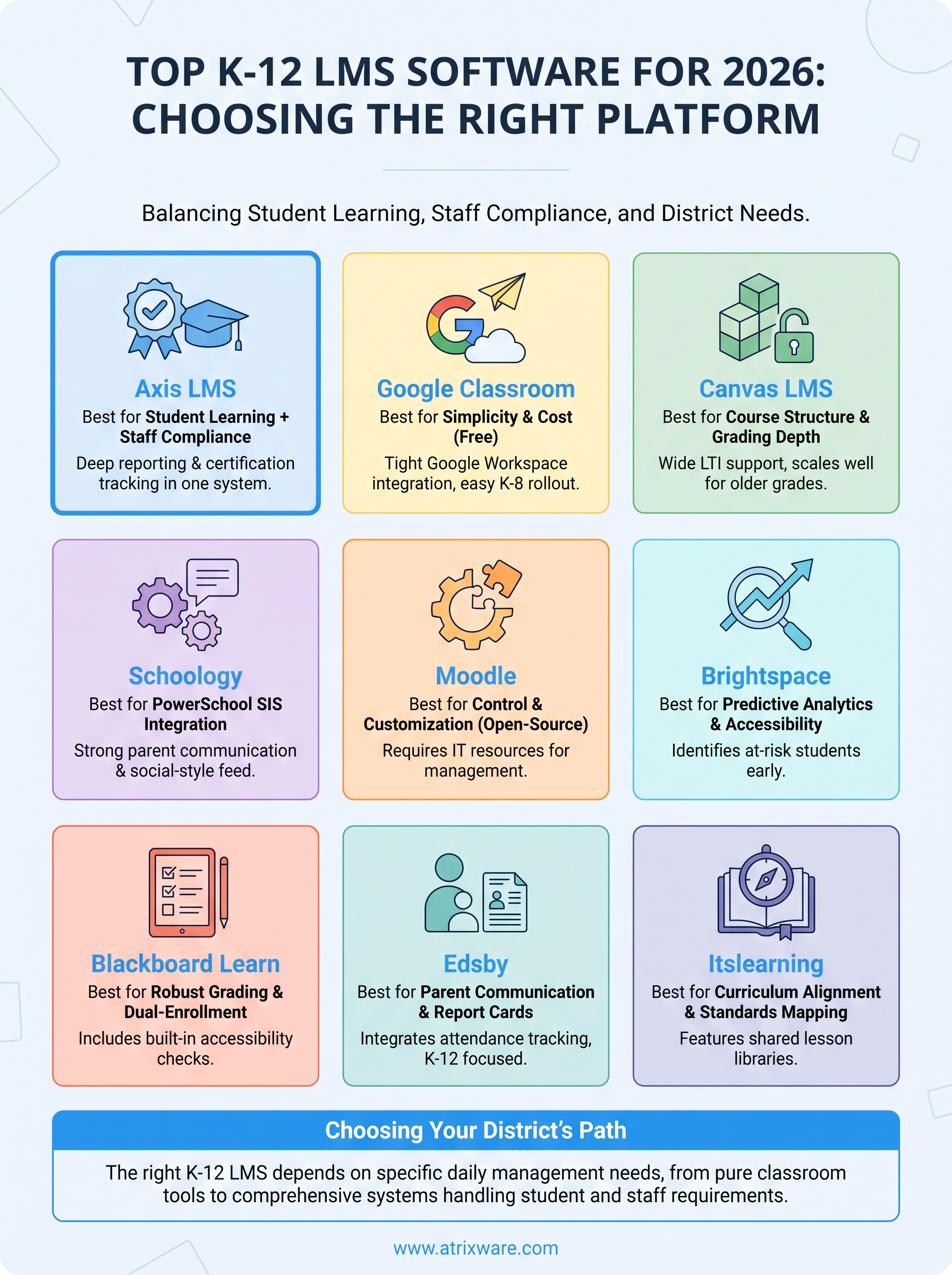
Nine platforms, nine different strengths, and no single winner for every district. Google Classroom wins on cost and simplicity, Canvas and Schoology win on structure and SIS integration, Moodle wins on control, and specialized picks like Edsby and Itslearning win on parent communication or curriculum mapping. The right k12 learning management system depends on what your district actually manages day to day, not which name shows up most in search results.
If your district also handles staff certifications, safety credentialing, or teacher recertification alongside student coursework, a classroom-only tool leaves a gap that someone in HR ends up patching manually. That’s the exact problem Axis LMS was built to solve. Before you commit to another platform for 2026, take the LMS readiness assessment to see whether your district’s needs actually call for a system built to handle both sides of the equation.
