
The California Attorney General CCPA guidance shapes how businesses collect, store, and handle consumer data, and the rules have only gotten stricter since the law first took effect. Whether you’re processing personal information from employees, customers, or training participants, understanding what the Attorney General expects matters more than reading the statute alone. The guidance documents fill in the gaps that the law’s text leaves open.
For organizations that manage training programs, the overlap with CCPA is hard to ignore. Every learner account, assessment record, and completion certificate involves personal data that falls under CCPA’s scope. At Atrixware, our Axis LMS is built with compliance in mind, including features that support GDPR, FDA 21 CFR Part 11, and data security standards, so we pay close attention to how privacy regulations evolve and what they demand from businesses like yours.
This article breaks down the key rules and requirements from the Attorney General’s CCPA guidance as they stand in 2026. You’ll find practical explanations of enforcement priorities, consumer rights obligations, and the specific compliance steps the AG’s office has outlined. If you’re responsible for data privacy or compliance training at your organization, this is the reference you need.
What counts as California AG CCPA guidance
The phrase "California AG CCPA guidance" covers several distinct types of documents and actions, not just one official rulebook. When the CCPA took effect in January 2020, the California Attorney General held both rulemaking authority and enforcement power. That combination meant any document, settlement, or opinion the AG published carried real weight for how businesses interpreted their obligations. Under the CPRA amendments, rulemaking shifted to the California Privacy Protection Agency (CPPA) starting in 2023, but the AG’s office retained full enforcement authority, which means its actions still define what compliance looks like in practice.
The Attorney General’s enforcement decisions often clarify requirements more concretely than the statute itself, because they show exactly where the line is and what happens when a business crosses it.
The original CCPA regulations
Finalized in August 2020 after a public comment period, the AG’s first set of CCPA regulations filled in details the statute left vague. They addressed required notice content, privacy policy formatting, opt-out mechanisms, and service provider contract requirements. They specified, for example, exactly how a "Do Not Sell My Personal Information" link must appear and what information a business must include when responding to a data subject access request. Those regulations were codified in the California Code of Regulations, Title 11, Sections 999.300 through 999.341, and they remain a foundational reference even as the CPPA has since issued additional rules under CPRA.
Subsequent updates in 2021 and 2022 adjusted requirements around employee and business-to-business data, both of which had initially received temporary exemptions that the legislature later allowed to expire.
Enforcement actions and settlements
When the AG investigates a business and reaches a settlement, that settlement document becomes some of the most instructive guidance available. It names specific violations, describes what the business failed to do, and lists the corrective steps required. Reading those settlements shows you how the AG interprets ambiguous requirements when they apply to real situations rather than hypothetical ones.
Between 2020 and 2023, the AG sent hundreds of cure notices across industries, covering failures such as missing opt-out links, inadequate privacy policies, and failure to honor consumer requests within the 45-day response window. Because the original CCPA required the AG to give businesses 30 days to fix violations before filing suit, those cure notices function as informal guidance about what the AG considers a clear breach of the law.
Published FAQs and opinion documents
California attorney general CCPA guidance also appears in the form of consumer-facing FAQs and interpretive documents hosted on the AG’s official website. These materials are not legally binding regulations, but courts and compliance officers treat them as persuasive authority when the regulatory text is unclear or silent on a specific scenario.
For HR and training professionals, the AG’s FAQ section on employee data rights carries particular relevance. It explains how the exemptions that applied to employee data during the law’s early years eventually expired, and what that shift means for managing learner records, training completion histories, and HR personal data under the current version of the law.
Why the AG guidance matters for compliance
The CCPA statute gives you the framework, but california attorney general ccpa guidance tells you how that framework gets applied when a real business faces a real investigation. Statutes use broad language by necessity; the AG fills in specifics through regulations, settlements, and interpretive materials. If your compliance program only references the statute, you’re working with an incomplete picture of what regulators actually expect.
Compliance based solely on the statute text, without accounting for AG enforcement priorities, leaves significant gaps that regulators can and do act on.
Enforcement shapes interpretation
When the AG’s office investigates a company and documents its findings, it signals which specific behaviors draw regulatory attention. Those signals matter because the law gives the AG wide discretion in how it pursues violations. Businesses across retail, healthcare, and tech have received cure notices for failures that seemed minor in isolation, such as a missing opt-out link or a privacy policy that failed to list all data categories collected. Those cases show you where the AG draws the line, often more clearly than the statute does.
Knowing the AG’s enforcement patterns helps you prioritize your compliance investments. If your resources are limited, you should focus first on the issues that have actually triggered notices and suits, not on hypothetical edge cases. The AG’s track record shows a consistent focus on transparency, timely response to consumer requests, and proper service provider contracts, which means those areas deserve your primary attention.
The cost of ignoring it
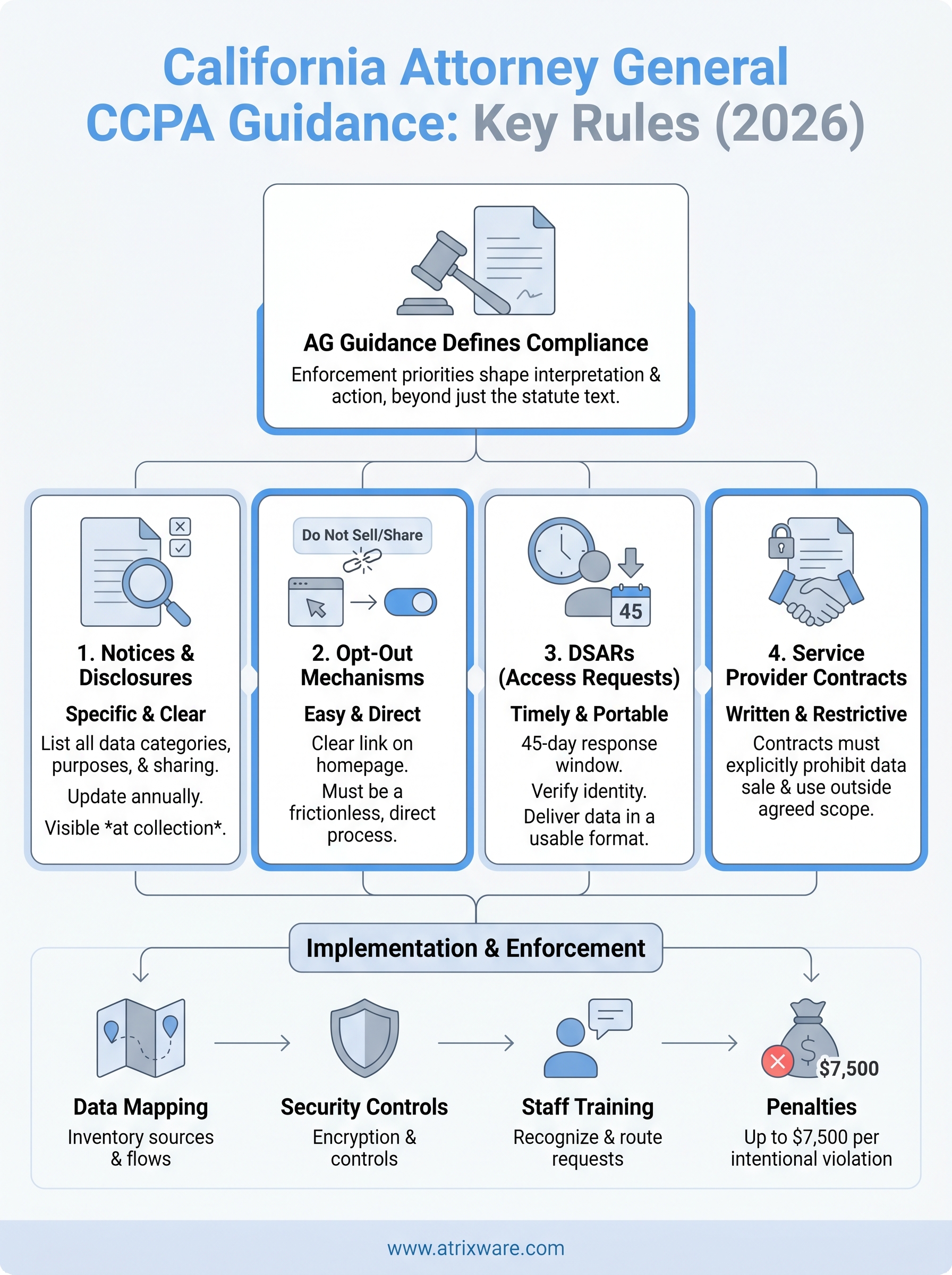
Penalties under CCPA reach up to $7,500 per intentional violation, and the AG has shown no reluctance to pursue businesses that fail to fix documented problems. Each unaddressed consumer request, each missing disclosure, and each deficient service provider agreement can count as a separate violation, which means costs accumulate quickly at scale.
Your compliance team also needs to account for reputational exposure. AG settlement documents are public records, and news coverage of CCPA enforcement actions has increased steadily since 2020, making violations visible well beyond the regulatory audience.
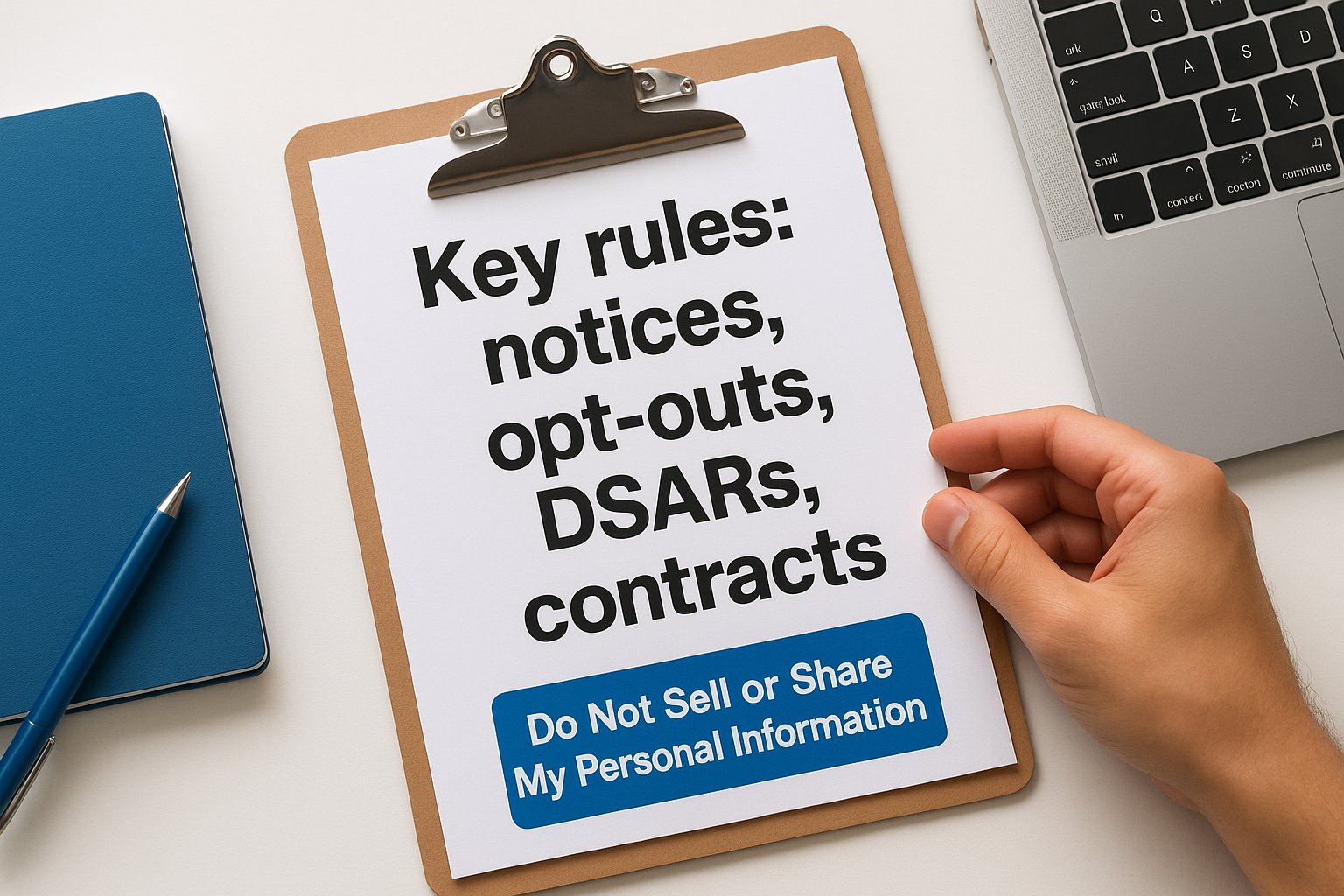
Key rules: notices, opt-outs, DSARs, contracts
The california attorney general ccpa guidance establishes four core compliance areas that the AG’s office has consistently flagged in enforcement actions. Understanding the specific requirements in each area helps you build a compliance program that reflects what regulators actually check, rather than what the law describes in general terms.
Required notices and disclosures
Your privacy policy must do more than exist. It needs to list every category of personal information you collect, identify the business or commercial purpose for collecting it, and disclose whether you sell or share that data. The AG’s regulations require this notice to appear at or before the point of collection, not buried in a lengthy document that consumers must seek out on their own.
Businesses that serve California residents must also update their privacy policies at least once every 12 months to reflect any changes in data practices. The AG’s enforcement actions consistently cite outdated policies and vague category descriptions as violations, so specificity matters here.
Opt-out mechanisms
You must give consumers a clear, easy way to opt out of the sale or sharing of their personal information. The AG’s rules require a prominent link labeled "Do Not Sell or Share My Personal Information" on your homepage. That link must lead directly to an opt-out mechanism, not a general privacy page.
If your opt-out process requires more than a few steps, it likely fails the AG’s standard for a frictionless consumer experience.
Data subject access requests (DSARs)
When a consumer submits a DSAR, you have 45 days to respond, with a possible 45-day extension if you notify the consumer in writing. The AG’s regulations specify that you must verify the requestor’s identity without collecting more information than necessary, and you must deliver the requested data in a portable, usable format rather than requiring the consumer to log into your system to retrieve it.
Service provider contracts
Any vendor that processes personal data on your behalf must sign a written contract that restricts how they use that data. The AG’s rules require that service provider agreements explicitly prohibit the vendor from selling personal information or using it outside the scope of the services you hired them to provide.
How to implement: data mapping, security, training
Knowing what the california attorney general ccpa guidance requires is only half the job. The harder part is building internal processes that consistently meet those requirements across your organization. Three implementation areas cover the bulk of what regulators look for when they evaluate whether a business takes CCPA seriously: data mapping, security controls, and staff training.
Data mapping
You cannot disclose what you collect, honor deletion requests, or restrict vendor access if you don’t know where your data lives. A data inventory maps every personal information type your organization collects, the source of that data, its purpose, where it is stored, and which third parties receive it. Start with your highest-volume data flows, such as customer accounts, learner records, and HR files, then document vendor relationships that touch each data type.
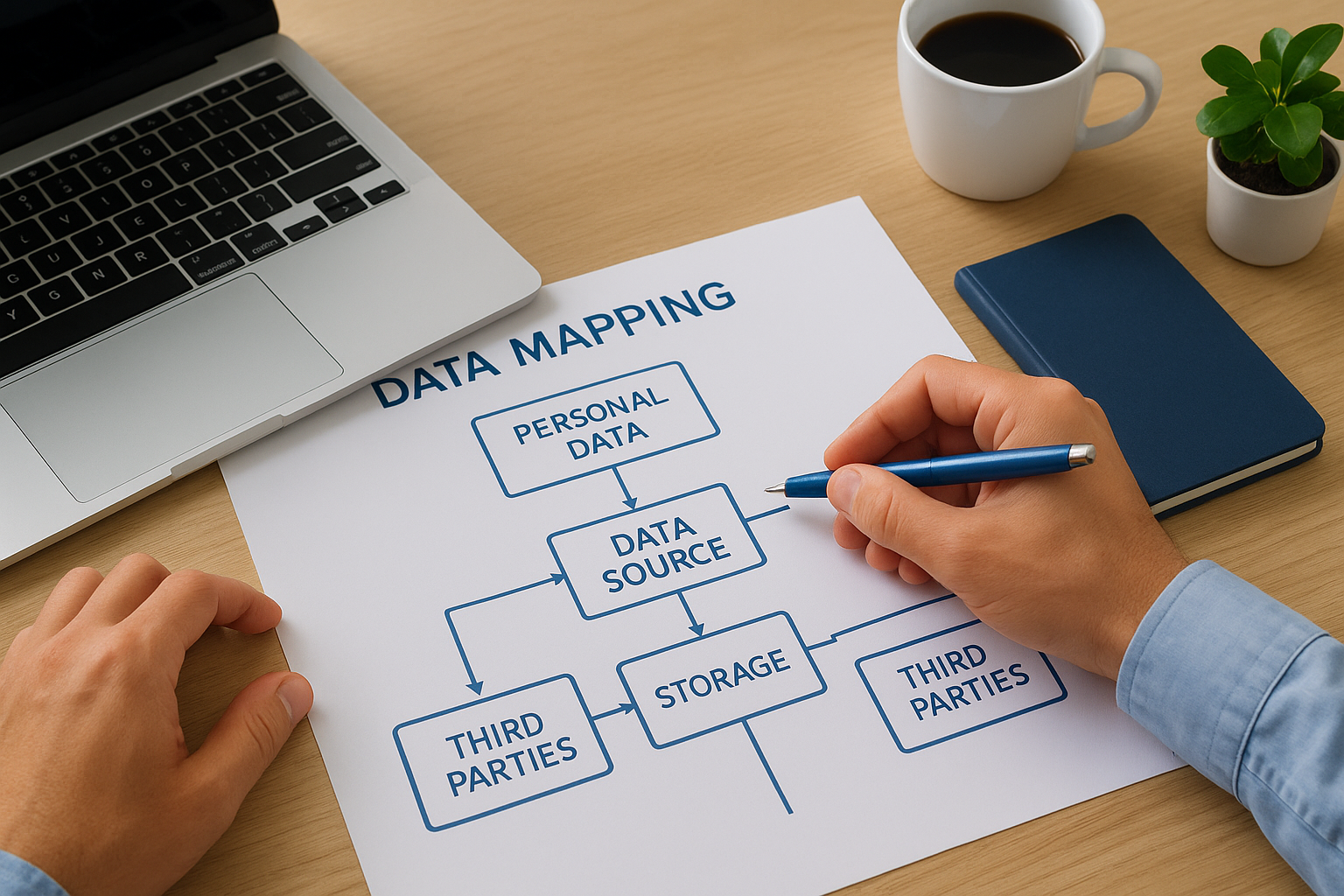
A complete data map is the foundation of every other compliance step; without it, your privacy policy and DSAR responses will both be unreliable.
Update your inventory any time you add a new data source, system, or vendor. Static inventories become liabilities fast, especially as your training programs scale.
Security controls
The CCPA requires reasonable security practices to protect personal information, and AG enforcement actions have cited inadequate security as a compounding factor in broader violations. At minimum, your program should include access controls, encryption for stored and transmitted data, and a documented incident response plan that covers breach notification timelines.
Conduct regular vulnerability assessments on systems that hold personal information. If you use a learning management system to store learner data and training records, confirm that the platform applies encryption, supports role-based access controls, and maintains audit logs for administrator activity.
Privacy training
Your staff needs to know how to recognize a data subject request, where to route it, and what your response timeline requires. Train every team member who touches personal data, not just your legal or compliance department. Refresh that training annually or whenever your data practices change.
Document your training program thoroughly. Regulators view evidence of ongoing staff training as a signal that your compliance program is substantive rather than just a policy sitting on paper.
2026 checklist for HR and training teams
HR and training teams occupy a position that california attorney general ccpa guidance treats as especially sensitive: you process personal data from employees, learners, and sometimes external partners at the same time. The checklist below maps directly to the compliance priorities the AG’s office has flagged through enforcement actions, settlement documents, and published regulations, so you can verify your program covers what regulators actually look for rather than what you assume they want.
Your training program itself needs to be compliant, not just the courses you build about compliance.
Data and vendor readiness
Start by confirming that your data inventory covers every system your team uses, including your LMS, HR platform, assessment tools, and any third-party integrations that receive learner or employee records. For each system, verify that a written service provider agreement restricts how that vendor can use the personal information it processes on your behalf, and that the contract includes explicit language prohibiting the resale of that data.
- Confirm all vendors have signed CCPA-compliant data processing agreements
- Verify your LMS stores learner data with encryption and role-based access controls
- Review your data inventory for any new data sources added since your last audit
- Check that your privacy policy lists every learner and employee data category you collect
Learner rights and response workflows
Your team needs a documented process for receiving and routing data subject access requests from both learners and employees. Confirm that your intake method, your identity verification step, and your 45-day response timeline are all written down and assigned to named staff members. Run a test DSAR through your process at least once per year to catch gaps before a real request reveals them.
- Document who receives DSARs and who signs off on final responses
- Confirm your response tracking tool captures the 45-day window and any extensions
- Verify that deletion requests trigger removal from your LMS and all connected systems
- Train every team member who handles learner records on their DSAR responsibilities
- Update your opt-out mechanism if you share learner data with any third-party platform
Next steps for your privacy program
The california attorney general ccpa guidance covered in this article gives you a clear picture of what regulators check and what enforcement actions look like when businesses fall short. Your next move is to turn that understanding into documented, auditable processes across every team that handles personal data. Start with your data inventory, verify your service provider contracts, and confirm your DSAR response workflow has a named owner and a tracked timeline.
Training is where many programs break down, not because the policies are wrong, but because staff lack the knowledge to apply them consistently. If your current LMS does not support the security controls, audit logging, and compliance features you need to protect learner and employee data, that gap puts your program at risk. Take the Axis LMS readiness quiz to find out where your training infrastructure stands and what improvements would close your compliance gaps fastest.
