Remote exams solve a lot of logistical problems, no travel, no scheduling headaches, no renting out a testing center. But they introduce a different challenge: how do you verify that the person taking the test is actually doing it honestly? That’s exactly the problem online proctoring is built to address. It’s a set of tools and methods used to monitor test-takers during remote exams, ensuring the results are legitimate and the process stays fair.
For organizations running compliance training, certification programs, or any assessment where results carry real weight, proctoring isn’t optional, it’s a requirement. At Atrixware, we build Axis LMS to support rigorous training and assessment workflows, including the kind of accountability measures that regulated industries demand. Understanding how online proctoring works helps you choose the right approach for your learners and your compliance obligations.
This article breaks down the core types of online proctoring, live, recorded, and automated, explains how the underlying technology works, and covers the security considerations you should evaluate before rolling it out. Whether you’re proctoring ten employees or ten thousand, the fundamentals covered here will give you a solid foundation for making informed decisions.
What online proctoring is and what it is not
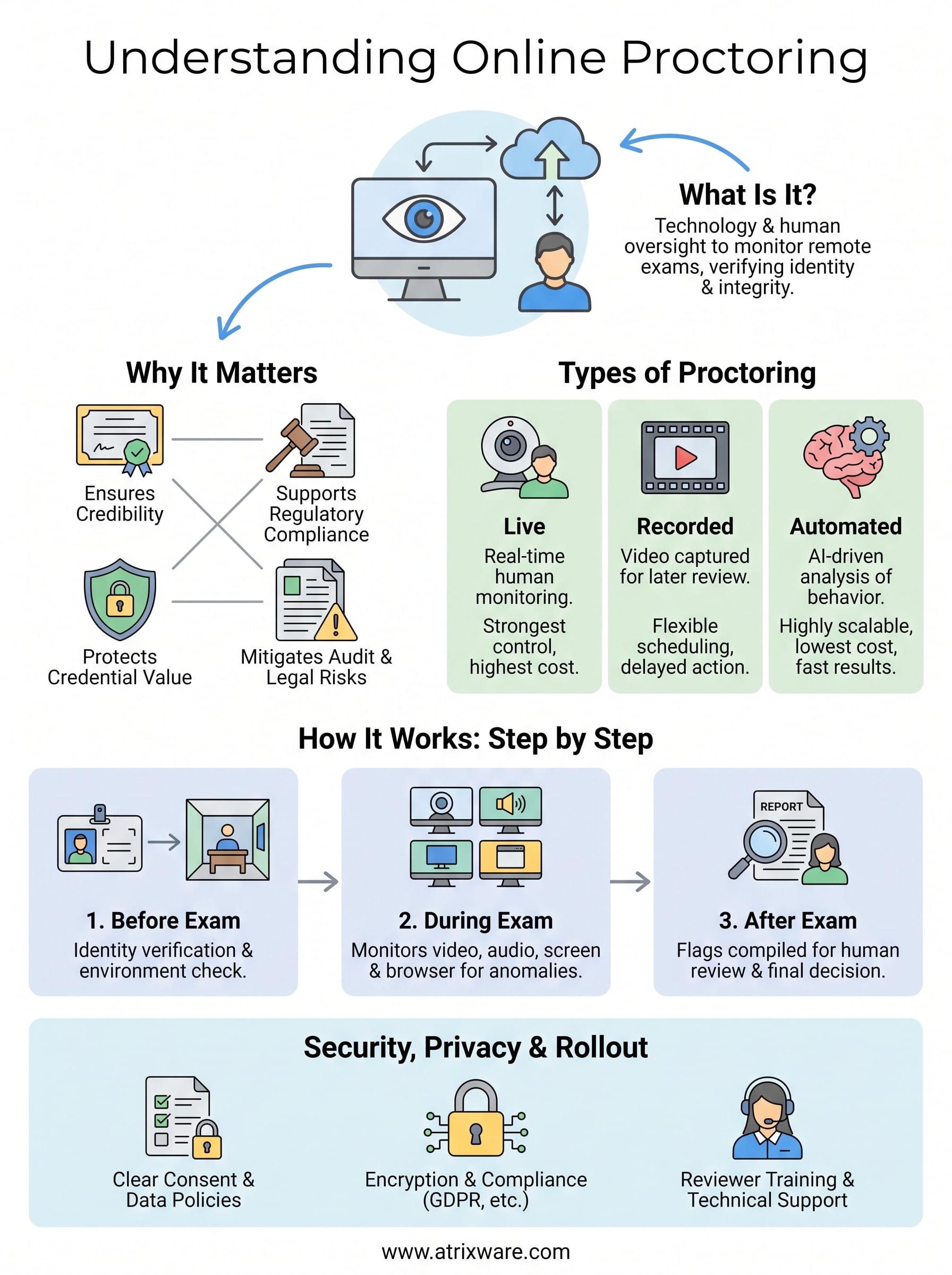
When people ask what is online proctoring, they often picture someone staring at a camera while a stranger watches on the other end. That image isn’t wrong, but it’s incomplete. Online proctoring refers to the use of technology and human oversight to monitor test-takers during remote assessments, verifying identity, detecting rule violations, and preserving the integrity of the exam result. It’s the digital equivalent of having a proctor in the room, adapted for an environment where the room can be anywhere in the world.
The core definition
At its foundation, online proctoring combines identity verification with behavioral monitoring during a remote exam session. Before the test begins, the system confirms who you are, typically by comparing a live image to a government-issued ID. During the exam, it tracks inputs like eye movement, audio levels, screen activity, and browser behavior to flag anything that looks out of place. The flagged data either goes to a human reviewer in real time or gets logged for review after the session ends.
The goal isn’t to catch people cheating; it’s to create conditions where cheating becomes extremely difficult in the first place.
What proctoring is not
Online proctoring is not a surveillance tool designed to invade privacy or treat every test-taker like a suspect. Properly implemented, it monitors only what’s directly relevant to exam integrity, meaning your screen, your audio environment, and your on-camera behavior during the test window. It is also not a replacement for good exam design. If your questions are easily searchable or rely entirely on memorization, proctoring alone won’t produce reliable results.
Your organization may also confuse proctoring with plagiarism detection or content filtering, which are entirely separate functions. Proctoring covers what happens during the exam session itself. It doesn’t evaluate whether a written response was copied from another source after the fact. Keeping that boundary clear helps you build a complete assessment strategy rather than assuming one tool covers every gap in your testing process.
Why online proctoring matters for remote exams
Remote exams give your learners flexibility, but that flexibility creates a credibility problem if you can’t verify the results. Certification outcomes and compliance records carry real consequences in regulated industries, and an unverified exam result puts both your organization and your learners in a difficult position. Understanding what is online proctoring helps you see why this monitoring layer isn’t overhead but the mechanism that makes remote testing defensible.
The stakes of unverified results
When exam results go unverified, the data you rely on to make decisions about readiness, certification, and compliance becomes unreliable. Regulatory bodies and accrediting organizations increasingly require documented proof that assessments were conducted under controlled conditions. Without that documentation, your training program may fail an audit even if every learner completed the coursework in good faith.
An exam result is only as trustworthy as the process that produced it.
Common risks of skipping proctoring include:
- Audit failures when regulators review your training records
- Certificates that carry no weight with external licensing bodies
- Legal exposure if compliance training results can’t be verified
How credibility supports your program’s value
Your learners also have a stake in this. Verified credentials and certificates mean something in the job market and within your organization, and they lose value quickly if the process behind them is perceived as easy to game. Proctoring protects the investment your learners made in completing the training.
Beyond individual learners, your organization’s reputation depends on the integrity of the credentials you issue. A training program known for rigorous, verifiable assessments builds more trust with regulators, partners, and customers than one that relies on the honor system alone.
Types of online proctoring you will see
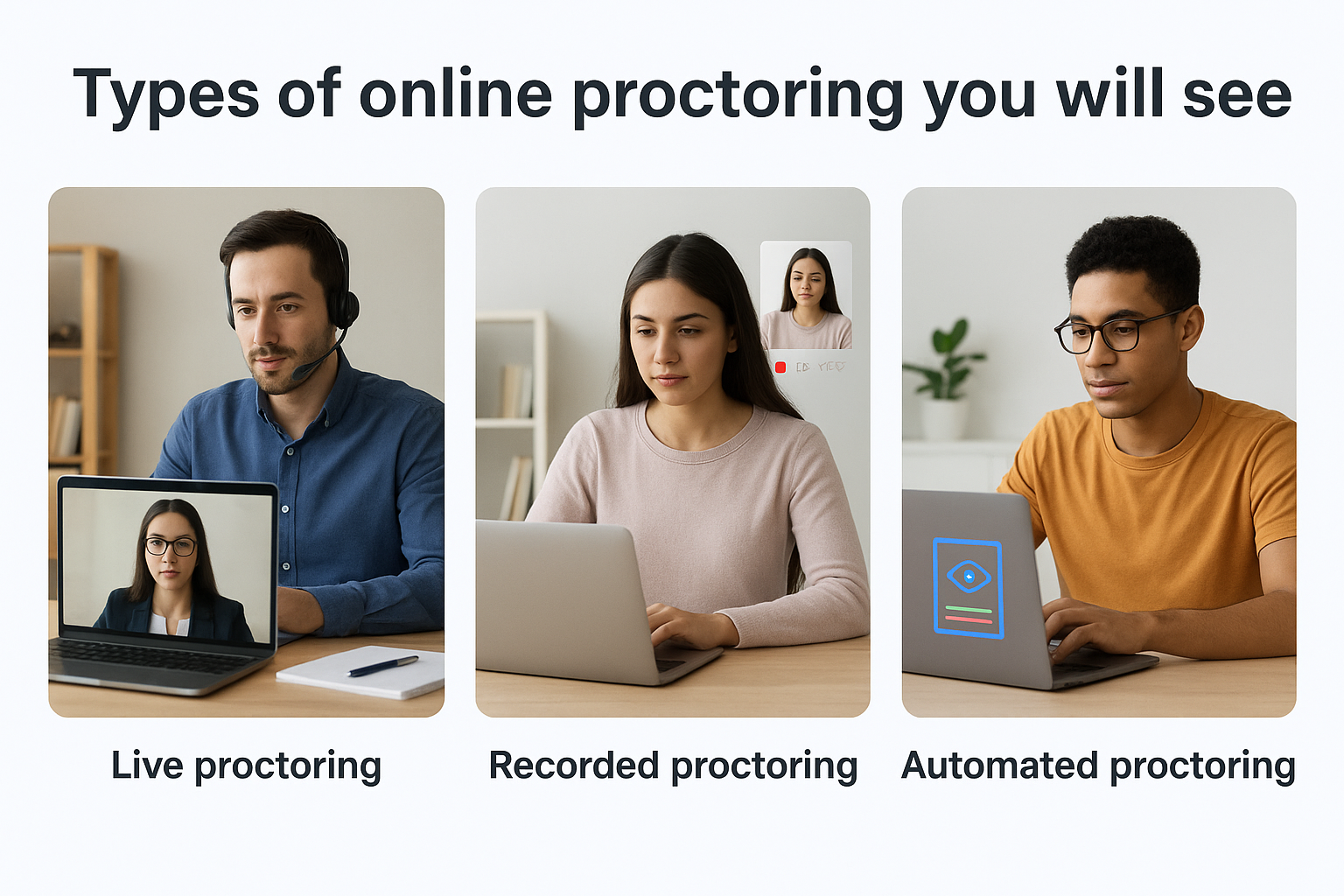
Once you understand what is online proctoring at a conceptual level, the next step is knowing which delivery model fits your program. Three main types exist, and each one balances cost, scalability, and oversight intensity differently.
Live proctoring
Live proctoring connects each test-taker to a human proctor via video during the exam. The proctor watches in real time, intervenes if a rule is broken, and can end the session if the environment becomes unacceptable. This model offers the strongest real-time control, but it requires scheduling coordination and costs scale directly with the number of concurrent test-takers.
Live proctoring works best when:
- Your exam carries high stakes, such as professional licensing or regulatory certification
- Immediate intervention is a requirement rather than a preference
Recorded proctoring
Recorded proctoring, also called asynchronous proctoring, captures video, audio, and screen activity during the exam and sends it to a human reviewer after the session ends. You get thorough documentation without the scheduling constraints of live monitoring.
If your learners span multiple time zones, recorded proctoring often delivers the best balance of oversight and scheduling flexibility.
The core tradeoff is that violations cannot be stopped in real time, only flagged for follow-up once the test is complete.
Automated proctoring
Automated proctoring uses AI to analyze behavioral data during the exam, flagging unusual eye movement, background noise, or browser activity without a human watching live. The model scales to large learner populations at a fraction of the cost of the other two options, and results arrive quickly. It works best when paired with periodic human review of flagged incidents to reduce false positives.
How online proctoring works step by step
Understanding what is online proctoring in practice means tracing the full sequence from setup to review. The process runs across three distinct phases, each with specific actions you and your learners need to complete.
Before the exam starts
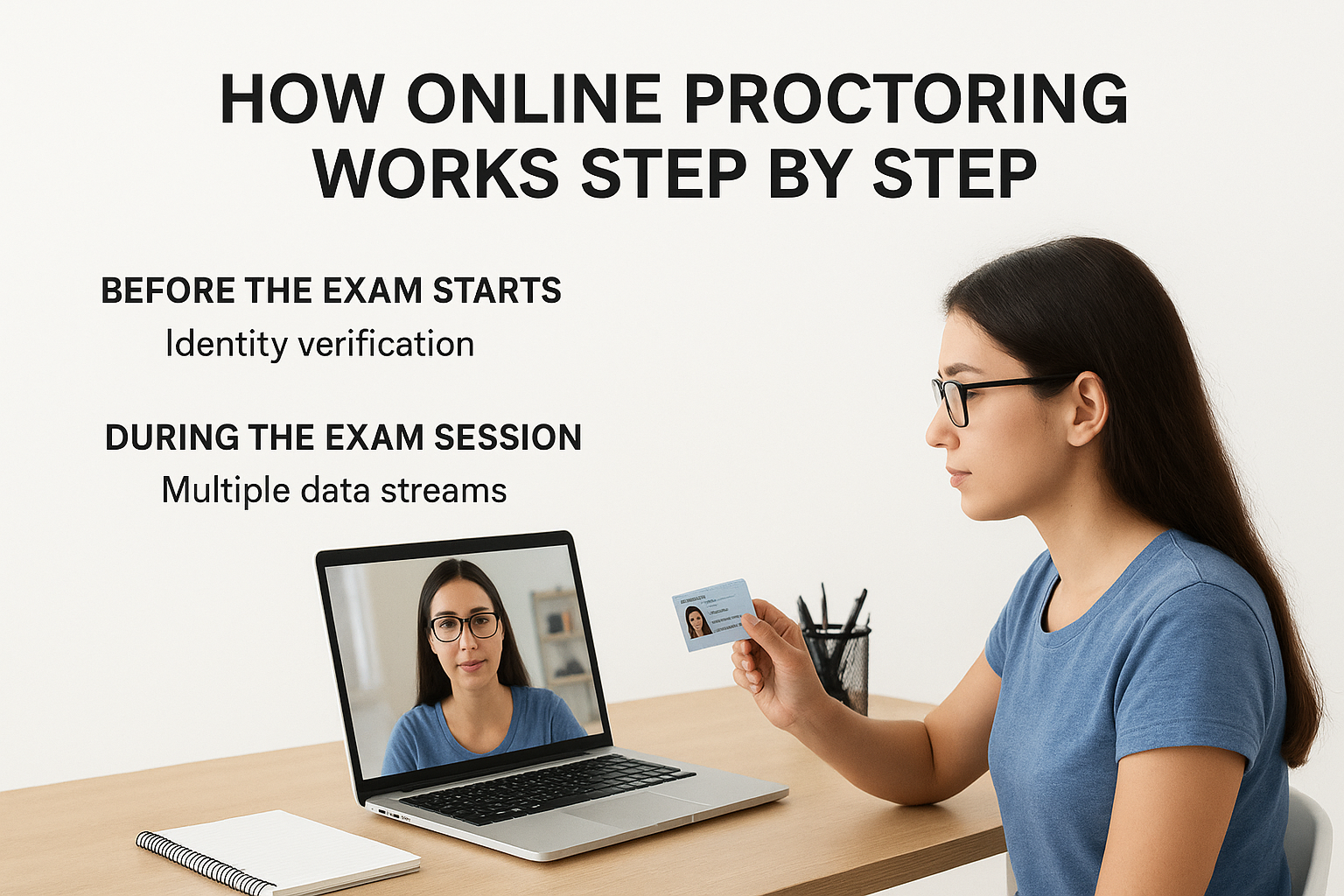
Identity verification happens first. Your learner presents a government-issued ID to a camera, and the system compares that image to a live photo taken at session start. The platform then runs an environment check, scanning the room via webcam to confirm no unauthorized materials are visible and that audio levels fall within acceptable limits.
During the exam session
Once the exam begins, the proctoring system records or monitors multiple data streams simultaneously: webcam video, microphone audio, screen activity, and browser behavior. Any deviation from acceptable parameters, such as a second face appearing on camera or a new browser tab opening, gets flagged automatically by AI tools or noted by a live proctor, depending on which model you selected.
The system isn’t evaluating the answers; it’s evaluating the conditions under which those answers were produced.
After the session ends
For recorded and automated models, flagged incidents are compiled into a review report that your administrators can access once the session closes. A human reviewer then evaluates each flag and decides whether it represents a genuine violation. Your final decision on what action to take, whether that’s invalidating a result or clearing the learner, always rests with your team, not the proctoring software.
Security, privacy, and rollout checklist
Once you understand what is online proctoring, the next question is whether your organization can implement it responsibly. Proctoring collects sensitive data, including biometric identity images, video recordings, and behavioral logs, so your rollout needs to address both security standards and privacy obligations before a single learner sits for an exam.
Data handling and consent
Your learners need to know what data gets collected, how long it’s stored, and who can access it. Clear consent disclosures should appear before the exam session starts, not buried in terms of service. On the storage side, confirm that your proctoring solution encrypts data in transit and at rest and complies with applicable regulations relevant to your industry.
Learners who understand why monitoring occurs are far more likely to engage with the process in good faith.
Common regulations to verify against include:
- GDPR: applies if any learners are based in the EU
- FERPA: applies to educational institutions in the US
- HIPAA: relevant if your training involves protected health information
Checklist before you go live
Running through a structured checklist reduces surprises and protects both your organization and your learners. Before launching proctored exams, verify each of the following:
- Consent flow: Learners acknowledge data collection before the session begins
- ID verification method: Confirmed and tested against your actual learner population
- Data retention policy: Defined retention period and deletion process in writing
- Reviewer training: Staff who review flagged sessions understand your violation criteria
- Accessibility accommodations: Alternative arrangements exist for learners who need them
- Technical support: Help is available during exam windows, not just business hours
Final takeaways
Online proctoring isn’t a complicated concept once you strip it back to its purpose: verify identity, monitor behavior, and protect the integrity of your exam results. Knowing what is online proctoring means understanding that it exists on a spectrum, from live human oversight to fully automated AI monitoring, and your program’s stakes determine where on that spectrum you should land.
Privacy and security aren’t afterthoughts. Consent, data encryption, and regulatory compliance need to be in place before any learner sits for a proctored exam. When you build those foundations correctly, proctoring becomes a credibility asset rather than a burden.
Your training program deserves an assessment process that produces trustworthy results. If you’re ready to see how a purpose-built LMS supports rigorous exam workflows, start your Axis LMS admin demo and explore the tools built for serious training programs.
