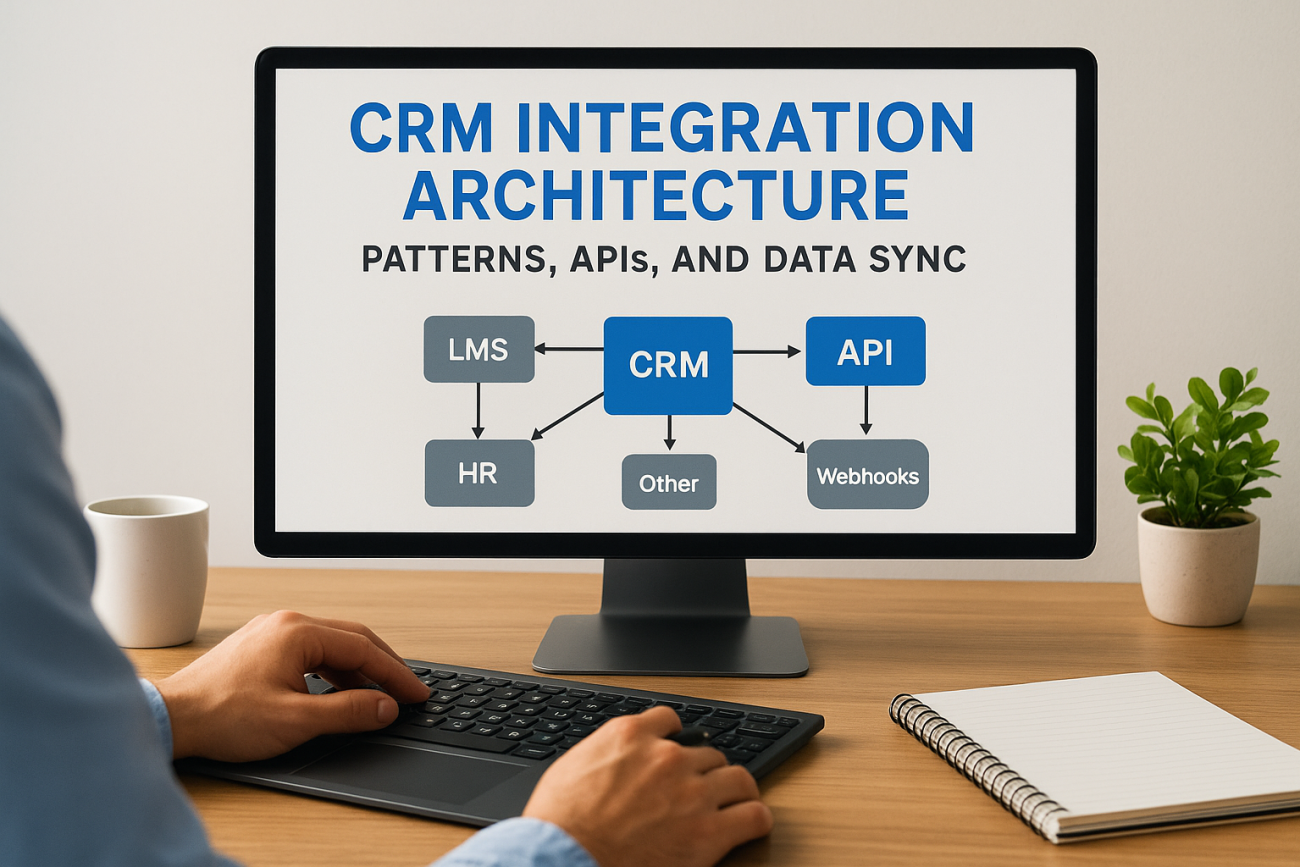
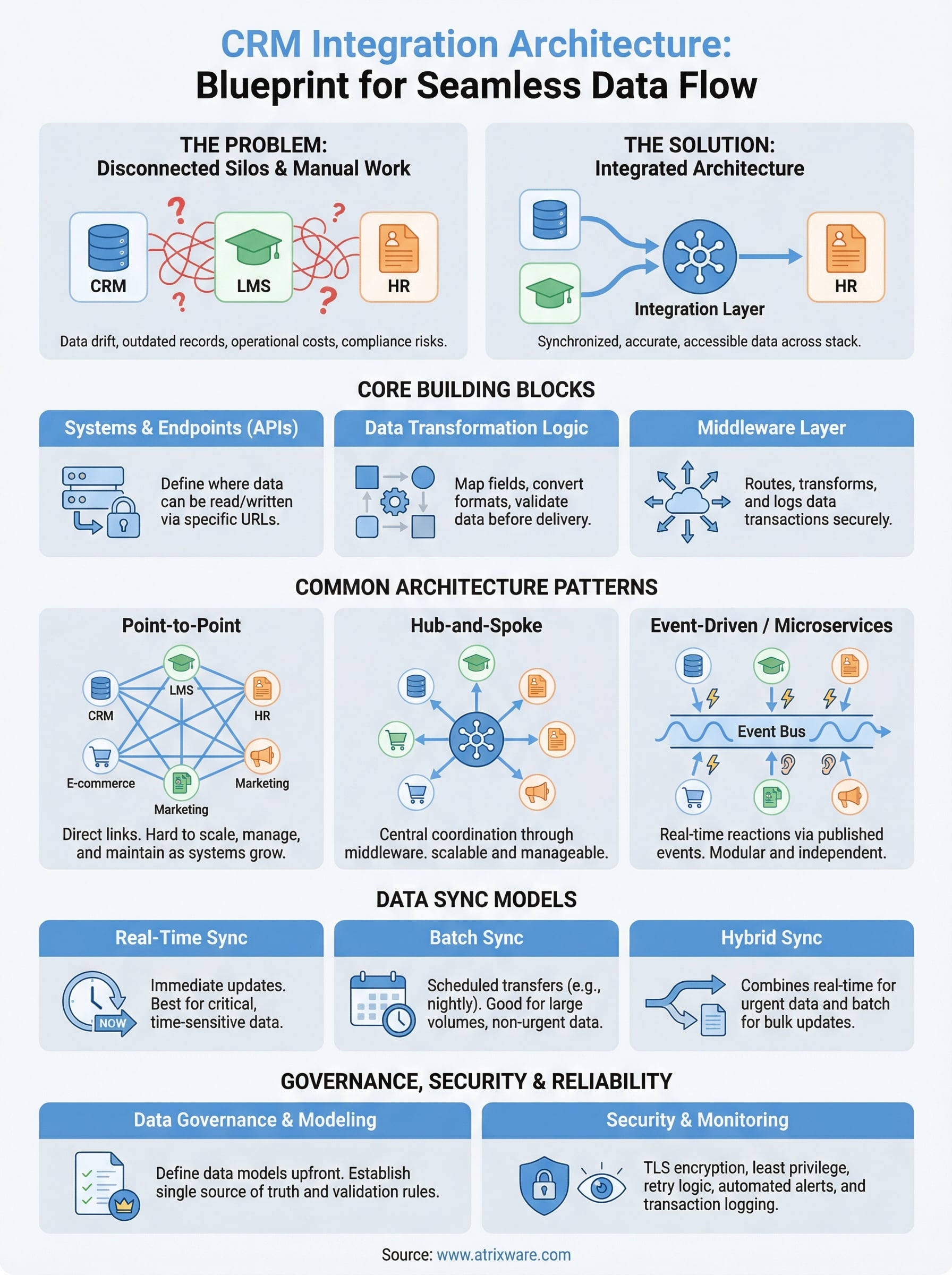
Your CRM holds customer data. Your LMS tracks training progress. Your HR platform manages employee records. But if these systems can’t talk to each other, you’re left copying data between tabs, chasing down outdated records, and making decisions on incomplete information. CRM integration architecture is the structural blueprint that determines how your CRM connects with every other system in your stack, and getting it right means the difference between seamless data flow and a tangled mess of manual workarounds.
At Atrixware, we built Axis LMS with over 5,000 system integrations, including direct connections to CRMs like Salesforce, Zoho, and others, because we’ve seen firsthand what happens when training platforms and customer data live in silos. Organizations lose visibility into which customers completed onboarding, which partners finished certification, and which sales teams actually took compliance training. A well-designed integration architecture eliminates those blind spots by keeping data synchronized, accurate, and accessible where it’s needed.
This article breaks down the core patterns, API strategies, and data synchronization methods that make up a solid CRM integration architecture. Whether you’re connecting a CRM to an LMS, an HR system, or an e-commerce platform, you’ll walk away with a clear understanding of the structural options available, from point-to-point connections to middleware and microservices, along with practical guidance on choosing the right approach for your organization’s scale and complexity.
Why CRM integration architecture matters
When your CRM sits isolated from the rest of your tools, every team that touches customer data pays the price. Sales reps manually export contact lists. HR uploads training completions by hand. Finance reconciles payment records from three different spreadsheets. These aren’t just annoyances, they are operational costs that compound over time, slowing down decisions and creating errors that ripple through your entire customer lifecycle.
The cost of disconnected systems
Disconnected systems create more than friction. They create data drift, where the same customer record looks different in your CRM, your LMS, and your billing platform because updates don’t travel between them. A sales rep closes a deal in Salesforce, but your LMS doesn’t know the customer now needs onboarding training. A compliance officer marks a certification as expired in the HR system, but the CRM still shows the employee as certified. These gaps don’t stay small, they grow into audit failures, missed renewals, and customers who fall through the cracks.
The longer disconnected systems run in parallel, the more expensive and disruptive it becomes to unify them later.
Financial impact is measurable. Teams spend hours each week on manual data entry and reconciliation that integration would eliminate entirely. Errors in customer records lead to failed outreach, duplicate contacts, and incorrect billing. Organizations that rely on multiple disconnected tools also struggle with reporting, because any dashboard drawing from a single system gives you an incomplete picture of the customer journey.
How architecture decisions shape your business outcomes
The decisions you make when designing your CRM integration architecture directly control how scalable and maintainable your systems are long term. A poorly planned integration, like a direct point-to-point connection built without documentation or error handling, works fine until the API changes or your data volume grows. Then it breaks, and no one remembers exactly how it was built or why certain data transformations were applied.
A well-designed architecture gives your team a clear map of how data moves, where it transforms, and who owns each piece of it. When you add a new tool to your stack, you know exactly where it connects. When something fails, you have logging and monitoring in place to catch it fast. When your business grows, your integration layer scales with it instead of collapsing under the load.
This matters especially in environments where training data and customer data need to stay synchronized. Consider a channel partner program where partners must complete product certification before they can sell. If your CRM and LMS don’t share data, you can’t enforce that requirement automatically. You end up relying on manual checks, which means some uncertified partners slip through. The architecture you choose determines whether that enforcement happens at the system level, which is reliable, or at the human level, which is not.
Strong integration architecture also supports compliance and auditing in regulated industries. Healthcare organizations, financial services firms, and any business subject to GDPR or FDA requirements need to demonstrate exactly who accessed what data and when. That kind of accountability requires a structured, documented integration layer, not a patchwork of ad hoc connections built by different people at different times with no shared standards or oversight.
Core building blocks of a CRM integration
Before you can design a CRM integration architecture that works at scale, you need to understand what the integration is actually made of. Every connection between your CRM and another system relies on a set of foundational components that handle data movement, translation, and delivery. Skipping over any one of them is where most integration problems start.
The systems and endpoints involved
Your integration connects at least two systems, but in practice it usually connects several. On one side you have your CRM platform, such as Salesforce or Zoho, which holds contact records, deal stages, and account data. On the other side you have systems like your LMS, HR platform, e-commerce store, or marketing automation tool. Each system exposes endpoints, specific URLs or interfaces where data can be read, written, or updated. Understanding what endpoints each system offers, and what authentication method they require, is the first step before you write a single line of integration logic.
Data objects and transformation logic
Data rarely moves from one system to another in a format both sides understand natively. Your CRM might store a user’s name as FirstName and LastName as separate fields, while your LMS expects a single FullName field. Your HR system might assign a numeric employee ID while your CRM uses an email address as the unique identifier. Transformation logic handles these mismatches by converting, mapping, and validating data before it reaches its destination.
Getting your data mapping right before you build saves far more time than fixing mismatched records after the fact.
You also need to define which fields are authoritative in each system. If a user updates their phone number in the CRM and also in the LMS, your architecture needs a clear rule about which system wins. Without that rule, you get conflicting updates that overwrite good data with stale data.
The middleware layer
The middleware layer sits between your source and destination systems and handles the actual work of routing, transforming, and delivering data. This could be an integration platform, a custom-built service, or a combination of both. Its job is to receive data from one endpoint, apply the transformation logic you defined, and push the result to the correct destination while logging every transaction so you can audit or debug what happened.
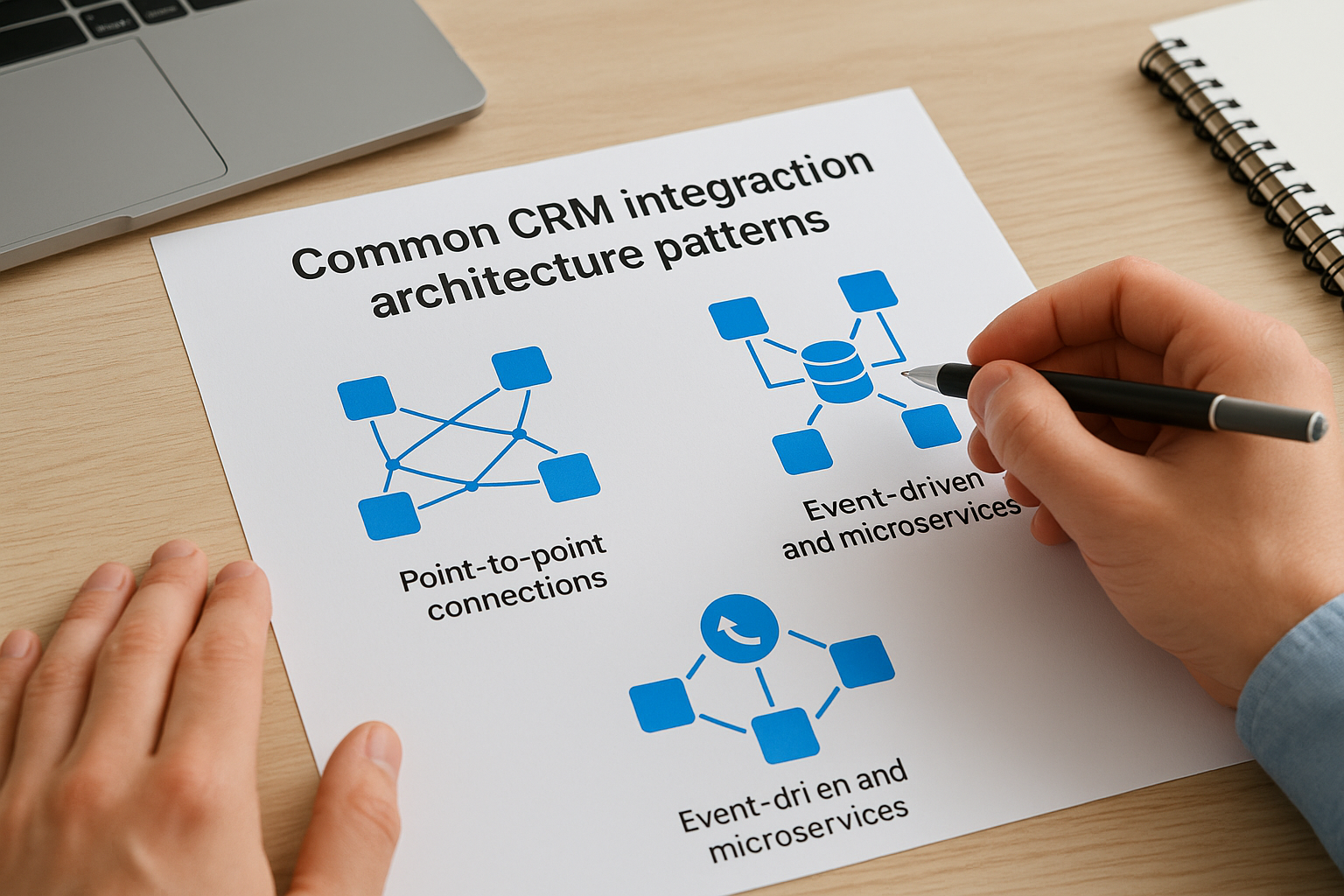
Common CRM integration architecture patterns
The structural pattern you choose for your CRM integration architecture shapes everything that comes after it, including how you debug failures, how you add new systems, and how your integrations hold up as your data volume grows. There are a few distinct patterns in wide use, and each one fits a different level of complexity.
Point-to-point connections
A point-to-point connection is the simplest pattern: you build a direct link between two systems, like a CRM and an LMS, and data moves between them without passing through any intermediate layer. This approach works well when you have only two or three systems to connect and your data flows are straightforward. The trade-off is that each new system you add requires a new direct connection, and the total number of connections grows fast. With five systems, you’re managing ten potential connections. With ten systems, that number jumps to forty-five.
The more point-to-point connections you build, the harder the entire architecture becomes to maintain when any single system changes its API or data format.
Hub-and-spoke with middleware
The hub-and-spoke pattern solves the scaling problem by routing all data through a central middleware layer that acts as the single point of coordination. Your CRM connects to the hub once. Your LMS connects to the hub once. Every other system connects to the hub once. When data needs to move from the CRM to the LMS, the middleware handles the routing, transformation, and delivery without requiring a direct connection between those two systems. This makes adding new systems much cheaper because you only build one new connection to the hub instead of one for every existing system.
Event-driven and microservices patterns
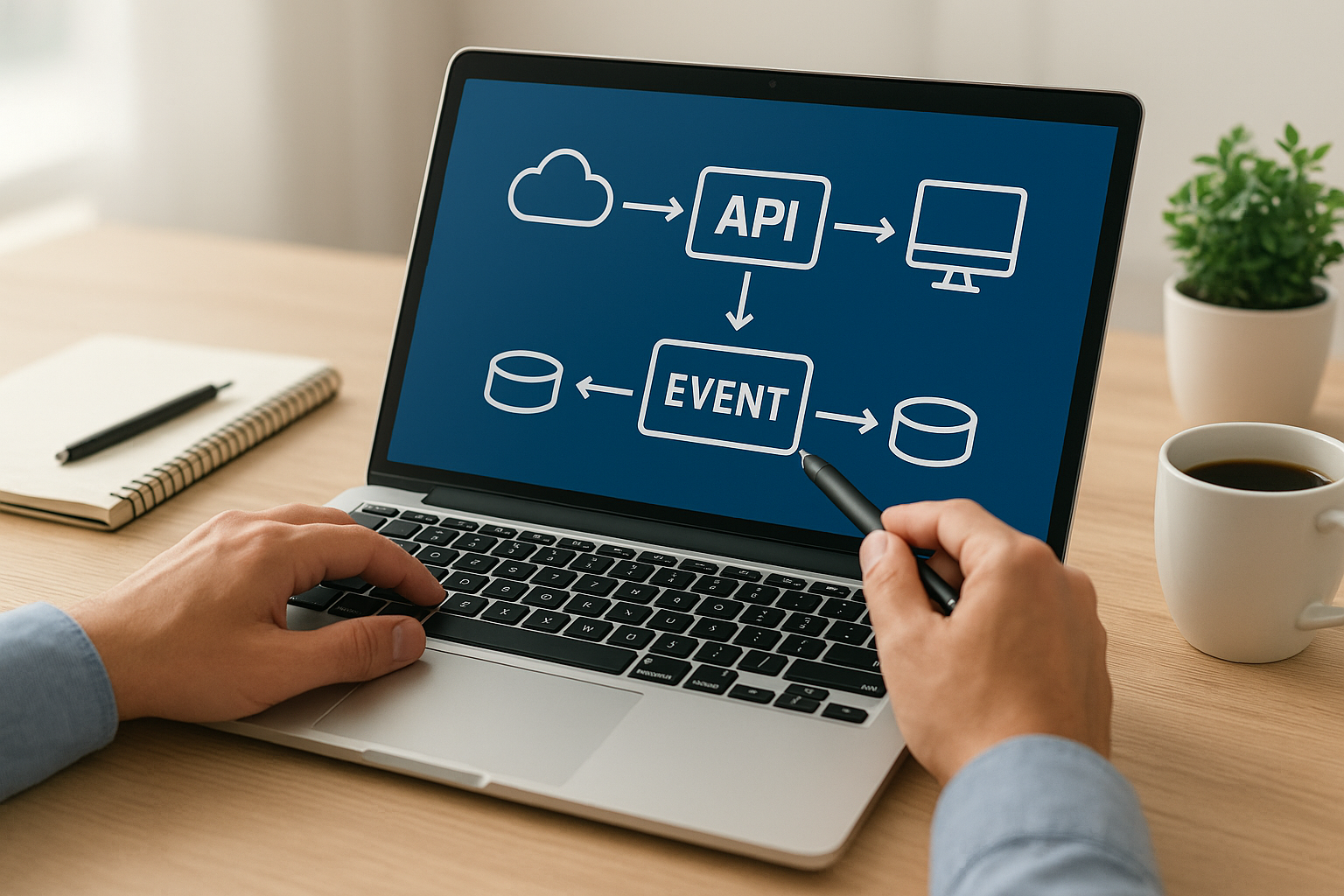
An event-driven pattern shifts the architecture from scheduled data transfers to real-time reactions. When something happens in your CRM, like a contact completing a purchase, that event triggers an action in another system, like enrolling that contact in an onboarding course in your LMS. Each system publishes events and subscribes to events from other systems, which keeps data synchronized without polling or batch delays. A microservices approach takes this further by breaking integration logic into small, independent services that each handle one specific task, making it easier to update or replace individual pieces without disrupting the rest of the architecture.
APIs and events that connect your systems
The specific mechanism your systems use to exchange data determines how fast, reliable, and maintainable your CRM integration architecture actually is. Two systems might both support integration, but if one communicates through a REST API and the other expects incoming webhooks, you need to understand what each mechanism does before you wire them together. Choosing the wrong approach leads to delays, missed updates, and unnecessary complexity that becomes harder to unwind as your stack grows.
REST APIs: the foundation of CRM data exchange
A REST API lets one system request data from another using standard HTTP methods like GET, POST, PUT, and DELETE. When your LMS needs to check whether a contact exists in your CRM, it sends a GET request to the CRM’s API endpoint and receives a structured response, typically in JSON format. When a new learner completes an onboarding course, your LMS can send a POST request to the CRM to update that contact’s record with a completion timestamp and certification status. Most major CRM platforms, including Salesforce and Zoho, publish detailed REST API documentation that defines exactly what endpoints are available and what data each one accepts or returns.
REST APIs give you precise, on-demand control over data reads and writes, but they require your system to initiate every request, which means you only get updates when you ask for them.
Webhooks: letting systems push updates in real time
Webhooks flip the communication model. Instead of your system polling the CRM repeatedly to check for changes, the CRM pushes a notification to a URL you specify the moment a defined event occurs, such as a deal closing, a contact being created, or a field being updated. Your receiving endpoint processes that payload immediately, which keeps your downstream systems current without wasted API calls or polling delays. This is the mechanism behind most real-time enrollment and deprovisioning workflows in LMS and CRM connections.
Authentication and rate limits
Every API call your integration makes needs to be authorized, and most CRM platforms enforce OAuth 2.0 or API key authentication to verify that only trusted systems can read or write data. Alongside authentication, you need to account for rate limits, which cap how many requests your integration can send within a given time window. A poorly designed integration that fires API calls in rapid bursts will hit those limits fast, causing failures that drop data silently if you don’t build in retry logic and error handling from the start.
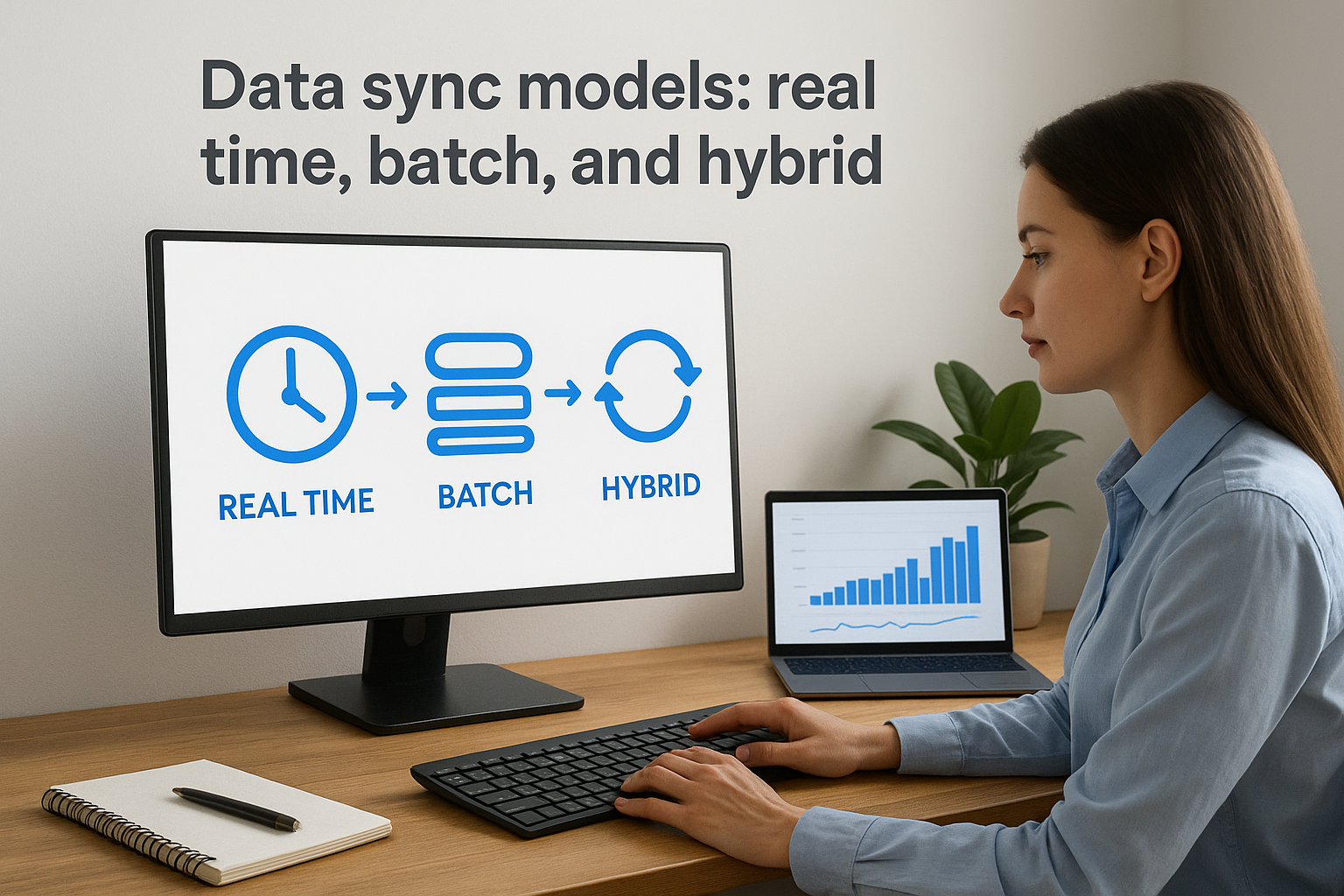
Data sync models: real time, batch, and hybrid
Not every data update needs to arrive in seconds, and not every system can handle the load of continuous synchronization. The model you choose for moving data between your CRM and connected platforms determines how current your records stay and how much strain your integration puts on each system. Matching the right sync model to each data flow is one of the more consequential decisions in a well-designed CRM integration architecture.
Real-time sync
Real-time sync delivers data updates the moment they happen, with no queuing delay between the triggering event and the record update on the receiving end. When a customer completes a product certification in your LMS, a real-time sync pushes that status to your CRM immediately so your sales team sees accurate certification data before their next call. This model fits situations where stale data creates a direct business problem, such as access control, compliance enforcement, or customer-facing workflows where timing matters.
Real-time sync gives you the most current data possible, but it also means any instability in one system can propagate failures to connected systems instantly if you don’t build in proper error handling.
Batch sync
Batch sync collects data changes over a defined window, typically hourly, nightly, or weekly, and then transfers them all at once. This model works well for non-urgent data like monthly training completion reports, payroll exports, or historical record updates where a few hours of lag has no meaningful impact on operations. Batch sync also puts less continuous load on your API rate limits because it consolidates many updates into a single scheduled transfer rather than firing individual requests throughout the day.
Your systems don’t need to stay online and responsive to each other continuously with this model, which makes it more tolerant of brief outages and scheduled maintenance windows on either side of the connection.
Hybrid sync
A hybrid model combines both approaches by routing time-sensitive data through real-time sync and lower-priority data through scheduled batch jobs. You might sync new contact enrollments and certification completions in real time while pushing detailed training history logs through a nightly batch. This gives you the responsiveness where it counts without overloading your systems or exhausting API quotas on data that doesn’t require immediate delivery.
Data modeling and governance for clean CRM data
A well-built crm integration architecture can still produce bad outcomes if the underlying data is inconsistent, duplicated, or poorly defined. Data modeling and governance are the disciplines that keep your CRM records accurate and trustworthy across every system that reads from or writes to them. Without explicit rules around how data is structured and who owns it, integrations that run perfectly at a technical level will still deliver misleading or conflicting information to the teams that rely on it.
Define your data model before you build
Your data model defines the fields, formats, and relationships that every connected system must agree on before data starts moving. This means deciding upfront what a "contact" looks like across your CRM, LMS, and HR platform, including which fields are required, what data types each field accepts, and how records from different systems get matched to each other. A common matching key, such as an email address or employee ID, prevents the same person from appearing as multiple records in your CRM after a sync runs.
Defining your data model before you build prevents the kind of structural debt that forces you to re-architect integrations after thousands of records have already been corrupted by mismatched formats.
Before your first integration goes live, document the fields each system exposes, the canonical format you’ll enforce for each one, and any transformation rules required to normalize data coming from non-standard sources.
Establish ownership and validation rules
Every shared data field needs a single authoritative source, the one system whose value wins when a conflict occurs. If your HR platform and your CRM both store a user’s job title and they ever differ, your architecture must know which one to trust. Assigning ownership per field and per record type removes ambiguity and prevents sync loops where two systems keep overwriting each other’s updates.
Validation rules enforce data quality at the point of entry, rejecting or flagging records that arrive malformed before they reach your CRM. Set rules that reject phone numbers with invalid character counts, flag contacts with missing required fields, and alert administrators when a sync pushes a record that fails format checks. Catching errors at the boundary of your integration keeps problems contained rather than letting them spread across every system in your stack.
Security, reliability, and monitoring essentials
A crm integration architecture that moves data accurately but without protection is only half-built. Every connection between your CRM and another system creates a potential attack surface, a potential failure point, and a gap in your audit trail. Designing security, reliability, and monitoring into your architecture from the start costs far less than retrofitting those controls after a breach or an outage forces your hand.
Protecting data in transit and at rest
All data moving between your integrated systems needs TLS encryption in transit to prevent interception during transmission. At rest, sensitive fields like contact records, payment data, and training histories should use encryption standards your organization’s compliance requirements specify, such as AES-256. On top of encryption, every service that touches your integration layer should operate on the principle of least privilege, meaning each connection only gets access to the specific data and endpoints it needs to do its job, and nothing more.
Granting overly broad API permissions is one of the most common and avoidable ways that integration layers become a liability during a security audit.
You also need to rotate API credentials and tokens on a defined schedule and store them in a secrets management tool rather than hardcoding them into your integration scripts. Credentials embedded in code get exposed when repositories are shared or misconfigured, and that single mistake can compromise every system your integration touches.
Building for reliability and fault tolerance
Your integration layer needs to handle failures gracefully rather than dropping data silently when a downstream system is unavailable. Build in retry logic with exponential backoff so that a temporary outage on one side doesn’t cause a permanent data gap. Use a message queue or dead-letter queue to hold failed records until they can be reprocessed, and set alerts to notify your team when records accumulate in that queue beyond a defined threshold.
Monitoring and alerting your integration layer
Visibility into what your integration layer is doing at any given moment prevents small failures from becoming large ones. Log every transaction your integration processes, including the source, destination, timestamp, and outcome, so you can reconstruct exactly what happened when something goes wrong. Set up automated alerts for failure rates, latency spikes, and API rate limit approaches so your team catches problems before they affect the teams relying on that data downstream.
How to design and implement your architecture
Designing a CRM integration architecture requires you to work through a sequence of decisions before you write any code or configure any connections. Jumping straight into building integrations without a documented plan leads to the exact problems described throughout this article: conflicting data, brittle connections, and no clear ownership when something breaks. Following a structured design process upfront gives you a reusable blueprint that holds up as your stack evolves.
Start with a system inventory
Your first step is listing every system involved in your integration, what data each one owns, and what direction that data needs to flow. For each system, document the available API type (REST, webhook, batch export), the authentication method, and any rate limits that apply. This inventory becomes your reference point for every architectural decision that follows.
Here is a simple starting framework for your inventory:
| System | Data it owns | API type | Auth method | Sync direction |
|---|---|---|---|---|
| CRM | Contacts, deals | REST | OAuth 2.0 | Bidirectional |
| LMS | Enrollments, completions | REST + Webhooks | API key | CRM pulls from LMS |
| HR platform | Employee records | Batch export | SFTP | One-way to CRM |
Completing this table before you build anything surfaces incompatibilities and ownership conflicts early, when fixing them is cheap.
Map your data flows before you build
Once you know what each system holds, draw the data flows explicitly, showing which fields move between which systems, what transformations apply, and which system holds authority for each field. This mapping exercise forces you to resolve conflicts like duplicate identifiers or mismatched field formats before they corrupt your production data.
Your data flow map should also identify which events trigger each sync, whether that is a webhook firing on record creation, a scheduled batch job running nightly, or a user action in your LMS pushing a completion status to your CRM in real time.
Validate before you scale
Before you connect your production systems, run your integration against a staging environment with realistic test data. Confirm that your transformation logic handles edge cases like missing required fields or duplicate records without failing silently. Once your integration passes that testing phase, roll it out gradually by enabling it for a small subset of records first, monitoring your logs closely, and expanding only after you confirm the outputs match expectations across every connected system.
Where to go from here
A solid crm integration architecture is not a one-time project. It is a foundation you build deliberately, starting with a clear system inventory, then layering in the right patterns, sync models, and governance rules before you scale. Every decision you make at the design stage, from choosing between point-to-point connections and middleware to defining authoritative data ownership, determines how much time your team spends maintaining the integration versus using the data it delivers.
If your organization needs to connect training data with customer records, the next step is evaluating whether your current LMS can actually support the integration depth your architecture requires. Axis LMS connects with over 5,000 systems, including major CRMs, and gives you REST API access, webhooks, and a native integration builder to wire your stack together without custom development overhead. Take the LMS readiness quiz to see where you stand today.
