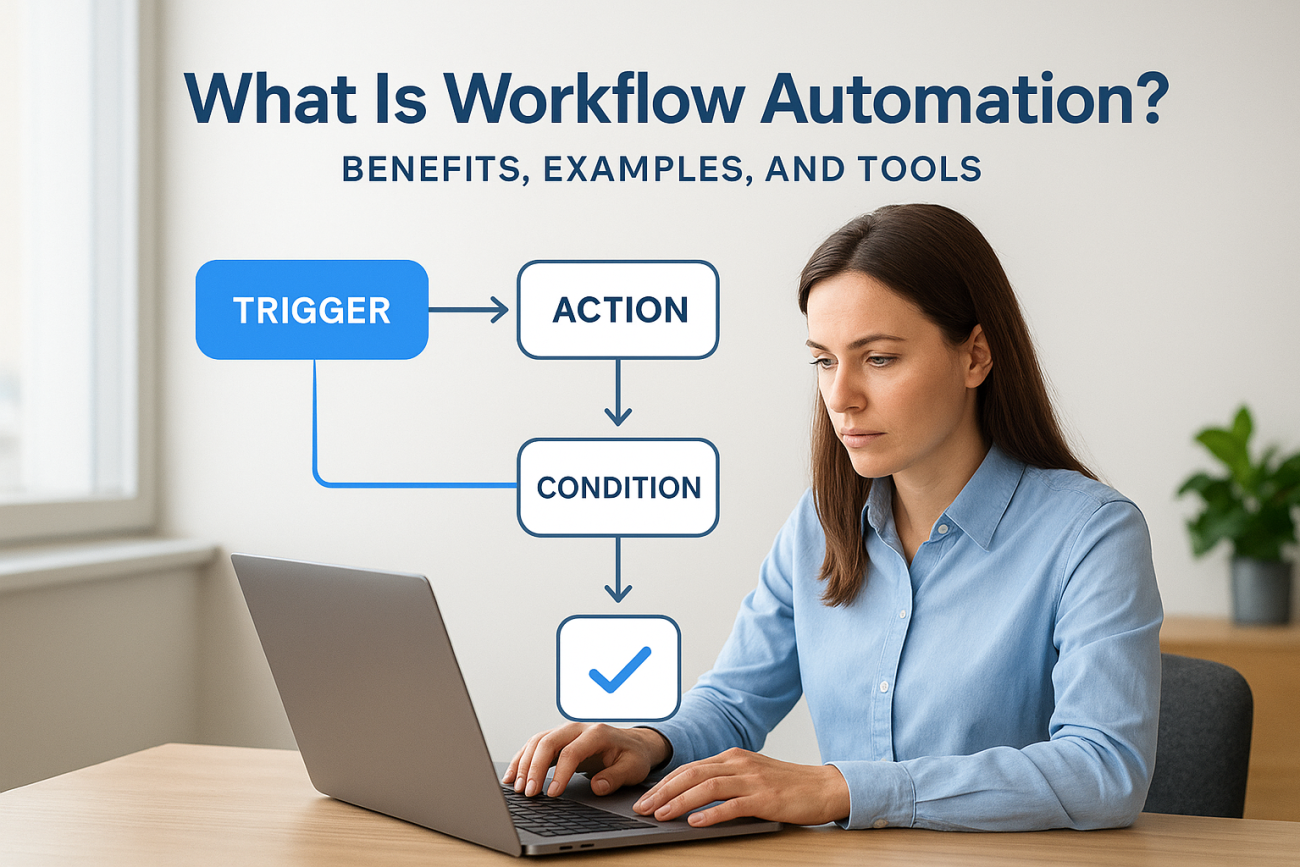
Every business runs on repeatable processes, approving requests, assigning tasks, sending notifications, tracking progress. When those processes depend on someone remembering to do them manually, things fall through the cracks. So what is workflow automation, exactly? It’s the practice of using software to execute routine tasks and processes automatically, based on predefined rules, without requiring human intervention at every step. It replaces the copy-paste, the follow-up emails, and the spreadsheet tracking that slow your teams down.
At Atrixware, we build workflow automation directly into Axis LMS because training is one of the most process-heavy functions in any organization. Think about it: assigning courses to new hires, sending completion reminders, generating compliance reports, triggering re-certifications, none of that should require someone manually checking boxes. Our customers use these automated workflows every day to keep training programs running without constant oversight.
This article breaks down how workflow automation works, the concrete benefits it delivers, real-world examples across different business functions, and the tools that make it possible. Whether you’re exploring automation for the first time or evaluating where it fits into your existing operations, you’ll walk away with a clear, practical understanding of what workflow automation can do, and where to start.
Why workflow automation matters
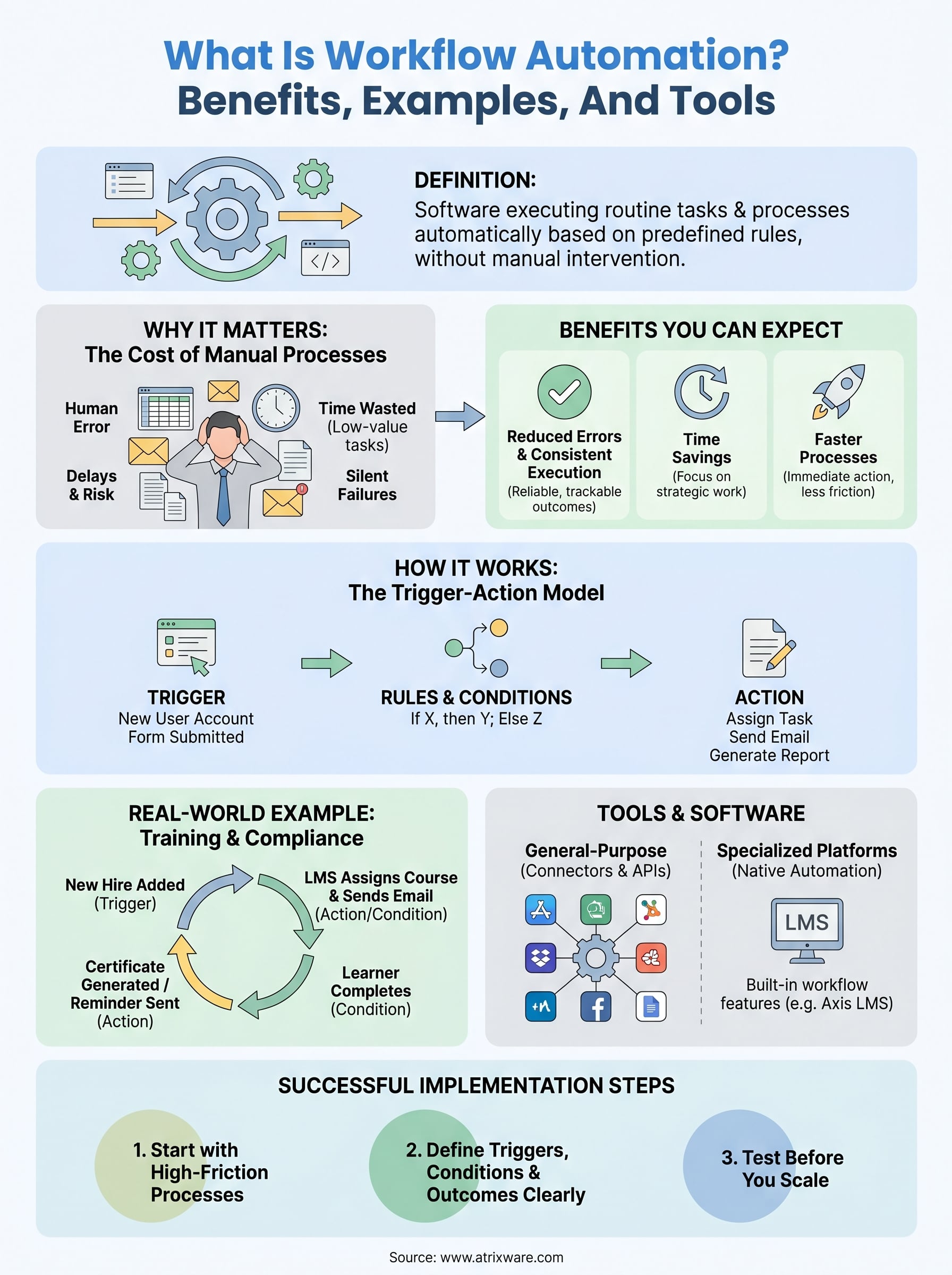
Understanding what is workflow automation starts with recognizing what happens without it. Most organizations run on a combination of emails, spreadsheets, shared documents, and individual memory to keep their processes moving. That approach works when your team is small and the workload is manageable. But as your organization scales, the manual handoffs multiply, the coordination overhead grows, and the gaps in your processes become harder to ignore. Tasks get dropped, deadlines slip, and your team ends up spending significant time on work that adds no strategic value.
The cost of manual processes
Manual processes are expensive in ways that don’t always appear in a budget report. Every time a task depends on someone remembering to take action, you introduce delay and risk. A new employee sits idle because no one has manually assigned their onboarding training. A compliance officer runs the same report by hand each month because no system does it automatically. A manager sends the same follow-up email to the same group every week because there’s no trigger to handle it. These inefficiencies don’t exist in isolation – they accumulate into hours of wasted effort and compounding errors.
Research published by McKinsey Global Institute found that roughly 60% of occupations have at least 30% of their activities that could be automated using current technology. That’s not a projection about future job displacement. It’s a description of work that people are doing right now, manually, that software could handle in seconds. When your team spends hours each week on low-judgment, repetitive tasks, that’s time they’re not spending on work that actually requires their expertise.
The question for most businesses isn’t whether they have automatable processes – it’s how many hours per week they’re losing by not automating them.
Where automation closes the gap
Workflow automation removes the dependency on human memory and individual action. When a condition is met, the system acts. A form submission triggers a task assignment. A course completion triggers a certificate. A missed deadline triggers a reminder. The process runs the same way every single time, regardless of team size, staff turnover, or how many competing priorities your team is managing simultaneously.
That consistency also makes problems visible. When an automated step fails, it fails in a way you can see and track. Manual processes fail silently. The follow-up email that never went out, the task that no one picked up, the report that was never generated, these go unnoticed until something downstream breaks. Automation replaces silent failure with visible, trackable outcomes that you can act on quickly.
Why training programs need automation most
Training is one of the most process-intensive functions in any organization. You’re managing course assignments, completion tracking, certification renewals, compliance deadlines, and learner communications, often across large and distributed workforces. Doing any of that manually at scale stretches your team thin and introduces exactly the kind of inconsistency that creates compliance risk and administrative drag.
When you automate your training workflows, you shift from reactive to consistently reliable. Courses get assigned the moment a new hire enters the system. Reminders go out automatically before certifications expire. Reports reach the right people without anyone having to pull and format data. Your training program runs continuously, not just when someone on your team has the bandwidth to manage it. That reliability produces better learner outcomes, cleaner compliance records, and far less overhead for the people responsible for keeping it all running.
How workflow automation works
At its core, what is workflow automation comes down to a simple mechanic: when one thing happens, another thing happens automatically. You define the rules upfront, and the system follows them without further input from you. No reminders, no manual handoffs, no checking whether someone took action. The process runs on its own, governed entirely by the logic you set.
The trigger-action model
Every automated workflow starts with a trigger, an event or condition that sets the process in motion. A new user account gets created, a form gets submitted, a deadline passes, a course gets completed. Each of these events signals the system to do something next. That next action might be sending an email, assigning a task, updating a record, generating a report, or kicking off an entirely separate workflow. You stack these trigger-action pairs together to build a complete process that moves from start to finish without manual intervention.

The trigger-action model is what separates automation from simple task management: instead of someone deciding what to do next, the system already knows.
Rules and conditions
Most workflows aren’t purely linear. You often need the system to behave differently based on specific conditions. If a learner passes an assessment, send a certificate. If they fail, send a remediation prompt and restart the module. These conditional branches are what give workflow automation its real power, because they allow you to handle variation without anyone monitoring the process.
Conditions can be based on data values, user attributes, time elapsed, or the outcome of a previous step. You can build complex logic that accounts for different user groups, departments, or compliance requirements, all within a single workflow. The system evaluates those conditions at runtime and routes each instance appropriately.
Where automation connects to your existing tools
Workflow automation doesn’t operate as a standalone layer disconnected from your other systems. Modern automation tools connect directly to the software you already use, whether that’s your HR platform, CRM, email service, or LMS. Data flows between systems automatically based on the rules you’ve configured. A new hire added in your HR system can trigger course assignments in your LMS, which then triggers a welcome email, all without anyone touching a keyboard.
Microsoft’s Power Automate documentation describes this connection model well: connectors and APIs bridge your existing tools so that data and actions move between them in real time. The underlying mechanics vary by platform, but the principle stays the same, your systems talk to each other so your team doesn’t have to.
Benefits you can expect from automation
Once you understand what is workflow automation and how it works, the next question is practical: what does it actually deliver? The benefits aren’t abstract. They show up in measurable ways, in hours saved, errors reduced, and processes that run reliably without anyone monitoring them. Organizations that automate their core workflows consistently report gains across time, accuracy, and team capacity.
Reduced errors and consistent execution
Manual processes introduce human error at every handoff. Someone forgets to send the email, enters the wrong date, or skips a step because they were handling three other tasks at once. Automation eliminates those gaps entirely because the system follows the same logic every single time. There’s no variation based on who’s available, how busy the team is, or whether someone remembered to check the shared spreadsheet.
Consistency is what makes automation valuable at scale: every instance of a process runs identically, regardless of volume or team turnover.
Consistent execution also reduces your compliance risk. When your training assignments, certification renewals, and compliance reports run automatically, you stop relying on someone to remember a deadline. The process happens when it’s supposed to, and you have a record that it did.
Time savings your team actually feels
The hours your team spends on repetitive, low-judgment tasks add up fast. Sending the same notification, running the same report, assigning the same courses to every new user, each of these takes only minutes individually but consumes real capacity across a week or a month. Automation returns that time to your team so they can focus on work that requires actual judgment and expertise.
This isn’t just about efficiency in the abstract. When your training administrators stop manually tracking course completions and start reviewing reports that automation generates for them, they have time to improve content, support learners, and build better programs overall. That shift in how your team spends its time has compounding value.
Faster processes from start to finish
Automated workflows move faster than manual ones because they don’t wait. There’s no delay between a trigger and the system’s response, no inbox to check, no approval to chase, no handoff to coordinate. The moment a condition is met, the next step executes.
Faster onboarding, faster compliance tracking, faster reporting all reduce the lag between when something needs to happen and when it actually does. Your team moves faster, your learners get what they need sooner, and your organization operates with less friction overall. That speed advantage compounds the more processes you bring under automation.
Real-world workflow automation examples
Understanding what is workflow automation becomes concrete when you see it running in actual business contexts. Automation isn’t limited to one department or one type of process; it applies anywhere your team executes the same sequence of steps more than once. Below are the most common areas where businesses put automation to work and what those workflows actually look like in practice.
HR and employee onboarding
When a new hire gets added to your HR system, a chain of steps needs to follow: accounts created, equipment requested, training assigned, managers notified. Without automation, each of those steps depends on someone in HR or IT remembering to take action. With automation, the new user record triggers every downstream step automatically. Your LMS receives the new hire’s data, assigns the correct onboarding courses based on department or role, and sends the learner a welcome message with login instructions.
Onboarding automation reduces the time-to-productivity gap for new employees by ensuring nothing in the process gets delayed or skipped.
No one has to manually check whether the right courses were assigned or whether the new hire received their access credentials. The workflow handles it the moment the trigger fires, every single time.
Compliance training and certification renewals
Compliance workflows are where automation delivers some of its clearest value. Certification deadlines don’t move, and missing them carries real consequences. When you automate your compliance training cycle, the system tracks each learner’s certification expiry date and sends reminder notifications automatically at defined intervals before the deadline. If a learner completes the required training, the system logs the completion, updates their record, and generates a certificate without anyone intervening.

For organizations subject to regulatory requirements like FDA 21 CFR Part 11 or GDPR, this kind of automated audit trail isn’t just convenient. It’s essential for demonstrating compliance during an audit, and it only exists reliably when the process runs automatically rather than depending on manual documentation.
Sales and customer onboarding
Several things need to happen quickly when a new customer signs a contract: access provisioned, training content assigned, success contacts introduced. Manual coordination between your sales, customer success, and training teams creates delays that hurt the customer’s early experience with your product. Automation connects those handoffs directly. A closed deal in your CRM triggers course assignments in your LMS, sends a welcome sequence, and notifies the right internal team members without anyone coordinating over email.
Your customers start their onboarding faster, your team avoids duplicated effort, and the process runs the same way for every new account regardless of how many you’re handling at once.
Tools and software for workflow automation
Knowing what is workflow automation is only half the picture. Choosing the right tool determines how much of your process you can actually automate and how much effort it takes to build and maintain those workflows. The market covers a wide range, from general-purpose platforms that connect hundreds of different apps to purpose-built systems designed for specific functions like training management. Your choice should reflect which processes you’re targeting and how tightly those automations need to connect with your existing tools.
General-purpose automation platforms
General-purpose platforms are built to connect the applications your organization already uses and move data between them based on rules you define. Microsoft Power Automate is one of the most widely adopted tools in this category, offering pre-built connectors for hundreds of enterprise applications and a visual interface for building multi-step workflows without writing code. These platforms work well for cross-functional processes that span multiple systems, like routing a form submission from your website through your CRM and into your HR platform automatically.

General-purpose automation tools deliver the most value when your process cuts across multiple systems and departments rather than living entirely within one platform.
The tradeoff with general-purpose tools is that they require you to configure and maintain every connection between your systems. If your stack changes, your workflows need updating. They’re powerful, but they work best when someone on your team can own the configuration and troubleshoot when integrations break.
Specialized platforms built for specific functions
Some of the most effective automation happens inside platforms built specifically for the work you’re doing. An LMS with native workflow automation handles training-specific triggers, like course completions, certification expiries, and assessment results, without requiring you to bolt on a separate automation tool. Axis LMS automates course assignments, sends learner notifications, generates compliance reports, and tracks re-certifications entirely within a single system, which reduces both setup complexity and points of failure.
Specialized platforms give you tighter control over the logic relevant to your domain. The triggers, conditions, and actions are designed around the actual workflows you’re managing, so you spend less time adapting general tools to fit your specific process and more time getting value from automation that already works the way your team works.
How to implement workflow automation successfully
Understanding what is workflow automation in theory doesn’t translate directly into results. The way you implement automation matters as much as the decision to do it. Organizations that start without a clear plan often build workflows that are hard to maintain, don’t connect to the right systems, or solve problems that weren’t the most pressing ones to begin with. A structured approach gives you automation that works reliably and grows with your organization.
Start with your highest-friction processes
The best place to begin isn’t the most complex workflow you have. Start with the process that creates the most manual work or the most visible errors right now. For most organizations, that means onboarding, compliance tracking, or routine notifications, processes that run frequently, follow a consistent pattern, and currently depend on someone remembering to act. Document exactly how the process runs today, every step, every handoff, and every decision point, before you touch any automation tool.
This documentation step matters more than most people expect. When you write out the process in detail, you surface the conditions and exceptions that your automation needs to handle. You can’t automate a process you don’t fully understand, and gaps in your documentation become gaps in your workflow logic.
Map the process on paper before you build it in software – the clarity you get from that step saves significant rework later.
Define your triggers, conditions, and outcomes clearly
Once you know the process, specify the automation logic precisely. Identify what event starts the workflow, what conditions determine the path it takes, and what the final outcome looks like when it completes successfully. Be specific. "Send a reminder when a certification is about to expire" isn’t a complete trigger definition. "Send a reminder 30 days before the expiry date, and again at 7 days, only to learners who haven’t yet completed the renewal course" is a complete one.
Vague logic produces inconsistent automation. The more precisely you define each element of your workflow before you build it, the less troubleshooting you’ll do after it’s live.
Test before you scale
Before you roll out any automated workflow to your full team or user base, run it with a small group first. Check that every trigger fires correctly, every condition routes as expected, and every outcome matches what you documented. Look for edge cases, users who don’t fit the standard pattern, and verify the workflow handles each scenario correctly.
Scaling a broken workflow multiplies the problem. A small test gives you a controlled environment to find and fix issues before they affect everyone.
What to do next
Now you have a clear picture of what is workflow automation, how it works, and where it delivers real results. The next step isn’t to automate everything at once. Pick one high-friction process, document it completely, and build a workflow that handles it reliably every time. Once that first workflow is running, you’ll see exactly where automation earns its keep and where to expand next. Start small, prove the value, and build from there.
Training is one of the most process-heavy functions in any organization, and it’s also one of the most automatable. Axis LMS gives you native workflow automation built specifically for training management, covering course assignments, compliance tracking, certification renewals, and learner communications, all without requiring a separate tool or custom development. If you’re ready to see how it works in practice, start your Axis LMS admin demo and explore the automation features your training program can start using today.
