
Blended learning combines face-to-face instruction with online activities, and Moodle is one of the most widely adopted platforms for making it work. If you’re exploring Moodle blended learning, you’re likely trying to figure out how to structure courses that balance in-person sessions with digital content, without losing learner engagement along the way. It’s a practical challenge that thousands of educators and training teams face every day.
Moodle offers a flexible open-source foundation for blended programs, but flexibility can also mean complexity. Choosing the right model, configuring your course structure, and keeping learners on track requires more than just uploading materials and hoping for the best. Getting the setup right from the start saves significant time and prevents the kind of disorganized experience that drives learners away instead of pulling them in.
This article breaks down the core blended learning models supported by Moodle, walks through setup essentials, and covers best practices drawn from real implementation experience. At Atrixware, we build Axis LMS to help organizations deliver and manage training at scale, so we understand what it takes to run effective blended programs. Whether you’re committed to Moodle or still evaluating your LMS options, the strategies here will give you a solid framework to build on.
What blended learning looks like in Moodle
In a Moodle blended learning setup, the platform acts as the connective tissue between what happens in the room and what learners do on their own time. Your Moodle course site holds the resources, activities, and communication threads that tie both environments together. Instead of treating online content as an add-on to classroom sessions, blended design treats both channels as equally intentional parts of the learning experience.
The course as a central hub
Moodle organizes content into sections or topics, which makes it straightforward to map your course structure to a weekly schedule or a module-by-module sequence. Each section can hold pre-session readings, video content, quizzes, or post-session reflection activities. This means learners know exactly where to go before and after each in-person meeting, which reduces confusion and builds consistency across the program.
When learners can predict the rhythm of a course, they stay more engaged and fall behind less often.
Your Moodle site also stores the communication record for the course, including forums, announcements, and messaging. Keeping all communication in one place prevents the common problem of learners missing updates because information is scattered across email threads, chat apps, and handouts.
Synchronous and asynchronous activity layers
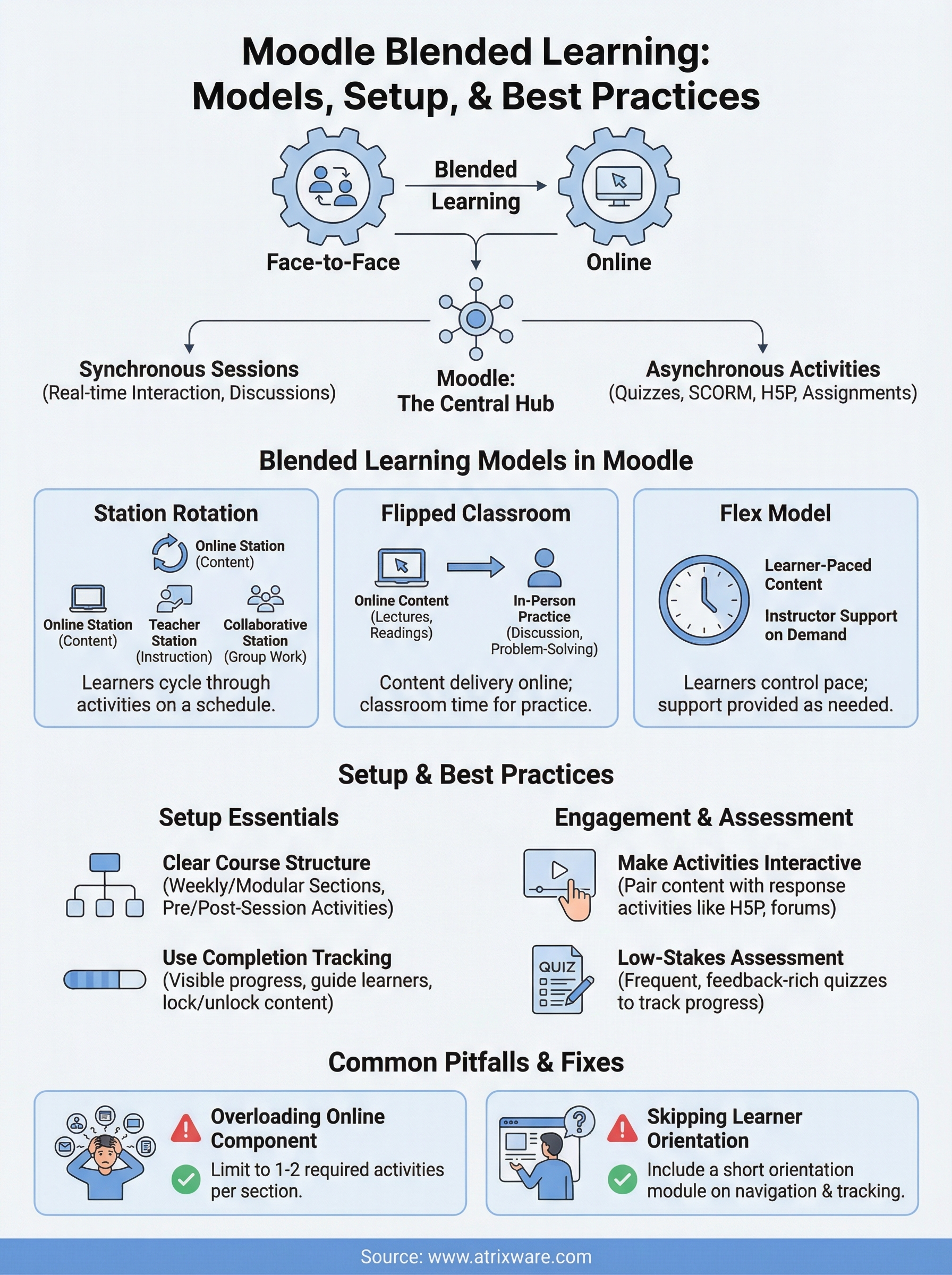
Face-to-face sessions handle the work that benefits from real-time interaction: discussions, demonstrations, Q&A, and collaborative problem-solving. Moodle supports the asynchronous layer with tools like quizzes, assignments, SCORM packages, and H5P interactive content that learners complete independently between sessions. This division of labor lets instructors use classroom time for higher-order activities rather than information transfer.
Moodle also integrates with video conferencing tools, so virtual synchronous sessions can sit alongside in-person ones without requiring a separate system. That flexibility matters when your learner group includes people in different locations or working different schedules.
Blended learning models that work in Moodle
Not every blended model fits every program, so choosing the right structure before you start building in Moodle saves you significant rework later. Three models in particular map cleanly onto Moodle’s course architecture and give you a solid starting point.
Station rotation
In a station rotation model, learners cycle through different activities, some online and some in-person, on a structured schedule. Moodle supports this well because you can organize each station’s digital content into its own course section, with clear instructions and activities ready when learners arrive at the online station.
This model works especially well for training programs where learners have varied skill levels and benefit from moving at slightly different paces.
Flipped classroom
The flipped classroom puts content delivery online and reserves face-to-face time for practice and discussion. In Moodle, you assign video lectures, readings, or interactive H5P activities before each session so learners arrive prepared. This is one of the most widely used approaches in Moodle blended learning because Moodle’s assignment and quiz tools make it straightforward to confirm that learners completed pre-work before each session.

Flex model
With the flex model, learners control their own pace while an instructor provides support on demand. Moodle’s conditional access features let you unlock content progressively, so learners move through material without skipping foundational steps, regardless of how fast or slow they move.
How to set up blended learning in Moodle
Before you build anything in Moodle, map your course flow on paper first. Decide which content goes online, which activities belong in the classroom, and how the two connect. Jumping straight into Moodle’s interface without that plan leads to disorganized sections and a poor learner experience that undermines the whole program.
Build your course sections first
Open Moodle and create one section per week or module, then give each section a clear label that tells learners exactly what to expect. Pre-session tasks like readings or videos go at the top of each section, and post-session activities like quizzes or reflection assignments sit below. That consistent layout removes guesswork and makes navigation feel effortless.
A predictable course structure lets learners spend their energy on the content, not on figuring out where to click next.
Use completion tracking to guide learners
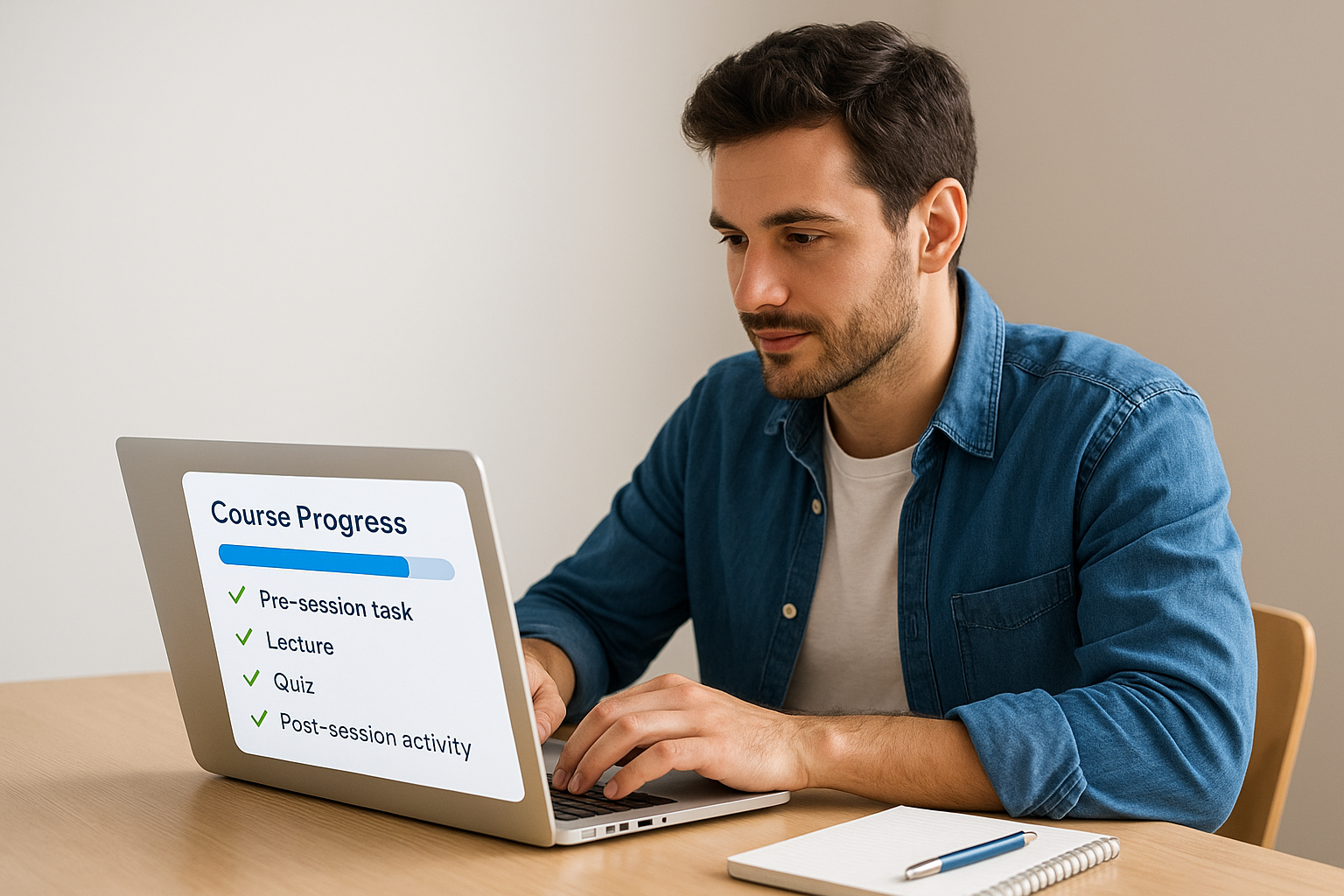
Moodle’s activity completion settings let you define exactly what counts as done, whether that means viewing a resource, submitting an assignment, or passing a quiz. Enabling course-level completion tracking gives learners a visible progress indicator throughout your moodle blended learning program. This feature also gives you clean data on who is keeping up and who needs a check-in before your next in-person session. Pairing completion tracking with Moodle’s conditional access lets you lock advanced content until learners finish foundational steps first.
Best practices for engagement and assessment
Keeping learners engaged in a moodle blended learning program takes more than good content. Intentional activity design and consistent assessment checkpoints keep both the online and in-person components pulling in the same direction.
Make online activities count
Passive video-only content loses learner attention fast. Pair each piece of content with an activity that requires a response, whether that’s a quiz, a forum post, or a reflection prompt. Moodle’s H5P tool lets you embed interactive questions directly inside videos so learners engage with the material rather than just watch it.
Forum discussions work well for bridging sessions. Assign a discussion prompt before each classroom meeting and ask learners to respond to at least one peer. You get natural talking points for in-person time, and learners see that their online contributions actually matter.
If an online activity doesn’t require learners to produce something, reconsider whether it belongs in your course.
Use low-stakes assessment frequently
Frequent low-stakes quizzes between sessions give learners consistent feedback without high-stakes pressure. Moodle’s quiz settings let you control attempts, time limits, and feedback timing so you decide exactly when learners see their results.
Reviewing quiz data before each classroom meeting helps you adjust your in-person agenda based on where learners actually struggled. This turns assessment into a planning tool, not just a grading mechanism.
Common pitfalls and how to fix them
Most problems in a moodle blended learning program trace back to the same few mistakes. Catching them early means you can fix them before learners disengage or completion rates drop far enough to cause real concern.
Overloading the online component
Piling too many activities into the online portion is the most common setup error. When learners face multiple videos, quizzes, and forum posts before a single session, they either rush through or skip content entirely. Limit each section to one or two required activities and move anything else to optional resources.
Less online work done thoroughly beats more work skimmed quickly.
A simple structure for each course section keeps learners on track:
- One content item (video, reading, or interactive activity)
- One response activity (quiz or forum post)
- Optional extended resources for learners who want more depth
Skipping learner orientation
Many instructors launch a blended course assuming learners already know how to navigate Moodle. A short orientation module at the start of your course solves this before it becomes a recurring support problem. Walk learners through how completion tracking works and where to find all the key resources.
Reviewing Moodle’s completion and quiz data before each classroom session is equally easy to skip and equally costly. That data tells you exactly where learners struggled online so you can adjust your in-person agenda while it still helps them.
Where to go from here
Moodle blended learning gives you a practical framework for combining in-person and online instruction, but the quality of your results depends on the decisions you make before learners ever log in. The models, setup steps, and best practices covered here give you a clear starting point whether you are building your first blended course or restructuring one that has not worked as well as you hoped.
Moodle is a capable platform, but it is not the only option for running effective blended programs at scale. If you need stronger reporting, built-in compliance tracking, or more flexibility around how you sell and distribute training, it may be worth seeing what else is available. Axis LMS is built specifically for organizations that need all of that in one place. Take our LMS readiness quiz to find out where you stand and what to consider next.
