
Combining face-to-face instruction with online learning isn’t just a trend, it’s become the standard for organizations serious about training effectiveness. Blackboard blended learning approaches have helped countless institutions and businesses bridge the gap between traditional classroom settings and digital flexibility. But getting the mix right takes more than just uploading slides and hoping for the best.
Whether you’re an educator looking to boost student engagement or a training manager aiming to improve completion rates, the strategies you implement within your LMS matter. The tools are only as effective as how you use them, and small adjustments can lead to measurable improvements in learner outcomes.
At Atrixware, we’ve spent years helping organizations optimize their training delivery through Axis LMS. That experience has given us clear insights into what works, regardless of which platform you’re using. Below, you’ll find five practical tips to strengthen your blended learning approach in Blackboard and drive better results starting today.
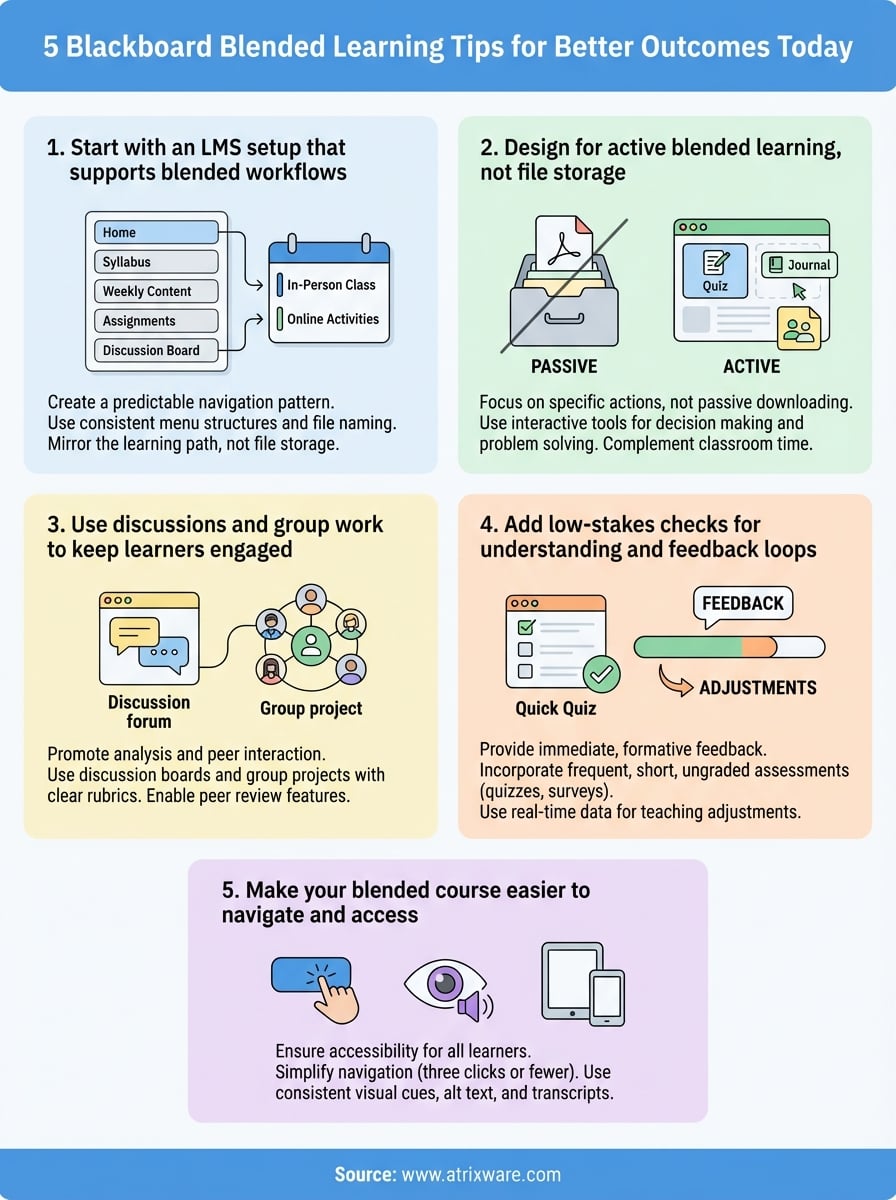
1. Start with an LMS setup that supports blended workflows
Your course structure determines how easily learners move between online activities and classroom sessions. A messy setup causes confusion, missed assignments, and frustrated users who can’t find what they need. Before you add a single piece of content, you need to build a foundation that serves both delivery modes equally well.
What to do
You want to create a predictable navigation pattern that learners recognize immediately. Structure your Blackboard course so students can access online materials, submit work, and track progress without hunting through nested folders. Your course menu should reflect the actual learning path, not the way you store files on your computer.
A clear structure reduces support requests and keeps learners focused on the work instead of the interface.
How to do it in Blackboard
Start by using content areas that mirror your blended schedule (Week 1, Week 2, etc.). Within each area, organize materials by type: readings first, videos second, then activities and assignments. Enable the Grade Center early so learners can track their progress across both in-person and online components. Set up announcement templates for each week to maintain consistent communication.
What to standardize across courses
Every course in your blackboard blended learning environment should follow the same basic menu structure. Use identical labels (Home, Syllabus, Weekly Content, Assignments, Discussion Board) so learners don’t relearn navigation with each new course. Standardize your file naming conventions and due date formats to reduce cognitive load.
Metrics to watch
Track your course access patterns in Blackboard’s Activity Report to see when learners engage with online materials. Monitor the time students spend navigating versus completing work. If navigation time exceeds 10% of total course time, your structure needs simplification.
2. Design for active blended learning, not file storage
Your Blackboard course should require learners to think, apply, and respond, not just download documents. Too many blackboard blended learning implementations fail because they treat the LMS as a digital filing cabinet instead of an active learning environment. Passive content leads to passive learners, and that defeats the entire purpose of blending delivery methods.
What to do
Build every online component around specific actions learners must complete. Replace static PDFs with interactive activities that require decision making, problem solving, or application of concepts. Your online work should complement classroom time by preparing students for discussions or extending concepts through practice.
How to do it in Blackboard
Use Blackboard’s interactive tools instead of content areas alone. Add self-check quizzes after video lectures, create journal entries that ask learners to reflect on readings, and set up assignments that require applying classroom concepts to real scenarios. The Journal tool works well for ongoing reflection, while Tests can provide immediate feedback on understanding.
Active learning tools turn consumption into participation and dramatically improve retention.
A simple weekly lesson pattern that works
Structure each week with three components: preparation work before class (readings, videos), in-person active learning (discussions, case studies), and follow-up application online (practice problems, reflection). This rhythm helps learners anticipate expectations and allocate time appropriately.

Common mistakes to avoid
Stop uploading PowerPoint slides as the primary online content. Avoid creating assignments that ask learners to simply summarize readings without application. Never duplicate in-person lectures online, instead use each environment for what it does best.
3. Use discussions and group work to keep learners engaged
Passive learners disengage quickly, and that becomes even more problematic in blended environments where you can’t see everyone’s face. Discussion boards and collaborative activities create accountability and connection between your in-person sessions. When you structure these tools properly, learners stay invested in both the content and each other.
What to do
Create discussion prompts that require analysis and peer interaction, not simple yes or no answers. Design group projects that force learners to divide work and synthesize results together. Your online discussions should prepare learners for deeper classroom conversations or extend concepts introduced during face-to-face time.
How to do it in Blackboard
Set up discussion forums with clear participation rubrics attached to each thread. Use Blackboard’s Group tool to create small teams (four to five members works best) for collaborative assignments. Enable peer review features so learners evaluate each other’s work before you grade it.
Structured peer interaction reduces your grading load while increasing learning depth.
Prompts and structures that drive better responses
Ask learners to respond to case studies instead of summarizing readings. Require students to build on two peer posts with specific examples or counterarguments. Use question stems like "How would you apply…" or "What evidence supports…" to push beyond surface-level responses.
How to grade without drowning in work
Grade discussions on participation patterns and quality, not word count. Sample 30% of posts each week instead of reading everything. Use Blackboard’s rubric feature to provide consistent feedback quickly across all blackboard blended learning discussions.
4. Add low-stakes checks for understanding and feedback loops
You can’t improve what you don’t measure, and waiting until the final exam reveals huge gaps in understanding is too late. Frequent, low-stakes assessments give you real-time data on what learners grasp and where confusion persists. These quick checks create opportunities to adjust your teaching before problems compound.
What to do
Build short, ungraded or minimally graded assessments into your weekly online routine. These checks should take learners five to ten minutes and focus on core concepts from recent lessons. Your goal is formative feedback, not summative judgment, so keep the stakes low and the insights high.
How to do it in Blackboard
Create weekly quizzes using Blackboard’s Test tool with automatic grading enabled. Set them to allow multiple attempts so learners can self-correct immediately. Use the Survey tool for quick pulse checks on pacing or difficulty. Enable anonymous feedback through journals if you want honest responses about what’s working in your blackboard blended learning approach.
Immediate feedback transforms assessment from judgment into learning.
How to turn results into next-week adjustments
Review quiz results within 24 hours of the deadline. Identify questions where more than 40% of learners struggled and address those concepts at the start of your next class. Adjust upcoming online materials to provide additional examples or practice in weak areas.
Metrics to watch
Track completion rates (target: above 85%), average scores, and time spent per question. Watch for patterns where specific concepts consistently cause difficulty across multiple cohorts.
5. Make your blended course easier to navigate and access
Learners abandon courses they can’t navigate, and accessibility barriers lock out entire populations from your training. Your blackboard blended learning environment needs to work for everyone, regardless of their technical skills or physical abilities. Simplifying navigation and improving accessibility aren’t optional extras, they’re fundamental requirements for effective course delivery.
What to do
Create a navigation structure that requires three clicks or fewer to reach any content item. Organize materials in a logical sequence that matches how learners progress through your course. Add consistent visual cues (icons, color coding) to help users identify content types at a glance. Test your course navigation with someone unfamiliar with Blackboard to spot confusing elements.
How to do it in Blackboard
Use the Course Menu to display only essential links (six to eight maximum). Enable breadcrumbs so learners always know their location within the course. Add descriptive text to every link instead of generic labels like "Click Here." Create a dedicated Help area with quick answers to common navigation questions and technical issues.
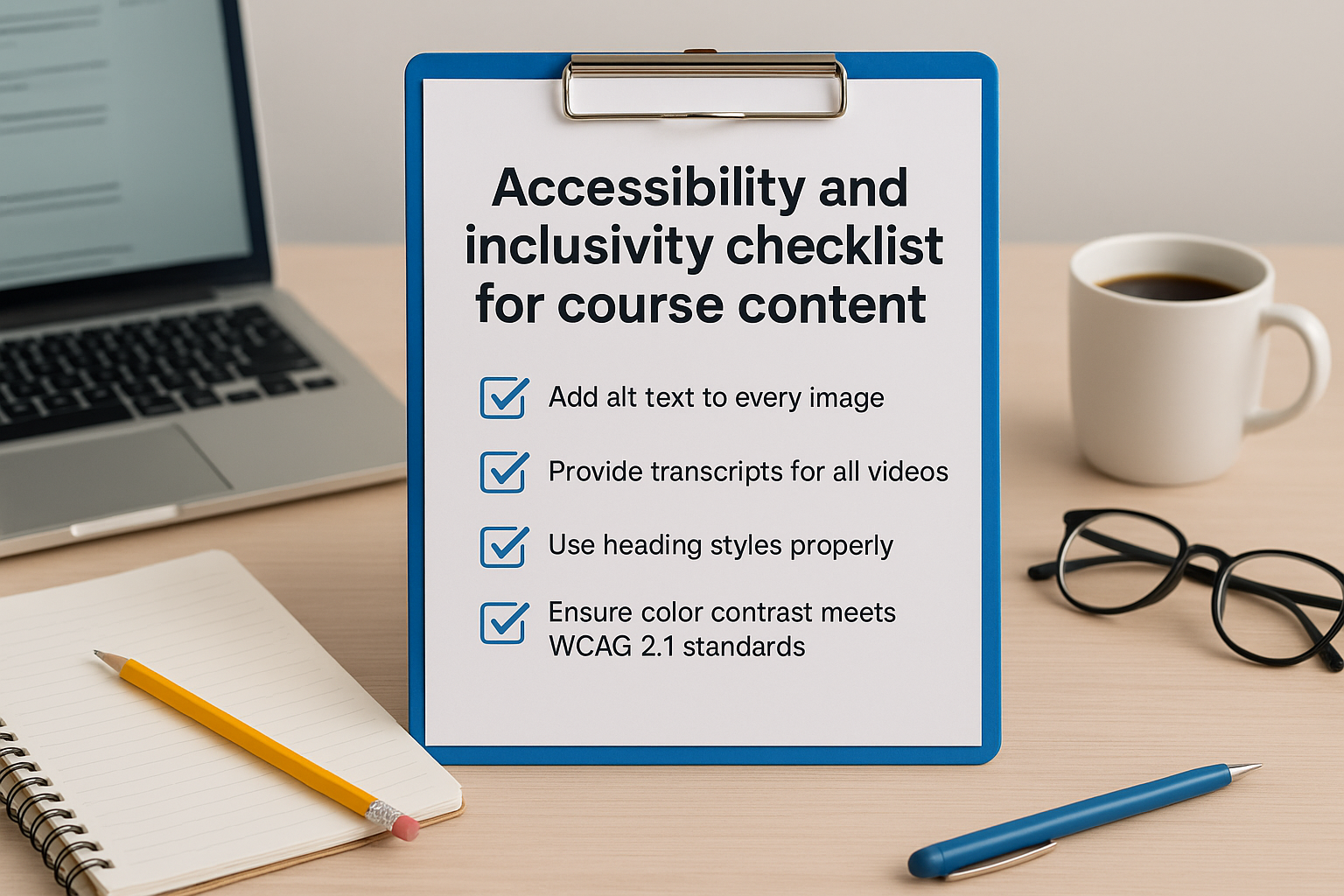
Accessibility and inclusivity checklist for course content
Add alt text to every image and provide transcripts for all videos. Use heading styles properly so screen readers can navigate your content. Ensure color contrast meets WCAG 2.1 standards (minimum 4.5:1 ratio). Provide multiple format options for readings (PDF, HTML, audio) when possible.
Accessible design benefits everyone, not just learners with disabilities.
Common mistakes to avoid
Stop hiding important information in nested subfolders. Avoid using color alone to convey meaning. Never assume all learners have high-speed internet or the latest devices for accessing course materials.
Quick next steps
These five strategies give you a concrete path forward for improving your blackboard blended learning outcomes. You don’t need to implement everything at once. Start with your navigation structure, then layer in active learning components, followed by regular feedback loops. Each change compounds the others to create better learner experiences and stronger results.
Track your completion rates, engagement metrics, and learner feedback over the next month. Look for patterns that reveal which adjustments delivered the biggest impact. You’ll quickly identify what works for your specific audience and adjust your approach accordingly.
If you’re reconsidering your LMS platform or wondering whether your current system truly supports your blended learning goals, take our LMS readiness quiz to evaluate where you stand. The assessment takes five minutes and provides customized recommendations based on your current training challenges. Your learners deserve a platform built for how they actually learn, not just where you store files.
