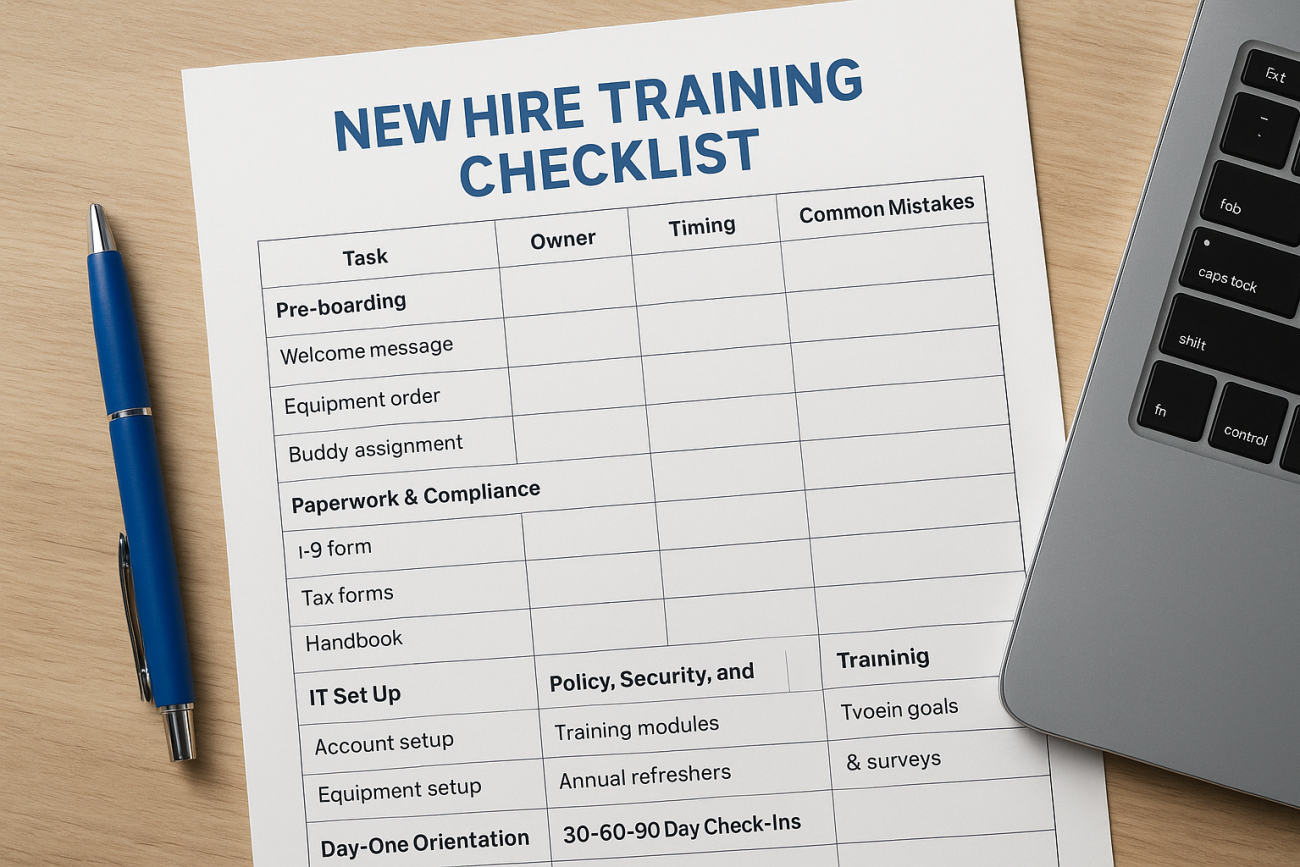
A new hire’s first two weeks set the tone for everything that follows. If training lives in scattered emails and a manager’s memory, people miss steps, ask the same questions twice, and take longer to become productive. A new hire training checklist template fixes that by putting every task, owner, and deadline on one page.
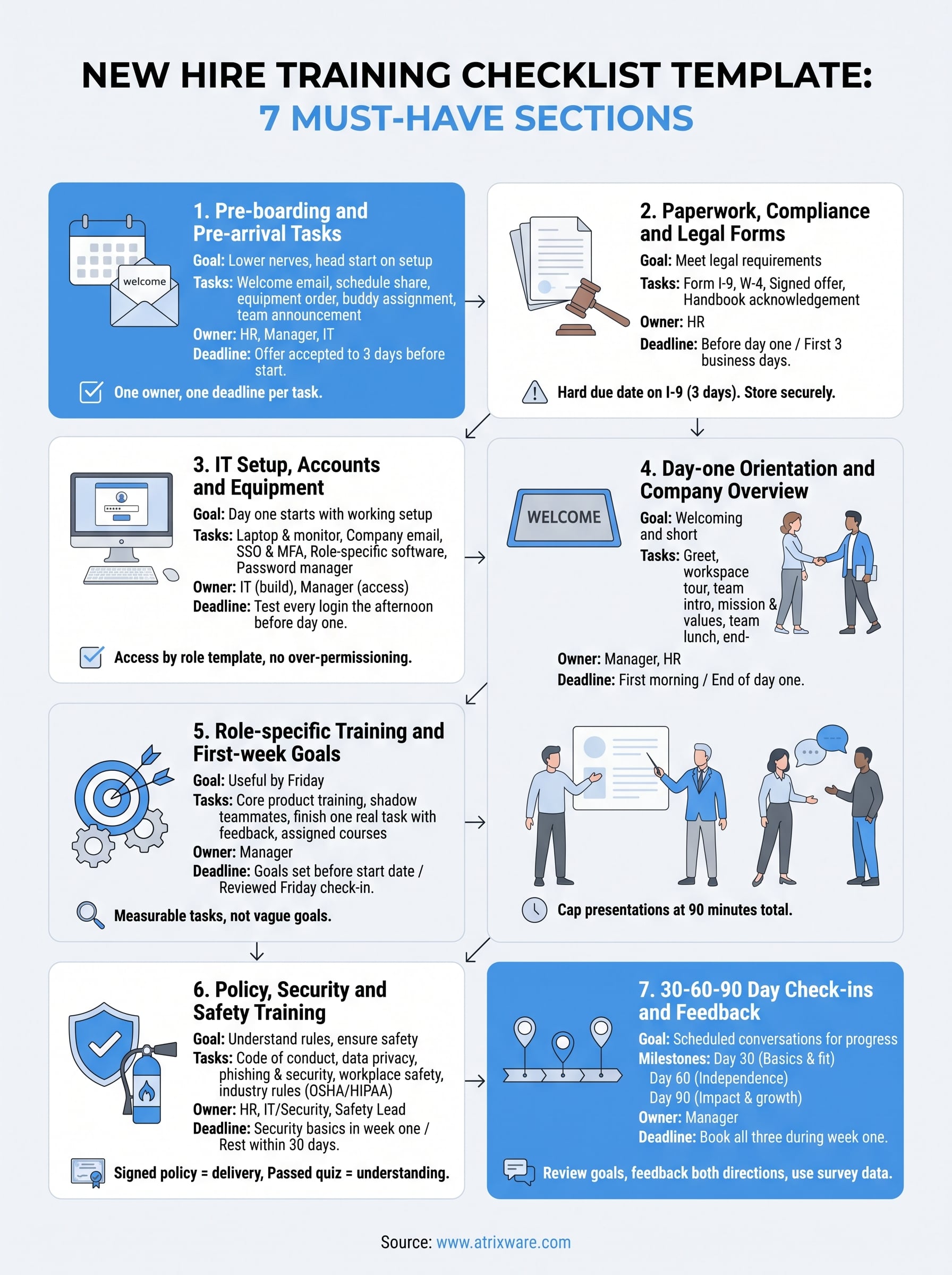
Here is the short answer. A good template has seven sections, and you can build it in Word, Excel, PDF, or Google Docs in under an hour. Keep each section to a handful of items, assign a person to every task, and add a date and a sign-off line. If a checklist runs past two pages, people stop using it.
Below, you’ll get each of the seven must-have sections, with sample line items you can copy straight into your own file. We build Axis LMS at Atrixware, so we also note where a checklist stops working on paper and when automated tracking and reminders save your team real time.
1. Pre-boarding and pre-arrival tasks
Training starts before day one. Pre-boarding covers the gap between the signed offer and the first morning, and it is the section of your new hire training checklist template that most teams skip. Don’t. It lowers first-day nerves and gives you a head start on setup.

What to include
Keep this section to items you can finish remotely. Aim for six to eight line items, each with a checkbox, so the list stays scannable.
- Send a welcome email with start date, arrival time, location, and who to ask for
- Share the first-week schedule
- Explain dress code, parking, or remote login steps
- Collect emergency contact and direct deposit details
- Order the laptop, phone, and badge
- Assign an onboarding buddy
- Tell the team who is joining and what they will do
Who owns it and when to complete it
HR usually owns the welcome message and forms. The hiring manager owns the schedule and the buddy. Start the day the offer is accepted and finish everything three business days before the start date.
| Task | Owner | Due |
|---|---|---|
| Welcome email and schedule | HR and manager | 1 week before |
| Equipment order | IT | 5 days before |
| Buddy assignment | Manager | 3 days before |
| Team announcement | Manager | 2 days before |
Pre-boarding works only when every task has one owner and one deadline.
Common mistakes to avoid
Going silent after the offer is the most common failure. A candidate who hears nothing for two weeks starts to doubt the decision, and some take other offers. Send at least one message a week until day one.
Another mistake is ordering equipment too late. If the laptop request goes in on the start date, your new hire spends the first three days without a working computer. Last, don’t bury new hires in forms with no context. Tell them what each document is for and how long it takes.
2. Paperwork, compliance and legal forms
Paperwork is the least exciting part of your checklist and the one with legal consequences. Treat it as a required section, and keep it separate from the welcoming tasks so nothing gets lost.
What to include
List only the documents that the law or your policies require:
- Form I-9 and proof of work eligibility
- Federal Form W-4 and state tax forms
- Signed offer letter and any confidentiality agreement
- Handbook acknowledgment
- Benefits enrollment forms
- Industry forms, such as a HIPAA acknowledgment
The Form I-9 is the strictest item. The employee completes Section 1 by the first day, and you complete Section 2 within three business days, according to USCIS.
Who owns it and when to complete it
HR owns this section from start to finish. Send forms that support e-signature before day one, and close out the rest within the first three business days.
Legal paperwork has a deadline, so put the date on the checklist, not just the task.
Common mistakes to avoid
Missing the I-9 window is the costly one. Add a hard due date next to that line and have a second person confirm it.
Also, don’t hand over a thick packet and walk away. Explain what each form does, and store signed copies in one secure place, not in email. Scattered files make audits painful and slow down every later request.
3. IT setup, accounts and equipment
A new hire who cannot log in cannot learn. This section of your new hire training checklist template turns hardware and access into trackable tasks, so day one starts with a working setup instead of a help desk ticket.
What to include
Split the list into equipment and access, and name every system. Vague lines like "set up software" get missed.
- Laptop, monitor, phone, and badge, tagged and tested
- Company email and calendar
- Single sign-on and multi-factor authentication
- Chat, video, and project tools
- Role-specific software, such as your CRM or HRIS
- Password manager and VPN
- Learning platform login for assigned courses
Who owns it and when to complete it
IT owns the build, and the hiring manager owns the access request. Submit requests five business days before the start date, and test every login the afternoon before day one.
If a new hire can’t log in on day one, your checklist failed before training began.
Build access by role, not by person. A short list of what each job title needs makes requests faster and keeps them consistent.
Common mistakes to avoid
Over-permissioning is the quiet risk. Giving everyone broad access "just to be safe" creates security gaps that nobody reviews later. Copy access from a role template and add exceptions only with approval.
Also, never email passwords in plain text. Use your password manager or a temporary-credential process that forces a reset at first login. Finally, don’t let equipment arrive without a test. A laptop that is in the box but not enrolled in your device management tool still leaves your new hire waiting.
4. Day-one orientation and company overview
Day one is when your new hire decides whether they made the right call. Keep it welcoming and short. Your new hire training checklist template should limit this section to what people need to feel oriented, not everything they will ever learn.
What to include
Plan a half day of structured time and leave the rest for settling in.
- Greet them at the door, or on video at the agreed time
- Tour the workspace, or walk through the remote setup
- Introduce the team and the buddy
- Present the mission, org chart, and values
- Review the first-week schedule
- Schedule a team lunch or virtual coffee
- Hold a 15-minute check-in at the end of the day
Who owns it and when to complete it
The hiring manager owns day one, and HR runs the company overview session. Block the first morning on the manager’s calendar and close every item by the end of day one.
A new hire should never spend day one waiting for someone to show up.
Give the buddy the lunch and the informal questions. Managers are rarely the best people to explain where the good coffee is.
Common mistakes to avoid
Overloading is the usual problem. Eight hours of slides leave people remembering almost nothing. Cap presentations at 90 minutes total and spread the rest across the week.
Another mistake is a manager who is traveling or booked solid on the first day. If that can’t be avoided, name a stand-in on the checklist before the start date.
5. Role-specific training and first-week goals
This is where your new hire training checklist template stops being generic. Every role needs its own version of this section, built around what a person must do to be useful by Friday.
What to include
Write goals a new hire can actually finish. Pick three to five outcomes for week one, not a full job description.
- Complete core product or process training
- Shadow two or three experienced teammates
- Finish one small, real task with feedback
- Complete assigned courses in your learning platform
- Meet the stakeholders they will work with
Who owns it and when to complete it
The hiring manager owns this section, and the buddy supports it. Write the goals before the start date, then review them in a Friday check-in at the end of week one.
Week-one goals should be specific enough that both sides know when they are met.
Subject experts or team leads can own individual items, such as a product demo or a tool walkthrough. Put their names next to those lines so nothing depends on guesswork.
Common mistakes to avoid
Vague goals are the first trap. "Learn the system" tells nobody what done looks like, so use measurable tasks, such as "process five tickets with review."
Overload is the second. Packing every course and meeting into days one to three leaves people exhausted and retaining very little. Space the heavy material across the week, and leave time for hands-on practice.
6. Policy, security and safety training
Policy training is where your new hire training checklist template protects the company. A signature on the handbook shows someone received it. This section shows they understood the rules that matter most and can prove it.
What to include
Skip the 60-page PDF. Break each topic into a module of ten to twenty minutes and end it with a short quiz.
- Code of conduct and anti-harassment policy
- Data privacy and acceptable-use rules
- Phishing, password, and device security
- Emergency exits, incident reporting, and workplace safety
- Industry rules, such as OSHA training requirements, HIPAA, or GDPR
Who owns it and when to complete it
HR owns conduct and policy topics, IT or security owns cyber training, and a safety lead owns physical safety. Finish security basics in week one, and close the rest within 30 days.
A signed policy proves delivery, and a passed quiz proves understanding.
Record every score and completion date on the checklist so you can show an auditor what happened.
Common mistakes to avoid
Treating this as a one-time event is the big one. Rules change, so schedule annual refreshers and add them to your calendar now.
Manual tracking is the other. Chasing quiz results through spreadsheets and email breaks down fast. A platform like Axis LMS can assign courses automatically, store scores, and send reminders before deadlines pass.
7. 30-60-90 day check-ins and feedback
Training doesn’t end after week one. The last section of your new hire training checklist template turns onboarding into a scheduled conversation, so problems surface at day 30 instead of month six.

What to include
Set three formal check-ins and write the questions in advance. Each one should cover progress against goals, open questions, and feedback in both directions.
| Milestone | Focus | Sample checklist item |
|---|---|---|
| Day 30 | Basics and fit | Review week-one goals and course completions |
| Day 60 | Independence | Assess work quality on a real project |
| Day 90 | Impact | Agree on next-quarter goals and growth path |
Add a short survey asking the new hire what felt confusing, missing, or helpful. Use the answers to fix your checklist for the next person.
Who owns it and when to complete it
The hiring manager owns each meeting, and HR reviews the notes. Book all three on the calendar during week one, and hold each one within three days of the milestone.
A check-in that isn’t on the calendar by week one will not happen.
HR can send the survey a week before each meeting so managers walk in with data, not guesses.
Common mistakes to avoid
Skipping meetings when work gets busy is the main failure. Move one if you must, but never cancel it. Also avoid turning check-ins into one-way reviews. Ask what the new hire needs from you, and write down one action you will take.
Finally, keep every set of notes in one place. Day-90 conversations should build on day-30 ones, not start from scratch.
Turning your checklist into a repeatable process
Seven sections, one owner per task, and a date on every line. That is the whole system. Your new hire training checklist template works because it removes guesswork, not because it is long. Start with a one-page version in Word or Google Docs, run it with your next hire, and ask that person what was missing.
Repeatability comes from review. After each hire, update the checklist while the gaps are fresh, and keep one master copy so every manager uses the same version. Once you onboard more than a few people a year, paper starts to cost you time through chasing signatures, quiz scores, and reminders.
That is the point where automation pays off. If you want courses assigned, progress tracked, and deadlines enforced without the manual follow-up, book an Axis LMS admin demo and walk through your own checklist with us.
