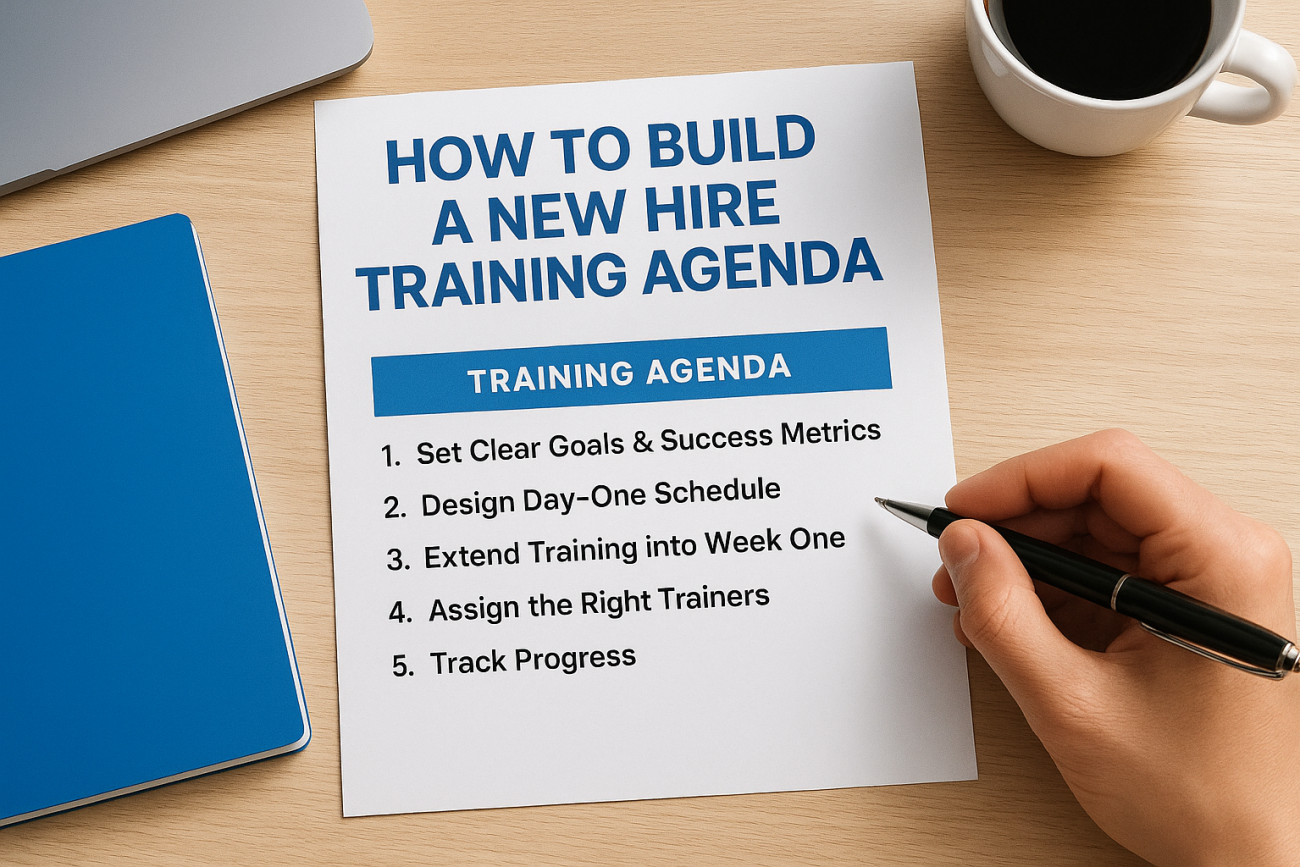
Most new hires forget half of what they hear in the first week. If your onboarding plan is a loose checklist or a stack of slides someone hands over on day one, you’re setting people up to fail before they’ve written their first email. A solid new hire training agenda turns that chaos into a clear path, one that tells every new employee exactly what to learn, when to learn it, and how their progress will be measured.
This guide gives you a practical framework for building that agenda, not just theory. You’ll see how to break training into day one, week one, and the first 90 days, what topics belong in each phase, and how to balance compliance requirements with the hands-on skills people actually need to do their jobs.
We’ll also cover the tracking and reporting side of the equation, since a schedule only works if you can see who’s completing what and where people get stuck. Whether you’re managing five new hires a year or fifty, you’ll walk away with a structured template you can adapt immediately, plus guidance on the tools that make running it far less painful.
What a new hire training agenda should include
A complete new hire training agenda does more than list topics in order. It combines a clear timeline, defined learning goals, assigned owners, and a way to measure whether the training actually stuck. Think of it as a project plan for turning a new employee into a productive one, not a syllabus someone reads through once and forgets. If you’re building your first employee onboarding schedule, start by identifying the handful of pieces every strong agenda shares, then layer in the details specific to your industry and role, the same way you would when running onboarding training through an LMS.
The core building blocks
Every agenda you build should answer five questions before a single training session gets scheduled:
- What does the new hire need to know or do by the end of each phase?
- When does each topic get introduced, and in what order?
- Who delivers the training, whether that’s a manager, a peer mentor, or a self-paced course?
- How is the content delivered: live sessions, recorded video, documents, or hands-on practice?
- How will you know it worked, through quizzes, checklists, or observed performance?
Skip any one of these and gaps show up fast. Trainers show up unprepared, new hires sit through content they don’t need, or nobody notices a struggling employee until they’ve already missed a deadline.
A training agenda without a way to measure success is just a schedule of meetings.
Compliance and role-specific content
Beyond the general onboarding basics like company policies, benefits enrollment, and workplace tools, most organizations also need to fold in compliance training. That might mean data privacy rules under GDPR, safety certifications, or industry-specific standards like FDA 21 CFR Part 11. These requirements often carry deadlines and audit trails, so they can’t just live in a slide deck; keeping compliance training trackable matters as much as delivering it. Systems like Axis LMS’s LMS compliance management tools let you assign this training automatically, track completion against deadlines, and generate the documentation an auditor will ask for. Layer role-specific skills on top of the compliance baseline, since a new sales rep and a new machine operator need very different technical training even if they start on the same day.
A timeline that spans day one to day ninety
Good agendas break naturally into three horizons: the first day, the first week, and the first 90 days. Each phase has a different job to do.
| Phase | Primary Focus | Typical Content |
|---|---|---|
| Day 1 | Orientation and setup | Paperwork, tools access, team introductions |
| Week 1 | Foundational skills | Core systems training, role basics, initial shadowing |
| Days 8-30 | Applied practice | Guided task completion, feedback loops, compliance modules |
| Days 31-90 | Independence and mastery | Solo project work, performance check-ins, advanced skills |
Structuring the agenda this way keeps day one from getting overloaded and gives you natural checkpoints to confirm the new hire is on track before moving to the next phase. The rest of this guide walks through how to build each layer step by step.
Step 1. Set clear goals and success metrics
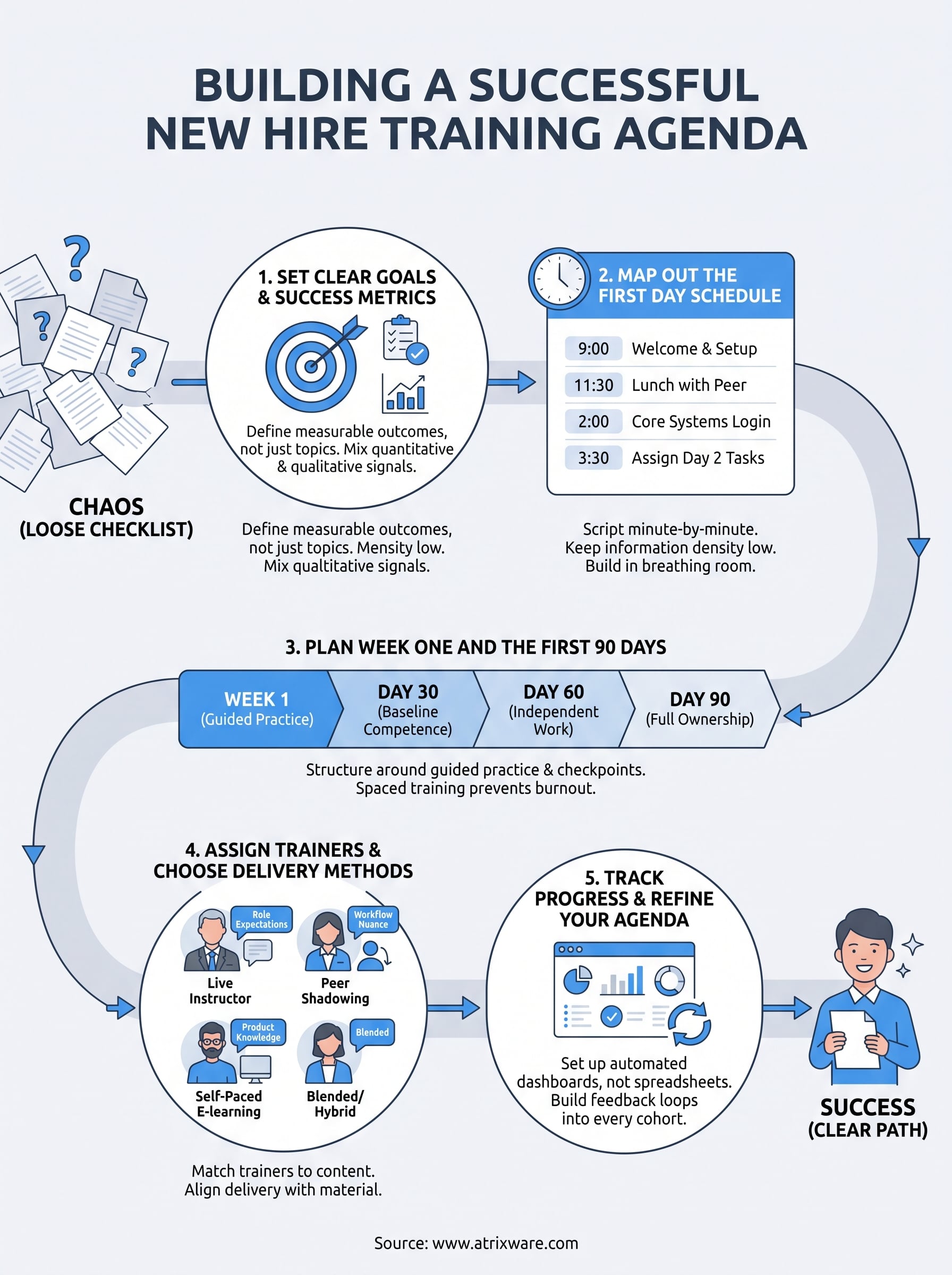
Before you touch a calendar, decide what "trained" actually means for the role. Every strong new hire training agenda starts with a short list of outcomes, not a list of topics. Ask what a new hire needs to be able to do independently by day 30, day 60, and day 90, then work backward from there. Skipping this step is why so many onboarding plans turn into a pile of unrelated sessions with no clear finish line instead of a repeatable, compliant onboarding program.
Define outcomes before you schedule anything
Write outcomes as observable behaviors, not vague intentions. "Understands the CRM" isn’t measurable. "Logs a new lead and schedules a follow-up call without help" is. Pull three to five of these per role and treat them as the backbone of your onboarding checklist. Involve the hiring manager here, since they know the gap between a new hire’s resume and what the job actually demands day to day.
If you can’t measure it, it’s not a training goal, it’s a wish.
Pick metrics you can actually measure
Once outcomes are set, attach a metric to each one, ideally one that ties learning results to bottom-line performance. Mix quantitative and qualitative signals so you’re not relying on a single data point to judge readiness.
- Completion rate: percentage of assigned modules finished by the deadline
- Assessment scores: quiz or certification results tied to specific skills
- Time to competency: days until a manager signs off on a task being done unsupervised
- Manager check-in feedback: structured ratings from 30/60/90-day reviews
- Retention at 90 days: whether the hire is still engaged and performing
These metrics only matter if someone actually reviews them. A reporting suite like the one built into Axis LMS pulls completion rates and assessment scores automatically, so you’re not chasing spreadsheets to figure out who finished what.
Treat these goals as living targets, not a one-time exercise. Revisit them every time you hire for a role, since the skills gap for a new employee shifts as your tools, products, and processes change. Locking in goals and metrics now makes every later step in this guide, from scheduling to reporting, far easier to execute.
Step 2. Map out the first day schedule
Nothing kills momentum faster than a new hire’s first day spent staring at a blank desk waiting for someone to tell them what’s next. Your day one schedule should be scripted almost minute by minute, covering logistics, introductions, and just enough early wins to make the person feel like they made the right choice taking the job. This is also where a well-organized first day onboarding schedule does double duty: it reduces the anxiety of a new employee and frees up managers from having to improvise.

Build the hour-by-hour block
Break the day into blocks rather than a single agenda item labeled "orientation." A sample structure:
- 9:00-9:30: Welcome, workspace setup, IT credentials
- 9:30-10:30: Paperwork, benefits enrollment, policy acknowledgments
- 10:30-11:30: Team introductions and org chart walkthrough
- 11:30-12:30: Lunch with a peer mentor or buddy
- 12:30-2:00: Company mission, culture, and product overview
- 2:00-3:30: First login to core systems, including the LMS
- 3:30-4:30: Assign day-two tasks and answer open questions
A first day with no downtime is a first day where nothing gets remembered; build in breathing room.
Keep information density low
Overloading day one with every policy and tool guarantees most of it gets forgotten by lunch on day two, which is exactly how cognitive fatigue on day one sets in. Prioritize what a new hire needs to function tomorrow: login credentials, where to find help, and who their go-to contact is. Save deep dives on benefits, compliance modules, or advanced systems for week one. Assigning a short self-paced course through a system with a drag-and-drop course builder lets new hires revisit orientation material on their own time instead of trying to absorb it all in one sitting.
Step 3. Plan week one and the first 90 days
Once day one wraps, the real work of building competence begins. Week one should shift from orientation to guided practice, while the following months stretch that practice into independence. A strong 90-day training plan treats each phase as a milestone with its own goals, not just a longer version of day one’s schedule. This is also where a documented new hire training agenda earns its keep, since it gives managers a shared reference point instead of relying on memory or scattered notes.
Structure week one around guided practice
Dedicate week one to core systems, role fundamentals, and shadowing, ideally organized into role-based learning paths for each new group of hires. New hires should leave Friday able to complete at least one real task with supervision. Break it into daily themes:
- Monday-Tuesday: Deep dive into core tools and systems, including any required certifications
- Wednesday: Shadow a peer through a full workflow, then attempt it together
- Thursday: Solo attempt at the same workflow with a mentor observing
- Friday: Recap session, open Q&A, and a short knowledge check
Week one should end with proof of a skill, not just a completed checklist.
Extend the plan through day 90
After week one, structure the remaining time around 30/60/90-day checkpoints rather than a continuous stream of sessions. Each checkpoint should pair a training focus with a manager review.
| Checkpoint | Training Focus | Manager Check-in |
|---|---|---|
| Day 30 | Core role tasks, compliance modules | Confirm baseline competence |
| Day 60 | Advanced skills, cross-team processes | Review independent work quality |
| Day 90 | Full ownership of role responsibilities | Formal performance discussion |
Spacing training this way prevents burnout and gives new hires time to apply what they’ve learned before adding more. Compliance deadlines and role-specific certifications fit naturally into these checkpoints, since assigning them by day 30 or day 60 keeps you audit-ready without cramming everything into the first week. Programs that automate this pacing, like auto-scheduling training dates inside Axis LMS, let you set these checkpoints once and have the system nudge managers and new hires automatically as each date approaches.
Step 4. Assign trainers and choose delivery methods
Even the strongest new hire training agenda falls apart if the wrong person delivers it, or if content that needs hands-on practice gets crammed into a passive slide deck. This step is where you decide who owns each piece of training and which training delivery method actually fits the material, aligning delivery with field and office realities rather than defaulting to whatever’s easiest to schedule.

Match trainers to the content
Different topics call for different messengers. A manager explaining performance expectations carries more weight than an HR generalist reading from a script, while a peer mentor is often better suited to walk through the day-to-day quirks of a tool than a formal trainer who hasn’t touched it in months. Map your training topics against these trainer types before you build the calendar:
- Managers: role expectations, goal-setting, performance reviews
- Peer mentors: day-to-day workflows, unwritten team norms, quick troubleshooting
- Subject matter experts: technical systems, product knowledge, compliance details
- HR or L&D staff: policies, benefits, company-wide onboarding basics
- Self-paced course: repeatable content that doesn’t change often, like software walkthroughs
The best trainer for a topic is whoever the new hire will actually ask for help with it later.
Choose delivery methods that fit the material
Once you know who’s teaching, decide how. Live sessions work best for anything requiring discussion or judgment calls, and adding instructor-led sessions to your LMS keeps them tracked alongside everything else. Self-paced modules handle repeatable, factual content without pulling a trainer away from their own work. Hands-on shadowing covers everything in between.
| Delivery Method | Best For | Watch Out For |
|---|---|---|
| Live instructor-led | Q&A-heavy topics, culture, expectations | Scheduling conflicts, inconsistent delivery |
| Self-paced e-learning | Software walkthroughs, policy content, compliance | Low engagement without check-ins |
| Peer shadowing | Workflow nuance, tribal knowledge | Depends on mentor availability and skill |
| Blended/hybrid | Multi-step processes with a knowledge check | Requires more upfront planning |
Assigning self-paced content through an LMS also means the same course library can be reused for every future new hire in the role, so trainers aren’t rebuilding material every time someone new starts.
Step 5. Track progress and refine your agenda
Once the agenda is running, the job shifts from building it to watching how it performs in the real world. Watching completion rates, quiz scores, and manager feedback tells you whether the plan you built in Step 1 is actually delivering the outcomes you defined, or whether new hires are stalling out at a specific point. A new hire training agenda you don’t monitor is really just a document, since the program is only as good as your visibility into who’s finishing what, and when.
An agenda you never review is just a guess dressed up as a plan.
Set up dashboards, not spreadsheets
Manually chasing down completion status across a growing headcount doesn’t scale past a handful of hires. Automated onboarding tracking that tracks employee training progress through your LMS gives you a real-time view instead of a stack of half-updated spreadsheets:
- Who has completed which modules, and who’s overdue
- Average time to competency by role
- Assessment scores flagged below a passing threshold
- Manager sign-offs missing at each 30/60/90-day checkpoint
Dashboards like the ones in Axis LMS’s reporting and analytics tools surface this automatically, so you catch a struggling new hire in week two instead of at their 90-day review.
Build a feedback loop into every cohort
Numbers alone won’t tell you why a step failed, only that it did. Surveying each new hire at 30 and 90 days about which sessions felt useful and which felt like filler gives you the context the dashboard can’t. Pairing that with a quick debrief from trainers and managers after each cohort finishes closes the loop between what you planned and what actually happened. Revisiting the training agenda after every few hires, rather than once a year, keeps it matched to how your tools, products, and team actually work today.
From agenda to action
Building a new hire training agenda isn’t a one-time project you file away after the first cohort. It’s a living plan that gets sharper every time you run it, add a metric, or catch a gap between what you scheduled and what actually stuck. Start with the five building blocks from this guide: goals, a day-one script, a 90-day roadmap, the right trainers, and a way to track it all. Skip any one of them and you’re back to the loose checklist that started this whole conversation.
The agenda itself only gets you halfway there. Running it well across five hires or fifty means having a system that assigns content, tracks completion, and flags who’s falling behind before it becomes a problem. If you’re still piecing that together in spreadsheets, spend two minutes on the LMS readiness assessment to see how close your current setup is to where it needs to be.
