You’ve been asked to build a training program, and staring at a blank page isn’t helping anyone. Searching for employee training programs sample usually means you need something concrete to react to, not another theory-heavy guide about adult learning principles. You want to see what other companies actually built, then borrow what fits.
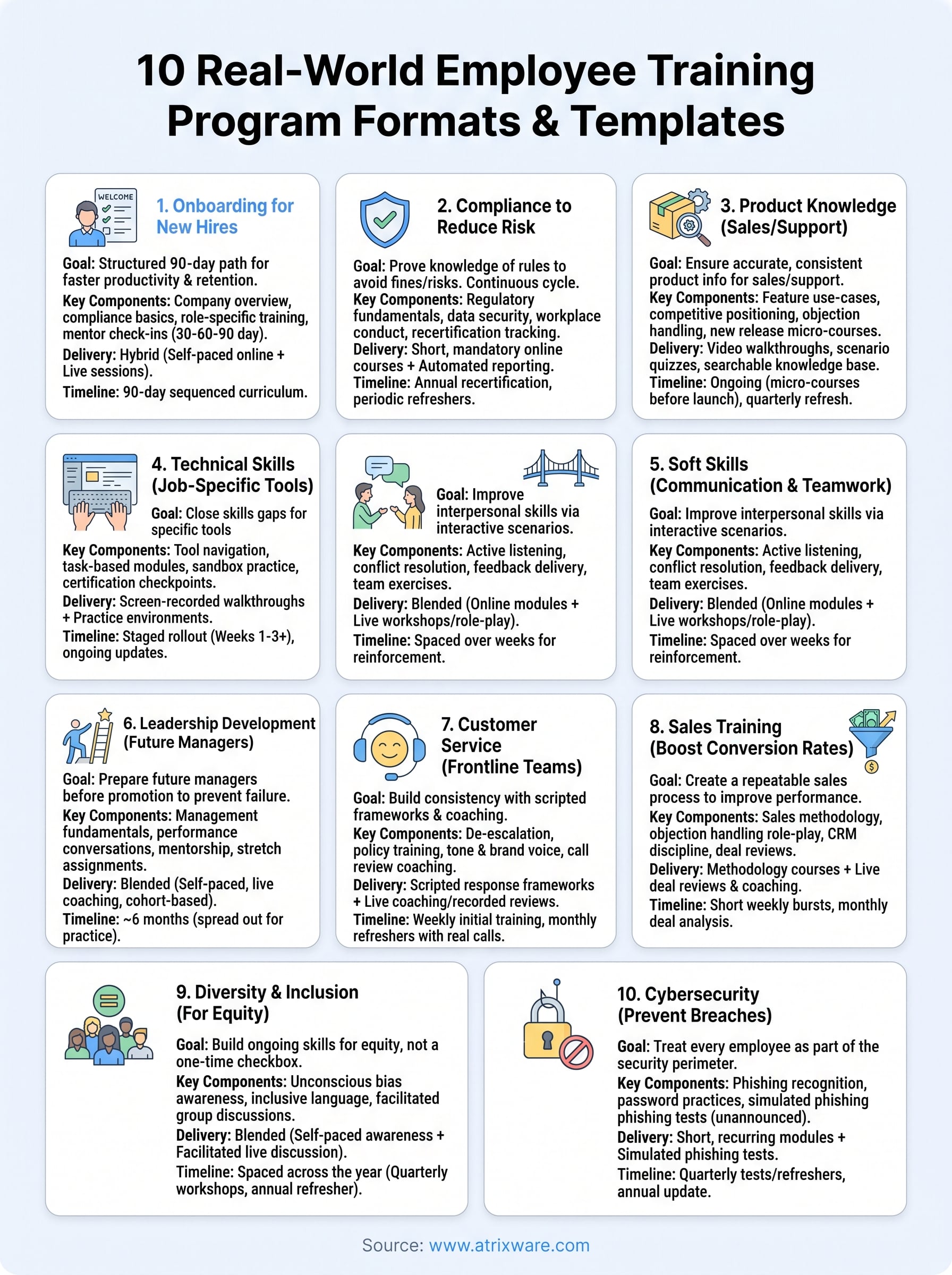
This article gives you exactly that. Below you’ll find 10 real-world training program formats, from new-hire onboarding to compliance refreshers to sales enablement tracks, each broken down so you can see the structure, the timeline, and the content mix that made it work. Instead of guessing at what belongs in week one versus month three, you’ll have working templates to adapt.
We pulled these examples from common training scenarios HR teams and L&D managers face daily: onboarding, compliance, leadership development, customer education, and channel partner training. Each sample includes the goals it solves and the delivery method behind it, whether that’s self-paced online courses, virtual instructor-led sessions, or a blend of both. By the end, you’ll have a clear starting point for your own program, plus a better sense of what an LMS like Axis LMS needs to support to make any of these formats run smoothly.
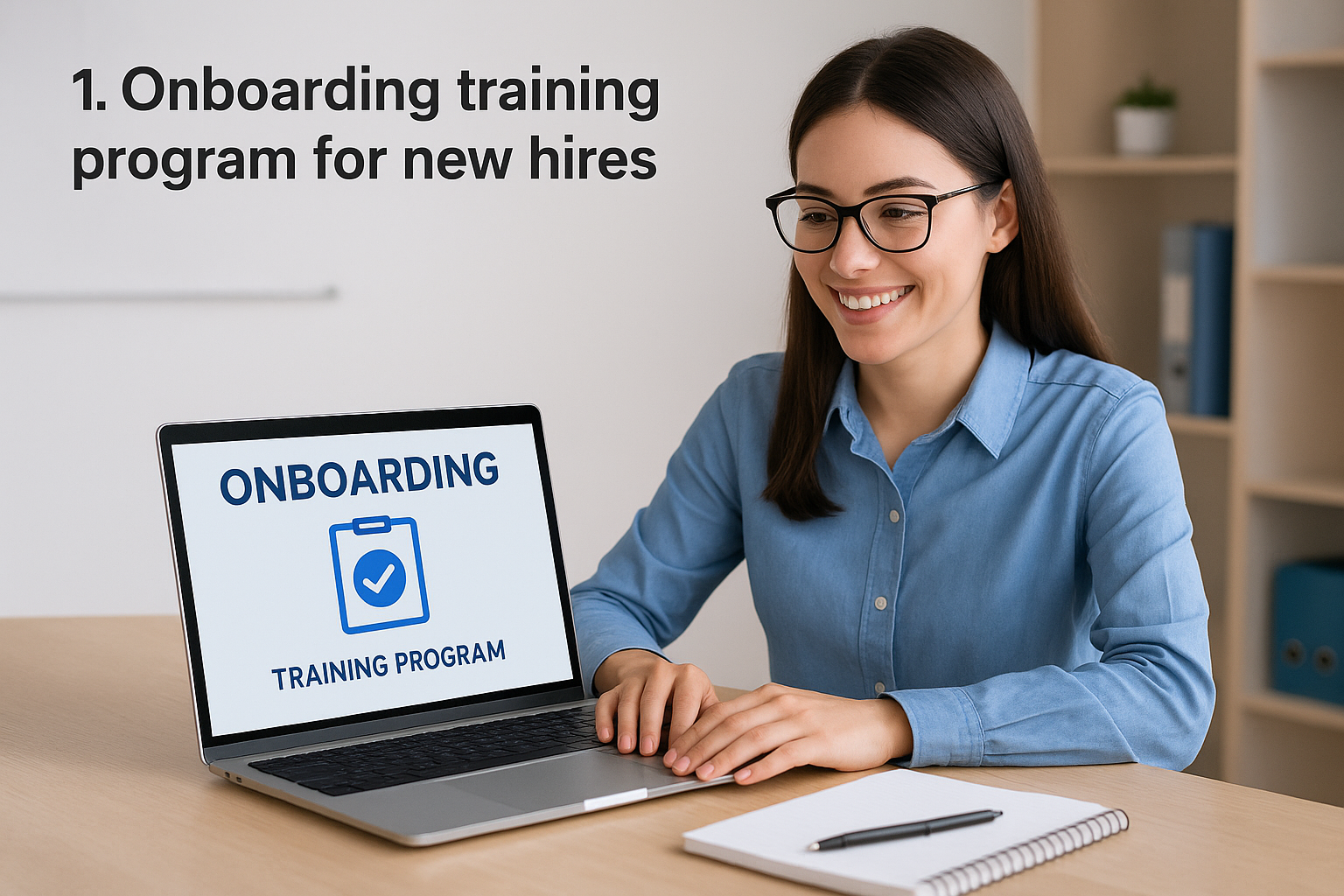
1. Onboarding training program for new hires
New hire onboarding is the training program every company builds first, and it’s usually the one that shows the most cracks. A scattered onboarding experience costs you productivity and, according to research cited by the Society for Human Resource Management, contributes directly to early turnover. This employee training programs sample works because it replaces ad hoc first-week chaos with a structured path that gets new employees productive faster and keeps them around longer.
How it works
Onboarding training typically runs as a hybrid model: self-paced online modules cover policy, culture, and systems training, while live sessions handle team introductions, role-specific coaching, and Q&A with a manager or mentor. The employee logs into a dedicated onboarding course inside the LMS on day one, works through a sequenced curriculum over the first 30 to 90 days, and gets automatic reminders when modules are due. Tracking training progress lets HR see who’s falling behind before it becomes a problem instead of finding out during a exit interview three months later.
A structured 90-day onboarding path does more to prevent early turnover than any single perk you could offer.
Who it’s for
This format suits any organization hiring regularly enough that a repeatable process pays off, from a 20-person startup to a multi-location retail chain. HR managers and department leads are the primary users, but the actual learners span every role in the company, since job-specific tracks can branch off a shared foundation. It’s especially valuable for companies with remote or distributed teams, where there’s no hallway conversation to fill in the gaps informally.
Key components
A solid onboarding program usually includes:
- Company overview module: mission, values, org chart, and policy handbook acknowledgment
- Compliance basics: safety, harassment prevention, and data security fundamentals
- Systems training: how to use email, HR portals, time-tracking, and other required tools
- Role-specific curriculum: job duties, tools, and workflows unique to the position
- Culture and team integration: meet-the-team sessions, mentor pairing, and company traditions
- Check-in milestones: 30-60-90 day reviews with a manager to confirm progress and address gaps
Most of these pieces live comfortably inside a single onboarding course structure, which keeps everything trackable in one place rather than scattered across email threads and shared drives, and there are proven ways to structure new-hire onboarding in an LMS if you want a deeper walkthrough.
Sample training timeline
Here’s a realistic breakdown for a 90-day onboarding cycle:
| Timeframe | Focus | Delivery Method |
|---|---|---|
| Day 1 | Welcome, IT setup, policy acknowledgment | Self-paced online module |
| Week 1 | Company overview, compliance basics | Self-paced + live intro session |
| Weeks 2-4 | Role-specific training, tool walkthroughs | Blended (online + shadowing) |
| Day 30 | First check-in, progress review | Manager meeting |
| Days 30-60 | Deeper role training, cross-team exposure | Online modules + mentor sessions |
| Day 60 | Second check-in | Manager meeting |
| Days 60-90 | Independent performance, skill reinforcement | Self-paced refreshers |
| Day 90 | Final review, transition to standard training cycle | Manager meeting |
Once this cycle wraps, the new hire typically rolls into whatever ongoing training your organization runs for their department, whether that’s compliance refreshers or product knowledge updates. Platforms like Axis LMS for employee training support this transition automatically by assigning the next course sequence based on role or completion date, so nobody has to manually track who’s ready to move on.
2. Compliance training program to reduce risk
Compliance training exists because regulators, auditors, and lawyers all want proof that your employees knew the rules before something went wrong. Unlike onboarding, this employee training program never really ends, it cycles on a schedule tied to law changes, certification renewals, and industry audits. Skipping it or letting it go stale is how companies end up with fines, lawsuits, or a failed audit that could have been avoided with a documented, trackable curriculum run on a compliance training platform.
How it works
Most compliance programs run as short, mandatory online courses assigned automatically based on role, department, or location. The LMS handles tracking compliance training records, timestamps every quiz answer, and stores certificates as legal evidence that training happened. Because regulations like GDPR or FDA 21 CFR Part 11 require an audit trail, automated reporting matters as much as the content itself. Managers get flagged the moment someone falls behind, so nobody discovers a lapsed certification during an actual audit, which is exactly what automated certification tracking is built to prevent.
Compliance training only protects you if you can prove, on demand, that it happened.
Who it’s for
Every organization needs some form of compliance training, but the depth varies by industry. Healthcare, finance, and manufacturing companies face the strictest requirements, often layering federal, state, and industry-specific mandates on top of each other. Compliance officers and legal teams typically own the curriculum, while HR handles assignment and tracking. Smaller businesses still need baseline modules covering harassment prevention, data privacy, and workplace safety, even without heavy regulatory oversight.
Key components
A well-built compliance track usually covers:
- Regulatory fundamentals: laws and standards specific to your industry
- Data security and privacy: GDPR, HIPAA, or similar depending on sector
- Workplace conduct: harassment prevention, ethics, and code of conduct
- Safety protocols: OSHA requirements or equivalent for physical work environments
- Recertification tracking: automated reminders before credentials expire
Sample training timeline
| Timeframe | Focus | Delivery Method |
|---|---|---|
| Onboarding | Baseline compliance modules | Self-paced online |
| Every 6-12 months | Refresher courses, policy updates | Self-paced online |
| Annually | Full recertification exam | Online assessment |
| As needed | New regulation rollout | Targeted micro-course |
Tying these assignments to automated learning paths that guard against expired credentials, rather than manual scheduling, is what keeps a compliance program from quietly falling apart after the first year.
3. Product knowledge training program for sales and support
A rep who doesn’t know the product wastes a prospect’s time, and a support agent who doesn’t know it wastes a customer’s patience. This employee training programs sample exists to close that gap fast, especially at companies that ship new features or SKUs faster than word-of-mouth can spread. Instead of relying on tribal knowledge passed between senior reps and new hires, product knowledge training puts the same accurate information in front of everyone at once.
How it works
Content usually mixes short video walkthroughs, feature-release courses, and scenario-based quizzes that test whether someone can actually explain the product, not just recite a spec sheet. New releases trigger a mandatory micro-course before the feature ships, so support tickets don’t pile up with agents guessing at answers. Many teams pair this with a searchable knowledge base inside the LMS, letting reps look something up mid-call instead of waiting for a manager.
If your support team is learning about a new feature from customers instead of training, the program already failed.
Who it’s for
This format fits sales teams, customer support agents, and channel partners who all need the same underlying product facts but apply them differently. Sales enablement managers usually own the curriculum, working closely with product marketing to keep content current. It’s also a strong fit for companies selling through resellers or distributors, since the same course library can train external partners without duplicating effort through a partner training platform.
Key components
A functional product knowledge track typically includes:
- Feature and use-case modules: what the product does and which customer problem it solves
- Competitive positioning: how it stacks up against alternatives customers might be comparing
- Objection handling scripts: common pushback and how to respond
- Release update courses: short, mandatory training tied to every major feature launch
- Scenario quizzes: role-play style questions that test application, not memorization
Sample training timeline
| Timeframe | Focus | Delivery Method |
|---|---|---|
| Week 1 | Core product overview | Self-paced online |
| Week 2 | Use cases and objection handling | Self-paced + role-play session |
| Ongoing | New feature releases | Micro-course before launch |
| Quarterly | Competitive landscape refresh | Self-paced online |
Because release schedules rarely wait for a training calendar, assigning these micro-courses automatically to relevant teams keeps everyone current without HR chasing down completions by hand.
4. Technical skills training program for job-specific tools
Some roles live and die by software proficiency, whether that’s a CAD program, a CRM, or an industrial control system. This employee training programs sample closes the skills gap between "has access to the tool" and "can actually use it well." Without structured training, employees limp along using 20% of a system’s functionality and picking up bad habits from whoever trained them informally.
How it works
Technical skills training works best as hands-on, tool-specific courses built around real tasks employees perform daily, not generic software tutorials. Screen-recorded walkthroughs paired with practice environments let learners try a workflow immediately after watching it, which cements the skill faster than passive video alone. Many programs layer in certification checkpoints, so a learner can’t move to advanced modules until they’ve proven basic competency on a graded task.
Software access without structured training just means employees are guessing their way through your systems.
Who it’s for
This format fits IT teams, engineers, machine operators, and anyone using specialized software or equipment to do their core job. It’s especially critical when a company rolls out a new platform, like switching CRMs or upgrading manufacturing equipment, and needs the whole department competent before go-live. Department leads and IT training coordinators typically own this content, since they understand both the tool and how it’s actually used on the floor or in the office.
Key components
A practical technical skills track usually includes:
- Tool navigation basics: interface layout, core functions, and shortcuts
- Task-based modules: step-by-step training tied to actual job workflows
- Sandbox practice: a safe environment to try tasks without breaking live systems
- Certification checkpoints: graded assessments before advancing to complex features
- Troubleshooting guides: common errors and how to resolve them independently
Sample training timeline
| Timeframe | Focus | Delivery Method |
|---|---|---|
| Week 1 | Tool basics and navigation | Self-paced online |
| Week 2 | Core task workflows | Guided practice + sandbox |
| Week 3 | Advanced features | Self-paced + certification quiz |
| Ongoing | System updates or new modules | Micro-course as needed |
Rolling out this kind of training in stages, rather than dumping every feature on someone in one session, keeps completion rates higher and cuts down on the support tickets that usually follow a rushed software launch.
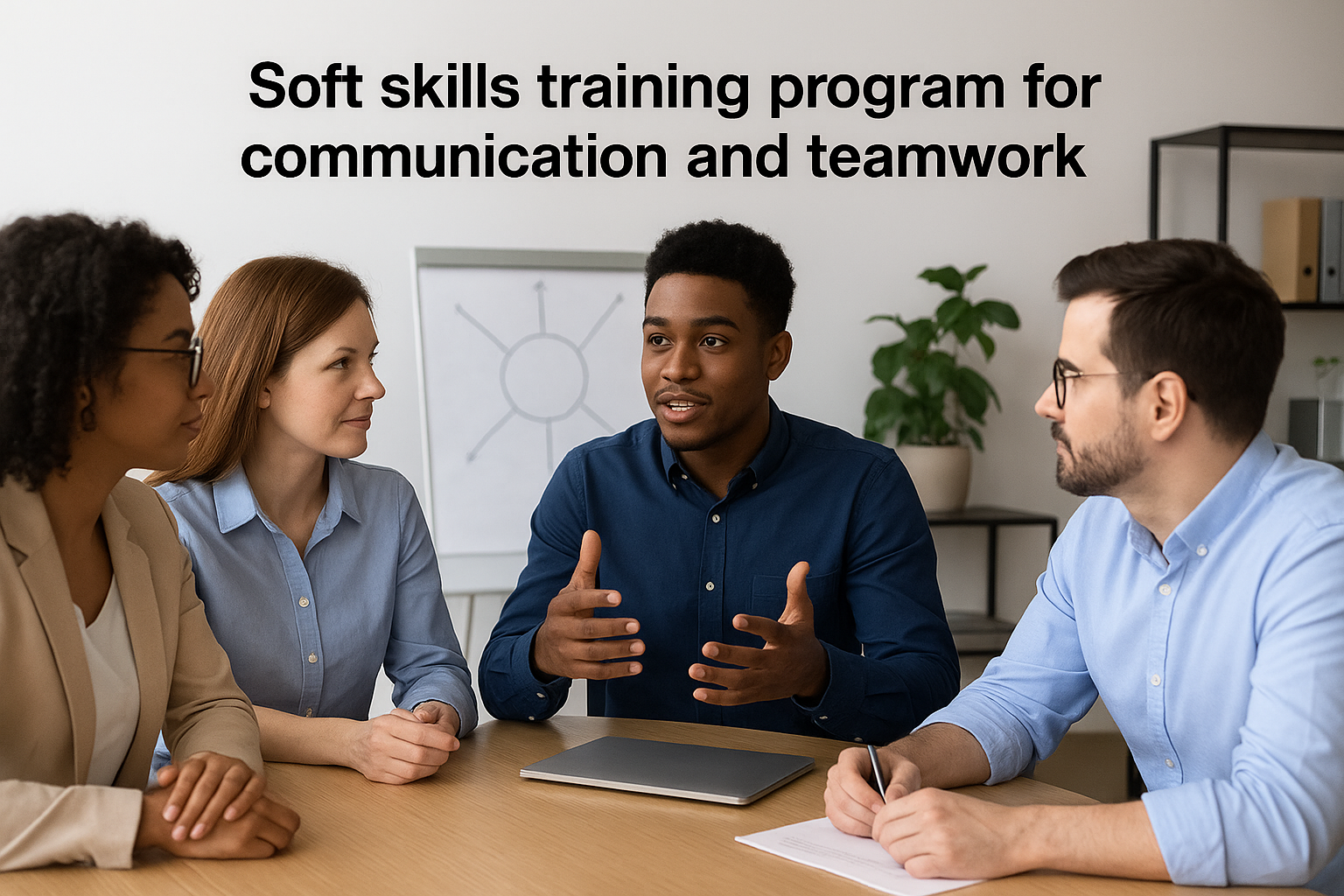
5. Soft skills training program for communication and teamwork
Technical ability gets someone hired, but poor communication is what gets projects derailed, deadlines missed, and good employees quietly job hunting. This employee training programs sample targets the interpersonal friction that no policy manual fixes on its own: unclear feedback, siloed teams, and meetings that go nowhere. Companies that skip this training often assume soft skills are personality traits instead of skills you can actually teach and measure.
How it works
Teaching communication skills at work leans heavily on interactive, scenario-based content rather than lecture-style videos, since communication is something people learn by practicing, not by watching. Role-play exercises, video-recorded practice sessions, and peer feedback loops work better here than a standard quiz. Many programs run this as a blend of short online modules covering frameworks (like active listening or conflict resolution models) paired with live workshops where teams practice the actual behavior in front of a facilitator.
You can’t fix a communication problem with a slide deck alone; people need to practice the behavior, not just read about it.
Who it’s for
Every employee benefits from stronger communication, but this format matters most for cross-functional teams, project managers, and anyone in a client-facing or collaborative role. It’s a natural fit for companies scaling fast, where new hires from different backgrounds need a shared vocabulary for giving feedback and resolving disagreements. HR and L&D teams typically own the curriculum, often bringing in outside facilitators for the live workshop portions.
Key components
A solid soft skills track usually includes:
- Active listening fundamentals: techniques for hearing what’s actually being said
- Conflict resolution frameworks: structured approaches to disagreements before they escalate
- Feedback delivery training: how to give and receive feedback without defensiveness
- Team collaboration exercises: group projects that force practice under time pressure
- Emotional intelligence basics: recognizing and managing reactions in tense moments
Sample training timeline
| Timeframe | Focus | Delivery Method |
|---|---|---|
| Week 1 | Communication styles, active listening | Self-paced online |
| Week 2 | Feedback and conflict resolution | Live workshop |
| Week 3 | Team collaboration exercise | Group project |
| Quarterly | Refresher and new scenario practice | Self-paced + live session |
Because soft skills fade without reinforcement, spacing these modules out over weeks, rather than cramming them into a single day, gives employees time to actually apply what they practiced before the next lesson lands.
6. Leadership development program for future managers
Most first-time managers get promoted for being great individual contributors, then get zero training on how to actually manage people. This employee training programs sample exists to fix that gap before a promising employee becomes a frustrated, ineffective manager. Companies that invest here see fewer management-caused resignations and a bench of internal candidates ready when a leadership seat opens up.
How it works
Leadership development usually blends self-paced modules on management fundamentals with live coaching, mentorship pairings, and stretch assignments that put theory into practice. A high-potential employee gets nominated or applies, then works through a curriculum covering delegation, performance conversations, and decision-making, while shadowing a current manager on real tasks like one-on-ones or budget reviews. Cohort-based discussion, where several future managers move through the program together, adds peer accountability that a solo course can’t replicate.
Promoting someone into management without training them first is how good employees become bad bosses.
Who it’s for
This format targets high-potential individual contributors identified for future management roles, along with newly promoted managers still finding their footing in the first 90 days. HR and senior leadership typically co-own the curriculum, since it requires both training content and real organizational buy-in on mentorship time. It’s a strong fit for mid-size and large companies with enough promotion volume to justify a repeatable pipeline, rather than training each new manager from scratch.
Key components
A useful leadership track typically includes:
- Management fundamentals: delegation, time management, and setting expectations
- Performance conversations: how to give feedback, run reviews, and handle underperformance
- Decision-making frameworks: prioritization and problem-solving under ambiguity
- Mentorship pairing: regular check-ins with an experienced manager
- Stretch assignments: real projects or interim responsibilities that test new skills
Sample training timeline
| Timeframe | Focus | Delivery Method |
|---|---|---|
| Month 1 | Management fundamentals | Self-paced online |
| Month 2 | Performance conversations, feedback | Live workshop + role-play |
| Month 3 | Decision-making, stretch assignment starts | Mentor-guided project |
| Months 4-6 | Applied practice, mentor check-ins | Blended coaching |
| Month 6 | Final review, readiness assessment | Manager and HR evaluation |
Spreading this over six months instead of a single training week gives candidates room to actually practice managing before they’re handed a team for real, and it lets you upskill people without pulling them off the job.
7. Customer service training program for frontline teams
Frontline reps face the widest range of unpredictable situations in a company, from a routine return to an irate customer threatening to cancel. This employee training programs sample builds consistency into those interactions so the customer experience doesn’t depend entirely on which agent happens to answer the phone. Companies that skip structured customer service training end up with wildly inconsistent tone, resolution times, and escalation habits across the same support team.
How it works
Training typically combines scripted response frameworks with recorded call reviews and live coaching sessions where a supervisor listens in and gives real-time feedback. New agents work through scenario libraries covering common complaints, refund policies, and de-escalation tactics before ever taking a live call. Ongoing refreshers pull real (anonymized) transcripts from actual tickets, turning last month’s toughest calls into next month’s training material.
The fastest way to fix inconsistent customer service is to train everyone against the same scenarios, not just the easy ones.
Who it’s for
This format is built for call center agents, chat support teams, and retail or hospitality staff who interact directly with customers all day. Support managers and team leads usually own the curriculum, often pulling real complaint patterns from CRM data to keep scenarios current. It’s especially valuable for companies scaling support headcount quickly, where consistency matters more than any single agent’s natural instincts, and where the payoff of an LMS for customer support teams shows up fastest.
Key components
A strong customer service track usually covers:
- De-escalation techniques: scripts and tone guidance for angry or frustrated customers
- Policy and procedure training: refunds, exchanges, and escalation paths
- Tone and brand voice: how to sound like the company, not a generic script reader
- Call and chat review sessions: coaching based on real, recorded interactions
- Product-adjacent knowledge: enough overlap with product training to answer basic questions without escalating
Sample training timeline
| Timeframe | Focus | Delivery Method |
|---|---|---|
| Week 1 | Policies, tone, and scripts | Self-paced online |
| Week 2 | De-escalation scenarios | Role-play workshop |
| Week 3 | Shadowing and supervised calls | Live coaching |
| Monthly | Call review and refresher | Recorded call analysis |
Because customer expectations shift faster than most training calendars, treating this as a living program, one that gets updated with real transcripts every month, keeps skills sharp instead of stale.
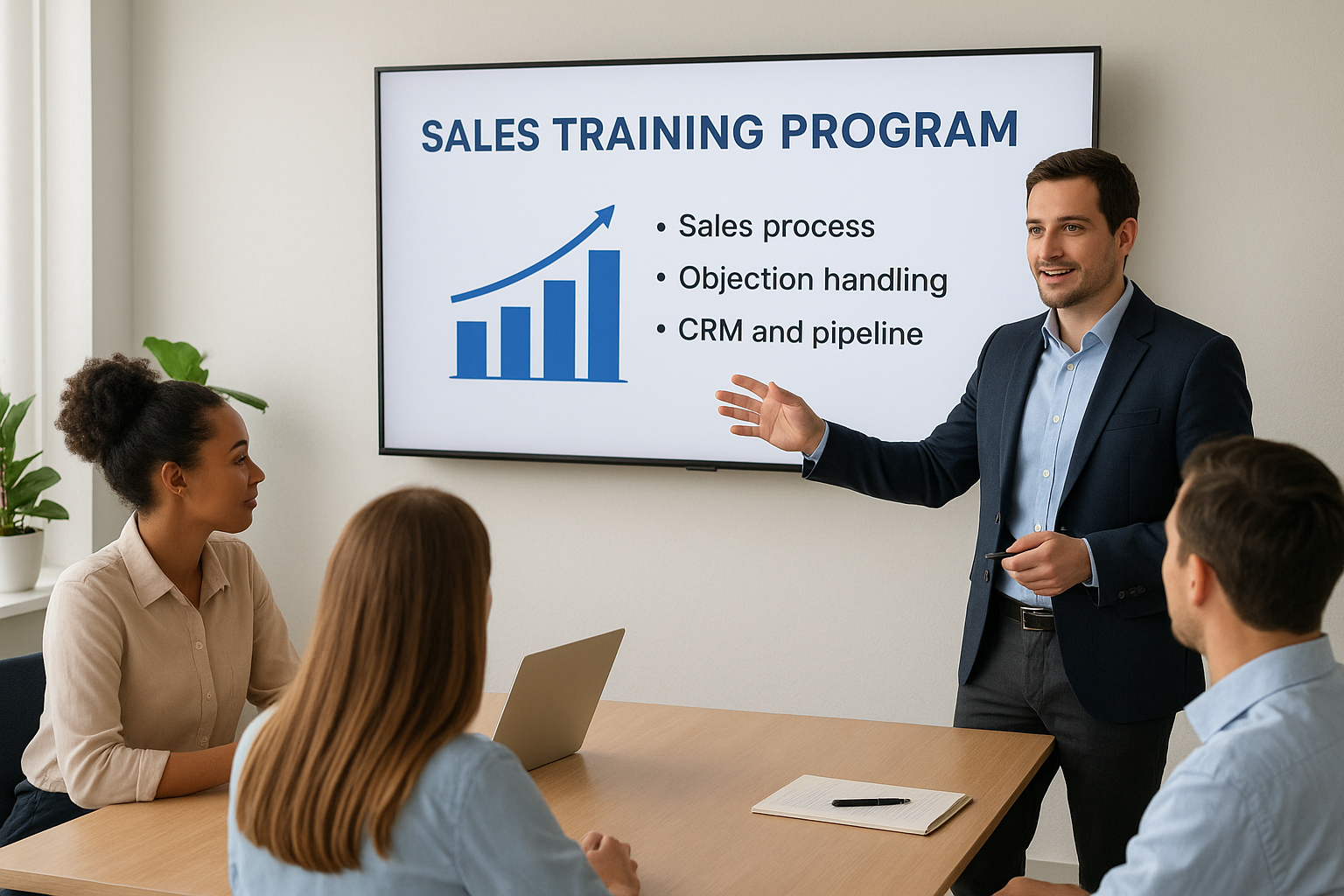
8. Sales training program to boost conversion rates
A sales team without structured training relies on whatever habits each rep picked up at their last job, and those habits rarely match your product, pricing, or buyer. This employee training programs sample replaces guesswork with a repeatable process, so every rep works a deal the same disciplined way instead of improvising through each call. Companies that build this out well see shorter sales cycles and less variance between their top performer and everyone else on the team.
How it works
Sales training usually runs as a mix of methodology courses, call recordings, and live deal reviews where a manager or top rep breaks down what worked and what didn’t. New reps start with foundational modules on the sales process, qualification frameworks like BANT or MEDDIC, and CRM discipline, then move into role-play against common objections before touching real prospects. Ongoing coaching layers in win-loss analysis, pulling actual closed deals into the curriculum so training reflects what’s really happening in the pipeline, not a hypothetical script.
A sales team only improves as fast as its worst habits get corrected, and that takes structured coaching, not just a quota.
Who it’s for
This format fits account executives, sales development reps, and sales managers who need both a shared process and individual coaching on where their numbers fall short. Sales enablement teams typically build and maintain the curriculum in a sales training LMS, working closely with sales leadership to keep content tied to actual quota targets and current messaging. It’s especially valuable for fast-growing sales teams hiring reps faster than tenured staff can mentor them one-on-one.
Key components
An effective sales training track usually includes:
- Sales methodology fundamentals: qualification frameworks and a defined process for moving deals forward
- Objection handling and role-play: practice against real pushback before facing a live prospect
- CRM and pipeline discipline: logging activity and forecasting accurately
- Call and deal reviews: coaching based on recorded calls and closed-won or closed-lost deals
- Product and competitive knowledge: enough overlap with product training to sell against alternatives confidently
Sample training timeline
| Timeframe | Focus | Delivery Method |
|---|---|---|
| Week 1 | Sales process and qualification framework | Self-paced online |
| Week 2 | Objection handling and role-play | Live coaching session |
| Week 3 | CRM discipline and pipeline management | Guided practice |
| Monthly | Call review and deal debrief | Recorded call analysis |
Because quota pressure never really pauses, running this training in short weekly bursts rather than one long onboarding week keeps new reps productive sooner while they’re still learning, especially when you deliver sales training on mobile.
9. Diversity and inclusion training program for equity
Many companies treat diversity and inclusion training as a once-a-year checkbox, then wonder why culture problems keep resurfacing. This employee training programs sample works differently: it treats workplace diversity training as an ongoing skill set, not a single mandatory video watched once and forgotten. Organizations that build this out properly see fewer internal complaints, stronger retention among underrepresented employees, and hiring managers who actually notice their own blind spots before they cost the company a good candidate.
How it works
Good D&I programs combine self-paced awareness modules with facilitated group discussions, since bias and inclusion topics land differently depending on who’s talking and who’s listening. Employees start with foundational courses on unconscious bias, inclusive language, and workplace equity policy, then move into live sessions where a trained facilitator guides real conversation instead of letting a slide deck do all the work. Manager-specific tracks layer in modules on inclusive hiring, equitable performance reviews, and how to handle reports of discrimination correctly.
Diversity training that never leaves the slide deck rarely changes behavior; it’s the guided conversation that does the work.
Who it’s for
Every employee benefits from a baseline course, but hiring managers, HR business partners, and team leads need the deeper curriculum since they make decisions that directly affect equity outcomes. HR and legal teams typically co-own this content, since some modules double as documentation that policies were communicated clearly. Companies scaling headcount quickly or expanding into new regions with different cultural norms tend to lean on this training the hardest.
Key components
A thorough D&I track usually includes:
- Unconscious bias awareness: recognizing bias in hiring, promotions, and daily interactions
- Inclusive language training: terminology and communication norms across teams
- Manager-specific modules: equitable hiring, reviews, and handling complaints
- Facilitated group discussions: guided conversation beyond passive video content
- Policy and reporting education: how discrimination reports get handled internally
Sample training timeline
| Timeframe | Focus | Delivery Method |
|---|---|---|
| Onboarding | Baseline awareness course | Self-paced online |
| Quarter 1 | Facilitated group discussion | Live workshop |
| Quarter 2 | Manager-specific modules | Self-paced + live coaching |
| Annually | Policy refresher, updated scenarios | Self-paced online |
Spacing sessions across the year, rather than front-loading everything into one training day, gives the content time to actually shape behavior instead of fading a week later.
10. Cybersecurity training program to prevent breaches
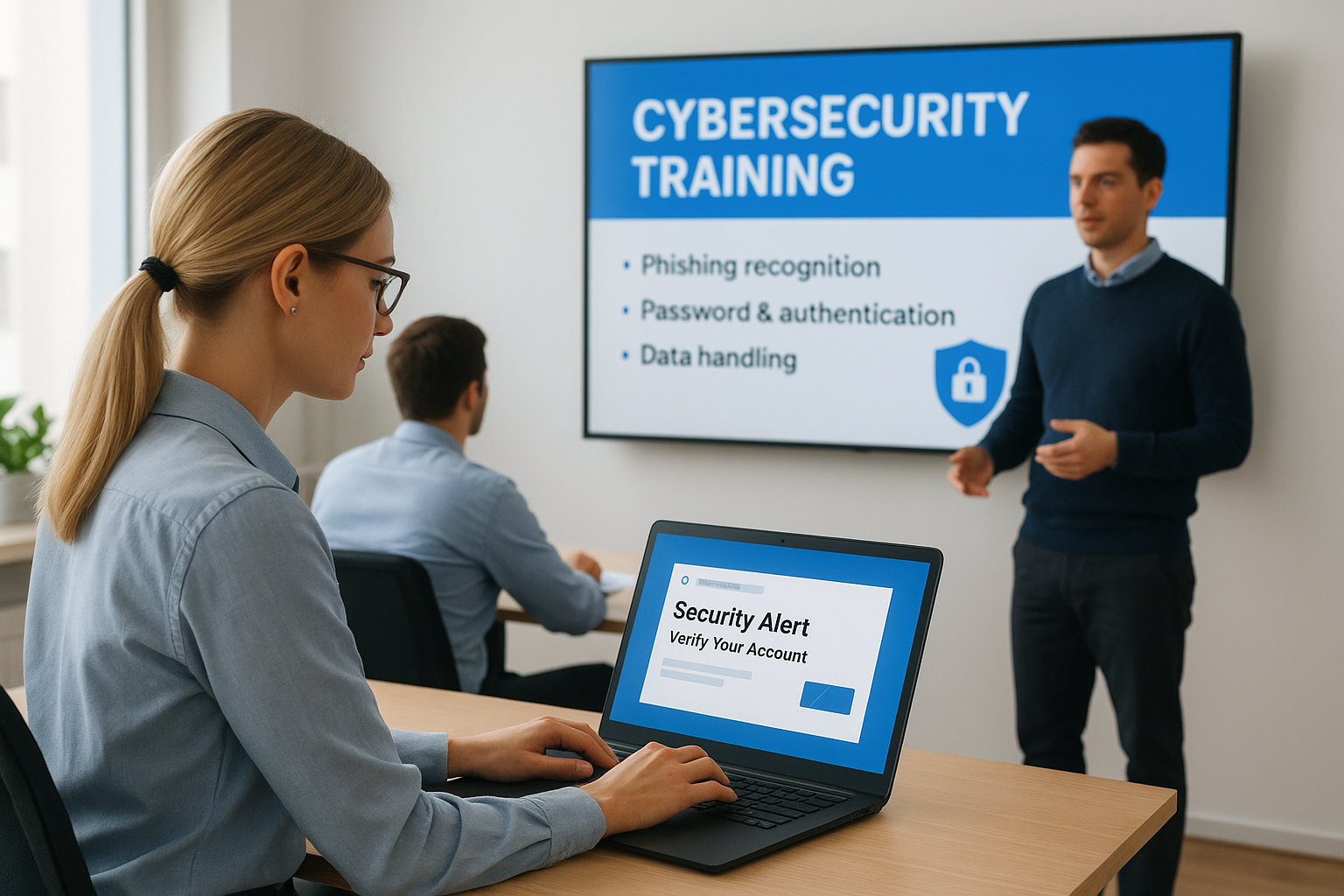
One careless click on a phishing email can undo years of security investment, and most breaches trace back to human error rather than a technical failure. This employee training programs sample treats every employee as part of the security perimeter, not just the IT department. Companies that skip this training find out the hard way, usually after a ransomware demand or a leaked customer database, that a firewall doesn’t stop someone from typing their password into a fake login page.
How it works
Cybersecurity training runs best as short, recurring modules paired with simulated phishing tests that measure whether the lessons actually stuck, which is microlearning doing what it does best. Employees complete a baseline course on password hygiene, phishing recognition, and data handling, then get hit with unannounced simulated phishing emails throughout the year. Anyone who clicks a simulated link gets routed into a quick remedial module instead of a public scolding, which keeps the program corrective rather than punitive. IT security teams review click rates and completion data inside the LMS to spot departments that need extra attention before a real attacker finds the same gap.
A single simulated phishing test tells you more about your real security risk than any policy document ever will.
Who it’s for
Every employee with a company email address needs this training, but it matters most for finance, HR, and executive assistants, since these roles handle wire transfers, sensitive records, and calendar access that attackers specifically target. IT security teams typically own the curriculum, often working with compliance officers when regulations require documented security awareness training. Remote and hybrid companies lean on this even harder, since home networks and personal devices widen the attack surface beyond what office IT can directly control.
Key components
A solid cybersecurity track usually includes:
- Phishing recognition: how to spot suspicious emails, links, and sender addresses
- Password and authentication practices: strong passwords, password managers, and multi-factor authentication
- Data handling policies: what can be shared, stored, or sent outside the company network
- Simulated phishing tests: unannounced exercises measuring real employee behavior
- Incident reporting procedures: exactly who to contact the moment something looks wrong
Sample training timeline
| Timeframe | Focus | Delivery Method |
|---|---|---|
| Onboarding | Baseline security awareness | Self-paced online |
| Quarterly | Simulated phishing test | Automated exercise |
| Quarterly | Refresher module | Self-paced online |
| Annually | Full policy and threat update | Self-paced online |
Running simulated phishing tests on a quiet, unannounced schedule rather than a predictable calendar is what actually reveals who needs more coaching before a real attacker gets the chance.
Choosing the right program for your team
None of these ten formats works as a copy-paste template. Your onboarding cycle might need 60 days instead of 90, or your compliance track might need quarterly instead of annual recertification. What matters is starting from a proven structure rather than a blank page, then adjusting the timeline and content mix to match your actual headcount, industry, and risk profile.
Whatever combination you land on, the harder problem is usually the platform underneath it, not the curriculum itself. Assigning courses automatically by role, tracking completion across a dozen simultaneous programs, and proving compliance during an audit all require an LMS built for that workload, not a folder of PDFs and a shared spreadsheet. If you’re not sure where your organization stands on that front, find out how ready you are for an LMS and see what stage of the process you’re actually in before you commit to a system.
