
Most new hires forget nearly everything you tell them in the first week. Not because they’re not paying attention, but because nobody handed them a new hire training plan that spreads learning out over time instead of dumping it all on day one. If your onboarding still consists of a stack of PDFs and a shadowing session, you already know the problem: slow ramp-up time, inconsistent results, and managers who end up re-training the same skills months later.
This guide walks you through building a structured onboarding schedule that actually holds up past week one, with clear milestones, checkpoints, and role-specific content instead of generic orientation slides. You’ll see how to sequence topics, assign owners, and set measurable goals so new employees know what’s expected and when.
We’ll also cover how a learning management system turns a static training curriculum into something you can track, automate, and repeat for every new hire without rebuilding it from scratch each time, drawing on the best practices for new hire onboarding training that make it stick. By the end, you’ll have a practical framework you can adapt to your own team, whether you’re onboarding one person a quarter or fifty a month.
What a new hire training plan should include
A solid new hire training plan covers more than a checklist of tasks to complete before lunch on day one. Think of it as a document that answers four questions: what does this person need to know, in what order, who teaches it, and how do you know it worked. Skip any one of those and you end up with the same scattered onboarding most companies already have.
Before you build anything, make sure your plan has these core pieces:
- Role-specific learning objectives: what the new hire should be able to do after 30, 60, and 90 days, not just "understand the company."
- A sequenced curriculum: compliance and policy basics first, then tools and systems, then job-specific skills, building in complexity as confidence grows.
- A realistic timeline: a new hire training schedule that spans weeks, not a single orientation day, with checkpoints built in.
- Assigned owners: a manager, mentor, or subject matter expert responsible for each module, so nothing falls through the cracks.
- Delivery methods: a mix of self-paced e-learning, live sessions, shadowing, and hands-on practice.
- Tracking and reporting: a way to see who’s completed what, where people are stuck, and whether the training is actually changing performance.
Gathered separately, these pieces still leave you managing spreadsheets and reminder emails. That’s where a platform matters. Axis LMS lets you package all of this, courses, quizzes, live session links, completion tracking, into one automated onboarding path that runs itself for every new hire.
A training plan without a timeline and an owner is just a wish list.
Notice that none of this depends on your industry or company size. Whether you’re onboarding a warehouse associate or a software engineer, the same structure applies: clear goals, a logical sequence, defined ownership, and a way to measure results. The specifics of your new hire training curriculum will differ by role, which we’ll get into next, but the skeleton stays the same.
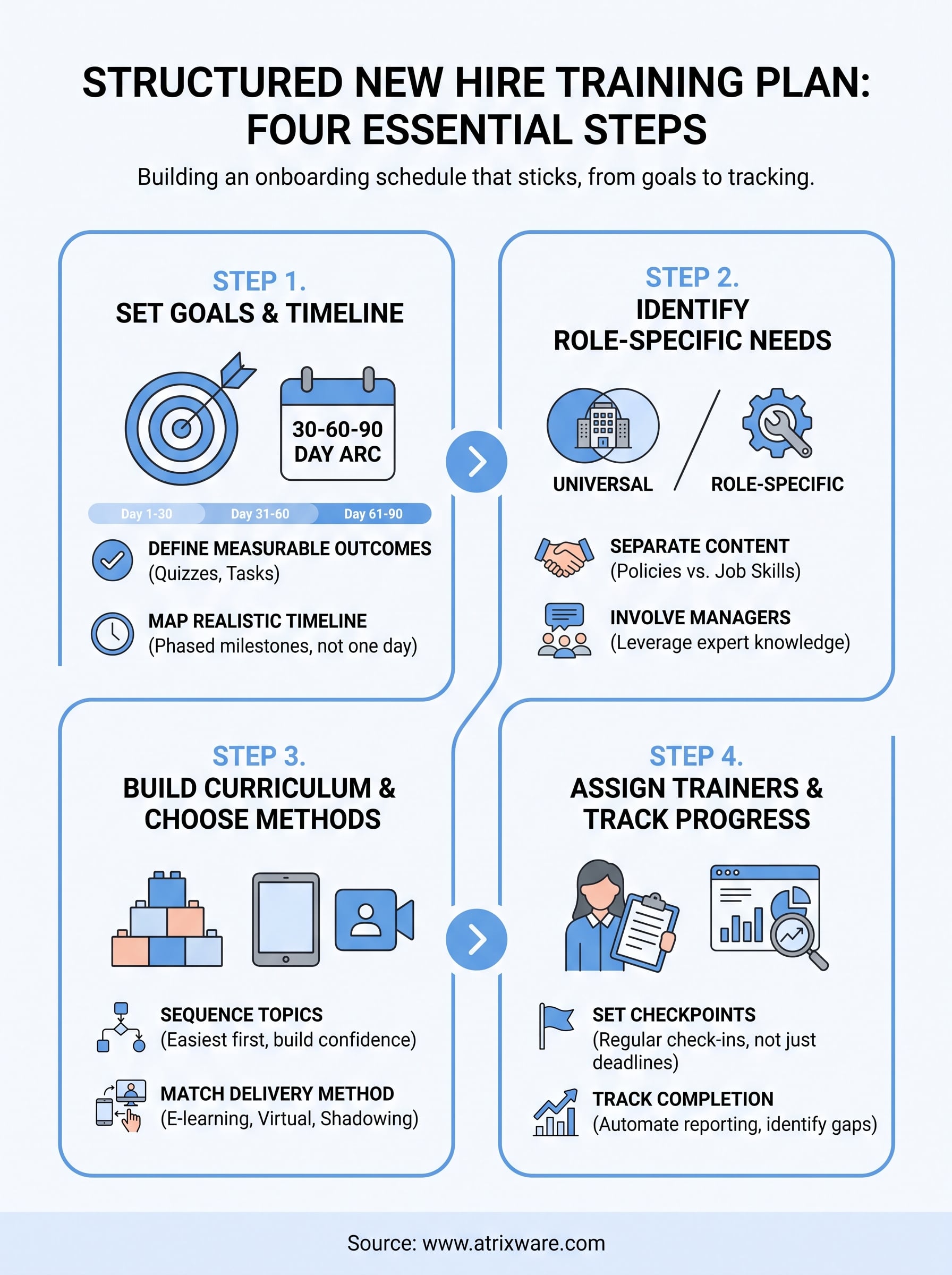
Step 1. Set clear training goals and a timeline
Start by writing down what success looks like, not just what you’ll cover. Training goals should describe observable behavior: "can process a customer refund without help" beats "understands the refund policy." Vague objectives produce vague results, and you’ll have no way to tell if the plan is working until someone messes up a live account, which is one of the most common training design flaws to avoid.
Define measurable outcomes
Pair every goal with a way to check it, a quiz score, a completed task, a manager sign-off. This turns your new hire training plan into something you can actually audit instead of a document nobody revisits after week one.
If you can’t measure it, you can’t tell if onboarding worked.
Map a realistic timeline
Spread goals across a 30-60-90 day arc so new hires aren’t drowning in week one:
| Phase | Focus | Sample milestone |
|---|---|---|
| Days 1-30 | Tools, policies, team intros | Logs into all core systems unassisted |
| Days 31-60 | Core job tasks | Completes a real task with review |
| Days 61-90 | Independent performance | Meets baseline productivity target |
Build this new hire training schedule with breathing room between milestones. Cramming everything into the first two weeks guarantees people forget most of it, which is the exact problem a structured plan is supposed to fix.
Step 2. Identify role-specific training requirements
Every role needs a different slice of your onboarding content, and lumping everyone into the same orientation deck wastes time for half the room. A sales rep needs CRM training and objection handling; a warehouse associate needs safety certifications and equipment walkthroughs. Start by pulling the actual task list from the job description, then ask the hiring manager what separates a struggling new hire from a productive one at 90 days, the kind of training needs analysis that keeps content aimed at real work.

Separate universal from role-specific content
Split your new hire training curriculum into two buckets before you build anything:
- Universal modules: company policies, benefits, security basics, culture orientation
- Role-specific modules: software tools, compliance requirements tied to the job, department workflows, customer-facing scripts
This split keeps your core onboarding path reusable across departments while letting each team layer in what’s specific to them.
Generic onboarding trains nobody well; role-specific onboarding trains everybody fast.
Involve the people closest to the work
Managers and top performers know which skills actually predict success, so pull them into the planning stage instead of guessing from an org chart. Axis LMS supports this by letting you build role-based learning paths per role or department, so a new hire only sees the modules that apply to their job, not a generic library they have to sort through themselves.
Step 3. Build your curriculum and choose training methods
Once you know what each role needs, sequence it into a logical path instead of a folder of random files. Start with the easiest wins, like system logins and policy acknowledgments, then move into skill-building content that requires more focus. A well-ordered new hire training curriculum builds confidence early, so new hires aren’t tackling the hardest material before they know how to find the bathroom.

Match delivery method to content type
Not every topic belongs in the same format. Pick methods based on what you’re teaching, and on whether you’re aligning training delivery with field and office realities:
- Self-paced e-learning: policies, compliance, software basics that don’t change often
- Live virtual classroom: anything requiring discussion, like customer scenarios or team processes
- Shadowing and hands-on practice: job-specific skills that need repetition to stick
- Job aids and quick reference guides: steps people will look up later, not memorize upfront
Match the format to the skill, not the other way around.
Build once, reuse for every hire
Whatever methods you choose, build the curriculum so it doesn’t need rebuilding for the next hire. Axis LMS’s drag-and-drop course builder lets you assemble modules, quizzes, and live training sessions into a single reusable path, so onboarding your fifth employee takes the same effort as onboarding your first.
Step 4. Assign trainers and track progress
A curriculum without an owner drifts. Assign a specific trainer, manager, or subject matter expert to each module, not just a department, so new hires always know who to ask when they get stuck. Clear ownership also means someone is accountable when a module gets skipped or a new hire falls behind, instead of that slipping through the cracks until a 90-day review.
Set checkpoints, not just deadlines
Schedule short check-ins at the end of each phase, weekly for the first month, then biweekly through day 90. These checkpoints catch confusion early, before it turns into bad habits or a frustrated customer.
A trainer with no checkpoints is just a name on a spreadsheet.
Track completion and performance in one place
Manually chasing sign-offs and quiz scores across email threads doesn’t scale past a handful of hires. This is where tracking employee training progress through Axis LMS pays off: managers see completion rates, quiz results, and time-to-competency for every new hire in one dashboard, without asking anyone for a status update. Automated reminders nudge learners who fall behind, and reports flag which modules consistently trip people up, so you can fix the content instead of blaming the new hire. That data also tells you when a trainer’s material needs an update, closing the loop between what you built in Step 3 and what’s actually working in practice, especially if you watch the performance KPIs worth tracking month over month.
Making the plan work for your team
A new hire training plan only earns its keep when it survives contact with a real hire, not just a planning meeting. Goals, sequencing, ownership, and tracking are the four pillars, and skipping any one of them puts you back to reactive onboarding and repeated re-training. Build the skeleton once, then let it flex by role instead of starting from scratch for every department.
Getting this right by hand works for a handful of hires a year. Past that, spreadsheets and email reminders quietly fall apart, and nobody notices until a new employee falls through the cracks. A learning management system handles the sequencing, notifications, and reporting automatically, so your plan runs the same way for hire number one and hire number fifty. If you’re ready to see what that looks like with your own onboarding content, try Axis LMS free as an administrator and build your first automated training path today.
