Social learning, the idea that people learn better when they collaborate, share, and interact, has become a core priority for training teams building modern programs. Docebo social learning takes this concept and bakes it into the platform through a feature called Communities, giving organizations a structured way to encourage peer-driven knowledge sharing alongside formal coursework.
But what exactly do these Communities look like in practice, and how do they move the needle on training outcomes? If you’re evaluating platforms or rethinking your collaborative learning strategy, those are the right questions to ask. At Atrixware, we build Axis LMS to help organizations deliver effective, engaging training, so we pay close attention to how different platforms approach learner engagement, including social features like the ones Docebo offers. Understanding what works (and what doesn’t) across the LMS space helps training leaders make smarter decisions.
This article breaks down how Docebo’s social learning Communities function, what benefits they bring to corporate training programs, and how to implement collaborative learning strategies using the platform. Whether you’re already on Docebo or comparing your options, you’ll walk away with a clear picture of what social learning looks like inside the system and how it stacks up for real-world use.
What Docebo social learning includes
Docebo social learning centers on a module called Docebo Communities, which sits alongside the platform’s formal learning catalog rather than replacing it. The idea is straightforward: learners need more than courses to retain knowledge and stay engaged, so Communities gives them a dedicated space to ask questions, share resources, and learn from each other in the flow of their day-to-day work.
Communities as the foundation
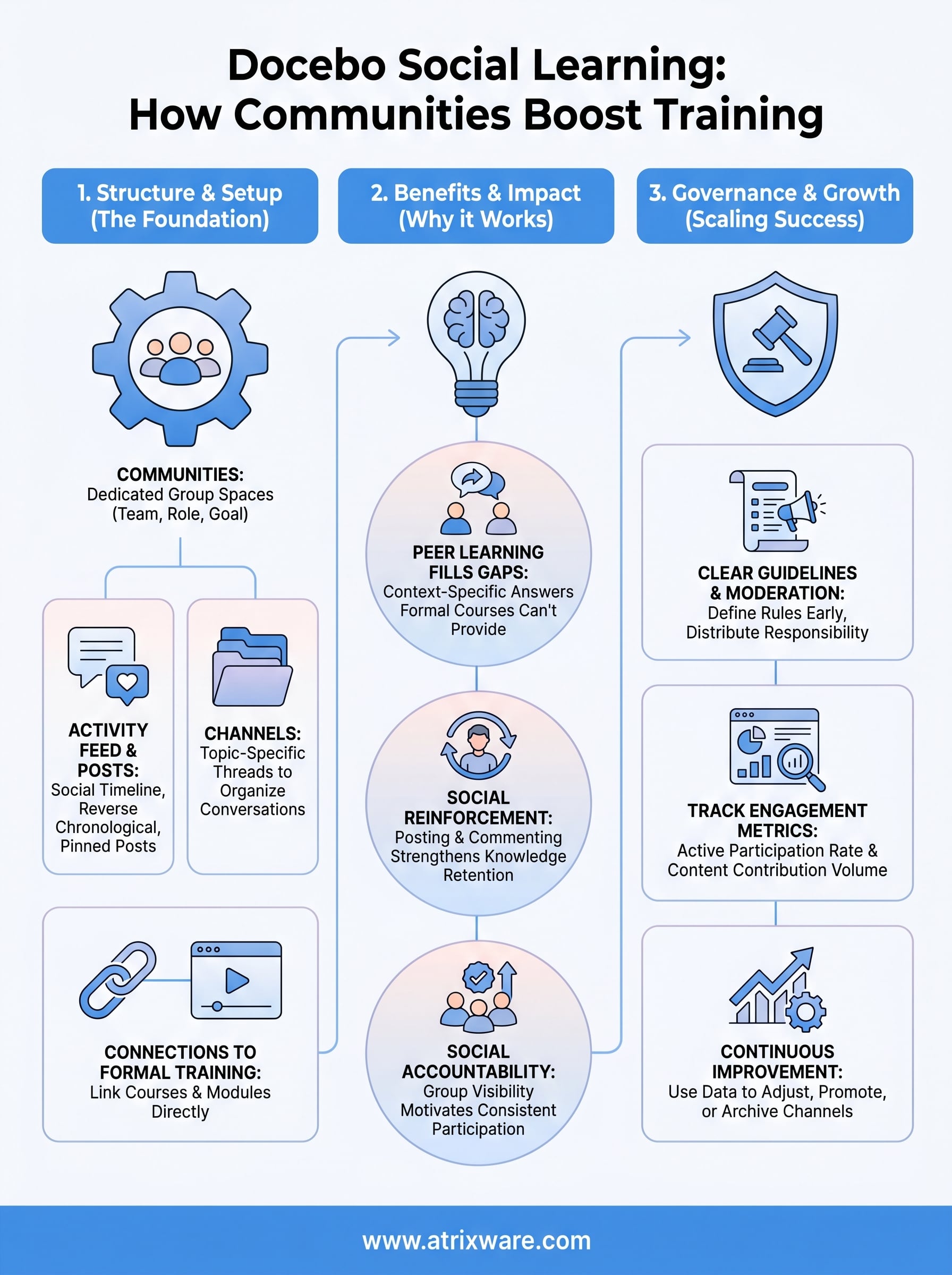
A Community in Docebo is essentially a dedicated group space built around a shared topic, team, role, or business goal. Administrators can create multiple Communities within one platform, which means you can run separate spaces for different departments, product lines, or learner cohorts without everything bleeding together. Each Community has its own feed, member list, and content area, so the experience feels focused and relevant to the people who belong to it.
Keeping Communities scoped to a clear purpose, rather than opening one giant company-wide space, is what makes social learning actually useful instead of overwhelming.
Inside each Community, members can post updates, ask questions, share files, and comment on each other’s contributions. Moderators, which can be admins or designated power users, control who can join, what gets posted, and how the space evolves over time.
Channels, feeds, and posts
The activity feed is the primary surface learners interact with inside a Community. It works similarly to a social media timeline: posts appear in reverse chronological order, and members can like, comment, or respond to keep conversations going. You can pin important posts to the top of the feed so critical information, like a policy update or a product launch brief, stays visible even as new content rolls in.
Channels add another layer of organization within a Community. Think of them as topic-specific threads that let you separate conversations by subject without creating an entirely new Community. For example, a Sales Community might have channels for deal strategy, competitive intel, and onboarding tips, keeping the overall space organized while still encouraging open discussion.
Connections to formal training
One of the more practical aspects of the feature is how it links social activity to structured learning. Admins can attach courses, learning plans, or specific modules directly to a Community, so members can move between peer discussion and formal coursework without leaving the space. This connection matters because it reduces the gap between knowledge discovered in conversation and knowledge delivered through a course.
Docebo also lets you surface external content inside Communities. Members can share links, videos, and documents, and the platform can track engagement with that content. You get a fuller picture of what learners are actually consuming, not just what they completed inside a formal course, which gives training teams better insight into where real learning is happening across your organization.
Why Communities work for corporate training
Corporate training programs have a persistent retention problem. Studies on how memory works show that people forget a significant portion of what they learn within days of completing a course if they never apply or revisit the material. Docebo social learning addresses this gap directly by giving learners a structured space to keep using and sharing knowledge long after a formal course ends, which is where Communities shift from being a nice-to-have feature to a practical training tool.
Peer learning fills the gaps formal courses can’t
No matter how well-designed your curriculum is, formal courses can’t anticipate every question learners will face on the job. When a sales rep runs into an unexpected objection or a new hire hits a confusing process step, they need answers fast, not a new course assignment. Communities give them a place to ask colleagues directly and get context-specific answers that a static module simply cannot provide.
Your organization already contains a significant amount of distributed expertise. Subject matter experts exist across your teams and roles, but without a structured channel to surface that knowledge, it stays locked in individual heads or buried in email threads. A well-run Community turns those internal experts into accessible resources for the broader team, dramatically increasing the return on the expertise you already have on staff.
Formal training builds the foundation, but peer-driven Communities are where that foundation gets tested, applied, and strengthened in real conditions.
Social reinforcement keeps knowledge active
When learners post, comment, and respond inside a Community, they’re not just networking. They’re actively reinforcing what they already know. Explaining a concept to a colleague or answering a question requires recalling and applying information, which strengthens retention far more than a single course completion. Active participation in Communities creates a continuous learning cycle that most formal training schedules simply cannot replicate on their own.
Retention also improves when learners feel accountable to a group. Knowing that peers can see their questions, contributions, and responses creates a natural motivation to stay engaged that a self-paced course sitting in a catalog rarely produces. This kind of social accountability, even in a low-stakes Community setting, is a meaningful driver of consistent participation.
How to set up Docebo Communities step by step
Setting up Docebo social learning Communities is straightforward once you understand the configuration sequence. Before you build anything, clarify the purpose of each Community you plan to create. A Community scoped to a specific team, product, or role will generate more focused discussion and better participation than a broad, undefined space.
Create and configure your first Community
Inside the Docebo admin panel, navigate to the Communities section within the platform settings. From there, you can create a new Community by assigning it a name, description, and cover image that reflects its purpose. Set the visibility and membership rules at this stage: decide whether the Community is open to all learners, restricted to specific groups, or invitation-only. Getting these access settings right from the start saves you significant rework later when participation grows.
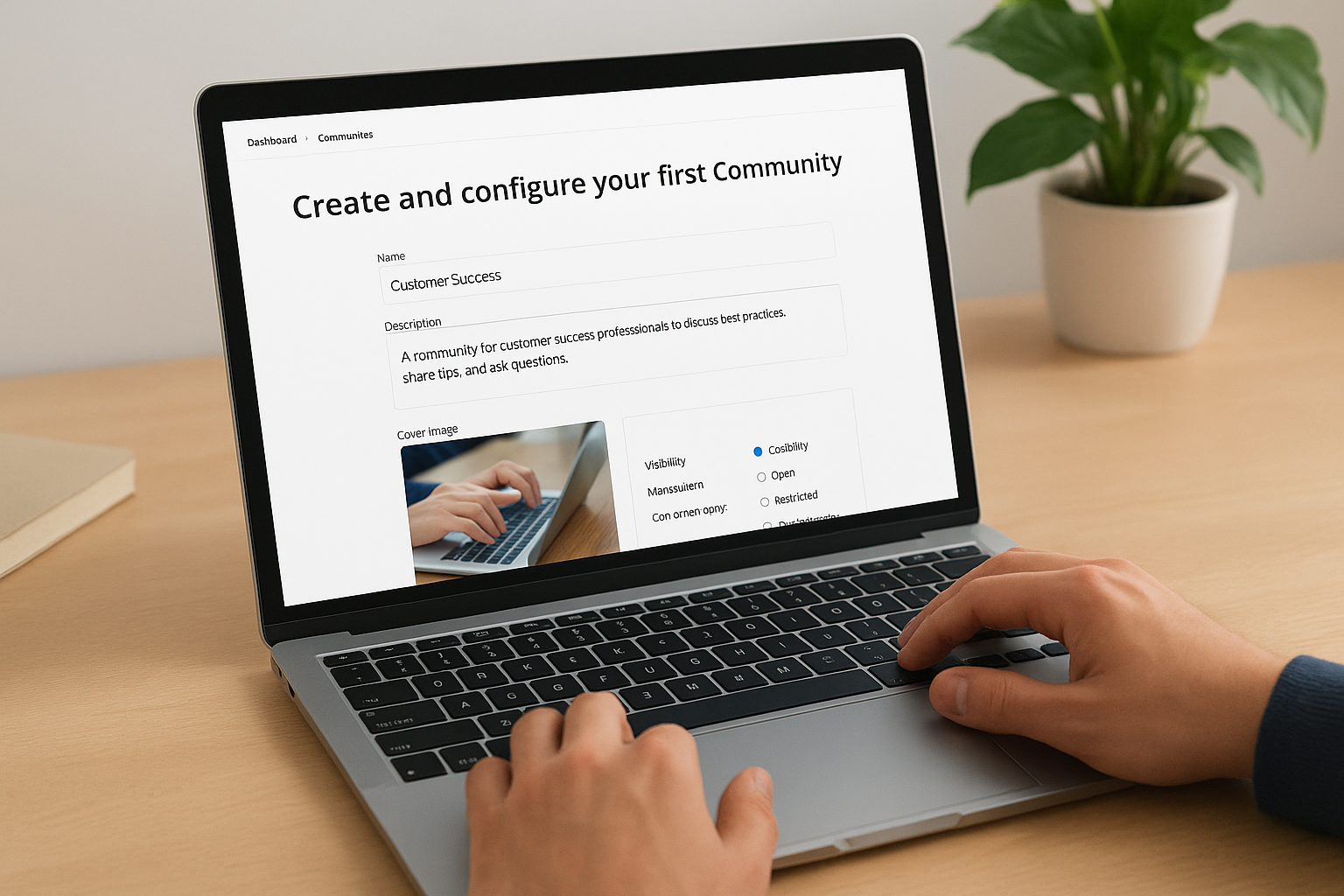
Keep the name and description specific enough that a new learner immediately understands who the Community is for and why they should join it.
Once the basic settings are in place, add Channels inside the Community to organize conversations by topic. For a customer success team, that might mean separate Channels for onboarding questions, escalation tips, and product updates. Each Channel gives members a focused thread to follow rather than one overwhelming feed.
Connect learning content and manage access
After your Channels are set up, attach relevant courses or learning plans directly to the Community. This connection lets members move seamlessly between peer discussion and formal training without navigating away from the space. Linking content this way reinforces the habit of combining structured learning with social discussion, which is where the real retention gains happen.
Finally, assign at least one moderator before you invite members. A designated moderator can approve posts, answer early questions, and set the tone for the space. Communities with an active moderator from day one tend to build participation momentum faster than those left to self-organize from the start.
How to run moderation and governance that scales
A Community without structure becomes noise fast. As your docebo social learning program grows and more members join, the volume of posts, questions, and shared content increases, which means your governance approach needs to scale alongside your learner base, not lag behind it. Setting clear rules and distributing moderation responsibility early prevents the kind of drift that kills participation over time.
Define clear posting rules from the start
Before you open a Community to members, write a short, plain-language set of community guidelines that explains what belongs in the space, how members should interact with each other, and what types of content moderators will remove. Pin this document to the top of the main feed so every new member sees it immediately. Vague expectations lead to inconsistent behavior, and inconsistent behavior forces moderators to make too many judgment calls, which creates friction and slows response times as Communities grow.
Post guidelines once and enforce them consistently rather than reacting case-by-case to each violation.
Your guidelines do not need to be long. A focused list covering tone, content relevance, and acceptable file types covers the majority of situations that come up in a typical corporate learning Community. Keep the language direct so there is no ambiguity when a moderator needs to point a member back to the rules.
Distribute moderation across subject matter experts
Relying on a single admin to moderate every Community is not sustainable once participation picks up. Identify active, knowledgeable members within each group and assign them moderator roles so they can approve posts, answer questions, and flag problems without routing everything through a central team. These distributed moderators also bring domain expertise that a generalist admin often lacks, which improves the quality of responses and keeps conversations accurate.
Check in with your moderator team on a regular cadence to review flagged content, discuss recurring issues, and update your guidelines if new patterns emerge. Governance that adapts to how your learners actually use each Community will hold up far longer than a static rulebook written at launch.
How to measure impact and keep improving
Launching Docebo social learning Communities without a measurement plan means you’re flying blind on whether the investment is working. Before you can improve anything, you need to establish what success looks like for each Community and then track specific signals that tell you whether you’re hitting those benchmarks or drifting away from them.
Track the right engagement metrics
Docebo surfaces several engagement metrics inside the Communities dashboard, and the ones that matter most are active participation rate and content contribution volume. Active participation rate tells you what percentage of Community members are actually posting, commenting, or responding, not just logging in and scrolling. A Community with 200 members and 10 active contributors is not performing the way the member count suggests.
High view counts with low contribution rates usually signal that the Community topic is relevant but the culture of participation hasn’t taken hold yet.
Content contribution volume shows you how often members are generating new posts versus just reacting to existing ones. Communities where a small group of moderators drives most of the content tend to plateau. You want to see a growing share of contributions coming from regular members, which indicates the space has developed genuine peer-driven momentum rather than top-down broadcasting.
Use data to adjust and improve
Pull a simple monthly review of each Community’s metrics and look for patterns rather than one-off spikes. If a particular Channel consistently drives more discussion than others, that’s a signal to invest more there, whether through linked courses, dedicated moderator attention, or featured posts. If a Channel sits quiet for several weeks, either reposition it around a more pressing topic or archive it to keep the overall space clean.
Connecting Community engagement data to formal training completion rates gives you a clearer picture of whether social learning is reinforcing your curriculum. Learners who participate regularly in Communities often show stronger course completion and assessment scores, which gives you a concrete business case for expanding the program over time.
Wrap-up
Docebo social learning gives training teams a practical way to extend learning beyond the course catalog by combining structured Communities with formal content. When you scope Communities clearly, moderate them consistently, and track the right engagement signals, peer-driven learning stops being a vague ambition and becomes a measurable part of your training program.
Every element covered here, from setting up Channels and connecting courses to distributing moderation and reviewing monthly metrics, is something you can act on without waiting for a platform overhaul. The returns compound over time as participation builds and your internal knowledge base grows through genuine peer contribution.
If you’re still figuring out what your organization needs from a learning management system before committing to any platform, take the LMS readiness quiz to get a clearer picture of where you stand and what to prioritize next.
