Every employee, contractor, and partner who logs into your systems doesn’t need access to everything, and they shouldn’t have it. Role based access control software solves this by assigning permissions based on a user’s role, so people see only what they need to do their job. It’s one of the most effective ways to reduce security risks without creating a bottleneck for your IT team.
But choosing the right tool isn’t straightforward. Some RBAC solutions focus narrowly on infrastructure access, while others, like learning management systems, build role-based permissions directly into platforms where hundreds or thousands of users interact daily. At Atrixware, we’ve built configurable security and role-based access into Axis LMS because training environments demand tight control over who can create courses, view reports, manage compliance records, and access learner data.
This article breaks down what role-based access control actually is, compares the top software tools on the market, and walks you through how to choose the right one for your organization’s specific needs.
What role based access control software is
Role based access control software is a system that manages what users can see and do inside an application by assigning permissions to roles rather than to individual people. Instead of manually granting each person specific access rights, administrators define roles (like "manager," "instructor," or "viewer") and attach a set of permissions to each one. When you assign someone a role, they automatically inherit all the permissions that come with it. This approach makes it far easier to manage access at scale, especially when your organization has dozens, hundreds, or even thousands of users.
The core components of RBAC
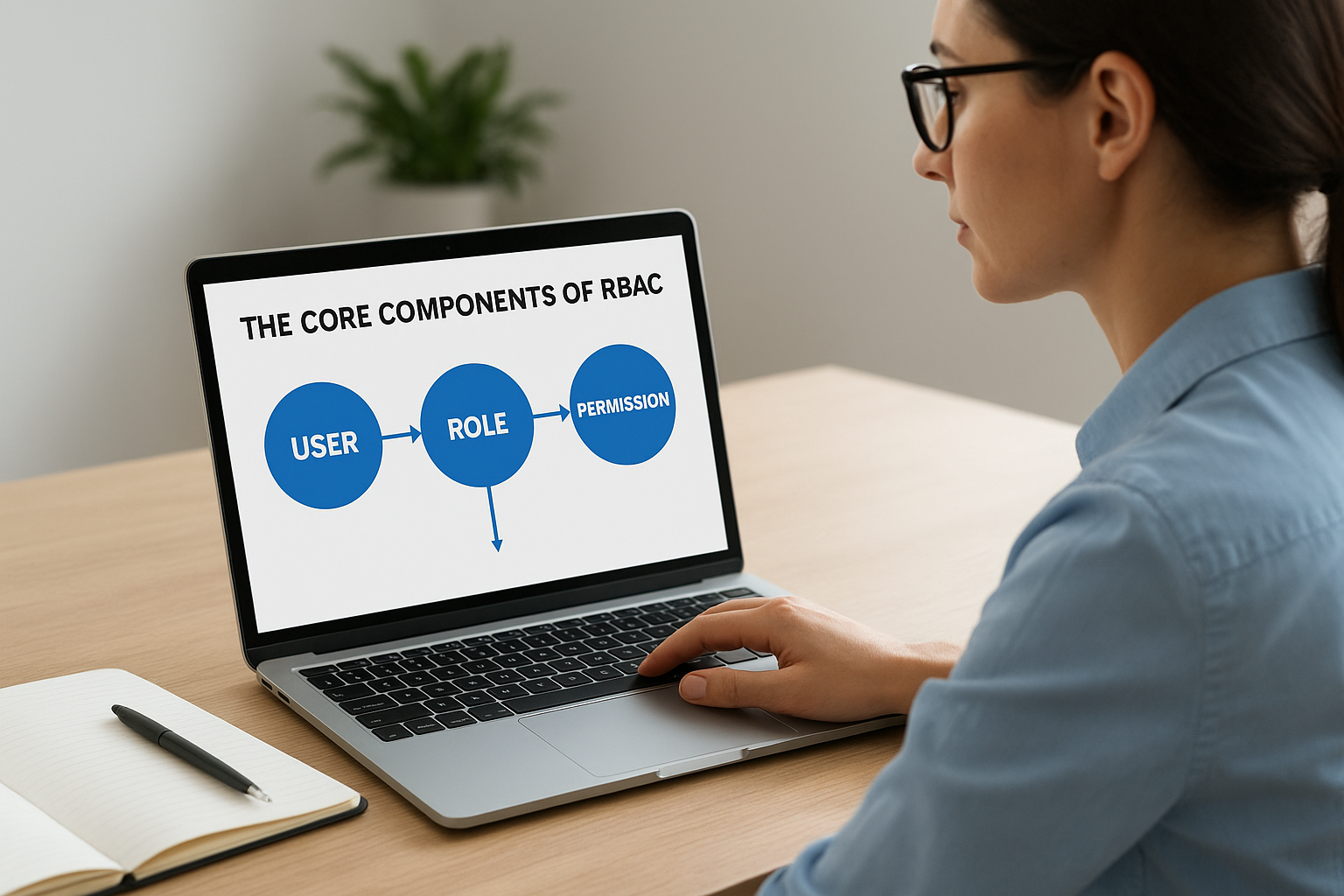
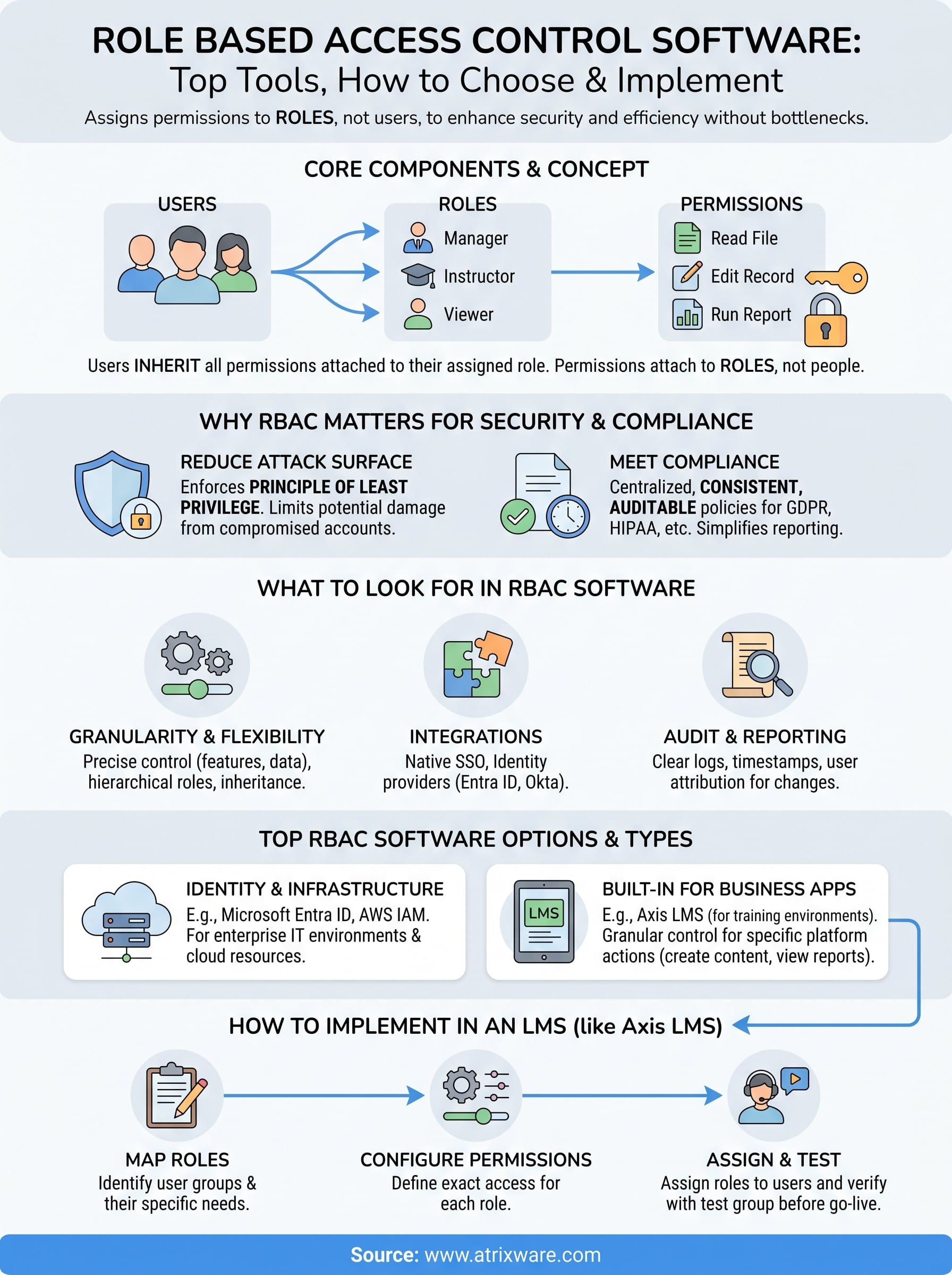
Every RBAC implementation is built on three basic building blocks: users, roles, and permissions. Users are the people or systems that need access. Roles are named job functions or categories that group users together. Permissions define the specific actions a role can perform, such as reading a file, editing a record, or running a report. The key mechanic is that permissions attach to roles, not to individual users, which means you control access at the role level rather than chasing down each person’s individual settings every time something changes.
This structure also handles scale cleanly. When an employee changes jobs internally, you remove their old role and assign a new one, and their access updates automatically. When you onboard a new hire, you give them the right role and they’re ready to go. No manual permission-by-permission setup is required, which is why organizations running large platforms, from enterprise software to role based access control software built into learning management systems, rely on this model to keep user management clean and auditable.
The principle of least privilege, the idea that users should have only the access they need to do their job and nothing more, is the foundation that makes RBAC so effective for security.
How RBAC differs from other access control models
RBAC is one of several access control models, and understanding how it compares helps you recognize why it fits most business environments well. Discretionary access control (DAC) lets individual resource owners decide who gets access to their files or data. This flexibility sounds appealing, but it breaks down quickly in large organizations because access decisions become decentralized and inconsistent. Mandatory access control (MAC), used heavily in government and military contexts, enforces access through system-level policies that even resource owners cannot override, which makes it far too rigid for everyday business operations.
The model sits between these two extremes. It gives your IT or admin team centralized control over access policies while remaining flexible enough to accommodate different job functions across your organization. A fourth model worth knowing is attribute-based access control (ABAC), which grants permissions based on a combination of user attributes, resource attributes, and environmental conditions. ABAC is more granular than RBAC but significantly more complex to configure and maintain. For most organizations, RBAC delivers the right balance between control and manageability, which is why it has become the standard approach for managing user permissions in business software.
Why RBAC matters for security and compliance
Access management is not just an IT concern. It directly affects how secure your data is and whether your organization can satisfy regulatory requirements. Without a structured approach to permissions, users often accumulate access rights over time, picking up permissions from previous roles that never get cleaned up. This phenomenon is called privilege creep, and it creates a broad, difficult-to-audit attack surface that leaves your systems exposed. Role based access control software gives you a clean, policy-driven way to prevent that from happening in the first place.
Reducing your attack surface
When every user has only the permissions their current role requires, the potential damage from a compromised account drops significantly. An attacker who gains access to a low-privilege account cannot automatically reach sensitive records, financial data, or administrative controls. Your risk stays contained. This is why the principle of least privilege, which RBAC enforces by design, is a foundational security concept recommended by organizations like NIST.
Limiting access to only what each role genuinely needs is one of the most straightforward ways to reduce your organization’s internal and external security risk.
Audit trails also improve when you manage access through roles. Because permissions are defined and documented at the role level, you can quickly show auditors exactly what each role can access and verify that no individual has inappropriate permissions. That kind of clear documentation is hard to produce when access is granted on an ad-hoc, user-by-user basis.
Meeting compliance requirements
Many regulatory frameworks require organizations to demonstrate strict control over who can access sensitive data. Regulations like GDPR, HIPAA, and FDA 21 CFR Part 11 all include provisions around access control, data integrity, and the ability to produce records showing who accessed what and when. RBAC makes it far easier to meet these requirements because access policies are centralized, consistent, and auditable by design.
Compliance reporting becomes much faster when your system assigns permissions through defined roles rather than scattered individual settings. Your team can pull a role-based access report, show the logical connection between job functions and permissions, and demonstrate that access reviews happen systematically. For organizations in regulated industries, this level of traceability is not optional. It is a baseline requirement that RBAC is built to support.
How RBAC works in practice
Understanding the concept of RBAC is one thing. Seeing how it actually runs inside a real system helps you apply it correctly from the start. In practice, role based access control software works through a structured setup process followed by ongoing user management that your admin team handles through a centralized interface, rather than digging into individual account settings every time something changes.
Setting up roles and permissions
The first step is mapping your organization’s job functions to clearly defined roles. You start by identifying the distinct groups of people who interact with your system, such as administrators, managers, instructors, learners, or read-only auditors, and then you define exactly what each group needs to do. For each role, you configure a specific set of permissions, such as the ability to create content, view reports, edit user records, or access compliance data.

Getting your role definitions right at the start saves you from untangling permission conflicts later, so it is worth spending time on this mapping before you build anything out.
Once your roles are defined, you assign them to users. A single user can hold multiple roles if their responsibilities overlap, but the goal is always to keep each role’s permissions as narrow as possible. A training administrator in an LMS, for example, might need course creation rights but should not automatically have access to financial reports or system-wide configuration settings.
Managing users day to day
After initial setup, day-to-day user management becomes straightforward. When someone joins your organization, you assign them the appropriate role and they get the right access immediately, without any additional configuration. When someone changes positions internally, you update their role assignment and their permissions shift automatically to match their new responsibilities.
Regular access reviews are a practical habit that keeps your permissions clean over time. Scheduling quarterly or semi-annual reviews of your role assignments lets you catch situations where someone still holds a role from a previous position, which is the main driver of privilege creep. Most RBAC tools give you a role-based user report that makes this review process quick to run and easy to document for compliance purposes.
What to look for in RBAC software
Not all role based access control software is built the same way. Some tools give you broad, coarse permission levels that leave gaps in your access control. Others give you fine-grained control down to individual features and data fields. Before you evaluate any specific platform, knowing what capabilities actually matter will save you from picking a tool that looks good in a demo but limits you once you start building out real role structures.
Granularity and flexibility of permissions
The most important capability to evaluate is how precise the permission system is. You need a tool that lets you control access at the level your operations actually require, whether that means restricting specific menu items, limiting which data records a user can view, or separating read access from edit access. A system that only offers three or four broad access levels will force you to grant more access than necessary just to give users the functionality they need.
The more granular your permission options, the more accurately you can enforce the principle of least privilege across every role in your organization.
Also check whether the tool supports hierarchical roles or role inheritance, which lets you build a base set of permissions that more specific roles can extend. This feature significantly reduces the time you spend configuring duplicate permission sets across similar roles.
Integration with your existing systems
Your RBAC tool needs to fit into the systems your organization already uses. Look for native integrations with your HR or identity management platforms, such as Active Directory, Okta, or Azure AD, so that role assignments can sync automatically when employees join, change positions, or leave. Manual user management at scale is a reliability risk, not just an inconvenience.
Pay attention to whether the platform supports single sign-on (SSO) and standard protocols like SAML or SCIM. These integrations keep your user data consistent across systems and reduce the administrative overhead of maintaining separate user records in multiple tools.
Audit and reporting capabilities
Clear audit logs are non-negotiable if your organization operates under any regulatory framework. Your RBAC software should record every permission change, login event, and role assignment with timestamps and user attribution so you can produce access reports quickly during a compliance review or security incident. At minimum, confirm the tool captures:
- Role assignments and changes, including who made them
- Login events with IP address and timestamp
- Permission modifications at the role level
Top role based access control software options
The right role based access control software depends heavily on what you are trying to control. Tools built for IT infrastructure work differently from platforms built for business applications or training environments. Understanding the category each tool falls into helps you avoid spending time evaluating options that are not suited to your actual use case.

Identity and infrastructure access platforms
Microsoft Entra ID (formerly Azure Active Directory) is one of the most widely deployed platforms for managing user identities and access across enterprise IT environments. It supports role assignments, conditional access policies, and deep integration with Microsoft 365 and thousands of third-party applications. If your organization runs on Microsoft infrastructure, Entra ID gives you centralized RBAC with strong audit logging and SSO support built in.
AWS Identity and Access Management (IAM) is the standard choice for organizations running workloads on Amazon Web Services. IAM lets you define granular permissions for every AWS service and resource, assign those permissions to roles, and then attach roles to users or services. It works well for technical teams managing cloud infrastructure, but it requires significant configuration expertise to deploy correctly at scale.
If your primary need is controlling access across cloud infrastructure or enterprise IT systems, identity-focused platforms like Entra ID or AWS IAM are purpose-built for that challenge.
Platforms with built-in RBAC for business applications
Many business applications build RBAC directly into their platform rather than relying on a separate identity tool. This approach works particularly well when you need tight, application-specific control over actions like creating content, managing users, or viewing reports inside a given system. Your team gets permission structures that map directly to how the application actually works, rather than generic access levels grafted on from outside.
Learning management systems are a strong example of this model. A platform like Axis LMS lets your administrators define roles for instructors, learners, managers, and compliance officers, with granular control over exactly which features and data each role can access. Because training environments handle sensitive records like certifications, compliance tracking, and learner progress, built-in RBAC is a core requirement. Axis LMS also supports SSO integrations with providers like Okta, Azure, and Salesforce, so your training platform fits cleanly into your broader access management setup.
How to roll out RBAC in an LMS like Axis LMS
Rolling out role based access control software inside a learning management system follows a clear sequence, and skipping steps early on creates access problems that are much harder to fix after users are already active. In Axis LMS, your role configuration happens before you bring users into the system, which gives you a clean foundation to build on rather than retrofitting permissions around existing account setups.
Map your training roles before you configure anything
The first task is identifying every distinct group of people who will use your LMS and documenting exactly what each group needs to do. Your list will typically include learners, instructors, course administrators, compliance officers, and reporting viewers, though your organization may have additional roles depending on how your training program is structured. Write down the specific actions each role requires, such as building courses, viewing completion reports, or issuing certifications, before you touch any settings inside the platform.
Starting with a written role map keeps your permission structure logical and gives you a reference point to revisit when your training program grows or changes.
Once you have your role map, translate it into permission assignments inside Axis LMS by configuring each role with only the access it actually needs. Axis LMS lets you control access at a granular level, so a compliance officer can have full visibility into certification records without also having the ability to edit course content. This separation is what keeps your training data secure and your audit records clean.
Assign roles and test before going live
After you build out your roles, assign them to a small test group that represents each user type before you open the platform to everyone. Have each test user log in and attempt tasks both inside and outside their role’s intended scope. Confirm that learners cannot reach the admin panel, that instructors cannot edit compliance records they should not control, and that reporting viewers see only the data their role permits.
Document what you find during testing and adjust your role configurations accordingly. Once every test user’s experience matches your role map, you can roll out access to your full user base with confidence that your permission structure is working exactly as designed.
Where to go from here
You now have a clear picture of what role based access control software does, why it matters for security and compliance, and what separates a well-configured system from one that creates more problems than it solves. The next step is applying that knowledge to your own training environment. If you are still figuring out whether an LMS with built-in RBAC is the right fit for your organization, starting with an honest assessment of your current setup is the fastest way to get clarity.
Axis LMS gives you granular role configuration, SSO integrations, and compliance-ready audit logs all inside a single platform built specifically for business training. You can see exactly how the admin interface works and how permissions are structured before you commit to anything. Take the Axis LMS admin demo to walk through the system firsthand and decide if it fits what your organization actually needs.
