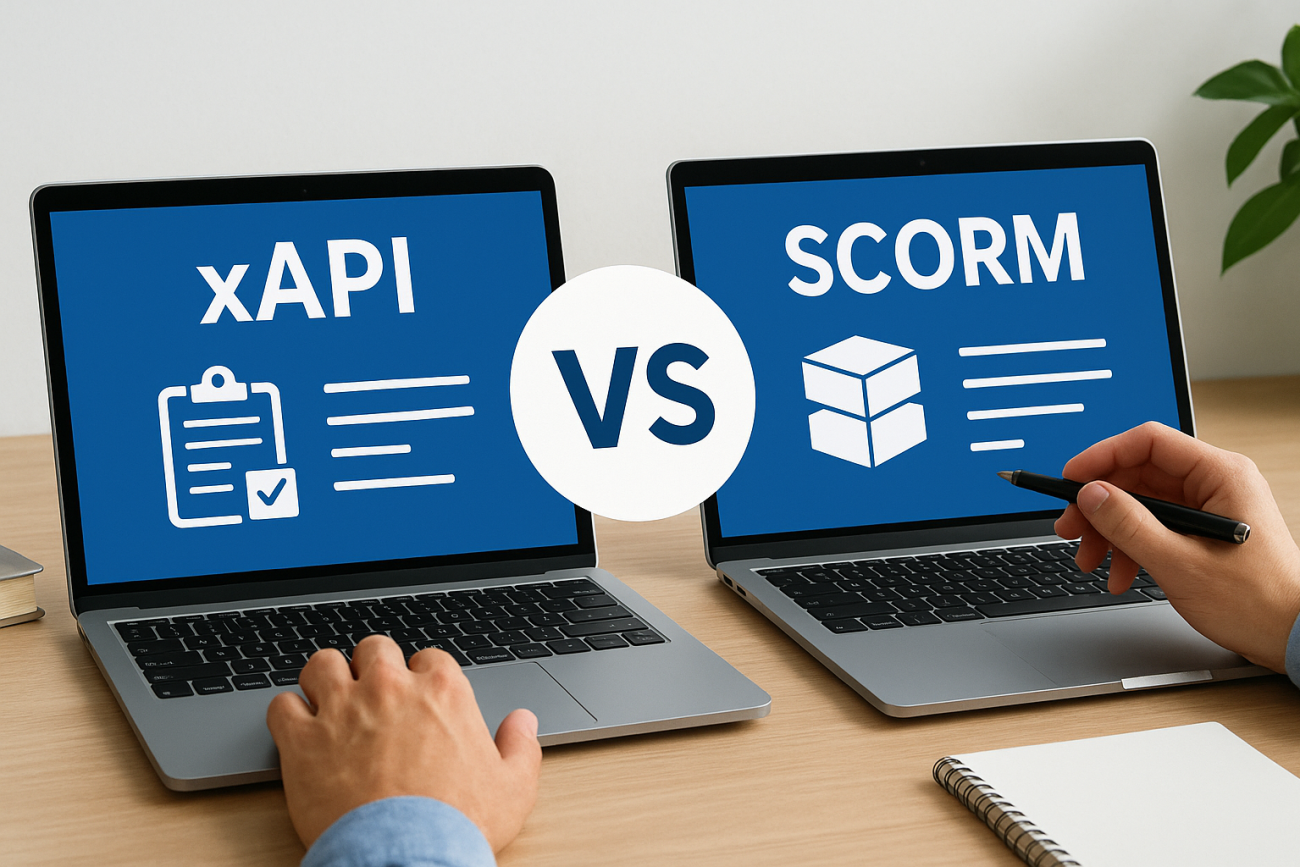
Choosing the right eLearning standard shapes how you build, deliver, and measure training. If you’ve started comparing xAPI vs SCORM, you’ve probably noticed that the conversation gets technical fast, and that most explanations either oversimplify the differences or bury them in jargon. Neither helps when you’re trying to make a practical decision for your organization’s training program.
SCORM has been the default standard for nearly two decades, and it still powers a huge portion of eLearning content worldwide. xAPI (also called Tin Can API or the Experience API) arrived later with a broader vision: tracking learning activities that happen anywhere, not just inside a course player. Both standards solve real problems, but they solve different problems in different ways. Understanding where each one excels, and where it falls short, matters before you commit your content, budget, and workflows to either path.
This article breaks down the core differences between xAPI and SCORM across tracking capabilities, technical architecture, and real-world use cases. As the team behind Axis LMS at Atrixware, we’ve built our platform to support organizations through exactly these kinds of decisions, so we’ll ground every comparison in what actually matters for delivering and managing training at scale.
Why eLearning standards matter
When you build or purchase training content, you want it to work reliably across different systems and produce meaningful data about learner progress. eLearning standards make that possible. Without a shared technical language between your content and your Learning Management System, you end up with content that either doesn’t communicate at all or reports back only the most basic data. Standards define the rules both sides agree to follow, which is what makes scalable, trackable training achievable in the first place.
The problem standards solve
Every time a learner clicks through a course, completes a quiz, or watches a video inside your LMS, data gets generated. The question is whether your system can actually capture, interpret, and store that data in a useful way. Without a standard, that question has no reliable answer because different tools speak different technical languages.
Standards like SCORM and xAPI establish a common protocol for communication between course content and the platform that hosts it. When a course is built to the SCORM specification, any SCORM-compliant LMS can read its completion status, scores, and pass/fail results. When you start examining the xAPI vs SCORM decision more closely, you realize xAPI extends this idea significantly, allowing data to move between far more systems and capture a much broader range of learning activities. That flexibility matters if your training spans multiple environments or tools.
Your LMS is only as useful as the data feeding it. Standards determine what data flows in, how completely, and from where.
What happens without a shared standard
If your content and platform don’t follow the same standard, your reporting breaks down fast. Completion records may not sync, pass/fail thresholds may not register correctly, and administrators often end up tracking progress manually. That’s a real cost in time and accuracy, especially when compliance training requires you to prove that specific employees finished specific courses by specific dates.
Beyond the compliance risk, incomplete data makes it impossible to improve your training programs over time. You can’t identify where learners struggle, which modules have low engagement, or whether your training is changing actual behavior if your tools can’t communicate properly. Standards exist to close that gap and keep your data intact from the moment a learner starts a course to the moment they finish it.
How standards shape your LMS decisions
Choosing an LMS without knowing which standards it supports, and how deeply it supports them, puts your training program at risk. Some platforms support SCORM only, which limits both what you can track and where your content can run. Others support both SCORM and xAPI but treat one as the primary option and the other as a shallow add-on with limited reporting depth and configuration options.
Your existing content library plays a direct role in this decision too. If you’ve already built a library of SCORM-packaged courses, switching to xAPI requires rebuilding or converting that content, which costs time and budget. If you’re building new content from scratch, xAPI gives you more flexibility in how and where learning happens. Knowing what your LMS actually supports before you build, buy, or migrate content prevents costly mismatches between your tools and your goals. The right standard depends on where your training takes place, what data you genuinely need, and what your platform is equipped to do with that data once it arrives.
How SCORM works in a modern LMS
SCORM stands for Sharable Content Object Reference Model. It works by wrapping your course content inside a standardized package that any SCORM-compliant LMS can read and run. When a learner launches a SCORM course, the LMS and the course content begin a two-way conversation using a predefined set of data calls built into the SCORM specification. That communication layer is what allows your platform to record completions, scores, and time spent automatically, without any custom development on your end.
The SCORM package explained
A SCORM package is a ZIP file containing your course files along with a manifest file called imsmanifest.xml. This manifest tells the LMS exactly how the course is structured, which files to load, and how to sequence the content. When you upload the package, the LMS reads the manifest and uses it to organize and display the course correctly. The learner never sees any of this. From their perspective, they just click a link and the course opens, but behind the scenes the LMS is already tracking their session from the first interaction.
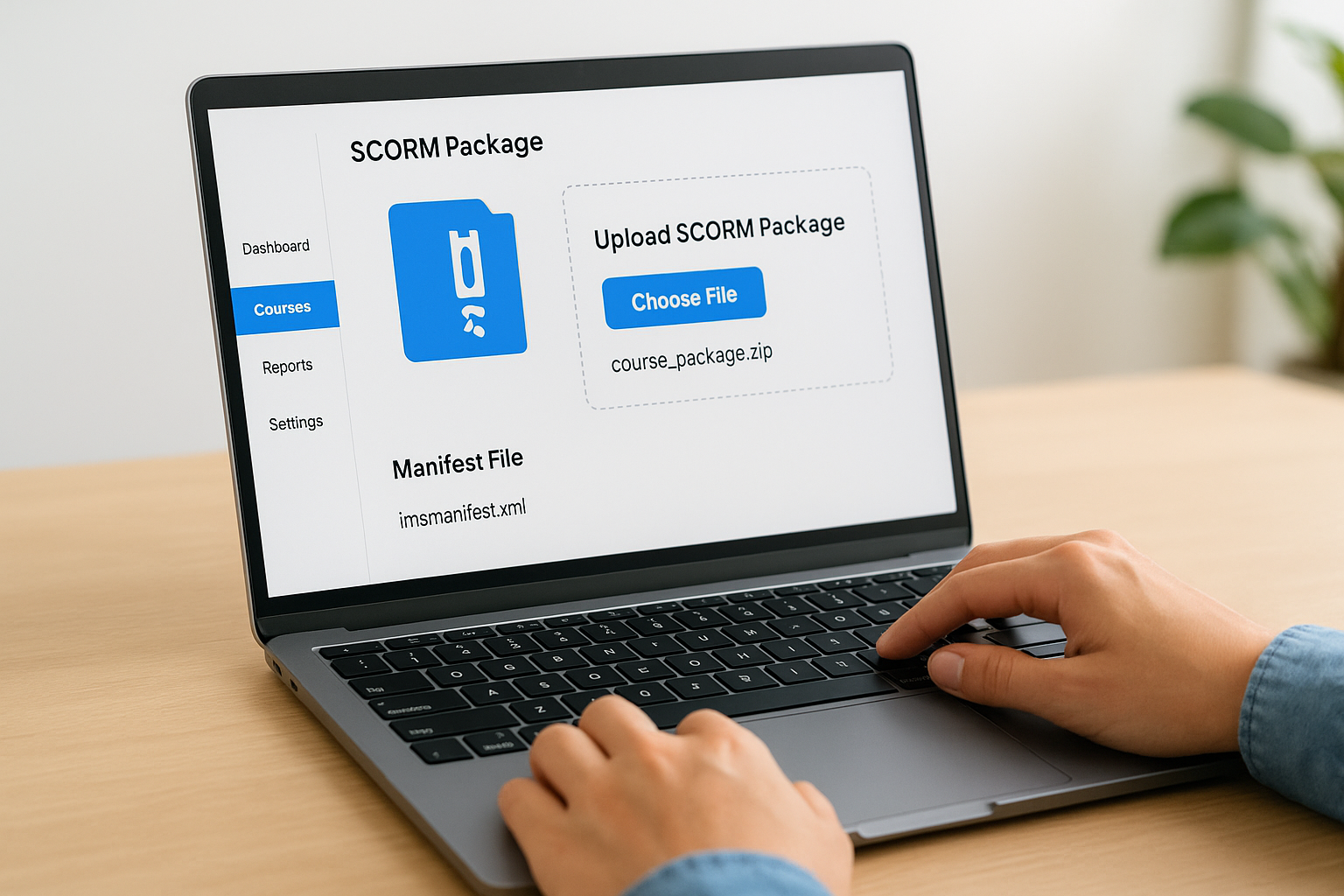
SCORM’s reliability comes from its rigid structure. Every compliant platform reads the same manifest format, which is exactly why SCORM content has stayed portable for so long.
SCORM comes in three versions: SCORM 1.2, SCORM 2004 (with four editions), and SCORM 1.1, which almost no one uses today. SCORM 1.2 remains the most widely supported version because it launched early enough to become deeply embedded in both authoring tools and LMS platforms. SCORM 2004 added more granular sequencing and navigation rules, but the added complexity slowed adoption. When you evaluate xAPI vs SCORM, knowing which SCORM version your existing content uses matters because not all LMS platforms handle SCORM 2004 sequencing identically.
What SCORM tracks inside your LMS
SCORM captures a defined set of data points: completion status, pass/fail result, score, and time spent in the course. The LMS receives these values through JavaScript API calls that fire at specific moments during the learner’s session. When the learner exits or submits, SCORM sends a final commit call that writes the session data to your LMS records. Your reports then reflect whatever the course reported back, nothing more and nothing less. That boundary is intentional in SCORM’s design, and it’s also its primary limitation when your training needs to capture richer learner behavior.
How xAPI works with an LRS
xAPI takes a fundamentally different approach from SCORM. Instead of relying on a JavaScript API inside a browser window, xAPI sends structured data statements to a dedicated database called a Learning Record Store, or LRS. The LRS can sit inside your LMS or operate as a standalone system. This separation means your tracking isn’t tied to a single course session or browser window, which opens up significantly more flexibility in where and how learning gets recorded.
The xAPI statement model
Every xAPI record follows a simple but powerful three-part structure: actor, verb, and object. A statement might read "Sarah completed the onboarding module," or "James scored 85% on the quarterly compliance quiz." These statements are written in JSON format and sent via HTTP requests, which means almost any digital system can generate them, not just a formal course player. Mobile apps, simulations, video platforms, and even on-the-job performance tools can all send xAPI statements to your LRS as long as they’re built to do so.
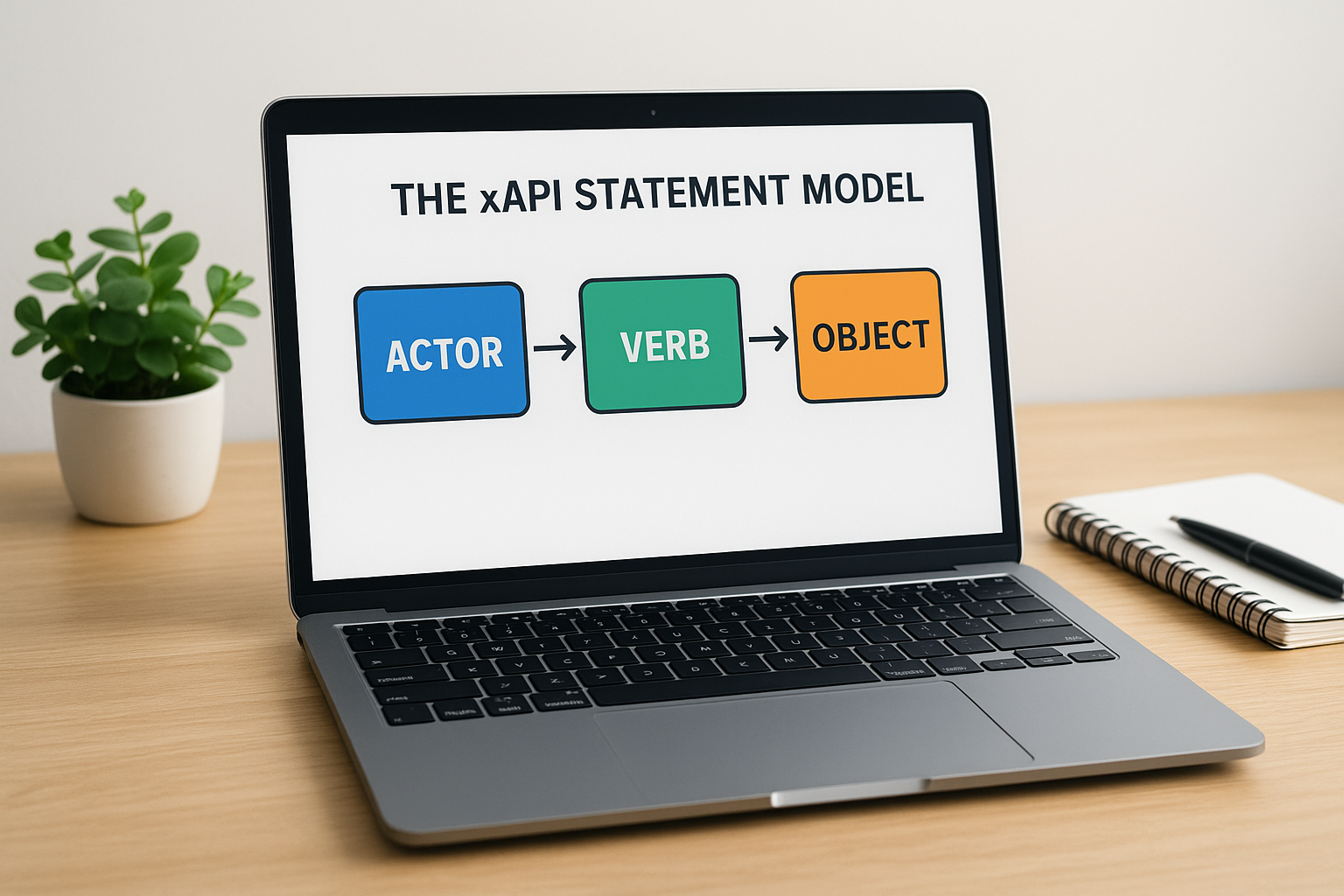
The actor-verb-object format is simple enough to read but flexible enough to capture nearly any type of learning activity.
This is the core architectural difference when you examine xapi vs scorm: SCORM data stays inside the LMS session, while xAPI data travels wherever you configure it to go. You aren’t limited to tracking course completions. You can record when someone watches a video outside the LMS, completes a job task, or passes a certification exam from a third-party provider. Each of those events produces a discrete, timestamped statement your LRS stores and your reporting tools can query.
The role of the LRS
The LRS functions as the central repository for all xAPI data. Every statement your systems generate lands here, and the LRS preserves those records in a queryable format. If your LMS includes a built-in LRS, you manage everything in one place. If you use a standalone LRS, you can pull data from multiple platforms into a single reporting environment, which makes it easier to see learning activity across your entire organization rather than just what happens inside one tool.
Your LRS also handles authentication and validation. It verifies that incoming statements meet the xAPI specification before storing them, which keeps your data consistent and reliable across every source sending records into the system.
SCORM vs xAPI differences that change outcomes
The gap between these two standards goes deeper than version numbers or technical syntax. When you look at xAPI vs SCORM side by side, the differences that actually affect your training program come down to where data lives, what it captures, and how tightly your content is bound to a single system. Those distinctions determine what your administrators can report on, what your learners can do, and how much flexibility you have as your training program grows.
Data portability and system dependency
SCORM ties your tracking data directly to the LMS session that launched the course. If the browser window closes unexpectedly, or if a learner switches devices mid-course, the session data may not commit correctly. Your records reflect only what the SCORM API managed to write before the session ended, which creates gaps in completion data that are difficult to recover after the fact.
xAPI eliminates that dependency by sending individual timestamped statements over HTTP rather than relying on a persistent browser session. Each statement travels independently to the LRS, so a dropped connection doesn’t erase the learner’s progress up to that point. You get a more accurate picture of what actually happened during a learning session, even when technical interruptions occur.
Reliable data doesn’t happen by accident. The architecture you choose determines how much of your learners’ activity survives real-world conditions like connectivity issues and device switches.
Offline and multi-environment learning
SCORM requires an active browser connection to the LMS to function. That means learners working in field environments, on airplanes, or in facilities with limited connectivity simply can’t track their progress until they’re back online. For many organizations, this isn’t a dealbreaker, but for industries like manufacturing, construction, or healthcare with distributed workforces, it’s a significant operational gap.
xAPI handles offline learning through a queuing mechanism built into compatible authoring tools and apps. The application stores statements locally while the learner is offline, then pushes those records to the LRS once connectivity returns. Your data arrives complete and accurate without requiring the learner to repeat any content. If your training program extends beyond a traditional desk environment, that capability changes what you can realistically deliver and measure.
Tracking and reporting: what each can measure
The data your standard captures is the data your administrators can act on. When you compare xapi vs scorm from a reporting perspective, the difference isn’t just about quantity of data points. It’s about the types of learning activities each standard can represent and how that shapes the decisions you can make with your training program.

What SCORM can report
SCORM gives you a fixed set of reportable data that hasn’t changed much since the specification was written. Your LMS receives completion status, pass/fail result, a raw score, and total time spent in the course. For straightforward compliance training where you need to confirm that a specific employee finished a specific course and passed a knowledge check, those data points are often sufficient.
The limitation shows up when you need anything beyond that core set. SCORM can’t tell you which question a learner answered incorrectly, how many attempts it took them to reach a passing score, or whether they revisited a particular module after initially completing it. You get a snapshot of the final outcome, but not a detailed picture of how the learner got there.
If your reporting needs stop at completion and pass/fail, SCORM delivers exactly what you need without added complexity.
What xAPI can report
xAPI captures granular, timestamped statements about individual learner actions rather than summarizing a session into a handful of fields. Your LRS can store records of every question attempted, every video segment watched, every simulation interaction, and every external learning activity that a configured tool reports. That level of detail lets you identify patterns in learner behavior that SCORM simply cannot surface.
Your reporting tools can query xAPI data to answer questions like: which modules produce the most repeated attempts, how long learners spend on specific content before assessments, or whether completion rates differ across departments or job roles. You can also pull xAPI data from sources outside the LMS itself, so your reports reflect the full scope of your training program rather than only what happens inside a single platform. That breadth makes xAPI the stronger choice whenever your organization needs reporting that connects learning activity to actual performance outcomes.
How to choose and implement the right standard
The decision between xAPI vs SCORM rarely comes down to one factor alone. You need to weigh your current content library, your LMS capabilities, your learners’ environments, and the specific data your organization actually needs to act on before committing to either path. Starting with those constraints narrows your choices faster than any feature comparison will.
Start with your tracking requirements
Your reporting needs are the most direct signal pointing you toward the right standard. If your training program consists of structured compliance courses where pass/fail confirmation and completion timestamps are sufficient, SCORM handles that cleanly and at lower implementation cost. Most existing authoring tools output SCORM packages reliably, and virtually every LMS on the market supports SCORM 1.2 without additional configuration.
If your program needs to track learning that happens outside a formal course player, whether that’s video consumption, on-the-job task completion, or training delivered through mobile apps, then xAPI is the right direction. Before moving forward, confirm that your LMS includes a built-in LRS or supports integration with a standalone one, because xAPI statements have nowhere to land without it.
Choosing a standard you can’t fully implement in your current infrastructure costs more time than it saves in capability.
Match your standard to your infrastructure
Your authoring tool matters as much as your LMS in this decision. Most major authoring tools support both SCORM and xAPI output, but the depth of xAPI support varies. Some tools generate basic completion statements only, which gives you little advantage over SCORM. Others expose granular interaction data and custom verb configurations that let you design exactly the statements your LRS will receive. Verify what your authoring tool actually exports before you assume you’re getting full xAPI functionality.
Implementation sequencing matters too. If you’re migrating an existing content library, plan to convert content in phases rather than all at once. Start with new content built to your chosen standard, run it in parallel with your existing SCORM library, and use that period to validate that your LRS is capturing and storing data correctly. Testing statement delivery before you retire your SCORM content prevents gaps in your compliance records and gives your administrators time to adjust report configurations without disrupting active training programs.
Final takeaways
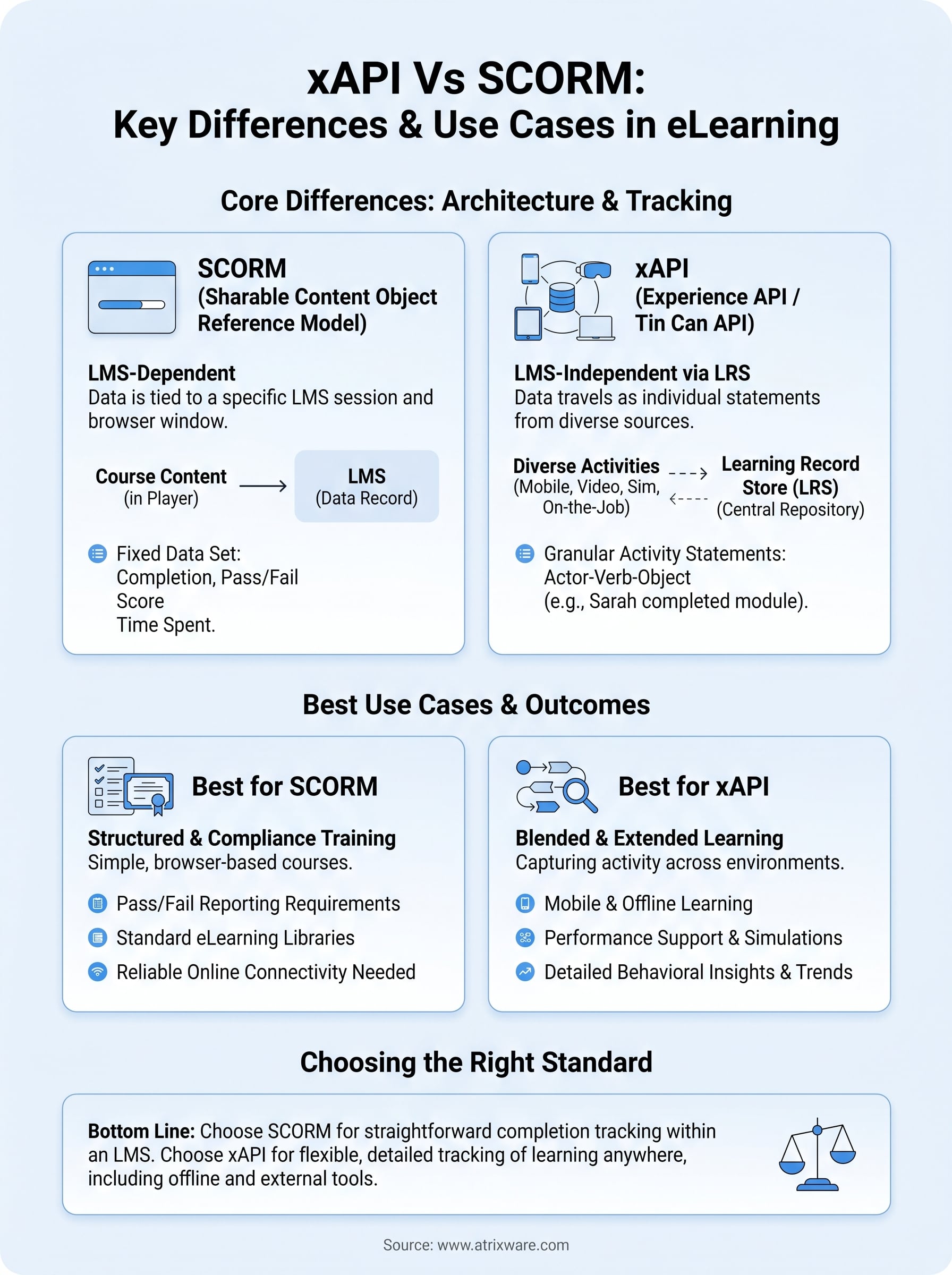
The xapi vs scorm decision comes down to what your training program actually needs to measure and where your learners actually work. SCORM works well for structured, browser-based courses where completion and pass/fail data cover your reporting requirements. xAPI gives you more reach and more detail, capturing learning activity across environments, devices, and tools outside a traditional course player. Neither standard is universally better. The right one fits your infrastructure, your content, and your data goals without adding complexity you don’t need.
Before you commit to a standard or start building new content, knowing exactly what your current LMS supports matters more than any feature checklist. Your platform’s capabilities shape every authoring, reporting, and integration decision that follows. If you’re not certain where your organization stands in that process, take the LMS readiness quiz to get a clearer picture of what your training program needs before you build anything.
