
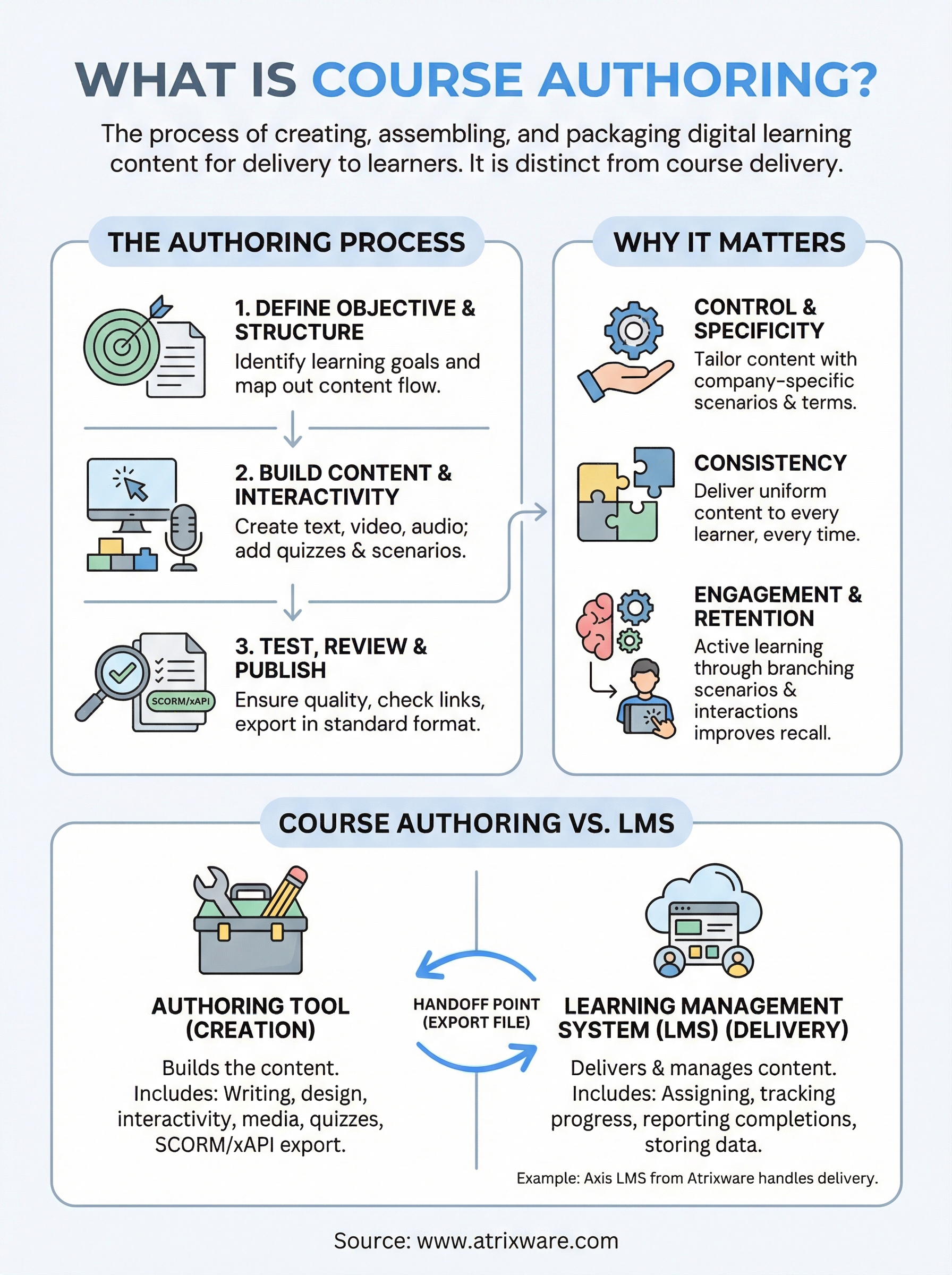
Every piece of online training your team completes, every interactive module, every quiz, every scenario-based lesson, started with someone building it. That process is what is course authoring: the work of creating, assembling, and packaging digital learning content so it can be delivered to learners. It covers everything from writing instructional text and recording video to designing interactions and publishing files that an LMS can actually use.
Course authoring often gets confused with course delivery, but the two serve different roles. An authoring tool is where content gets built. A learning management system like Axis LMS from Atrixware is where that content gets assigned, tracked, and reported on. Understanding the boundary between them matters, because it directly affects how you choose your tools and structure your training workflow.
This article breaks down what course authoring involves, walks through the main types of authoring tools available, and explains exactly how they relate to, and differ from, an LMS.
Why course authoring matters for training
If you manage training for a business, the content itself is the product. A well-designed course keeps learners engaged, reduces knowledge gaps, and produces measurable results. A poorly built one wastes time and quietly erodes confidence in your entire training program. Understanding what is course authoring gives you a clear view of where training quality actually originates, so you can invest in the right places and get better outcomes across your organization.
The quality of your training content determines whether learners retain information or simply click through to reach the completion screen.
You control what learners actually experience
When you build your own course content instead of relying entirely on off-the-shelf materials, you control the narrative, the examples, and the depth of each topic. Generic training often misses the specifics that matter to your team, your products, or your compliance requirements. Custom-authored content lets you use real scenarios drawn from your industry, your company’s own terminology, and procedures that match how your organization actually operates day to day.
That level of specificity is difficult to achieve any other way. A generic safety course might cover the basics, but it won’t walk a new hire through the exact steps your facility requires. When you author your own content, you close the gap between general knowledge and genuine job readiness, which is the point of training in the first place.
Consistency becomes easier to maintain
Training inconsistency is one of the most persistent problems organizations face, especially when delivery depends on live instruction or informal knowledge transfer from senior employees. One trainer explains a process one way, and another trainer explains it differently. Over time, those inconsistencies create gaps in how people perform the same task, which compounds risk in regulated industries.
Authored digital courses address this problem directly. Every learner sees the same content, presented in the same sequence, measured against the same standards. When you update a policy or a procedure, you update the course once and every learner receives the corrected version from that point forward. For compliance training specifically, this kind of consistency is not a nice-to-have feature; it is a core operational requirement.
Engagement depends on how content is built
Learners disengage when content feels passive, repetitive, or disconnected from their actual work. The structure and interactivity built into a course directly affect whether people pay attention or mentally check out halfway through. Course authoring gives you the tools to add branching scenarios, knowledge checks, drag-and-drop interactions, and multimedia elements that make learning active rather than purely text-based.
Engagement is not just about making training look professional. Active learning techniques increase knowledge retention and reduce the time it takes for employees to apply new skills on the job. Research from cognitive science published by institutions like the National Institutes of Health consistently shows that retrieval practice and interactivity outperform passive reading for long-term retention. When you author content with those techniques built in from the start, you are building something that actually changes behavior, not just a completion checkbox your team has to click through.
How course authoring works step by step
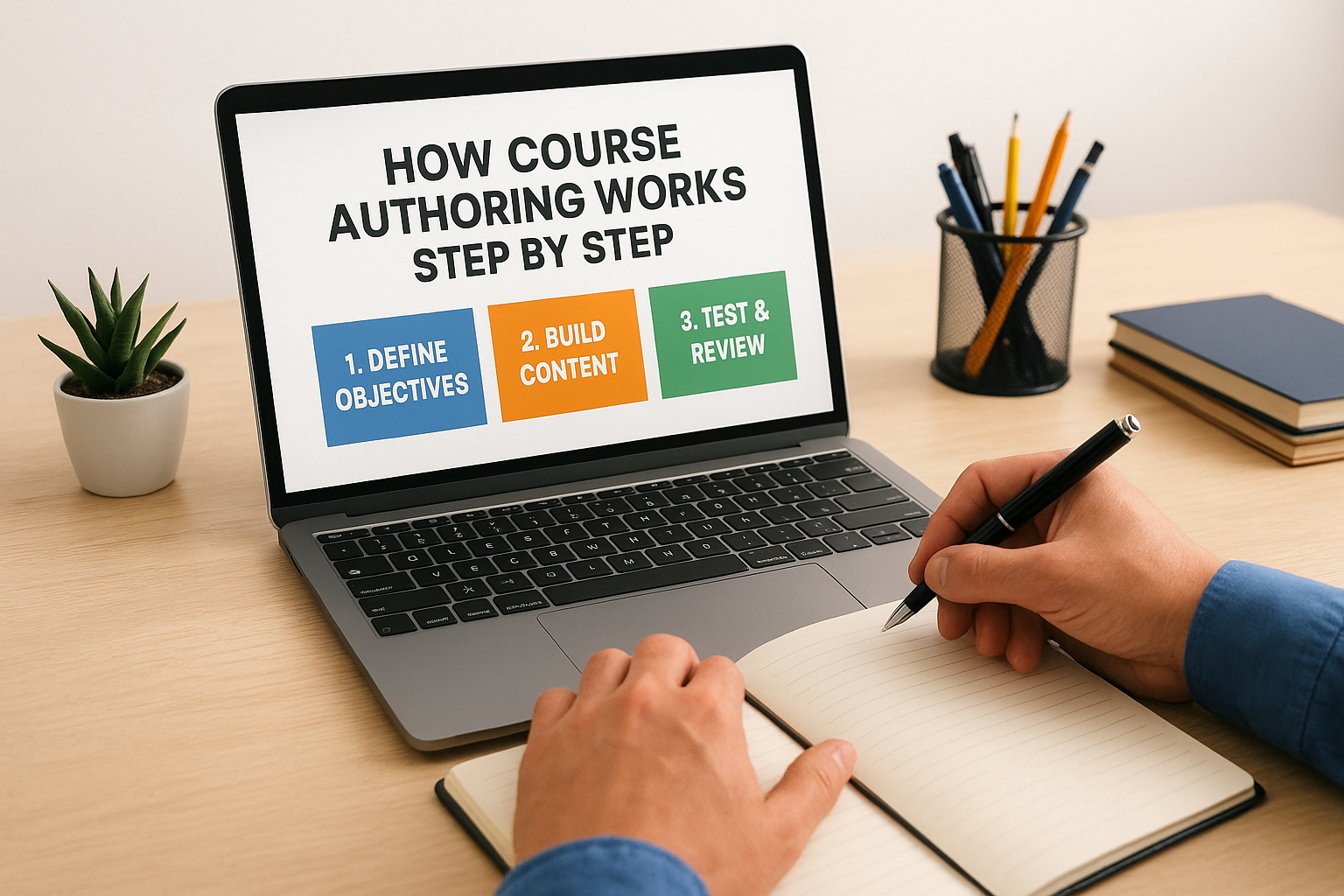
Understanding what is course authoring becomes much clearer when you see it as a defined process rather than a single task. Most successful course builds follow the same general sequence, regardless of which authoring tool you use or what topic you’re covering. Each phase feeds the next, and skipping a step early tends to create more work at the end.
Start with a learning objective
Before you open any authoring tool, you need to define what learners should be able to do after completing the course. This is not the same as listing topics to cover. A learning objective answers a specific question: what behavior, skill, or decision should change as a result of this training? Clear objectives drive every subsequent decision, from how long the course runs to what kind of interactions or assessments you include.
Writing vague objectives like "understand company policy" is one of the most common reasons courses fail to produce measurable results.
Once you have clear objectives, you can outline the content structure. Map out the sequence of topics, the logical flow between them, and where learners will encounter knowledge checks before moving on. This outline acts as your blueprint and saves significant revision time later.
Build and assemble the content
With a solid outline in place, you move into actual content creation. This phase involves writing instructional text, recording or sourcing audio and video, designing visual assets, and building the interactions that learners will work through. Most authoring tools let you assemble these elements inside a single environment rather than juggling separate applications.
This is also where you make decisions about interactivity. Branching scenarios, drag-and-drop exercises, and embedded quizzes all get built during this phase, not added afterward as an afterthought. Building them in from the start keeps the course coherent and avoids pasting activity elements on top of otherwise passive content.
Test, review, and publish
Once the course is assembled, you run it through review before releasing it to learners. This means checking for broken interactions, verifying that feedback messages are accurate, and confirming the course tracks completion correctly. You also want at least one person outside the build team to go through it as a test learner.
After review is complete, you export the course into a standard format that your LMS can accept, most commonly SCORM or xAPI, and upload it for deployment.
Course authoring tools, formats, and features
Part of understanding what is course authoring is knowing which tools make the process practical and what formats those tools produce. The authoring tool market is wide, and the right choice depends on your team’s technical comfort level, the complexity of your content, and how it needs to connect to your LMS. Picking a tool without considering those factors usually leads to format incompatibilities or a workflow that slows your team down rather than speeding it up.
Types of authoring tools
Authoring tools generally fall into two categories: desktop-based tools installed on a local machine and cloud-based tools that run in a browser. Desktop tools often provide more advanced interaction-building features and offline access, while cloud-based tools make it easier for distributed teams to collaborate on a single course without emailing files back and forth.
The best authoring tool is the one your team will actually use consistently, not the one with the longest feature list.
Some organizations also work with PowerPoint-to-course converters, which take existing slide decks and add basic interactivity and tracking. These work well for simple content but fall short when you need branching logic, scenario-based learning, or more complex assessments built directly into the course structure.
Common output formats
Most authoring tools export finished courses into standardized formats so that an LMS can track learner progress and completion. SCORM (Sharable Content Object Reference Model) is the most widely supported format and comes in versions 1.2 and 2004, with 1.2 still used more broadly due to its compatibility across older LMS platforms. xAPI, sometimes called Tin Can, is a newer standard that tracks a much wider range of learner activity, including offline learning and mobile interactions, and stores that data in a Learning Record Store rather than only inside the LMS.
Key features worth evaluating
When you assess an authoring tool, focus on whether it supports the interaction types your courses actually need rather than treating every feature as equally valuable. Look specifically for branching scenario support, built-in quiz and assessment builders, media import flexibility, and accessibility compliance with WCAG standards. Responsive design output is also worth prioritizing if learners will access training on mobile devices, since a course built for desktop only will frustrate anyone working from a phone or tablet.
Course authoring vs an LMS and other platforms
The most persistent source of confusion around what is course authoring is the overlap people assume exists between authoring tools and learning management systems. These two platforms serve completely different functions, and treating them as interchangeable leads to buying tools that solve the wrong problems or missing capabilities your workflow actually requires.
What an LMS actually does
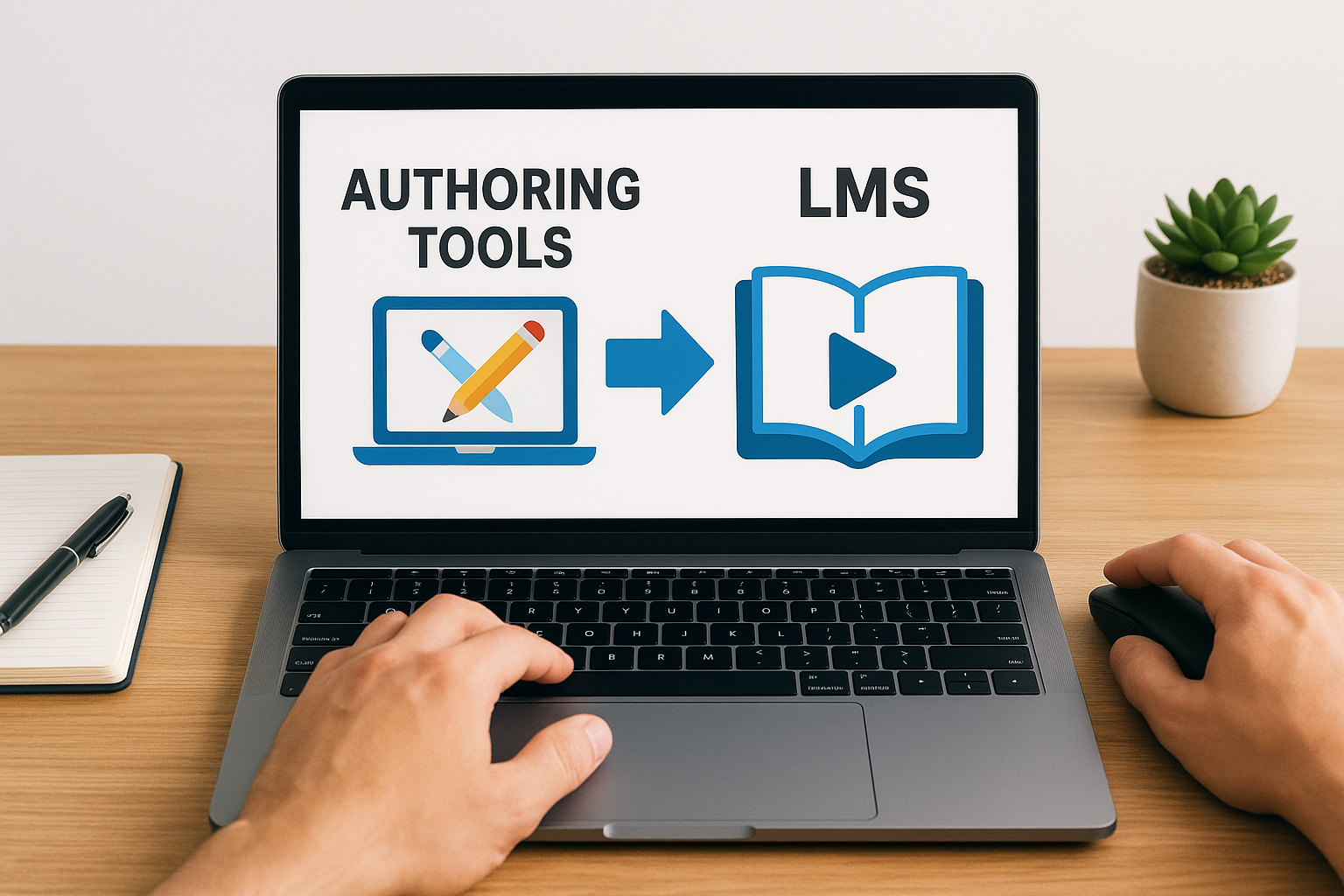
An LMS is a delivery and management platform. Its job is to house your finished courses, assign them to the right learners, track who has completed what, and report on results. When a learner logs in, the LMS serves up the course, records their progress, captures quiz scores, and flags completions for your records. Axis LMS from Atrixware, for example, handles all of this across employee training, compliance programs, and customer education from a single platform.
Your LMS does not build the course. It receives the finished product and manages everything that happens after a learner opens it.
What the LMS does not do is create content. You do not write instructional text, record narration, build branching scenarios, or design quizzes inside an LMS. That work happens in your authoring tool, and the finished file gets exported and uploaded into the LMS for deployment.
Where authoring tools end and the LMS begins
The handoff point between these two platforms is the export file. Once your authoring tool produces a SCORM or xAPI package, your job as a content creator is finished, and the LMS takes over. The LMS reads the tracking signals embedded in that package and records the data against each individual learner’s profile. Neither platform replaces the other, and you need both to run a complete digital training program.
Other platforms that sometimes create confusion
Video hosting platforms and content libraries occupy a different lane again. A video platform stores and streams media but does not track completions or report on learner progress the way an LMS does. A content library gives you pre-built courses on common topics, but you cannot customize that content to fit your specific procedures or brand. Authoring tools are the only option when you need content built to your exact specifications, connected to your LMS, and tracked in a way that holds up under compliance requirements.
Examples and common questions about course authoring
Putting a concrete picture around what is course authoring helps you move from theory to practical decisions faster. Seeing real examples and getting direct answers to common questions removes the guesswork from choosing how to structure your team’s content creation workflow.
What does a finished course actually look like?
A finished authored course is typically a self-contained package of files, not a single document or video. It includes instructional screens with text and visuals, embedded audio or narration, interactive elements like drag-and-drop exercises or branching scenario choices, and a final assessment. When uploaded to an LMS, the package communicates back to the platform in real time, reporting when a learner starts, what score they receive on a quiz, and when they reach the completion threshold.
A compliance course on workplace safety, for example, might include five modules, each ending with a short knowledge check, followed by a final scenario where the learner has to select the correct response to a hazard. The LMS records a pass or fail, logs the completion date, and flags anyone who needs to retake it before their annual deadline.
Do I need a separate authoring tool if my LMS includes a course builder?
Many LMS platforms include a basic built-in content editor, and for simple text-and-image pages or short assessments, that may cover your needs. Where built-in builders typically fall short is in complex interactivity, branching logic, and accessibility compliance, which require the deeper feature sets that dedicated authoring tools provide.
If your training involves scenario-based learning, simulations, or content that needs to meet WCAG accessibility standards, a standalone authoring tool gives you significantly more control over the finished product.
How long does it take to author a course?
Authoring time varies based on content complexity and your team’s familiarity with the tools, but a common industry benchmark is roughly 30 to 100 hours of development time per finished hour of seat time for interactive content. Simpler courses with mostly text and basic quizzes fall toward the lower end, while scenario-based or heavily multimedia content sits at the higher end.
Planning your content structure thoroughly before you open an authoring tool is the single most effective way to compress that development time.
Breaking your topic into shorter modules rather than one long course also speeds the build process and makes updates easier to manage down the line.
Next steps
Now that you understand what is course authoring and how it fits into a complete training workflow, you can make smarter decisions about your tools, your content structure, and how everything connects to your LMS. The gap between building a course and delivering it effectively comes down to having the right platform on the delivery side to handle assignment, tracking, and reporting once your authored content is ready to go.
Your next practical move is to evaluate whether your current LMS can actually support the content you want to build and the compliance requirements you need to meet. If you are still figuring out where you stand in that process, the LMS readiness quiz from Atrixware gives you a clear picture of what stage you are at and what to prioritize next. From there, you can move forward with a setup that handles both course delivery and learner management without gaps.
