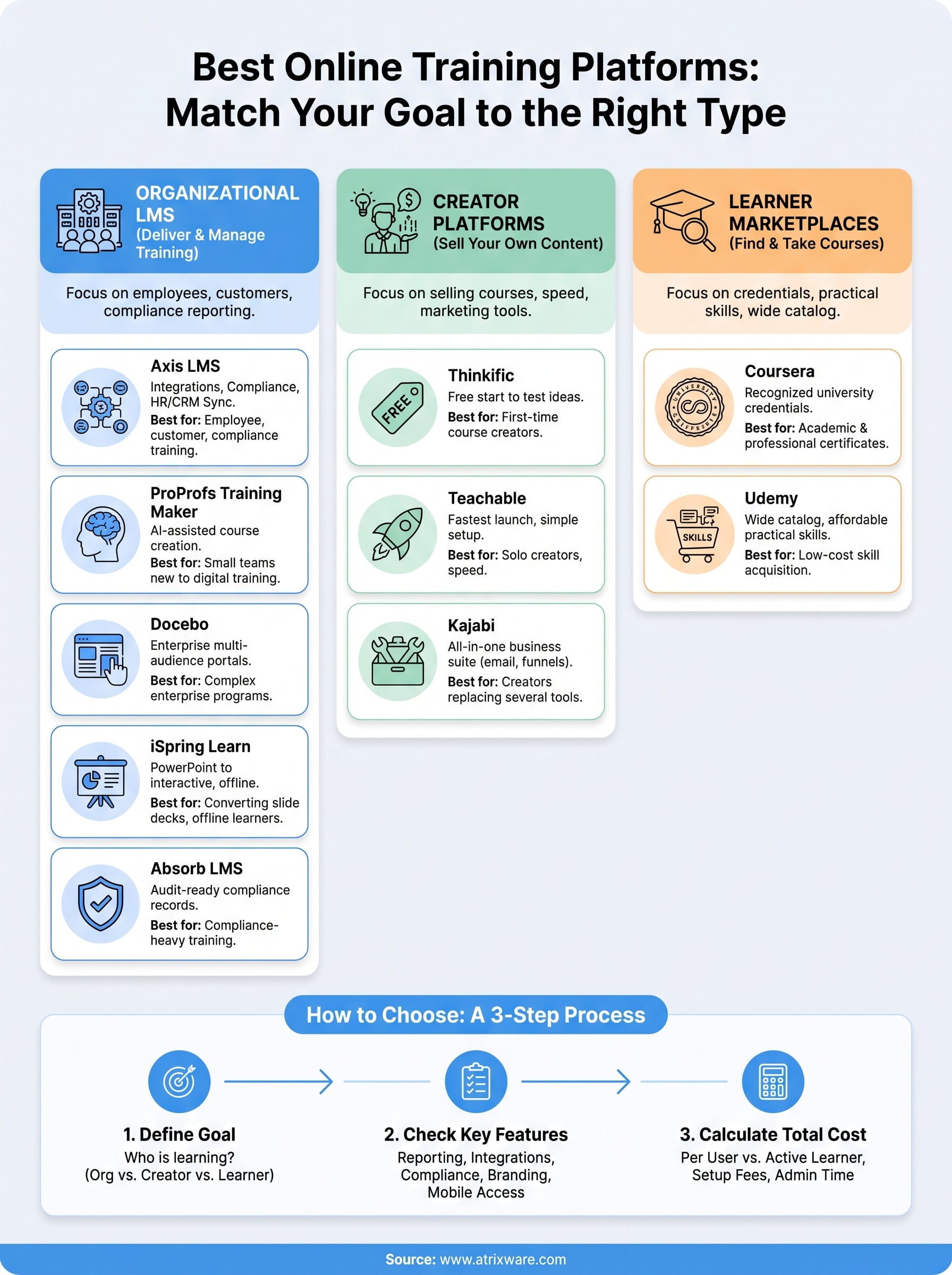
The best online training platforms are the ones that match who is learning and what you need to do with the content. For employee, customer, and compliance training, Axis LMS, ProProfs Training Maker, Docebo, iSpring Learn, and Absorb LMS are the strongest picks here. If you want to sell your own courses, look at Thinkific, Teachable, and Kajabi. If you want to learn a new skill yourself, start with Coursera or Udemy.
The trouble with this search is that Google mixes three different kinds of product in one list: learning management systems for companies, course builders for creators, and marketplaces for learners. Comparing a free course builder with an enterprise LMS tells you nothing, because they solve different problems. A good choice starts with knowing which kind you need, then comparing options within that kind on features, support, and price.
This guide profiles ten platforms and answers the same three questions for each: how it works, who it suits, and what it costs. We make Axis LMS, so it appears first, and we describe it by the same standard as the rest. Prices are starting prices that vendors change often, so confirm current figures before you buy. After the profiles you get a side-by-side table and a short guide to choosing.
1. Axis LMS: employee and customer training
Axis LMS is a learning management system from Atrixware for organizations that need to deliver, track, and manage online and virtual classroom training. It fits when training is a business process with reporting, compliance, and system integrations attached, not just a set of videos.
How it works
You build courses in a drag-and-drop interface, enroll learners manually or through automation workflows, and track progress with on-demand and automated reports. The learner interface can be branded to match your organization, and you can run the same system for employees, customers, channel partners, or all three. Live virtual classroom sessions run alongside self-paced online courses, which helps if your training mixes both formats.
The integration layer is where Axis separates itself. It syncs user data with HR and CRM systems such as ADP, Salesforce, BambooHR, and Zoho. An integration builder covers 5,000+ system integrations, and a REST API and webhooks handle custom work. SAML single sign-on works with providers such as Okta, Azure, and Ping Identity. For compliance, it tracks Continuing Education Units and re-certifications and supports requirements such as GDPR and FDA 21 CFR Part 11. It also has e-commerce tools for selling training to individuals or selling seat licenses to businesses.
Who it suits
Axis suits HR managers, training managers, compliance officers, and sales enablement teams. It scales from organizations of 25 employees up to 100,000. Atrixware usually sets up a system within 1 to 3 business days of purchase, patches and upgrades it at no extra cost, and includes tech support with an unlimited number of incidents. HIPAA compliant and PCI compliant hosting options are available for regulated work.
- Choose it if you train employees and customers from one system, need audit-ready compliance records, or need to connect your HR or CRM data.
- Skip it if you are an individual who wants to take courses. Axis is software for organizations that deliver training, not a course catalog.
Axis LMS is built for organizations where training has to connect to HR, CRM, and compliance systems.
Pricing
Axis LMS Lite is aimed at organizations of 25 to 100 employees. The package for online training with 25 users is listed at $209, and the version that adds streaming virtual classroom training is listed at $299. Larger organizations choose among three tiers, summarized below, and contracts run 1 to 3 years. Atrixware accepts Visa and Mastercard for monthly and annual billing, and check or bank transfer for annual billing.
| Tier | Included users | Portals | Automation workflows | Tech support | Free onboarding sessions |
|---|---|---|---|---|---|
| LMS Core | 150 to 3,000 | 10 | 100 | Standard | 1 |
| LMS Pro | 250 to 4,000 | 50 | 250 | Enhanced | 2 |
| Enterprise | 500 to 100,000 | 100 | 1,000 | Priority | 5 |
2. ProProfs Training Maker: small team training
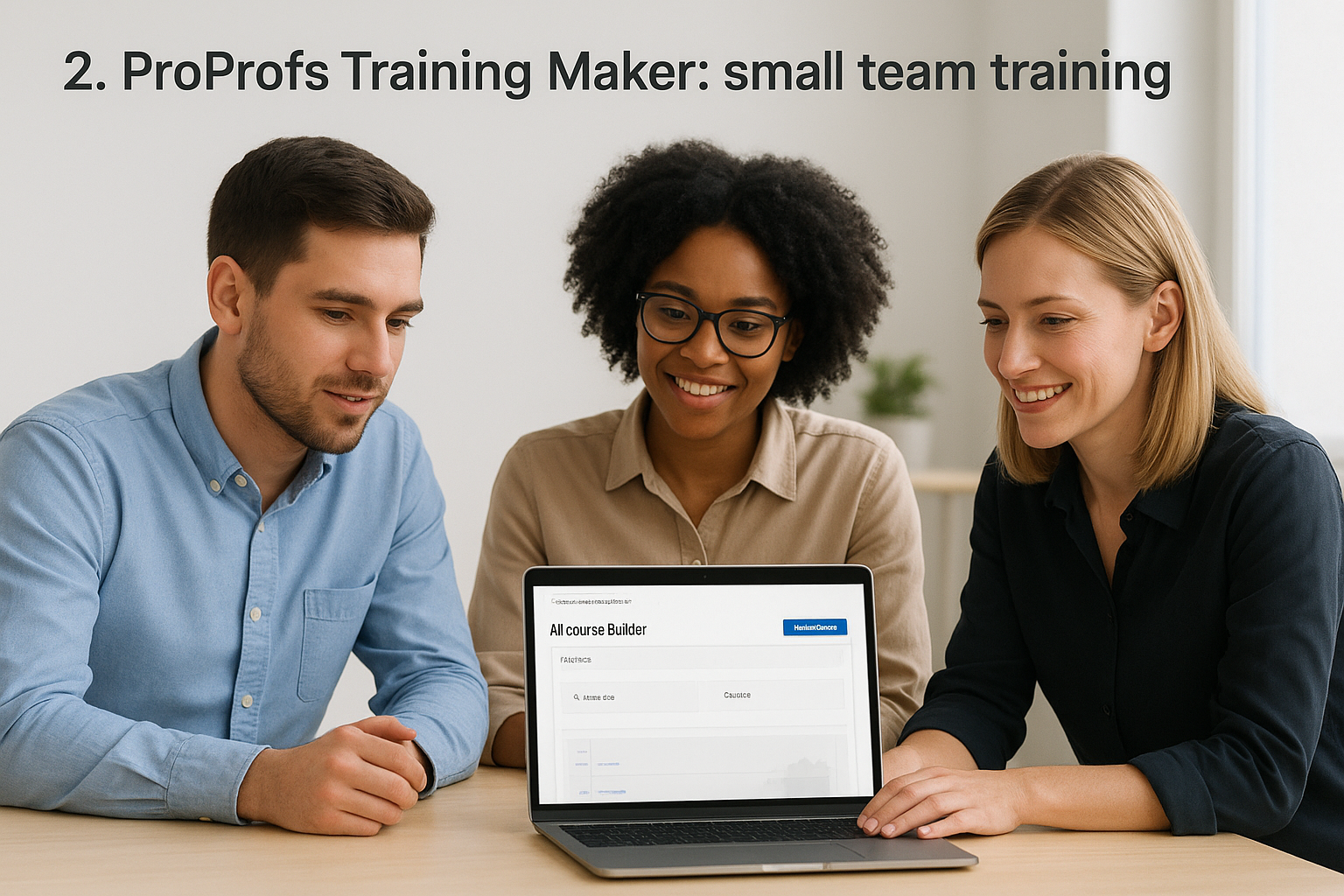
ProProfs Training Maker is a cloud-based LMS that gets a small team from zero to a working training program quickly. Its main hook is AI that drafts the course for you.
How it works
The AI course builder takes a topic prompt or an uploaded document and generates a structured course with lessons and quizzes. You review it, assign it, and let automated enrollment handle the rest. Reporting dashboards show learner progress, quiz scores, and completion in real time.
Certificates are generated automatically, and course creation is unlimited. A library of ready-made compliance courses covers topics such as HIPAA, cybersecurity, and OSHA safety. The platform is cloud-only, so there is no on-premise version.
Who it suits
ProProfs fits small businesses, nonprofits, and growing teams that have no dedicated L&D staff and need onboarding or compliance training running this month. Support is available around the clock by phone, email, and chat.
- Choose it if you want a free starting point and fast AI-assisted course creation.
- Skip it if you need heavy multi-portal customization or deep enterprise integrations.
ProProfs gets a team without an L&D department to its first live course fastest.
Pricing
There is a forever-free plan for up to 10 learners. Paid plans start at $1.99 per active learner per month.
Because you pay for active learners, not enrolled seats, the model suits teams where only part of the staff trains in a given month. The worked example later in this guide shows what that means in dollars.
3. Docebo: complex enterprise training
Docebo is an enterprise learning platform built for organizations that train several audiences at once. It is powerful, and it assumes you have the admin capacity to run it.
How it works
Docebo lets you create multiple branded learning portals from one backend, for example one for employees, one for customers, and one for partners. AI-powered recommendations adapt content to each learner’s role and progress, and social learning features let people contribute knowledge and react to content.
It integrates with major HR and CRM platforms and content providers, including Salesforce, Workday, and LinkedIn Learning. Analytics track compliance, engagement, and training ROI across user groups. Webinar registration takes extra steps compared with direct Zoom or Teams integrations, and tracking offline, in-person training is limited.
Who it suits
Docebo suits large, global organizations with multi-audience programs and a team to administer the platform. Under roughly 200 learners, it is usually more system than you need.
- Choose it if you run separate branded training experiences for employees, customers, and partners.
- Skip it if you are a small team without dedicated admin time.
Docebo pays off at enterprise scale, and it costs you admin time at any other size.
Pricing
Pricing is custom, so you need to request a quote. Budget for the administrator hours as well as the license, because full value takes ongoing configuration.
4. iSpring Learn: PowerPoint to interactive courses
iSpring Learn pairs an LMS with an authoring tool, which makes it a practical choice if your existing training lives in slide decks.

How it works
The companion authoring tool, iSpring Suite, converts PowerPoint presentations into interactive eLearning courses without coding. You upload the finished course to iSpring Learn, assign it, and track results. Certification management follows expiry dates and sends recertification reminders.
The mobile app has an offline learning mode, so workers can complete courses with a weak connection and sync results later. A course library from iSpring Academy covers common topics. The BambooHR integration has been reported to need manual user imports at times, and new customers may find the implementation roadmap unclear.
Who it suits
iSpring suits companies moving from in-person, slide-based training to online delivery, especially manufacturing, construction, and field teams that train on tablets during shifts.
- Choose it if you have a lot of legacy PowerPoint content and offline learners.
- Skip it if your HR system integration must work flawlessly with no setup effort.
If your training library is a pile of slide decks, iSpring turns it into interactive courses faster than starting over.
Pricing
Pricing starts at $6.64 per user per month for 100 users, which works out to $664 per month at that size.
That is a per-user model, so cost grows with headcount. Compare it against active-learner pricing before you commit.
5. Absorb LMS: compliance-heavy training
Absorb LMS is built for organizations where training is a legal or regulatory requirement, such as healthcare, finance, manufacturing, and government.
How it works
Absorb includes a pre-built compliance library covering data protection, workplace safety, anti-harassment, and industry-specific regulations. The system handles automated enrollment and certification renewals, sending reminders without administrator input.
Real-time dashboards show compliance status for individual learners and entire departments, so pulling documentation for an audit takes minutes. The reporting structure has a learning curve, and blended learning needs extra configuration. Gamification and microlearning features help with engagement on mandatory content.
Who it suits
Absorb suits compliance officers and training managers who answer to auditors. If training completion has to be provable on demand, its automation does the follow-up work for you.
- Choose it if your priority is audit-ready records and automatic recertification.
- Skip it if you want a simple tool for informal skills training.
Absorb earns its place when you must prove who completed which training, and when.
Pricing
Pricing is custom, with quotes from sales. Ask what the reporting setup and any extra configuration cost, because those are the parts new customers spend the most time on.
6. Thinkific: a free start for course creators
Thinkific is a course platform for creators, coaches, and businesses that want to sell training online. It is popular because you can start without paying anything.
How it works
You build courses with video, PDF, audio, HTML, quizzes, and surveys, and you can embed outside tools such as Typeform. Built-in e-commerce handles checkout and enrollment, and reporting tracks sales and student progress. You can white-label the school so students do not see the Thinkific name. The knowledge base is thorough, and Thinkific has offered free launch training aimed at first-time creators.
The free plan includes a course, a community, and unlimited students with no transaction fees. It leaves out a custom domain, coupons, affiliate marketing, memberships, and bundles, which you will want once you take sales seriously.
Who it suits
Thinkific suits first-time creators who want to validate a course idea before paying. Heavy marketers may eventually add outside tools for funnels and advanced email.
- Choose it if you want to test a course idea at no cost.
- Skip it if you need compliance tracking or HR integrations for employee training.
Thinkific lets you test a course for free, then pay once the sales justify it.
Pricing
Paid plans start at about $74 per month billed annually, or $99 billed monthly, with no transaction fees. Check which features sit in which tier, since the free plan’s gaps are the ones that matter for growth.
7. Teachable: the fastest course launch
Teachable is a course platform that favors speed and simplicity over deep customization. Pages look polished out of the box, and setup needs no technical skill.
How it works
You upload lessons, set a price, and publish. Video hosting is included, students are unlimited, and Teachable runs its own payment processing. A built-in affiliate program lets others promote your course. Beyond courses, you can sell coaching sessions, digital downloads, memberships, and community access from the same school.
The trade-off is design control. You cannot tweak every detail of a page, and branding changes beyond the basics may need HTML or CSS skills. Transaction fees apply on lower tiers, which cuts into margins at higher sales volume.
Who it suits
Teachable suits solo creators, coaches, and educators who want students paying within days. It is a creator tool, not a corporate L&D system, so it lacks deep compliance tracking and HRIS integrations.
- Choose it if speed and a clean student experience matter more than customization.
- Skip it if you train employees and need administrative reporting.
Teachable trades design control for speed to your first paying student.
Pricing
Paid plans start at $39 per month. Annual billing cuts roughly 22% from these monthly prices.
- Starter, $39 per month: 1 course, mobile student apps, and a 7.5% transaction fee on each sale.
- Builder, $89 per month: 0% transaction fees, 5 courses, email marketing, an affiliate program, and certificates.
- Growth, $189 per month: a step up in capacity for established course businesses.
- Advanced, $399 per month: white labeling and 100 courses.
8. Kajabi: an all-in-one creator business
Kajabi is an all-in-one platform that replaces separate tools for your course, website, email, and sales funnels. It costs more than most platforms here, and it does more.
How it works
Kajabi combines a course builder, memberships, landing pages, a website and blog, funnels, and email automation in one login. Video hosting is built in, and you can add communities, podcasts, and a branded mobile app. Webinar and live-event templates let you run launches without extra software.
You can build funnels from templates, add upsells and cross-sells, and track results down to course-video level. Its Hero University community and documentation help new users get set up. The learning curve is real, so expect to spend a weekend before things feel natural.
Who it suits
Kajabi suits established experts and creators with an audience who are paying for three or four separate tools today. It is a poor fit for someone still testing whether a course idea will sell, because you will pay for features you do not use yet.
- Choose it if you want one system for content, marketing, and sales.
- Skip it if you are a beginner or need employee compliance training.
Kajabi makes sense when it replaces several tools you already pay for.
Pricing
Plans start around $149 per month, with a 14-day free trial and a 30-day money-back guarantee. Annual billing takes about 20% off.
Add up what you pay now for email, landing pages, and hosting before judging the price. If Kajabi retires two or three of those subscriptions, the gap narrows.
9. Coursera: credentials from universities and employers
Coursera is a learning marketplace for individuals and teams who want recognized credentials. Founded in 2012 by two former Stanford professors, it works with universities and companies to offer courses, certificates, and degrees.
How it works
Learners choose from over 7,000 courses from 350+ universities and companies, including Google, IBM, and Stanford. Formats range from single courses to specializations, professional certificates, and online degrees in data science, business, computer science, and more. Learning is self-paced, and signing up is free.
Some assignments use peer review, which learners often find frustrating, and the mobile app offers fewer features than the desktop version. Completion deadlines can also pressure people with unpredictable schedules. Instructors are institutional partners, so you cannot simply publish your own course here.
Who it suits
Coursera suits career changers, professionals building a résumé, and employers that want to upskill teams on recognized credentials. Coursera for Teams adds license management and reporting for administrators.
- Choose it if the credential and its brand matter as much as the content.
- Skip it if you want to host your own branded training.
Coursera’s value is credibility: the certificate carries a university or employer name.
Pricing
Signing up is free. Certificates and degrees cost extra, with individual subscriptions running roughly $29 to $99 per month and specializations costing more. Coursera for Teams starts at $399 per user per year.
10. Udemy: affordable skills and a wide catalog
Udemy is the most visited marketplace for buying individual online courses. Independent instructors publish the content, and learners filter by ratings and reviews.
How it works
Learners buy a course and get self-paced video lessons plus supporting materials. Instructors can publish at no setup cost, but Udemy controls pricing, runs frequent discounts, and keeps a large share of sales it drives. Udemy Business gives companies access to 30,000+ courses across programming, AI, leadership, and communication, with analytics and HRIS integrations.
Quality varies because anyone can publish, so read reviews and check recent updates before buying. Certificates are not institution-backed, which limits their weight for formal credentialing. Udemy is a marketplace, not an authoring platform, so branded proprietary content needs a separate tool.
Who it suits
Udemy suits individuals who want practical skills at a low price and companies with broad skill gaps and a tight budget. It works well for programming, design, and software tools.
- Choose it if you want breadth and low per-course cost.
- Skip it if you need accredited credentials or custom internal training.
Udemy gives you the widest catalog, and you have to curate for quality yourself.
Pricing
Individuals pay per course, and prices drop often during sales. Udemy Business uses custom pricing, with quotes for teams and enterprises.
Online training platform reviews at a glance
The ten platforms fall into three groups: LMS tools for organizations, course platforms for creators, and marketplaces for learners. Use the table to find your group first, then compare within it.
Side-by-side comparison
Prices below are the starting figures listed for each platform. Treat them as a guide, since plans and fees change.
| Platform | Best for | Type | Starting price |
|---|---|---|---|
| Axis LMS | Employee, customer, and compliance training | LMS | Lite from $209 for 25 users; larger tiers through Atrixware |
| ProProfs Training Maker | Small teams new to digital training | LMS | Free up to 10 learners, then $1.99 per active learner per month |
| Docebo | Multi-audience enterprise programs | Enterprise LMS | Custom quote |
| iSpring Learn | Converting slide decks, offline learners | LMS plus authoring | $6.64 per user per month for 100 users |
| Absorb LMS | Audit-ready compliance training | LMS | Custom quote |
| Thinkific | First-time course creators | Course platform | Free plan; paid from about $74 per month billed annually |
| Teachable | Fast launch for solo creators | Course platform | From $39 per month |
| Kajabi | Creators replacing several tools | All-in-one platform | From about $149 per month |
| Coursera | Recognized credentials | Marketplace | Teams from $399 per user per year |
| Udemy | Low-cost skills and wide catalog | Marketplace | Per-course for individuals; custom for business |
Which pick fits which reader
Match your situation to the shortest path:
- You train employees or customers and need reporting: start with Axis LMS, ProProfs Training Maker, or iSpring Learn.
- You operate at enterprise scale or under strict audits: shortlist Docebo and Absorb LMS.
- You sell your own courses: try Thinkific for a free start, Teachable for speed, or Kajabi for a full business suite.
- You are learning for yourself: use Coursera for credentials and Udemy for practical skills.
Pick the type of platform first, then compare products inside that type.
How to choose the best online training platform
Choose by goal first, features second, and total cost third. A platform that wins on one list can be the wrong fit for you if its type does not match your purpose.
Match the platform type to your goal
If the people learning are your employees, customers, or partners, you need an LMS with enrollment, reporting, and integrations. If you want to sell knowledge to the public, you need a course platform with checkout and marketing tools. If you want to learn, you need a marketplace. Mixing these up is the most common reason people regret a purchase.
Features to check before you commit
For interactive training, look for quizzes, interactive video, live virtual classroom sessions, and gamification. For any business use, add this checklist:
- Reporting: can you pull completion and score reports by team without a spreadsheet?
- Integrations: does it sync with your HR system, CRM, or single sign-on?
- Compliance: does it track certifications, expiry dates, and recertification?
- Branding: can learners see your brand, not the vendor’s?
- Mobile access: does it work on phones and tablets for frontline staff?
- Support and setup: how long does setup take, and what does support cost?
A worked budget example
Take a company of 100 employees where 60 people train in a typical month. Using each vendor’s starting rate, the figures differ widely, and scope differs too, since Coursera’s price includes content.
| Option | Basis | Monthly | Annual |
|---|---|---|---|
| ProProfs Training Maker | 60 active learners at $1.99 | $119.40 | $1,432.80 |
| iSpring Learn | 100 users at $6.64 | $664.00 | $7,968.00 |
| Coursera for Teams | 20 licenses at $399 per year | $665.00 equivalent | $7,980.00 |
Even if all 100 people were active in ProProfs, the cost would be $199.00 per month, or $2,388 per year. Free options also exist: ProProfs for up to 10 learners, Thinkific’s free plan for creators, and the self-hosted open-source LMS Moodle if you have IT staff to run it.
Coursera or Skillshare for personal learning
Coursera is better when you want credentials from universities and companies. It offers structured courses, professional certificates, and degrees, usually over several weeks. Skillshare is better for creative and practical skills. Its classes are short video lessons of roughly 20 to 60 minutes with class projects and a community forum.
Pick Coursera if the certificate will go on your résumé. Pick Skillshare if you want to pick up design, illustration, or a hands-on craft at your own pace. Udemy sits between them, with a larger catalog of practical business and technical courses.
The right platform is the one built for your type of learner, not the one with the longest feature list.
Next step: shortlist and test
Start with your goal. Organizations delivering training need an LMS, creators need a course platform with checkout, and individuals need a marketplace. Within each group, the choice comes down to integrations, reporting, compliance needs, and what the total cost looks like at your headcount.
If you train employees, customers, or partners, narrow your list to two or three LMS options and test them with a real course. To see where you are in the buying process before you talk to any vendor, take the readiness quiz. It shows what stage you are at and what to settle first.
