The best online virtual training platforms combine live sessions (video, chat, polls, whiteboards) with a learning management system (LMS) that handles enrollment, content, tracking, and reports. Choose Axis LMS or Docebo for employee, customer, and compliance training. Choose Livestorm or LearnCube when live interaction comes first. Choose Moodle, Blackboard, or Google Classroom for schools, and LearnWorlds or Thinkific if you sell courses to paying learners.
The trouble is that search results lump very different tools together: course marketplaces, webinar software, school systems, and enterprise suites. Comparing them feature for feature gets you nowhere, because they solve different problems.
This guide first explains the difference between virtual classroom and LMS software. It then walks through nine platforms with the same three checks: how each works, who it suits, and what it costs or limits. Atrixware makes Axis LMS, which is listed first, so judge it by the same checks as the rest.
Virtual classroom software vs LMS: what you actually need
A virtual classroom runs the live session, and an LMS manages everything around it: who is enrolled, what they completed, and what they scored. Most training programs need both, either in one product or in two connected tools.
What virtual classroom software does
Virtual classroom software is the live room where an instructor teaches in real time. It is built on video conferencing but adds teaching tools that a plain meeting app lacks. Look for these features:
- Live chat and question upvotes
- Polls and quick quizzes
- Whiteboards and screen sharing
- Breakout rooms for group work
- Automatic recordings for replay
What an LMS does
A learning management system is the system of record for training. It hosts self-paced courses, enrolls learners, grades assessments, and issues certificates. Its reports show who finished what, and when.
- Course hosting for video, documents, and quizzes
- Automated enrollment and reminders
- Certificates and recertification tracking
- Reports by learner, group, and course
- Connections to HR and CRM systems
How the two fit together
Some LMS products include a virtual classroom, and others connect to one through an integration. Tools like Livestorm do live sessions only and leave the records to a separate LMS. Neither design is wrong. What matters is that attendance from live sessions lands in the same learner record as self-paced results.
If it does not, someone ends up merging spreadsheets every month. For a school, that is an annoyance. For a regulated company, it is a compliance risk.
A virtual classroom delivers the lesson, and an LMS proves who attended, who passed, and who is due again.
1. Axis LMS
How it works

Axis LMS is a business-focused learning management system that delivers self-paced online courses and virtual classroom sessions from one account. You build courses with a drag-and-drop interface and assign them through automated workflows. You then track results with on-demand or scheduled reports. Hosting is handled for you, and a system is usually set up within 1 to 3 business days of purchase. Key capabilities:
- Extensive branding controls for the learner interface
- Compliance tools for GDPR and FDA 21 CFR Part 11 work, plus tracking of continuing education units (CEUs) and re-certifications
- Data sync with ADP, Salesforce, BambooHR, and Zoho, plus an integration builder with 5,000+ system connections
- REST API, webhooks, and SAML single sign-on with Okta, Azure, and Ping Identity
- Ecommerce for selling training to individuals and seat licenses to other businesses
Who it suits
Axis LMS suits L&D, HR, and compliance teams that train employees, customers, or channel partners and have to prove completion. The Lite edition covers organizations of 25 to 100 people, and the larger tiers cover 150 to 100,000. The ecommerce tools also fit companies that earn revenue by selling training.
Axis LMS is built for training that must be tracked, reported, and defended later.
Skip it if you only need a free room for an occasional class. Axis LMS contracts run 1 to 3 years, which is more commitment than a casual user wants. PCI compliant and HIPAA compliant hosting options are available if your data requires them.
Pricing and plans
Axis LMS Lite lists at $209 for 25 users for online training and $299 for 25 users with streaming virtual classroom. Fifty users with virtual classroom lists at $369. For a 20-person sales team, the virtual classroom adds $90 ($299 minus $209). Each Lite pack includes 1 sub administrator, 2 report administrators, 10 portals, and 25 automation workflows. Confirm the billing term on the product page.
Larger organizations choose a tier by user count and admin needs.
| Tier | Included users | Sub admins | Report admins | Workflows | API limit | Support |
|---|---|---|---|---|---|---|
| LMS Core | 150-3,000 | 5 | 10 | 100 | 500 | Standard |
| LMS Pro | 250-4,000 | 10 | 20 | 250 | 500 | Enhanced |
| Enterprise | 500-100,000 | 50 | 100 | 1,000 | 2,000 | Priority |
- Tech support with unlimited incidents is included with every subscription or license.
- Patches, updates, and upgrades come at no additional cost.
- Hosted systems are backed up daily.
2. Docebo
How it works
Docebo is an enterprise learning platform sold as a suite of products rather than one tool. Instructors can create new courses or import e-learning content from a previous LMS. The platform supports webinars, gamification, microlearning, and virtual classrooms, and you can brand and customize it.
- Import of legacy content when you switch systems
- Mixed formats: live sessions, short lessons, and gamified activities
- Custom branding for a formal training program
Who it suits
Docebo suits large organizations that run formal, branded training programs and have admins to manage a multi-product setup. It is aimed at business training, so it is a poor match for a classroom of students.
Smaller teams will likely find it more than they need. If you only have a few hundred learners and one training goal, a lighter LMS will be faster to roll out and easier to run.
Pricing and limits
Docebo does not publish list prices. You get a custom quote, so expect a sales conversation and a scoping exercise before you see a number. Ask these questions up front:
- Which modules are included, and which are add-ons?
- Is the virtual classroom built in or connected to another tool?
- What do implementation and training cost?
- How long is the contract, and what happens at renewal?
With enterprise suites, the real price is the package you negotiate, not the starting tier.
3. Moodle
How it works
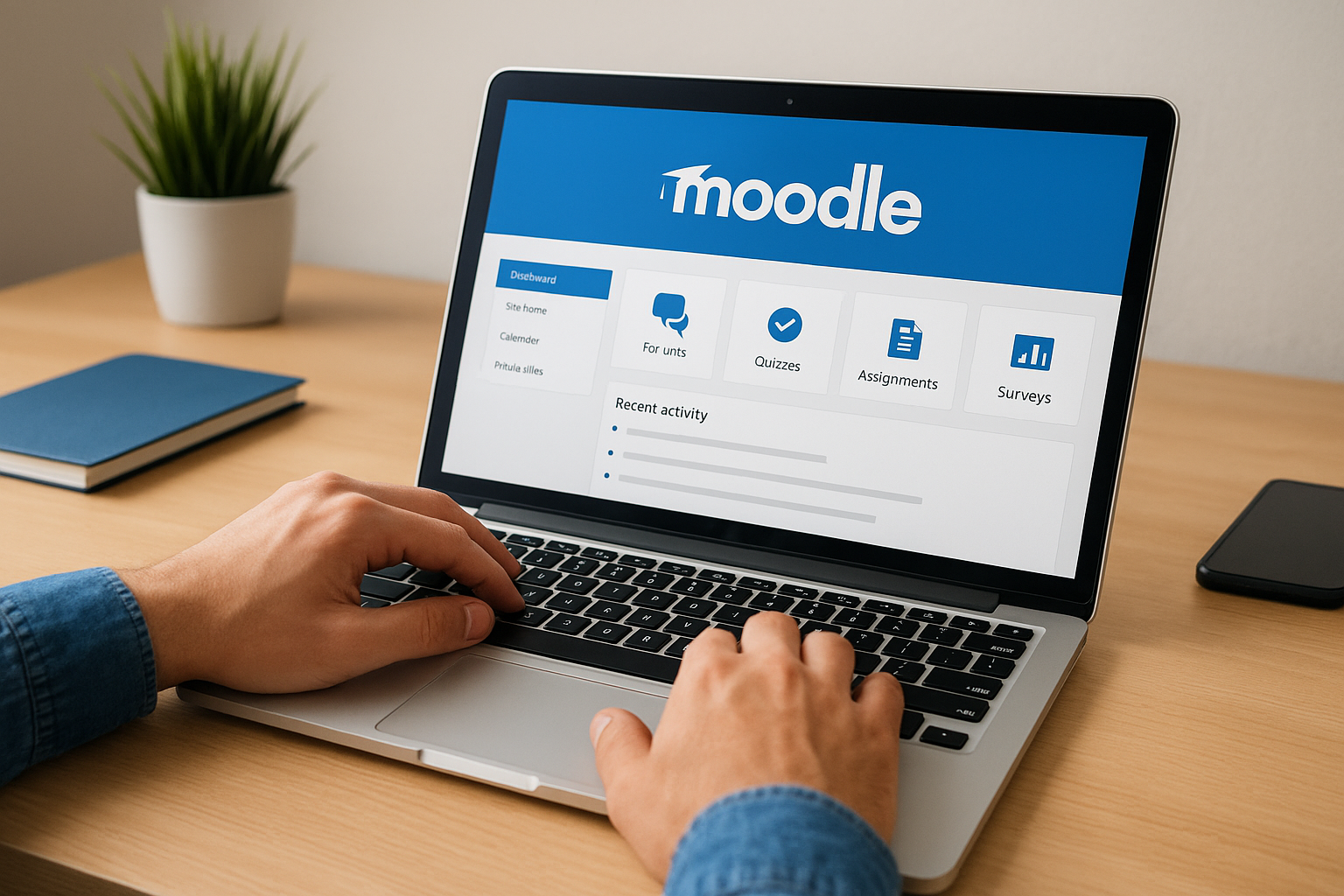
Moodle is an open-source VLE and LMS used for course administration and resource delivery. It offers live chat, forums, in-platform quizzes, assignment grading, and surveys. It is highly customizable, and that flexibility is its main appeal.
- Forums for class discussion
- Quizzes and assignment grading inside the platform
- Surveys for feedback
- A large plugin ecosystem for added features
Who it suits
Moodle suits schools, universities, and organizations with IT staff who can host and maintain it. Once it is set up, its learning materials, testing options, and instructor forums make it a strong tool for teacher development outside a traditional classroom.
It is a poor fit if nobody on your team can manage a server, plugins, and security updates. The power is real, but so is the setup effort.
Pricing and limits
The software itself is free to download and use. You pay for what surrounds it, so budget for the real total cost of ownership.
- Hosting, either your own server or a hosting partner
- Staff time for setup, upgrades, and security patches
- Plugin upkeep as new versions arrive
- A connected video tool if you want live classes
Moodle costs nothing to install and a fair amount to run well.
4. Blackboard Learn
How it works
Blackboard, now part of Anthology, is a virtual learning environment with a full set of teaching and learning tools. Students get announcements, push notifications, and synchronous collaboration. Instructors get clear workflows, grading tools, and mobile course management.
- Built-in communication tools and progress tracking
- Anti-plagiarism software
- Video chat with digital whiteboards, polls, and breakout rooms
Who it suits
Blackboard suits colleges, universities, and schools that want one campus-wide system with grading, communication, and live collaboration in the same place. Teachers get what they expect from a traditional classroom, translated online.
Businesses training staff will find the academic focus limiting. If your goal is compliance tracking or selling training, a corporate LMS fits better.
Pricing and limits
Blackboard is generally sold through institutional contracts, so there is no public per-user price to compare. Your quote depends on enrollment and the modules you choose.
- Ask whether the live classroom is included in the base contract.
- Ask what migration support covers if you are moving from another system.
- Check mobile features with real instructors, not only in a demo.
- Confirm the contract length and renewal terms.
Blackboard is a campus system, and it is priced and supported like one.
5. Google Classroom
How it works
Google Classroom is an academic LMS and VLE where each teacher creates a class and adds assignments, quizzes, and materials. Students join with a unique code and message the teacher inside the class. It connects with Google Docs, Drive, Slides, and YouTube and works from a phone, tablet, or laptop.
- Class codes for fast enrollment
- Teacher-student messaging
- Assignments and quizzes in one stream
- Native links to the Google apps students already use
Who it suits
Google Classroom suits teachers and schools already working in Google’s ecosystem, especially for asynchronous learning where students work through materials on their own time. Setup is quick, and students rarely need instructions to start.
For live lessons you will pair it with a video tool such as Google Meet. It is built for academic institutions, not business training, so it is not designed around compliance records or certificate tracking.
Pricing and limits
Core tools are free through Google Workspace for Education Fundamentals. Premium features, such as AI functionality and extra storage, may require paid plans. Your institution’s edition decides what you get, so check it before you plan around a feature.
- Built for schools, not corporate training
- Best for self-paced work, with live teaching handled elsewhere
- Premium features depend on your Workspace edition
Google Classroom is the easiest free start for a school, and the wrong tool for audited business training.
6. Livestorm
How it works

Livestorm is a video engagement platform that runs in the browser, so learners join from a link with no download. Its live tools include chat, polls, question upvotes, reaction emojis, whiteboards, and screen sharing. It also offers replays with unlimited storage, and you can set up a session in about two minutes.
- Registration and attendance tracking
- Engagement data such as chat messages, votes, and replay views
- Live and recorded sessions from the same account
Who it suits
Livestorm suits trainers and instructors running live classes, workshops, webinars, and onboarding sessions where participation matters. It works well next to an existing LMS that holds your courses and records.
It is not an LMS. There is no course catalog or learner transcript, so teams with compliance duties still need a separate system of record.
Pricing and limits
Livestorm offers a free plan for sessions up to 20 minutes with up to 30 live attendees. Longer sessions and bigger audiences need a paid plan, so check current pricing for your size.
- The 20-minute cap rules out most full-length classes on the free plan.
- Thirty attendees is enough for a pilot, not a company-wide event.
- Plan to connect it to an LMS for completion records.
Livestorm is a strong live room, and it needs an LMS beside it to count as a training program.
7. LearnCube
How it works
LearnCube combines an LMS with a virtual classroom. You manage cloud-based teaching content centrally and teach through an online whiteboard, text chat, and audio conferencing. You can set roles and permissions for staff, students, teachers, and admins, and use payment gateway options to charge for sessions.
- Shared whiteboard for live work
- Materials library for worksheets and files
- Role-based access for different user types
- Payments for monetizing classes
Who it suits
LearnCube suits tutors, language schools, and small training businesses that teach one-to-one or in small groups and want live class and course materials in the same place. Its screen share and whiteboard make it practical for walking a learner through worksheets.
Large enterprises with deep compliance reporting needs should compare it against a corporate LMS before committing.
Pricing and limits
A basic free plan includes unlimited 1:1 live classes and a materials library, which makes it easy to test with real students. Paid plans extend beyond that, so review them before you plan group classes.
- The free plan is built around one-to-one teaching.
- Check paid tiers for group classes and branding.
- Confirm reporting depth if you need audit records.
LearnCube is the lowest-risk way to try a combined classroom and LMS for tutoring-style teaching.
8. LearnWorlds
How it works
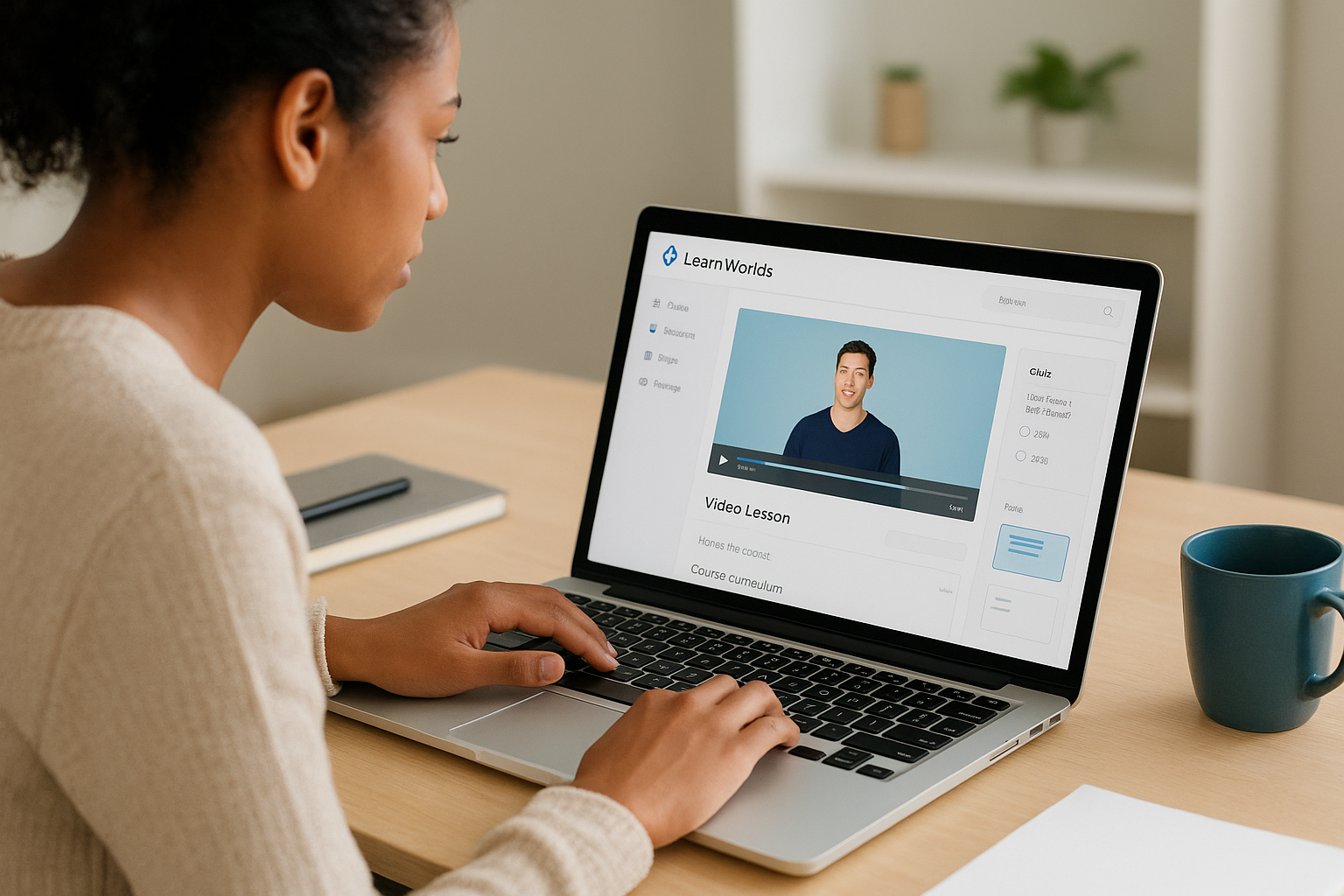
LearnWorlds is a course platform for creating, selling, and marketing online courses. Its standout feature is interactive video with pop-up text and in-video questions. It also offers interactive ebooks with note-taking, a built-in social network, and a sales page builder with templates. You can even create a mobile app for your school.
- Assessments including quizzes, assignments, and exams
- Social learning without a separate community group
- Template-based sales pages
Who it suits
LearnWorlds suits course creators and trainers who sell to paying learners, from first-time creators to experienced ones. You can set up a first course in a few hours and grow into advanced features later.
Courses here are mainly self-paced. If your priority is a live classroom with breakout rooms, you will want a dedicated live tool alongside it.
Pricing and limits
LearnWorlds offers a 30-day free trial, and paid plans start at $29 per month. A $99 per month tier adds a full site builder, membership payment options, and no transaction fees. Annual billing lowers the monthly rate, and prices change, so confirm on the vendor’s pricing page.
- Confirm transaction fees on the plan you choose.
- Check whether the features you need sit above the entry plan.
- Plan for live sessions elsewhere.
LearnWorlds shines for interactive, self-paced courses you sell, not for live-first classes.
9. Thinkific
How it works
Thinkific is a hosted course platform with marketing, sales, ecommerce, and membership tools in one place. It supports video, PDF, audio, HTML, quizzes, and surveys, plus outside resources such as Typeform and Articulate. It tracks enrollment and sales and lets you white-label the platform.
- Checkout pages and payment gateway integration
- Sales funnels and lead magnet funnels
- Built-in email marketing and automation
- Membership areas for ongoing access
Who it suits
Thinkific suits creators and training businesses that want an all-in-one setup to launch quickly and test demand. Pre-made templates and an extensive knowledge base shorten the learning curve.
Live sessions typically run through a connected video tool. If synchronous teaching is the core of your program, plan for that integration.
Pricing and limits
Thinkific has a free plan for getting started. Paid plans have run roughly $74 per month on annual billing, about $99 billed monthly, and a higher Grow tier adds membership options. Check the current pricing page, since tiers shift.
- Compare annual and monthly rates before you commit.
- Look at which tier unlocks memberships and funnels.
- Budget for a video tool if you teach live.
Thinkific is the fastest path from idea to a paid course, as long as your teaching is mostly self-paced.
How to choose between these platforms
Pick by learner group and proof requirements first, then by price. Employees and customers point toward an LMS like Axis LMS or Docebo, students toward Moodle, Blackboard, or Google Classroom, and paying adults toward a course platform.
Side-by-side comparison
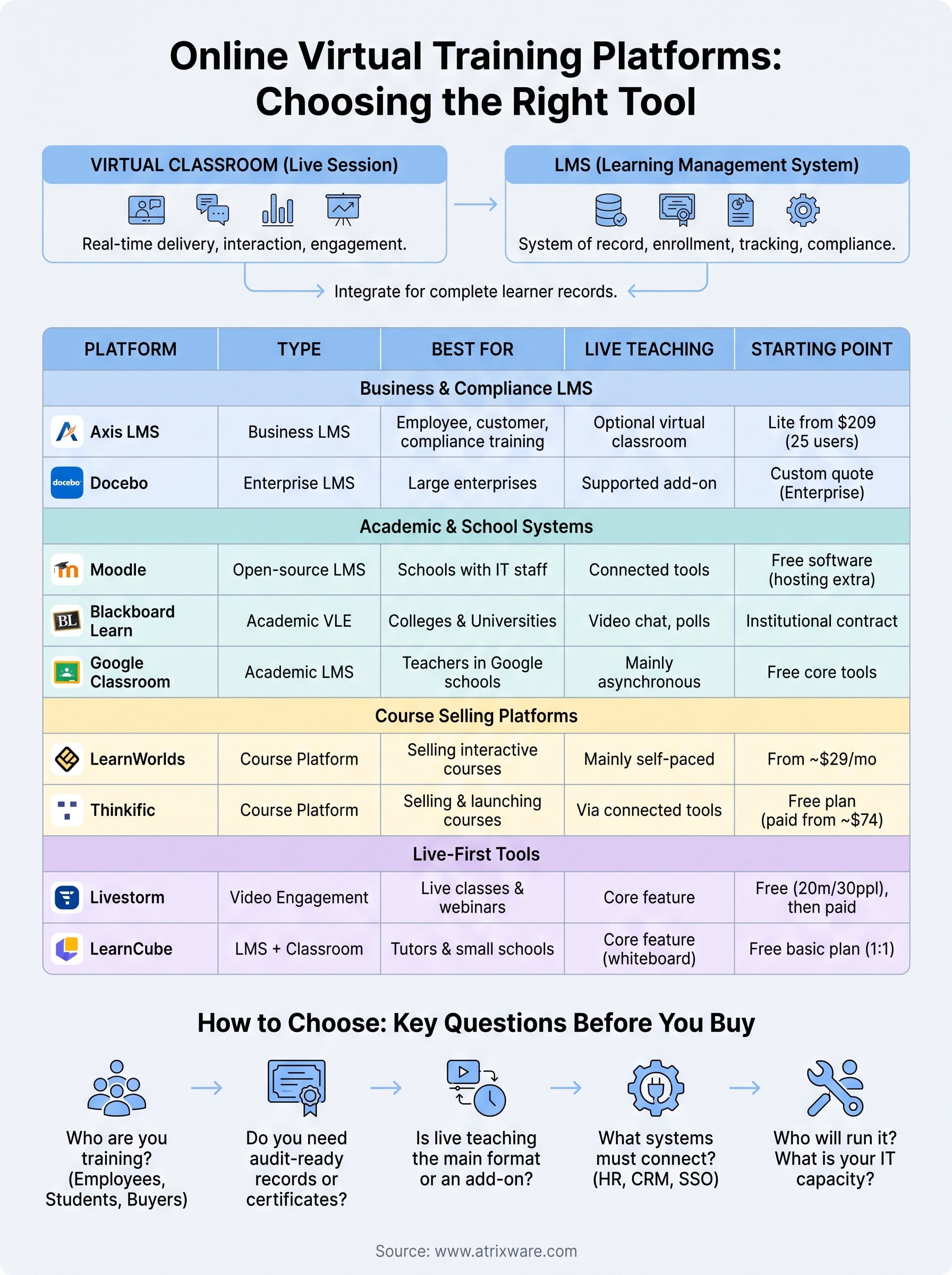
The table lines up what each platform is, how it handles live teaching, and what you pay to start.
| Platform | Type | Live teaching | Best for | Starting point |
|---|---|---|---|---|
| Axis LMS | Business LMS | Virtual classroom option | Employee, customer, compliance training | Lite from $209 for 25 users |
| Docebo | Enterprise LMS | Virtual classroom support | Large enterprises | Custom quote |
| Moodle | Open-source LMS | Through connected tools | Schools with IT staff | Free software, hosting extra |
| Blackboard Learn | Academic VLE | Video chat, whiteboards, polls | Colleges and universities | Institutional contract |
| Google Classroom | Academic LMS | Mainly asynchronous | Teachers in Google schools | Free core tools |
| Livestorm | Video engagement | Core feature | Live classes and webinars | Free up to 20 min, 30 attendees |
| LearnCube | LMS plus classroom | Core feature | Tutors and small schools | Free basic plan |
| LearnWorlds | Course platform | Mainly self-paced | Selling interactive courses | From $29 per month |
| Thinkific | Course platform | Via connected tools | Selling and launching courses | Free plan, paid from about $74 |
Questions to settle before you buy
Answer these before any demo, and the shortlist usually shrinks to two or three.
- Who are you training: employees, customers, students, or paying adults?
- Do you need audit-ready records, certificates, or recertification tracking?
- Is live teaching the main format, or an add-on to self-paced courses?
- Which systems must connect, such as HR, CRM, or single sign-on?
- Who will run it, and how much IT time can they spend?
Run any finalist through a real course and a real live session with your own content. A demo with sample data hides the awkward parts.
Free options and where they stop
Free tools exist, but each stops at a specific point. Google Classroom is free for core school tasks, Livestorm’s free plan caps sessions at 20 minutes and 30 attendees, and LearnCube’s free plan covers one-to-one classes. Moodle is free software with real hosting costs.
Free works for a pilot or a small class. Once you need compliance reports, branding, or integrations, you are shopping in paid territory anyway, so test those needs early.
Choose by who is learning and what you must prove afterward, not by feature count.
Pick the platform that fits your training
Online virtual training platforms fall into a few clear groups: business LMS suites, school systems, live classroom tools, and course-selling platforms. The right one depends on your learners and on the records you need after the session ends. Most teams do best with a single system of record for self-paced and live training together.
If you train employees or customers and want that in one place, Axis LMS is the one to evaluate first. Not sure where you stand? The LMS readiness quiz shows which stage of the buying process you are in and what to settle next.
