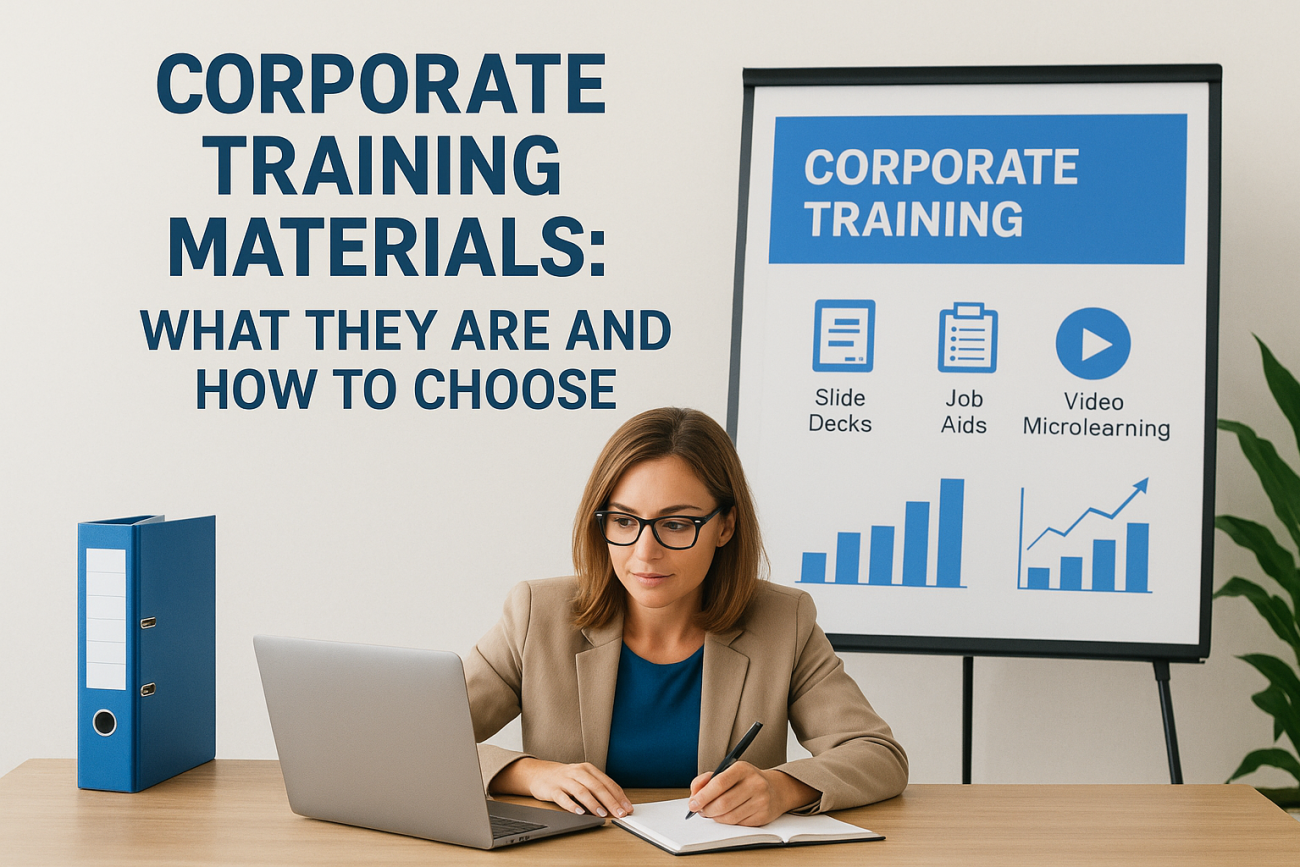
You need to train employees fast, and building a course from scratch eats up weeks you don’t have. That’s why so many training managers start searching for ready-made corporate training materials instead of reinventing the wheel every time a new hire starts or a compliance deadline looms. The problem is sorting through generic templates that don’t fit your industry from the ones actually worth your budget, and that’s exactly what this guide sorts out.
Corporate training materials cover everything from slide decks and video modules to full course kits with quizzes and facilitator guides. Choosing the right set comes down to matching content to your audience, checking how easily you can customize the branding, and confirming the format works with whatever system you use to deliver it.
Below, you’ll find a breakdown of the common material types, the questions to ask before you buy or download anything, and where a learning management system fits into the picture once you’ve got content in hand. If you’re managing training across teams, this also touches on tracking completion and reporting, since good materials only matter if you can prove they worked.
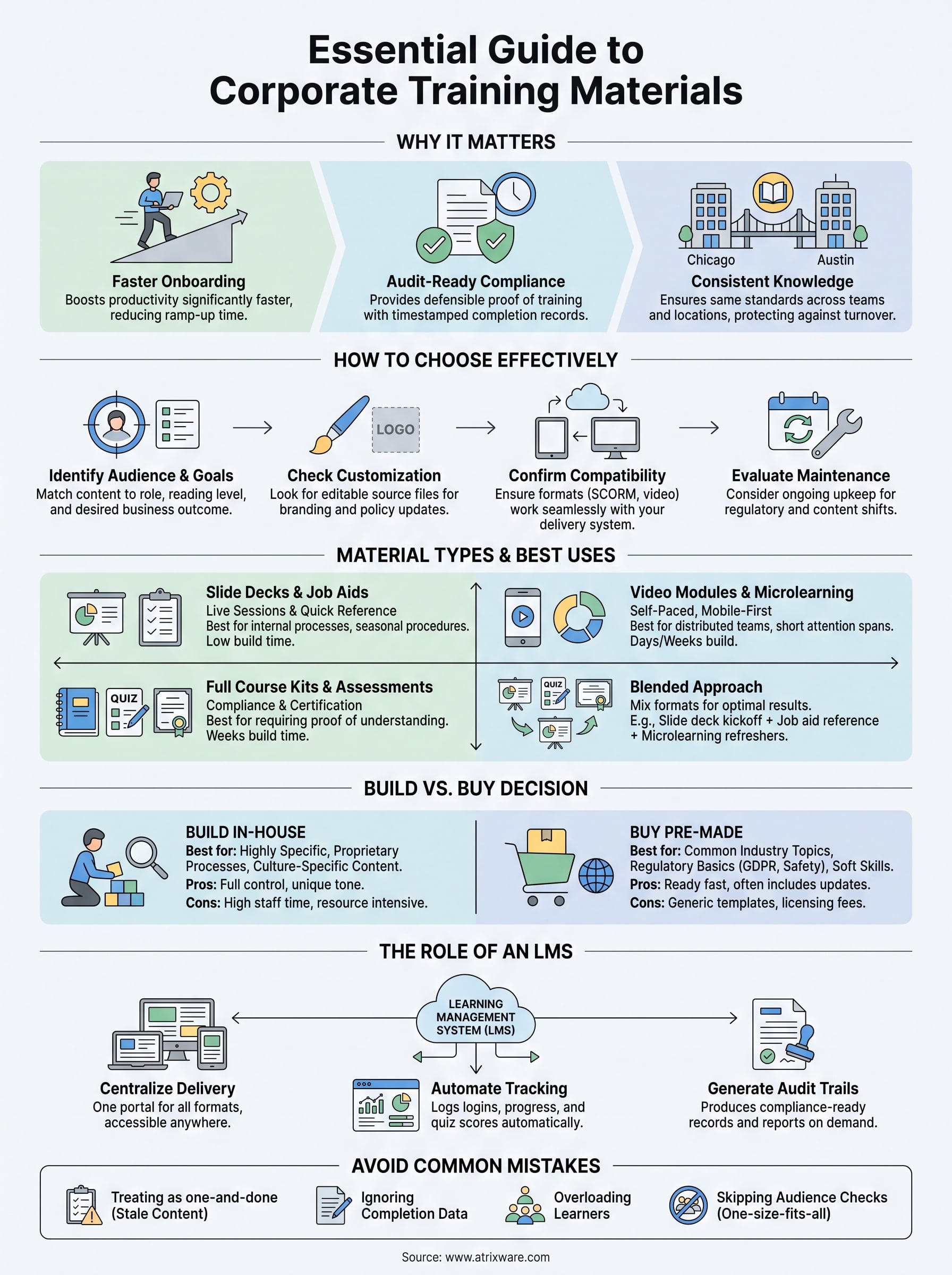
Why corporate training materials matter for your business
Solid corporate training materials aren’t a nice-to-have. They’re the difference between a new hire who’s productive in week two and one who’s still guessing at basic processes in month three. Every hour your team spends recreating slide decks or writing quiz questions is an hour not spent coaching, selling, or building product. Companies that treat training content as a strategic asset, not an afterthought, consistently see faster ramp-up times and fewer costly mistakes on the floor.
The cost of skipping structured training
Without a defined set of materials, training becomes whatever the most senior person on the team remembers to mention. That’s how tribal knowledge turns into inconsistent practice, and inconsistent practice turns into errors that show up in customer complaints, safety incidents, or failed audits. Unstructured, ad-hoc training also creates a documentation gap: if a regulator or auditor asks what an employee was taught and when, "we told them during onboarding" isn’t an answer that holds up.
Training that isn’t documented is training you can’t defend.
Faster onboarding, faster ROI
New employees onboarded with structured course kits during their first two weeks hit full productivity noticeably faster than those learning purely through shadowing. Materials that combine short video modules, scenario-based quizzes, and job aids give people something to reference after the live session ends, which cuts down on repeat questions to managers. Skip the guesswork of building this from a blank slide deck, and you free up your subject matter experts to focus on the parts of the job that actually require their judgment.
Compliance protection you can prove
Compliance officers care about one thing above all: proof. Regulations like GDPR, OSHA workplace safety rules, and FDA 21 CFR Part 11 all require documented evidence that specific employees completed specific training on specific dates. Materials built with compliance in mind, meaning they include version tracking, sign-off fields, and clear learning objectives tied to the regulation, give you that paper trail automatically and help with keeping training records audit-ready instead of forcing you to reconstruct them during an audit.
| Business risk without structured materials | Outcome with structured materials |
|---|---|
| Inconsistent onboarding across locations | Same content, same standard, everywhere |
| No audit trail for compliance training | Timestamped completion records |
| Slow ramp-up for new hires | Faster time to full productivity |
| Knowledge lost when experienced staff leave | Institutional knowledge captured in reusable modules |
Consistency across teams and locations
Growing companies run into a specific problem: the training your Chicago office delivers rarely matches what happens in your Austin office, even when both teams are supposedly following the same playbook. Standardized materials solve this by giving every location, every shift, and every new manager the exact same content to work from. That consistency matters even more once you’re managing channel partners or franchise locations, where you have far less direct oversight of how training actually gets delivered day to day.

Materials also protect you against turnover in your training department itself. Once a curriculum lives in a shared, well-organized set of files rather than in one person’s head, losing that person doesn’t mean losing your onboarding process. A well-built library of corporate training materials becomes an asset that outlasts any single employee, and it’s one of the few training investments that keeps paying off long after the initial time spent building or buying it. Combine that library with a system that tracks who completed what and when, and you’ve closed the loop between having good content and proving it actually worked.
How to choose the right corporate training materials
Picking the right corporate training materials starts with a hard look at who’s actually going to sit through them. A technical onboarding kit built for software engineers will flop with a retail sales floor, and a generic compliance module written for a 500-person enterprise often ignores the specific state regulations a smaller company has to follow. Before you buy or download anything, write down your audience’s job role, reading level, and the device they’ll most likely use to view the content. That single step eliminates most of the mismatched material you’ll find in generic template libraries.
Match content to your audience and goals
Good materials tie directly back to a business outcome, not just a topic. Ask what changes on the job once someone finishes the course: fewer safety incidents, faster ticket resolution, higher close rates. If a vendor or template can’t point to a measurable outcome tied to their content, that’s a warning sign the material was built to look comprehensive rather than to actually change behavior.
Materials that don’t tie to a measurable outcome are decoration, not training.
Check for customization and branding flexibility
Stock content with someone else’s logo baked into every slide undermines trust with your learners fast, which is why white-labeling your training matters. Look for course kits sold as editable source files, not locked PDFs, so your team can swap in your branding, your screenshots, and your policy language. Confirm licensing terms too: some vendors charge extra to edit or resell modified versions, which changes the real cost of what looked like a bargain.
Confirm format compatibility with your delivery system
A beautifully designed course kit is worthless if it won’t load into your learning management system. Run through this checklist before you commit:
- Does the content ship as SCORM or xAPI, the standard formats most LMS platforms accept?
- Are video files compressed for streaming, or will they choke your bandwidth?
- Do quizzes and assessments import with scoring intact, or do you have to rebuild them?
- Is there a mobile-responsive version for employees training on a phone or tablet?
Evaluate depth versus maintenance burden
Finally, weigh how much upkeep the material demands. Regulatory content especially goes stale fast: OSHA updates, GDPR guidance, and industry certifications shift year to year, and a training material set with no update plan becomes a liability within twelve months. Vendors who publish revision dates and update logs give you a way to verify the content still reflects current requirements, which matters far more once compliance officers start asking questions during an audit.
Types of corporate training materials and when to use them
Not every training problem needs the same format. A five-minute policy update doesn’t need a full course kit with facilitator guides, and a technical certification program can’t run on a single slide deck. Matching format to the actual learning task saves you money and keeps learners from tuning out content that’s overbuilt or underbuilt for what they need to know.
Slide decks and job aids
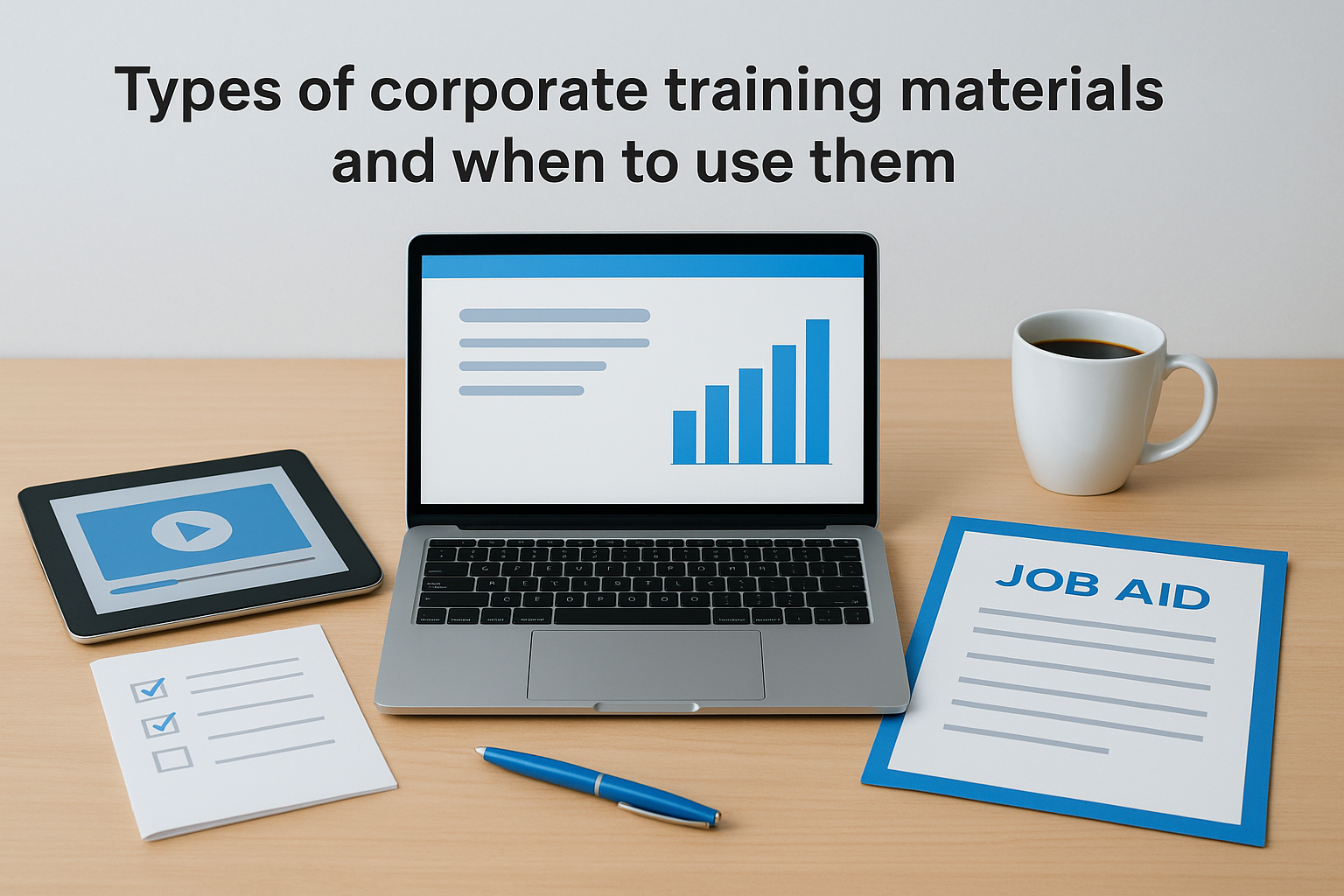
Slide decks still work well for live, instructor-led sessions where a trainer walks the room through material and takes questions in real time. Pair them with job aids, meaning one-page reference sheets or checklists employees can pull up later, and you cover both the initial teaching moment and the on-the-job reminder. These formats cost little to produce and update, which makes them a good fit for internal processes that change often, like software workflows or seasonal procedures.
Video modules and microlearning
Short video modules, typically three to seven minutes each, work best for self-paced training that employees complete on their own schedule. Break longer topics into bite-sized training segments rather than one 40-minute video, since completion rates drop sharply once a video runs past ten minutes. This format suits distributed teams, shift workers, and anyone training on a phone between tasks rather than sitting at a desk.
The right format matches how someone actually learns on the job, not how convenient it is to produce.
Full course kits with assessments
A complete course kit bundles video or slide content with quizzes, a facilitator guide, and often a certificate of completion. This is the format compliance training and role-based certifications need, since you require proof that someone didn’t just watch content but demonstrated understanding of it. Course kits take longer to build or vet before purchase, but they’re the only format that gives you a defensible record for regulators or auditors.
| Material type | Best use case | Typical build time |
|---|---|---|
| Slide deck | Live, instructor-led sessions | Hours to a few days |
| Job aid or checklist | On-the-job reference | Hours |
| Video microlearning | Self-paced, mobile-first training | Days to a couple weeks |
| Full course kit with quizzes | Compliance and certification programs | Weeks |
Most organizations end up running a mix of all four, using slide decks for live kickoffs, job aids for daily reference, video microlearning for refreshers, and full course kits for anything tied to a regulatory requirement. Trying to force every topic into a single format is one of the fastest ways to waste a training budget, since a format that works for onboarding rarely works for annual compliance recertification.
Build vs. buy: finding the right source for your content
Once you know what format you need, the next decision is where the content comes from: build it yourself, buy a pre-made course kit, or blend the two. Neither option is automatically cheaper once you account for the real cost of creating content in-house and the hours your subject matter experts spend on it. A custom-built compliance module might take a training manager three weeks to script, record, and test, and that’s three weeks pulled from someone whose salary you’re already paying regardless of the format they’re producing.
When building in-house makes sense
Building from scratch is worth it when your content is highly specific to your company, like proprietary software workflows, internal policies, or a sales process tied to your exact product line. Nobody sells a template for your internal CRM configuration, so that content has to come from your own team no matter what. In-house development also wins when you need tight control over tone and messaging, such as leadership training that reflects your specific culture.
When buying pre-made materials wins
Buying makes sense for anything that’s common across industries rather than unique to your company. Sexual harassment prevention, workplace safety basics, GDPR fundamentals, and general management skills training all get covered better and faster by a vendor who’s already built and refined that content across hundreds of clients. Purchased course kits also come with a track record, so you can ask a vendor for completion rates or client references before you commit budget.
Build what makes you different. Buy what everyone else already had to solve.
Weighing the real cost of each path
| Factor | Build in-house | Buy pre-made |
|---|---|---|
| Upfront cost | Staff time, often weeks | Licensing fee, ready in days |
| Customization | Full control | Limited to editable templates |
| Update responsibility | Falls entirely on your team | Often included in vendor’s revision cycle |
| Best fit | Proprietary processes, culture-specific content | Regulatory, general skills, onboarding basics |
Most training departments land on a blend: buy the general compliance and soft-skills library, then reserve internal development time for the handful of courses that only your company can write. Question any vendor selling you a course kit for something highly company-specific, like your internal software, since that content almost never exists off the shelf and a generic version will confuse more than it teaches. Also ask what happens after the sale. Some vendors license content as a one-time download with no updates, while others include revisions as regulations shift, and that difference matters more than the sticker price once you’re a year into using the material.
Features that separate effective materials from mediocre ones
Most corporate training materials look fine on a sales page. The difference shows up once employees actually sit through them, and mediocre content reveals itself through low completion rates, blank stares in the follow-up quiz, and managers who quietly go back to explaining things themselves. A handful of concrete features separate the material worth paying for from the polished-looking filler that wastes a training budget.
Clear learning objectives up front
Every effective module states what the learner will be able to do once they finish it, not just what topic it covers, which is the heart of writing effective learning outcomes. "Understands data privacy" is a topic. "Can identify a reportable GDPR breach within 24 hours" is an objective you can test and defend during an audit. Vendors and templates that skip this step usually built the content around a subject outline rather than a business outcome, which is the same gap that undermines a lot of otherwise good-looking course kits.
If a module can’t tell you what a learner will do differently afterward, it isn’t training, it’s a slideshow.
Scenario-based assessments, not trivia
Quizzes that ask learners to recall a definition test memory for a week and nothing else. Scenario-based questions, where the learner has to apply a rule to a realistic workplace situation, test whether they’ll actually use the training on the job. A compliance module that asks "what does GDPR stand for" is weaker than one that asks "a customer emails asking you to delete their data, what do you do in the next 24 hours." That second style of question is what turns a completion certificate into real evidence of competence.
Editable source files and update logs
Content locked into a video with no editable source file traps you the moment your branding, policy, or a regulation changes. Look for materials delivered as editable slides, scripts, or SCORM packages with source files included, along with a visible revision history showing when the content was last checked against current regulations. Neither Google’s own accessibility guidance nor most industry compliance standards get updated on a fixed schedule, so a vendor without a stated update cadence is asking you to trust that nothing important has shifted since purchase.
Accessibility and mobile readiness
Effective materials work for employees using screen readers, closed captions, and phones on a factory floor, not just for someone at a desktop with perfect vision and a quiet office. Check for closed captions on video, alt text on images, and a layout that reflows cleanly on a small screen. Skipping this isn’t just a compliance risk under laws like the ADA, it’s a straightforward way to lose a chunk of your workforce before the training even starts. Materials that hit all four of these marks tend to cost more upfront, but they’re the ones that still hold up when a regulator, a new hire, or your own manager pulls them apart six months later.
How an LMS helps you deliver and track training materials
Great corporate training materials still fall flat if nobody can find them, load them, or prove they were completed. An employee training platform is the piece that turns a folder of course kits and video modules into an actual training program, one that assigns content to the right people, tracks who finished what, and hands you a report the moment a manager or auditor asks for one. Without that layer, even the best-built material set turns into scattered files on a shared drive that nobody revisits after the initial rollout.
Centralized delivery across formats
Axis LMS from Atrixware lets you load slide decks, SCORM-packaged video modules, and full course kits into one library instead of emailing files around or hosting them on five different platforms. Learners log into a single portal, see what’s assigned to them, and work through it on a laptop, tablet, or phone. That single point of access matters most when you’re managing training across a partner channel or a distributed workforce, where you have no way to confirm someone even opened a file sent by email, let alone finished it.
You can’t manage training you can’t see completed.
Automated tracking and reporting
Because the system logs every login, module start, quiz score, and completion timestamp automatically, you stop chasing spreadsheets to figure out who’s behind. Comprehensive reporting tools in a platform like Axis LMS generate on-demand or scheduled reports, so a compliance officer can pull a completion record in minutes instead of reconstructing it from memory during an audit. Dashboards that flag overdue assignments also let managers step in before a missed deadline becomes a compliance gap.
Compliance-ready audit trails
Course kits built with sign-off fields and version tracking only prove their value once that data lands somewhere permanent and searchable. Compliance features inside an LMS pair naturally with that kind of content, generating timestamped records tied to specific regulations like GDPR or FDA 21 CFR Part 11, and flagging when a re-certification is due. Every completion record ties back to a specific version of the material, so you can show an auditor exactly what an employee saw and when.
Integrations that keep data in sync
Finally, an LMS worth using handles linking and syncing to the systems you already run. SSO through Salesforce, Okta, or Azure removes a login barrier, while HR data sync through tools like BambooHR or ADP keeps new hires automatically enrolled the moment they’re added to payroll. That kind of integration turns your corporate training materials from a standalone project into a system that runs itself as your headcount grows.
Common mistakes that undermine corporate training programs
Even strong corporate training materials fail when the surrounding process is broken. Most training programs don’t collapse because the content was bad. They collapse because of predictable, avoidable habits that quietly drain the value out of good material long before anyone notices a problem.
Treating materials as one-and-done
Buying or building a course kit once and never revisiting it is the single most common mistake in corporate training. Regulations shift, software changes, and a slide deck built for last year’s process quietly starts teaching employees the wrong steps. Stale content erodes trust fast: once a new hire spots one outdated screenshot, they start questioning everything else in the module too. Set a review date on every piece of material you own by auto-scheduling refresher training the same way you’d schedule any other recurring business task, and treat that date as non-negotiable rather than optional.
Content you never revisit becomes a liability you haven’t noticed yet.
Ignoring completion data
Assigning training and never checking who finished it defeats the entire purpose of tracking in the first place. Managers who don’t pull completion reports regularly end up discovering gaps only after an incident or an audit forces the question, at which point it’s too late to fix quietly. Build a habit of checking dashboards weekly, not just when a regulator asks, so overdue assignments get flagged while there’s still time to close them.
Overloading learners with content
Cramming every possible topic into a single course kit is another frequent training design flaw. Longer isn’t more thorough, it’s just more likely to get abandoned halfway through. A few signs your materials have gone too far:
- Completion rates drop sharply after the first ten minutes of a module
- Quiz scores are high but real-world errors haven’t gone down
- Employees skip straight to the quiz without watching the content
- Managers report learners asking the same questions the training was supposed to answer
Any of these signals means it’s time to split the material into shorter, more focused pieces rather than adding more slides to fix the problem.
Skipping the audience check
Finally, rolling out the same generic module to every department, regardless of role or region, guarantees some portion of your workforce gets content that doesn’t apply to them. A warehouse team doesn’t need the same compliance training as your finance department, and forcing a one-size-fits-all approach teaches people to tune out training altogether. Build role-based learning paths from the start, even if it means more setup work upfront, because that setup pays for itself the first time it prevents a real mistake on the floor.
Putting your training materials to work
Good corporate training materials only pay off when three things line up: content that matches your audience, a format your team can actually maintain, and a system that proves people finished it. Skip any one of those and you’re back to tribal knowledge, missed audits, and managers repeating the same answers over and over. You don’t need to solve all three at once, but you do need a plan for each before you commit budget to a course kit or a vendor contract.
Once you’ve got materials ready, the delivery system is what turns them into a program you can actually manage and report on. If you’re still deciding whether your team needs that layer now or later, find out how ready you are for an LMS and see exactly where you stand before you buy anything.
