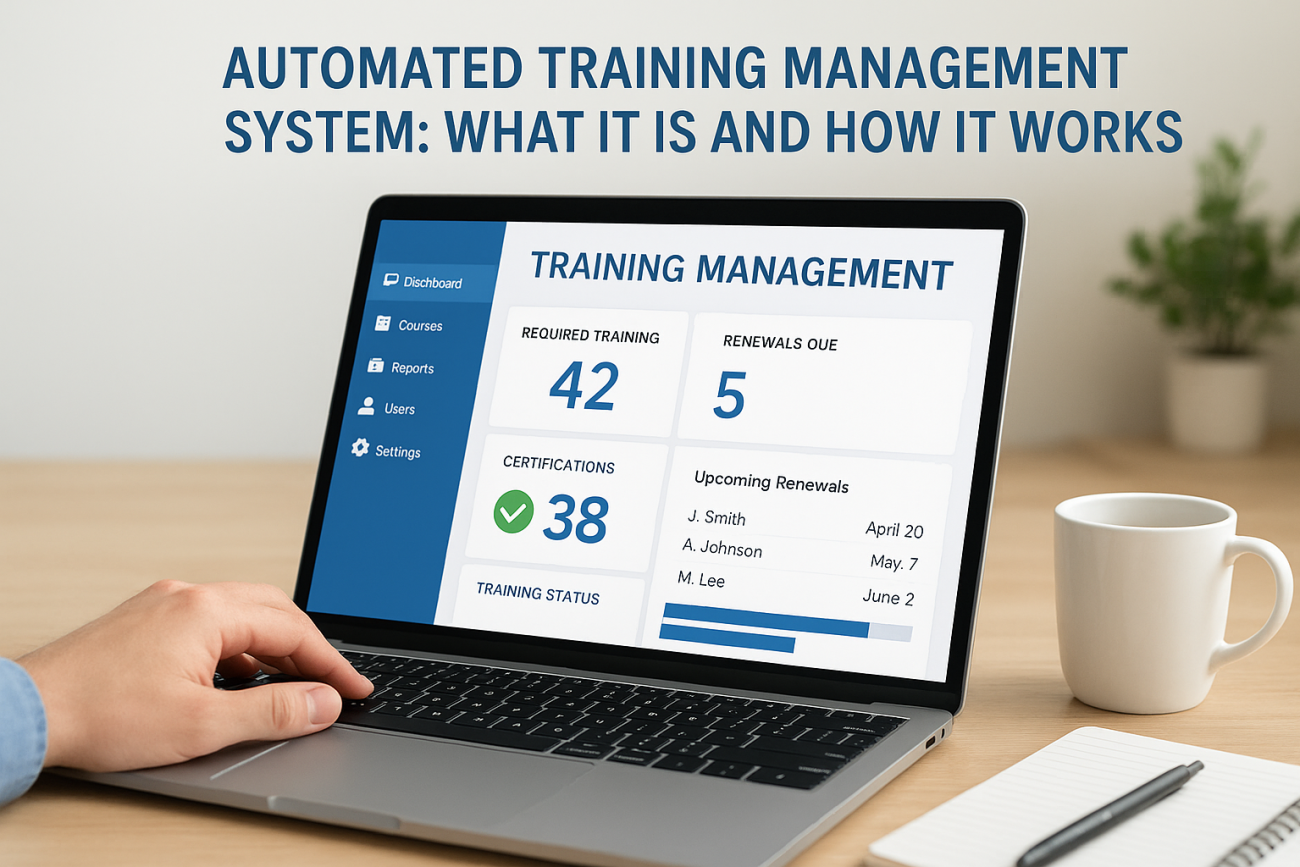
If you searched for an automated training management system because you need to log into a portal like FDLE’s ATMS or track officer certifications, you’re not alone. A lot of searches for this term come from people trying to manage compliance training, whether that’s law enforcement re-certifications, CEU tracking, or corporate onboarding. This article won’t get you into a specific government portal, but it will explain exactly what these systems do and why agencies and businesses rely on them.
At its core, an automated training management system replaces spreadsheets and manual sign-off sheets with software that tracks who completed what training, when, and whether they’re due for renewal. It handles compliance deadlines, generates audit-ready reports, and sends reminders before certifications lapse, all without someone chasing records by hand.
Below, we break down how these systems actually work behind the scenes, from automated notifications to reporting dashboards, and what to look for if your organization needs one for employee, compliance, or partner training.
Why an automated training management system matters
Manual training tracking breaks down the moment your organization grows past a handful of people. Spreadsheet-based tracking works fine for ten employees, but once you’re managing hundreds of officers, sales reps, or contractors across multiple certifications, someone inevitably misses a renewal date or loses a signed sign-off sheet. That’s not a hypothetical problem. It’s the exact failure point that pushes agencies and businesses toward a training management system in the first place.
The real cost of falling behind
Consider what happens when a certification lapses without anyone noticing. A law enforcement officer keeps working an assignment that requires current CEU credits. A pharmaceutical rep continues selling without updated compliance training. A new hire never finishes onboarding modules because nobody flagged the gap. Each of these scenarios carries consequences that range from failed audits to legal liability.
- Missed re-certification deadlines that trigger compliance violations
- Hours spent manually cross-referencing spreadsheets before an audit
- Inconsistent training records across departments or locations
- No visibility into who’s falling behind until it’s too late
Compliance and audit readiness
Regulated industries don’t get to treat training records as optional paperwork. Frameworks like GDPR and FDA 21 CFR Part 11 require documented proof that people completed specific training within specific windows, and auditors expect that proof on demand, not after a week of digging through file cabinets. An automated training tracking system solves this by generating timestamped completion records automatically, so when an auditor asks for evidence, you pull a report instead of building one from scratch.
A training program you can’t prove happened is, for compliance purposes, a training program that didn’t happen.
Scaling without adding headcount
Never underestimate how much manual coordination costs as your training program grows. Organizations that add automation don’t need to hire more administrative staff just to keep pace with new hires, expanding certification requirements, or additional training locations. Once the system handles reminders, records, and reporting, your training coordinators can focus on program quality instead of chasing paperwork.
How an automated training management system works
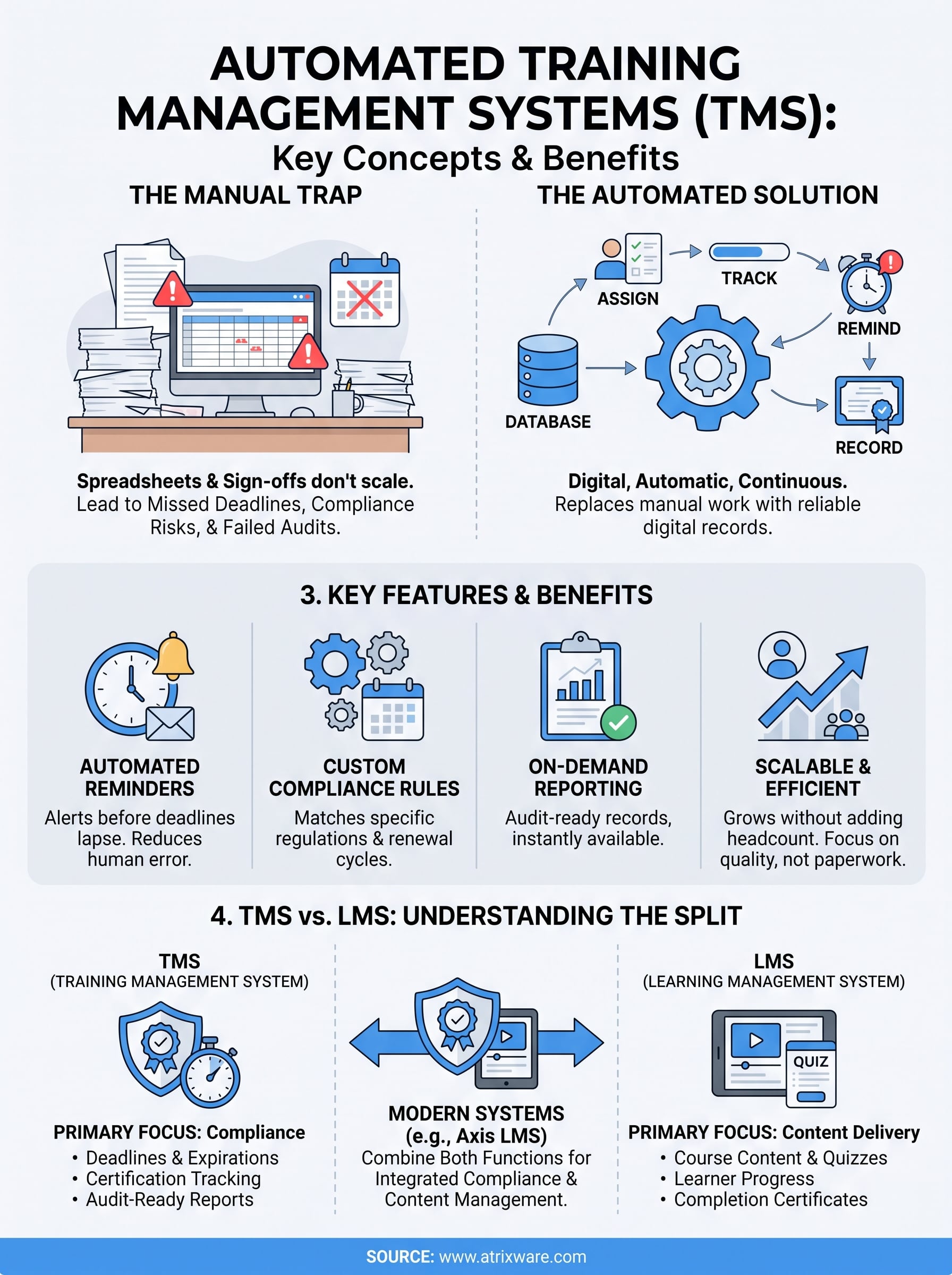
Underneath the dashboard, an automated training management system runs on a simple loop: assign, track, remind, record. Someone enrolls a learner or officer in a required course, the system logs the enrollment date, and it calculates the renewal window based on your compliance rules. From there, the software takes over the parts humans used to forget.
The record lifecycle
Behind every certification is a chain of events the system captures automatically. Digital record-keeping replaces the paper trail entirely, so nothing depends on someone remembering to file a form.

- A course or certification requirement gets assigned to a user or group.
- Completion data syncs the moment the training finishes, whether it’s an online module or a logged classroom session.
- The system calculates the next due date based on your recertification cycle.
- Reports and audit trails generate on demand, pulling from that same record.
The moment a system tracks a due date automatically, that date stops being something someone has to remember.
Notifications and workflow automation
Rather than relying on a coordinator to scan spreadsheets every week, the platform pushes reminders to learners, supervisors, and administrators as deadlines approach. This is where automated notifications earn their keep: a learner gets an email 30 days before a certification expires, their supervisor gets a flag if it lapses anyway, and compliance staff get a report showing exactly who’s at risk. That workflow runs continuously, without anyone opening the software unless there’s an exception to handle.
Key features of an effective training management system
Not every platform labeled a training management system actually delivers what a compliance team needs. Core functionality should cover the full lifecycle: assigning requirements, tracking completions, flagging gaps, and producing reports an auditor will accept without follow-up questions. Anything less just digitizes the spreadsheet problem instead of solving it.
Beyond the basics, the features that separate a functional system from a genuinely useful one tend to show up in the details, like how flexible the reporting is or whether renewal rules can match your actual recertification cycles instead of a generic 12-month default.
| Feature | What it does |
|---|---|
| Automated reminders | Alerts learners and supervisors before deadlines lapse |
| Custom compliance rules | Matches renewal windows to your specific regulations |
| On-demand reporting | Produces audit-ready records instantly |
| Role-based access | Limits who can view or edit training data |
| Integration support | Syncs with HR or CRM systems for accurate rosters |
A system that can’t produce an audit report in under five minutes isn’t actually saving you time.
Security deserves its own mention here. Data security matters as much as tracking accuracy, since training records often contain personal information tied to employment or licensure. Look for configurable permissions, encrypted storage, and reliable backups, not just a login screen. Vendors that skip these details usually reveal it the first time something goes wrong.
Training management system vs. learning management system
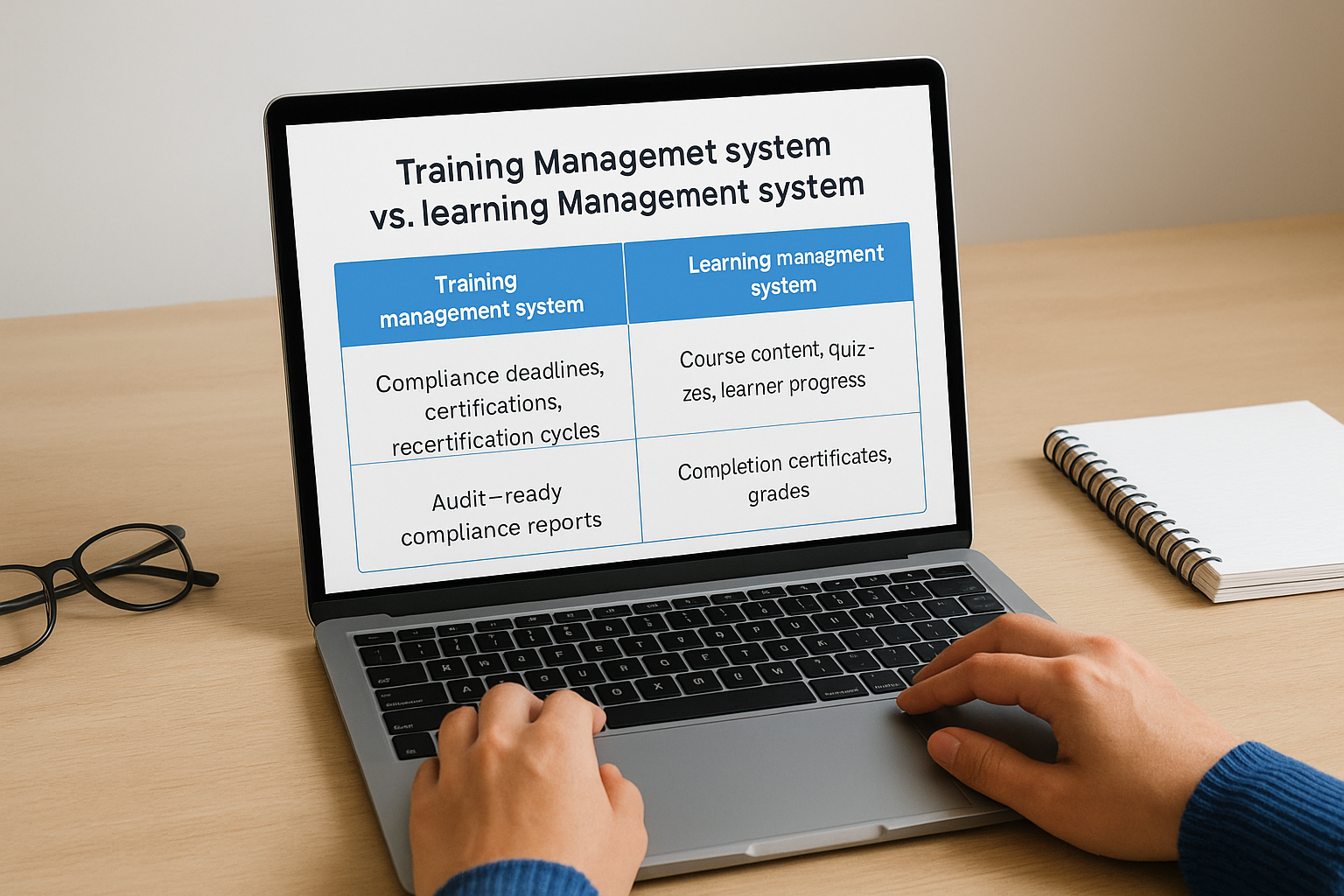
People often use these terms interchangeably, but a training management system and a learning management system solve different problems. A TMS focuses on compliance: who needs which certification, when it expires, and whether the paperwork holds up in an audit. An LMS, by contrast, focuses on content delivery: hosting courses, tracking quiz scores, and letting learners move through material at their own pace.
What each system actually tracks
Understanding the split gets easier with a side-by-side comparison.
| System | Primary focus | Typical output |
|---|---|---|
| Training management system | Compliance deadlines, certifications, recertification cycles | Audit-ready compliance reports |
| Learning management system | Course content, quizzes, learner progress | Completion certificates, grades |
Since most organizations need both functions, not just one, that overlap is exactly why the distinction confuses so many people searching for a solution.
Why the line is blurring
Today, most serious platforms combine both functions instead of forcing you to run two separate tools. Axis LMS, for example, delivers course content while also handling the compliance side, tracking CEUs, flagging expired certifications, and generating the reports an auditor expects. That combination matters more than the label on the login screen.
The best platforms stop asking you to choose between managing compliance and managing content.
Vendors selling a pure TMS with no content delivery, or a pure LMS with no compliance tracking, are giving you half a solution. Whichever term you search for, check what the software actually does before you commit.
Putting automated training management into practice
Whether you landed here looking for a specific portal or researching options for your own organization, the takeaway is the same: manual tracking doesn’t scale, and compliance risk grows every day you rely on spreadsheets and sign-off sheets. An automated training management system replaces that guesswork with automatic reminders, audit-ready records, and reporting that holds up when regulators come asking.
If you’re evaluating platforms for your team, don’t settle for software that only does half the job. You want compliance tracking and content delivery working together, not two separate tools you have to reconcile by hand. That’s exactly what Axis LMS was built for, combining course delivery with the certification tracking and reporting compliance teams actually need.
Not sure where your organization stands yet? Take the LMS readiness quiz to see what your next step should look like.
