Student workers turn over every year, and most supervisors have a few weeks, at best, to get them productive. If you run a campus office, dining hall, library, or help desk, you need student employee training programs that are short, repeatable, and easy to scale. Building one from scratch is slow. Learning from schools that already do it well is faster.
This list gives you nine real university examples you can borrow from. Each one shows a different approach, from orientation and onboarding to ongoing skill development and recognition. You will see what each program covers, how it is delivered, and which pieces transfer to your own team.
We also note where a learning management system helps. At Atrixware, we build Axis LMS, which many organizations use to deliver online training, track completion, and automate reminders for rotating staff. You do not need one to use these ideas, but it makes them easier to run every semester. Let’s start with the examples.
1. Axis LMS for student employee training
Axis LMS is not a university program. It is the platform you can use to run one. We list it first because it solves the problem every other example here runs into: keeping training consistent while your staff changes every semester.
How the program works
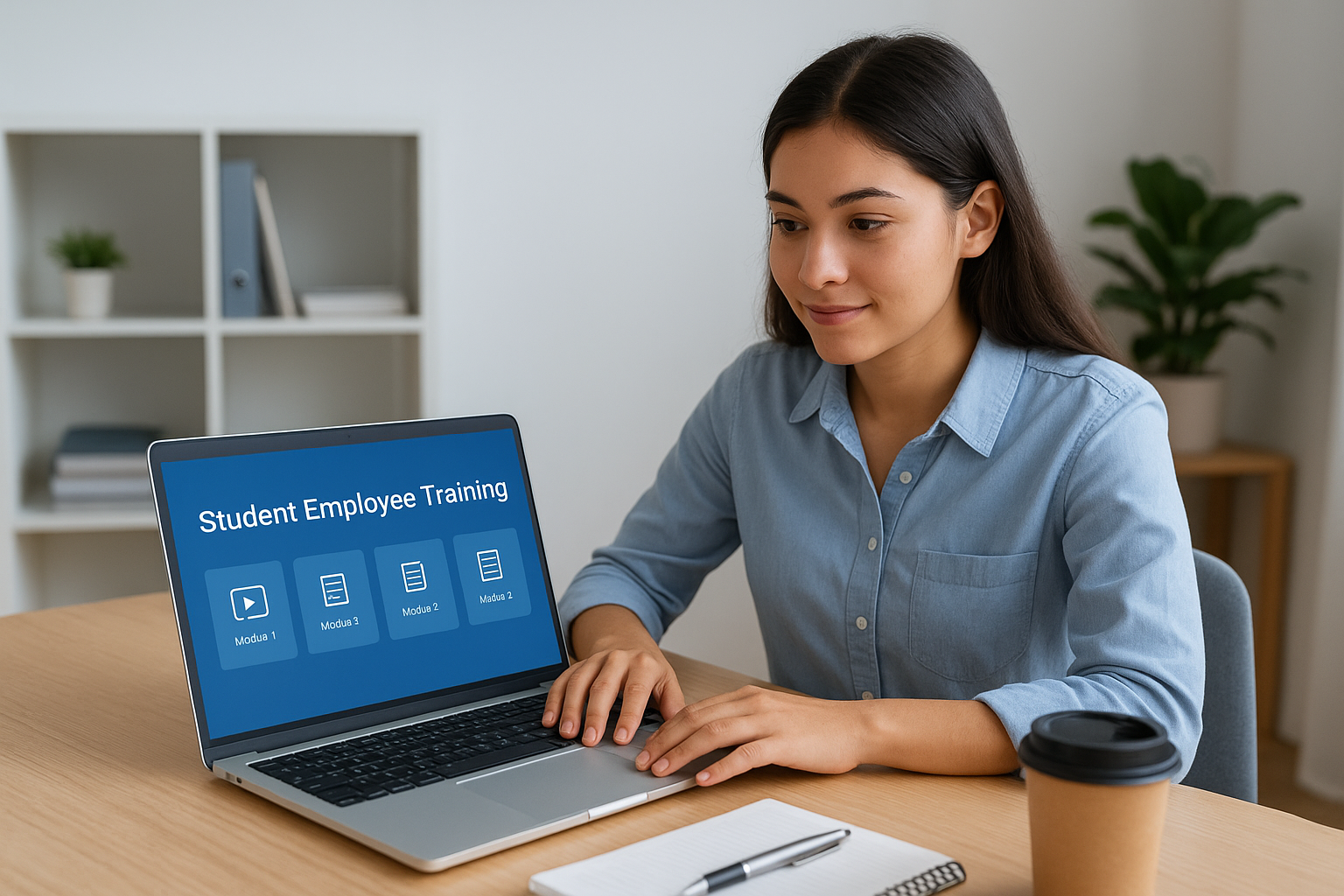
You build courses in a drag-and-drop editor, using the slides, videos, and policy documents you already have. Then you assign them to student workers by role or department. Students log in, finish modules on their own schedule, and the system records completion and quiz scores. For live orientation, Axis LMS also supports virtual classroom sessions.
Once a course is built, it runs itself. Automated messages remind new hires about overdue modules, and reports show supervisors who is ready for a shift.
Build the training once, and let the system handle enrollment, reminders, and records every term.
Who it is for
Axis LMS suits any campus unit that employs many students at once, such as the library, dining services, a campus IT help desk, or recreation. Central offices that oversee student employee training programs across departments get the most value, because they can assign shared courses and see everyone’s progress in one place.
It also fits teams with technical needs. Axis LMS supports SAML single sign-on through providers like Okta and Azure. It also syncs user data from HR systems such as ADP and BambooHR.
Key features for student workers
Students get a clean interface they can use from day one, and supervisors get tools that cut admin time. The features that matter most for this audience are:
- Rapid course building for orientation, safety, and customer service basics
- On-demand and automated reports on learner progress
- Branding controls so the portal matches your department
- Compliance tracking for topics like data privacy, plus re-certification reminders
- A REST API and integrations with HR and email systems
If your students handle sensitive records, the compliance tracking and configurable security settings are worth a close look.
Limitations to consider
Axis LMS gives you the delivery system, not the curriculum. You still have to write or source the content, and the other eight examples below are a good place to start. Pricing is also quoted by Atrixware rather than posted, so you will need to ask for a quote.
It may be more than you need if one supervisor hires five students a year and runs a single orientation. In that case a shared folder and a checklist work fine. When you are onboarding dozens of workers each term, Axis LMS earns its place.
2. UC San Diego student employment professional development
How the program works
UC San Diego treats a campus job as career preparation, not just a paycheck. The focus is on helping students name the skills they build on the job, such as communication, teamwork, and problem solving, and then use that language in résumés and interviews. Supervisors deliver most of it through coaching during shifts and regular check-ins.
The idea worth borrowing is simple. Training happens through the work itself, and reflection is layered on top. Details change by year, so confirm current workshops and resources on the university’s student employment pages before you copy anything.
The strongest student employee training programs turn everyday job tasks into skills a student can explain to a future employer.
Who it is for
This model fits departments where students stay for several terms, such as advising offices, labs, and administrative suites. Those students have time to grow, so a development focus pays off.
It also suits supervisors who want to go beyond task training. If your students already know how to run the register or answer the phones, this is the next layer.
Key features for student workers
Students get the most from the parts that connect work to their futures, and supervisors can reuse the same structure in any office. The pieces most worth adopting are:
- Skill language that links job tasks to transferable competencies
- Supervisor conversations about goals and feedback
- Help turning job duties into résumé bullet points
- A short end-of-term reflection
Limitations to consider
Because supervisors carry so much of the load, quality varies from office to office. A great coach produces a great experience, and a busy one produces very little.
There is also little built-in verification. You will want a way to record who completed what, whether that is a spreadsheet or a learning system. Pair this model with a short required orientation so every student gets the basics first.
3. University of Texas at Austin SEED program
How the program works
SEED is the University of Texas at Austin’s development track for student employees. Rather than leaving growth to individual supervisors, the university offers a central set of workshops and learning sessions that student workers can take alongside their jobs. Students can work toward recognition for completing a group of sessions. Formats and requirements change, so check the Student Employment Office pages for current details.
The design choice worth borrowing is that training lives outside any single department.
Central baseline training gives every student the same core skills, no matter who supervises them.
Who it is for
This model fits large campuses where hundreds of students work across dozens of units. A central office can set one consistent baseline, so a student at the registrar and a student at the rec center hear the same messages about professionalism and communication.
Supervisors with no time to build a curriculum benefit most. They can point students to existing sessions and spend their own training time on job-specific tasks.
Key features for student workers
SEED shows how to structure student employee training programs so they work at campus scale. The elements to copy are:
- Sessions on workplace soft skills such as communication, teamwork, and professionalism
- Access for students in any department
- Completion-based recognition that gives students a reason to finish
- A baseline that does not depend on one manager’s coaching ability
Limitations to consider
Central content stays general. It will not teach your cash handling procedures, your phone system, or your building’s emergency plan, so you still need department-level training on top.
Completion can also slip. If sessions are optional, students with heavy course loads may skip them. If you copy this model, make the core sessions required and keep a record of who finished, whether in a spreadsheet or a learning system.
4. Indiana University Indianapolis Expand.IU
How the program works
Expand.IU is Indiana University’s online learning platform, and IU Indianapolis uses it to offer self-paced training modules to student employees. Students sign in with their university account, work through short lessons, and finish on their own time. Because the content is online, supervisors do not have to run a live session for every new hire. Course lists change, so check the current catalog before you plan around a specific module.
Self-paced online modules let every student finish the basics before their first shift.
Who it is for
This model suits campuses where students start at different points in the term. A student hired in week six cannot wait for the next orientation. Self-paced courses fit late hires and part-time schedules well.
It also helps central offices that want one shared onboarding path across many departments, so each supervisor does not reinvent the basics.
Key features for student workers
Student employee training programs built on a platform like this give students flexibility and give administrators a repeatable process. The features worth copying are:
- Short modules students can finish on a phone or laptop
- Single sign-on with a university login
- Lessons on workplace basics such as professionalism, communication, and policies
- Access at any time, including between classes
If you build your own version, keep each module under 15 minutes and end it with a short knowledge check.
Limitations to consider
Online modules teach concepts, not your procedures. A customer service course will not show a student how to use your ticketing system, so pair it with hands-on shadowing in the first week.
Tracking is the other gap. Before you rely on a shared platform, confirm that supervisors can see who finished which module. If they cannot, you will end up chasing students for screenshots.
5. University of Denver student employee training menu
How the program works
The University of Denver gives supervisors a menu of training topics rather than one fixed curriculum. You choose the topics that fit the job, such as customer service, workplace conduct, or safety, and assign them to each student. Topics and formats change, so check the university’s student employment pages for the current list before you copy it.
A training menu lets every office build the right onboarding mix without writing content from scratch.
Jobs differ, and that is the point. A front-desk student needs phone and service basics. A lab assistant needs safety rules. One menu covers both.
Who it is for
Departments with mixed roles get the most from this model. A student services office, for example, may employ receptionists, event staff, and data entry workers under one supervisor.
Central offices benefit too. They can maintain the menu once and let each unit choose what applies, which keeps training relevant instead of generic.
Key features for student workers
Student employee training programs built on a menu give you flexibility without losing structure. Students only complete what their job requires, and supervisors keep control over assignments while drawing on a shared pool of content. The parts worth borrowing are:
- Topic choices matched to job duties
- A short list of required basics for every student
- Supervisor control over who takes what
- Content reused across departments
Limitations to consider
Choice creates inconsistency. If supervisors skip topics, students miss essentials, so set a required core that no one can drop.
Tracking is the second gap. A menu only works if you can verify completion. A spreadsheet is fine for one office, but a learning system handles hundreds of students far better.
6. Stony Brook University training video catalog
How the program works

Stony Brook University keeps a catalog of short training videos for student employees. Supervisors pick the videos that fit a job, send students the links, and students watch on their own time. There is no live session to schedule. Titles change, so check the current catalog before you plan around any single video.
The format is the lesson. A video is recorded once and reused for every new hire, every term.
A video library turns a repeated explanation into a one-time recording.
Who it is for
Many student employee training programs lean on video because turnover is high and prep time is short. Dining, events, and front desks hire in waves, and a supervisor cannot give the same talk 20 times. This model suits those high-turnover offices best.
It also helps units that run multiple shifts or locations. Night and weekend workers hear the same message as the day crew, without a manager in the room.
Key features for student workers
Student worker training videos work best when they stay short and specific. Keep one topic per video. The traits worth copying are:
- Videos of a few minutes each, so students finish them between classes
- Common topics such as customer service, workplace conduct, and safety
- Viewing on a phone or laptop, at any hour
- A browsable catalog that supervisors can assign from
Limitations to consider
Watching is not the same as learning. A student can play a video in the background and retain nothing, so add a short quiz or ask each student to explain one takeaway during their first week.
Videos also go stale. When a policy or a system changes, an outdated recording keeps teaching the old way. Set a yearly review date for every video. You also need a record of who watched what, so host the videos somewhere that logs completion, whether that is a spreadsheet or a learning system.
7. University of Portland required trainings
How the program works
The University of Portland uses a required-before-you-work model. Student employees complete a set of mandatory trainings, and supervisors confirm they are done before the student takes a shift. The exact list and deadlines change, so check the university’s student employment pages for current requirements before you copy anything.
Make the essentials mandatory, and every student starts their first shift from the same baseline.
Some topics should never be optional on a campus job, such as privacy, safety, and conduct. Treat them as a gate, not a suggestion.
Who it is for
This model fits any office that handles student records, cash, or vulnerable people. Think of the registrar, residence life, or campus safety. The risk is higher there, so a mandatory baseline protects the student and the university.
Central offices also benefit. A required list gives you proof of training for every hire if anyone ever asks.
Key features for student workers
Among student employee training programs, this one is the easiest to copy because it is a policy more than a product. You need a clear list and someone who enforces it. The pieces worth borrowing are:
- A short list of required topics, such as data privacy, harassment prevention, and safety
- A deadline, either before the first shift or within the first week
- A supervisor checklist that confirms completion
- The same requirements for every student, whatever the department
Limitations to consider
Required does not mean engaging. Students can click through just to finish, so end each topic with a short quiz that needs a passing score.
The content is also general. It will not teach your office procedures, so keep department training on top. Finally, a gate only works if you can check completion quickly. A spreadsheet holds up for one office. Across many units, a learning system with automated reminders saves you from chasing students.
8. NSEA Student Employment Essentials training
How the program works
NSEA is the National Student Employment Association, a professional group for the people who run campus job programs. Its Student Employment Essentials training gives you an outside curriculum instead of one you write yourself. Students complete core workplace topics, and your campus handles access and follow-up. Format, pricing, and certificates change, so confirm current details with NSEA before you plan around it.
Borrowing a national curriculum saves months of writing, but only if you add your own local procedures.
Because the content is shared across institutions, a small college with no training staff gets the same baseline as a large university.
Who it is for
Small and midsize campuses get the most from this model. If your student employment office is one or two people, you likely cannot build a full curriculum. An association course gives you a credible baseline quickly.
Coordinators who want to compare notes with peer schools also benefit. A common curriculum gives you a shared language for benchmarking and for talking with supervisors.
Key features for student workers
Student worker training from a national body tends to focus on general workplace skills that are portable across campuses. The traits worth copying are:
- Core topics such as professionalism, communication, and workplace expectations
- Content written for student employees, not full-time staff
- A consistent baseline for every department
- A format that supervisors can assign without extra prep
Limitations to consider
Generic content is the main cost. It cannot cover your building, systems, or policies, so you still need local training on top, such as shadowing and a short procedures checklist.
Access may also involve a fee or membership, and completion data may not flow into your records. Ask how you get reports before you buy. Then compare that answer with what a learning system could track for you.
9. Academic library student worker training
How the program works
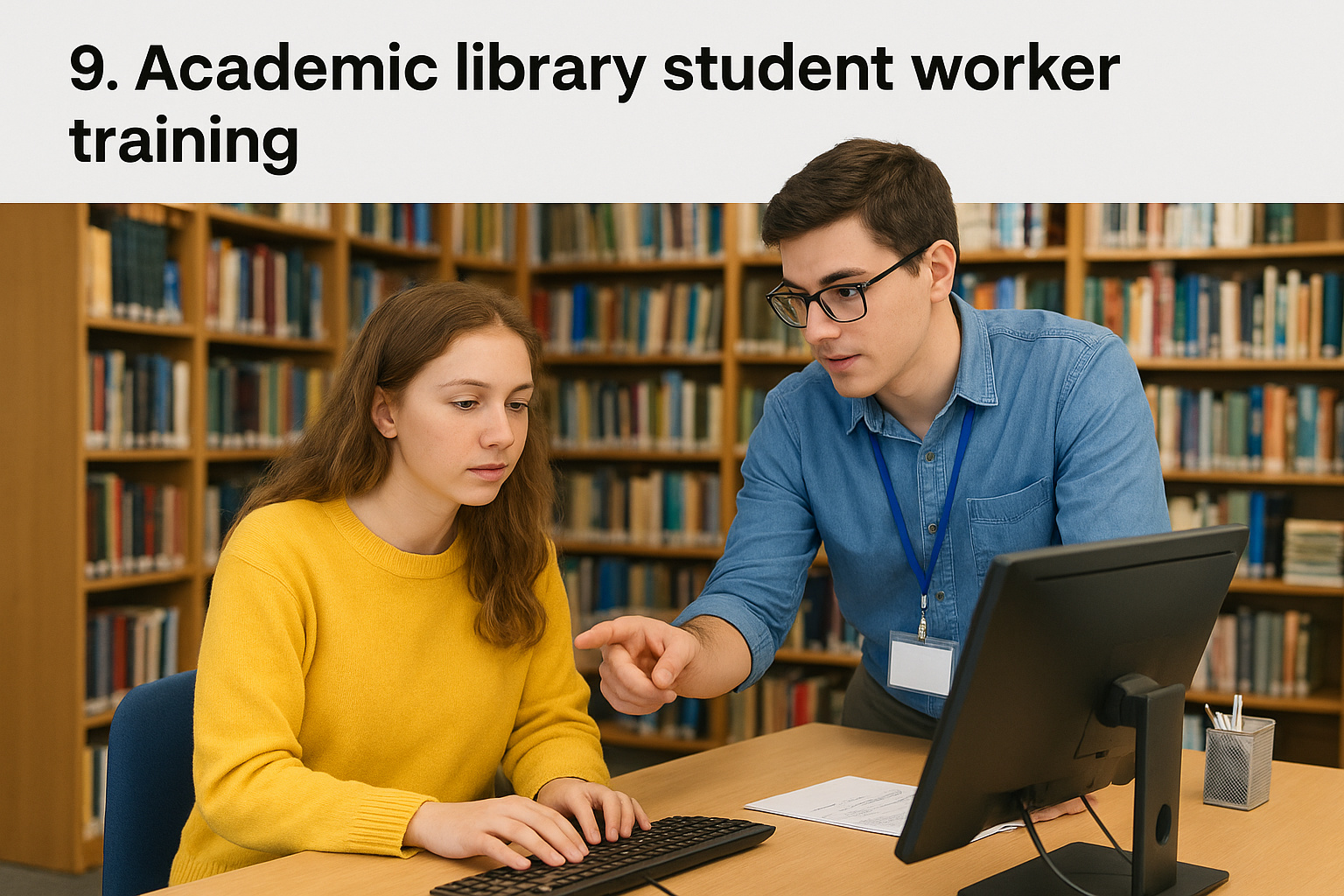
Academic libraries have employed students for generations, so many have refined a tiered training model. This is a common pattern, not one school’s program. New hires attend a short orientation, then shadow an experienced student at the circulation desk, in the stacks, or in the archives. As they prove ready, they take on harder tasks such as interlibrary loan or reference referrals. Most libraries also keep a written manual or wiki with step-by-step procedures. Details vary, so look at a few library websites for sample handbooks.
Library training works because students learn a task, practice it with a peer, and get signed off before working alone.
Who it is for
This model fits any unit with repeated, procedural tasks, such as circulation, shelving, scanning, or special collections. It also transfers well to offices outside the library, like a records room or a testing center.
It matters most for teams with evening and weekend shifts. Students there work with little supervision, so a sign-off before the first solo shift protects patrons and the student.
Key features for student workers
Students get a clear path from beginner to trusted team member. The elements worth copying are:
- Hands-on shadowing with a trained peer
- Task checklists that a supervisor signs off
- A searchable manual with written procedures
- Training on patron privacy and confidentiality
- Added responsibilities as skills grow
The checklist is the piece to steal first. It turns vague readiness into a list of tasks a student can actually demonstrate.
Limitations to consider
Peer training passes along bad habits as well as good ones. If the trainer cuts corners, the new student will too, so train your trainers and give them the written procedure.
Manuals also go stale, and paper checklists get lost. Review procedures each term, and keep sign-offs somewhere central. A spreadsheet works for one desk. Across several units, a learning system gives you searchable completion records without the paperwork.
Choosing a model that fits your campus
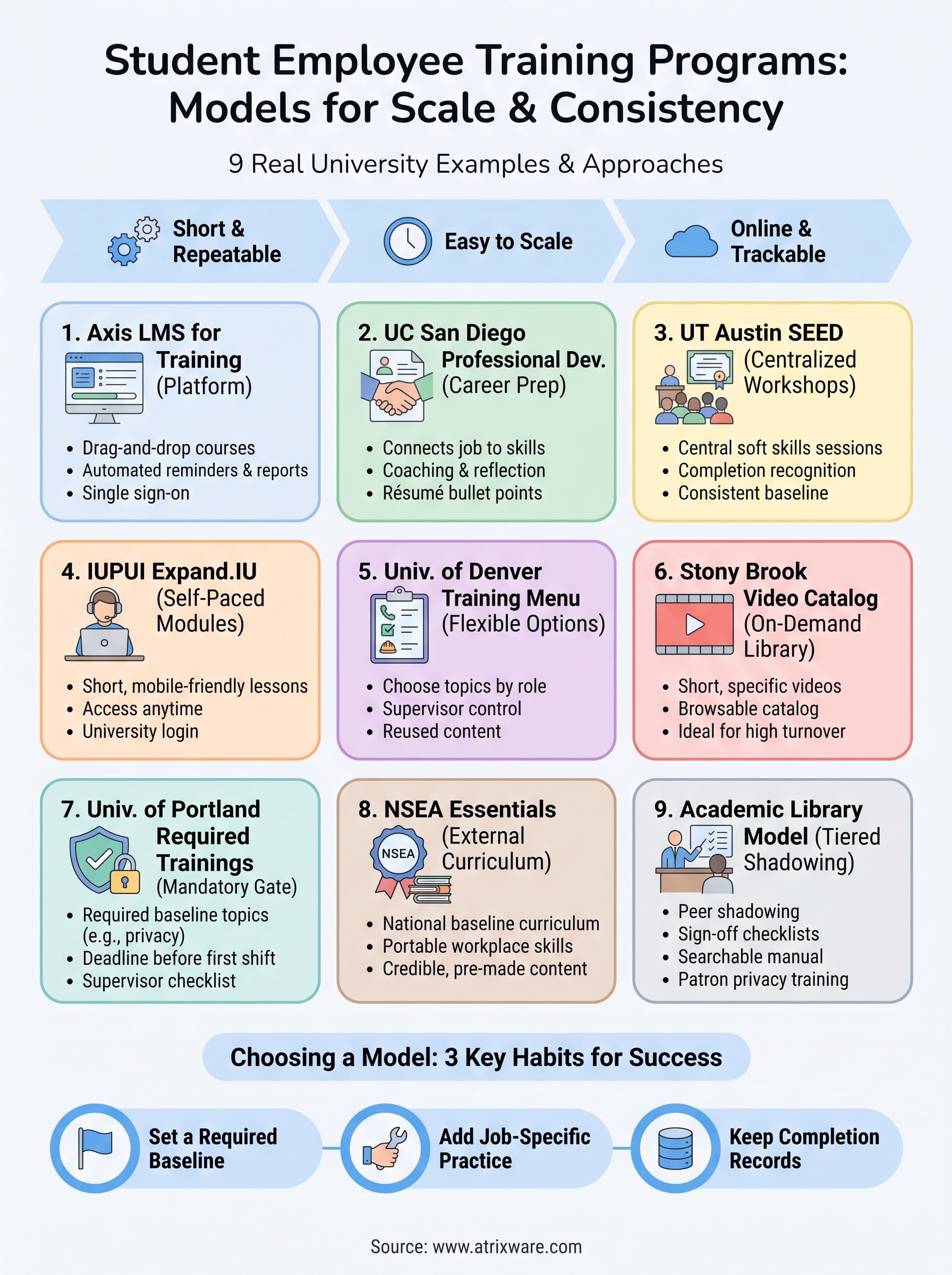
The best student employee training programs share three habits. They set a required baseline, they add job-specific practice on top, and they keep a record of who finished what. Everything else is a choice about format.
Match that format to your situation. Large campuses can borrow a central track like SEED or Expand.IU. Mixed-role offices will like a menu, and high-turnover desks do well with short videos. Libraries and labs should copy the shadowing and sign-off checklist. Small teams can start with an association course. Pick one model, pilot it for a term, and fix what breaks.
Whichever you choose, the hard part is consistency across semesters, and that is where tracking and reminders matter. To see how that works in practice, request an Axis LMS admin demo and walk through a student onboarding course set up the way you would run it.
