If you’ve ever been asked to explain what is security management to your leadership team, you know it’s harder than it sounds. The term covers everything from locked server rooms to phishing simulations to who gets badge access to the third floor, and lumping it all under one label doesn’t help anyone make decisions.
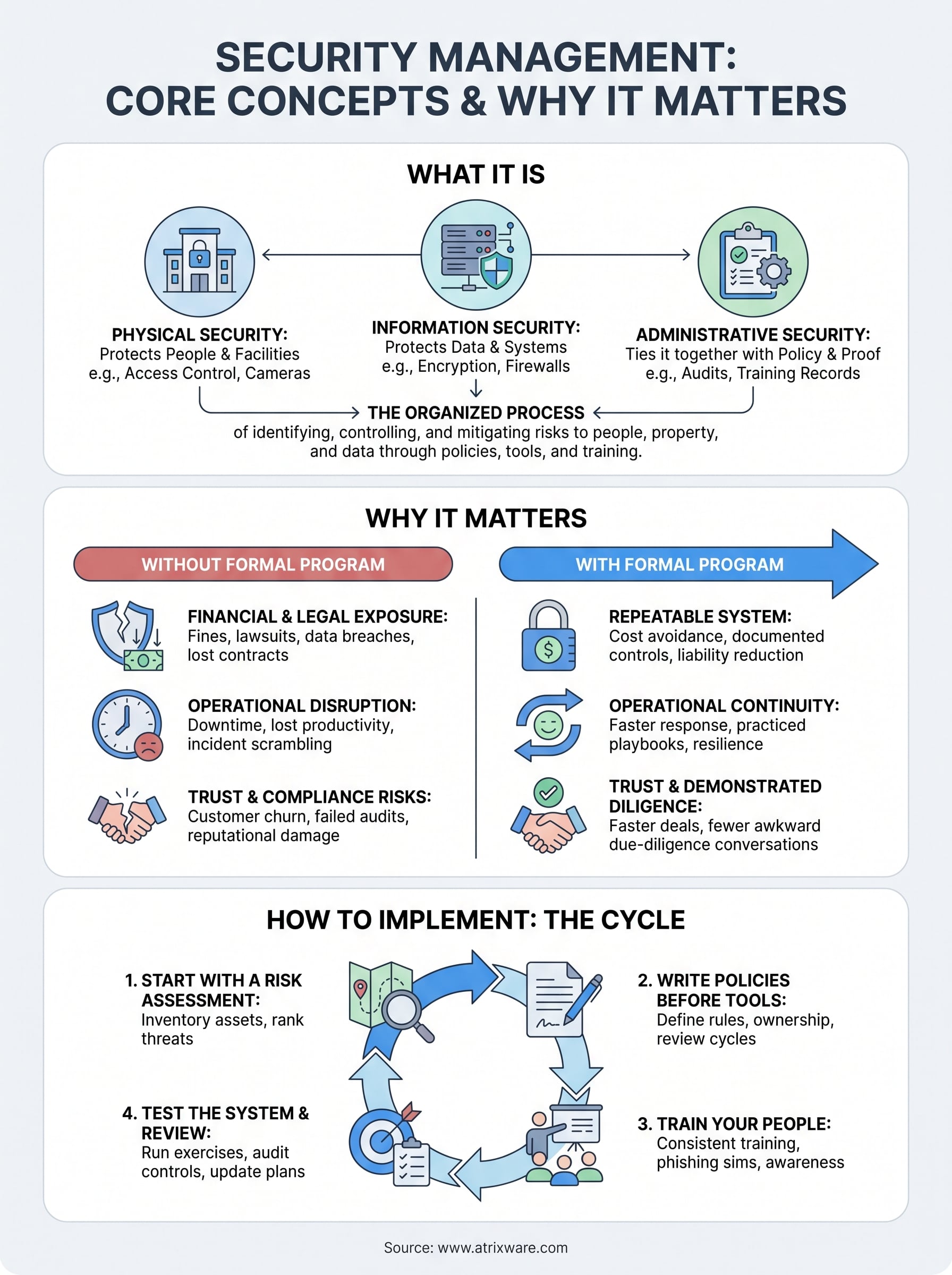
At its core, security management is the organized process of identifying risks to your people, property, and data, then putting policies, tools, and training in place to control those risks. It spans physical security (access control, surveillance, visitor policies), information security (data protection, network defenses, encryption), and the administrative layer that ties them together: risk assessments, incident response plans, and audits that prove your controls actually work.
This article breaks down the core concepts, the main types of security management, and why getting this right matters for compliance, liability, and day to day operations. We’ll also touch on where employee training fits into the picture, since even the best access controls and firewalls fail if your team doesn’t know how to spot a threat or follow protocol. By the end, you’ll have a working framework you can apply to your own organization.
Why security management matters for your organization
Skip security management and you’re not avoiding a cost, you’re just deferring it to a worse moment. A single data breach, unauthorized entry, or missed compliance audit can cost far more in fines, lawsuits, and lost contracts than the program that would have prevented it. Security management turns scattered fixes into a repeatable system, so you catch problems before they become headlines.
The financial and legal exposure
Breaches carry direct costs (forensics, notification, legal fees) and indirect ones (customer churn, insurance premium hikes, executive time). Regulators don’t care whether your gap was intentional or accidental. If you handle health records, financial data, or EU customer information, frameworks like GDPR or HIPAA require documented controls, not good intentions. The U.S. Federal Trade Commission has pursued companies for "unreasonable" data security practices, which means a lack of formal security management can itself become the basis of a legal claim, not just the breach that follows it. You can read more about the FTC’s expectations for data security enforcement.
A missed audit or an unlocked server room doesn’t just cost you data. It costs you the legal argument that you took reasonable care.
Operational continuity and trust
Beyond fines, disorganized security disrupts the business itself. A ransomware attack that locks your systems for three days doesn’t just cost ransom money, it costs every hour your team can’t invoice, ship, or serve customers. Physical incidents matter too: an unbadged visitor wandering into a restricted lab, or a former employee whose access wasn’t revoked, both point to gaps a formal program would close.
Here’s a quick look at what’s actually at stake when security management is treated as an afterthought versus a priority:
| Area | Without formal security management | With formal security management |
|---|---|---|
| Compliance | Reactive scramble before audits | Continuous, documented readiness |
| Incident response | Ad hoc, slow, inconsistent | Practiced playbooks, faster containment |
| Employee behavior | Inconsistent, untrained | Clear policy, regular training |
| Customer trust | Damaged after one visible incident | Protected through demonstrated diligence |
Trust, once lost, is expensive to rebuild. Vendors, partners, and customers increasingly ask for proof of security controls before they’ll sign a contract. Organizations that can point to a documented security management program close deals faster and face fewer awkward due-diligence conversations. That single advantage often justifies the entire investment on its own.
How to implement a security management program
Building a security management program isn’t a single project with a finish line. It’s a cycle you repeat as your organization grows, adds vendors, or opens new locations. Most successful rollouts follow the same four stages, whether you’re a 20-person clinic or a 2,000-person logistics company.
Start with a risk assessment
You can’t protect what you haven’t identified. A risk assessment inventories your assets (data, facilities, equipment, personnel) and ranks the threats against each one by likelihood and impact. Skip this step and you’ll end up spending on controls that address low-priority risks while real gaps stay open.

Write policies before you buy tools
Once you know your risks, translate them into written policy. This is where most programs stall, because it’s tempting to jump straight to software. Resist that.
- Define who approves access to sensitive systems and facilities
- Set incident response steps, including who gets notified and when
- Establish a review cycle (quarterly or annual) for every policy
- Assign an owner for each control, not just a department
A tool without a policy behind it is just an expensive habit waiting to be broken.
Train your people and test the system
Controls only work if people follow them, which is why employee training has to run alongside every technical rollout. Run tabletop exercises, phishing simulations, or badge audits at least twice a year, and treat the results as data, not a pass or fail grade. Programs that skip testing tend to discover their weak points during an actual incident, which is the most expensive way to learn.
Key types of security management to know
Most organizations run several types of security management at once, even if nobody’s labeled them that way. Knowing the categories helps you spot which one is underfunded or missing entirely. What is security management in practice usually breaks down into three overlapping domains: physical, information, and administrative.
Physical security management
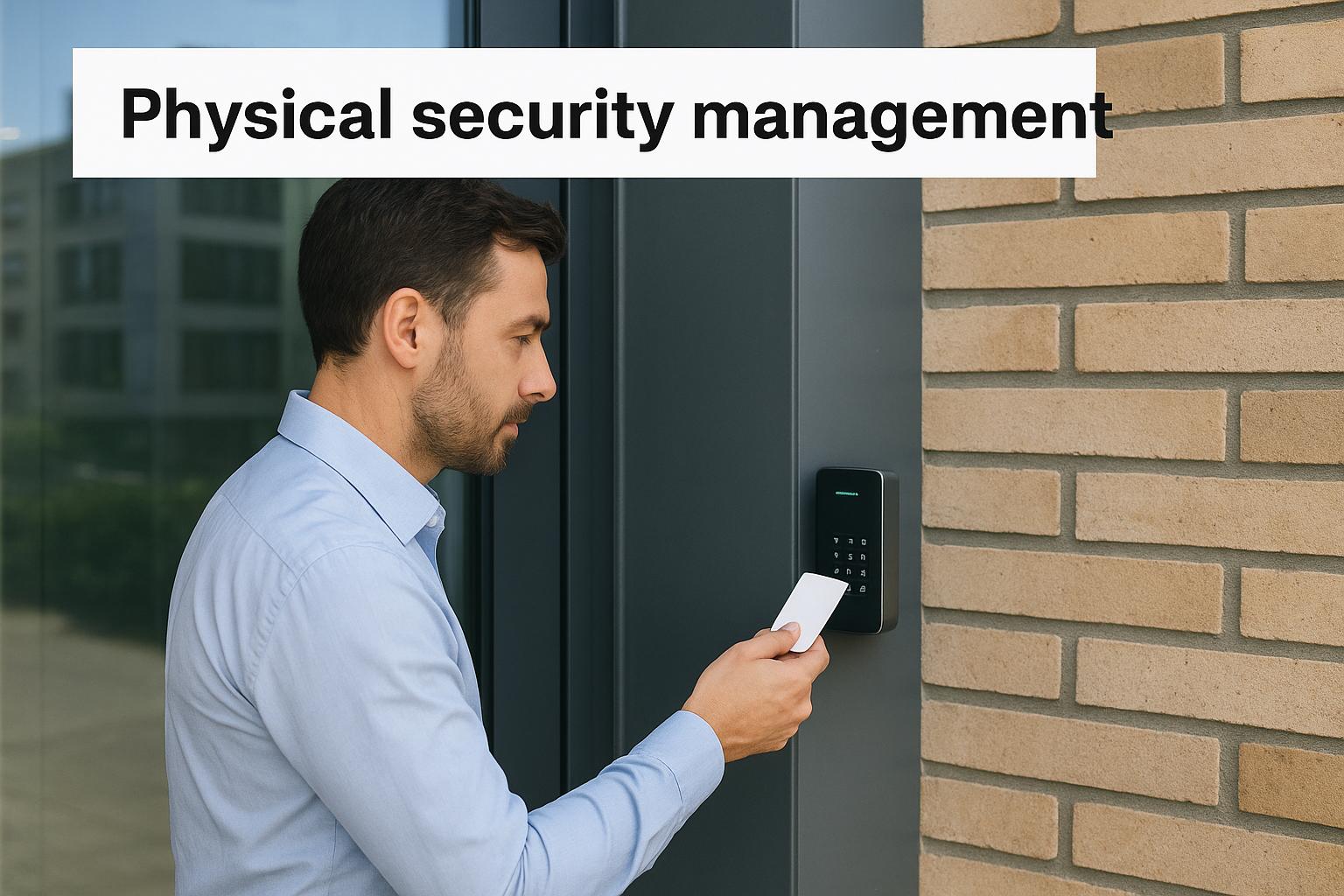
Physical security covers everything that protects buildings, equipment, and people from unauthorized access or harm. Cameras, badge readers, visitor logs, and locked server rooms all fall here. Access control is the backbone of this category, since most physical incidents trace back to someone getting somewhere they shouldn’t have.
Information security management
This domain protects data and systems from breach, theft, or corruption. It includes network defenses, encryption, patch management, and backup strategies. Cybersecurity controls overlap heavily with compliance requirements like HIPAA or PCI DSS, so weak information security often shows up as a legal problem before it shows up as a technical one.
Physical and digital security aren’t separate departments anymore. A stolen laptop is both problems at once.
Administrative and compliance security management
Administrative security ties the other two together through policy, training, and audits. It’s the layer that proves your controls work, not just that they exist.
| Type | Primary focus | Example control |
|---|---|---|
| Physical | People and facilities | Badge access, cameras |
| Information | Data and systems | Encryption, firewalls |
| Administrative | Policy and proof | Audits, training records |
Organizations that treat these as one connected system, rather than three separate budgets, close gaps faster and pass audits with far less scrambling.
Security management best practices and common pitfalls
Getting security management right isn’t about buying more tools. It’s about consistency, ownership, and closing the gap between what your policy says and what actually happens on the floor. The organizations that struggle usually aren’t missing controls, they’re missing follow-through.
Practices that actually hold up
Strong programs share a few habits regardless of industry or size. Documentation matters more than most teams expect, since regulators and auditors want proof, not promises.
- Assign one accountable owner per control, not a whole department
- Review policies on a fixed schedule, not "whenever someone remembers"
- Tie access permissions to job role, and revoke them the day someone leaves
- Log every incident, even minor ones, to spot patterns over time
- Run security awareness training at onboarding and at least once a year after
A control nobody owns is a control nobody’s actually running.
Where programs quietly fall apart
Most failures trace back to the same handful of mistakes. Overreliance on technology is the biggest one: firewalls and cameras don’t compensate for staff who prop open a secure door or reuse passwords across systems. Underinvestment in training refreshers is a close second, since a single onboarding session rarely sticks a year later.
Stagnant policies cause quieter damage. A document written three years ago rarely reflects your current vendors, remote workforce, or cloud tools, yet it stays on file because nobody’s assigned to update it. Treating compliance as a once-a-year scramble compounds this, turning what should be routine maintenance into a stressful, error-prone sprint every audit cycle.
Vague ownership ties all of these together. When "security" belongs to everyone in theory, it belongs to no one in practice, and that’s exactly where the next incident finds its opening.
Putting security management into practice
Security management isn’t a document you file away after an audit. It’s a living system of risk assessments, policies, and trained people who actually follow them. The organizations that get this right treat physical, information, and administrative security as one connected effort, not three separate budgets competing for attention.
Training is where most programs quietly succeed or fail. You can have the best access controls and firewalls in place, but if your team can’t spot a phishing attempt or forgets badge protocol, those controls only slow down the inevitable. Consistent training closes that gap, and it needs a system behind it, not a once-a-year slideshow.
If you’re ready to build that system, an LMS platform built for compliance tracking and security awareness training makes the difference between hoping people remember and proving they do. See how Axis LMS handles training tracking with a quick admin demo.
