Competency frameworks give HR teams a structured way to evaluate skills, align performance goals, and identify training gaps across the workforce. When you’re working within SAP’s ecosystem, understanding SAP SuccessFactors competencies becomes essential for connecting talent management with measurable business outcomes.
Defining and managing competencies in SuccessFactors involves more than just uploading a list of skills. You need to distinguish between core competencies that apply organization-wide and job-specific competencies tied to particular roles. You’ll also need to configure how these competencies integrate with Performance Management, Learning, and succession planning modules, ensuring your framework actually drives development rather than collecting dust in a system menu.
This guide walks you through the process of setting up competencies in SAP SuccessFactors, from initial definitions to cross-module implementation. Whether you’re building a competency library from scratch or refining an existing framework, you’ll find practical steps to make your competency data actionable. And if you’re evaluating how competency-based training connects with dedicated learning platforms like Axis LMS, understanding SuccessFactors’ native capabilities will help you identify where additional training infrastructure might strengthen your overall talent development strategy.
What competencies are in SuccessFactors
SAP SuccessFactors competencies are structured definitions of skills, behaviors, and knowledge areas that you can assign to employees and job roles. The platform stores these competencies in a central library that connects across multiple modules, including Performance Management, Learning, Succession Planning, and Recruiting. Each competency includes proficiency levels that indicate how developed an individual is in that particular skill, creating a scalable way to track development across your entire organization.
Core competencies
Core competencies represent the foundational skills and behaviors that every employee in your organization should demonstrate, regardless of their specific role. You define these competencies at the organizational level, and they typically include elements like communication, teamwork, customer focus, and ethical conduct. When you configure core competencies, they automatically appear in performance forms and development plans for all employees, ensuring consistency in how you evaluate and develop your workforce. Your HR team can set minimum proficiency expectations for each core competency and track organization-wide progress against these standards.
Core competencies create a shared language for performance expectations across all departments and levels.
Job-specific competencies
Job-specific competencies target the technical skills and specialized knowledge required for particular roles or job families. You assign these competencies to individual positions or groups of similar roles, making them visible only to employees in those functions. For example, you might define "Financial Analysis" as a competency exclusive to finance roles, while "Java Programming" applies only to software development positions. This targeted approach allows you to build detailed skill profiles for each role, measure gaps between current and required proficiency levels, and create personalized learning paths that address specific developmental needs rather than generic training requirements.
Step 1. Plan your competency framework
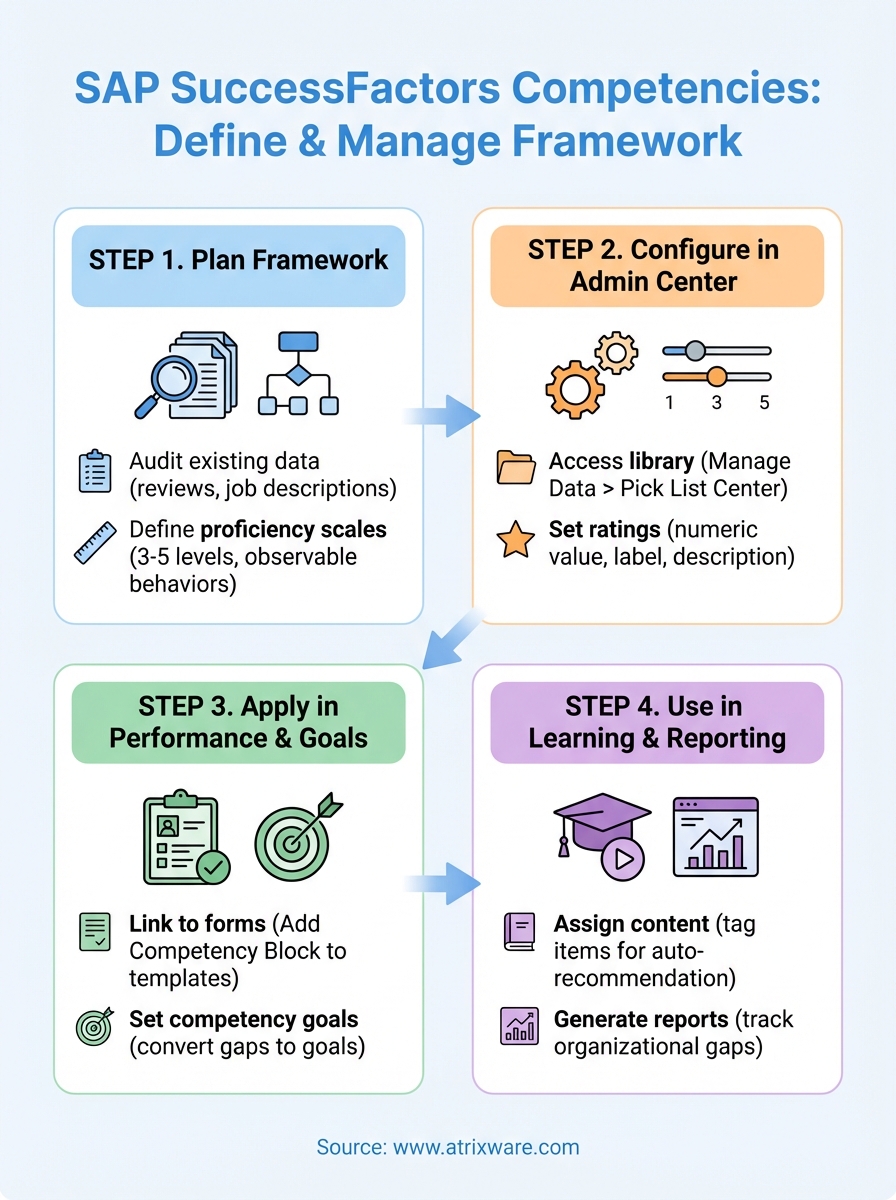
Before you start configuring SAP SuccessFactors competencies in the system, you need to document the specific skills and behaviors your organization will track. Start by identifying which competencies will serve as core organizational standards and which will target specific job families or roles. This planning phase determines how effectively your competency framework aligns with business objectives and performance expectations.
Audit existing competency data
Review any competency libraries, job descriptions, or performance criteria currently in use across your organization. You’ll find valuable insights by examining existing performance reviews, training materials, and succession plans to identify which skills matter most for each role. Document gaps where critical competencies aren’t formally defined or measured. This audit prevents you from creating duplicate competencies and helps you preserve institutional knowledge that already exists in scattered systems.
Planning your framework before configuration prevents costly rework and ensures stakeholder alignment.
Define proficiency scales
Establish how you’ll measure skill levels for each competency before building your library. Most organizations use three to five proficiency levels that describe observable behaviors at each stage of development. Your scale might range from "Basic Awareness" to "Expert" or use numbered levels that align with existing performance rating systems.
Step 2. Configure competencies and proficiency levels
You’ll configure SAP SuccessFactors competencies in the Admin Center where you can build your competency library and define proficiency scales. Navigate to Admin Center > Company Settings > Competency Library to access the configuration interface. This step transforms your planning documentation into actionable system data that employees and managers will use for evaluations and development.
Access the competency library
Open the Admin Center and select Manage Data under the System Management section. Click on Pick List Center, then choose Competency Library from the dropdown menu. You’ll create individual competency entries here by adding the competency name, description, and type classification (core or job-specific). The description field should clearly explain what the competency means and why it matters to your organization, as this text appears in employee-facing screens.
Set up proficiency ratings
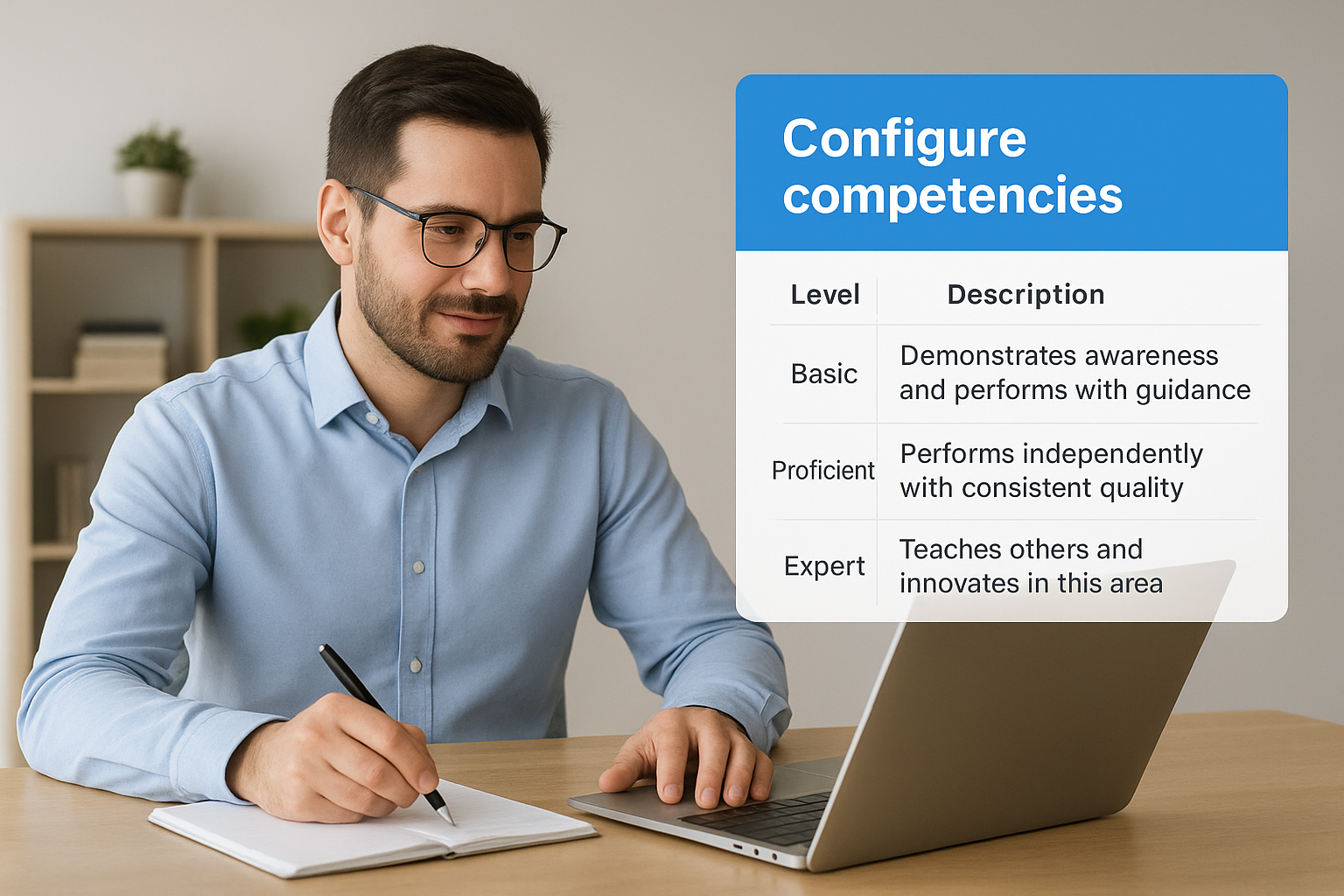
Define your proficiency scale by clicking Manage Rating Scales within the Competency Library interface. Create a new scale or modify existing ones to match your framework. Each proficiency level needs a numeric value, label, and behavioral description that clarifies expectations.
| Level | Label | Description |
|---|---|---|
| 1 | Basic | Demonstrates awareness and performs with guidance |
| 3 | Proficient | Performs independently with consistent quality |
| 5 | Expert | Teaches others and innovates in this area |
Clear proficiency definitions prevent subjective interpretations during performance reviews and skill assessments.
Step 3. Apply competencies in Performance and Goals
Connecting SAP SuccessFactors competencies to your performance review process makes skill development a measurable part of employee evaluations. You’ll configure this integration through the Performance Management module where you can add competency sections to review forms and link them to goal-setting workflows. This connection transforms competencies from reference documents into active assessment tools that drive career development conversations.
Link competencies to performance forms
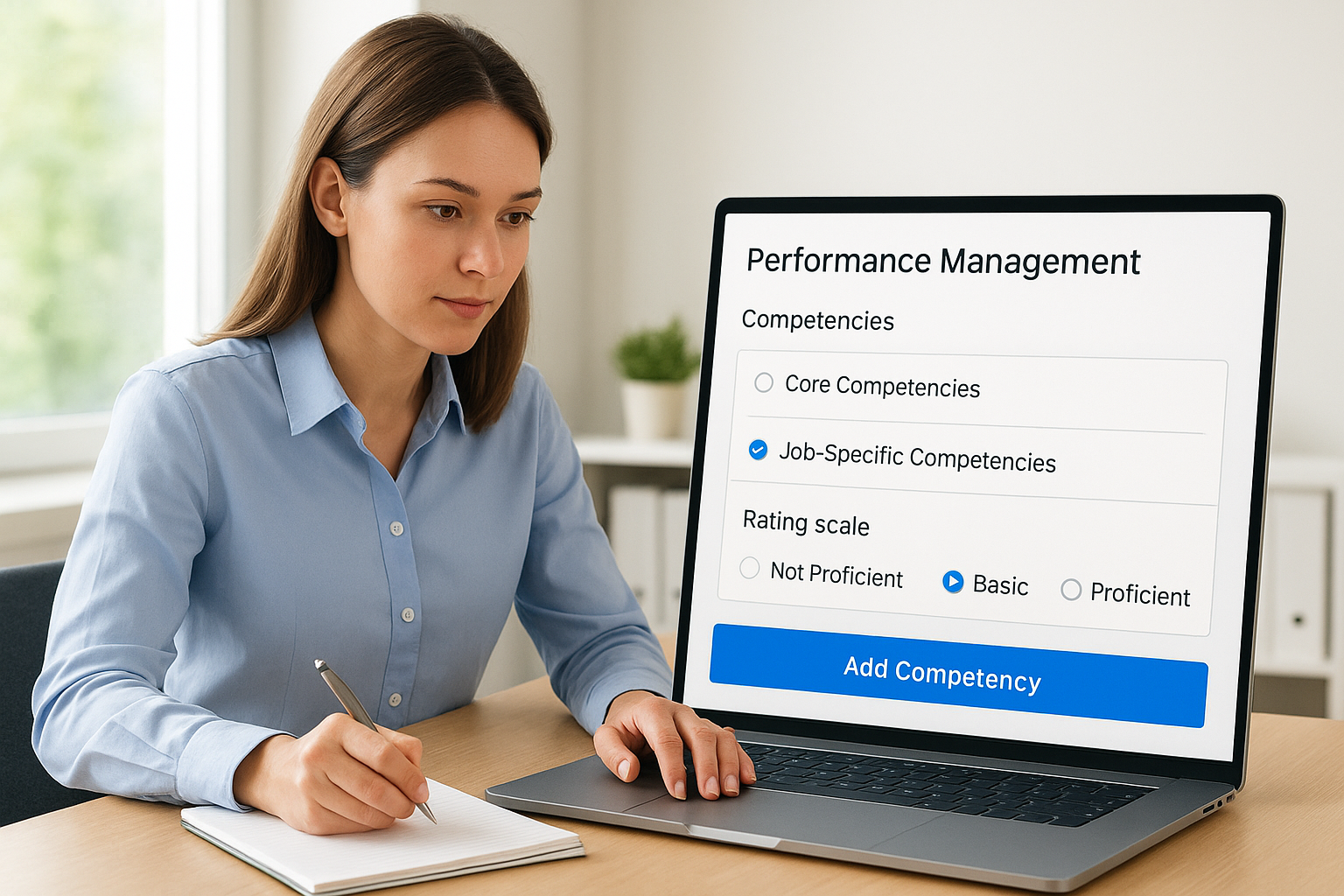
Navigate to Admin Center > Manage Templates > Performance Management and select your active review template. Add a competency section by clicking Add Form Element and choosing Competency Block from the element types. Configure whether you want to display core competencies only, job-specific competencies, or both by adjusting the section settings. Set the rating options to align with your proficiency scales so managers evaluate employees against established skill levels. You can make this section mandatory for form completion or keep it optional depending on how central competencies are to your performance philosophy.
Integrating competencies into performance forms ensures skill development gets discussed during formal review cycles.
Set competency-based goals
Enable employees to create development goals directly from their competency assessments by configuring the Goals module to reference competency ratings. When an employee receives a lower-than-expected rating on a specific competency, they can convert that gap into a development goal with target proficiency levels and completion dates.
Step 4. Use competencies in Learning and reporting
You’ll maximize the value of SAP SuccessFactors competencies by connecting them to learning recommendations and reporting dashboards. This integration allows you to automatically suggest training courses based on competency gaps and track skill development across your organization. Navigate to Admin Center > Learning Administration to configure these connections and start building data-driven development programs.
Assign learning content to competencies
Tag your learning items with relevant competencies by opening each course in the Item Library and selecting applicable skills from the competency dropdown menu. When employees or managers identify competency gaps during performance reviews, the system will automatically recommend these tagged courses as development resources. You can also set proficiency level prerequisites so that advanced courses only appear for employees who’ve already achieved intermediate ratings in foundational competencies.
Linking learning content to competencies creates personalized development paths that address specific skill gaps.
Generate competency reports
Access Admin Center > Analytics & Reporting to create dashboards that track competency proficiency across teams, departments, or the entire organization. Build custom reports that compare current proficiency levels against role requirements, identifying where training investments will deliver the highest impact. Export these reports to share competency insights with leadership teams during workforce planning discussions.
Next steps
You now have a working framework for configuring SAP SuccessFactors competencies across your talent management ecosystem. Your competency library connects performance evaluations, learning recommendations, and workforce analytics into a unified skill development system. The integration points you’ve established allow employees to identify gaps, managers to assess capabilities, and HR teams to track organizational progress against strategic skill requirements.
Start with a pilot group before rolling out competency-based assessments across your entire organization. Test your proficiency scales with real performance reviews and refine descriptions based on manager feedback. Monitor which competencies generate the most development goals and verify that your learning content recommendations align with actual skill gaps employees experience.
If you’re evaluating whether your current learning infrastructure can support the competency-driven training paths you’re building, take our LMS readiness quiz to identify where dedicated training platforms complement SuccessFactors’ native capabilities.
