The quickest way to put a compliance training program template to work is to copy the structure in this guide into Word, Excel or Google Docs and complete four parts: a requirements matrix, a one-page program sheet, a training calendar with a completion log, and a review rule. The text for each part is below, free to copy and paste. Together they answer who must be trained, on what, by when, and how you prove it.
Most templates fail in one of two ways. Some are blank grids that leave you guessing what belongs in each cell. Others are full policy documents written for a hospital or a university, and they never fit your business. Either way, the problem shows up when a regulator, auditor or insurer asks for proof. They want to see who completed which course, on what date, and with what score.
This guide walks you through four steps: map your requirements, fill in the program sheet, schedule and track completion, and set up reviews. At Atrixware we build Axis LMS, a learning management system with compliance tracking. That work shows us which template fields still matter once training is running, and those are the fields included here.
What a compliance training program template should include
The parts every template needs
A compliance training program template should record who must be trained, on what, how, by when, and how you prove it. Anything less is a policy statement, not a plan. Eight parts cover it:
- Purpose and owner: one named person accountable for the program.
- Objectives: measurable targets such as completion rate and pass mark.
- Requirements matrix: topics, audiences and frequency.
- Delivery methods: online, instructor-led or virtual classroom.
- Schedule: new hire, annual and triggered training.
- Assessment: quizzes, pass marks and retake rules.
- Recordkeeping: what you log per learner and how long you keep it.
- Non-completion and review rules: reminders, escalation and update triggers.
A template earns its keep only if it captures who, what, when and proof.
How training fits the seven pillars of compliance
The seven pillars of compliance, as the U.S. federal sentencing guidelines and HHS Office of Inspector General guidance describe an effective program, are written policies and procedures, a compliance officer and committee, training and education, open lines of communication, auditing and monitoring, consistent enforcement, and prompt response to problems. Training is one pillar of seven.
If you are learning how to create a compliance program from scratch, write the policies first. Training teaches policies, so it cannot come before them.
Word, Excel or PDF: which format to use
Use each format for the job it does best. Mixing them is normal.
| Part | Best format | Why |
|---|---|---|
| Program sheet | Word or Google Docs | Narrative text that needs sign-off |
| Requirements matrix, calendar, log | Excel or Google Sheets | Filtering, sorting, counting |
| Approved final version | Locked copy for auditors and new managers |
Step 1. Map your requirements and audiences
List the rules that apply to you
Start by listing every law, regulation, contract term and internal policy that requires training. Check industry rules (HIPAA for health data, OSHA standards for safety, privacy laws for personal data), then add your code of conduct and any customer contract clauses. Ask legal counsel or your compliance officer to confirm the list. Missing one requirement is worse than over-training on one.

Build the requirements matrix
Put the list in a table and assign each topic an audience, a delivery method and a frequency. Paste this into your spreadsheet and replace the rows:
| Topic | Who completes it | Delivery | Frequency |
|---|---|---|---|
| Code of conduct and ethics | All employees | Online course | At hire, then yearly |
| Harassment prevention | All employees, extra module for managers | Online course | At hire, then yearly |
| Data privacy and security | Staff who handle personal or health data | Online course with quiz | At hire, then yearly |
| Hazard communication and safety | Warehouse and field staff | Instructor-led with sign-off | At hire and when hazards change |
Some rules set a minimum frequency, and others set none. A yearly refresher is a common company choice, not a universal legal requirement, so confirm each frequency against the rule itself.
Every training topic needs a named audience and a frequency, or it will not get done.
Step 2. Fill in the program sheet
Copy the program sheet
This is the Word or Google Docs part of your compliance training program template. Paste it into a blank document and replace every bracket.

COMPLIANCE TRAINING PROGRAM
Organization: [Company name]
Program owner: [Name, title]
Approved by: [Name, date]
Version: [1.0]    Last reviewed: [Date]

1. PURPOSE
Every employee completes the compliance training required for their role, and we can prove it.

2. OBJECTIVES
- [90]% of assigned employees complete each course by the due date.
- Minimum passing score: [80]%.
- New hires finish required courses within [30] days of start.

3. AUDIENCES AND COURSES
See requirements matrix (topic, audience, delivery, frequency).

4. DELIVERY METHODS
[Online course / Instructor-led / Virtual classroom]

5. SCHEDULE
New hire: [within 30 days]. Annual refresher: [month].
Triggered: [role change, policy change, incident, audit finding].

6. ASSESSMENT
Quiz after each course. Failed attempt: [review, retake, max 3, then manager meeting].

7. RECORDKEEPING
Per learner: name, course, course version, completion date, score, attempts.
Retention: [period set by regulation or policy].

8. NON-COMPLETION
Reminders: [7 days before due], [on due date], [7 days after].
Escalate to manager: [7 days overdue].

9. REVIEW
Reviewed every [12] months and after any law, policy or audit change.
Write objectives you can measure
Objectives like "improve awareness" cannot be checked. Use numbers. "90% of employees complete the data privacy course within 30 days of assignment, with an 80% pass mark" can be checked in a report. Pick targets you can actually hit in year one, then raise them.
If an objective has no number, nobody can tell whether the training worked.
Step 3. Schedule and track completion
Set the annual calendar
Spread courses across the year instead of assigning everything in January. A light, steady load gets better completion than one big push.
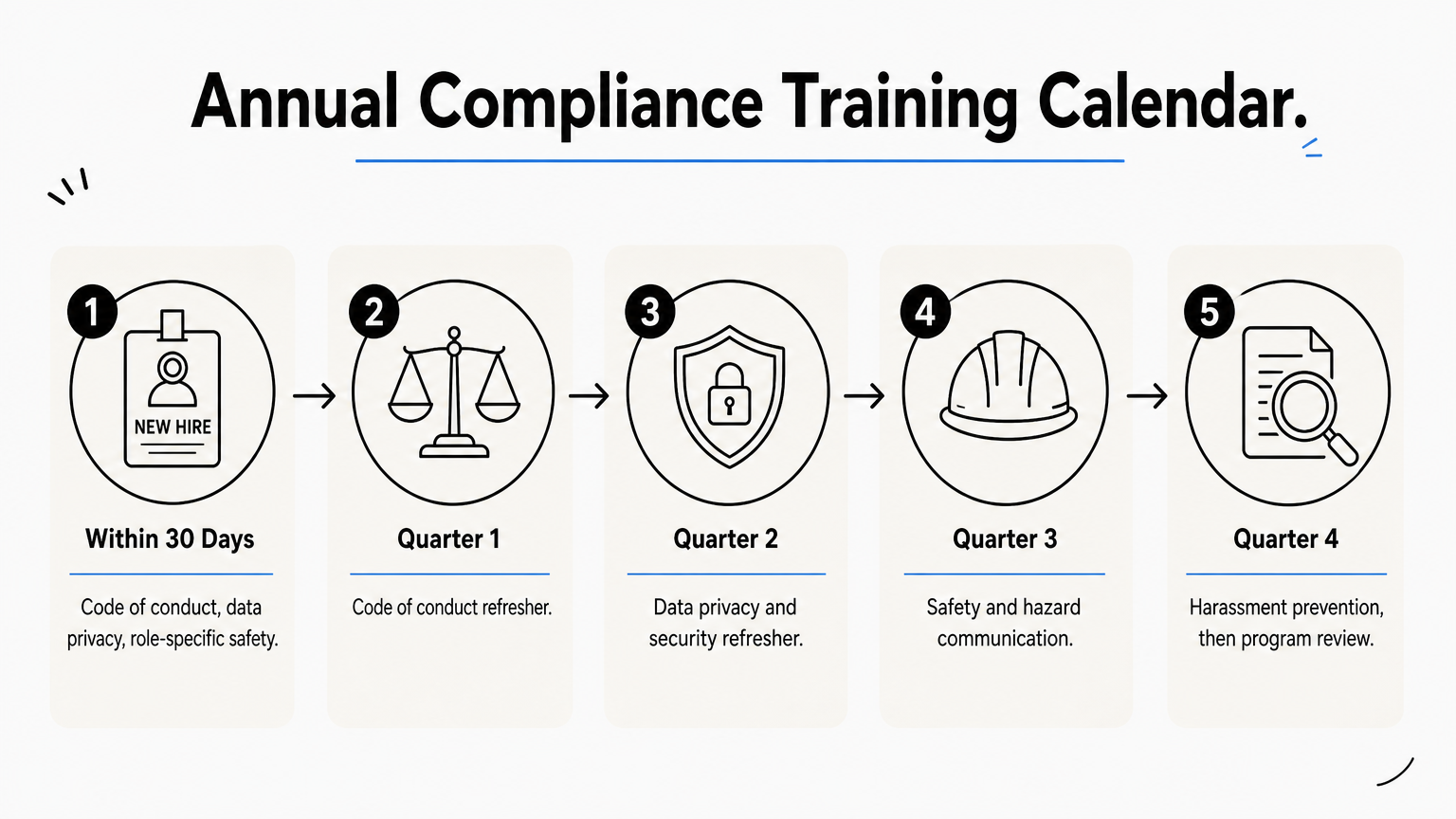
| Timing | Training |
|---|---|
| Within 30 days of hire | Code of conduct, data privacy, role-specific safety |
| Quarter 1 | Code of conduct refresher |
| Quarter 2 | Data privacy and security refresher |
| Quarter 3 | Safety and hazard communication |
| Quarter 4 | Harassment prevention, then program review |
Keep a completion log
Add a second sheet that logs every assignment. Paste this header row into cell A1, then use Data, Text to Columns with a comma delimiter:
Employee,Department,Role,Course,Course version,Assigned,Due,Completed,Score,Attempts,Status,Manager
Size the work before you start. A company with 120 employees and four annual courses creates 480 assignments a year. A 90% on-time target means 432 completions, so up to 48 need reminders or escalation. Tracking that by hand is feasible. At several times that volume, it starts to fail.
That is where a learning management system helps. Axis LMS automates assignments and reminders, tracks re-certifications and CEUs, and produces on-demand reports, which replaces most of the manual log.
The completion log is the document an auditor actually asks to see.
Step 4. Review and update your template
Set your review triggers
Review the whole program at least every 12 months. Also review it whenever something changes: a new or amended law, a revised policy, a role change, an incident, or an audit finding. Each trigger should lead to one question. Does the course content, the audience list or the frequency need to change?
When you update a course, change the version number in your log. Then you can show exactly which version each person completed.
Run a quarterly check
A short quarterly check catches problems before an audit does. Pull the report and look at these items:
- Completion rate against your target, by department.
- Pass rate and average attempts per course.
- Overdue assignments and how long they have been open.
- New hires who missed the 30-day window.
- Quiz questions that most people get wrong, which usually signal unclear content.
A quarterly look at completion and failure data keeps the program from going stale.
Put your template to work
A usable template is a short document with a clear owner, measurable objectives, an audience matrix, a calendar and a log that proves completion. Fill in the requirements matrix first, paste in the program sheet, and set up the log before you assign a single course. Then review it on a fixed schedule.
If your log is already hard to keep current, the next question is whether a spreadsheet is still the right tool. The LMS readiness quiz shows where you stand in the decision.
