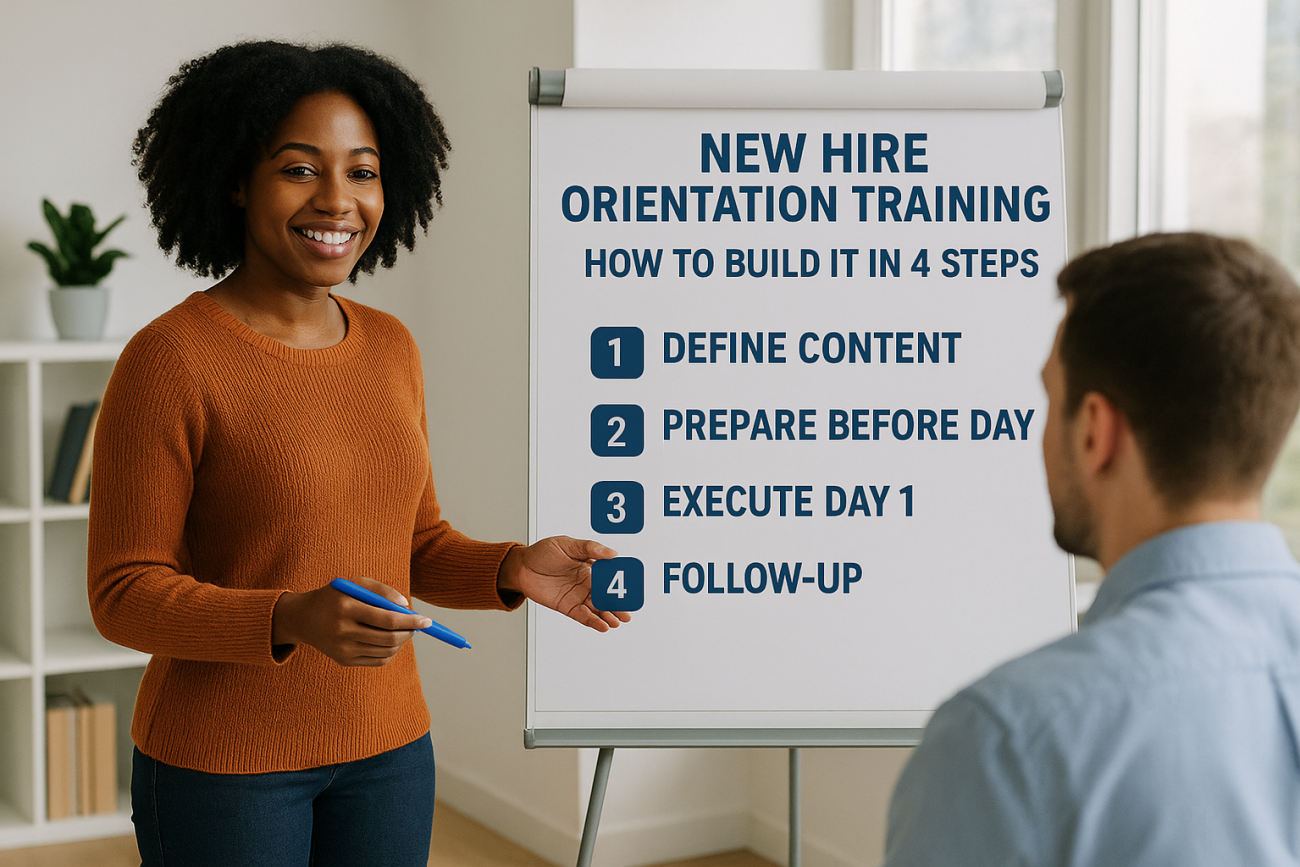
Effective new hire orientation training comes down to four moves. Decide what new hires must know in week one, finish paperwork and setup before day one, run a paced schedule that mixes learning with time with people, and follow up with check-ins at 30, 60, and 90 days. Plan on one to five days of formal orientation, then a longer onboarding period of three months or more.
Most orientations fail in one of two ways. Either the new hire spends day one signing forms and clicking through slides, or they arrive to a missing laptop and a front desk that does not know their name. Neither is a small problem. A BambooHR study found that 44% of new hires regret their decision within a week, so the first days carry real weight for retention.
This guide shows you how to build the program step by step. You will learn what orientation is and how long it should last, what to cover, how to prepare before the first day, what a good first-week schedule looks like, and how to measure results. You will also see where a learning management system such as Axis LMS from Atrixware helps once you hire often enough that manual orientation stops scaling.
What new hire orientation training is and how long it lasts
New hire orientation training is the first-week part of onboarding: the sessions, paperwork, introductions, and setup that get a new employee ready to start work. It usually runs one to five days. The onboarding process around it runs three months to a year.

Orientation versus onboarding
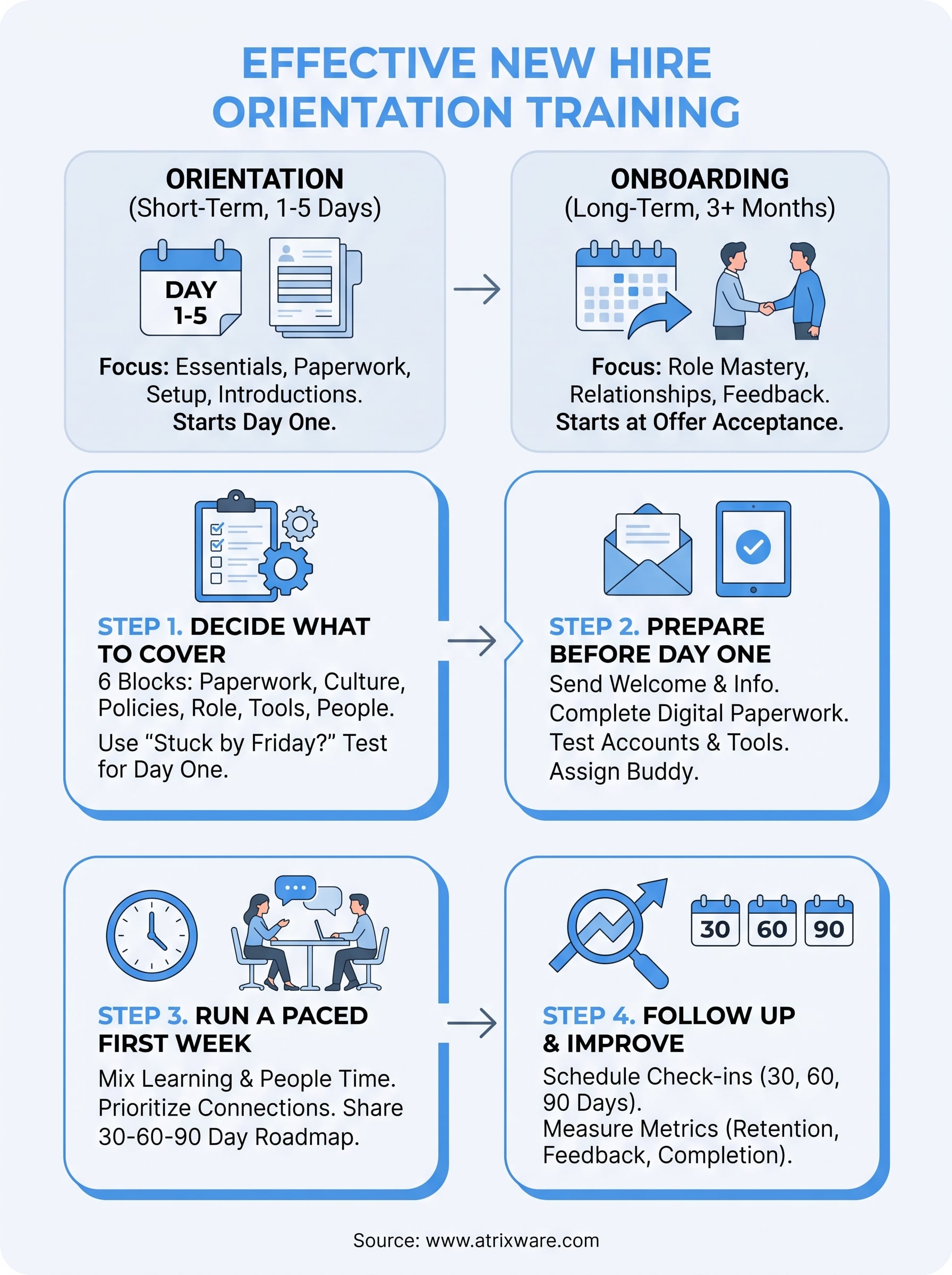
Orientation begins on the first day and delivers the essentials. Onboarding begins when the candidate accepts the offer and continues until the person works independently. Treat orientation as one phase of a longer plan, not the whole plan.
| Orientation | Onboarding | |
|---|---|---|
| Starts | Day one | Offer acceptance |
| Typical length | 1 to 5 days | 3 months to 1 year |
| Focus | Paperwork, policies, introductions, setup | Role training, relationships, feedback |
| Owners | HR and the hiring manager | Manager, buddy, and HR |
Orientation gets a new hire started; onboarding makes them good at the job.
How long orientation should last
For a simple office role, one day of live orientation plus a lighter second day is usually enough. Roles with safety rules, regulated procedures, or several software systems can justify up to a week. Longer than that, and you are probably cramming onboarding content into orientation.
Keep live sessions short and move anything not needed on day one into later weeks. Short self-paced modules work well here because the new hire can finish them between conversations with the team.
Pay and job status
Does orientation mean the person has the job? In practice, yes. Orientation starts after the offer is accepted, though some employers still apply a probationary period. Is it paid? Generally yes. Under federal wage rules, mandatory job-related training during working hours counts as paid time, as the U.S. Department of Labor explains. State rules can add requirements, so confirm with your HR or legal adviser.
Step 1. Decide what to cover
Cover six blocks: paperwork, company and culture, policies and safety, role expectations, tools and access, and people. Then sort each item into "needed on day one" or "can wait." That sort decides whether orientation feels organized or overwhelming.
The six content blocks
| Block | What to include |
|---|---|
| Paperwork | Tax forms, I-9, direct deposit, benefits enrollment, handbook acknowledgment |
| Company and culture | Mission, values, org chart, glossary of internal jargon |
| Policies and safety | Conduct, time off, data security, workplace safety, emergency procedures |
| Role and expectations | Responsibilities, definition of success, a 30-60-90 day plan |
| Tools and access | Email, laptop, messaging apps, HR and payroll systems |
| People | Team introductions, manager one-on-one, assigned buddy |
Employment eligibility has a legal clock. The new hire must complete Section 1 of Form I-9 no later than their first day of work, and you must complete Section 2 within three business days of the start date. Put this on your day-one list so nobody discovers it on day four.
Separate must-know from can-wait
Day one should include only what the person needs to be safe, paid, and productive that week. Benefits details, deep policy reading, and advanced tool training can arrive as short modules over the following weeks.
A useful test is to ask whether the new hire would be stuck or at risk without this item by Friday. If not, schedule it later. This keeps day one for the things that cannot wait, and it leaves room for the human parts that people remember.
If a new hire would not be stuck without it by Friday, it does not belong on day one.
Step 2. Prepare before day one
Good new hire orientation training starts before the person walks in. Send a welcome message, finish paperwork electronically, and have every account, device, and calendar invite ready. Preparation removes the most common first-day failures.
Send a welcome message
Email the new hire several days ahead. Answer the logistical questions so they do not lie awake over them. Include:
- Start time and where to go or how to log in
- Who will greet them
- Dress code and parking details
- A short agenda for week one
- What to bring, such as ID documents for the I-9
A short welcome video from the manager adds a personal touch and costs ten minutes.
Have paperwork and tools ready
Send forms for electronic signature before the start date so day one is not a stack of paper. Create email and system accounts, test the logins, and set up the laptop and phone. Assign a buddy, and block time on the manager’s calendar for the first week.
If you hire often, an LMS removes repeated work. Axis LMS syncs user data with HR systems such as ADP and BambooHR, and it includes automation workflows, so you can set up learner records from HR data rather than retyping them. Orientation modules can then be waiting in the new hire’s account on day one.
The best first day is one where nothing has to be fixed, found, or explained twice.
Step 3. Run a paced first week
Open with people, not paperwork, and alternate heavier sessions with lighter ones. The goal of day one is that the new hire leaves knowing what is expected, who to ask, and that they made the right choice. Then spread the rest across weeks one to twelve.

A sample day-one agenda
| Time | Activity |
|---|---|
| 9:00 | Welcome from the manager, plan for the week |
| 9:30 | Equipment, logins, and tool walkthrough |
| 10:30 | Essential paperwork and benefits overview |
| 12:00 | Team lunch, in person or by video |
| 1:00 | Company mission, values, and org chart |
| 2:30 | Role overview and first assignments |
| 3:30 | Time with the buddy |
| 4:30 | Manager wrap-up and questions |
Keep the afternoon flexible. Virtual hires need breaks between video calls, since screen fatigue is real.
Keep new hires engaged after day one
Give new hires something real to do early, such as a small project or task. Pair them with a buddy who answers the questions they would hesitate to ask a manager. Offer self-paced modules for policies and tools so they can learn at their own speed.
Then share a simple roadmap so the weeks ahead are not a mystery.
| Period | Goal | Example outcomes |
|---|---|---|
| Days 1 to 30 | Learn | Complete required training, meet key contacts, finish first small task |
| Days 31 to 60 | Contribute | Own a defined piece of work, receive structured feedback |
| Days 61 to 90 | Own | Work independently, agree on goals for the next quarter |
A new hire who can see the next 90 days is far less likely to wonder whether they chose well.
Step 4. Follow up and improve
Schedule check-ins at the end of day one, the end of week one, and at days 30, 60, and 90, then track a few numbers. Orientation that ends on Friday leaves new hires alone just when doubts surface. Follow-up is where retention is won.
Check in on a fixed schedule
Put every check-in on the calendar before the person starts. Ask the same short questions each time: What is unclear? What is working? What do you need that you do not have? Ask for feedback on orientation itself, because new hires notice gaps that long-time employees no longer see.
Measure what matters
Track four numbers: orientation completion rate, time to first independent task, new-hire survey score at day 30, and 90-day retention. An LMS with automated reports, such as Axis LMS, can track course completion for you, which leaves only the survey and manager data to collect by hand.
Use this checklist to audit your program:
- Welcome message sent before day one
- Forms signed electronically in advance
- Accounts, devices, and logins tested
- Buddy assigned and manager time blocked
- Day-one agenda that mixes learning with people time
- I-9 Section 1 completed on day one
- 30-60-90 day plan shared in week one
- Check-ins scheduled through day 90
- Feedback collected and used to revise the program
What you do not measure about orientation, you will repeat unchanged.
Make the first week count
Good new hire orientation training is not complicated, but it is deliberate. Decide what must be covered, prepare before the first day, pace the first week around people instead of paperwork, and keep checking in until the 90-day mark. Do those four things and you avoid the early regret that sends new hires back to the job market.
If you hire often or across several locations, a learning platform keeps the program consistent and takes the repeated setup off HR. Atrixware’s LMS readiness quiz is a quick way to see what stage of the purchase process you are in.
