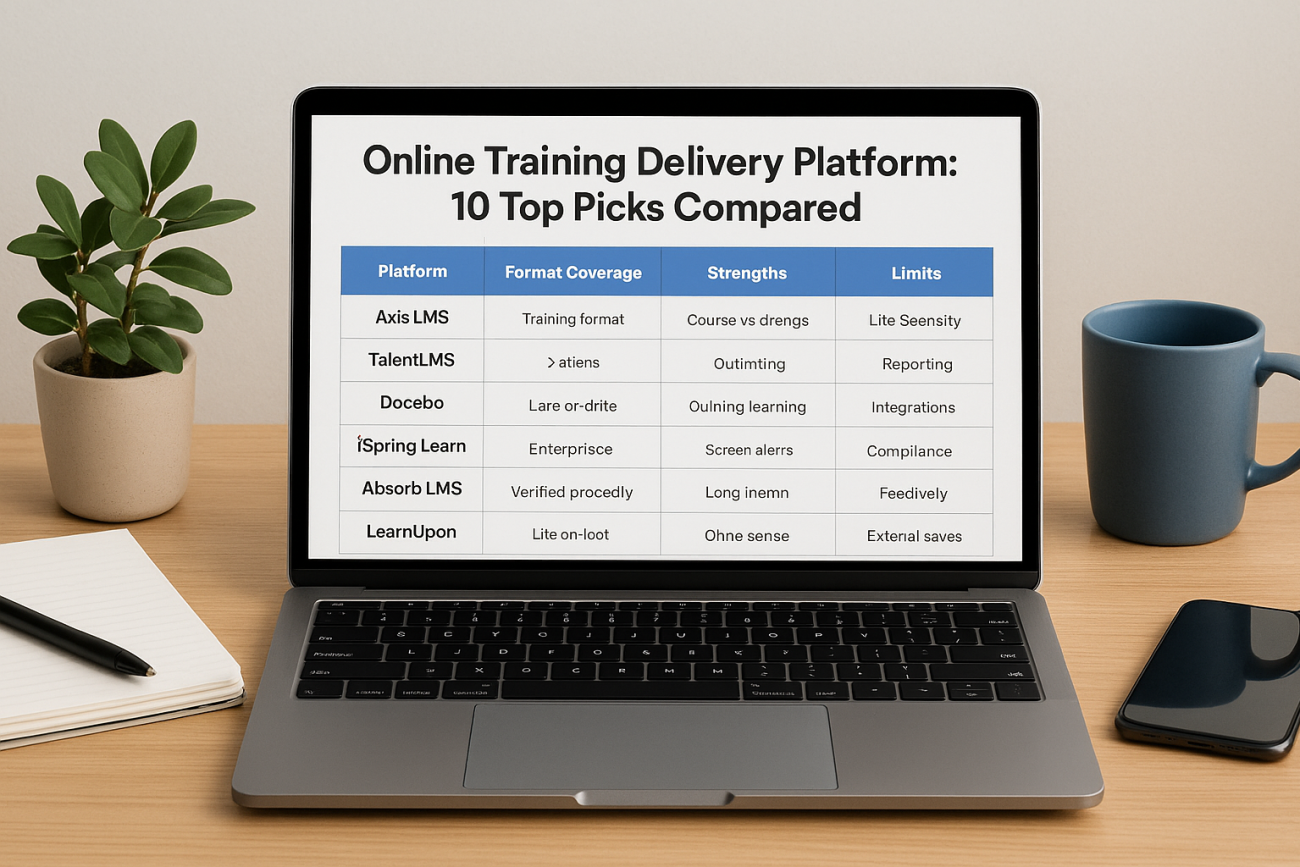
The best online training delivery platform runs every format you teach, self-paced courses, live virtual classes and blended programs, from one login, and tracks completions without manual work. Axis LMS and Docebo suit organizations with hundreds or thousands of learners. TalentLMS and ProProfs Training Maker suit small teams with tight budgets. Absorb fits compliance-heavy industries, Connecteam fits deskless crews, and Teachable fits anyone selling courses to the public.
Most buyers start with the same problem. Training lives in a mix of video calls, shared drives and spreadsheets, and nobody can say who finished what. Searching only makes it worse, because the results mix true delivery platforms with course authoring tools and consumer course marketplaces. Those solve different problems.
This guide compares ten options on how they deliver online and live training, who each one fits, and what each costs. Atrixware builds Axis LMS, so it appears first, and you should weigh that. Every pick is described with the same headings so you can compare them fairly, and a comparison table and a buying guide follow the list.
What an online training delivery platform must do
An online training delivery platform is software that hosts your courses, schedules live sessions, enrolls learners, and records results for employees, customers or partners. If it cannot do all four, you will end up stitching tools together. The three subsections below cover what to expect, what type of tool you are looking at, and the criteria used to rank the picks.
Delivery formats to look for
A platform that delivers training properly covers three formats. Self-paced online courses are the baseline: lessons, videos, quizzes and certificates that learners complete on their own time. Live virtual training means scheduled sessions where an instructor teaches in real time, either inside the platform or through a video tool it connects to. Blended programs combine the two, such as a self-paced module followed by a live Q&A.
Live delivery is where platforms differ most. Some stream classes natively. Others only connect to Zoom, Microsoft Teams or WebEx. Either approach works if registration, reminders and attendance records stay inside the platform. Without that, you are back to chasing spreadsheets.
A delivery platform earns its price by recording live and self-paced training in the same learner record.
Platform type: LMS, authoring tool or marketplace
Three product types show up in these searches, and only one is a delivery platform. An LMS (learning management system) delivers, assigns and tracks. An authoring tool builds course content but does not manage learners. A marketplace sells ready-made courses from other publishers. The table shows where each fits.
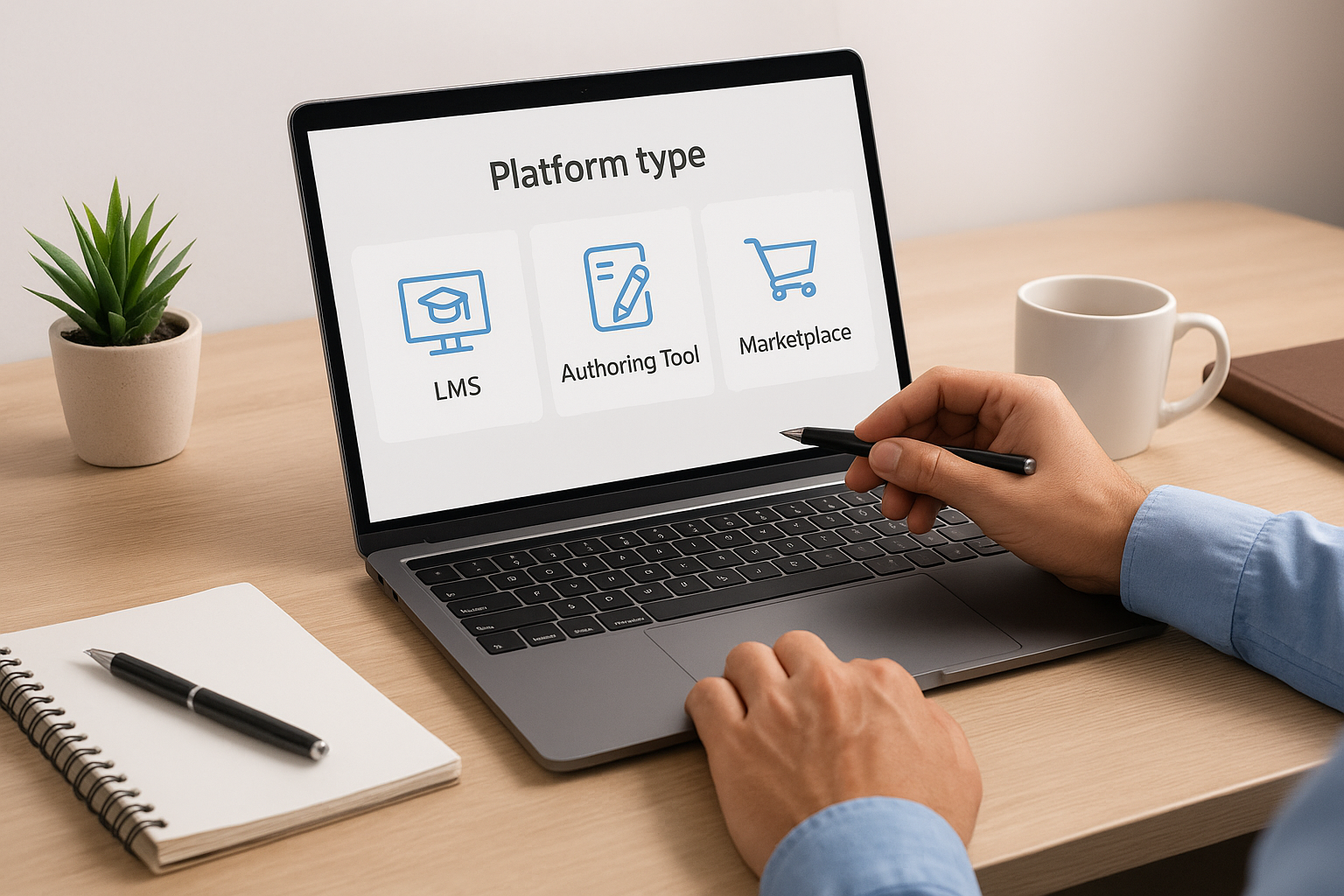
| Type | What it does | Use it when |
|---|---|---|
| LMS / delivery platform | Hosts courses, runs live sessions, enrolls and tracks learners | You need to train your own people or customers and prove completion |
| Authoring tool | Builds interactive course content, such as slides to SCORM | You already have an LMS and need richer content |
| Course marketplace | Sells third-party courses to individuals | You want off-the-shelf skills content, not your own material |
All ten picks below are delivery platforms, even though a few lean toward content creation or course sales.
Eight criteria used to rank these picks
Each platform was judged on the same points, listed here so you can reuse them in your own shortlist:
- Format coverage: self-paced, virtual classroom and blended delivery.
- Live session handling: scheduling, registration, conflict checks and attendance records.
- Audience separation: branded portals for employees, customers and partners.
- Reporting: on-demand and scheduled reports on completions, scores and overdue work.
- Integrations: HR and CRM sync, single sign-on and an open API.
- Compliance tools: certificates, expiry tracking and automatic retraining.
- Pricing model: per registered user, per active user, or tiered by organization size.
- Support and setup time: who helps you launch and how fast.
1. Axis LMS
Axis LMS is Atrixware’s learning management system for creating, managing and tracking online and virtual classroom training for employees, customers or both.
How it delivers training
Axis LMS runs self-paced online courses and streaming virtual classroom training in one system, so a learner’s record covers both. A drag-and-drop interface speeds up course building. Automation workflows handle routine administration and user communication, with 25 included on Lite, 100 on LMS Core and 250 on LMS Pro.
Reporting and connectivity are strong points. You can run on-demand reports or schedule automated ones to follow learner progress. User data syncs with HR and CRM systems such as ADP, Salesforce, BambooHR and Zoho, and the integration builder reaches 5,000+ system integrations. SAML single sign-on works with providers like Okta, Azure, Ping Identity and Salesforce, and a REST API with webhooks covers custom work. The user interface can be heavily branded to match your organization.
Axis LMS puts online and virtual classroom training in one learner record, wired to the HR and CRM systems you already run.
Strengths and limits
Axis LMS is built for training that has to stand up to scrutiny. It has features for compliance programs such as GDPR and FDA 21 CFR Part 11, plus tracking for Continuing Education Units and re-certifications. Atrixware also offers PCI compliant and HIPAA compliant hosting options.
- Strengths: compliance tracking, e-commerce for selling training to individuals and seat licenses to businesses, custom integrations with just about any system, and tech support with unlimited incidents included.
- Strengths: patches, updates and upgrades are applied automatically at no extra cost.
- Limits: contracts run for 1 to 3 years, so it suits a planned program more than a short experiment.
- Limits: the smallest tier is aimed at organizations of 25 or more, not a solo creator.
Who it suits and what it costs
Axis LMS fits L&D teams, HR managers, compliance officers and sales enablement teams that train employees, customers and channel partners from one place. The full Axis LMS serves organizations from 150 to 100,000 employees. Axis LMS Lite serves organizations of 25 to 100 employees and customers, including seasonal operations and teams selling training to small audiences. Atrixware usually sets up a new system within 1 to 3 business days after purchase.
| Tier | Listed price | Included users | Admin roles | Workflows | Support |
|---|---|---|---|---|---|
| Lite, 25 users | $299 | 25 | 1 sub, 2 report | 25 | Included |
| Lite, 100 users | $499 | 100 | 1 sub, 2 report | 25 | Included |
| LMS Core | Ask Atrixware | 150 to 3,000 | 5 sub, 10 report | 100 | Standard |
| LMS Pro | Ask Atrixware | 250 to 4,000 | 10 sub, 20 report, 50 manager | 250 | Enhanced |
Core includes 1 free onboarding session and 3 free training sessions per one-year term. Pro includes 2 onboarding sessions and 5 training sessions. Payment by Visa or Mastercard works for monthly and annual billing, and check or bank transfer works for annual billing.
2. TalentLMS
TalentLMS is a cloud LMS built for launching online training quickly and growing it into structured programs without heavy admin work.
How it delivers training
TalentLMS lets you upload your own material, generate content with AI, or pull from a ready-made course library. Learning paths guide learners through step-by-step sequences, and automations handle enrollments, reminders and reassignments so repeat training runs itself. Gamification adds points, badges and leaderboards for learners who need motivation.
For live delivery, TalentLMS supports blended learning that combines self-paced and instructor-led training. It lists integrations with Zoom, Microsoft Teams, GoTo and BigBlueButton, which covers the common video tools. Its Branches feature creates separate portals for different teams or regions that you still manage from one account.
TalentLMS wins on speed: a small team can run self-paced courses and blended sessions within days.
Strengths and limits
TalentLMS is easy to configure, and its skills mapping and reporting show what your workforce knows and where the gaps are. Built-in assessments support certification.
- Strengths: quick setup, AI course creation, clear learner grouping and wide integration support, including Salesforce, BambooHR, ADP Workforce Now, Shopify and Stripe.
- Limits: large multimedia files may need external hosting.
- Limits: built-in collaboration tools are basic compared with dedicated learning community platforms.
Who it suits and what it costs
TalentLMS suits small and mid-sized businesses that want a working program fast and have little L&D staff. It also fits teams that train several groups and want separate portals without a long implementation.
There is a free plan and a free demo. Paid plans are published from $119 per month billed annually, and larger needs go through custom pricing. If you are comparing it against a tiered platform, check how the price rises as your user count grows.
3. Docebo
Docebo is an enterprise learning platform built for organizations that train several audiences at scale, with AI recommendations and deep integrations.
How it delivers training
Docebo’s defining feature is the ability to run separate branded learning portals for employees, customers and partners from a single backend. AI-powered content recommendations adjust to each learner’s progress and role. Social learning features let learners contribute knowledge and react to content, which supports informal learning alongside formal courses.
Its mobile-first design keeps access consistent across devices for global teams. It integrates natively with major HR and CRM systems, including Salesforce and Workday, and with content providers such as LinkedIn Learning. Analytics dashboards track compliance, engagement and training ROI across user groups.
Docebo rewards organizations with enough learners and admin time to use its depth.
Strengths and limits
Docebo offers more configuration than most platforms here, and that comes at a cost in complexity.
- Strengths: multi-audience portals, AI recommendations, broad enterprise integrations and detailed analytics.
- Limits: webinar registration takes extra steps compared with a direct Zoom or Microsoft Teams connection, which matters if live classes are central to your program.
- Limits: tracking of offline, in-person training is limited.
- Limits: full value requires dedicated admin time.
Who it suits and what it costs
Docebo suits large organizations with complex needs, such as a company that trains staff, customers and resellers in different regions and wants each group to see a separate branded experience. If you train fewer than about 200 people, it is likely more platform than you need.
Pricing is custom and quote-based, and it sits at the enterprise end of the market. Ask for a quote with your full user count and the number of portals, since both drive cost.
4. iSpring Learn
iSpring Learn is a training platform that pairs a corporate LMS with an authoring ecosystem, and it handles low-connectivity and on-the-job training well.
How it delivers training
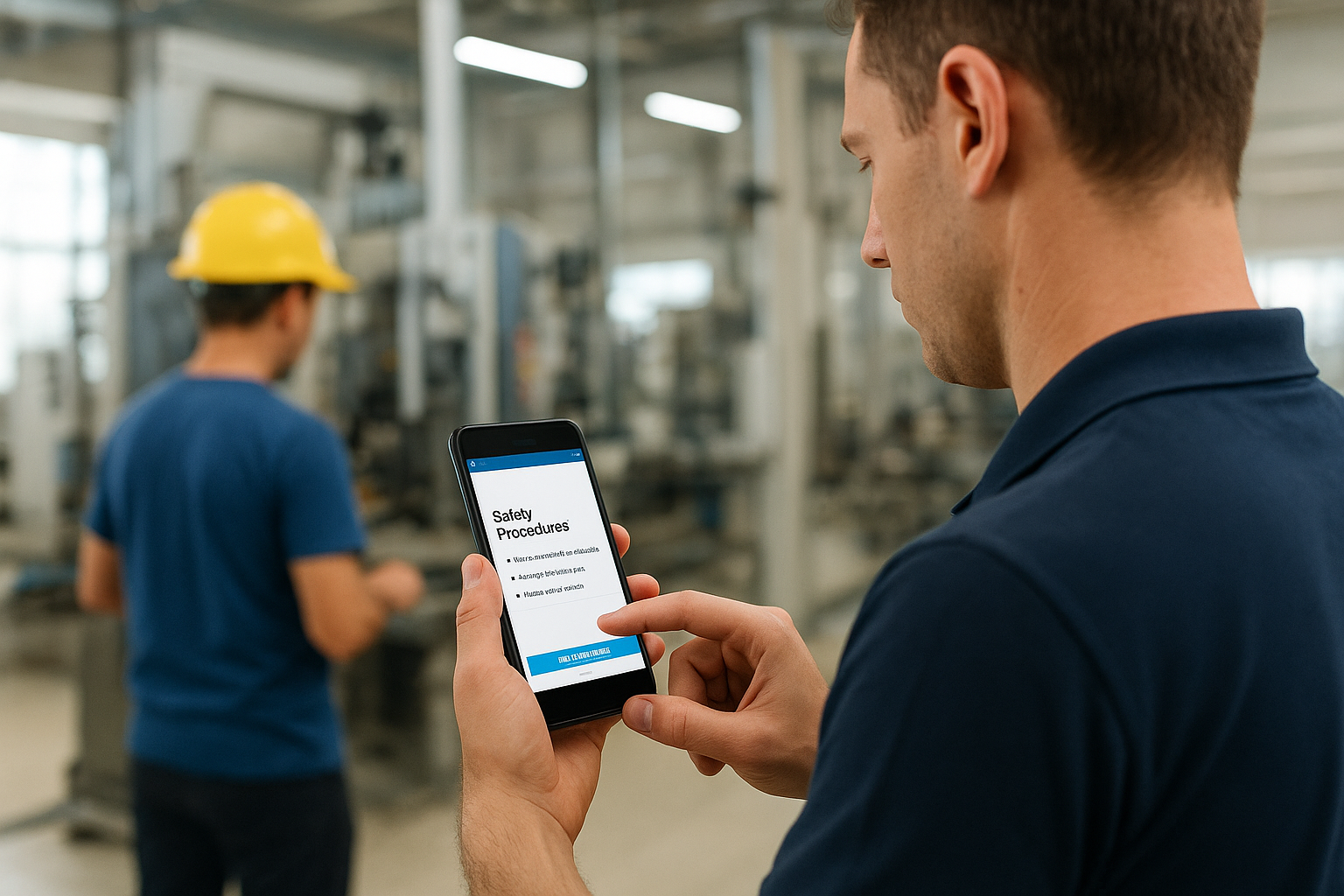
iSpring Learn delivers courses on the web and through a mobile app with an offline learning mode. Workers on a production floor or job site can finish a course without a stable connection and sync results later. Its companion authoring tool, iSpring Suite, converts PowerPoint presentations into interactive courses, which helps when most of your content lives in slides.
The platform also supports personalized development plans that combine courses, on-the-job tasks, assessments and deadlines into a path for each role. A recent update lets managers log multiple observations within a single on-the-job training session. Certification management tracks expiry dates and sends recertification reminders. For live sessions, it lists a Zoom integration.
iSpring Learn is the practical pick when your content starts in PowerPoint and your learners are not at desks.
Strengths and limits
iSpring Learn works well for training that mixes digital courses with hands-on observation.
- Strengths: offline mobile learning, PowerPoint conversion, development plans and gamification with points, leaderboards and badges.
- Limits: native integrations are limited. Its BambooHR connection has needed manual user imports and workarounds in some rollouts.
- Limits: the pricing structure has many modules and add-ons, so compare quotes carefully.
Who it suits and what it costs
iSpring Learn suits manufacturers, construction firms and field-based teams, plus any company with a large backlog of slide decks to turn into courses. There is a 30-day free trial and a free demo.
Published starting prices run from about $3.97 to $6.64 per user per month, depending on user count and billing term. Ask for a quote at your own headcount, including any authoring seats, since the authoring suite is priced separately per author.
5. Absorb LMS
Absorb LMS is a cloud learning platform built for compliance training, with automated enrollment, renewals and detailed audit reporting.
How it delivers training
Absorb automates the administrative work behind regulated training. Automated scheduling and enrollment assign the right courses, and the system manages retraining and renewals so expiring certifications do not slip through. Learners get personalized to-do lists, and a multi-language feature plus learning paths help train staff across several regions.
Instructor-led delivery is a real strength here. A recent release added multi-class sessions, recurring classes, conflict indicators, and learner enrollment during session setup. Integrations cover more than 15 tools, including Zoom, WebEx, Workday, Salesforce, Okta, BambooHR, Microsoft Azure and Google Suite. Social learning lets experienced employees mentor newer ones.
If auditors ask for training records, Absorb is built to produce them quickly.
Strengths and limits
Absorb is strongest where training is a legal or regulatory duty.
- Strengths: automated certification renewals, a pre-built compliance library, real-time dashboards for individuals and departments, and instructor-led session management.
- Limits: the reporting structure has a learning curve before it yields insights.
- Limits: assessment features are limited compared with what advanced L&D teams may want.
Who it suits and what it costs
Absorb suits healthcare, finance, manufacturing and government teams, where an expired certification creates real risk. It also fits any organization that runs a mix of online modules and scheduled classroom or virtual sessions.
Pricing is on request, and a free demo is available. When you ask for a quote, specify how many certifications you track, since renewals drive a lot of the value.
6. LearnUpon
LearnUpon is an LMS designed for organizations that train several external and internal audiences, each with its own branded portal.
How it delivers training
LearnUpon lets you create multiple branded portals for employees, customers and partners without rebuilding the course library each time. That makes it a fit for partner enablement and customer education programs. AI-powered tools automate repetitive tasks such as course assignment, reminders and progress reporting.
Engagement features include gamification and goal-based incentives that push learners through modules without constant admin nudging. Reporting shows where learners drop off, which helps you restructure weak courses. Integrations with Salesforce, HubSpot and Slack place training inside the tools your team already uses. Because the sources give no detail on live sessions, ask in your demo how instructor-led classes are scheduled and tracked.
LearnUpon is strongest when the same course library has to serve several audiences under different brands.
Strengths and limits
LearnUpon balances engagement and administration well for partner and customer programs.
- Strengths: multi-portal setup, workflow automation, gamification and CRM integrations.
- Limits: navigating a large course catalog can feel slow, with no pagination labels showing how many pages exist.
- Limits: when a course is updated, the archived version still appears in the course subpage, which can confuse admins.
- Limits: some features have required a request to the customer success team.
Who it suits and what it costs
LearnUpon suits companies running partner enablement or customer education alongside internal training, especially across more than one region. Teams that need only one internal audience may not use its main advantage.
Pricing is custom, so a quote is needed. Bring your audience count and expected learners per portal to the first call.
7. Moodle
Moodle is an open-source learning platform that you host yourself or through a managed host, with no per-user license fee.
How it delivers training
Moodle delivers self-paced courses with quizzes, SCORM and xAPI support, mobile-responsive pages and multi-language delivery. Its plugin ecosystem is its biggest asset: thousands of community-built plugins, themes and integrations extend it for advanced quizzing, new course formats and more. Version 4.5 added AI-powered tools for course organization and learner personalization.
Live training depends on what your IT team installs, since live sessions come through plugins or connected video tools rather than a single built-in service. Plan for that integration work. Self-hosting also puts setup, security patching and performance tuning on you, so budget IT hours or a managed hosting partner.
Moodle trades license savings for IT responsibility, and that trade only works with technical capacity.
Strengths and limits
Moodle gives technical teams control that commercial platforms rarely allow.
- Strengths: no license fee, deep customization and a large community.
- Limits: self-hosting needs IT time for maintenance and security.
- Limits: the interface can feel dated and cluttered next to modern commercial platforms, which can hurt engagement.
Who it suits and what it costs
Moodle suits schools, nonprofits and organizations with an IT team and an unusual curriculum structure. It is a poor fit if nobody in your company wants to maintain a server or manage plugins.
The software is free when self-hosted. Managed hosting is published from about $130 per year for 50 users. Count staff time as part of the cost, because that is where most Moodle budgets go.
8. Teachable
Teachable is a course creation and sales platform for packaging expertise into paid online courses, coaching and memberships.
How it delivers training
Teachable’s drag-and-drop course builder and built-in payment processing take a creator from idea to paying students quickly. Beyond courses, one school can bundle memberships, digital downloads, coaching sessions and community spaces. The coaching option gives you a way to run live, one-to-one sessions alongside recorded lessons.
Teachable is not primarily an LMS for internal training. It lacks deep compliance tracking, HRIS integrations and the administrative reporting that corporate L&D teams expect. Where it shines is customer-facing education that you sell, with a clean student experience and a dedicated support team that helps first-time creators.
Choose Teachable to sell training to the public, not to track compliance training for staff.
Strengths and limits
Teachable keeps the path from course to revenue short.
- Strengths: several product types in one school, built-in payments, and easy onboarding for non-technical creators.
- Limits: branding customization is restricted without HTML or CSS skills.
- Limits: transaction fees apply on lower-priced plans, which cuts into margins at high sales volumes.
Who it suits and what it costs
Teachable suits consultants, coaches, educators and small businesses that sell training and want to manage payment, delivery and community in one place. A business that must prove employee completion for auditors should look at an LMS instead.
A free plan exists with a per-sale charge, and paid plans start at $39 per month, with lower rates on annual billing. A 7-day free trial has been offered. Compare plans by transaction fee as well as monthly price.
9. Connecteam
Connecteam is a mobile-first employee app that includes training alongside scheduling, time tracking and communication for deskless teams.

How it delivers training
Connecteam delivers courses through a mobile app, so employees can learn on a phone between tasks. You can build courses quickly, design custom course flows, and watch each employee’s progress so you can reach out when someone stalls. Micro training units split big modules into short chunks, which fits shift work.
A compliance module keeps a mandatory training record with easy content revisions, and certification tracking is included. The mobile app also works as a knowledge base for corporate documents. Live classes are not its focus, so pair it with a video tool if you need instructor-led sessions. Integrations include Paychex, Xero, Gusto, QuickBooks Payroll, Zapier and Google Calendar.
Connecteam works best when training is one task inside a larger deskless-workforce app.
Strengths and limits
Connecteam bundles training with other workforce tools instead of treating it separately.
- Strengths: mobile delivery, micro training, all-in-one employee management and time tracking.
- Limits: occasional app lag has been reported.
- Limits: admin customization is limited compared with a dedicated LMS.
Who it suits and what it costs
Connecteam suits retail, hospitality, field service and other businesses where most staff never sit at a computer. It is not the right pick for customer training or a complex multi-audience program.
There is a free plan, a 14-day free trial and a free demo. Paid plans are published from $29 per month billed annually. Check which modules the training features sit in before assuming the entry price covers them.
10. ProProfs Training Maker
ProProfs Training Maker is a cloud training platform with an AI course builder and a free plan for very small teams.
How it delivers training
ProProfs generates structured courses with lessons and quizzes from a topic prompt or an uploaded document, which cuts build time for teams without an instructional designer. It includes pre-built compliance courses on topics such as HIPAA, harassment prevention, cybersecurity and OSHA safety. Automated enrollment, certificate generation and real-time dashboards for progress, quiz scores and completion come with it.
The material available gives no detail on live classroom features, so ask how it handles scheduled, instructor-led sessions before you rely on it for them. It is a cloud-only product with no on-premise version, and a dark mode interface is not supported. Support runs 24/7 by phone, email and live chat.
ProProfs is a low-risk place to start when you have under 10 learners and no L&D staff.
Strengths and limits
ProProfs keeps both cost and setup low.
- Strengths: AI course building, a compliance course library, unlimited course creation on the free plan and round-the-clock support.
- Limits: cloud-only deployment.
- Limits: live training features should be confirmed in a demo.
Who it suits and what it costs
ProProfs suits small businesses, nonprofits and startups building their first formal onboarding or compliance program. Larger organizations with multi-portal needs will outgrow it.
The plan is free for up to 10 learners, and paid plans start at $1.99 per active learner per month. Because billing counts active learners, not everyone on the roster, it can be cheaper for seasonal or irregular training. Read the pricing note in the next section for a worked comparison.
How to choose among these 10 platforms
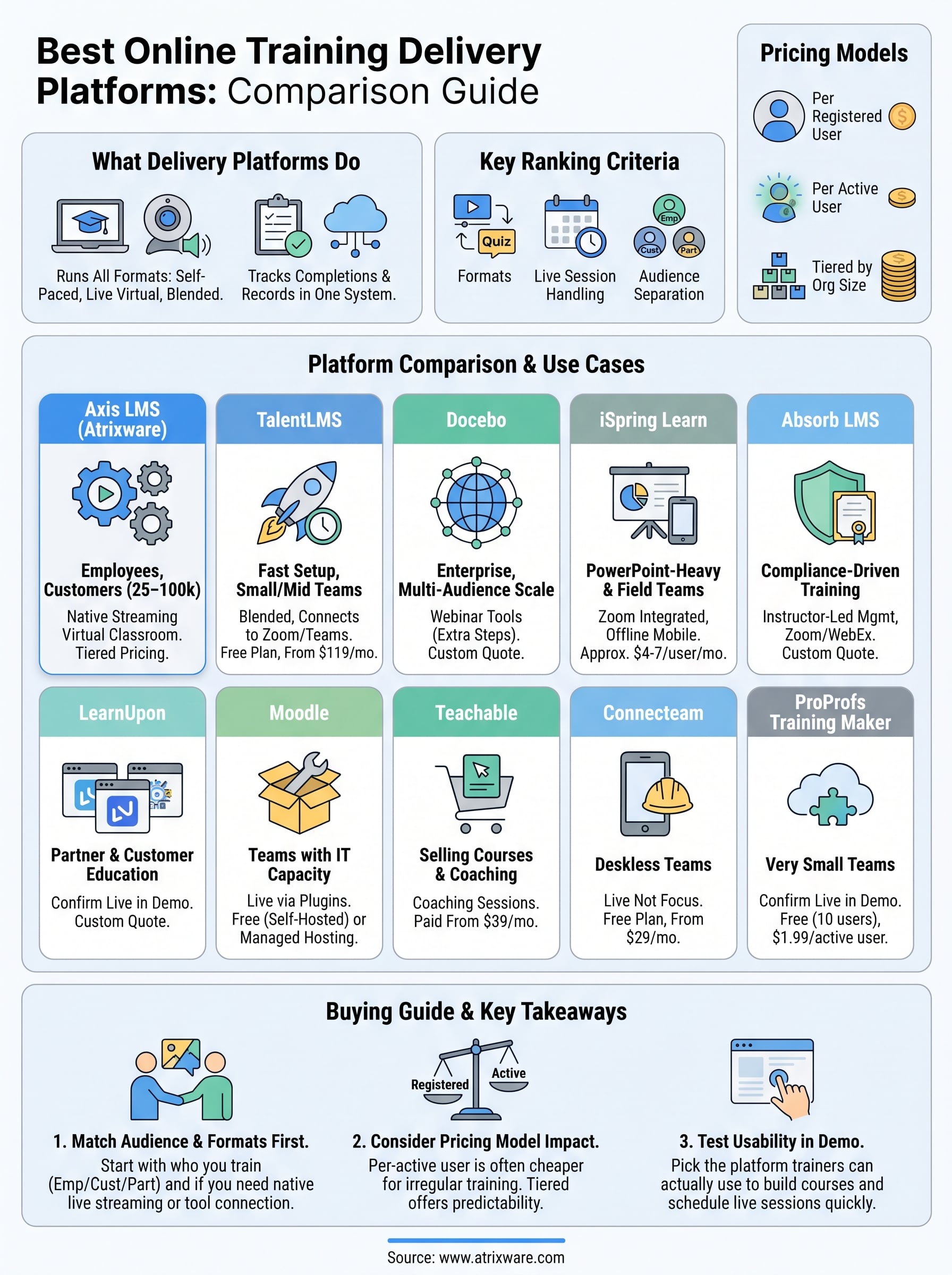
Start with your audience and your live-training needs, then narrow by size and budget. The three subsections below give a side-by-side view, a situation-to-pick guide, and a worked cost example.
Side-by-side comparison
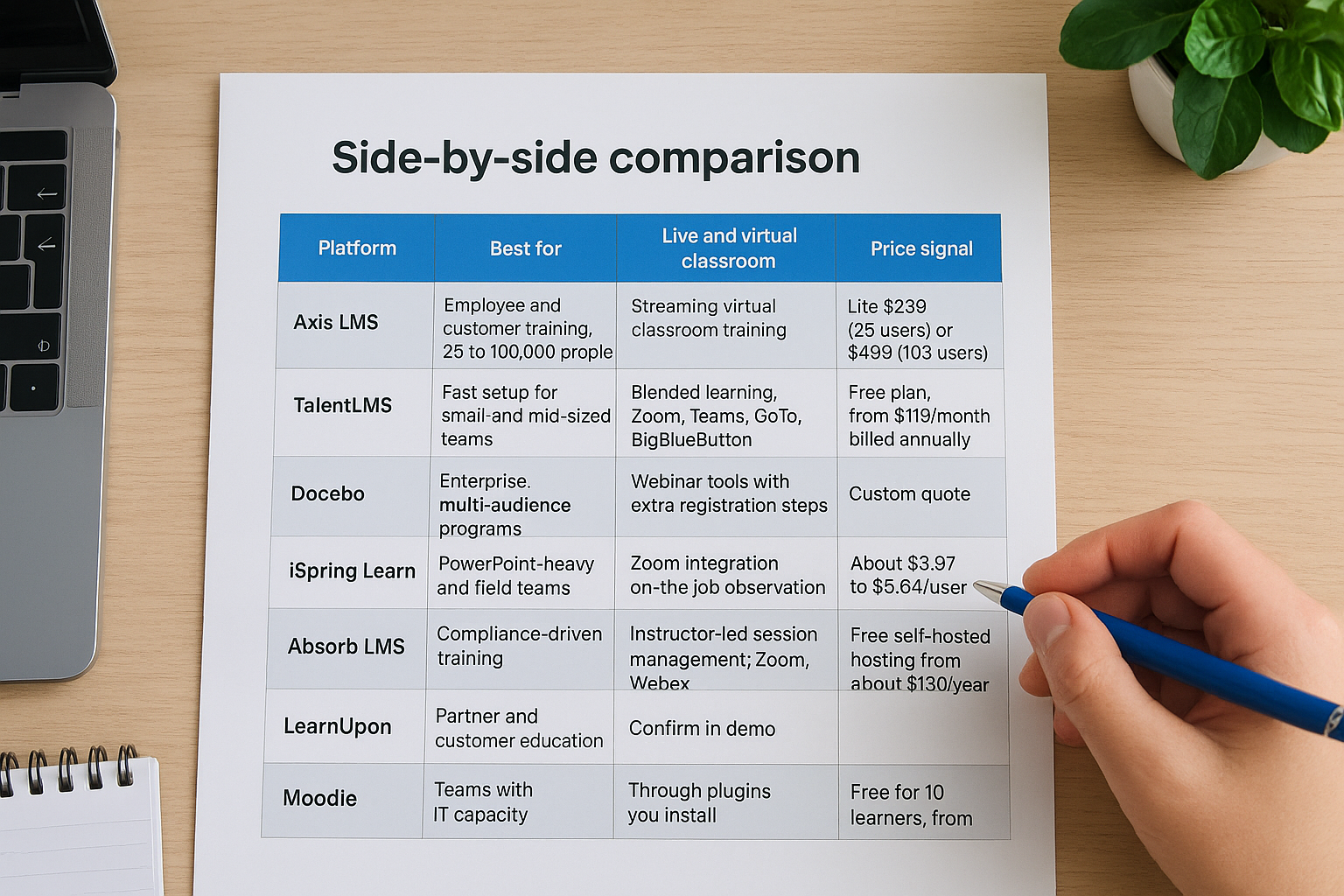
| Platform | Best for | Live and virtual classroom | Price signal |
|---|---|---|---|
| Axis LMS | Employee and customer training, 25 to 100,000 people | Streaming virtual classroom training | Lite $299 (25 users) or $499 (100 users) |
| TalentLMS | Fast setup for small and mid-sized teams | Blended learning, Zoom, Teams, GoTo, BigBlueButton | Free plan, from $119/month billed annually |
| Docebo | Enterprise, multi-audience programs | Webinar tools with extra registration steps | Custom quote |
| iSpring Learn | PowerPoint-heavy and field teams | Zoom integration, on-the-job observation | About $3.97 to $6.64/user/month |
| Absorb LMS | Compliance-driven training | Instructor-led session management, Zoom, WebEx | Custom quote |
| LearnUpon | Partner and customer education | Confirm in demo | Custom quote |
| Moodle | Teams with IT capacity | Through plugins you install | Free self-hosted, hosting from about $130/year |
| Teachable | Selling courses and coaching | Coaching sessions | Paid from $39/month |
| Connecteam | Deskless teams | Not the focus | Free plan, from $29/month billed annually |
| ProProfs Training Maker | Very small teams | Confirm in demo | Free for 10 learners, from $1.99/active learner |
Match your situation to a pick
Use these rules to cut the list to two or three finalists:
- You train 150 or more people and need live and online in one record: Axis LMS, Docebo or Absorb.
- You train 25 to 100 people, including customers or seasonal staff: Axis LMS Lite or TalentLMS.
- Audits drive your program: Absorb or Axis LMS, both of which track certifications and renewals.
- Your staff learn on phones or offline: iSpring Learn or Connecteam.
- You train partners and customers under separate brands: LearnUpon or Docebo.
- You sell training to the public: Teachable, or Axis LMS if you need seat licenses for business buyers.
- You have an IT team and a tiny budget: Moodle.
Pick by audience and format first, because price differences mean little if the platform cannot run your live sessions.
How pricing models change your total cost
Per-registered-user pricing and per-active-learner pricing give very different totals for uneven training. Take a hypothetical company with 200 employees where only 60 take training in a given month. At a hypothetical $5 per registered user per month, you pay 200 × $5 = $1,000. At ProProfs’ published $1.99 per active learner, you pay 60 × $1.99 = $119.40. The gap shrinks when everyone trains every month.
Tiered pricing like Axis LMS packages your cost by organization size and included users, so the total stays predictable. Whatever model you pick, ask three questions in each demo. What counts as a user? What is included in support and upgrades? What does it cost to add live sessions, authoring seats or extra portals?
Pick the platform your trainers will use
The right online training delivery platform matches your audience, your formats and your budget, and it keeps live and self-paced training in one record. Shortlist two or three platforms from the table, run the same scenario in each demo, and judge them on how fast your trainers can build a course and schedule a live session. A cheaper tool that nobody uses costs more than a sturdier one that does the job.
If you train 25 or more employees or customers and want online courses and virtual classroom training in one place, start with Axis LMS. You can book an Axis LMS admin demo to see how courses, live sessions and reports work together before you commit.
