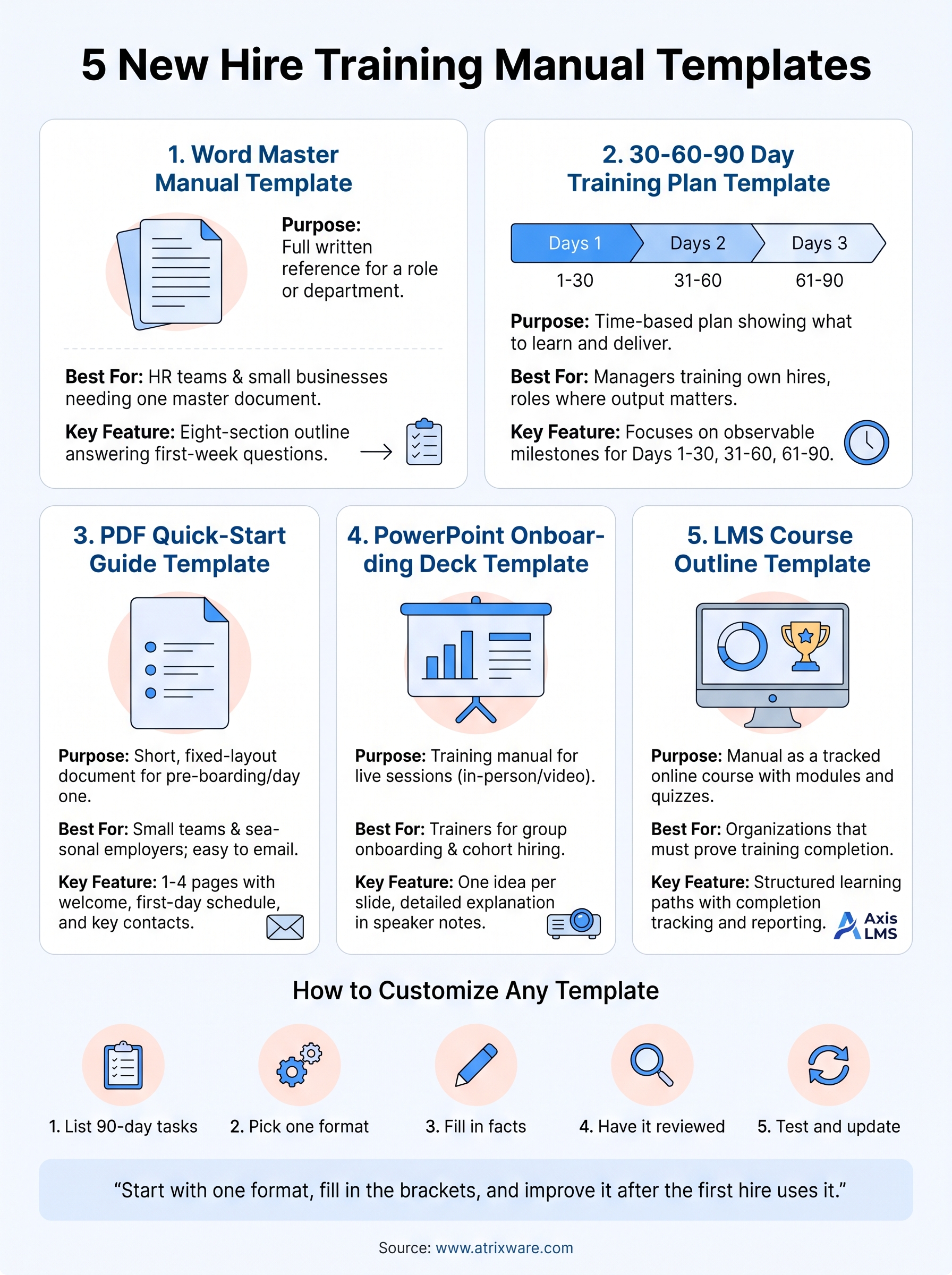
The best new hire training manual template is the one your new hires will open on day one: short enough to finish, specific to the role, and easy for you to update. A Word manual suits HR teams that need one master reference. A 30-60-90 plan suits managers who train their own people. A PDF quick-start guide suits small teams, a PowerPoint deck suits live sessions, and an LMS course outline suits companies that must prove completion.
Most templates online are design files filled with placeholder text. You still have to decide what goes in them, and that is the hard part. A blank page headed "Section 1: Introduction" does not tell a new hire where the time-off policy lives or what to finish before Friday.
This article gives you five formats with ready-to-copy text. There is nothing to download or sign up for. Paste the blocks into Word, Google Docs, or PowerPoint, replace the brackets, and you have a working manual. Atrixware builds Axis LMS, a learning management system used for employee training, so the last format covers what to do when a document is no longer enough.
1. Word master manual template
A master manual in Word or Google Docs is the full written reference for a role or department. It is the right starting point when you have no onboarding material at all, because every other format on this list can be cut from it.
Template to copy
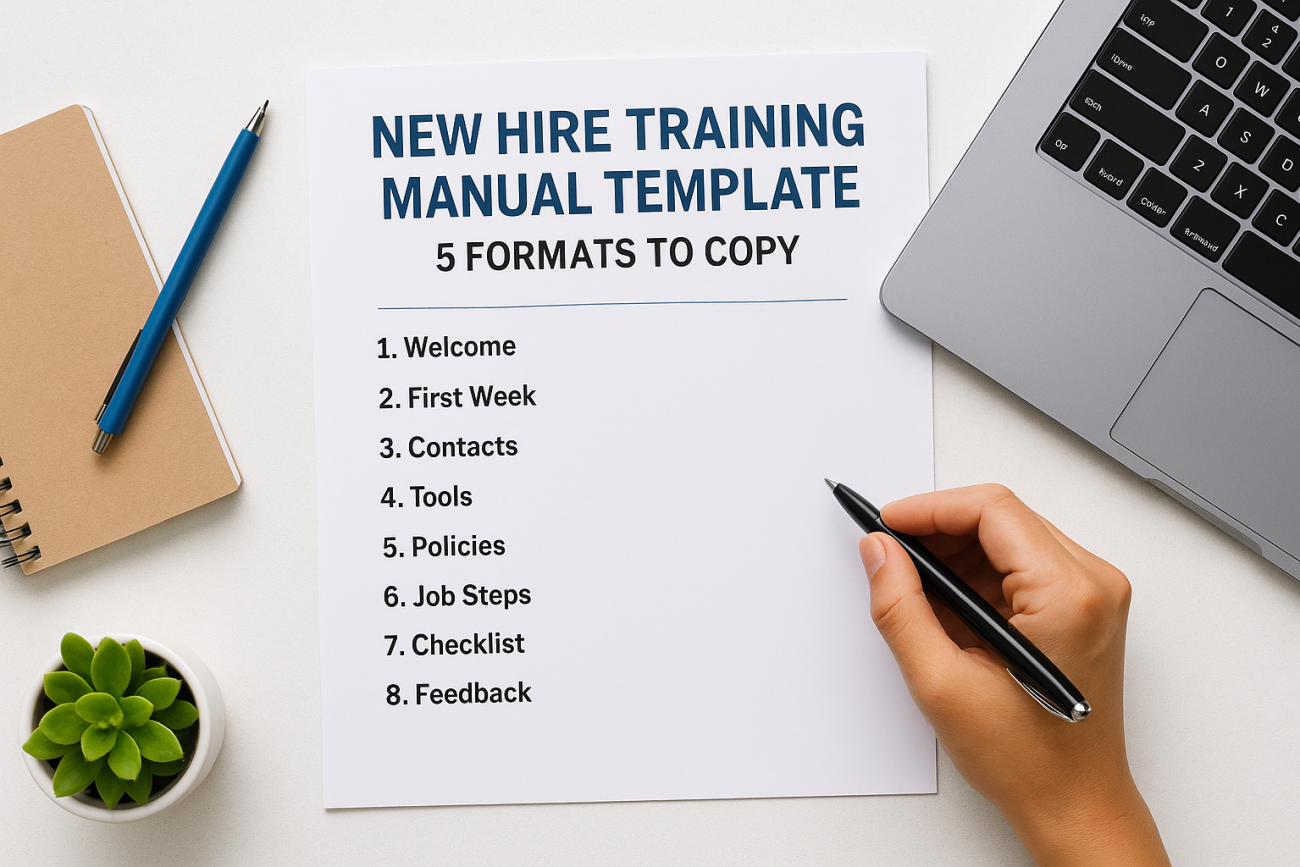
This outline has eight sections. Each one answers a question a new hire asks in the first week, so the order matters. Copy it into a blank document, apply Heading 1 to each numbered line, and fill in the brackets.
NEW HIRE TRAINING MANUAL: [Company], [Department or role]
Version [1.0] | Last updated [date] | Owner [name, title]

1. WELCOME
Message from [leader] (3 to 5 sentences). Mission, values, and what
we expect from you in the first 90 days.

2. YOUR FIRST WEEK
Day-by-day schedule, who you meet, where you sit or log in.

3. WHO'S WHO
Manager, buddy, HR contact, IT contact: name, role, how to reach.

4. TOOLS AND ACCESS
Systems you will use, how to request access, who to ask when it fails.

5. POLICIES YOU MUST KNOW
Hours, time off, pay dates, conduct, safety, security.
Link each policy to the full document.

6. YOUR JOB STEP BY STEP
Task: [name] | Purpose | Steps 1 to 5 | Common mistakes | Who to ask

7. TRAINING CHECKLIST
Module | Owner | Due date | Sign-off

8. QUESTIONS AND FEEDBACK
FAQ, and how to suggest changes to this manual.
Who it suits and how to customize
This format suits HR teams and small businesses that want one document to hand out on day one. It also works for departments with a lot of procedural knowledge, such as support, operations, or finance.
Customize section 6 first, because it is the part no generic template can write for you. Add one block per core task, with real steps and screenshots. Keep the manual under about 15 pages, and send policy detail to linked documents. Have HR or legal review section 5 before it goes out.
A manual a new hire can scan in five minutes gets used, and one that takes an hour to read gets filed.
2. 30-60-90 day training plan template
A 30-60-90 plan is a time-based training template that shows a new hire what to learn and what to deliver in each phase. It answers the question "Can you provide a template for a training plan for new hires?" better than a long document can.
Template to copy
Paste this table into Word or Google Docs and replace the examples with your own goals. Keep three to four items per cell at most.
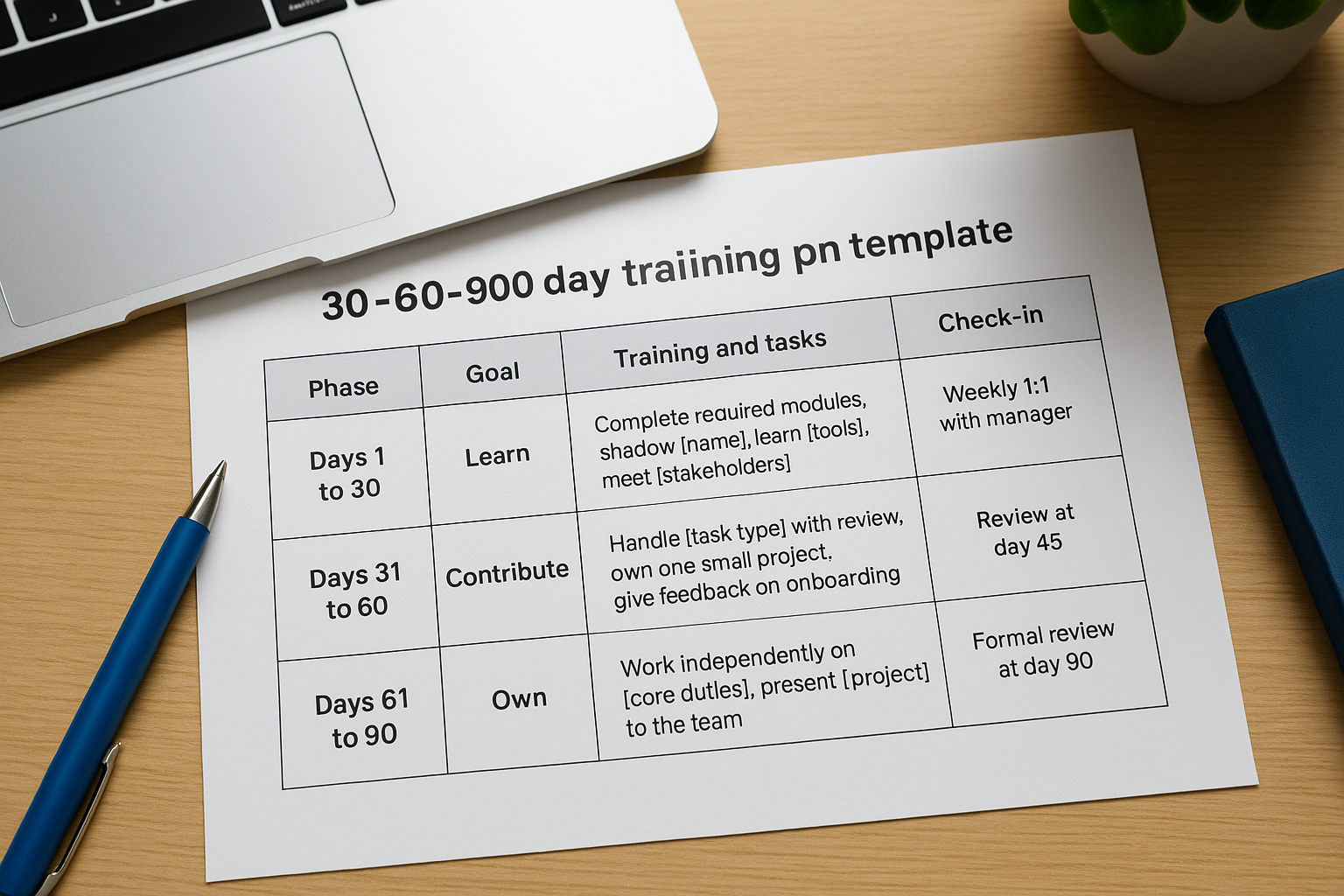
| Phase | Goal | Training and tasks | Check-in |
|---|---|---|---|
| Days 1 to 30 | Learn | Complete required modules, shadow [name], learn [tools], meet [stakeholders] | Weekly 1:1 with manager |
| Days 31 to 60 | Contribute | Handle [task type] with review, own one small project, give feedback on onboarding | Review at day 45 |
| Days 61 to 90 | Own | Work independently on [core duties], present [project] to the team | Formal review at day 90 |
Who it suits and how to customize
Managers who train their own hires get the most from this format. It also fits roles where output matters more than reading, such as sales, engineering, and account management.
Turn every goal into something observable. "Understand the CRM" is vague, while "log ten accounts with complete notes by day 20" can be checked. Pair this plan with the master manual above, so the plan says when to learn something and the manual says how.
3. PDF quick-start guide template
A PDF quick-start guide is a short, fixed-layout document of one to four pages. It is easy to email before day one and easy to print, and it opens the same way on every device.
Template to copy
Build it in Word or Google Docs, then export. In Word, choose File, then Export, then Create PDF. In Google Docs, choose File, then Download, then PDF Document. Use this text as the page content.
WELCOME TO [COMPANY], [FIRST NAME]

BEFORE DAY ONE
[ ] Sign [documents] by [date]
[ ] Bring [ID, forms]
[ ] Arrival time: [time], location or link: [place]

YOUR FIRST DAY
[Time] Welcome with [name]
[Time] Equipment and logins with [IT contact]
[Time] Lunch with [buddy]

FIRST WEEK GOALS
1. [Goal]
2. [Goal]
3. [Goal]

KEY CONTACTS
Manager: [name, phone, email]
HR: [name, phone, email]
IT help: [email or ticket link]

WHERE TO FIND THINGS
Handbook: [link] | Time off: [link] | Pay: [link]
Who it suits and how to customize
Small teams and seasonal employers benefit most, because they rarely have time to maintain a long manual. It also works as a pre-boarding document that you send once an offer is accepted.
The weakness of a PDF is that it goes stale the day you change a phone number. Put a version date in the footer and keep the editable source file in a shared folder. Never put confidential details such as passwords in a file that gets forwarded.
A PDF is the easiest manual to send and the hardest to keep current, so always keep the editable source.
4. PowerPoint onboarding deck template
A PowerPoint deck is the right training manual template for live sessions, whether you present in a room or on a video call. It carries one idea per slide, and you supply the explanation.
Template to copy
This is a 12-slide outline. Write the slide title as a plain statement, put the detail in the speaker notes, and set fonts and colors once in View, then Slide Master.
1. Welcome and agenda
2. Who we are: mission, values, a one-line company history
3. How the company is organized (one org chart)
4. Your team and your manager
5. Your first 30 days: three goals
6. Tools you will use and how to get access
7. Core process 1: [name], in 5 steps
8. Core process 2: [name], in 5 steps
9. Policies in one slide: hours, time off, conduct
10. Safety and security basics
11. Where to get help
12. Quiz or knowledge check, then next steps
Who it suits and how to customize
Trainers who run group onboarding get the most from this format, along with companies that hire in cohorts. It also doubles as a reference if you export the slides and attach the notes.
Limit each slide to one visual and no more than about 30 words. Add real screenshots for slides 6 to 8, since new hires learn software faster by seeing it. Slides alone do not prove anyone learned anything, so end with the knowledge check on slide 12.
5. LMS course outline template
An LMS course outline is a manual built as an online course inside a learning management system. Learners work through modules and quizzes at their own pace, and you see who finished what. It is the right upgrade when documents stop being enough.
Template to copy
Use this outline to plan the course before you build it. In Axis LMS, a drag-and-drop interface handles the building, so planning the structure is the real work.
COURSE: New Hire Onboarding, [Role]
Audience: [role or department] | Estimated time: [60 to 90 minutes]
Completion rule: all modules passed at [80%] within [14] days

MODULE 1: Welcome and company basics (video or slides, 5 min)
MODULE 2: Policies and conduct (read, then 5-question quiz)
MODULE 3: Tools and access (screen recording, checklist)
MODULE 4: Your job step by step (one lesson per task, quiz each)
MODULE 5: Compliance requirements, if any (quiz, certificate)
MODULE 6: Feedback survey and manager sign-off

REPORTS: completion by hire date, quiz scores, overdue learners
Who it suits and how to customize
This format suits organizations that must prove completion, such as regulated industries, multi-site employers, and teams hiring steadily. Axis LMS includes reporting, automated communications, and integrations with HR systems like BambooHR and ADP, so enrollments and reports can follow your hiring data.
Axis LMS Lite is designed for organizations of 25 to 100 employees, and Axis LMS covers 150 to 100,000. Start with the outline above, reuse the text from your Word manual for lessons, and add quizzes only where a wrong answer would cause a real problem.
Move to an LMS when someone has to prove that every new hire finished the training, not just that the manual exists.
How to customize any new hire manual template
Any of these templates becomes useful once you replace generic text with your own facts. The work takes a few hours, and most of it is gathering information, not writing.
Five steps to adapt a template
- List what a new hire must do in 90 days. Interview two or three recent hires and ask what confused them.
- Pick one format. Use the Word manual if you have nothing, and add the others later.
- Fill in the facts. Names, links, deadlines, and screenshots. Remove any section you cannot fill.
- Have it reviewed. Ask HR or legal to check policy sections, and a recent hire to check for confusing steps.
- Test it with the next hire, then update. Ask them after week one what was missing, and fix the manual that day.
Can ChatGPT create a training manual?
ChatGPT can draft an outline, rewrite dense paragraphs in plain language, and turn a process description into numbered steps. It cannot know your policies, tools, or legal obligations, so treat its output as a first draft. Never paste confidential or personal information into it.
A good prompt supplies the role, audience, and format, such as "Turn these notes into a five-step procedure for a new customer support agent." Then check every date, policy, and number against your own documents before it reaches a new hire.
Use AI to draft the wording, and use your own people to supply and check the facts.
Start with one format
A good new hire training manual answers four questions: who do I ask, what do I do first, how do I do my job, and how will I know I am doing it right. Each template above answers them in a different shape. Pick the one that matches how your people learn, fill in the brackets, and improve it after the first hire uses it.
If your manual is turning into a pile of documents you cannot track, see how an LMS handles onboarding. You can try the Axis LMS admin demo and build a course from the outline in format five.
