The best employee training software free download options are, for the most part, not downloads at all. Nearly every free tool runs in a browser and limits you by users or courses. A good pick has a cap that fits your headcount, covers quizzes, completion tracking, and certificates, and offers a clear upgrade path. For five learners, start with TalentLMS or TalentCards. For ten, look at ProProfs Training Maker or Connecteam. For phone-first frontline staff, try EdApp. If you have IT help and want no user cap, download Moodle or Chamilo and host it yourself.
Most listings blur three different things: free plans, free trials, and open-source software. A startup owner who wants a free way to onboard new hires ends up comparing tools that stop being free after two weeks, or after the sixth learner. This guide separates them. It compares ten free options, explains where each limit bites, and shows you how to choose and when to move on.
We build Axis LMS at Atrixware, a paid learning management system for organizations that have outgrown free tiers. That means we see exactly where free tiers end, and the notes on limits below reflect it.
What a free download means for training software
Free employee training software comes in two forms: cloud plans you sign up for in a browser, and open-source systems you download and host yourself. Most tools in this guide are the first kind, so there is nothing to install on Windows 10 or any other computer.
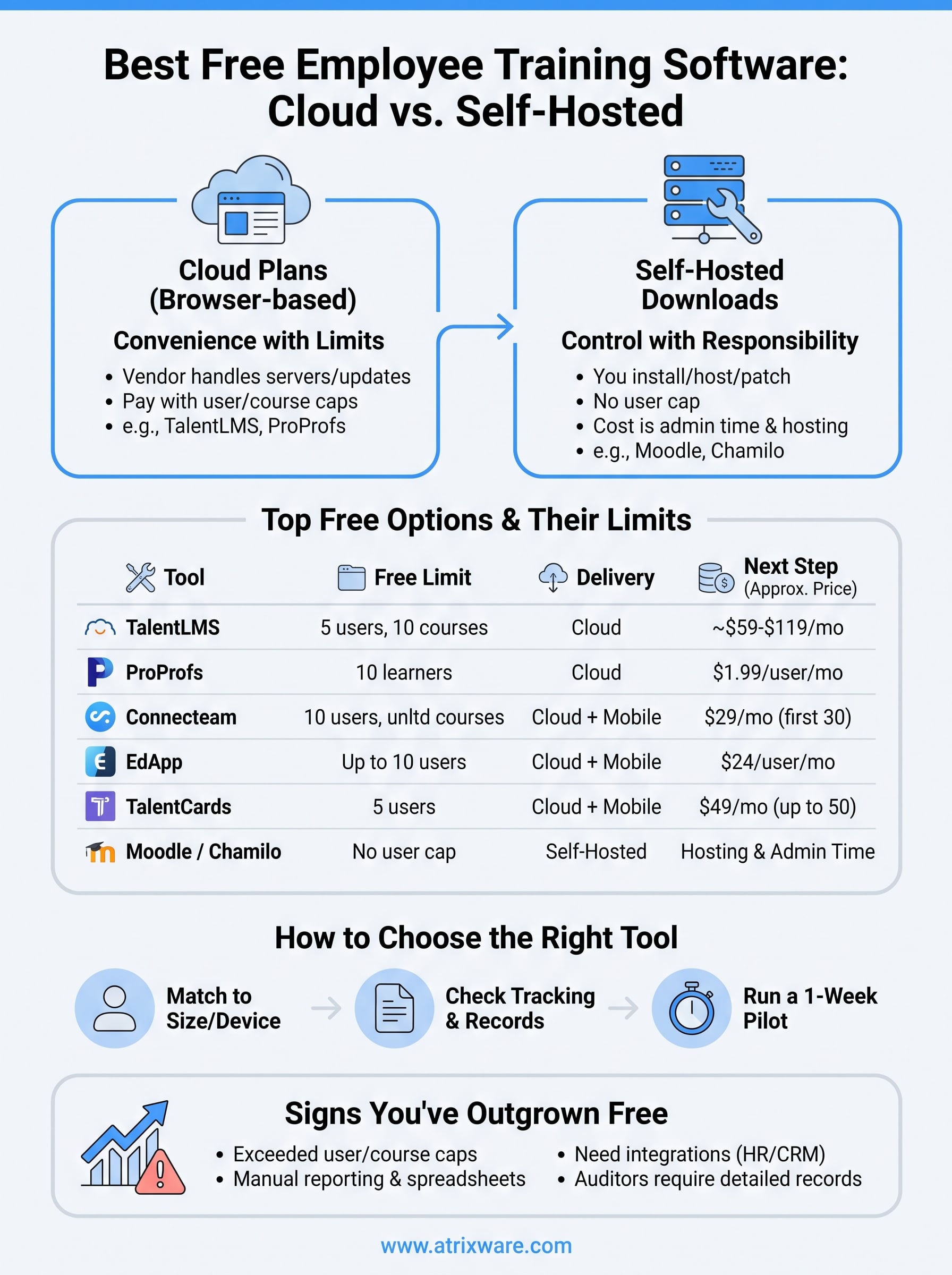
Cloud plans versus self-hosted downloads
A cloud plan puts the vendor in charge of servers, updates, and backups. You pay for that convenience with limits, such as five or ten learners. A self-hosted download flips the trade. The software has no user cap, but you supply the server, install it, patch it, and fix it when it breaks. Hosting and admin time are the real price of a free download, and user caps are the real price of a cloud plan.
| Cloud free plan | Self-hosted open source | |
|---|---|---|
| Setup | Sign up in minutes | Install on your own server |
| Hosting and updates | Vendor handles them | You handle them |
| Limits | Users, courses, features | Usually none in the software |
| Real cost | Upgrade when you outgrow the caps | Hosting, admin hours, security patches |
| Examples in this guide | TalentLMS, ProProfs, Connecteam, EdApp | Moodle, Chamilo |
A free plan costs you limits, and a free download costs you time.
What free plans usually limit
Caps show up in the same places on almost every free online training platform for employees. Read the fine print on each of these before you build a single course:
- Learners: 5 to 10 active users on most cloud plans.
- Courses: some plans cap the number, such as TalentLMS at 10.
- Support: often email only, with chat or phone on paid tiers.
- Integrations and API: usually reserved for paid plans.
- Reporting: completion status is common, deeper analytics is not.
- Content: you build it yourself, because ready-made libraries tend to be paid.
A trial is not a free plan. Some well-known products, such as iSpring Learn, offer a 14-day trial and then charge, so a "free" label in a search result needs checking.
Downloading safely
Fetch open-source software only from the project’s own website. Moodle, Chamilo, Forma LMS, and Sakai are all open source, and each project publishes its own installer. Sakai is geared toward universities and has a steep learning curve. ATutor is accessibility-focused but has a dated interface and a smaller community, so we left both off the main list.
Be wary of any site that offers a free download of a commercial LMS. Commercial products are sold as subscriptions. A cracked or repackaged installer is a license violation and a security risk, and you would be storing employee records inside it.
1. TalentLMS for the fastest start
TalentLMS is the best free pick for a team of up to five people. Its free plan includes up to 5 users and 10 courses, and the platform is built to launch courses quickly. Among free employee training software, it has the clearest path from pilot to paid plan.
What you get
Courses can combine video, documents, SCORM files, quizzes, and surveys. You assign them to users and groups, then watch completion in the reporting area. The platform also supports points, badges, and leaderboards, plus branding with your own logo and theme. Feature availability varies by plan, so confirm what the free tier includes before you build around any of it.
- Course building from video, documents, SCORM, quizzes, and surveys
- Learner groups, assignments, and completion tracking
- Optional gamification and portal branding
Free plan limits and pricing
The free plan covers up to 5 users and up to 10 courses, with email support. Add a sixth learner and you pay. Published starting prices differ by source and billing period, from about $59 a month for a small plan to well over $100, so check the current pricing page before you budget.
Reviewers also flag thin reporting. One review notes the lack of advanced statistics on completion rates, retention, and skill gaps, and says live chat support comes only with higher plans. That matters if you need to prove training to an auditor.
TalentLMS is free only while you stay under five learners and ten courses.
Who it suits
Pick TalentLMS if you run a team of five or fewer, want a conventional LMS with quizzes and SCORM support, and expect to grow. It is a sensible first system for a micro-business onboarding its first hires.
Skip it if you already have more than five learners and no budget. Costs climb with user counts, so model your bill at 20 or 40 learners before you commit your content to it.
2. ProProfs Training Maker for up to 10 learners
ProProfs Training Maker has a forever-free plan for up to 10 learners, which makes it the roomiest cloud option here for a startup that wants a real online employee training platform free of charge. It is a straightforward course builder with quizzes and certificates.
What you get
According to ProProfs, the free plan lets you build courses from scratch or from templates, upload existing Word documents and videos, add quizzes and surveys, track progress, and issue certificates. It also lists learning paths, roles and permissions, and branding. Learners work at their own pace, which suits self-paced onboarding for new hires who start on different days.
- Course creation from scratch or templates
- Uploads of existing Word files and videos
- Quizzes, surveys, progress tracking, and certificates
Free plan limits and pricing
The cap is 10 learners. The library of 100-plus ready-made courses and custom landing pages sit in the paid Business plan. ProProfs lists paid plans from $1.99 per active learner per month. Billing by active learner helps teams with seasonal staff, because you do not pay for dormant accounts.
Most of these details come from ProProfs’s own materials. Test the reporting depth of the free plan with a pilot course before you commit.
ProProfs gives a team of ten the most room of any cloud plan here.
Who it suits
It suits startups with six to ten people who need onboarding courses, quizzes, and certificates. The product is aimed at non-specialists, so an office manager can run it without an L&D background.
It is weaker if you need a deep course library at no cost or custom integrations. Those come with paid tiers, so plan for the upgrade if your team will pass ten learners.
3. Connecteam for deskless and mobile teams
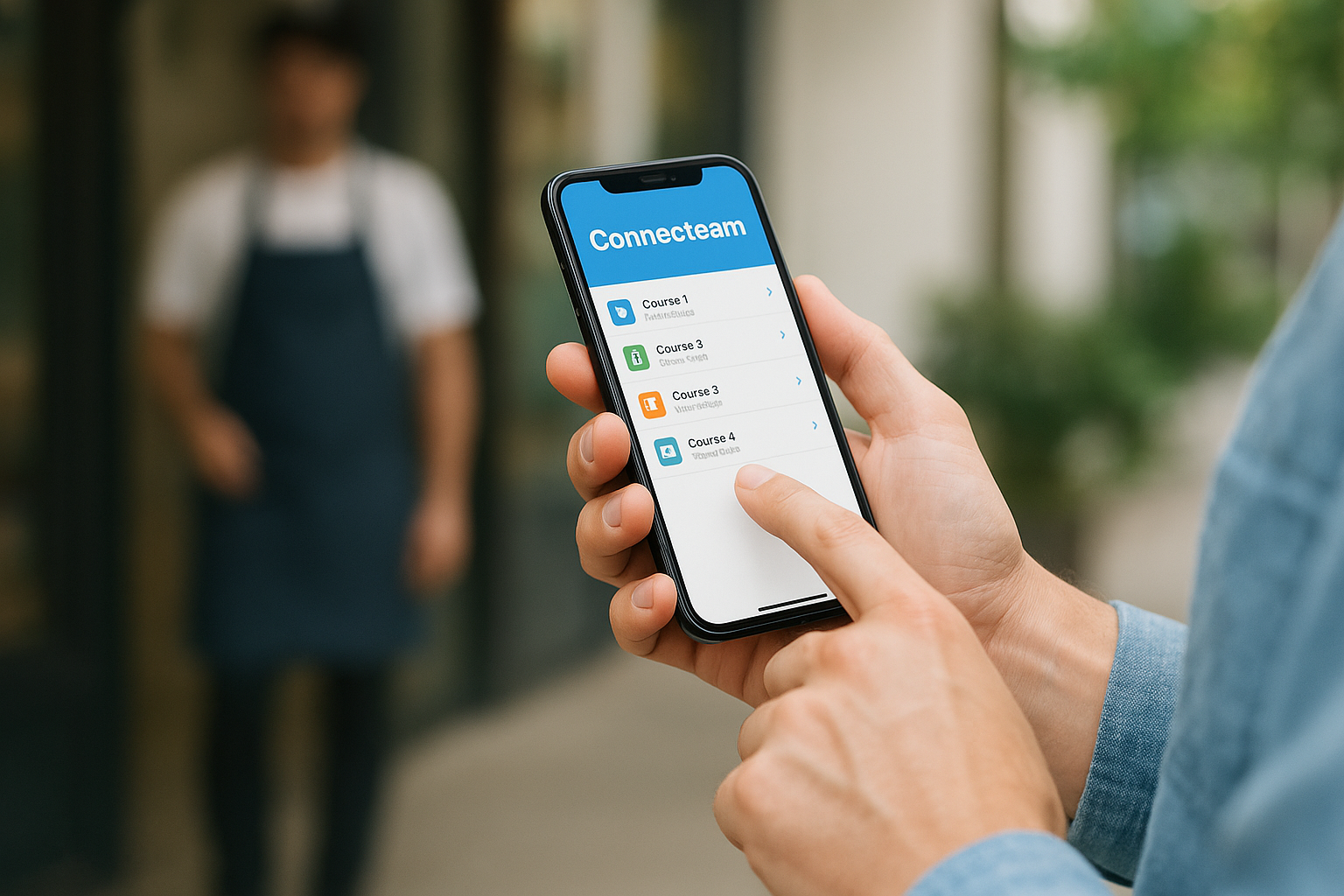
Connecteam’s free Small Business plan covers up to 10 users with unlimited courses, and its mobile app is the reason to choose it. It is built for deskless teams, so training reaches people who never sit at a computer.
What you get
Courses can contain text, images, PDFs, audio, YouTube embeds, links, knowledge base articles, and quizzes. You can split a course into sections and add a short survey at the end to collect feedback on the training itself. Completion status is searchable and filterable in real time, and learners use a mobile app that works well on any device.
The same free plan reportedly includes other operations tools, such as scheduling, time off, recognition, communications, and surveys. For a small shift-based business, the app can double as the team’s daily hub.
Free plan limits and pricing
Free means up to 10 users, and unlimited courses means you will never hit a course cap. What you will not find is an extensive library of ready-made courses. You write the training yourself. Native integrations are limited, and API access is not free.
Paid Basic starts at $29 a month for the first 30 users when billed annually. Some features that teams treat as essential, such as GPS tracking, sit in higher tiers, so read the plan comparison if you need them.
Connecteam trades a course library for unlimited courses and a strong phone experience.
Who it suits
Connecteam fits restaurants, shops, cleaning crews, and field teams of ten or fewer, where most staff work on their feet. If your training is mostly short procedures and policy refreshers you can write yourself, it works well.
It is a poor match for teams that want packaged content on day one. It also works less well for knowledge workers who would rather use a desktop LMS with deep authoring tools.
4. EdApp for microlearning on phones
EdApp, now part of SafetyCulture, is built around short mobile lessons, which suits hourly and shift-based staff. Several reviews list a free tier for up to 10 users, but the product’s plans have changed, so confirm current limits before you build.
What you get
Lessons are short and interactive. You build them from templates with drag-and-drop exercises, multiple-choice quizzes, and matching challenges. Gamification adds points, badges, and leaderboards, and the app supports offline mode and push notifications. Reviewers also describe a library of ready-made courses, so check whether free accounts can use it.
Free plan limits and pricing
Pricing listings disagree. Older ones quote $2.95 per active user per month. A recent review lists SafetyCulture’s Premium plan at $24 per user per month when billed annually. Treat the free tier as a pilot until you have the current numbers in writing.
Other limits are worth knowing. EdApp is reported as not SCORM compliant, so content does not travel easily to other platforms. Reviewers also cite a 10 MB video upload limit that forces you to compress files, and slow analytics when exporting to CSV.
EdApp is the easiest way to put short lessons on phones, but your content may not move out.
Who it suits
EdApp suits blue-collar and frontline teams that learn in five-minute bursts between tasks, such as hospitality staff, warehouse crews, and retail associates.
Avoid it if you need SCORM portability or detailed individual reporting. Teams that expect to switch platforms later should also think twice, because content portability is the hidden cost of a mobile-first authoring tool.
5. TalentCards for bite-sized frontline training
TalentCards is free for up to 5 users and delivers training as bite-sized mobile lessons. It comes from the team behind TalentLMS and targets workers who learn between tasks rather than at a desk, which makes it a lean free online training platform for employees on the move.
What you get
The content is oriented toward short, engaging lessons that frontline staff, such as on-site support workers, open on the phones they already carry. Think one idea per lesson, finished in a few minutes. That format handles quick refreshers on safety steps, product knowledge, or standard procedures better than a 60-minute course would.
Free plan limits and pricing
Free covers up to 5 users. One review lists the next step as $49 a month for up to 50 users, with prices rising after that and custom enterprise plans above 500 users. That makes the jump from free to paid unusually gentle for a small team that grows past five.
The five-user cap is the tightest on this list. The microlearning format is also a poor fit for long compliance modules, where you need formal course structure and certification.
TalentCards works when your training fits on a phone screen and your team fits in a booth.
Who it suits
Choose TalentCards for a small mobile team, such as a few technicians, drivers, or store associates, where lessons need to be short and repeated. It also fits teams that want a cheap next step when the headcount grows to 50.
Choose something else if you need long-form courses, detailed assessments, or a portal for desk-based staff. For those cases, a conventional LMS such as TalentLMS is the better fit.
6. Whale for SOPs and process training
Whale is free for up to 5 users and works best when your training is really your documented procedures. It is a process and knowledge tool with a training flow, not a full LMS, and that focus is its strength as free employee training management software.
What you get
You write procedures and policies in a rich editor, starting from more than 100 templates, with AI Assist to speed up drafting. You can add quizzes and analytics to check that people read and understood the material. A Chrome extension surfaces the right guide inside other software, websites, and portals, so staff find answers while they work.
- SOPs, playbooks, and policies in one place
- Quizzes and analytics on top of each guide
- An automated training flow that assigns material to people
Free plan limits and pricing
The free plan is limited to 5 users. Paid plans are listed from $6 per user per month. Reviewers note limited permission levels and team management, and little control over fonts and sizes, so admin controls are the first thing a growing team will miss.
The free tier suits a pilot. If your training needs formal courses, certificates, and reporting by learner group, test those exact tasks before you migrate your documents.
Whale turns written procedures into training, but it will not replace a full course platform.
Who it suits
Whale suits small teams whose knowledge lives in people’s heads and chat threads, such as agencies, support desks, and restaurants. The goal is a single source of truth that doubles as onboarding.
It is less suitable for teams whose training is mostly formal courses with scoring and certificates. Pair it with an LMS later, or pick an LMS first if compliance is your main driver.
7. Bitrix24 for training inside a workplace suite
Bitrix24 includes an eLearning module in its free plan, and that plan allows unlimited users. It is the pick if you want training as one part of a broader free workplace suite rather than a standalone employee training software free of cost.
What you get
Bitrix24 bundles messaging, tasks, video calls, documents, and a CRM. Its knowledge management system, labeled eLearning, lets you create courses, run tests, and certify people. It supports internal use and also external partner certification, which helps if you train resellers or contractors.
Because training sits next to tasks and chat, you can assign a course, follow up in a chat thread, and track the result without switching tools. That convenience is the main selling point.
Free plan limits and pricing
Unlimited users is a rare perk, and no cloud rival on this list matches it. The cost is complexity. Reviewers describe a crowded dashboard, occasional bugs, time-consuming workflow configuration, and many permissions reserved to super admins.
One reviewer also reported slow customer service and features that changed without notice. Check which features and storage limits the free tier includes before you rely on it, since those terms can shift.
Bitrix24 gives you unlimited users, and you pay for it in setup time.
Who it suits
Bitrix24 suits small businesses that already want a free CRM, task board, and chat, and would be happy to add training to the same portal. Sales and project teams tend to like it.
It is a poor fit if you just want a clean, simple LMS. Solo operators with no team will also find it more than they need.
8. Myicourse for branded and public courses
Myicourse is free for unlimited students and courses when your courses are public, and free for 100 students and 100 courses when they are private. That makes it better for customer and partner training than for confidential internal material.
What you get
You build a branded learning site with your logo, colors, and fonts, and you can choose a custom subdomain or web address. Courses can mix video, quizzes, surveys, and certificates. You can also sell courses and accept payments through PayPal or Stripe, which few free tools allow. Reports and analytics let you follow each learner’s progress.
Free plan limits and pricing
The public-or-private choice drives everything. Public courses can be shared with anyone, so they are no place for onboarding material that includes pricing, policies, or client data. Private courses are capped at 100 students and 100 courses.
Banner ad removal, custom banner ads, and custom certificates cost extra, and paid plans are listed from $50 a month. Reviewers note there is no enterprise plan, with a practical ceiling around 10,000 users, and some users report bugs. Read the terms on content ownership before you upload.
Myicourse is free for the world to see, and it costs money to keep private.
Who it suits
Myicourse suits trainers who sell or share courses publicly, small companies running customer education, and private teams that will stay under 100 learners and can live without custom certificates.
It is a weak choice if you need regulated records, formal compliance certificates, or a large internal workforce. In those cases, you would outgrow the cap and the ad banners quickly.
9. Moodle for a free download you host yourself
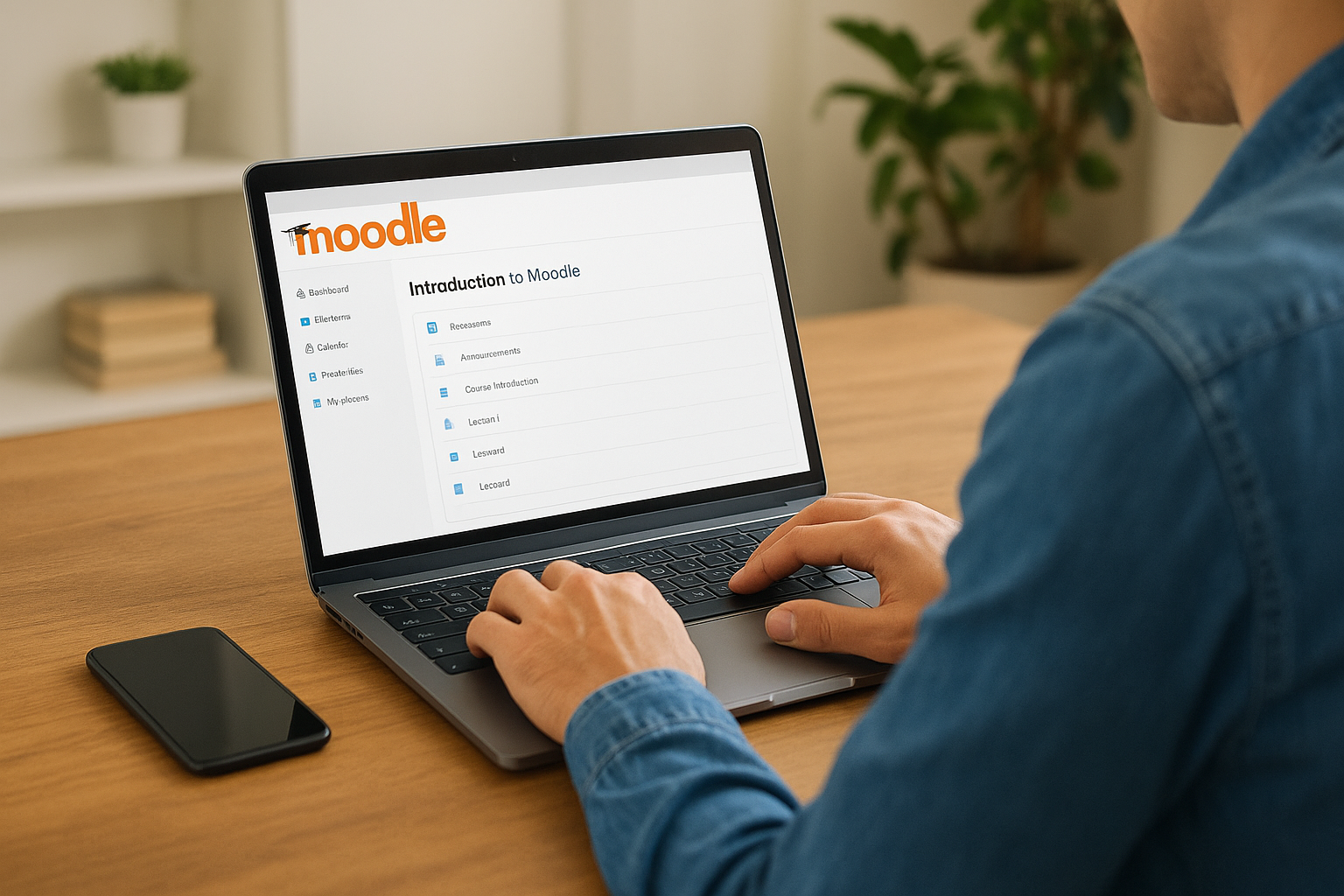
Moodle is the best-known genuine free download on this list. It is open-source learning management software with no user cap, which you install on your own server and configure yourself.
What you get
Moodle’s strength is flexibility. It handles courses, quizzes, assignments, certificates, SCORM content, and a large library of community plugins. It can serve a team of ten or a university of thousands. Learners can also use an official mobile app, so mobile access is covered without extra tools.
Because the code is open, you can change almost anything, from the look of the portal to how grades and completions are calculated. For organizations with unusual rules, that freedom to customize is hard to match.
Free plan limits and pricing
The software costs nothing, but running it does. You need a web host that meets Moodle’s technical requirements, someone who can install and upgrade it, regular backups, and security patching. Moodle’s maintainers also sell hosted options, so you can pay later to skip the server work.
Expect a steeper learning curve than any cloud tool above. Admin screens have many settings, and a non-technical manager may need a few weeks to feel comfortable. Budget hosting fees and admin hours as your real price.
Moodle removes the license fee, not the workload.
Who it suits
Moodle suits organizations with an IT person, a developer, or a contractor, and with needs that cloud plans cannot meet, such as no user cap or deep customization.
Avoid it if nobody on staff can maintain a server. An unpatched learning system holding employee records is a liability, and a capped cloud plan is the safer free choice.
10. Chamilo for a lighter self-hosted option
Chamilo is another open-source LMS that you download and host yourself. It is generally positioned as simpler than Moodle, which suits small organizations that want no user cap without a big learning curve.
What you get
Chamilo covers the basics of a learning platform: courses, tests, tracking, and certificates, with SCORM support for packaged content. Because the code is open, you can adjust it yourself or hire a developer to do so.
As a self-hosted tool, it also gives you full control of where employee data lives. For organizations with strict data residency rules, owning the server can be a feature rather than a chore.
Free plan limits and pricing
One reviewer’s summary says it plainly: it is free because it is open source, but you need to configure your own servers. That means hosting, backups, upgrades, and security patching fall to you.
Its community is smaller than Moodle’s, so expect fewer ready-made plugins and fewer tutorials when you get stuck. If you do not have a technical person on call, factor in the cost of paid support or hosting from the project’s partners.
Chamilo is the self-hosted option for teams that find Moodle too big.
Who it suits
Chamilo suits tech-comfortable small organizations, agencies with a developer on staff, and teams that want a free download with a calmer interface than Moodle offers.
Pick Moodle instead if you want the widest choice of plugins and community answers. Pick a cloud plan instead if nobody on your team wants to own a server.
Free plan limits compared side by side
Here is every tool in one view. The table sets the free caps next to the published starting price for the next step up, so you can see how fast a free plan turns into a bill. Prices come from vendor and review listings and change often, so verify them on each vendor’s site.
The comparison table
| Tool | Free limit | Delivery | Next step up, as listed |
|---|---|---|---|
| TalentLMS | 5 users, 10 courses | Cloud | Roughly $59 to $119 a month, depending on source and billing |
| ProProfs Training Maker | 10 learners | Cloud | $1.99 per active learner per month |
| Connecteam | 10 users, unlimited courses | Cloud and mobile app | $29 a month for the first 30 users, billed annually |
| EdApp (SafetyCulture) | Up to 10 users, per reviews | Cloud and mobile app | $24 per user per month billed annually in a recent listing |
| TalentCards | 5 users | Cloud and mobile | $49 a month for up to 50 users |
| Whale | 5 users | Cloud and browser extension | $6 per user per month |
| Bitrix24 | Unlimited users | Cloud | Paid tiers add features and capacity |
| Myicourse | Unlimited if public, 100 students and 100 courses if private | Cloud | Paid plans from $50 a month |
| Moodle | No user cap in the software | Self-hosted | Hosting and admin time |
| Chamilo | No user cap in the software | Self-hosted | Hosting and admin time |
How to read the numbers
Start with the user cap, then compare the next price step. Connecteam and ProProfs give you the most room, at 10 users each. TalentLMS and TalentCards stop at 5. Bitrix24 and the two downloads have no seat limit, but they trade it for complexity or labor.
The next-step column is the number that matters six months from now. A cheap per-learner price looks small, but it scales with headcount, while a flat monthly price for 30 users scales differently. Model your cost at double your current team size with a training cost calculator before you pick.
The right free tool is the one whose next price step you can live with.
How to choose a free training platform for your team
Compare platforms by answering four questions in order: how many learners you have, where they work, what records you must keep, and who will administer the system. Those answers narrow ten tools to two or three in a few minutes.
Match the tool to team size and device
Count the people who will take training in the next year, not today. Five learners fit TalentLMS or TalentCards. Up to ten fit ProProfs or Connecteam. More than ten means Bitrix24, a self-hosted download, or a paid plan. Then consider the device. Desk-based staff are well served by a conventional LMS. Phone-first staff need Connecteam, EdApp, or TalentCards.
Quick scenarios:
- Five-person startup onboarding new hires: TalentLMS or ProProfs.
- Ten-person shop or restaurant on phones: Connecteam.
- Team with written procedures but no courses: Whale.
- Company that wants CRM, tasks, and training together: Bitrix24.
- Training you sell to customers: Myicourse.
- Organization with IT help and no seat limit: Moodle or Chamilo.
Check tracking and compliance records
Training management means more than hosting lessons. You need assignments, due dates, completion status, and an exportable record of who finished what. If regulators, insurers, or clients will ask for proof, confirm that the free plan keeps completion records and lets you export them, because several free tiers keep reporting light.
Test this before you load real content. Create one course, assign it to two people, finish it, and try to produce a report you could hand to an auditor. If that report is missing or locked behind a paid tier, the free plan is a demo, not a system.
Run a one-week pilot before committing
Build one real onboarding module, not a sample, and have three colleagues take it. Note how long course creation took, how learners felt about the interface, and whether the report answered your questions. A week of use reveals more than any feature list.
Also check how easily your content leaves. SCORM export and plain file uploads mean you can move later, while locked-in authoring formats make switching expensive. Keep source files of every course in your own storage, whatever tool you pick.
A one-week pilot with real content beats any feature comparison.
When a free training platform stops being enough
A free plan stops being enough when the cap, the reporting, or the missing integrations cost more in staff time than a paid plan would cost in fees. That tipping point usually arrives with the first compliance audit or the first hiring wave.
Signs you have outgrown free
Watch for these signals:
- You have passed the learner cap and are splitting people across accounts.
- Someone spends hours each month building spreadsheets because reports are missing.
- You need single sign-on, or training data to sync with your HR or CRM system.
- Customers or partners need training, and you want to sell the courses.
- Auditors expect re-certification tracking and detailed records.
- Branding and support have become part of how customers see you.
Any two of those mean it is time to upgrade and price a paid LMS. Waiting past that point means migrating more content and more learner history later.
Moving to a paid LMS such as Axis LMS
Axis LMS is Atrixware’s paid platform, not a free tier. It is aimed at organizations that have outgrown the tools above. It offers drag-and-drop course building, on-demand and automated reports, extensive branding control, and SAML single sign-on with providers like Okta and Azure.
It also connects to HR and CRM systems such as ADP, Salesforce, BambooHR, and Zoho, offers a REST API and webhooks, and supports e-commerce for selling training. For regulated teams, it includes compliance features for GDPR and FDA 21 CFR Part 11, plus CEU and re-certification tracking.
When you move to a new LMS, export learner records first, keep your SCORM packages and source files, and move one course at a time so you can compare results before you retire the free system.
Pick one, pilot it, and plan the exit
The best free employee training software is the one whose limits match your team today and whose upgrade cost you can accept tomorrow. Start with your headcount and device mix, pilot one real course, and check that you can export records and content. Most small teams will land on TalentLMS, ProProfs, or Connecteam, and teams with IT help can download Moodle or Chamilo.
Free tools are a good way to start training. They are rarely a good way to keep scaling it. If you suspect you are close to the cap, or you are not sure what kind of system you need yet, take the LMS readiness quiz to see which stage of the buying process you are in.
