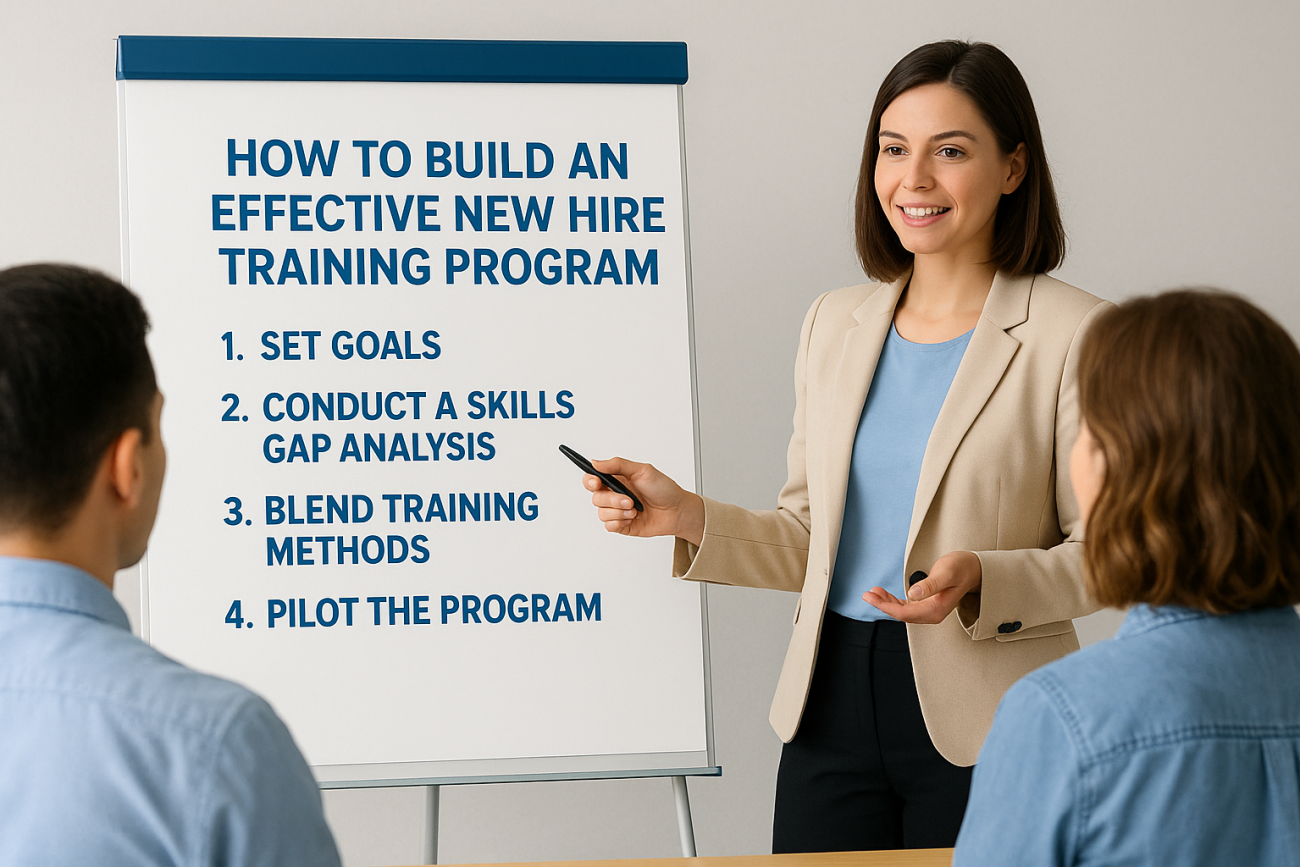
You just approved a hiring plan, and now you need a new hire training program that actually works, not a scattered pile of PDFs and a shadowing week that leaves people guessing. Bad onboarding shows up fast: missed quotas, confused customers, and turnover within the first ninety days. That’s an expensive way to learn that your process needs fixing.
This guide answers the real question behind most searches on the topic: how do you build new hire training programs that get new hires productive sooner and keep them around? You’ll get a step-by-step approach to training a new hire, from mapping role-specific skills and setting a 30-60-90 day timeline to choosing formats that fit remote, hybrid, or in-person teams.
We’ll also cover what belongs in a solid new hire training policy, how to track progress instead of guessing at it, and where a platform like Axis LMS fits in when you need to scale onboarding across departments without losing consistency. By the end, you’ll have a practical framework you can put to work this week, not another generic checklist.
What is new hire training, and why does it matter?
New hire training is the structured process of teaching a new employee the skills, tools, and knowledge they need to do their job well. It’s different from a one-day orientation where someone signs paperwork and gets a badge photo. Good training covers job-specific competencies, company processes, compliance requirements, and the software the person will use every day. If you’ve ever wondered what is new hire training exactly, think of it as the bridge between "hired" and "fully productive."
Onboarding and training aren’t the same thing
People often use "onboarding" and "training" interchangeably, but they serve different purposes. Onboarding is broader: it includes paperwork, culture introduction, meeting the team, and setting up accounts. Training is the subset focused on building capability, the actual skills and knowledge transfer that lets someone do the job. A strong program treats both as connected phases, not one blurry event.
| Element | Onboarding | Training |
|---|---|---|
| Focus | Culture, paperwork, logistics | Job skills, tools, processes |
| Typical length | First few days | First 30-90 days |
| Owner | HR | Manager, L&D, subject-matter experts |
| Success measure | Completed setup tasks | Skill proficiency, output quality |
Why weak training costs more than you think
Skipping structured training doesn’t save time, it just moves the cost downstream. New hires without a clear path take longer to hit quota, ask the same questions repeatedly, and make errors that managers have to fix, which is what poorly trained workers really cost you. Gallup research has found that only a small share of employees strongly agree their organization does a great job onboarding new hires, and disengagement climbs fast when that early experience falls flat. Retention takes the biggest hit: employees who feel undertrained during their first months are far more likely to leave within the year, which means you’re back to recruiting, interviewing, and starting the clock over.
A new hire who doesn’t know what "good" looks like by day 30 will guess, and guessing is expensive.
Compliance-heavy industries feel this even harder. Healthcare, finance, and manufacturing all carry regulatory training requirements, and gaps here don’t just hurt productivity, they create legal exposure, which is why a system built for compliance training matters. A documented new hire training policy protects you by making expectations, timelines, and required certifications explicit instead of tribal knowledge passed around informally.
What good training actually delivers
Done right, structured training shortens time-to-productivity, reduces early turnover, and gives managers a consistent way to evaluate whether someone is on track. It also gives the new hire something they rarely get otherwise: confidence that they’re doing the job correctly, backed by evidence rather than a supervisor’s gut feeling. That confidence is what turns a nervous first month into a strong first quarter, and it’s the foundation everything else in this guide builds on.
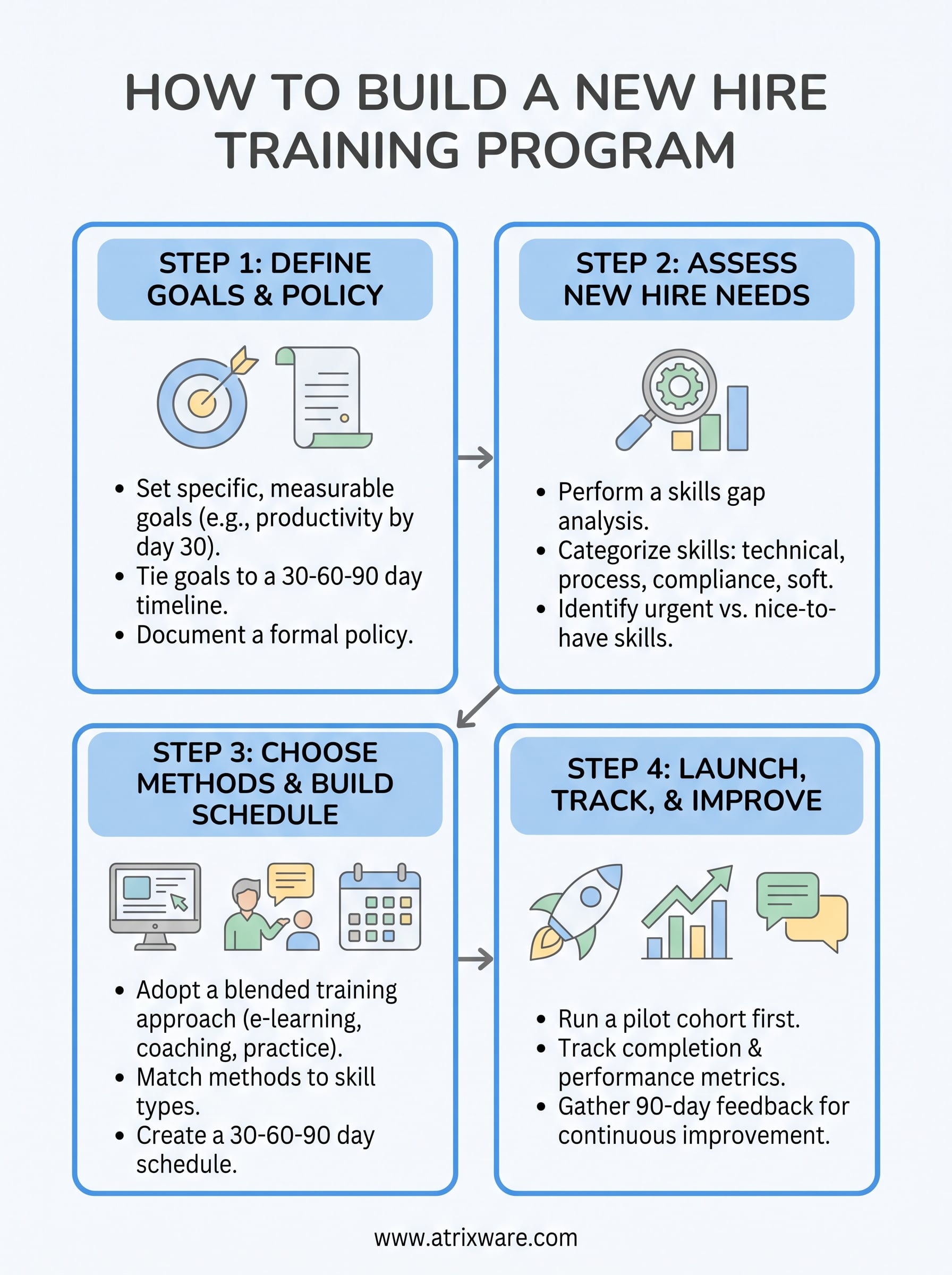
Step 1. Define your training goals and policy
Before you build a single lesson, decide what success looks like. Every strong new hire training program starts with a target: time-to-productivity, error rate, quota attainment, or compliance certification, whatever metric actually matters for the role, so it helps to know how to align training metrics with bottom-line performance. Skip this step and you end up training for the sake of training, which wastes everyone’s time and gives you nothing to measure against later.
Set goals tied to real outcomes
Goals need to be specific enough to act on. "Get comfortable with the software" isn’t a goal, it’s a wish. Instead, write something like "complete five supervised customer calls with zero critical errors by day 20" or "pass the compliance quiz with 90% accuracy by day 10." Tie each goal to a 30-60-90 day timeline so managers and new hires both know what checkpoint they’re working toward.
Put it in writing with a formal policy
Goals without a policy tend to fade once the hiring manager gets busy. A documented new hire training policy turns onboarding into a repeatable, compliant program and answers the questions people actually ask: who owns training, what’s mandatory versus optional, and what happens if someone falls behind schedule. Keep it short enough that people will actually read it.
If your training policy can’t answer "what happens if this hire misses their 30-day checkpoint," it’s not finished yet.
A solid policy typically covers:
- Who is responsible for each phase (HR, manager, subject-matter expert)
- Required vs. optional modules, by role
- Compliance deadlines and re-certification cycles
- How progress gets tracked and reported
- Escalation steps when someone falls behind
Write this once, store it somewhere everyone can find it, and revisit it every time you add a new role or regulatory requirement.
Step 2. Assess what new hires need to learn
Once your goals exist, figure out the actual gap between what a new hire knows on day one and what the role demands. Skipping this step is how companies end up training everyone on the same generic module regardless of whether they’re in sales, support, or compliance. A skills gap analysis doesn’t need to be complicated: pull the job description, list the tasks someone must perform independently within 90 days, then map which of those require hands-on practice versus simple awareness, and use your platform to close employee skills gaps from there.
Break skills into categories
Grouping skills makes it easier to assign the right training method later. Most roles need a mix of:
- Technical skills: software, tools, systems specific to the job
- Process knowledge: how work actually moves through your company
- Compliance requirements: certifications, regulatory training, safety rules
- Soft skills: communication, customer handling, internal collaboration, all of which you can develop in the workplace with your LMS
Train for the job the person will actually do, not a generic version of the role.
Talk to your top performers, not just the job posting
Job descriptions get written once and rarely updated, so they miss the real day-to-day skill demands. Interview two or three of your strongest current employees in that role and ask what they wish they’d known in their first month. Their answers usually reveal gaps the official documentation never mentions, like an unwritten workaround for a clunky system or a client-handling nuance nobody wrote down.
Match skills to urgency
Not every skill needs to land on day one. Sort what you found into three buckets: must-know before any independent work, needed within the first 30 days, and nice-to-have that can wait until month two or three. This sequencing prevents overload, which is the fastest way to make a new hire disengage before training a new hire even gets off the ground. Once you’ve got this map, you’re ready to decide how to actually teach it.
Step 3. Choose methods and build your schedule
Now that you know what needs teaching, pick methods that fit each skill type instead of defaulting to one format for everything. A blended training approach that combines self-paced e-learning, live coaching, and hands-on practice consistently beats a single-format approach, because different skills stick differently. Process knowledge sits fine in a course. Customer handling needs role-play and real feedback from someone watching.
Match the method to the skill
- Self-paced e-learning modules: policies, product knowledge, compliance basics
- Live or virtual instructor-led sessions: nuanced skills, Q&A, culture
- Shadowing and mentoring: workflow habits, unwritten tribal knowledge
- Hands-on practice with feedback: sales calls, customer support, technical tasks
Pick the format based on the skill, not on what’s easiest to schedule.
Build a 30-60-90 day schedule
Sequence training around the urgency buckets you sorted in Step 2, and put it in a format everyone can glance at without a meeting.
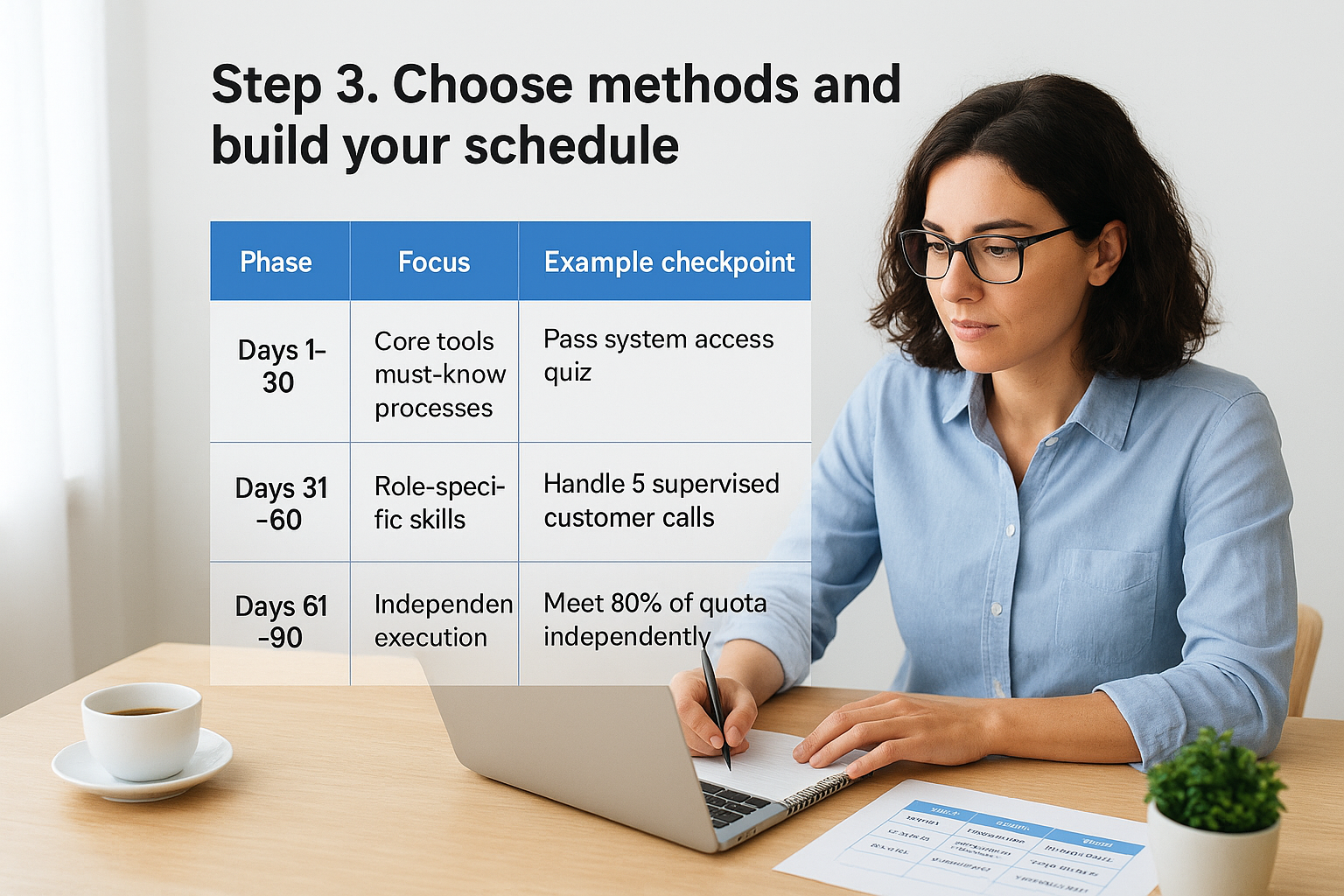
| Phase | Focus | Example checkpoint |
|---|---|---|
| Days 1-30 | Core tools, must-know processes, compliance basics | Pass system access quiz, complete safety training |
| Days 31-60 | Role-specific skills, supervised practice | Handle 5 supervised customer calls |
| Days 61-90 | Independent execution, performance review | Meet 80% of quota independently |
Building this schedule by hand across multiple hires and departments gets messy fast, especially once you’re tracking compliance deadlines alongside skill checkpoints. This is where a learning management system like Axis LMS earns its keep: it can build role-based learning paths that assign modules automatically, track completion against your 30-60-90 day timeline, and flag anyone falling behind before it turns into a manager’s problem to untangle by hand.
Step 4. Launch, track, and improve your program
Launching a new hire training program isn’t a one-time event, it’s the start of a cycle you’ll keep refining. Roll it out with your next hire or small cohort before pushing it company-wide, so you catch confusing steps or missing content while the stakes are still low.

Run a small pilot first
Give your pilot group the full schedule from Step 3, then sit down with them at day 30 and day 60 to ask what felt unclear or rushed. Their feedback catches gaps that look fine on paper but fall apart in practice, like a compliance module that assumes prior knowledge nobody actually has. Fix those issues before the next wave of hires goes through the same broken step.
Track completion and performance against your goals
Going back to the metrics you set in Step 1, track employee training progress consistently instead of checking in only when something goes wrong. At minimum, monitor:
- Module completion rates by role and deadline
- Time-to-productivity against your 30-60-90 day checkpoints
- Quiz or certification scores for compliance training
- Manager sign-off on hands-on skill checks
If you can’t pull a report showing who’s behind schedule right now, you’re managing training by memory, not by data.
Manually chasing this across spreadsheets works for one or two hires, but it breaks down fast once you’re onboarding across departments. Axis LMS’s reporting tools surface this automatically, flagging overdue modules and low quiz scores so managers catch problems in week two instead of week ten.
Close the loop with real feedback
Surveys at the 90-day mark tell you what the data can’t: whether new hires actually felt prepared. Use their answers to retire content nobody needs and add coaching where people consistently struggle. Treat every cohort as a chance to sharpen the program, not just repeat it.
Setting your new hires up for success
Building a strong new hire training program isn’t about writing more documents, it’s about giving people a clear path with real checkpoints instead of vague expectations. Define your goals, map the actual skill gaps, pick methods that fit each skill, and track progress against your 30-60-90 day timeline. Skip any of those steps and you’re back to guessing, which is exactly what costs you good hires in their first ninety days.
None of this requires a massive overhaul on day one. Start small, run a pilot, fix what breaks, then scale it. Once you’re managing training across multiple roles and departments, spreadsheets stop cutting it. If you want to see how automated assignments, compliance tracking, and real-time reporting would work for your team, try the Axis LMS admin demo and walk through it yourself.
