You’re evaluating training software and every vendor site sounds the same. Before you sit through another demo, you want a straight answer to one question: what does a real learning management system example actually look like, and which type fits your situation. That’s harder to find than it should be, since most comparison pages just link to sales pages instead of explaining the differences.
This list gives you actual examples of learning management system platforms, sorted by what they’re built for, corporate compliance, K-12 and higher ed, customer training, or selling courses outright. You’ll see how a system built for onboarding new hires differs from one designed for tracking CEUs or running a classroom, and why picking the wrong category costs you months of rework later.
We cover 12 platforms for 2026, including Axis LMS, which we built specifically for organizations that need compliance tracking, branded portals, and deep integrations with your HR and CRM systems without hiring a developer. Each entry below breaks down who it’s for, its standout features, and where it falls short, so you can shortlist candidates instead of starting from zero.
1. Axis LMS by Atrixware
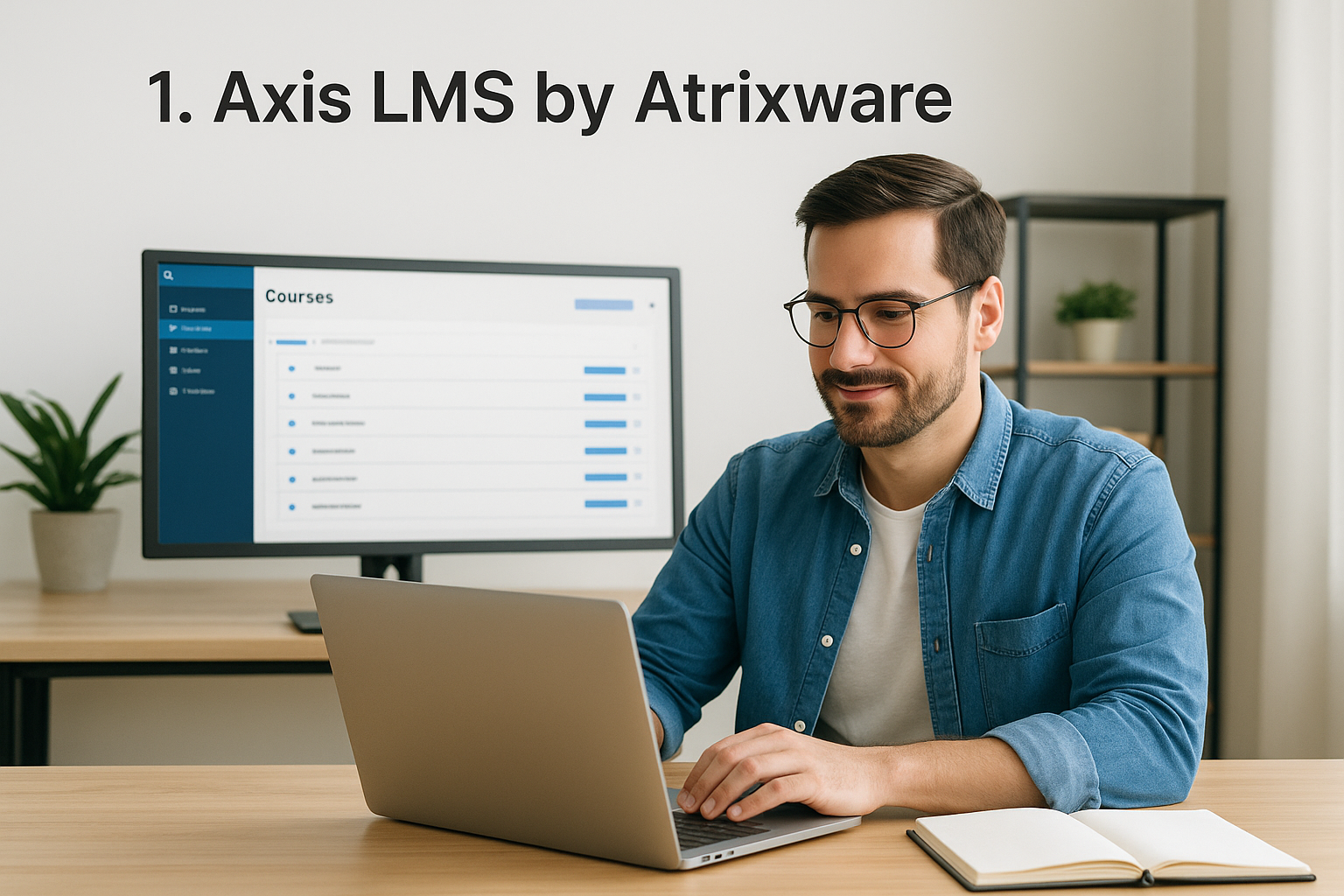
Axis LMS is the platform we built at Atrixware, so we’ll be upfront: this is our system, and we know it better than anyone else on this list. It’s a strong learning management system example for mid-size to large organizations that need compliance tracking, branded learner portals, and real integrations with HR and CRM tools, without hiring a developer to make it happen. Unlike many platforms built for a single niche, Axis LMS flexes across employee onboarding, customer education, channel partner training, and even selling courses to the public.
Key features
What sets Axis LMS apart is the breadth of the Axis LMS feature set included out of the box rather than locked behind add-on tiers.
- Drag-and-drop course builder for rapid content creation, plus support for virtual classroom sessions
- Compliance management tools built for standards like GDPR and FDA 21 CFR Part 11, including CEU and re-certification tracking
- Automated and on-demand reporting to prove training effectiveness to auditors or leadership
- Deep integrations, including SSO (SAML with Okta, Azure, Ping Identity), user sync with ADP, Salesforce, BambooHR, and Zoho, and over 5,000 connections through the integration builder
- REST API and webhooks for custom workflows
- Extensive branding controls so the portal looks like your organization, not a generic template
- Built-in e-commerce for selling seat licenses or individual course access
A learning management system only earns its budget line when it can prove compliance and connect to the systems you already run, not just host videos.
Best for
Axis LMS suits organizations that have outgrown a basic course-hosting tool and now need to demonstrate compliance, manage multiple audiences, or generate revenue from training. That includes HR teams handling onboarding at scale, compliance officers tracking certifications across departments, and sales enablement teams training channel partners. It also works well for companies that want to sell training as a product, since the e-commerce functionality is native rather than bolted on. Smaller teams running a single internal course with no compliance requirements may find it more capable than they need, though the pricing structure still scales down reasonably.
Pricing overview
Atrixware doesn’t publish flat public pricing because deployments vary so much by user count, hosting preference (cloud or self-hosted), and which integrations you need active. Instead, you request a quote based on your learner numbers and feature requirements, and the team walks you through which tier fits. This approach costs you an extra step compared to a self-serve pricing page, but it means you’re not paying for enterprise compliance modules if all you need is basic course delivery. If you want to see how it stacks up against your shortlist, you can check pricing details directly or request a live demo before committing.
2. TalentLMS
TalentLMS is a cloud-based platform built for teams that want training running fast, without a long setup process. It’s one of the most commonly cited learning management system examples in software reviews because it targets small and mid-size businesses that need something simple rather than a heavily configured enterprise rollout. The interface leans on templates and pre-built course structures, so a training manager without technical background can publish a course in an afternoon.
Key features
TalentLMS keeps its feature set focused on speed and usability rather than depth.
- Course creation templates and a library of ready-made content for common topics like compliance basics or onboarding
- Gamification elements, including badges, points, and leaderboards to push learner engagement
- Mobile app for learning on the go, with offline access to downloaded content
- Basic reporting dashboards covering completion rates and quiz scores
A fast setup only pays off if the platform can still handle your reporting and integration needs a year later.
Best for
Smaller companies and startups with straightforward training needs for a small business fit TalentLMS well, especially teams onboarding a handful of new hires each month or running short compliance refreshers. It also suits training consultants who manage multiple small clients and need to spin up new instances quickly. Organizations with complex compliance tracking, deep HR system integrations, or custom branding requirements tend to outgrow it faster than expected, since some of those capabilities sit behind higher tiers or aren’t available at all.
Pricing overview
TalentLMS publishes tiered pricing based on active user count, starting with a free plan capped at a small number of users and courses. Paid tiers scale up from there, with advanced features like custom reporting and API access reserved for higher plans. This transparency helps with quick budget estimates, though costs climb noticeably once you cross into the hundreds-of-users range.
3. Moodle
Moodle is the open-source backbone behind a huge share of school and university course sites, and it’s often the first name people picture when they search for learning management system examples for schools. Unlike vendor-hosted platforms, Moodle is free to download and self-host, which means your IT team controls the server, the data, and every plugin installed. That control comes with a tradeoff: you need someone technical on staff, or a Moodle partner on retainer, to keep it running smoothly.

Key features
Modularity is Moodle’s defining trait, since almost every function ships as a swappable plugin rather than a fixed feature.
- Thousands of community plugins covering quizzes, forums, plagiarism checks, and video integration
- Flexible course formats, including weekly, topic-based, or fully custom layouts
- Grade book and rubric tools built for academic assessment workflows
- Multi-language support across dozens of languages out of the box
An open-source platform gives you unlimited flexibility only if you have the technical staff to use it.
Best for
Institutions with in-house IT capacity, or budget for a managed Moodle partner, get the most value here. That includes universities, school districts, and nonprofits running training programs that need granular control over data residency and course structure without paying per-user licensing fees. Teams without development resources often struggle with the setup curve and end up paying a hosting partner anyway, which narrows the cost gap versus commercial platforms.
Pricing overview
Self-hosting Moodle software itself costs nothing, but you’ll pay for hosting infrastructure, plugin development, and ongoing maintenance. Managed Moodle hosting through official partners typically runs on a per-user or per-course pricing model, with costs varying widely based on the provider and support level you choose. Budget for setup time too, since a basic deployment can take weeks rather than days.
4. Docebo
Docebo built its reputation on AI-driven content management, positioning itself as an enterprise platform for organizations that need to scale training across thousands of learners without drowning administrators in manual tagging and course assignment. It’s frequently cited among learning management system software examples aimed at large companies because of how heavily it leans on machine learning to recommend content and automate housekeeping tasks that would otherwise eat an admin’s week.
Key features
Docebo’s standout capability is AI in the learning management system, with content intelligence layered on top of standard LMS functions.
- AI-powered content tagging and search, which automatically categorizes uploaded materials and surfaces relevant courses to learners
- Learning impact analytics that tie training completion to business outcomes rather than just completion rates
- Social and collaborative learning tools, including discussion boards and peer-generated content
- Multi-tenant architecture for organizations running separate portals under one account, useful for franchises or multi-brand companies
AI features only matter if you have enough content volume and learner data to make the automation worth the added cost.
Best for
Large enterprises with sizable, frequently changing content libraries get the most out of Docebo, particularly those already running multiple brands or business units that need separate branded portals under one license. Companies investing heavily in learning analytics to justify training budgets to executives also find the reporting depth useful. Smaller teams with a handful of courses rarely need the AI tagging layer, and the learning curve for admins can feel steep compared to simpler platforms, so it helps to know when it’s actually time to move up to an enterprise-level LMS.
Pricing overview
Docebo doesn’t publish flat pricing publicly, instead quoting based on active users, feature modules, and contract length. Expect an enterprise-style sales process with annual contracts rather than month-to-month flexibility, and budget for a longer onboarding period since the AI features need content volume to become genuinely useful.
5. Litmos
Litmos (now part of SAP) built its name on corporate compliance and sales training, and it shows up constantly in lists of learning management system examples aimed at large, distributed workforces. The platform ships with a massive library of off-the-shelf compliance and soft-skills courses, which makes it appealing to companies that need training content fast and don’t want to build everything from scratch. Its integration with SAP’s broader HR suite also gives it an edge for enterprises already locked into that ecosystem.
Key features
Litmos leans hard into ready-made content and sales-focused tools rather than deep customization.
- Prebuilt course library covering compliance, safety, and soft-skills topics across industries
- Video-based microlearning formats built for short attention spans and mobile viewing
- CRM integrations, particularly tight connections with Salesforce for sales onboarding
- Automated learning paths that assign content based on role or department
A prebuilt content library saves setup time, but it locks you into someone else’s curriculum choices.
Best for
Large sales organizations and enterprises running SAP already get the most value from Litmos, since the onboarding and compliance content covers common training needs without custom development. Companies training distributed retail or field staff also benefit from the mobile-first video format. Organizations that need heavy customization of course structure, or granular compliance tracking for niche regulations, often find the platform’s rigidity frustrating compared to more flexible systems.
Pricing overview
Litmos prices per active user on an annual contract basis, with tiers separating basic course hosting from add-ons like content authoring tools and advanced reporting. Pricing isn’t published in detail publicly, so expect a sales conversation before you get real numbers. Budget extra if you want the full prebuilt content library, since that’s often a separate line item from the core platform license.
6. 360Learning
360Learning takes a different angle than most platforms on this list, building the entire system around peer-created content instead of top-down course design. It’s a learning management system example worth studying if your training problem isn’t a lack of platform, it’s a lack of people willing to build courses. The pitch is collaborative learning, where subject-matter experts across the company create and refine courses together, rather than a single training team producing everything alone.
Key features
360Learning’s tools center on making course creation a group activity rather than a solo task.
- Collaborative course authoring, letting multiple contributors build and edit content together in real time
- Peer feedback loops, where learners can flag outdated or confusing material directly inside a course
- Skills-based learning paths that map courses to specific competencies rather than just departments
- AI-assisted course creation that helps convert existing documents or decks into structured lessons
Training built by the people doing the work tends to stay more current than training built by a department that only checks in once a year.
Best for
Companies with strong internal expertise scattered across teams, think fast-growing tech companies or organizations with high subject-matter turnover, get the most value here. It suits teams that want to crowdsource onboarding and process documentation instead of centralizing it in one training department. Organizations needing strict compliance tracking or heavy regulatory reporting typically find better-suited options elsewhere, since 360Learning’s strength is content velocity, not audit trails.
Pricing overview
360Learning prices per registered user on an annual contract, with tiers separating basic collaborative authoring from advanced analytics and integration features. Pricing isn’t public in detail, so you’ll need a sales call to get real numbers based on headcount. Smaller teams sometimes find the cost hard to justify unless they’re actually using the collaborative authoring tools regularly, since that’s where the platform earns its premium over simpler options.
7. Blackboard Learn
Blackboard Learn has anchored higher education technology for decades, and it remains one of the most recognized learning management system in education examples when colleges and universities compare platforms. Originally built for large campus deployments, it now covers everything from single-course sections to entire university systems running thousands of concurrent enrollments. Its longevity in academia means most faculty have used it in some form, which lowers the training burden compared to newer platforms.
Key features
Blackboard’s toolset reflects decades of academic-specific development rather than a corporate training focus.
- Grade center and rubric tools built around semester-long course structures and academic calendars
- Virtual classroom integration through Blackboard Collaborate for live lectures and office hours
- Accessibility compliance tools aligned with Section 508 and WCAG standards, a requirement for most public institutions
- Analytics dashboards tracking student engagement patterns tied to retention and early-warning systems
A platform that’s survived decades of curriculum changes in higher ed has already solved problems newer LMS vendors haven’t encountered yet.
Best for
Colleges, universities, and large school districts with dedicated IT departments get the most out of Blackboard, particularly institutions already invested in its ecosystem of testing and proctoring add-ons. It also suits administrators who need airtight accessibility compliance documentation for accreditation reviews. Smaller schools or corporate training teams usually find it heavier and pricier than what a simple course rollout requires, since much of its architecture assumes semester-based, multi-department scale.
Pricing overview
Blackboard negotiates contracts individually with institutions, factoring in enrollment size, campus count, and which modules (Collaborate, Ally, analytics) you activate. Public pricing doesn’t exist, so expect a procurement process closer to enterprise software buying than a self-serve signup. Multi-year contracts are common, and switching costs run high once course content and integrations are built out.
8. Google Classroom
Google Classroom sits at the center of most learning management system examples for teachers, mainly because it’s free, already bundled into Google Workspace for Education, and familiar to anyone who’s used Gmail or Google Docs. It’s less a full LMS and more a lightweight hub for assigning work, collecting submissions, and keeping a class organized, which is exactly why K-12 teachers gravitate toward it over heavier platforms. Schools already running Chromebooks in the classroom find the adoption curve close to zero, since students are logging into the same accounts they use everywhere else.

Key features
Classroom’s feature set stays intentionally narrow, favoring simplicity over configurability.
- Seamless Google Workspace integration, pulling directly from Docs, Sheets, Drive, and Meet for assignments and video calls
- Simple assignment workflow, including due dates, rubrics, and originality reports to flag copied text
- Automatic grade syncing with many school information systems
- Free tier for schools, with no per-student licensing cost under standard education accounts
A tool that teachers and students already know how to use beats a feature-rich platform nobody opens.
Best for
Elementary and secondary schools already inside the Google ecosystem get the most value here, especially teachers who want to assign and grade work without learning new software. It also works for small tutoring operations or after-school programs that need something free and fast. Districts needing compliance tracking, certification management, or corporate-style reporting outgrow it quickly, since Classroom wasn’t built for those workflows.
Pricing overview
Google Classroom is free with a standard Google Workspace for Education account, and most K-12 schools qualify. Paid Workspace tiers add features like advanced security and increased storage, but Classroom itself carries no separate licensing fee, making it one of the lowest-cost entries on this list.
9. Canvas LMS
Canvas LMS, built by Instructure, has become the default alternative to Blackboard in higher education, and it shows up constantly in searches for online learning management system examples because of its clean, modern interface. Unlike Blackboard’s decades-old architecture, Canvas launched as a cloud-native platform, which gives it a lighter feel and faster load times that both students and faculty notice immediately. It’s also gained traction in K-12 districts and some corporate training departments looking for something more intuitive than legacy academic software.
Key features
Canvas focuses on a clean interface layered over solid academic tooling rather than piling on every possible feature.
- SpeedGrader tool that lets instructors grade assignments, leave audio or video feedback, and move through a roster quickly
- Open API architecture, making it easier for schools to build custom integrations than with more closed platforms
- Mobile-first design, with dedicated apps for both students and teachers that mirror the desktop experience
- Built-in analytics tracking student engagement and flagging at-risk learners early in the term
A modern interface reduces the training burden on faculty far more than any feature list does.
Best for
Colleges, universities, and increasingly K-12 districts that want a modern alternative to legacy academic platforms fit Canvas well, particularly institutions that value a shorter onboarding curve for adjunct faculty. It also suits schools with developer resources who want to build custom integrations through the open API rather than waiting on vendor roadmaps. Corporate teams occasionally adopt it, but most find its academic-calendar assumptions, like terms and grade books, add friction for ongoing employee training.
Pricing overview
Instructure negotiates Canvas pricing per institution based on enrollment size and which modules, like Canvas Studio for video or Catalog for open enrollment, you activate. There’s no public pricing page, so expect a sales-driven procurement process typical of higher-ed software purchasing, often bundled into multi-year contracts.
10. Skilljar
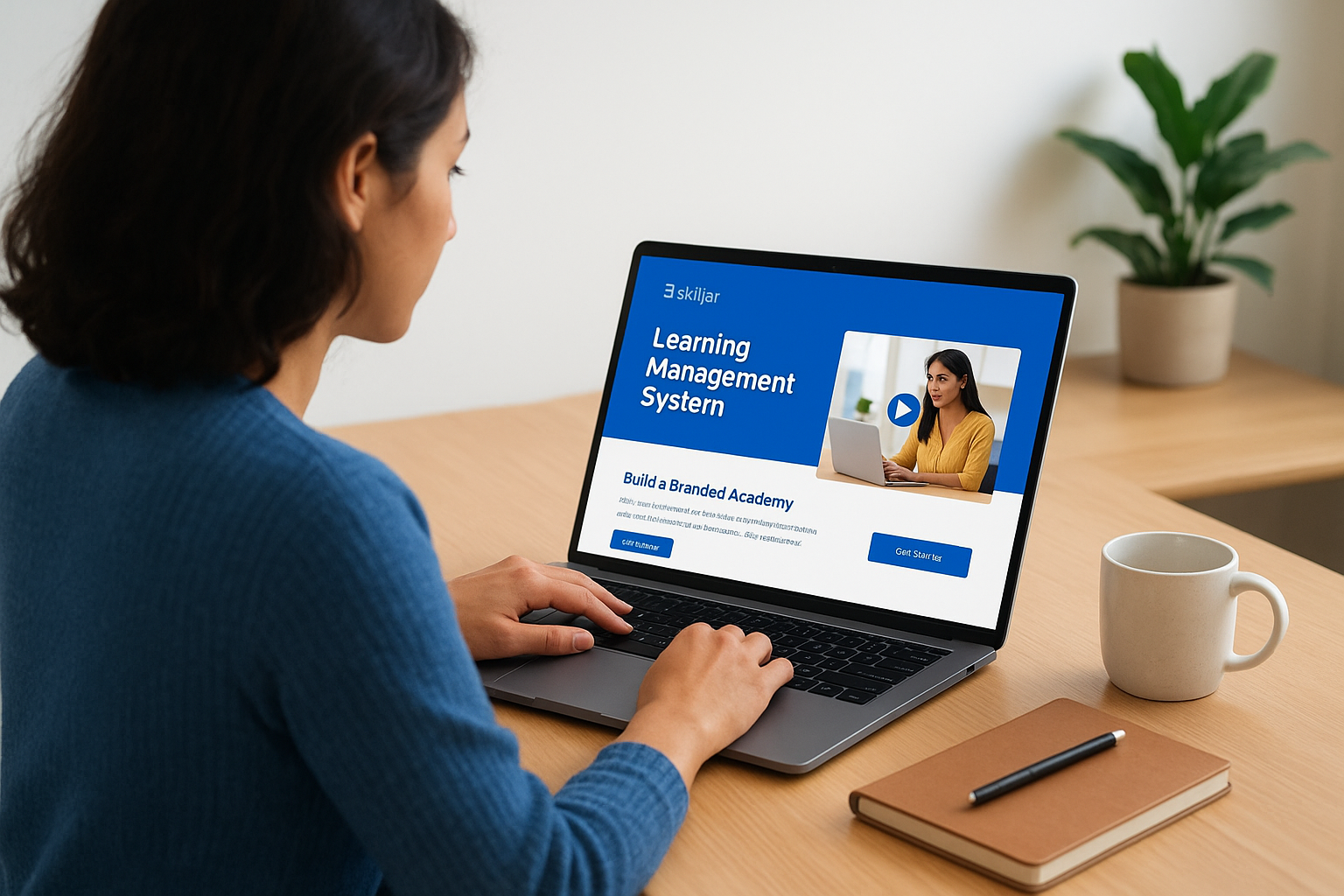
Skilljar built its platform around one specific job: training customers, not employees. It’s a learning management system example worth knowing if your training problem is external, think SaaS companies onboarding new accounts, or hardware manufacturers certifying distributors on installation procedures. The platform treats course access like a product experience, with branded academies that look like part of your marketing site rather than a bolted-on training portal.
Key features
Skilljar’s toolset centers on customer-facing polish and revenue tracking rather than internal HR workflows.
- Branded learning academies that mirror your company’s website design, domain included
- Certification and badge programs for customers who complete product training tracks
- Salesforce and HubSpot integrations that tie course completions to account records and renewal risk
- Built-in e-commerce for charging customers directly for premium training tiers
Customer training only moves the needle when completing a course visibly ties back to product adoption and renewal, not just a certificate nobody checks.
Best for
SaaS companies and technical product vendors get the most out of Skilljar, especially customer success teams using client education to reduce support tickets by teaching users to self-serve. It also suits companies selling certification programs to partners or resellers, since the branded academy format makes paid training feel like a natural product extension. Internal employee training and compliance tracking sit outside its core design, so HR teams and compliance officers usually need a different platform alongside it.
Pricing overview
Skilljar doesn’t publish flat pricing, instead quoting based on active learners and which modules, like e-commerce or advanced integrations, you activate. Expect an annual contract and a sales conversation rather than a self-serve signup page. Budget higher if certification tracking and Salesforce syncing are must-haves, since those often sit in upper tiers rather than the base plan.
11. SkyPrep
SkyPrep positions itself as the straightforward option for companies that want compliance and onboarding training without the enterprise sales cycle that comes with bigger platforms. It’s one of the simpler examples of learning management system software built for mid-size businesses, manufacturing firms, and healthcare organizations that need certification tracking but don’t want to hire a dedicated LMS administrator. The interface trades flash for clarity, which shows up in how quickly new admins get comfortable building their first course.
Key features
SkyPrep keeps its feature list practical, aimed squarely at compliance and workforce training rather than academic use cases.
- Automated certification and CEU tracking, including expiration alerts before a credential lapses
- Custom learning paths that assign courses based on job role or department
- White-label branding so the portal carries your company’s look without a generic template feel
- Multi-language course support, useful for manufacturers training a distributed or multinational workforce
A certification tracker that flags expirations before they lapse saves more compliance headaches than any course library ever will.
Best for
Manufacturing training, healthcare, and other regulated industries needing straightforward certification tracking get solid value from SkyPrep, particularly companies replacing spreadsheets and manual reminders with something automated. It also suits mid-size businesses that want dedicated onboarding support during setup, since SkyPrep’s implementation team tends to stay hands-on compared to self-serve competitors. Larger enterprises needing deep AI-driven content recommendations or extensive third-party integrations usually find the feature depth thinner than platforms like Docebo.
Pricing overview
SkyPrep prices per active user on an annual plan, with tiers separating basic course hosting from advanced reporting and custom branding. The company publishes starting price ranges rather than exact figures, so you’ll still need a quote once you know your user count and which add-ons you want. Compared to enterprise platforms on this list, the sales process here tends to move faster, with less back-and-forth before you see real numbers.
12. iSpring Learn
iSpring Learn pairs a straightforward LMS with iSpring Suite, a PowerPoint-based authoring tool that’s become a favorite among training teams who already build slides for a living. It’s one of the more practical e learning management system examples for companies that want fast course production without hiring instructional designers or learning a new content format, and it’s worth comparing against other authoring tools built for corporate trainers. The pitch is simple: if your team can build a PowerPoint deck, they can build a course, since the authoring tool exports directly into SCORM-compliant lessons the LMS reads natively.
Key features
iSpring Learn’s strengths sit in content creation speed and quiz-building rather than deep enterprise architecture.
- PowerPoint-to-course conversion through iSpring Suite, preserving animations, narration, and branching scenarios
- Quiz and assessment builder with over 14 question types, useful for compliance testing and certification
- Mobile app with offline sync, letting field teams download courses and complete them without a live connection
- Built-in video and screen recording tools for quick microlearning content
A course built from a slide deck your team already trusts beats a polished course nobody finishes making.
Best for
Companies with existing PowerPoint content, or training teams without dedicated instructional designers, get the most value from iSpring Learn. It suits mid-size businesses running compliance refreshers, product training, or sales enablement content that changes often enough to need quick edits rather than a lengthy redesign cycle. Organizations needing deep HR integrations, multi-tenant portals, or heavy customization typically find the platform’s scope narrower than enterprise-focused options like Docebo or Axis LMS.
Pricing overview
iSpring Learn prices per active user on an annual plan, with the authoring suite sold separately or bundled at a higher tier. Published starting prices give you a rough budget number upfront, which is more transparent than several platforms on this list, though the full bundle with authoring tools costs meaningfully more than the base LMS alone.
Finding the right LMS fit for your training goals
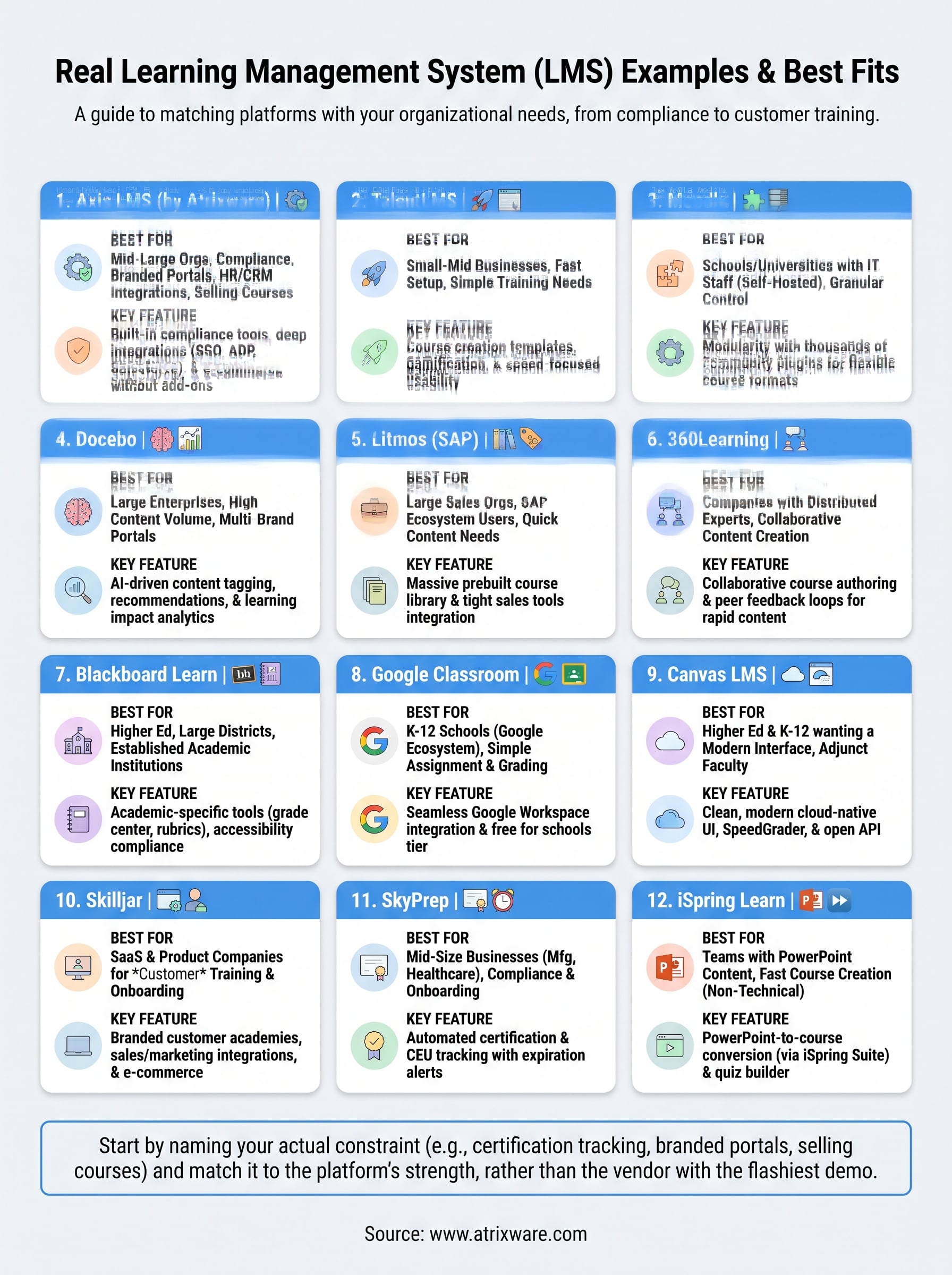
Every learning management system example on this list solves a different problem, and that’s the real takeaway here. Moodle rewards technical teams willing to self-host, Google Classroom fits K-12 budgets, and Skilljar exists purely for customer-facing training. Guessing which category you fall into wastes months once you discover the platform you picked can’t handle compliance reporting or HR integrations you need six months in.
Start by naming your actual constraint, whether that’s certification tracking, branded portals, or selling courses outright, then match it against the profiles above rather than the vendor with the flashiest demo. If compliance tracking, deep integrations, and branded portals top your list, Axis LMS was built around exactly that combination. Not sure which stage you’re at in the buying process? Find out how ready you are to choose an LMS in a couple of minutes, before you book another demo.
