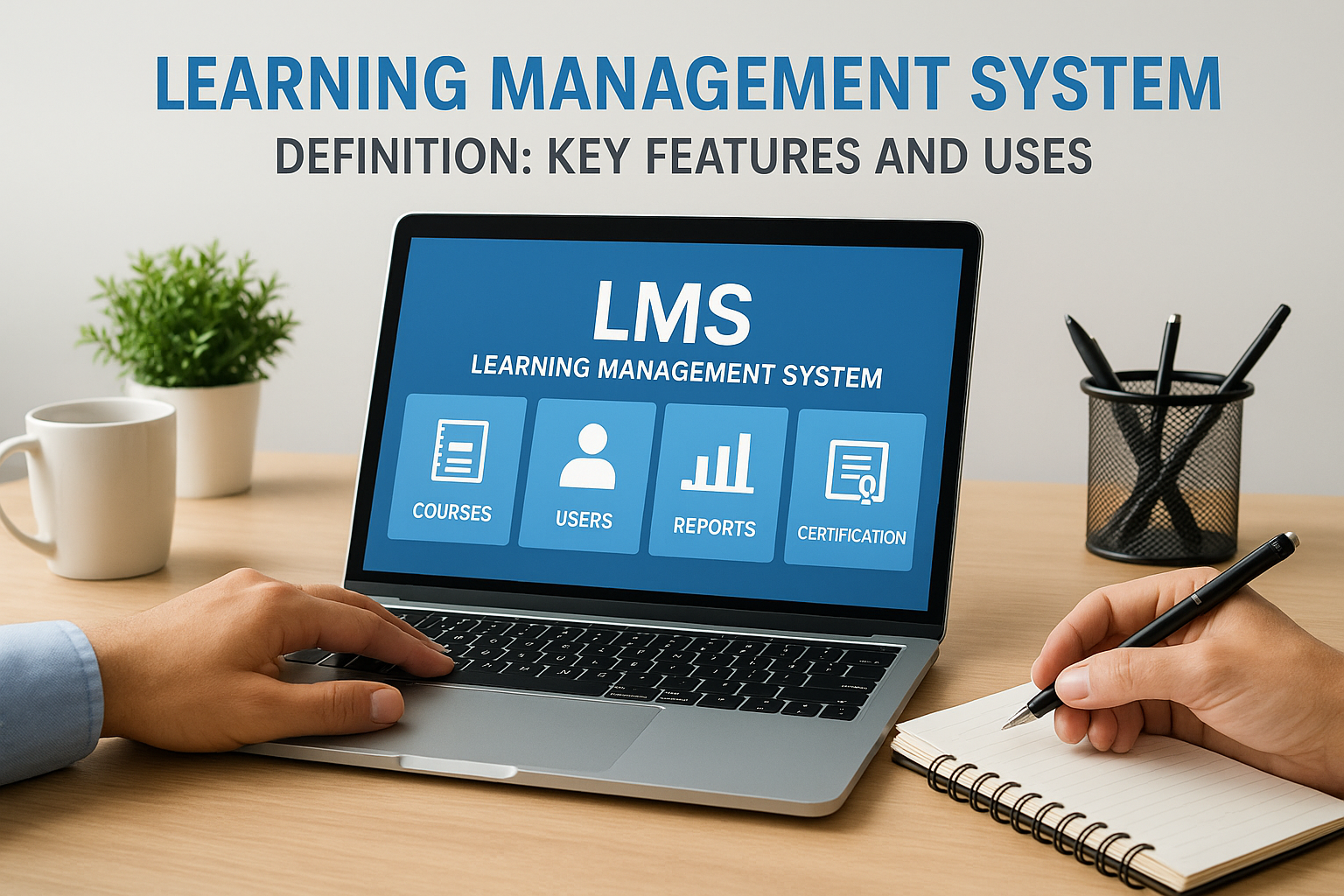
A learning management system is software that helps organizations create, deliver, and track training programs. Think of it as a central hub where you can build courses, assign them to learners, monitor their progress, and measure results. Whether you need to onboard new employees, ensure compliance training gets completed, or educate customers about your products, an LMS gives you the tools to manage all these learning activities from one platform.
This guide breaks down everything you need to know about learning management systems. You’ll discover why these platforms have become essential for modern organizations, how to implement one effectively, and which features matter most. We’ll explore real use cases across different industries, compare deployment options and pricing models, and help you evaluate platforms to find the right fit. You’ll also learn about the governance and compliance considerations that come with managing organizational learning data. By the end, you’ll have a clear understanding of how an LMS can transform your training programs and support your business goals.
Why learning management systems matter
Organizations waste significant time and money on training programs that fail to deliver measurable results. Your company might spend thousands on instructor-led sessions, travel expenses, and printed materials, only to struggle with tracking who completed what training and when. Traditional training methods create bottlenecks that slow down employee development and make compliance tracking nearly impossible at scale. An LMS solves these problems by centralizing your training operations and giving you complete visibility into learning activities across your entire organization.
Business efficiency and cost savings
You eliminate substantial overhead costs when you move training online. Instructor fees, venue rentals, and travel expenses disappear, while your training materials become reusable digital assets that serve employees for years. The time savings compound quickly because employees access training on their own schedule rather than waiting for the next available class. Your administrators spend less time on manual tasks like enrollment, record-keeping, and certificate distribution because the system handles these processes automatically.

Modern LMS platforms reduce training costs by up to 50% compared to traditional instructor-led programs while reaching significantly more learners.
The learning management system definition extends beyond simple course delivery to include automated workflows that free up your team to focus on strategic initiatives rather than administrative work. You can track compliance status in real-time, send automatic reminders to employees who need to complete required training, and generate audit reports with just a few clicks.
Scalability and consistency
Your training program grows seamlessly as your organization expands. New hires receive the same high-quality onboarding experience whether you’re training ten people or ten thousand, and remote employees access the same content as their office-based colleagues. You maintain consistent messaging across all departments and locations because everyone learns from the same approved materials. This standardization becomes particularly valuable when you need to roll out company-wide initiatives, introduce new products, or respond to regulatory changes that affect your entire workforce.
How to use an LMS in your organization
You can implement a learning management system effectively by following a structured approach that aligns with your business goals. Start by identifying what you want to accomplish, whether that’s faster onboarding, improved compliance rates, or better product knowledge among your team. Your success depends on having a clear strategy before you begin building courses or inviting learners onto the platform. The learning management system definition covers the software itself, but the real value emerges when you match platform capabilities to your specific organizational needs and processes.
Define your learning objectives
Your first step involves mapping out exactly what knowledge gaps exist in your organization and which skills you need to develop. Look at performance reviews, customer feedback, and compliance requirements to identify training priorities. You might discover that your sales team needs better product training, your support staff requires updated troubleshooting skills, or your entire workforce needs annual security awareness training. Write down specific, measurable goals like "reduce onboarding time by 30%" or "achieve 100% completion of compliance training by quarter end." These concrete targets give you benchmarks to measure whether your LMS implementation succeeds.
Clear learning objectives transform your LMS from a content repository into a strategic tool that drives measurable business outcomes.
Set up your first courses
You should begin with a pilot program that addresses one high-priority training need rather than trying to migrate everything at once. Choose content that already exists in some form, such as onboarding materials or compliance training, because converting existing resources takes less time than creating new content from scratch. Break your content into digestible modules that learners can complete in 15 to 30 minutes, and include quizzes or assessments to reinforce key concepts. Most platforms offer templates and course-building tools that let you drag and drop content without technical expertise.
Roll out to your learners
Your rollout strategy determines whether employees embrace the platform or ignore it. Start by training a small group of power users who can test the system and provide feedback before you launch organization-wide. Send clear communications that explain why you’re implementing the LMS, what benefits learners will gain, and how to access their first courses. Consider making early courses voluntary and incentivizing completion to build positive momentum. You need to provide ongoing support through help documentation, video tutorials, and responsive technical assistance so learners never feel stuck or frustrated with the platform.
Core features of a modern LMS
Your learning management system needs certain core capabilities to deliver effective training programs. The learning management system definition includes software that creates, delivers, and tracks training, but the specific features determine how well the platform serves your organization. Modern systems go far beyond simple file sharing to provide comprehensive learning ecosystems with automation, personalization, and deep analytics built into every aspect of the platform. You should evaluate each feature against your actual business requirements rather than getting distracted by flashy functionality you’ll never use.
Course creation and content management
You need tools that make building engaging learning experiences straightforward without requiring technical skills. Drag-and-drop course builders let you assemble lessons from various content types including videos, documents, presentations, and interactive elements. The platform should support SCORM and xAPI standards so you can import content created in external authoring tools and track learner interactions properly. You’ll want version control that preserves previous course iterations while you update materials, plus the ability to reuse content modules across multiple courses to maintain consistency and save time.
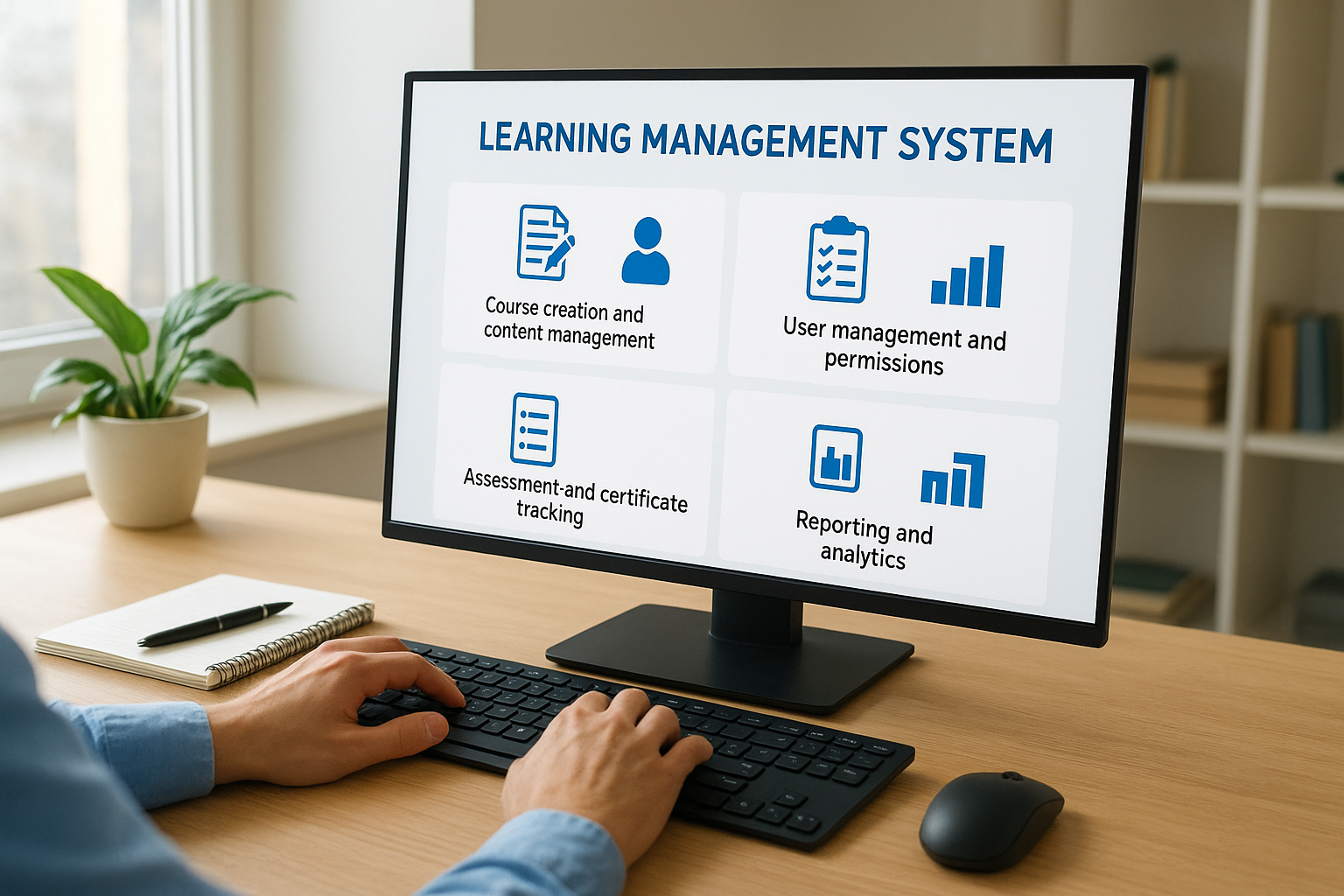
Modern systems let you organize content into learning paths that guide employees through sequential courses based on their role, department, or skill level. Your platform should handle multimedia files efficiently, converting videos to formats that stream smoothly on any device and compressing large files without sacrificing quality. Look for built-in templates that speed up course development while maintaining professional presentation standards across all your training materials.
User management and permissions
You control exactly who sees what content through role-based access controls and group management features. Administrators get full system access, instructors manage their assigned courses, and learners only see training relevant to their role. Your platform should sync with existing HR systems to automatically create accounts for new hires, update user information when employees change departments, and deactivate access when people leave the organization. This automation eliminates manual data entry and ensures your training records stay accurate.
Effective user management transforms your LMS from a standalone tool into an integrated part of your business infrastructure.
Assessment and certification tracking
Your system needs robust tools to verify that learners actually absorbed the material. Quiz builders let you create multiple-choice, true/false, matching, and essay questions with automatic grading for objective assessments. You can set passing scores, allow multiple attempts, and randomize questions to prevent cheating. The platform should generate certificates automatically when learners complete required training and track expiration dates for credentials that require periodic renewal. This becomes essential for compliance-heavy industries where you must prove employees maintain current certifications.
Reporting and analytics
You gain visibility into training effectiveness through dashboards that show completion rates, assessment scores, and time spent on courses. Standard reports track individual learner progress, while custom reports let you analyze data by department, location, or job role. Your platform should schedule reports to run automatically and deliver them to stakeholders who need training metrics but don’t log into the system regularly. Advanced analytics identify knowledge gaps by highlighting topics where learners consistently struggle, helping you improve course content and target additional training where it’s needed most.
Communication and integration capabilities
Your LMS keeps learners engaged through automated email notifications that remind them about upcoming deadlines, celebrate course completions, and announce new training opportunities. Discussion forums and messaging tools let learners ask questions, share insights, and collaborate on projects. Integration options through APIs and webhooks connect your LMS with other business systems like CRM platforms, e-commerce tools, and single sign-on solutions that let employees access training with the same credentials they use for other company applications.
Common LMS use cases and examples
Organizations deploy learning management systems across diverse scenarios that go well beyond basic employee training. The learning management system definition encompasses the software platform itself, but understanding real use cases helps you see how these tools solve actual business challenges. Your implementation might focus on one primary use case or address multiple training needs simultaneously. Each scenario requires specific features and configurations that match the unique requirements of learners, content, and compliance obligations.
Employee onboarding and training
Your new hires progress through structured onboarding programs that introduce company culture, policies, and job-specific skills in a consistent sequence. Manufacturing companies use LMS platforms to deliver safety training with video demonstrations and practical assessments before employees ever step onto the factory floor. Sales teams access product knowledge courses that they can review before client meetings, while customer service representatives complete troubleshooting modules that prepare them to handle common support issues. Technology companies create certification programs for technical skills where employees earn credentials that advance their careers while building capabilities the organization needs.

Structured onboarding through an LMS reduces the time new employees need to reach full productivity by 25% to 40% compared to informal training methods.
Customer and partner education
You strengthen customer relationships and reduce support costs by teaching users how to get maximum value from your products. Software companies build comprehensive training libraries that cover everything from basic setup to advanced features, letting customers learn at their own pace rather than waiting for support tickets to get answered. Manufacturing firms train dealers and distributors on proper installation techniques, warranty procedures, and troubleshooting steps that help partners serve end customers effectively. Healthcare technology vendors use LMS platforms to deliver continuing education credits to physicians and nurses who use their medical devices, ensuring safe and effective product usage while building loyalty.
Compliance and certification management
Your organization maintains regulatory compliance by tracking which employees completed required training and when their certifications expire. Healthcare organizations deliver HIPAA training annually and generate audit reports that prove every staff member understands patient privacy requirements. Financial services companies use LMS platforms to ensure employees complete anti-money laundering courses and maintain securities licenses. Construction firms track OSHA safety certifications across job sites and automatically remind workers when renewal training becomes due. Food service businesses deliver food safety training that meets health department requirements and maintain permanent records of employee completion dates.
Types of LMS deployments and pricing
You face several deployment options when selecting a learning management system, each with distinct technical requirements and cost structures. The learning management system definition extends beyond features to include how you host and access the platform. Your choice between cloud-based and self-hosted solutions affects everything from initial setup time to ongoing maintenance responsibilities. Understanding deployment models helps you match platform architecture to your organization’s technical capabilities, security requirements, and budget constraints.
Cloud-based vs. self-hosted systems
Cloud-based LMS platforms run entirely online through your web browser without requiring any software installation on your servers. You access the system through a SaaS (software as a service) model where the vendor handles all technical maintenance, security updates, and infrastructure management. These platforms let you launch training programs within days rather than weeks because you skip the complex setup process. Your IT team avoids the burden of maintaining servers, applying patches, and troubleshooting technical issues that arise with software updates.
Self-hosted solutions give you complete control over the platform by installing the LMS software on your own servers or private cloud environment. You manage every aspect of the system including security configurations, data backups, and integration with internal networks. Organizations choose this approach when they need to comply with strict data residency requirements or when they want to customize the platform extensively beyond what cloud vendors typically allow. Manufacturing and financial services companies often prefer self-hosted deployments because they maintain physical control over sensitive training records and proprietary content.
Subscription and licensing models
Your LMS costs typically follow one of several common pricing structures that scale based on usage or organizational size. Per-user pricing charges you a monthly or annual fee for each active learner on the platform, making costs predictable as you know exactly what you’ll pay based on headcount. Some vendors offer tiered pricing where you pay less per user as your organization grows, rewarding larger deployments with volume discounts. This model works well when you have a stable employee base but becomes expensive if you train large numbers of contractors or seasonal workers who only need temporary access.
Organizations that choose flexible pricing models reduce training costs by 30% to 40% compared to rigid licensing structures that charge for maximum capacity regardless of actual usage.
Flat-rate subscriptions give you unlimited users for a fixed monthly or annual fee, eliminating per-seat costs and making budgeting straightforward. You might pay based on active courses instead of users, or purchase feature bundles that unlock specific capabilities like advanced reporting or e-commerce functionality. Perpetual licenses let you pay once for lifetime access to the software, though you typically pay additional annual fees for ongoing support and updates. Cloud platforms generally use subscription models while self-hosted solutions offer both subscription and perpetual licensing options depending on the vendor.
Benefits and drawbacks of using an LMS
You need to weigh both the advantages and limitations before committing to a learning management system. While these platforms solve many training challenges, they also introduce new considerations around implementation effort, user adoption, and ongoing maintenance. Understanding both sides helps you set realistic expectations and prepare your organization for a successful transition. The learning management system definition covers the technical capabilities, but the practical impact on your business depends on how well you manage the change process and address obstacles that emerge during deployment.
Advantages that drive adoption
Your organization gains centralized control over all training activities through a single platform that replaces scattered spreadsheets, email attachments, and filing cabinets full of paper records. Automated tracking eliminates the manual work of recording completions, calculating scores, and chasing down employees who missed required training. You reach remote workers and distributed teams without travel expenses or scheduling conflicts because learners access courses whenever and wherever they choose. The platform generates compliance reports instantly rather than requiring days or weeks to compile data from multiple sources across departments.
Training consistency improves dramatically because everyone receives the same approved content regardless of location or when they joined the company. Your subject matter experts contribute their knowledge once by creating courses that thousands of employees can access for years, multiplying the impact of their expertise. Real-time analytics show you which courses resonate with learners and which need improvement, letting you refine content based on actual performance data rather than guesswork. Organizations typically see training completion rates increase by 50% to 70% after implementing an LMS because the platform makes learning more accessible and tracks progress transparently.
Companies that implement a learning management system report average time savings of 40% to 60% on training administration tasks within the first year.
Potential challenges to consider
You face upfront costs for platform licenses, content development, and system integration that require budget approval and careful resource planning. Your IT team needs time to configure the platform, connect it to existing systems, and troubleshoot technical issues that arise during setup. Some employees resist the change from familiar training methods and need encouragement to adopt new technology, particularly if your workforce includes non-technical users who feel uncomfortable with digital tools.
Content creation demands significant effort because converting existing materials into engaging online courses takes more time than simply uploading PowerPoint presentations. You might discover that your current training materials work poorly in digital format and require complete redesign to function effectively online. Platform maintenance continues after launch as you update courses, manage user accounts, respond to technical questions, and evaluate whether the system still meets evolving business needs.
How to choose the right LMS platform
Your selection process determines whether you invest in a tool that transforms your training operations or struggle with a platform that never quite fits your needs. You should approach platform evaluation systematically by documenting requirements, testing real-world scenarios, and involving stakeholders who will actually use the system daily. The learning management system definition encompasses the core software capabilities, but the right platform for your organization depends on specific factors like your industry requirements, technical infrastructure, and learning culture. Taking time upfront to match platform strengths to your actual needs prevents costly mistakes and implementation failures that waste months of effort.
Assess your organization’s needs
You need to identify exactly what problems you’re solving before you evaluate any platforms. Start by interviewing department heads, training managers, and end users to understand current training pain points and wish-list features. Document whether you need primarily compliance tracking, customer education, sales enablement, or comprehensive employee development because different platforms specialize in different use cases. Consider your technical environment including existing systems that need to integrate with the LMS, security requirements that might restrict certain deployment options, and IT resources available for implementation and maintenance.

Your learner population shapes platform requirements significantly. Count how many active users you’ll have at launch and projected growth over three years since some pricing models become expensive as you scale. Determine whether learners will access training primarily on desktop computers or need robust mobile functionality for field workers and remote teams. Organizations with global workforces need platforms that support multiple languages and handle different time zones gracefully.
Evaluate platform capabilities
You should create a weighted scorecard that ranks features by importance rather than simply checking boxes on vendor comparison charts. Test course building tools with actual content you plan to use because some systems that look flexible in demos become cumbersome when you try to create real courses. Verify that reporting capabilities deliver the specific metrics your stakeholders need instead of generic dashboards that don’t answer your questions. Request demonstrations of integration processes with your HR system, CRM platform, or other business tools because poorly documented APIs create ongoing frustration.
The platforms that earn the highest satisfaction ratings typically excel at one or two core use cases rather than claiming to do everything for everyone.
Pay attention to vendor roadmaps that show upcoming features and ask about their release cadence for updates. Platforms that innovate regularly give you access to new capabilities without switching systems, while stagnant products require eventual replacement.
Test usability and support
You gain the most valuable insights by running pilot programs with real users rather than relying solely on sales demonstrations. Give learners and administrators access to trial accounts with your actual content and watch how intuitively they navigate the interface. Measure setup time for common tasks like enrolling users, creating courses, and generating reports because friction in daily operations compounds into significant time waste over months. Contact vendor support with technical questions during your trial to experience their responsiveness and expertise firsthand, as you’ll depend heavily on this assistance during implementation and ongoing operations.
Governance, data privacy, and compliance
Your learning management system stores sensitive information about employees, customers, and training activities that demands careful governance and regulatory compliance. Data privacy laws like GDPR in Europe, CCPA in California, and industry-specific regulations create legal obligations around how you collect, store, and process personal information. The learning management system definition includes these platforms as business systems that handle personally identifiable information, which means you face the same compliance requirements as your HR systems, CRM platforms, and other tools that manage user data. You need clear policies and technical controls that protect learner information while meeting your legal obligations.
Data protection and regulatory compliance
You must understand which regulations apply to your organization based on where you operate and whom you train. GDPR requirements affect any company that trains people in the European Union, requiring explicit consent for data collection, the ability for users to access their data, and processes for deleting information when requested. Healthcare organizations need LMS platforms that comply with HIPAA standards for protecting patient information, while financial services firms must meet regulations like SOC 2 that govern how they secure customer data. Your platform should include features like data encryption, automatic deletion of old records, and consent management tools that help you stay compliant without manual intervention.
Organizations that fail to properly secure learning data face average fines of $4.24 million per breach plus lasting damage to their reputation and customer trust.
Access controls and audit capabilities
Your system needs role-based permissions that restrict who can view sensitive information like individual performance records, assessment scores, and personal learner data. Administrators require full access, managers need visibility into their team’s progress, and learners should only see their own records. Audit logs track every action taken in the system including course completions, certificate generation, and administrative changes to user accounts. These logs become essential during compliance audits when regulators or internal teams need to verify that training requirements were met and that data was handled properly. You should configure your platform to retain these records for the minimum time period required by applicable regulations, then automatically purge older data to reduce your liability exposure.
Key takeaways
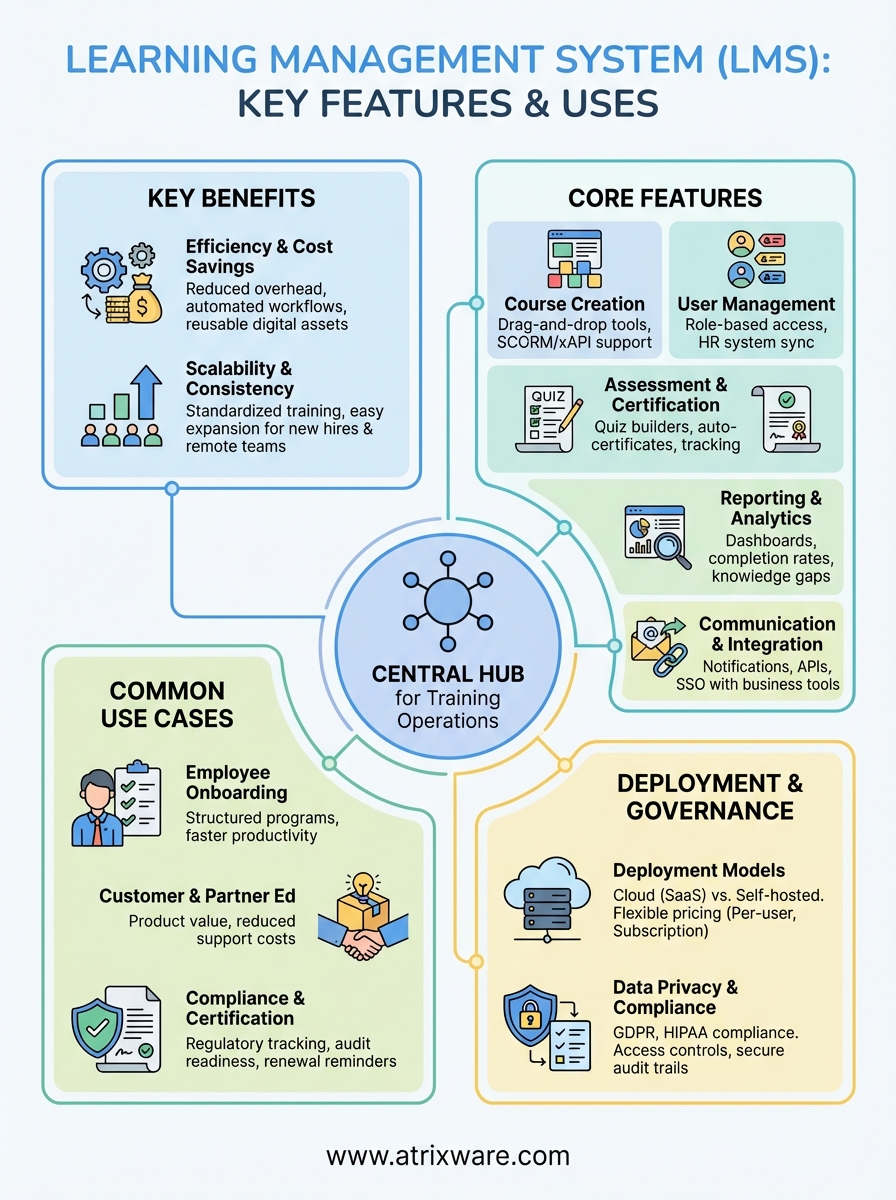
You now understand the learning management system definition as software that centralizes your training operations, automates administrative tasks, and delivers measurable results across your organization. Your LMS becomes most valuable when you match platform capabilities to specific business needs, whether that involves employee onboarding, compliance tracking, customer education, or partner training. Platform selection demands careful evaluation of deployment options, pricing models, and core features like course creation tools, reporting capabilities, and integration options with your existing systems.
Implementation success depends on clear learning objectives, thoughtful rollout strategies, and attention to governance requirements that protect learner data. Organizations that treat their LMS as a strategic business tool rather than just a content repository see the strongest returns on investment through improved training completion rates, reduced costs, and better compliance outcomes. Explore Axis LMS to discover how the right platform transforms your training programs into competitive advantages that drive business growth.
