Teachers have been combining online resources with face-to-face instruction for years, but few free platforms make it as straightforward as Khan Academy. A well-executed Khan Academy blended learning setup gives students on-demand access to lessons and practice exercises while freeing up class time for hands-on problem solving and direct support from the instructor.
The challenge? Knowing where to start. Between setting up classes, assigning the right content, and actually reading the data Khan Academy gives you, the first attempt can feel overwhelming. Most guides gloss over the practical steps, the ones that determine whether blended learning sticks or falls flat after a few weeks. This guide doesn’t do that. It walks through each stage, from initial account configuration to ongoing progress tracking, so you can build a repeatable workflow.
At Atrixware, we build Axis LMS, a platform organizations use to deliver and manage training at scale. Blended learning is core to what we do, and the principles behind a strong Khan Academy classroom setup mirror what works in corporate and professional training environments. Whether you’re an educator exploring blended models or a training professional looking for transferable strategies, this step-by-step guide will give you a clear, actionable framework to follow.
What blended learning with Khan Academy looks like
Khan Academy blended learning combines self-paced digital lessons with structured in-person instruction. Students watch short videos, complete practice problems, and receive instant feedback on their own time, while classroom sessions focus on discussion, application, and targeted support. This split model means you’re not using screen time as a substitute for teaching; you’re using it to prepare students for deeper work when you’re in the room together.
The strongest blended setups treat online practice as a foundation, not a distraction, so every in-class minute carries more weight.
The core components
Khan Academy gives you three tools that make blended instruction work on both sides of the classroom. Your students get granular video lessons they can pause and rewatch as many times as they need, plus practice exercises with step-by-step hints that guide without giving away answers. You get a teacher dashboard that surfaces exactly where each student is struggling, so no one quietly falls behind.
- Video lessons: Short, focused clips tied to specific skills students can revisit independently
- Practice exercises: Adaptive problems with built-in hints that build toward mastery
- Teacher dashboard: Real-time progress data organized by student, skill, and assignment
How time typically splits
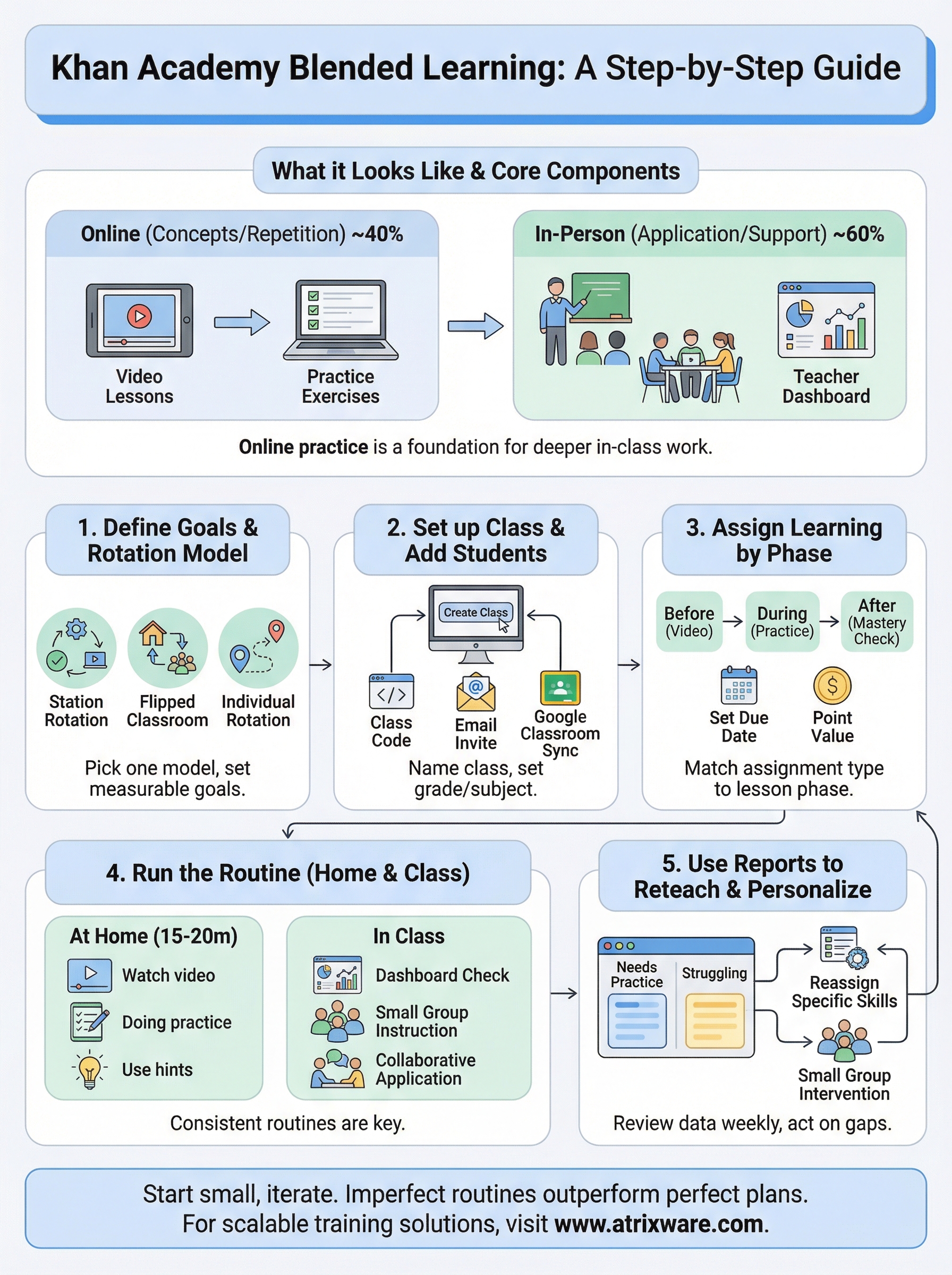
Most teachers using this approach divide instruction into two distinct phases. Online time handles initial concept exposure and repetition, giving students the flexibility to learn at their own pace before class. In-person time then shifts toward application, small-group coaching, and problem-solving that requires your direct involvement. A common starting split runs roughly 40% online and 60% in-person, though your ratio will depend on the subject, student age, and available device access.
Step 1. Define goals, time, and rotation model
Before you log into Khan Academy, decide what you want students to accomplish. Vague goals produce vague results, so get specific: do you want students to hit mastery on a particular skill set, or do you want to free up class time for higher-order problem solving? Write one measurable goal per unit before you assign anything.
Clear goals determine which content you assign and how much time you allocate online versus in-person.
Choose your rotation model
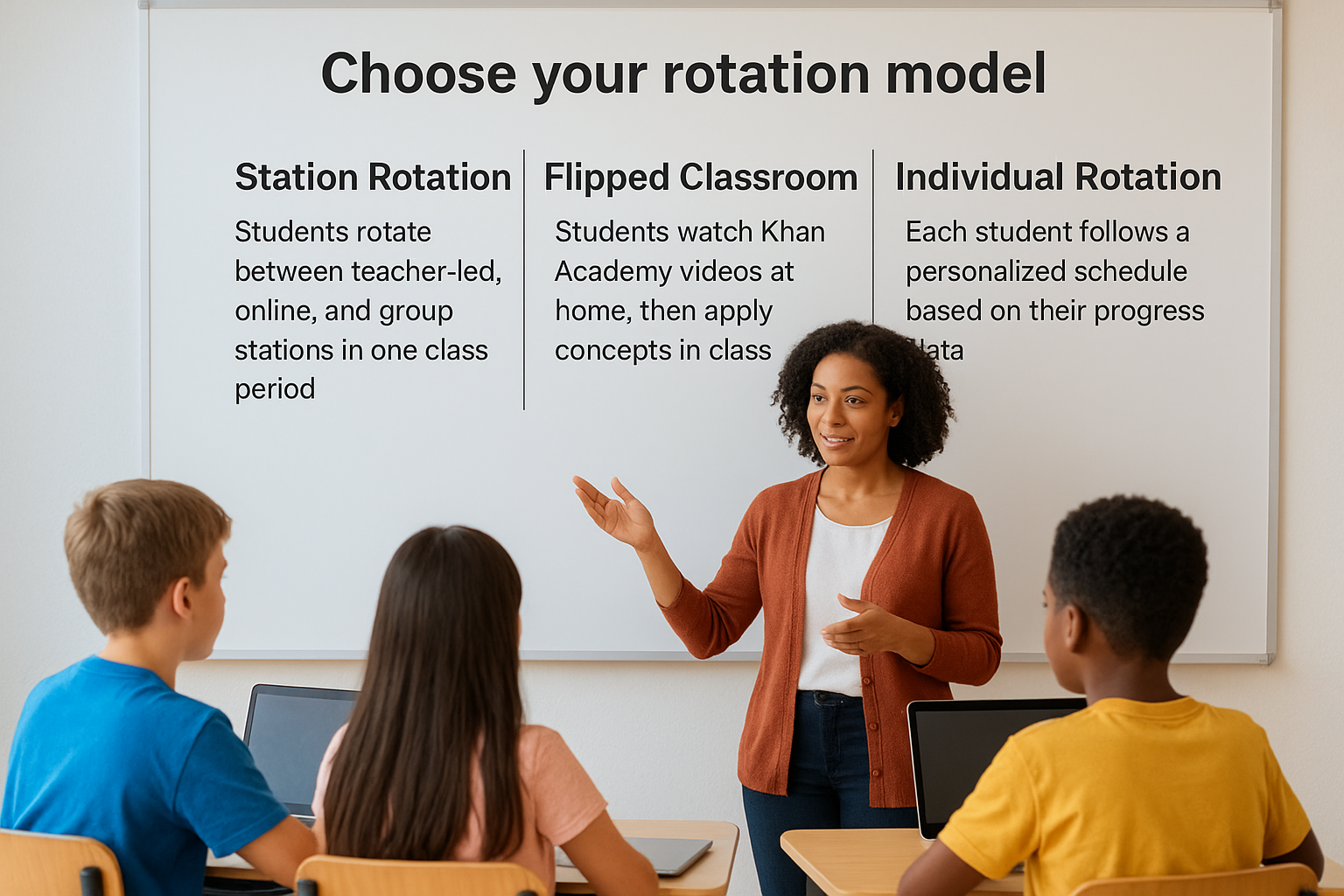
Your Khan Academy blended learning setup depends heavily on which rotation model fits your schedule. Three models work well for most classrooms:
| Model | How it works | Best for |
|---|---|---|
| Station Rotation | Students rotate between teacher-led, online, and group stations in one class period | Younger students, shorter periods |
| Flipped Classroom | Students watch Khan Academy videos at home, then apply concepts in class | Older students with device access |
| Individual Rotation | Each student follows a personalized schedule based on their progress data | Mixed-level classrooms |
Pick one model to start and run it consistently for at least four weeks before making adjustments.
Step 2. Set up your Khan Academy class
Once your rotation model is locked in, log into Khan Academy and navigate to the teacher dashboard to create your first class. Go to "Teachers" from the main menu, then select "Create a class" and give it a name that matches your course or unit. This takes under five minutes.
A well-named class makes it easier to manage multiple groups as your khan academy blended learning setup expands across subjects or grade levels.
Add students and configure your settings
Khan Academy offers three ways to get students into your class: share a class code, send email invitations, or import from Google Classroom using the built-in roster sync. The class code method works fastest for in-person groups. Once students join, set your grade level and subject under "Class settings" so Khan Academy surfaces the most relevant content when you build assignments.
- Share the class code in person or post it on your classroom platform
- Import from Google Classroom via the "Roster" tab for automatic syncing
- Set subject and grade level before you assign any content
Step 3. Assign learning that matches your lesson
With your class set up, the next move is connecting Khan Academy content directly to your current lesson plan. Open the "Assignments" tab and select "Create assignment." From there, search by skill or standard rather than browsing by topic category. This keeps your khan academy blended learning workflow tight and prevents students from getting lost in unrelated content.
Assignments work best when they reinforce exactly what you taught or plan to teach, not content three units ahead.
Match assignment type to your learning phase
Khan Academy lets you assign videos, articles, or practice exercises separately. Use that flexibility intentionally based on where students are in the unit.
| Learning phase | Assign this |
|---|---|
| Before new concept | Short explainer video |
| During practice | Skill-based exercise set |
| After instruction | Mastery challenge |
Set a due date and point value
Always set a due date when you create the assignment. Students treat ungraded, open-ended tasks as optional. Adding a point value inside your gradebook system signals that the work counts. Keep assignments focused on two to three skills maximum per session.
Step 4. Run the routine in class and at home
Once assignments are live, your daily routine determines whether your khan academy blended learning plan holds up over time. Students need a predictable structure so they know what to do at a device, and you know how to open class based on where they left off.
Consistent routines cut wasted transition time and keep both in-person and at-home work moving forward.
At-home expectations
Set a clear time expectation: 15 to 20 minutes per session, not an open-ended commitment. If students get stuck, they use the built-in hints rather than waiting until the next class to ask.
- Watch the assigned video before class
- Complete the exercise and note any skills marked "needs practice"
In-class structure
Open each session with a two-minute dashboard check, then group students by where they struggled. Spend the first block on targeted small-group instruction and the second block on collaborative application of the same skill.
Step 5. Use reports to reteach and personalize
The Khan Academy teacher dashboard turns your khan academy blended learning routine into a [data-driven cycle](https://www.training-central.net/2026/02/13/coursera-blended-learning/). After students finish assignments, open the "Progress" tab to see which skills each learner has mastered, which are in progress, and which show repeated errors. Check this data at least twice per week.
Reviewing reports regularly keeps small gaps from becoming major skill deficits.
Read the right metrics first
Focus on two columns: "Needs practice" and "Struggling". Students in the struggling column need direct intervention before your next session. Students marked "needs practice" are close to mastery and benefit from one more targeted exercise set.
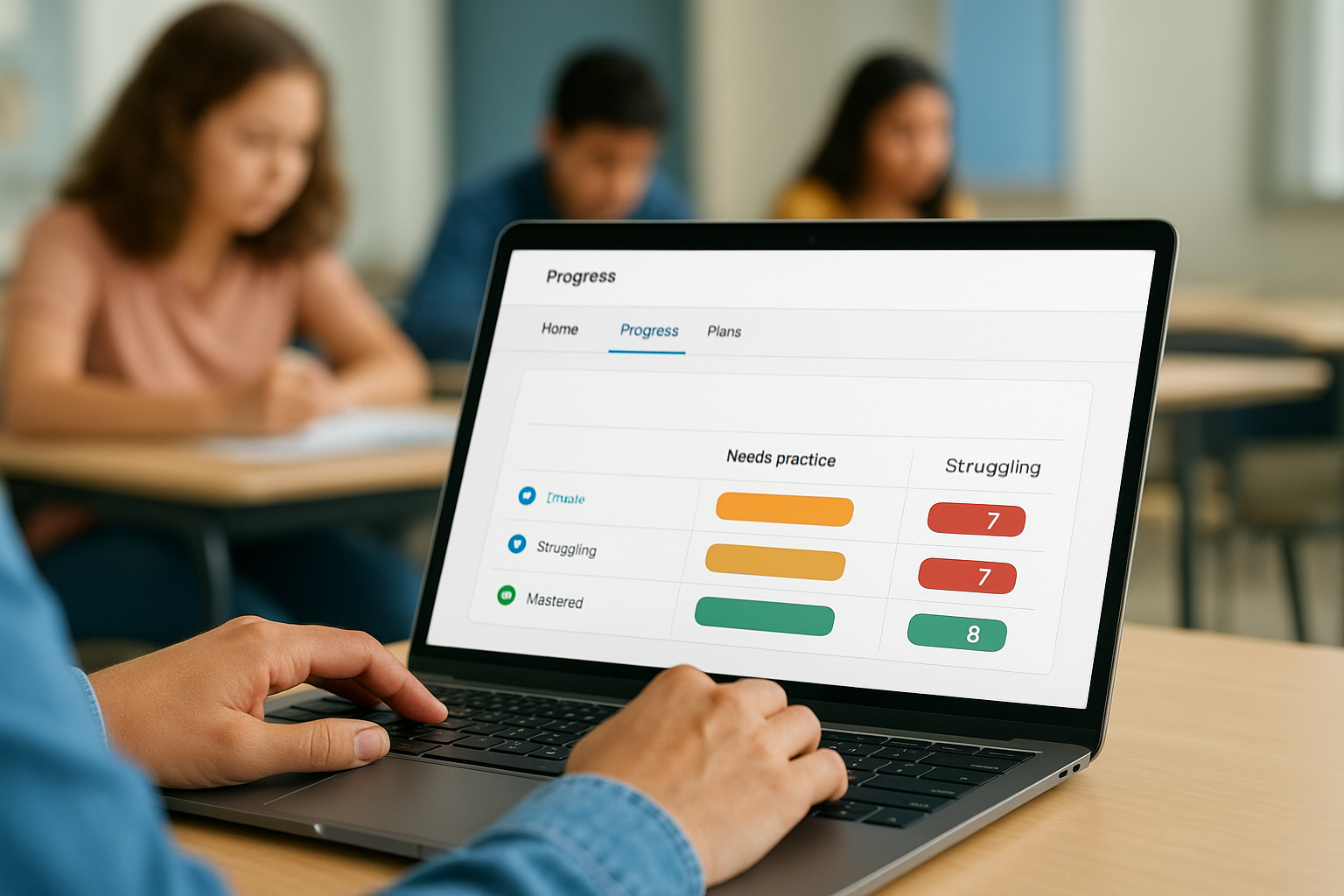
- Struggling: pull into a small group immediately
- Needs practice: reassign a focused skill exercise
- Mastered: advance to the next skill
Act on what the data shows
Reassign specific skills rather than full assignments when students fall short. Use the "Assign" button next to any skill on the progress page to send targeted practice to individual students without disrupting learners who are on track.
Schedule a five-minute review of your progress data at the start of each planning period. That one habit prevents skill gaps from compounding week after week.
Put it into action this week
You now have every piece you need to run a khan academy blended learning routine that holds up past the first week. Start small: pick one class, one rotation model, and one unit. Set up your Khan Academy class today, assign a single video and exercise set tied to your next lesson, and review the progress report after students complete the work. That first data check will tell you more about your learners than a month of guessing.
Do not wait until the setup feels perfect before you run it with students. Imperfect routines that you actually use outperform perfect plans that stay in a notebook. Run the cycle, read the reports, and adjust. Each iteration gets faster.
If your organization trains employees or customers and you want to see how a dedicated LMS handles the same blended approach at scale, take the Axis LMS admin demo for a spin and see what structured, trackable learning looks like beyond the classroom.
