You spend hours building training programs, but employees forget what they learned within weeks. Compliance deadlines slip. New hires take months to get productive. Your stakeholders question the ROI of every training dollar. You know training matters, but making it stick feels impossible when you’re juggling scattered tools, generic content, and no clear way to measure what actually works.
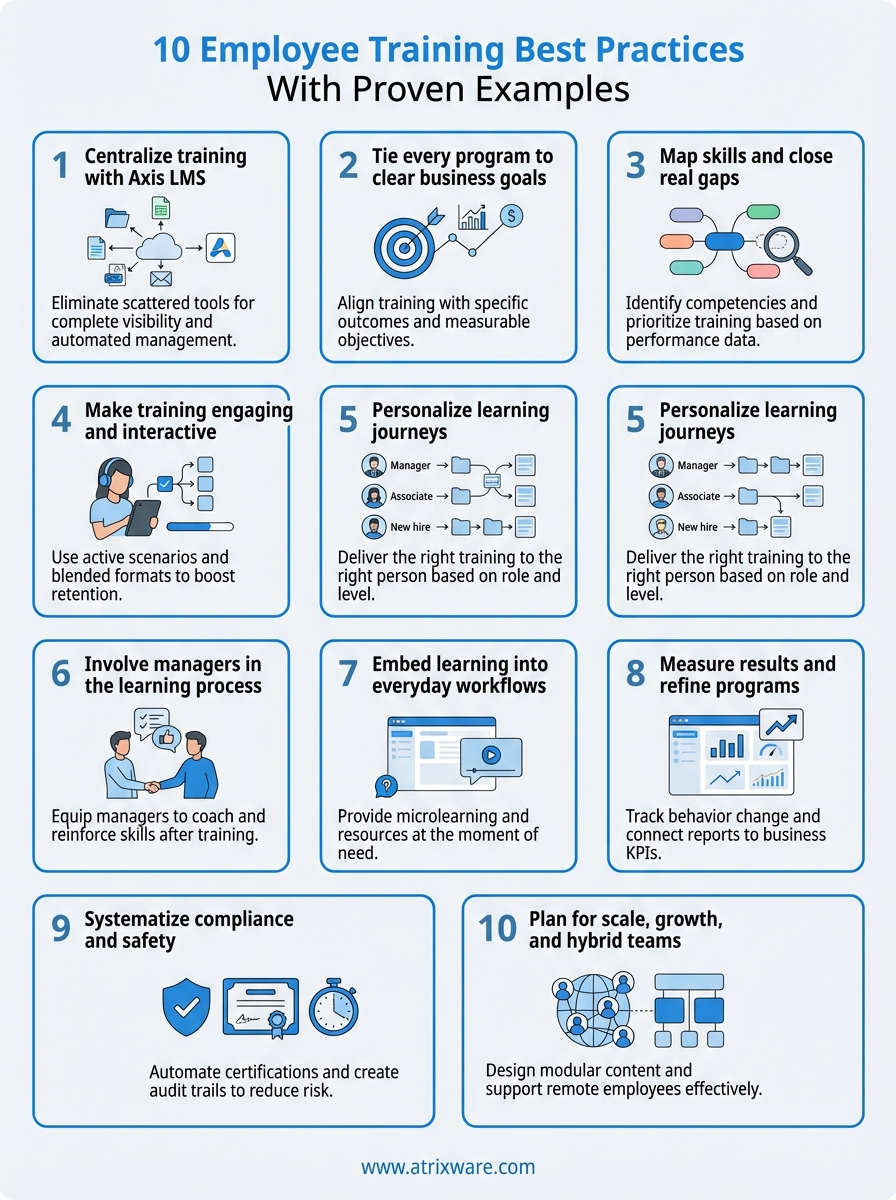
This guide walks you through 10 employee training best practices that drive real results. You’ll see how to centralize your programs, align training with business goals, and personalize learning for different roles. Each practice includes proven examples from real organizations and specific tactics you can implement immediately. Whether you’re building your first formal training program or refining an existing one, these strategies will help you boost engagement, prove impact, and scale your training without burning out your team. By the end, you’ll have a clear roadmap to transform training from a compliance checkbox into a competitive advantage.
1. Centralize training with Axis LMS
Scattered training materials cost you time, money, and results. When your onboarding guides sit in Dropbox, compliance records live in spreadsheets, and product training hides in old email attachments, you cannot track who learned what or prove training ROI. A centralized learning management system eliminates this chaos by housing every program, record, and resource in one secure platform where both learners and administrators can find what they need instantly.
Why a centralized LMS improves employee training
You gain complete visibility into every learner’s progress across all programs when you centralize training. Your team stops wasting hours searching for the latest version of a course or chasing down completion records. Automation handles reminders, retraining triggers, and certification renewals without manual follow-up, freeing your team to focus on designing better learning experiences instead of managing administrative tasks.
Centralized training systems reduce administrative overhead by up to 60% while improving completion rates.
Key Axis LMS features that enable this best practice
Axis LMS gives you a drag-and-drop course builder that lets you launch new training in minutes without technical expertise. The platform’s reporting suite automatically generates on-demand and scheduled reports that show completion rates, time spent, and assessment scores across your entire organization. You can customize the learner interface to match your brand, integrate with your existing HR and CRM systems, and enforce role-based access controls that keep sensitive compliance content secure.
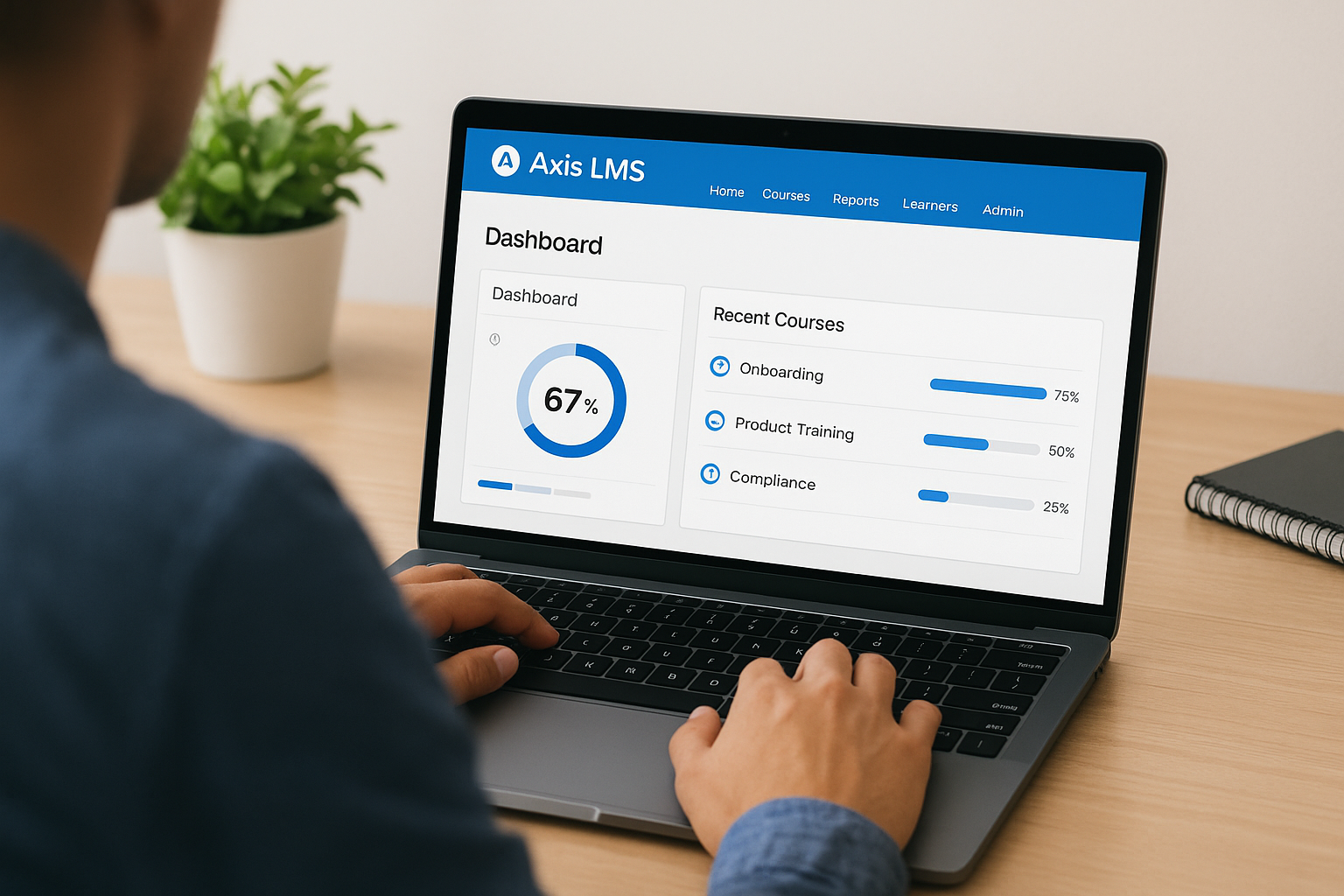
Example: unify onboarding, skills, and compliance in one system
A manufacturing company moved all training into Axis LMS and cut onboarding time from 90 days to 45 days by creating sequential learning paths that automatically unlocked each module after completion. They automated quarterly safety retraining for 800 employees, reducing missed certifications by 92%. New product launches now reach sales teams within 24 hours through the same system.
Metrics to track in your LMS for continuous improvement
Monitor completion rates by department and role to spot struggling teams early. Track time to proficiency for new hires to refine your onboarding sequence. Review assessment scores to identify knowledge gaps and content that needs updating. Compare login frequency and course engagement patterns to understand which formats work best for your learners.
2. Tie every program to clear business goals
Training disconnected from business outcomes wastes resources and loses executive support. You need to anchor every program to specific problems your organization faces, whether that means reducing customer complaints, cutting production errors, or accelerating time to quota for new sales reps. This approach transforms employee training best practices from generic skill building into strategic interventions that stakeholders can measure and value.
Start with business problems, not training topics
You should identify the performance gap or business challenge before you design a single slide. Talk to department heads about their biggest operational headaches, review quarterly metrics that missed targets, and analyze support tickets or quality issues. Document the current state and the desired future state in concrete terms so you can work backward to determine what knowledge or skills will close that gap.
Define clear, measurable learning objectives
Write objectives that describe observable behaviors or results rather than vague concepts like "understand" or "appreciate." Your objective might state that learners will "complete customer service calls with an average handle time under four minutes" or "identify and escalate security threats within company protocol." Measurable targets let you prove whether training worked and justify continued investment.
Example: reduce error rates through targeted training
A logistics company tracked a 23% error rate in warehouse order picking that cost them $180,000 annually in returns and reshipments. They built a focused training program on scanner accuracy and quality checks tied directly to this metric. Within 90 days, errors dropped to 8%, saving $110,000 and giving leadership clear proof of training ROI.
Training aligned to business metrics turns learning budgets into strategic investments instead of cost centers.
How to secure stakeholder alignment early
Present your training proposal with projected business impact rather than course features. Show leaders the cost of the current problem, the expected improvement after training, and the resources required. Schedule quarterly reviews where you share progress against the original business metrics to maintain ongoing support.
3. Map skills and close real gaps
You cannot fix performance problems if you don’t know which skills your team actually lacks. Generic training wastes time and money when employees sit through content they already know while critical gaps remain unaddressed. A skills mapping process identifies the specific competencies each role requires and compares them to what your workforce currently possesses, revealing exactly where to invest training dollars for maximum impact.
Analyze role based skills and performance gaps
Start by documenting the technical and behavioral skills each role needs to meet performance standards. Interview top performers to understand what separates them from average employees, then assess your current team against that benchmark. Look for patterns where multiple people struggle with the same task or where new hires consistently take longer to become productive.
Use data from HR and operations to focus training
Pull performance review data, quality metrics, and customer feedback to validate which gaps hurt business results most. Your HR system might show that 40% of support staff receive coaching on the same communication issue, while operations data reveals that certain teams miss deadlines because they lack project management skills. This quantitative evidence helps you prioritize which gaps to address first.
Example: close a sales skill gap with focused coaching
A software company analyzed win/loss data and discovered that deal velocity slowed during technical demos. They mapped the gap to weak product knowledge among newer account executives and built a two-week intensive covering technical architecture. Within one quarter, average deal cycles shortened by 18 days and close rates improved by 12%.
Skills mapping turns training from guesswork into precision targeting of performance gaps.
Turn your skills map into learning paths
Create sequential learning paths in your LMS that guide employees from foundational skills to advanced competencies. Assign paths based on role and current skill level so everyone gets the right training at the right time. Update your skills map quarterly as business needs evolve.
4. Make training engaging and interactive
Passive training turns employees into spectators who forget 70% of what they learned within 24 hours. You need to pull learners into active participation where they practice real skills, solve actual problems, and make decisions that mirror their daily work. Interactive training keeps attention high, builds muscle memory for critical tasks, and helps people apply new knowledge immediately instead of struggling to connect abstract concepts to their jobs weeks later.
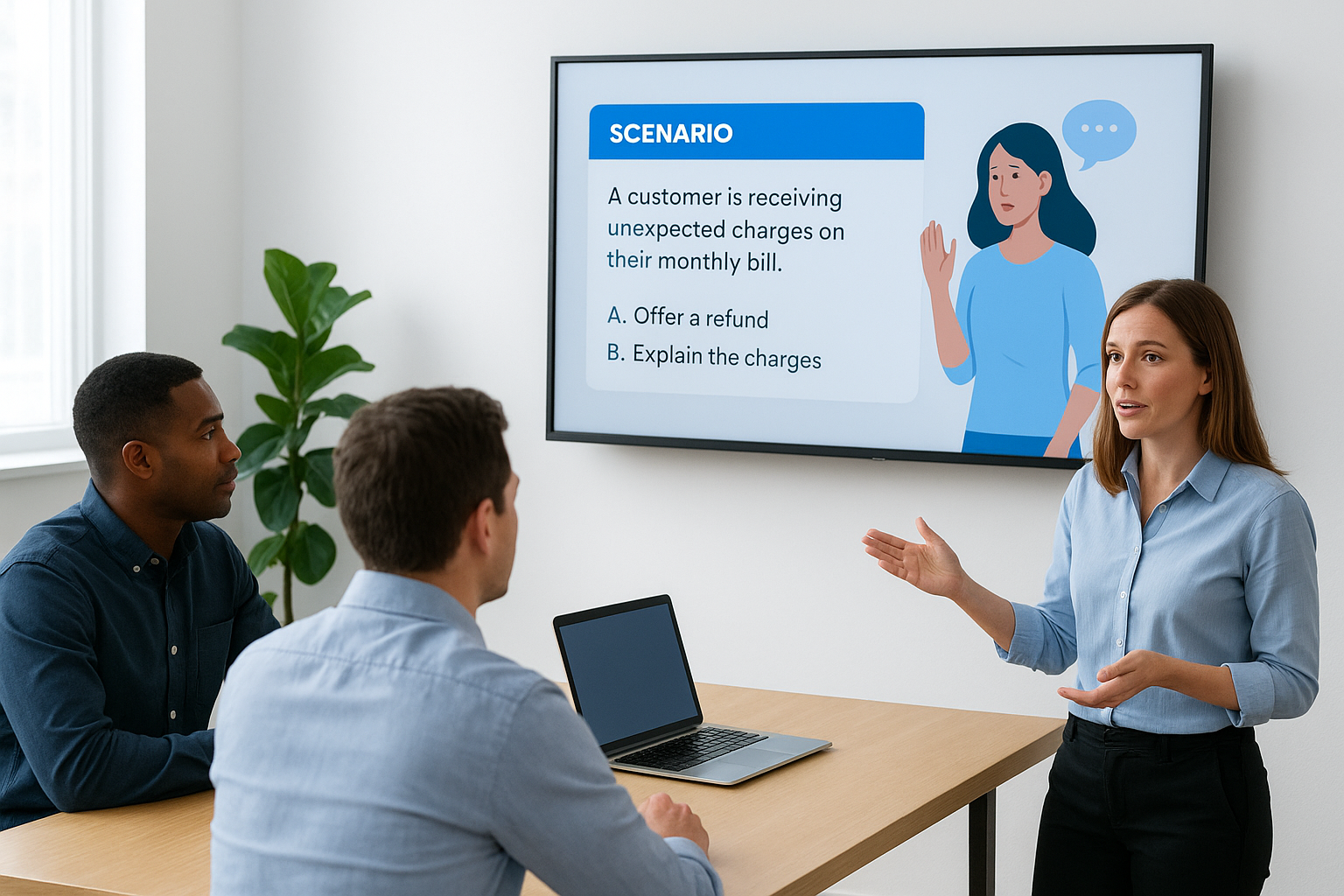
Use active learning and real work scenarios
Replace lecture slides with scenarios pulled from actual customer interactions, safety incidents, or process failures your team encounters. Ask learners to diagnose problems, choose responses, and receive immediate feedback on their choices. Branching scenarios that change based on each decision create consequences that stick in memory far better than bullet points on a screen.
Blend digital, virtual, and live training formats
Match your format to the learning objective and your workforce reality. Use self-paced digital modules for knowledge transfer and compliance content that employees can complete at their desk. Reserve virtual instructor-led sessions for complex skills that need demonstration and group practice. Bring teams together in person for hands-on technical training or team exercises where collaboration matters most.
Interactive training increases knowledge retention by 60% compared to passive content consumption.
Example: transform a slide deck into an interactive course
A financial services company replaced their 90-slide presentation on fraud detection with an interactive course where learners investigated real case files. Each case required them to identify red flags, select investigation steps, and justify their decisions. Completion rates jumped from 34% to 89%, and managers reported that staff spotted suspicious transactions faster after training.
Practical tactics to boost completion and engagement
Build in knowledge checks every three to five screens to break monotony and reinforce learning. Add gamification elements like progress bars, badges, or leaderboards that tap into natural competitiveness. Keep each module under 15 minutes so learners can fit training into their workday without blocking hours on their calendar.
5. Personalize learning journeys
One-size-fits-all training frustrates experienced employees who waste time on basics while leaving newcomers overwhelmed by advanced content. You need to deliver the right training to the right person at the right time based on their role, experience level, and current responsibilities. Personalized learning journeys respect each employee’s starting point and accelerate their path to proficiency by eliminating irrelevant content and focusing on skills that matter for their specific job.
Segment learners by role, level, and location
Create distinct learning paths for different job functions, seniority levels, and geographic locations where regulations or processes vary. Your sales team needs product knowledge and negotiation skills while your operations staff requires safety protocols and equipment training. Tag content by role and competency level in your LMS so you can automatically assign appropriate courses without manual sorting.
Automate personalized paths, reminders, and retraining
Set up enrollment rules that trigger based on job title, hire date, or performance data from your HR system. Configure your LMS to send targeted reminders before certifications expire and automatically enroll employees in refresher training when they move to new roles. This automation ensures nobody falls through the cracks while freeing your team from manual tracking.
Example: different journeys for managers and front line staff
A retail chain built separate tracks for store managers and associates. Associates received customer service fundamentals and product knowledge, completing four hours of training in their first week. Managers followed a 12-week leadership path covering scheduling, coaching, and performance management that unlocked progressively as they demonstrated competency.
Personalized learning reduces time to proficiency by 30% while increasing course completion rates.
Support self directed learning inside your LMS
Build a searchable content library where employees can find job aids, how-to videos, and optional courses when they need help. Allow learners to bookmark resources and pick up training where they left off across devices. This employee training best practices approach empowers your team to own their development.
6. Involve managers in the learning process
Training fails when managers send employees to courses and never follow up. You need direct manager involvement before, during, and after training to bridge the gap between learning and performance. Managers control whether new skills get applied on the job, so you must equip them with clear actions and simple tools that make supporting learning feel like part of their normal workflow rather than extra work piled on top of their existing responsibilities.
Clarify what managers should do before training
Give managers a pre-training brief that explains why each employee enrolled, what business problem the training solves, and what observable behaviors to expect afterward. Ask them to have a five-minute conversation with each learner about how the training connects to current projects or performance goals. This context makes training feel relevant instead of random and helps employees see the value before they start.
Equip managers to coach and reinforce after training
Provide discussion guides with three to five questions managers can ask during one-on-ones to reinforce new skills. Include job aids or quick reference cards that managers can review with their team. Train managers to recognize and praise when they see employees applying what they learned, even if execution is imperfect at first.
Manager reinforcement within 48 hours of training triples skill application rates on the job.
Example: manager check ins that boost application on the job
A healthcare organization required managers to complete a two-question check-in within one week of each employee finishing patient communication training. They tracked adherence in their LMS and saw skill application jump from 28% to 71% in teams where managers consistently held check-ins.
Measure and reward manager support for learning
Build manager support metrics into your LMS dashboard that show which leaders complete pre-briefs and follow-up conversations. Include these employee training best practices in performance reviews and recognize top-performing managers publicly.
7. Embed learning into everyday workflows
Training that sits separate from daily work gets forgotten the moment employees return to their desks. You need to weave learning into the systems and tools your team already uses every day so they can access help exactly when they need it. This approach eliminates the artificial boundary between "training time" and "work time" by delivering guidance at the point of need, reducing errors and boosting confidence without pulling people away from their responsibilities.
Deliver microlearning at the moment of need
Break complex processes into bite-sized modules that take three to five minutes to complete so employees can learn one specific task right before they need to perform it. Your LMS should let learners search for quick answers and jump directly to relevant content without navigating through entire courses. Mobile-friendly formats ensure your team can access training from the warehouse floor, retail counter, or customer site instead of waiting until they return to a desktop computer.

Create job aids, checklists, and searchable resources
Build downloadable quick reference guides that walk through common procedures step by step. Store these resources in your LMS where employees can bookmark favorites and find them through keyword search. Video tutorials under two minutes work especially well for visual tasks like equipment setup or software navigation where screenshots alone fall short.
Workplace learning embedded in daily tools reduces task completion time by 35% while cutting errors.
Example: in app guidance during a system rollout
A logistics company embedded training tooltips and walkthrough videos directly into their new routing software. Drivers accessed help without leaving the application, cutting support tickets by 64% in the first month after launch.
Reduce friction with integrations and single sign on
Connect your LMS to the tools your team uses daily through API integrations and SSO authentication so learners access training without managing another password or switching contexts. These employee training best practices make learning feel effortless rather than burdensome.
8. Measure results and refine programs
Training metrics that stop at course completion rates tell you nothing about whether employees actually changed their behavior or improved business results. You need to track performance indicators that matter to your organization and establish clear connections between what people learned and how that learning affects the work. This measurement discipline separates employee training best practices that drive ROI from programs that consume resources without delivering value.
Track behavior change, not just course completions
Monitor observable changes in how employees perform their jobs after training rather than celebrating that they finished a course. Your LMS should track completion data, but you need to measure whether customer service reps handle calls differently, sales teams close deals faster, or production workers make fewer mistakes. Observation checklists and performance metrics capture this real-world application better than quiz scores ever will.
Connect LMS reports to business KPIs
Pull data from your LMS and compare it against operational metrics like error rates, customer satisfaction scores, time to productivity, or revenue per employee. Create dashboards that show training completion alongside the business outcomes those programs aimed to improve. This direct correlation proves training value to executives who control budgets.
Organizations that tie training metrics to business KPIs secure 40% more funding for learning initiatives.
Example: show how training reduced safety incidents
A construction company tracked safety training completion in their LMS and mapped it against OSHA incident reports by crew and project. They proved that crews with 100% safety certification had 73% fewer reportable incidents, justifying increased investment in refresher training.
Use feedback loops to refine or retire content
Survey learners 30 days after training to ask what they applied on the job and where they still struggle. Review assessment data to find questions most people miss and update confusing content. Kill courses that consistently show low satisfaction and no performance improvement.
9. Systematize compliance and safety
Manual compliance tracking creates risk when certifications expire unnoticed or audit trails vanish in spreadsheet chaos. You need standardized processes that run automatically so compliance becomes a system instead of a fire drill every time regulators request documentation. A systematic approach to compliance and safety training protects your organization from penalties, lawsuits, and operational shutdowns while freeing your team from the constant anxiety of tracking hundreds of expiration dates across multiple departments.
Standardize mandatory training content and cadence
Lock down consistent training content and schedules for every regulated role so compliance requirements never vary by manager preference or location. Your LMS should enforce mandatory courses that employees cannot skip and standardize retraining intervals based on regulatory requirements rather than arbitrary timelines. Define exactly which roles require which certifications and how often renewal training must occur.
Automate certifications, expirations, and audit trails
Configure your LMS to automatically issue certificates upon course completion and trigger retraining reminders 30 days before expiration. The system should create permanent audit trails that timestamp every login, attempt, and completion without manual record keeping. This automation catches compliance gaps before they become violations.

Example: manage regulated training across departments
A pharmaceutical manufacturer used Axis LMS to manage FDA 21 CFR Part 11 compliance across 12 facilities. The system automatically enrolled new lab technicians in required GMP training and alerted supervisors when certifications neared expiration, eliminating missed renewals and passing their audit with zero findings.
Automated compliance systems reduce certification lapses by 95% while cutting administrative time in half.
Use reports to prove compliance to auditors
Generate date-stamped completion reports filtered by department, role, or certification type that auditors can review on demand. Your employee training best practices should include maintaining exportable records showing who completed what training when with full version control on course content.
10. Plan for scale, growth, and hybrid teams
Your training program that works perfectly for 50 employees in one office will break when you scale to 500 people across multiple locations and time zones. You need infrastructure and content designed for growth from day one so adding new hires, opening new sites, or acquiring another company does not force you to rebuild everything from scratch. Planning for scale means choosing flexible tools, creating modular content, and building processes that handle complexity without proportional increases in your workload.
Design content that scales across teams and sites
Build modular courses that work across departments and geographies rather than creating separate training for each location. Structure content so you can swap out specific examples or compliance sections while keeping core material consistent. Use branching logic in your LMS to show region-specific content only to learners in those locations instead of maintaining multiple course versions.
Support remote and hybrid employees effectively
Remote workers need asynchronous learning options and mobile access so they complete training from home offices or job sites without traveling to headquarters. Your LMS should support virtual instructor-led sessions with breakout rooms and chat features that replicate classroom interaction. Hybrid teams require consistent learning experiences whether employees attend training in person or join remotely.
Example: roll out a global program with virtual classrooms
A technology company launched product training across 23 countries using recorded demos with live Q&A sessions scheduled across time zones. They achieved 94% completion rates and cut travel costs by $340,000 annually while maintaining quality.
Scalable training systems reduce cost per learner by 60% as organizations grow.
Plan your training tech stack for the next three years
Choose an LMS with unlimited user capacity and robust integration capabilities that grow with your organization. Evaluate whether your current platform handles the employee training best practices you need at 3x your current size before you outgrow it.
Next steps
You now have a roadmap to implement employee training best practices that drive measurable business results. Start by choosing one or two practices that address your biggest training challenge, whether that means centralizing scattered content, personalizing learning paths for different roles, or proving ROI to skeptical stakeholders. Document your current baseline metrics so you can measure improvement after you implement changes.
The right learning management system makes every practice on this list easier to execute and scale across your organization. Axis LMS provides the centralized platform, automation capabilities, and reporting tools you need to transform training from administrative burden into strategic advantage. Explore how Axis LMS can streamline your employee training programs and request a personalized demo to see which features match your specific training challenges and growth plans.
