Your teams need training they can access from anywhere. Whether you manage remote employees, frontline workers, or hybrid teams, a mobile training solution lets people learn during downtime, between shifts, or on the go. Desktop only training creates bottlenecks and reduces completion rates. Mobile apps put learning in everyone’s pocket.
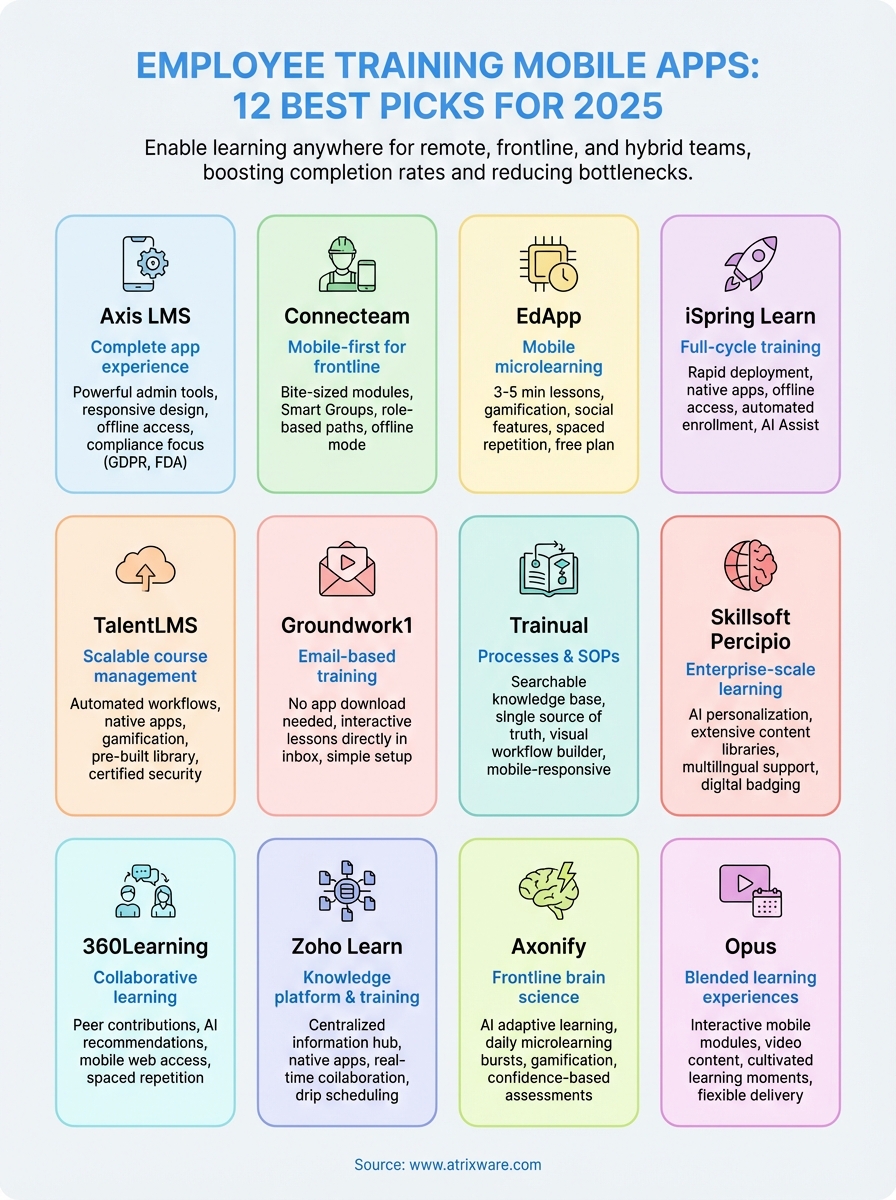
This guide reviews 12 employee training mobile apps for 2025. You’ll see what makes each platform unique, from drag and drop course builders to gamification features and offline access. We cover pricing (including free options), standout capabilities, and who each solution works best for. Whether you need compliance tracking, microlearning modules, or full LMS functionality on mobile devices, you’ll find options that match your requirements and budget.
1. Axis LMS employee training app
Axis LMS delivers a complete employee training mobile app experience that puts your courses directly in learners’ hands. The platform combines an intuitive mobile interface with powerful administration tools, letting you build training programs that work across devices without compromising functionality. Your teams access the same rich learning experience whether they’re at their desk or checking modules during their commute.
Mobile training overview
The mobile experience mirrors the full platform capabilities you get on desktop. Learners complete courses, watch videos, take assessments, and track their progress from any smartphone or tablet. Real-time synchronization ensures that completion data, quiz scores, and certifications update instantly across all devices. You don’t need separate mobile content because the responsive design automatically adjusts your existing courses for smaller screens. Offline access lets employees download materials before entering low-connectivity zones like warehouses, job sites, or remote locations.
Axis LMS standout features
Your training administrators benefit from the drag-and-drop course builder that creates professional modules without technical skills. The reporting suite generates detailed analytics on learner engagement, completion rates, and assessment performance. Automated workflows handle enrollment, reminders, certification renewals, and compliance deadlines without manual intervention. Integration capabilities connect your LMS with existing HR systems, CRM platforms, and business tools through REST API and webhooks. White-label branding transforms the interface to match your company’s visual identity, creating a seamless experience that reinforces your brand at every touchpoint.
The platform’s compliance features specifically address regulatory requirements like GDPR and FDA 21 CFR Part 11, making it suitable for heavily regulated industries.
Who Axis LMS is best for
Organizations needing scalable training solutions across multiple departments and locations find value in this platform. HR managers running employee onboarding programs use it to standardize training delivery. Compliance officers rely on the automated tracking and audit trails for regulatory documentation. Companies with distributed workforces appreciate the mobile-first approach that reaches field teams, remote workers, and frontline employees equally well.
Axis LMS pricing and plans
Axis LMS offers custom pricing based on your organization’s size and feature requirements. You can request a demo to see the platform in action and discuss pricing options that match your training needs and budget. The vendor provides implementation support and ongoing customer service as part of enterprise packages.
2. Connecteam employee training app
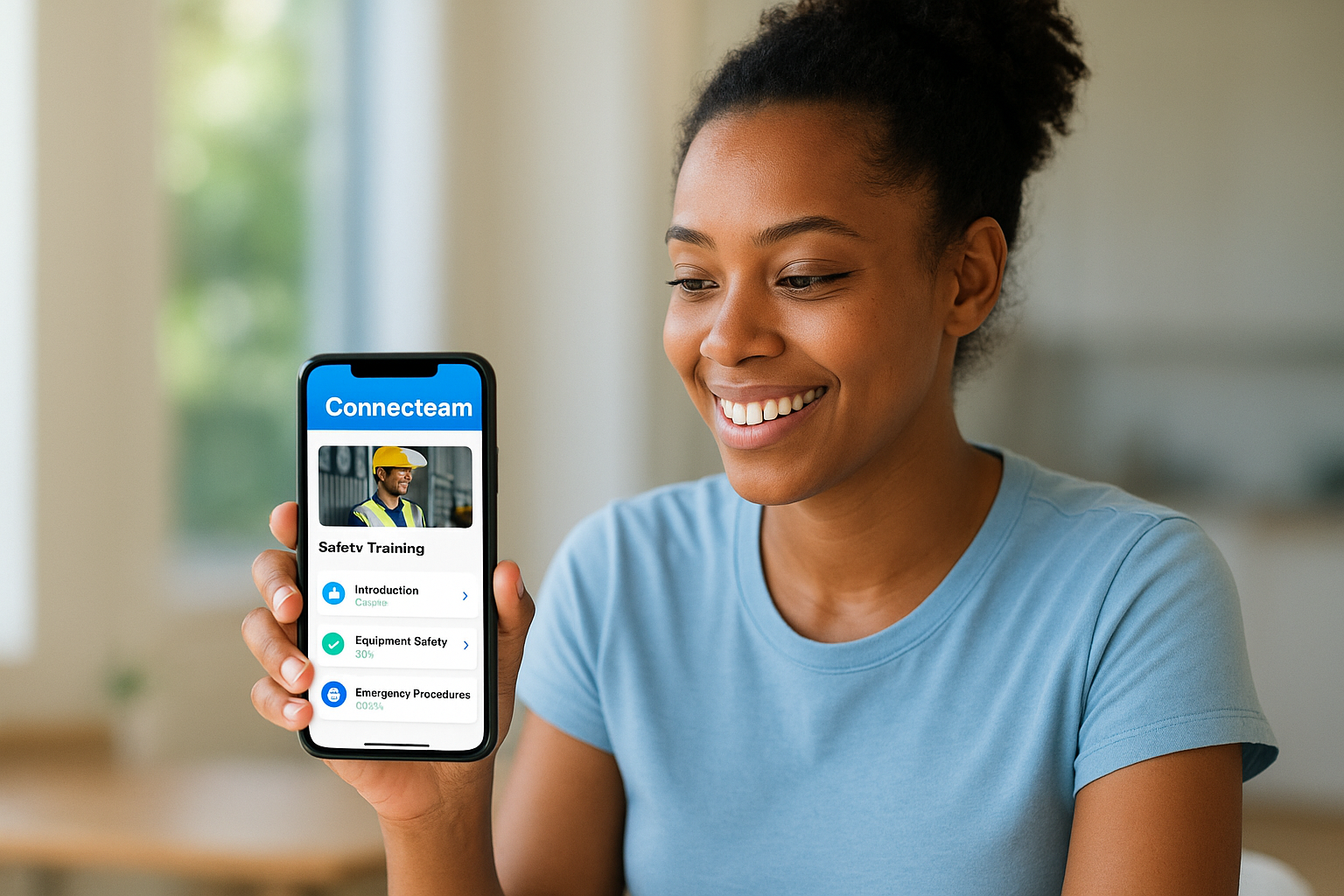
Connecteam prioritizes mobile-first design specifically for frontline and deskless workers who need training accessible from their phones. The platform delivers bite-sized learning modules that fit into busy work schedules, whether your teams work in retail, hospitality, construction, or healthcare. You can build courses, assign them by role or location, and track completion without chasing employees manually. The system automatically ties training to compliance records, giving you audit-ready documentation whenever regulators come calling.
Mobile training overview
Your employees access their training through native iOS and Android apps designed for quick completion during shifts. The offline mode downloads course materials to their devices, letting workers complete modules in areas with poor connectivity like job sites, warehouses, or rural locations. All progress syncs automatically once they reconnect to wifi or cellular data. Videos, quizzes, and step-by-step instructions load smoothly on smaller screens without requiring desktop access. Training integrates with other daily workflows like time tracking and task assignments, keeping everything in one place.
Connecteam standout features
The Smart Groups feature automatically enrolls employees in relevant training based on their job title, department, location, or shift patterns. You set the criteria once and new hires get assigned appropriate courses without manual intervention. Role-based learning paths create customized training sequences that match each employee’s responsibilities and career progression. Progress dashboards show individual and team completion status at a glance, helping you identify knowledge gaps or overdue compliance requirements. Push notifications remind learners about pending assignments and upcoming certification deadlines.
Offline training mode makes Connecteam particularly valuable for industries where reliable internet access isn’t guaranteed throughout the workday.
Who Connecteam is best for
Companies with mobile or shift-based workforces benefit most from this employee training mobile app. Retail managers use it to standardize onboarding and product knowledge across multiple store locations. Construction companies deliver safety training and equipment certifications directly to field crews. Healthcare facilities maintain compliance training records for nurses and staff who work rotating schedules. Small businesses appreciate the free-for-life tier that supports basic training needs without monthly fees.
Connecteam pricing and plans
The platform offers a free plan with limited features for small teams testing mobile training delivery. Paid plans start at $29 per month when billed annually, scaling based on user count and feature access. You get a 14-day free trial to test the full platform before committing. Enterprise packages include advanced reporting, custom integrations, and dedicated support for organizations with complex training requirements.
3. EdApp mobile microlearning platform
EdApp builds microlearning experiences designed specifically for mobile devices, putting training completion ahead of feature complexity. The platform focuses on short, engaging lessons that employees actually finish, using game mechanics and interactive templates to maintain attention. Your learners get bite-sized modules that fit into breaks, commutes, or downtime between tasks. The forever-free plan makes this employee training mobile app accessible to organizations testing mobile learning without upfront costs.
Mobile training overview
Your employees access training through native mobile apps that work on iOS and Android devices. The offline mode downloads courses directly to smartphones, letting workers complete lessons without internet connectivity. This matters in warehouses, retail floors, construction sites, or any location with unreliable wifi. Lessons typically run three to five minutes, keeping engagement high and completion rates up. Interactive elements like drag-and-drop exercises, multiple-choice questions, and matching challenges replace passive video watching with active participation.
EdApp standout features
The platform delivers gamification elements including points, badges, leaderboards, and rewards that create friendly competition between team members. Social learning features let employees connect through chat, comments, polls, and peer reviews, building community around training content. You access a pre-built course library covering business skills, compliance topics, health protocols, and languages. Push notifications remind learners about pending assignments and new content releases. Spaced repetition automatically reinforces key concepts over time, improving knowledge retention beyond initial course completion.
EdApp’s focus on microlearning makes it particularly effective for reducing training time while maintaining comprehension and practical application.
Who EdApp is best for
Organizations with frontline workers who need quick, accessible training benefit most from this platform. Retail chains use it to train store associates across multiple locations. Hospitality companies deliver service standards and menu updates to restaurant staff. Healthcare facilities maintain compliance training for nurses and support staff. Companies wanting to test mobile learning without financial commitment appreciate the free tier that includes unlimited learners and courses.
EdApp pricing and plans
EdApp offers a forever-free plan with core microlearning features and unlimited users. The paid tier costs $2.95 per active user monthly, adding advanced reporting, integrations, and premium support. You determine monthly costs based on employees who actually engage with content, not total account registrations. The platform lacks SCORM compliance, which may limit integration with traditional LMS systems requiring standardized tracking protocols.
4. iSpring Learn LMS and mobile app
iSpring Learn combines full-cycle training capabilities with a mobile app that works smoothly on smartphones and tablets. The platform delivers your complete training program from onboarding through continuous development, letting employees access courses through browser-based interfaces or native mobile apps. You get rapid deployment without heavy IT involvement, making it practical for organizations that need training up and running quickly. The system handles enrollment automation, progress tracking, and certification management while maintaining consistent user experience across all devices.
Mobile training overview
Your learners access training through native iOS and Android apps that support offline learning for work environments with inconsistent connectivity. Downloaded modules stay available on their devices, syncing progress automatically when internet connection returns. The mobile interface maintains full functionality including course navigation, video playback, quiz completion, and certificate downloads. Push notifications keep employees informed about new assignments, upcoming deadlines, and course completions. You configure automated enrollment rules that assign training based on department, job title, or location, eliminating manual course distribution.
iSpring Learn standout features
The platform includes a built-in course library with ready-made training content covering common business topics, compliance requirements, and professional skills. You create courses directly in the system using AI Assist for faster content development, or import existing materials from PowerPoint presentations and documents. White-label branding applies your company logo, colors, and custom domain across the entire learning portal. Development plans combine courses, assessments, and on-the-job tasks into structured growth paths that guide employees through skill advancement. The knowledge base feature centralizes SOPs, product documentation, and internal resources with granular access controls.
The combination of automated enrollment and native mobile apps makes iSpring Learn particularly effective for organizations rolling out training to dispersed teams quickly.
Who iSpring Learn is best for
HR and learning teams needing rapid training deployment across multiple locations benefit from this employee training mobile app. Companies with remote workers appreciate the offline mobile access that supports learning without constant connectivity. Organizations requiring compliance tracking use the automated reminders and completion reports for audit documentation. Businesses wanting branded training portals find value in the customization options that maintain company identity throughout the learning experience.
iSpring Learn pricing and plans
iSpring Learn starts at $3.58 per user monthly when billed annually. You get a 30-day free trial to test the platform with your actual training content and learners. The pricing includes mobile apps, course creation tools, automated workflows, and standard integrations. Custom enterprise packages add advanced features, dedicated support, and implementation assistance for larger deployments.
5. TalentLMS mobile training app
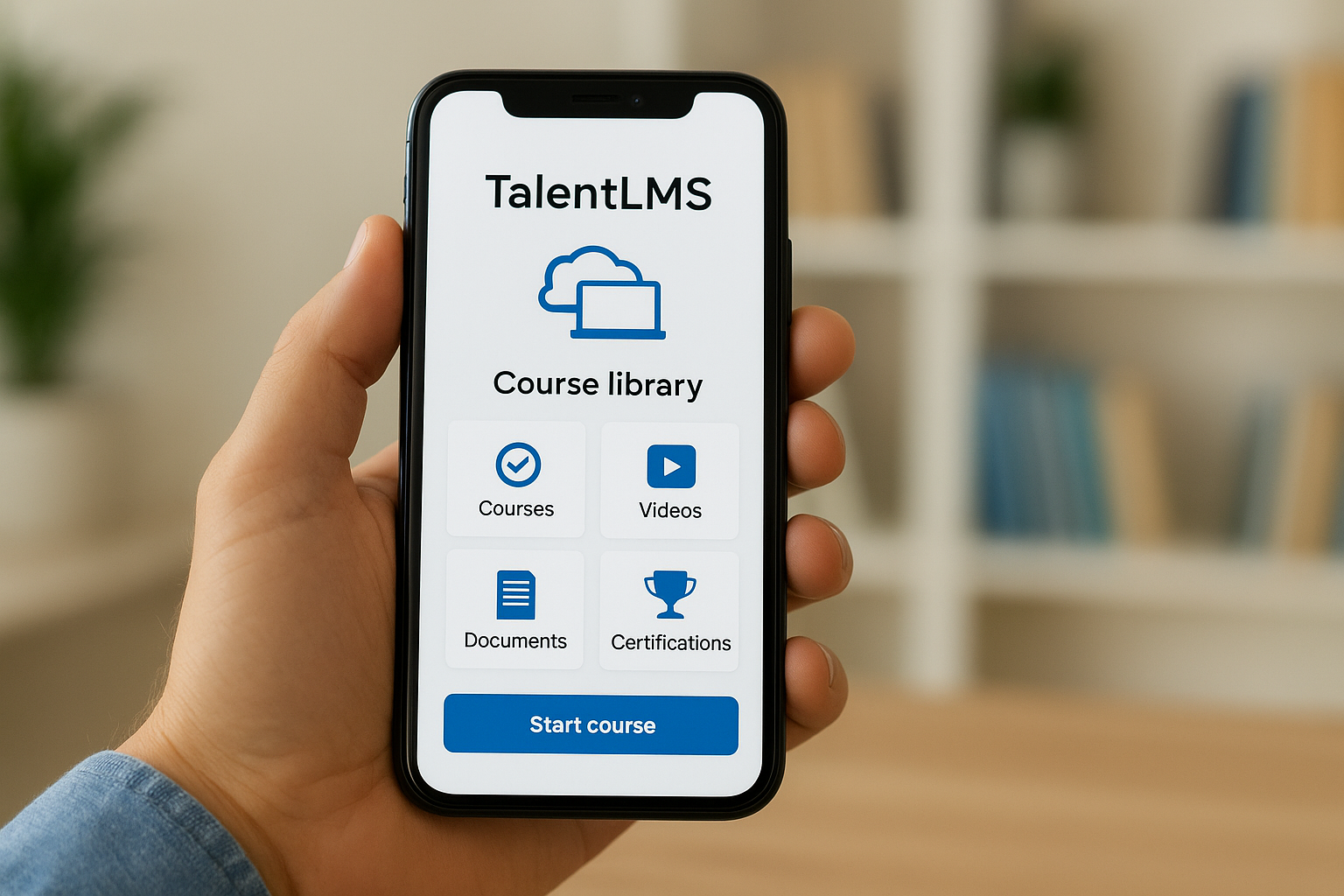
TalentLMS serves over 70,000 teams worldwide with a mobile training solution that balances automation with accessibility. The platform delivers course management capabilities that scale from small startups to enterprise organizations, letting you automate enrollment, reminders, and tracking workflows that previously consumed hours of administrative time. Your teams access their training through native mobile apps while you monitor progress through reporting dashboards that surface completion rates and knowledge gaps. The combination of ready-made content and custom course creation tools makes this employee training mobile app practical for quick deployment.
Mobile training overview
Your learners download native apps for iOS and Android devices that provide full course access with offline capabilities. Training modules stay available on their smartphones even when internet connectivity drops, syncing progress automatically once they reconnect. The interface adapts course materials to smaller screens without losing functionality, letting employees watch videos, complete quizzes, and earn certificates from anywhere. Automated workflows handle course assignments based on job roles, departments, or hire dates, reducing manual distribution work. Push notifications remind learners about pending assignments, upcoming deadlines, and new content releases without requiring constant administrative oversight.
TalentLMS standout features
The platform includes a pre-built course library covering common business skills, compliance topics, and professional development areas. You create custom courses using a straightforward builder that supports videos, documents, SCORM files, and interactive assessments. Gamification elements like points, badges, and leaderboards encourage participation and friendly competition between team members. Security features include ISO/IEC 27001:2022 and GDPR certification, protecting learner data through industry-standard protocols. Integration options connect your training data with HR systems, CRM platforms, and business tools through APIs and third-party connectors.
TalentLMS users report significant time savings through automation, with some organizations eliminating dozens of hours previously spent on manual training administration.
Who TalentLMS is best for
Organizations wanting quick training deployment without extensive technical setup benefit from this platform. Small businesses use the free tier to test mobile learning with limited user groups before scaling up. Companies needing compliance documentation rely on the reporting features for audit trails and certification tracking. HR teams managing onboarding across multiple locations appreciate the automated enrollment that standardizes training delivery regardless of geography.
TalentLMS pricing and plans
TalentLMS offers a free plan supporting up to 10 users, providing full platform access for small teams or pilot programs. Paid plans start at $69 monthly when billed annually, with pricing scaling based on learner count and feature requirements. You get access to mobile apps, course creation tools, and standard integrations across all tiers. Enterprise packages add advanced reporting, custom branding, and dedicated support for larger deployments.
6. Groundwork1 email based training
Groundwork1 delivers training directly through email instead of requiring separate app downloads or platform logins. This employee training mobile app eliminates access barriers by bringing courses to the tool your employees already check multiple times daily. You create interactive lessons with multimedia content and send them as personalized emails that learners complete right in their inbox. The approach works particularly well for teams that resist adopting new software or struggle with password management across multiple systems.
Mobile training overview
Your learners receive training modules as formatted emails containing videos, images, text, and quizzes. They click personalized links embedded in each message to track their progress automatically without logging into separate platforms. The email-based delivery reaches employees on any device with email access, including smartphones, tablets, and desktop computers. Progress tracking happens behind the scenes through those unique links, recording when employees watch videos, complete quizzes, or interact with training elements. All engagement data flows into centralized dashboards where you monitor completion rates and knowledge retention.
Groundwork1 standout features
The drag-and-drop lesson designer lets you build professional training content quickly using templates and multimedia formats. You customize learning paths based on each employee’s role, skill level, and progress, creating personalized development sequences that adapt to individual needs. Automated tracking captures engagement metrics in real time, generating reports you export for analysis or compliance documentation. Custom branding options apply your company logo, colors, and visual identity to training materials, maintaining professional consistency throughout the learning experience.
Email-based delivery eliminates the adoption friction typical of standalone training apps, meeting employees where they already spend time daily.
Who Groundwork1 is best for
Organizations wanting simple training delivery without complex LMS infrastructure benefit from this approach. Small businesses appreciate the straightforward setup that doesn’t require IT support or technical training. Companies with distributed workforces use email delivery to reach remote employees, field teams, and contractors who access different systems throughout their day. Teams experiencing low engagement with traditional learning platforms find that inbox-based training increases completion rates.
Groundwork1 pricing and plans
Groundwork1 offers a free plan supporting up to 5 users, letting small teams test email-based training delivery. Paid plans start at $1.50 per user monthly, scaling based on your organization size and feature requirements. You access the lesson designer, progress tracking, and custom branding across all tiers.
7. Trainual processes and SOP training
Trainual specializes in documenting processes and standard operating procedures that become searchable, trackable training content. This employee training mobile app transforms your company’s institutional knowledge into structured courses that new hires and existing employees access from any device. You build playbooks covering everything from customer service scripts to equipment maintenance protocols, creating a single source of truth for how your business operates. The platform scales these documented processes into training programs that maintain consistency as your team grows.
Mobile training overview
Your teams access training through mobile-responsive interfaces that work on smartphones, tablets, and desktop browsers without requiring separate app downloads. Employees search your knowledge base, complete assigned courses, and reference SOPs directly from their phones during actual work scenarios. Real-time updates push changes to everyone simultaneously when you modify procedures or policies, ensuring your entire organization works from current information. Progress tracking monitors who has reviewed updated content and completed required training modules.
Trainual standout features
The visual workflow builder lets you document multi-step processes with screenshots, videos, and detailed instructions that employees follow exactly. You assign training based on roles, departments, or locations, automatically enrolling new hires into relevant onboarding sequences. Version control maintains historical records of process changes, creating audit trails for compliance purposes. Testing features verify comprehension through quizzes and knowledge checks embedded throughout your training content. Integration capabilities connect your documented processes with existing business tools and HR systems.
Trainual’s focus on process documentation makes it particularly valuable for businesses wanting to standardize operations while training employees simultaneously.
Who Trainual is best for
Companies experiencing rapid growth use this platform to maintain operational consistency across expanding teams. Franchises and multi-location businesses document procedures once and deploy them everywhere. Organizations with complex workflows benefit from the structured approach to knowledge management and training delivery.
Trainual pricing and plans
Trainual offers custom pricing based on your team size and feature requirements. You can request a demo to explore the platform and discuss pricing options that match your documentation and training needs.
8. Skillsoft Percipio mobile learning
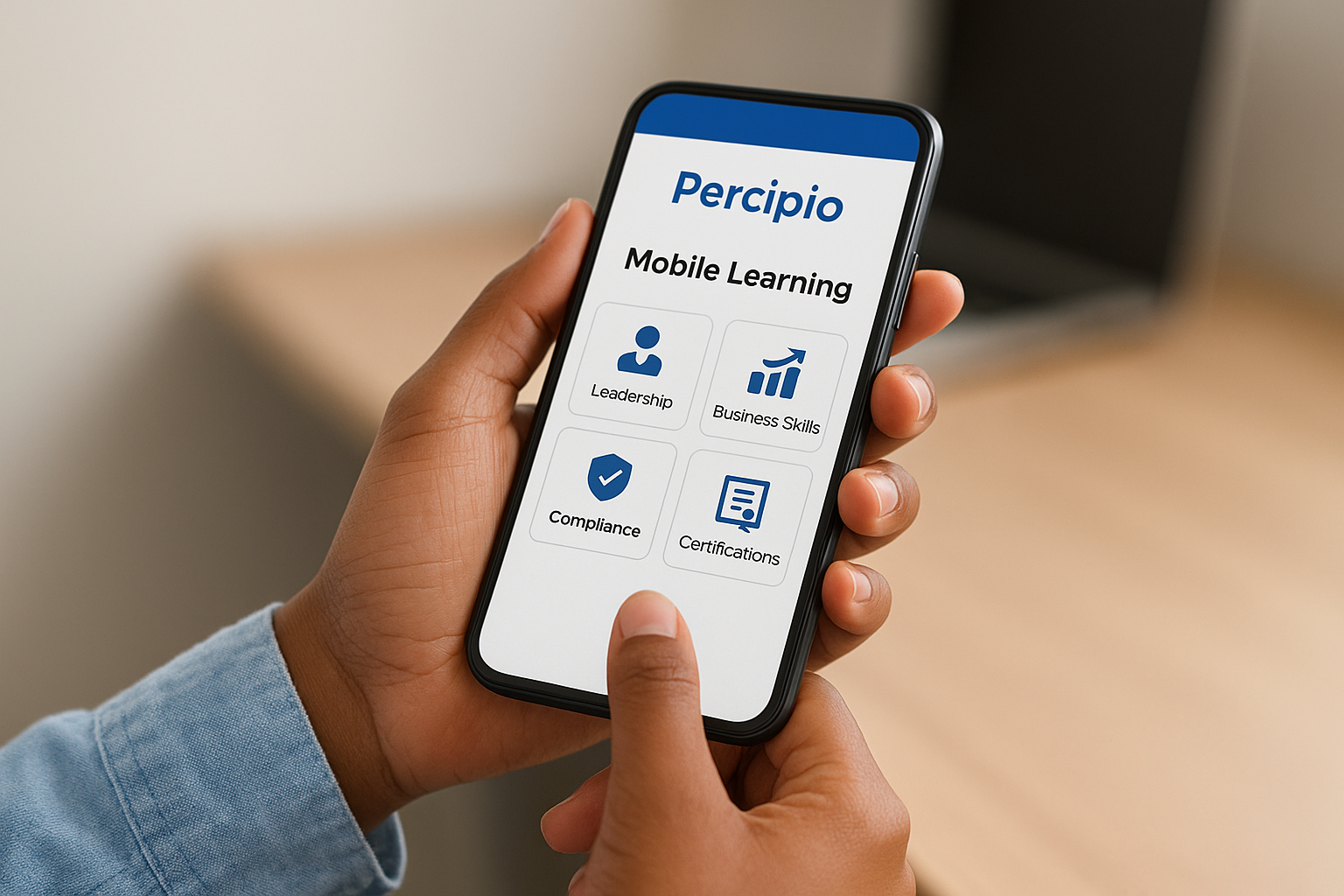
Skillsoft Percipio delivers enterprise-scale training through a mobile-optimized platform designed for organizations with global workforces and diverse learning needs. This employee training mobile app combines AI-powered personalization with extensive content libraries covering leadership development, business skills, compliance, and technical certifications. The platform adapts to individual learner preferences and skill gaps, creating customized learning paths that match career goals and organizational priorities. Your employees access thousands of courses through mobile interfaces that support learning during commutes, breaks, or any moment when professional development fits their schedule.
Mobile training overview
Your learners access training through mobile-responsive interfaces that work across smartphones, tablets, and desktop devices without separate native app requirements. The platform delivers in-app translations covering 29 languages, making content accessible to international teams without creating separate regional training programs. Courses sync progress across devices automatically, letting employees start lessons on their phone and finish them later on a laptop. Personalization algorithms recommend relevant content based on each person’s role, completed courses, and skill assessment results, reducing time spent searching for appropriate training materials.
Skillsoft Percipio standout features
The AI recommendation engine analyzes learning patterns and suggests courses that fill knowledge gaps or advance career development. Digital badging recognizes skill achievements with shareable credentials that employees display on professional profiles and resumes. Content libraries span technical certifications, soft skills, compliance requirements, and leadership development from recognized industry experts. Video-based microlearning delivers bite-sized lessons that fit mobile consumption patterns. Analytics dashboards track engagement metrics, completion rates, and skill progression across your entire organization.
The combination of AI personalization and multilingual support makes Skillsoft Percipio particularly effective for large organizations operating across multiple countries and industries.
Who Skillsoft Percipio is best for
Enterprise organizations with complex training requirements benefit from this platform’s breadth and depth. Companies needing leadership development programs use the extensive management and executive training libraries. Multinational corporations appreciate the multilingual capabilities that standardize training delivery across regions. Industries with ongoing certification requirements rely on the technical skills courses that maintain professional credentials.
Skillsoft Percipio pricing and plans
Skillsoft Percipio offers a free plan with limited access to test the platform’s capabilities. Paid plans use custom pricing based on your organization size, content library needs, and feature requirements. You contact Skillsoft directly to discuss enterprise packages that match your training scope and budget constraints.
9. 360Learning collaborative LMS app
360Learning emphasizes collaborative learning experiences that go beyond traditional course delivery. This employee training mobile app builds training programs around peer contributions, role-based paths, and AI-powered content recommendations that adapt to learner needs. You create knowledge-sharing environments where employees learn from subject matter experts across your organization, not just from centrally created materials. The platform combines social learning mechanics with structured courses, making it practical for organizations that want to tap internal expertise while maintaining training consistency.
Mobile training overview
Your teams access training through mobile-responsive web interfaces that work on smartphones and tablets without requiring native app downloads. The mobile experience handles core functionality including course enrollment, content review, discussion participation, and quiz completion. Spaced repetition algorithms automatically resurface key concepts at optimal intervals, improving long-term retention beyond initial course completion. You track learner progress and engagement metrics across all devices through unified dashboards that show who needs follow-up and where knowledge gaps exist.
360Learning standout features
The peer learning system lets subject matter experts across your organization contribute training content and answer questions in real time. AI algorithms personalize learning paths based on each employee’s role, completed courses, and assessment performance, directing them toward relevant content automatically. Automated recurring training schedules compliance refreshers and certification renewals without manual intervention, maintaining regulatory requirements as deadlines approach. Interest groups and discussion forums build communities around specific topics, encouraging knowledge sharing beyond formal course structures.
The collaborative approach transforms employees from passive content consumers into active contributors who build and improve your training library continuously.
Who 360Learning is best for
Organizations with distributed expertise benefit from the collaborative features that capture knowledge from multiple sources. Companies wanting to reduce content creation burden use peer contributions to scale training development beyond L&D teams. Businesses needing social engagement alongside structured courses find value in the community-building features.
360Learning pricing and plans
360Learning starts at $8 per user monthly for standard features including collaborative tools, AI personalization, and automated workflows. You contact their sales team for custom enterprise pricing that matches your organization size and specific requirements.
10. Zoho Learn knowledge platform
Zoho Learn functions as a knowledge management system that doubles as an employee training mobile app, combining course delivery with documentation, discussions, and collaborative learning. The platform creates a centralized information hub where your teams access training courses, reference materials, and community discussions from any device. You build courses alongside knowledge bases that employees search when they need instant answers during actual work. This dual approach works well for organizations wanting training and performance support in one unified system.
Mobile training overview
Your learners access training through native iOS and Android apps that deliver full functionality beyond basic course viewing. Employees enroll in courses, submit assignments, participate in discussions, and receive feedback directly from their smartphones. The mobile interface handles real-time collaboration including comments, questions, and peer interactions that build community around learning content. Push notifications keep teams informed about new assignments, discussion replies, and course updates without constant manual checking. All engagement data syncs automatically across devices, letting employees start learning on mobile and continue later on desktop.
Zoho Learn standout features
The drag-and-drop course builder creates training modules using videos, documents, quizzes, and interactive elements without requiring technical skills. Drip scheduling releases course content gradually over time, preventing information overload while maintaining engagement momentum. Discussion boards and feedback loops encourage continuous improvement as learners ask questions and share insights directly within courses. Analytics dashboards track completion rates, assessment scores, and engagement patterns across your entire organization. Integration options connect your training data with other Zoho products and external business tools.
The combination of knowledge management and structured courses makes Zoho Learn particularly effective for creating single sources of truth that support both learning and daily work reference.
Who Zoho Learn is best for
Organizations wanting integrated knowledge bases alongside training courses benefit from this dual-purpose platform. Small to mid-sized companies appreciate the straightforward setup that doesn’t require dedicated IT resources. Teams experiencing information silos use the centralized system to improve knowledge accessibility and cross-department collaboration.
Zoho Learn pricing and plans
Zoho Learn offers pricing based on your organization size and feature requirements. You contact their sales team directly to discuss packages that match your knowledge management and training needs.
11. Axonify frontline training app
Axonify applies brain science and AI-powered adaptive learning to create an employee training mobile app specifically designed for frontline workers. The platform delivers daily microlearning sessions that take three to five minutes, fitting training into busy work schedules without pulling employees off the floor for extended periods. You reinforce critical knowledge through spaced repetition and gamification mechanics that maintain engagement while improving long-term retention. The system adapts to each learner’s knowledge gaps, delivering personalized content that focuses on areas where individual employees need the most support.
Mobile training overview
Your frontline teams access training through mobile apps that integrate seamlessly into their daily routines. The platform delivers quick daily training bursts that employees complete at the start of shifts, during breaks, or between tasks. Adaptive algorithms adjust question difficulty and content focus based on each person’s performance, creating personalized learning paths that address specific knowledge gaps. Gamification elements including points, badges, and leaderboards transform training from mandatory compliance into engaging competition. Push notifications remind learners about daily sessions without requiring manager oversight.
Axonify standout features
The AI-driven personalization engine analyzes individual performance data and delivers targeted content that fills specific knowledge gaps. Brain science principles guide the spaced repetition algorithms that resurface important concepts at optimal intervals for maximum retention. Real-time analytics dashboards show you exactly which employees master required knowledge and who needs additional support. Confidence-based assessments measure not just whether employees answer correctly but how certain they feel about their responses, revealing areas where teams lack confidence despite technical accuracy.
The combination of brain science and adaptive AI makes Axonify particularly effective at improving knowledge retention compared to traditional one-time training approaches.
Who Axonify is best for
Organizations with large frontline workforces in retail, manufacturing, hospitality, and distribution benefit most from this platform. Companies wanting to reduce knowledge gaps that impact customer service, safety, or operational efficiency use the daily reinforcement approach. Businesses struggling with low training engagement find that gamification and microlearning increase participation rates significantly.
Axonify pricing and plans
Axonify uses custom enterprise pricing based on your organization size and specific requirements. You contact their sales team directly to discuss packages that match your frontline training needs and budget.
12. Opus workforce training app
Opus delivers blended learning experiences that combine interactive modules with video-based content accessible from employee smartphones. This employee training mobile app creates cultivated learning moments throughout the workday, letting your teams engage with training during natural breaks in their workflow. The platform focuses on making professional development feel less like mandatory coursework and more like organic skill building that fits seamlessly into daily routines. You deliver training that respects your employees’ time while maintaining the structure necessary for compliance and performance improvement.
Mobile training overview
Your workforce accesses training through mobile-optimized interfaces that deliver video lessons, interactive scenarios, and knowledge checks from any smartphone or tablet. The platform supports both scheduled training sessions and on-demand access, letting employees choose when learning fits their schedule best. Progress tracking monitors completion across all devices, giving you visibility into who engages with content and where additional support might help. Blended learning approaches combine self-paced mobile modules with live virtual sessions, creating flexibility without sacrificing instructor-led guidance when topics require real-time interaction.
Opus standout features
The video-based training library delivers professional content covering common workplace skills, compliance topics, and industry-specific knowledge. Interactive elements embedded throughout courses maintain engagement beyond passive video watching. You schedule content releases that match onboarding timelines or compliance renewal dates, automating distribution that previously required manual tracking. Analytics dashboards surface engagement patterns and completion rates across your organization.
Blended learning approaches in Opus accommodate different learning preferences while maintaining consistent outcomes across your entire workforce.
Who Opus is best for
Organizations wanting flexible training delivery that combines mobile access with structured programs benefit from this platform. Companies with diverse learning needs use the blended approach to balance self-paced convenience with live instruction when necessary.
Opus pricing and plans
Opus uses custom pricing based on your organization size and feature requirements. You contact their sales team directly to discuss packages matching your blended learning needs.
Final thoughts
Your choice of employee training mobile app depends on your specific workforce needs and existing infrastructure. Each platform on this list solves different challenges, from EdApp’s microlearning focus to Axonify’s brain-science approach for frontline workers. You gain the most value when you match platform capabilities to actual training requirements rather than chasing features you won’t use.
Mobile accessibility transforms training completion rates by meeting employees where they already spend time on their devices. The platforms reviewed here eliminate the desktop bottleneck that previously limited learning to office hours and dedicated workstations. Testing options through free trials or free tiers helps you validate that a solution works for your teams before committing budget.
Ready to evaluate whether your organization needs a full LMS or simpler mobile training? Take our LMS readiness quiz to identify which features matter most for your training program.
