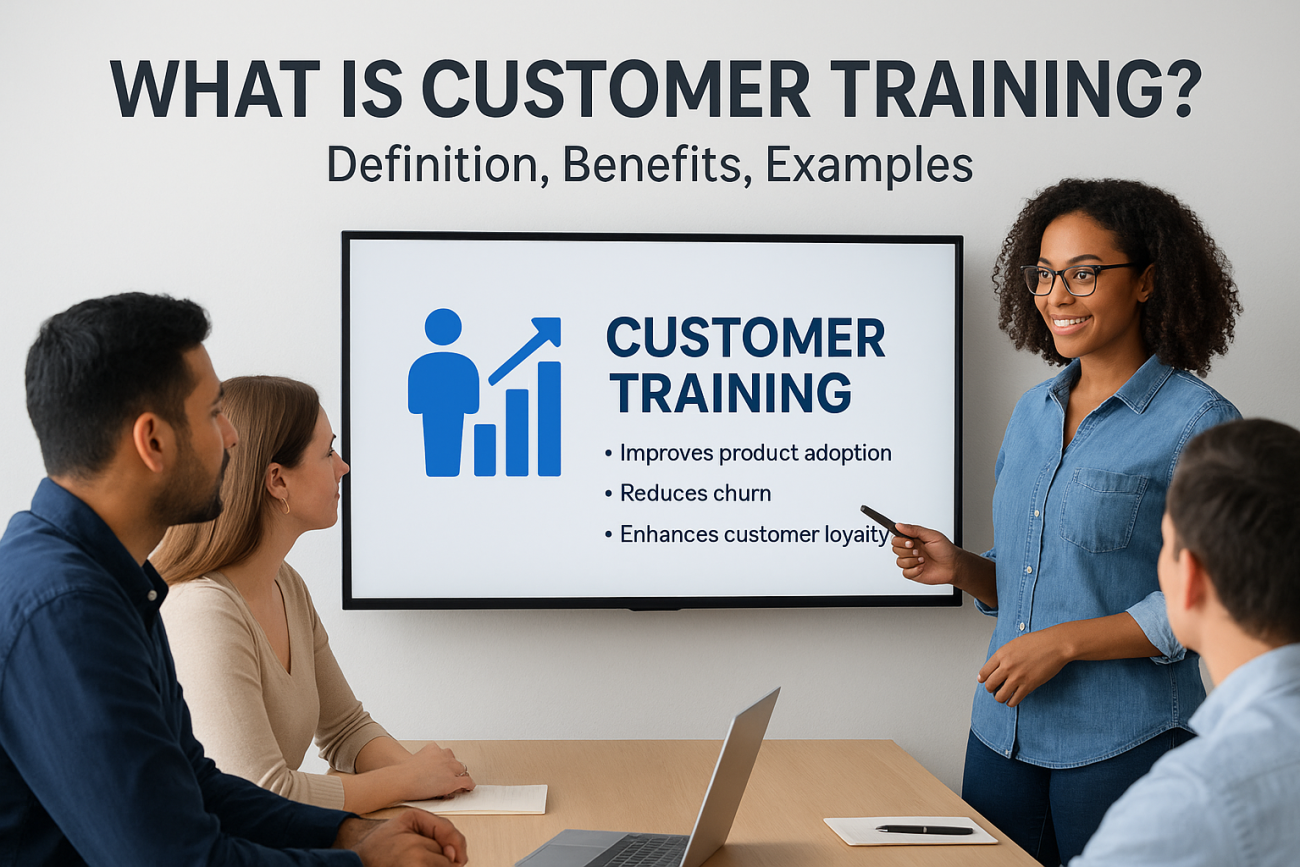
Your product might solve a real problem. Your support team might be exceptional. But if customers don’t know how to actually use what they bought, they leave. That’s the core issue what is customer training addresses, and it’s one most businesses either overlook or handle poorly. Customer training is the structured process of teaching your customers how to get value from your product or service, and it directly impacts retention, satisfaction, and revenue.
Companies that invest in customer training see fewer support tickets, faster onboarding, and stronger long-term loyalty. It’s not a nice-to-have anymore. When your customers succeed, they stick around, and they tell others. The challenge is building a program that actually works without draining your team’s time. That’s where a purpose-built LMS like Axis LMS from Atrixware becomes essential, giving you the tools to create, deliver, and track customer training at scale.
This article breaks down exactly what customer training is, why it matters for your bottom line, and how to build a program that drives real results. You’ll find concrete benefits backed by practical reasoning, along with examples of how businesses use customer training across different industries. Whether you’re starting from scratch or rethinking an existing program, this guide gives you a clear framework to move forward with confidence.
What customer training is and what it is not
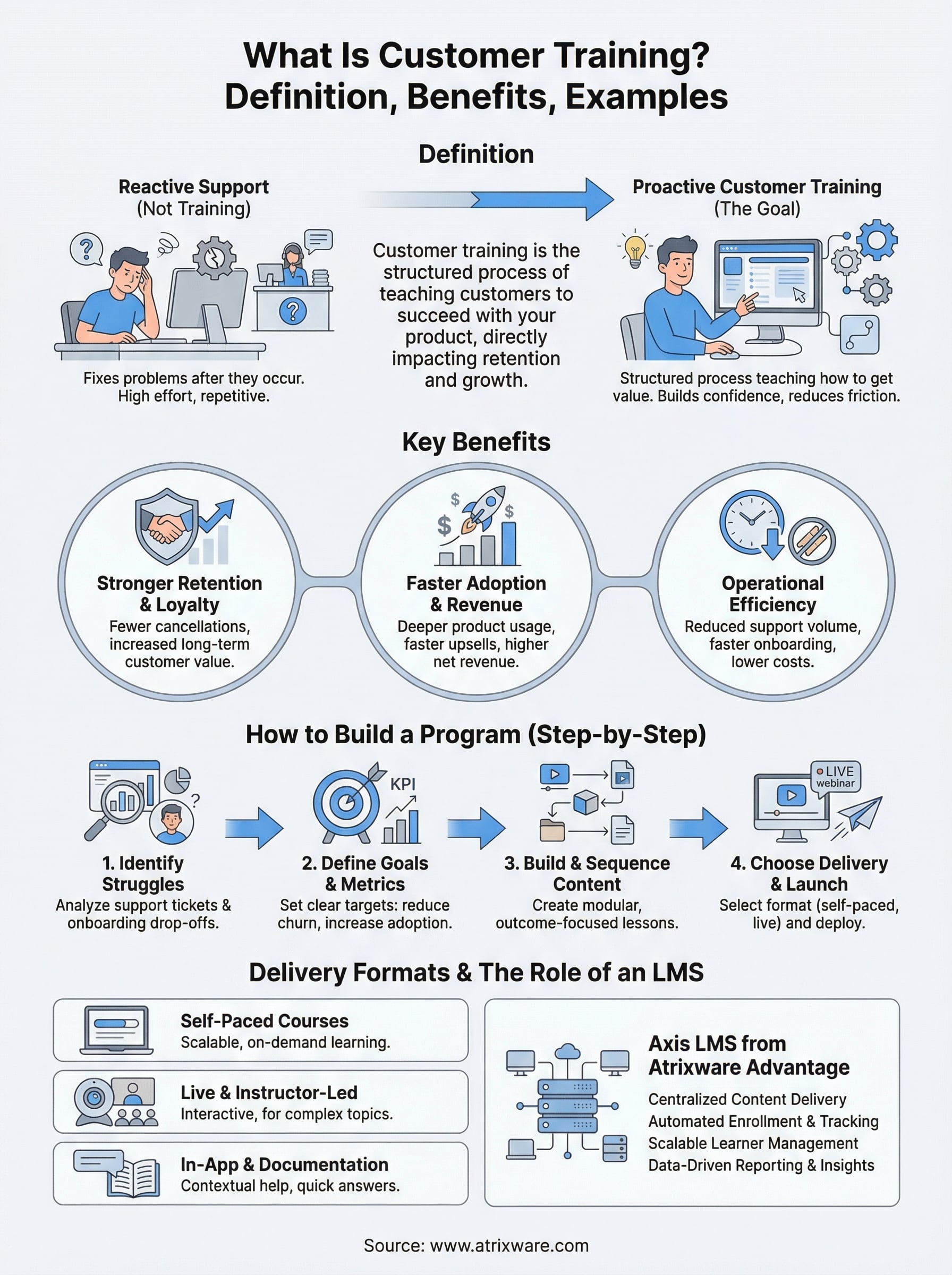
Many businesses blur the line between customer support and customer training, but they serve different purposes. Customer support reacts to problems after they occur, while customer training proactively teaches customers how to use your product before issues arise. Understanding this distinction shapes how you allocate resources, structure your team, and how much friction your customers experience day to day.
The actual definition of customer training
When people ask what is customer training, the simplest answer is this: it is a structured educational program designed to help your customers understand, use, and get real value from your product or service. It goes beyond a quick-start guide or a FAQ page. Customer training combines instructional design, content strategy, and delivery mechanisms to move a customer from "I just bought this" to "I know exactly how to use this."

Customer training is not about explaining what you sell. It is about teaching customers how to succeed with what they already bought.
A well-built customer training program covers the full learning arc, from initial onboarding through advanced feature adoption. It can include video lessons, interactive modules, live webinars, certification paths, and knowledge assessments. The format depends on your product complexity, your customer base, and the resources you have available. What matters is that the training is intentional, repeatable, and tied to outcomes you can actually measure.
What customer training is not
Customer training is not a product tour. A product tour walks someone through your interface for a few minutes. Customer training teaches skills, builds confidence, and changes behavior over time. These are fundamentally different goals, and confusing them leads to programs that look thorough on the surface but fail to reduce churn or support volume.
Customer training is also not the same as employee training or partner training, even though all three might live inside the same LMS. Employee training focuses on internal skill development and compliance. Partner training equips resellers or channel partners to represent your product accurately. Customer training focuses entirely on the people who purchased your product and need to use it well. The audience, the goals, and the success metrics differ for each group.
It is also worth being clear about what customer training cannot fix. If your product is genuinely confusing, no amount of training substitutes for good product design. Training works best when it amplifies an already usable product, not when it compensates for poor UX. Think of training as the accelerator, not the engine.
Finally, customer training is not a one-time event. Many companies build an onboarding course, check the box, and move on. Effective customer training is an ongoing program that evolves as your product adds features, your customer base grows, and your understanding of where customers struggle deepens. A static training library goes stale fast, and outdated content erodes trust just as quickly as no content at all.
Why customer training matters for retention and growth
Once you understand what is customer training and how it differs from reactive support, the next question is whether building a program actually moves the needle for your business. It does, and the impact shows up where it counts most: customer retention rates, product adoption depth, and long-term revenue. Customers who know how to use your product stay subscribed, buy more, and expand their usage instead of quietly canceling.
Retention starts with confidence
Customers who struggle with your product in the first 30 days rarely stick around for month three. Confusion and friction are the primary drivers of early churn, and customer training directly eliminates both. When you give customers a clear learning path from day one, you shift their experience from frustration to competence, and that shift builds the kind of confidence that keeps accounts active and growing.
Customers who feel competent with your product after onboarding are far more likely to renew than those left to figure things out on their own.
Confident customers also generate fewer support tickets, which cuts operational costs while freeing your support team to focus on complex, high-stakes issues instead of repeating the same explanations. Fewer reactive support interactions mean a lower cost per customer served, and customers who don’t hit walls don’t need rescuing. That combination of lower cost and higher satisfaction is difficult to achieve through any other channel.
Training drives product adoption and revenue
Many customers only use the features they discovered during their first week. Deep product adoption, where customers regularly use advanced capabilities, requires intentional training that introduces those features in context and explains why they matter to the customer’s specific goals. When customers adopt more of your product, they get more value from it, and customers who get more value upgrade, expand their seats, and refer others.
Higher adoption rates correlate directly with higher net revenue retention, because customers who rely on your product deeply are far less likely to downgrade or cancel. A customer using three features is far easier to replace than one using eight. Customer training is the mechanism that moves customers from surface-level use to deep reliance.
Training also shortens the sales cycle for upsells. When your customers already understand your platform through structured learning, introducing new tiers or features requires far less re-education, and your team closes expansion deals faster with less friction.
Who owns customer training and when to use it
Customer training does not always have a clear home inside an organization, which is exactly why it often gets neglected. Responsibility shifts between teams depending on company size, product complexity, and how the business is structured. Before you build a program, you need to decide who runs it, who contributes to it, and when it actually makes sense to deploy it.
The right team to own customer training
In most companies, Customer Success owns customer training because their primary job is to ensure customers achieve outcomes with your product. They sit closest to the moments where customers struggle, ask repetitive questions, or fail to adopt key features. That proximity gives them the context to build training that addresses real gaps rather than theoretical ones.
That said, Customer Success rarely builds training content alone. Product teams contribute feature knowledge and roadmap context. Marketing shapes the messaging and tone. Instructional designers or enablement specialists handle course structure, especially as programs scale. The most functional setup is one where Customer Success leads the strategy and outcome targets while other teams contribute content in their areas of expertise.
The team that owns training accountability should also own the metrics tied to it, including activation rates, support ticket volume, and renewal data.
When customer training makes sense to deploy
If you are still asking what is customer training worth investing in, the answer depends on where your customers are dropping off. If customers churn during onboarding, if support volume is high, or if feature adoption is shallow, training is almost always part of the solution. These are the signals that tell you customers are not finding value fast enough on their own.
Training also makes sense when you launch a significant product update, expand into a new customer segment, or move upmarket to more complex buyers. Each of those transitions introduces new learning gaps that your existing documentation probably does not cover. Waiting until customers complain is too late. Building training proactively, before confusion sets in, is what separates programs that reduce churn from those that simply react to it.
You do not need a massive team or a perfect content library to start. A focused training program that addresses your highest-friction moments delivers measurable impact faster than a sprawling curriculum that tries to cover everything at once.
Types of customer training and delivery formats
Customer training takes many forms depending on your product, your customers, and your operational capacity. Understanding the available types helps you build a program that fits how your customers actually learn, not just what is easiest for your team to produce. Knowing what is customer training across its different formats helps you match delivery methods to learning goals, which directly affects completion rates and whether customers retain what they learn long enough to apply it.

Structured learning paths and self-paced courses
Self-paced online courses are the most scalable format available to you. You build the content once, and every customer who goes through onboarding or wants to advance their skills can access it without pulling time from your team. These courses work well for product fundamentals, compliance requirements, and certification paths that customers can complete on their own schedule.
Structured learning paths work best when they sequence content in the order customers actually need it, not the order that makes internal sense to your team.
Combining video lessons, knowledge checks, and downloadable resources inside a learning path keeps customers engaged and gives them multiple ways to absorb the material. An LMS lets you assign specific paths based on customer type, industry, or purchase tier, so each customer gets training relevant to their situation.
Live and instructor-led formats
Live training, whether delivered through webinars, virtual classrooms, or in-person sessions, works especially well for complex products or high-value customers who need direct interaction with an expert. These formats let customers ask questions in real time, which speeds up understanding for topics that are difficult to communicate through recorded content alone.
Many companies combine live and self-paced formats into a blended approach. Customers complete foundational modules on their own, then join a live session to apply that knowledge and get answers to specific questions. This structure reduces the time your instructors spend covering basics and focuses live sessions on higher-value conversations.
In-app and documentation-based training
Not all customer training happens inside a formal course. Tooltips, guided walkthroughs, and contextual help built directly into your product give customers training at the exact moment they need it. These lightweight formats work well for feature discovery and routine tasks that do not require deep instructional design.
Written documentation and knowledge base articles still play a role, but they work best as supplements to structured training rather than replacements for it. Customers searching for a quick answer benefit from articles, while customers building new skills benefit from a structured course.
How to build a customer training program step by step
Building a customer training program does not require a large team or a full-time instructional designer to get started. What matters most is that your program is built around where customers actually struggle, not around what your team finds easiest to explain. Before you write a single lesson, you need a clear picture of the friction points, the outcome you are targeting, and the delivery format that fits your customer base.
Step 1: Identify where customers struggle most
Start by pulling data you already have. Support ticket categories, customer success call recordings, and onboarding drop-off points all tell you where customers are getting stuck. Talk directly to your Customer Success team, since they hear the same questions repeatedly and can point you to the gaps training can close fastest. Once you know where customers lose confidence or slow down, you have a foundation to build content that addresses real problems instead of assumed ones.
Step 2: Define your goals and success metrics
Every program needs a specific target before you build anything. Decide whether you are trying to reduce onboarding time, cut support ticket volume, improve feature adoption, or increase renewal rates, because each goal shapes the content you build and the metrics you track afterward. Trying to accomplish all of them at once leads to unfocused programs that do not move any needle clearly.
Pick one primary goal for your first training program and add complexity only after you have proven the model works.
Step 3: Build and sequence your content
Understanding what is customer training at a structural level means recognizing that content order matters as much as content quality. Customers learn better when lessons build on each other, so map out a sequence that mirrors the natural progression of how a customer moves from purchase through full product adoption before you write a single word. A simple outline covering five to eight key milestones is enough to start.
Step 4: Choose your delivery method and launch
Match your delivery format to your available resources and customer expectations. If your team is small, self-paced video courses inside an LMS give you the broadest reach with the least ongoing effort per customer. Launch a focused pilot with a segment of new customers, collect completion data and direct feedback, and then refine your content before you scale the program to your full customer base.
What to include in your training content and paths
Once you understand what is customer training at a structural level, the content itself becomes the make-or-break factor. The best programs combine clear instructional objectives with practical exercises that mirror the real tasks customers need to complete inside your product. Dumping every feature into a single course overwhelms customers and lowers completion rates. Content should be organized around outcomes, not features, so customers always understand why they are learning something before they learn how to do it.
Core modules every program needs
Every customer training program needs a set of foundational modules that cover the basics any new customer must understand to move forward independently. Start with your activation moment, the specific action or result that signals a customer has gotten initial value from your product, and build your earliest content around reaching that moment as quickly as possible. Everything after that teaches customers how to go deeper and use more of what they bought.
The fastest path to customer confidence is a short, focused onboarding path that gets them to their first win before introducing anything else.
Knowledge checks after each module confirm that customers understood the material rather than just clicking through it. Short quizzes with two to four questions per module reinforce retention without adding friction that drives customers to skip ahead. Scoring thresholds also give you data on where understanding breaks down across your customer base.
How to structure learning paths
A learning path is a sequenced series of courses or modules tied to a specific role, goal, or product tier. Organizing content into paths gives customers a clear roadmap instead of an unstructured library they have to sort through on their own. When customers know exactly what to complete next, they move through training faster and abandon it less.
Structure your paths around the customer journey stages that matter most: initial activation, core workflow mastery, and advanced feature adoption. Customers at each stage have different needs, and content built for one stage rarely serves another well. Building role-based paths also helps when your product serves multiple user types, so a manager and an end user each receive content relevant to their specific workflows without wading through material that does not apply to them. Targeted paths increase completion rates and make your entire program feel more relevant to each customer.
How to measure customer training success
Knowing what is customer training worth to your business requires more than tracking who signed up for a course. Measurement is what separates a training program that improves over time from one that runs on assumptions. Without clear metrics, you cannot tell whether your content is working, where customers drop off, or whether your investment is reducing churn and cutting support costs. Choosing the right metrics starts with tying your measurement strategy to the goals you set when you built the program.
Completion rates and assessment scores
Completion rate tells you what percentage of customers who started a course or learning path actually finished it. A low completion rate signals that your content is too long, poorly sequenced, or not relevant enough to motivate customers to continue. Tracking completion by course, by path, and by customer segment gives you a granular view of where engagement breaks down so you can fix the right problem instead of guessing.
Completion rate alone does not tell you whether customers understood the material, which is why assessment scores matter just as much.
Assessment scores across your knowledge checks reveal where customers are consistently missing concepts and need better instruction. If a large portion of your customers fail a specific quiz question, that module is not communicating its point clearly enough. You track both metrics inside your LMS, which gives you the data to make targeted content improvements rather than rebuilding an entire course based on anecdotal feedback.
Business metrics that reflect training impact
Support ticket volume is one of the clearest indicators of whether your training is working. When customers complete onboarding training and still generate high support volume around the same topics, your content is not closing the gaps you thought it was. Track ticket categories before and after customers complete specific training modules to see whether support contacts on trained topics decrease over time.
Renewal rates and feature adoption depth connect training directly to revenue. Customers who complete structured learning paths and reach your defined activation milestones renew at higher rates than those who skip training entirely. Tracking product usage data alongside training completion lets you draw a direct line between courses finished and features actively used, which gives leadership the evidence needed to invest further in your training program.
How an LMS supports customer training at scale
Once you understand what is customer training and have built a program worth delivering, the question becomes how you manage it as your customer base grows. Manual delivery through email attachments, shared drives, or live-only sessions breaks down fast when you move from 50 customers to 500. A Learning Management System gives you a single platform to create, assign, deliver, and track training across your entire customer base without adding headcount every time your volume increases.
Centralized content delivery and learner management
An LMS stores all your training content in one place, which means every customer gets the same consistent experience regardless of when they join or which product tier they purchased. You control which courses and paths each customer can access, so enterprise accounts get advanced training while SMB customers receive a focused onboarding track without seeing content that does not apply to them. That kind of segmentation is nearly impossible to manage manually once your customer count grows past a handful.
The ability to assign role-based learning paths automatically is what separates a scalable training program from one that requires constant manual oversight.
Learner management tools inside an LMS let you monitor progress across your entire customer base from a single dashboard, so your Customer Success team can see at a glance which customers have completed onboarding, who is stuck on a specific module, and which accounts have gone weeks without logging in. That visibility lets your team intervene early with customers showing low engagement before they become churn risks.
Automation that keeps your program running
The operational lift of running customer training at scale drops significantly when your LMS handles routine tasks automatically. Automated enrollment triggers can add new customers to their assigned learning path the moment they are created in your system, so no customer falls through the cracks waiting for someone to manually send them a login. Completion reminders, certificate generation, and progress notifications all run without requiring your team to monitor every account individually.
Reporting automation lets you schedule regular training completion summaries that go directly to Customer Success managers or account owners, so the right people stay informed without having to pull data manually. Axis LMS handles all of this inside a single system, giving you the infrastructure to run a professional customer training operation that grows with your business without growing your administrative overhead at the same rate.
Next steps
You now have a complete picture of what is customer training, from its definition and business impact to the content, metrics, and tools that make a program actually work. The difference between companies that lose customers early and those that keep them long-term almost always comes down to whether customers feel capable and confident using what they bought. A structured training program built around real customer friction points is the most direct investment you can make in retention and revenue growth.
Your next move is to identify the one onboarding gap causing the most churn or support volume, build a focused course around it, and track the results against a clear baseline. You do not need a perfect program to start. You need a working one that improves over time. If you want to see how Axis LMS supports customer training from day one, start your free Axis LMS admin demo and explore the tools built for exactly this kind of program.
