Your employees are already on their phones, between meetings, during commutes, on the warehouse floor. The question isn’t whether they’ll use mobile devices at work, but whether your training program meets them there. Getting mobile learning best practices right means the difference between a program people actually complete and one they abandon after the first screen. Done well, mobile learning drives engagement, retention, and real behavior change across your workforce.
But shrinking a desktop course down to a smaller screen isn’t the goal. Mobile learning requires its own design thinking, from content structure to assessment format. At Atrixware, we’ve built Axis LMS to support responsive, mobile-friendly training delivery, so the practical strategies below aren’t theoretical. They’re informed by what we see working across thousands of learners every day.
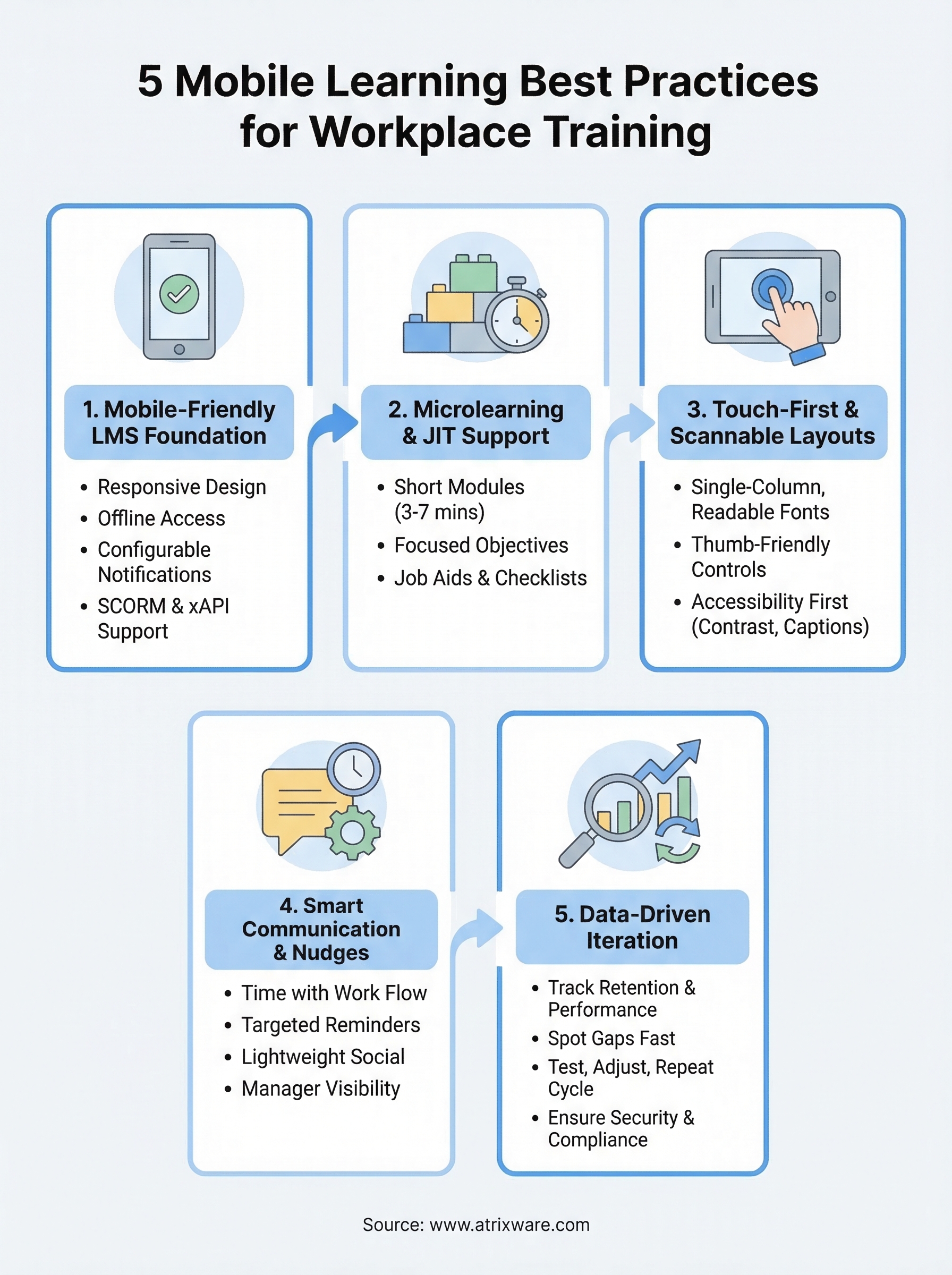
Here are five best practices to help you build a mobile learning program that actually sticks.
1. Use a mobile-friendly LMS and delivery setup
Your platform is the foundation of any mobile learning program. If the LMS itself isn’t built for mobile, every other design decision you make runs uphill. A mobile-friendly delivery setup means learners can access, complete, and track training from any device without running into roadblocks before the lesson even starts.
What "mobile-friendly" should mean in workplace training
Mobile-friendly means more than "it loads on a phone." The learner interface should automatically adapt to any screen size, touch interactions should work without frustration, and content should load fast even on slower connections. If someone has to pinch, zoom, or scroll sideways to read a single lesson slide, they will stop. Your training loses before the learner does.
A truly mobile-ready LMS delivers a consistent experience across all devices without requiring learners to download a separate app or adjust any settings on their own.
Features to prioritize when you evaluate an LMS for mobile learning
When comparing platforms, don’t accept "works on mobile" as a complete answer. Look specifically for:
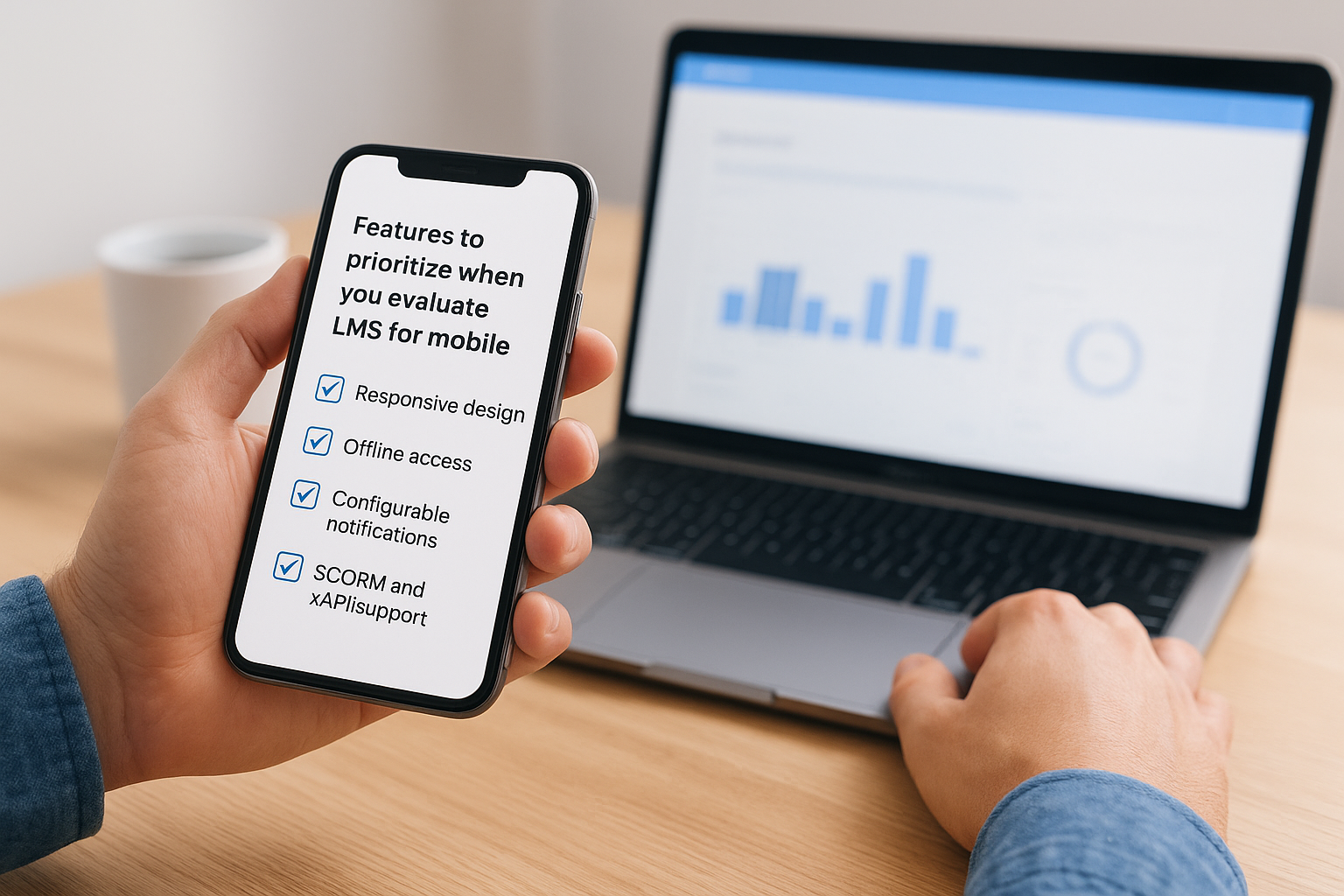
- Responsive design built into the core learner UI, not patched in as an afterthought
- Offline access with automatic progress sync when connectivity returns
- Configurable notifications (push or email) tied to due dates and incomplete modules
- SCORM and xAPI support so content tracks correctly across every device
How to set up Axis LMS for mobile access, tracking, and notifications
Axis LMS includes a fully responsive learner interface that works on any modern browser or device without a separate app. You can configure automated notifications for due dates, incomplete modules, and re-certification reminders, and all completion data syncs in real time so your reports stay accurate regardless of which device a learner used to finish a course.
Mistakes that break mobile learning before it starts
The most common error is uploading desktop-formatted content, like wide PDFs or multi-column slide decks, and assuming it will translate to small screens. Another frequent mistake is skipping notification setup entirely, which removes the main mechanism that brings learners back to unfinished training. Catch both issues during your pre-launch review and you eliminate the most avoidable drop-off points in your program.
2. Design for microlearning and just-in-time support
Mobile learners don’t sit through long courses on a phone. Designing for short, focused modules is one of the most important mobile learning best practices you can apply to keep completion rates high.
When microlearning works best and when it does not
Microlearning works when the task is discrete and learners need quick answers on the job. It’s less effective for complex skills that require deep, sequential instruction, such as full onboarding programs or certification paths that build on prior knowledge.
How to break a long course into mobile-sized modules
Split content by single learning objective per module, targeting three to seven minutes per lesson. Keep assessments short, ideally one to three questions, so learners can finish a complete unit in one sitting without losing their place.
Modules built around one clear outcome are easier to update, translate, and reuse across training programs.
Performance support formats that employees will actually use on the job
Job aids, checklists, and short video demos give employees answers in the moment without pulling them away from work. Build these as standalone resources inside your LMS so learners can search and access them outside of any formal course.
How to keep mobile learning consistent across teams and topics
Use standardized templates for module layout and naming so every team publishes content that looks and behaves the same way. Consistency reduces the cognitive load learners carry when switching between topics or departments.
3. Build touch-first lessons that are easy to scan
Designing for touch interaction changes how you structure every element on screen. Following mobile learning best practices here means your lessons feel native to the device, not forced onto it.
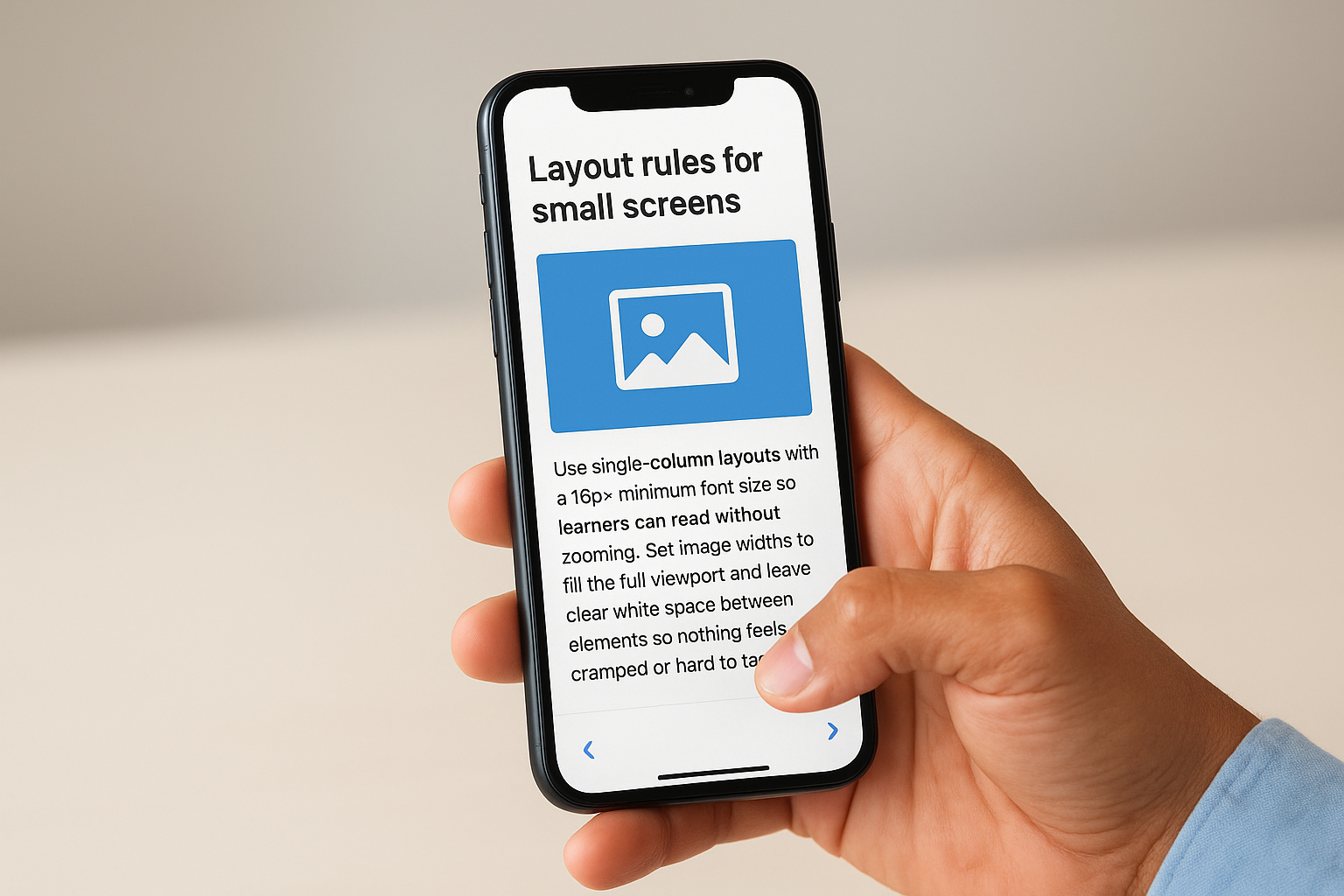
Layout rules for small screens: text, visuals, and spacing
Use single-column layouts with a 16px minimum font size so learners can read without zooming. Set image widths to fill the full viewport and leave clear white space between elements so nothing feels cramped or hard to tap.
Navigation that fits thumbs and real-world use
Place all interactive controls in the bottom two-thirds of the screen where thumbs naturally land. Remove any hover-dependent interactions entirely since they do not translate to touch screens and will break your lesson flow mid-activity.
Design every tap target at a minimum of 44×44 pixels to prevent learners from accidentally triggering the wrong control.
Accessibility checks for mobile learning in the workplace
Verify that color contrast ratios meet WCAG 2.1 AA standards and add closed captions to every video. Run a screen reader test before publishing to catch any elements that learners with visual or motor impairments cannot reach or activate.
Quick QA checklist before you publish
Before releasing any lesson, run through these checks:
- Test on at least two screen sizes to confirm the layout holds
- Verify progress syncs correctly after a learner closes mid-lesson and returns later
4. Drive completion with smart nudges and communication
Publishing a course is only the start. The real work is keeping learners engaged long enough to finish, and smart communication is your most direct lever for doing that.
How to align mobile learning with work schedules and shift patterns
Timing your training releases and reminders around actual work rhythms dramatically improves open rates. Target natural downtime windows, before a shift starts or right after a scheduled break, rather than pushing content mid-task when learners are least likely to engage.
Using reminders, due dates, and messaging without annoying learners
Set due dates at the course level and pair them with no more than two automated reminders. Limit your total outreach so learners don’t start filtering your messages out before the deadline arrives.
One clear message with a direct link back to where the learner stopped outperforms three vague nudges every time.
Adding lightweight social learning and peer knowledge sharing
A simple discussion prompt or peer review task inside a module gives learners a reason to return. Following mobile learning best practices here means keeping any social element optional and low-effort so it adds value rather than burden.
How to support managers so mobile learning sticks
Send managers a weekly progress summary for their team so they can follow up directly. Manager visibility turns training from a solo task into a shared team priority, which is the fastest way to raise completion rates across the board.
5. Measure impact, then iterate based on data
Applying mobile learning best practices without tracking results means you’re guessing. Data from your training program tells you what’s working, what’s failing, and where to invest next.
Metrics that matter beyond completion and seat time
Quiz scores, knowledge retention checks, and post-training performance data give you a clearer picture than completion rates alone. Track how scores shift over time to see whether learners are actually retaining information or just clicking through modules to hit a deadline.
How to use Axis LMS reporting and automations to spot gaps fast
Axis LMS lets you run on-demand reports by course, group, or individual learner so you can pinpoint exactly where drop-off rates are highest. Set up automated alerts to flag any learner who misses a deadline or scores below your passing threshold before the problem compounds.
Acting on data within the same training cycle beats saving your analysis for a quarterly review.
How to run a simple improvement cycle: test, adjust, repeat
Publish a revised module to a small group first, measure results against the previous version, then roll it out broadly only when the data confirms the change worked. Keep your cycle tight:
- Test with a pilot group
- Adjust based on score and completion data
- Repeat with the full audience
Security and compliance guardrails for mobile training
Role-based access controls and encrypted data transmission protect learner records on any device. If your industry requires FDA 21 CFR Part 11 or GDPR compliance, confirm your LMS audit trails capture mobile activity the same way they capture desktop sessions.
Next steps
The five mobile learning best practices covered here give you a complete framework to act on right now. Start with your platform, confirm it delivers a genuinely responsive experience, then layer in microlearning design, touch-first layouts, smart communication, and data-driven iteration. Each step builds on the last, so getting the foundation right saves you from reworking decisions down the line.
You don’t need to overhaul everything at once. Pick the area where your current program is weakest, apply the relevant strategies from this list, measure the result, and move to the next gap. Small, focused improvements compound over time into a training program your workforce actually completes and benefits from.
Not sure where your current LMS setup stands? Take the LMS readiness quiz to find out exactly where you are in the process. It surfaces your specific gaps and points you toward the most impactful next move for your program.
